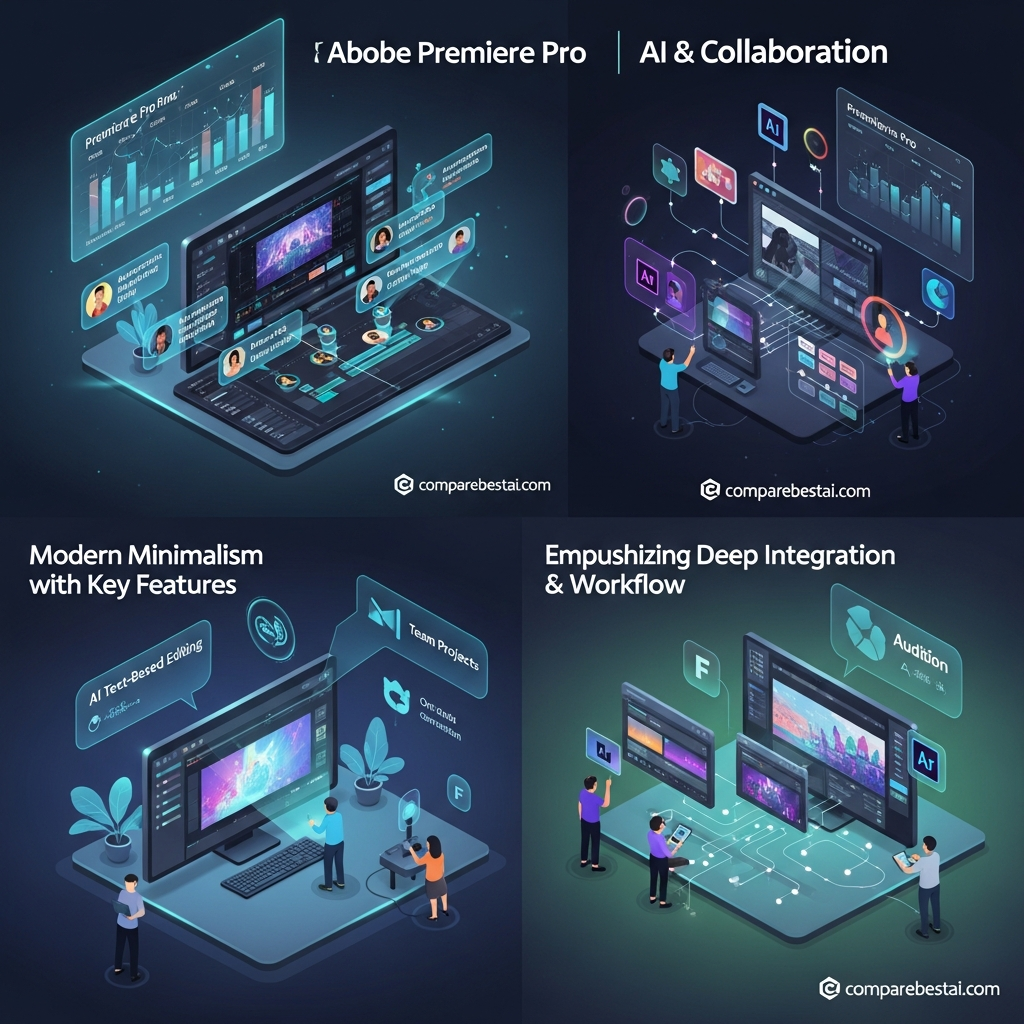

Quick Answer: Adobe Premiere remains one of the strongest professional video editors in 2026 for filmmakers, professional creators, agencies and editors who need deep timeline control, broad format support, Adobe ecosystem integration and increasingly capable AI-assisted workflows. Premiere costs $22.99/month on an annual contract billed monthly and now combines Text-Based Editing, Media Intelligence, Generative Extend, AI-powered Object Masking, multilingual captions and Frame.io review workflows. Its main drawbacks are the recurring subscription, relatively steep learning curve and demanding hardware requirements.
Published: July 14, 2026
Last Updated: August 31, 2026
Adobe Premiere Pro Review at a Glance
| Category | Verdict |
|---|---|
| Best for | Professional editors, filmmakers, agencies, advanced creators |
| Platform | Windows, macOS |
| Individual price | $22.99/month |
| Billing | Annual contract, billed monthly |
| Free trial | 7 days |
| Cloud storage | 100GB |
| Generative credits | 25/month |
| Included extras | Adobe Express Premium, Frame.io |
| Text-Based Editing | Yes |
| Generative Extend | Yes |
| Media Intelligence | Yes |
| Object Mask | Beta |
| Generative Media Tool | Beta |
| Collaboration | Frame.io |
| Biggest strength | Professional editing depth + Adobe ecosystem |
| Biggest weakness | Subscription + learning curve |
Adobe currently lists the Premiere Single App plan at $22.99/month, including Premiere on desktop/mobile, Adobe Express Premium, Frame.io, 100GB storage and 25 monthly generative credits.
What Is Adobe Premiere?
Adobe Premiere is Adobe's professional nonlinear video editor for editing, color, audio, titles, effects, captions and final delivery.
It sits inside Adobe's broader creative ecosystem, so Premiere workflows can connect naturally with applications and services such as:
- After Effects
- Photoshop
- Illustrator
- Adobe Express
- Firefly
- Frame.io
Premiere supports professional delivery formats including H.264, H.265/HEVC, ProRes and a wide range of native camera formats.
Unlike lightweight template editors, Premiere is built around a full multitrack timeline and granular manual control.
That makes it more powerful—but also more demanding to learn.
What's New in Adobe Premiere in 2026?
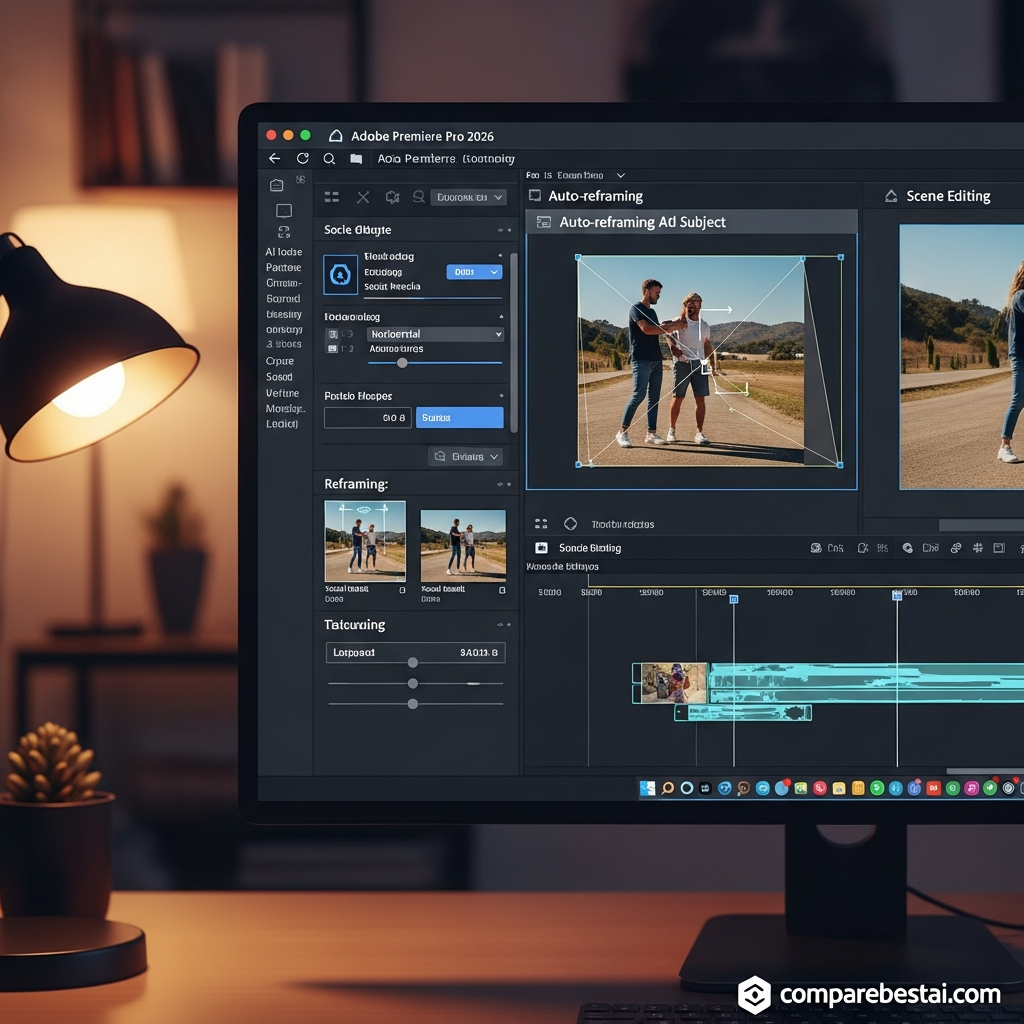
Premiere's strongest 2026 story is AI helping with repetitive production tasks without replacing the professional timeline workflow.
1. AI-Powered Object Mask
Object Mask can automatically identify and isolate people or objects in footage.
Instead of manually drawing every frame of a mask, an editor can select a subject and let Premiere track it through the shot.
Useful applications include:
- selective color correction
- face blurring
- placing text behind subjects
- tracked visual effects
- isolating moving objects.
Adobe currently labels Object Masking as a beta feature.
August 2026 updates also added Sharp and Smooth edge modes, improving control around hard edges, hair and translucent subjects.
2. Generative Extend
Generative Extend uses Adobe Firefly to create additional frames at the beginning or end of an existing clip.
This can help when an edit needs:
- an extra reaction beat
- additional frames for a transition
- extended ambient sound
- a cleaner edit point
- missing frames around camera movement.
The feature is useful because it solves a very common editing problem: footage ending slightly earlier than the cut requires.
3. Media Intelligence
Media Intelligence uses AI to search through:
- visuals
- transcripts
- metadata
across large footage libraries.
For documentary, interview and agency projects containing hundreds or thousands of clips, this can reduce the amount of time spent manually scrubbing through footage.
4. Translate Captions
Premiere can generate multilingual caption versions inside the editing workflow.
That's particularly useful for:
- global marketing
- YouTube localization
- training content
- international social campaigns.
5. Generative Media Tool — Beta
One of the more interesting 2026 additions is Adobe's Generative Media Tool inside Premiere beta.
It allows editors to generate:
- video clips
- sound effects
directly inside the timeline using prompts and optional reference frames.
The current beta supports Adobe Firefly and supported partner AI models. Generated results arrive as editable timeline clips.
This is important because AI generation is moving closer to the actual editing timeline rather than requiring constant export/import loops between separate AI applications.
Text-Based Editing
Text-Based Editing remains one of Premiere's most practical AI-assisted tools.
Premiere can automatically transcribe footage, after which editors can build or modify a rough cut by editing transcript text.
Remove a sentence from the transcript and the corresponding media can be removed from the sequence.
This is especially valuable for:
- interviews
- podcasts
- documentaries
- webinars
- educational content
- talking-head videos.
It does not replace timeline editing entirely.
Instead, it speeds up the first assembly stage before detailed visual and audio refinement.
For creators whose entire workflow revolves around transcript editing, however, a simpler platform such as CompareBestAI's Descript review may also be worth evaluating. Read the Descript AI review
Audio Editing in Premiere
Premiere provides much more than basic audio level controls.
Enhance Speech
Enhance Speech uses AI to improve dialogue clarity and reduce distracting background noise.
This can save significant round-tripping for:
- interviews
- YouTube videos
- corporate videos
- podcasts
- recorded presentations.
Remix
Remix automatically adjusts music duration to fit an edited sequence while trying to preserve the structure of the track.
It's a small feature, but extremely useful when a 90-second song needs to fit a 45-second edit without an awkward hard cut.
Color and Professional Workflow
Premiere remains strong for professional color-managed editing.
Recent releases have improved:
- wide-gamut workflows
- log footage handling
- HDR export
- color metadata interpretation
- GPU-accelerated playback.
Editors needing deeper dedicated grading tools may still prefer DaVinci Resolve, but Premiere provides enough color control for many professional workflows without leaving the NLE.
Frame.io Collaboration
Premiere includes Frame.io integration for review and approval.
Reviewers can open shared edits in a browser and:
- comment
- annotate specific frames
- provide timecoded feedback
- review updated cuts.
Adobe says Frame.io for Creative Cloud is included with Premiere and Creative Cloud subscriptions.
This is particularly useful for:
- agencies
- remote production teams
- client review
- internal marketing departments
- distributed post-production teams.
It is better to describe this as a review-and-feedback workflow rather than loosely claiming every Premiere user has unrestricted real-time timeline co-editing.

Adobe Premiere Pricing in 2026
Premiere Individual
$22.99/month
Annual contract, billed monthly.
Current plan includes:
- Premiere desktop
- Premiere mobile
- Adobe Express Premium
- Frame.io for Creative Cloud
- 100GB cloud storage
- 25 monthly generative credits
- fonts, templates and tutorials.
Creative Cloud Pro
Regular price:
$69.99/month
Annual contract, billed monthly.
Creative Cloud Pro includes Premiere plus 20+ Adobe apps and 4,000 monthly premium generative credits.
Adobe currently displays temporary promotional pricing for some new subscribers, but promotions change frequently. The regular rate is the safer evergreen figure.
For the wider Adobe plan structure, see CompareBestAI's Adobe Creative Cloud pricing guide once its current pricing update is published. Adobe Creative Cloud pricing guide
Premiere for Teams
Current Adobe pricing:
$37.99/month per license
on an annual contract billed monthly.
The Teams version adds business-oriented administration and currently includes 1TB cloud storage per license.
Does Premiere Have a Free Version?
The professional desktop Premiere application is not offered as a permanently free desktop editor.
Adobe currently provides a 7-day free trial of Premiere.
Adobe also now offers Premiere on iPhone as a free standalone editing app, although some Firefly-powered generative capabilities depend on generative credits.
This should not be confused with the full desktop version.
Premiere System Requirements
Premiere can technically run on relatively modest hardware, but demanding 4K production requires considerably more.
Windows
Current Adobe recommendations include:
- minimum 8GB RAM
- 16GB RAM recommended for HD
- 32GB or more for 4K
- 8GB GPU memory recommended
- fast internal SSD
- additional high-speed media storage.
macOS
Adobe recommends modern Apple silicon for stronger performance.
For Apple silicon systems, around 16GB unified memory is recommended for professional workflows.
Practical recommendation
For serious 4K work, I would treat:
32GB RAM + fast SSD/NVMe + modern GPU
as a much more realistic Windows target than Premiere's minimum requirements.
Minimum specification means the software can run.
It does not mean complex 4K timelines will feel good.
Adobe Premiere Pros
Professional editing depth
Premiere offers granular control over timeline editing, audio, color, effects, multicam and export.
Strong Adobe ecosystem
Premiere works naturally with Photoshop, After Effects and other Adobe creative applications.
Strong AI-assisted workflow
Text-Based Editing, Media Intelligence, Generative Extend, Enhance Speech and Object Mask reduce repetitive tasks.
Excellent format compatibility
Professional codecs, camera formats and export options are widely supported.
Frame.io review workflow
Client and stakeholder feedback can happen without manually emailing video files.
Cross-platform
Premiere runs on both Windows and macOS, unlike Final Cut Pro.
Adobe Premiere Cons
Subscription only
At $22.99/month, the cost continues as long as you need the desktop application.
Steep learning curve
Premiere is not difficult because the interface is bad; it is difficult because professional post-production contains many concepts.
Beginners who only need:
- trimming
- captions
- templates
- social video
may be paying for far more editor than they need.
Demanding hardware
4K, high-frame-rate footage, effects-heavy timelines and complex codecs can stress older computers.
Generative credits are limited on Single App
The Premiere Single App plan currently includes only 25 monthly generative credits, far below Creative Cloud Pro's 4,000.
Some of the newest AI tools are beta
Object Mask and the Generative Media Tool should not be presented as fully mature production features yet.
Who Should Use Adobe Premiere?
Professional video editors
Premiere is a strong choice if precise timeline control and advanced media handling matter.
Filmmakers
Its broad codec support, multicam editing, audio tools and After Effects workflows fit professional post-production.
Creative agencies
Frame.io and the wider Creative Cloud ecosystem are useful for review-heavy client workflows.
Advanced YouTube creators
Premiere makes sense when a YouTube workflow has outgrown lightweight editors.
Marketing video teams
Brand assets, templates, captions and Adobe ecosystem integration can make repeated campaign production more efficient.
Who Should Consider an Alternative?
Budget-conscious professional editors
DaVinci Resolve offers an unusually capable free version.
Editors who hate subscriptions
DaVinci Resolve Studio is currently $295, while Final Cut Pro remains available for $299.99 one-time.
Mac-only editors prioritizing speed
Final Cut Pro is heavily optimized around Apple hardware and the Magnetic Timeline.
Podcast and talking-head creators
Descript can be faster when most editing decisions revolve around spoken words rather than complex visual timelines. Compare with Descript
Beginner social creators
Filmora or CapCut can provide a shallower learning curve for straightforward creator workflows. See the Filmora review See the CapCut review
Adobe Premiere vs DaVinci Resolve
This is arguably the most important professional comparison.
| Feature | Premiere | DaVinci Resolve |
|---|---|---|
| Free desktop version | No | Yes |
| Paid price | $22.99/mo | $295 one-time Studio |
| Windows | Yes | Yes |
| macOS | Yes | Yes |
| Linux | No | Yes |
| Color grading | Strong | Exceptional |
| Adobe ecosystem | Excellent | Limited |
| Fusion/VFX | After Effects ecosystem | Built-in Fusion |
| Audio | Strong | Built-in Fairlight |
| Frame.io | Integrated | Different cloud workflow |
| Best for | Adobe-centric pro workflows | Color/post-production/value |
Blackmagic currently sells Resolve Studio 21 for $295, while maintaining a highly capable free version.
Choose Premiere if:
- After Effects integration matters
- Adobe is already your creative ecosystem
- Frame.io workflows matter
- cross-app Adobe workflows save time.
Choose Resolve if:
- color is a top priority
- you dislike subscriptions
- Linux support matters
- you want editing, Fusion, Fairlight and grading inside one application.
Adobe Premiere vs Final Cut Pro
Final Cut Pro is now available both through Apple's Creator Studio subscription and as a $299.99 one-time Mac purchase.
Premiere advantages
- Windows + Mac
- deeper Adobe ecosystem
- After Effects integration
- Frame.io
- broader team compatibility across mixed systems.
Final Cut Pro advantages
- Mac-focused optimization
- one-time license available
- Magnetic Timeline
- strong Apple silicon performance
- simpler purchasing for editors who dislike subscriptions.
For Mac-only solo editors, Final Cut deserves serious consideration.
For mixed Windows/Mac teams, Premiere is usually easier operationally.
Adobe Premiere vs Descript
These tools overlap less than they initially appear to.
Premiere is a professional timeline editor.
Descript is primarily optimized around transcript-first audio/video production.
Use Premiere for:
- cinematic edits
- complex visual storytelling
- advanced timelines
- color
- multicam
- effects-heavy work.
Use Descript for:
- podcasts
- interviews
- tutorials
- talking-head videos
- transcript-based editing
- rapid content repurposing.
How We Evaluated Adobe Premiere
For this review, the most important evaluation criteria are:
- professional timeline editing
- AI-assisted workflow
- output and format support
- audio and caption workflow
- collaboration
- Adobe ecosystem integration
- hardware requirements
- price and total ownership cost
- learning curve
- alternatives.
Feature and pricing claims should be checked against Adobe's current product pages and documentation rather than unsupported usage statistics.
This is particularly important in 2026 because Premiere's AI functionality is changing quickly and some capabilities remain in beta.
Frequently Asked Questions
Is Adobe Premiere Pro worth it in 2026?
Yes, Premiere is worth considering for professional editors, filmmakers, agencies and advanced creators who need strong timeline control, broad format support and Adobe ecosystem integration. It is less compelling for casual editors who only need basic cuts, captions and templates.
How much does Adobe Premiere cost?
Adobe currently lists the Premiere Individual plan at $22.99/month on an annual contract billed monthly. It includes 100GB cloud storage, Adobe Express Premium, Frame.io and 25 monthly generative credits.
Does Premiere have AI video editing?
Yes. Current AI-assisted features include Text-Based Editing, Media Intelligence, Generative Extend, Enhance Speech and AI-powered Object Masking. Adobe is also testing a Generative Media Tool that can create video and sound effects directly inside the Premiere timeline.
Is Adobe Premiere better than DaVinci Resolve?
Premiere is generally stronger for Adobe-centric workflows and After Effects/Frame.io integration. DaVinci Resolve is especially strong in color grading and value because it offers a powerful free edition and a $295 Studio license.
Is Final Cut Pro cheaper than Premiere?
Over the long term, it can be. Final Cut Pro remains available as a $299.99 one-time purchase, while Premiere uses recurring subscription pricing. Final Cut is Mac-only.
Can Premiere edit 4K video?
Yes. Adobe recommends 32GB RAM or more for Windows systems handling 4K and higher-resolution media, along with a capable GPU and fast storage.
Is Premiere good for beginners?
A motivated beginner can learn Premiere, but the interface and professional feature depth create a higher learning curve than tools such as Filmora or CapCut.
Does Premiere include Frame.io?
Yes. Adobe currently includes Frame.io capabilities with Premiere and Creative Cloud subscriptions for review and feedback workflows.
Final Verdict: Adobe Premiere Pro Review 2026
Adobe Premiere remains a top-tier professional video editor in 2026, but it is no longer automatically the best choice for every creator.
Its strongest advantages are:
professional timeline control + Adobe integration + Frame.io + broad format support + increasingly useful AI-assisted editing
The strongest 2026 improvements are not vague “AI automation.”
They are concrete tools such as:
- Object Mask
- Media Intelligence
- Generative Extend
- Translate Captions
- Generative Media inside the timeline
- established Text-Based Editing and Enhance Speech.
The main trade-offs remain equally clear:
subscription pricing + demanding hardware + learning curve
Choose Premiere if video editing is a serious part of your work and you value the Adobe ecosystem.
Choose DaVinci Resolve if you prioritize color, an excellent free tier and one-time Studio pricing.
Choose Final Cut Pro if you're Mac-only and prefer Apple's workflow.
Choose Descript, Filmora or CapCut if speed and simplicity matter more than deep manual control.
At $22.99/month, Premiere is easiest to justify when its professional features save you enough production time to matter.

