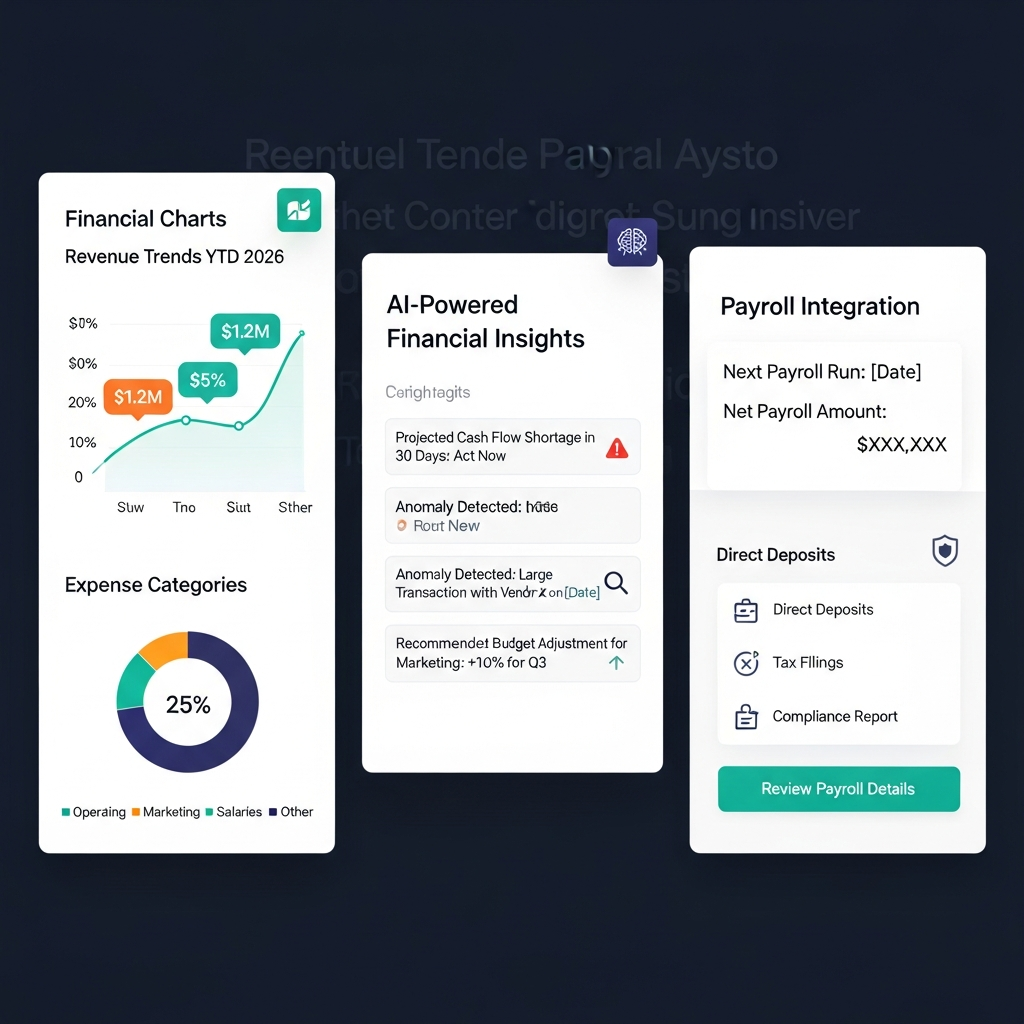

Xero Review 2026: Quick Verdict
Xero is worth considering in 2026 for small and growing businesses that want cloud accounting, invoicing, bank reconciliation, reporting, automation and a large app ecosystem.
It is particularly attractive to teams because Xero does not charge standard per-user licensing fees.
Xero is less suitable for US businesses that require built-in payroll or an inbound customer-support phone line. US payroll currently relies on Xero's Gusto partnership, while support is primarily handled online through Xero Central.
Current regular US pricing starts at $25 per month for Early, $55 for Growing and $90 for Established. Xero has announced that these prices will increase to $27, $59 and $97 respectively on October 1, 2026.
See Xero Plans & Current Pricing
Xero at a Glance
| Category | Xero |
|---|---|
| Best for | Small and growing businesses |
| Current US plans | Early, Growing, Established |
| Current starting price | $25/month |
| Early price from Oct. 1, 2026 | $27/month |
| Online invoicing | Yes |
| Bank reconciliation | Yes |
| Smart document capture | Yes |
| Multi-currency | Established |
| Projects | Established |
| Employee expenses/mileage | Established |
| General users | No standard per-user license fee |
| Connected apps | 1,000+ |
| Bank institutions | 21,000+ globally |
| AI assistant | JAX |
| US payroll | Through Gusto |
| Online support | Unlimited |
| Inbound support phone line | No |
| Free trial | 30 days under current terms |
Last verified: August 24, 2026.
What Is Xero?
Xero is cloud-based accounting software designed primarily for small businesses, growing companies, accountants and bookkeepers.
It combines bookkeeping and financial-management tools such as:
Online invoicing
Bills
Bank feeds
Bank reconciliation
Financial reporting
Sales-tax tools
Cash-flow forecasting
Document capture
Payments
Projects
Expenses
Multi-currency accounting
Xero also integrates with more than 1,000 third-party apps, allowing businesses to connect accounting data with software for ecommerce, inventory, CRM, payroll, payments, time tracking and other workflows.
The platform currently serves more than 5 million customers across more than 180 countries.
Xero Pricing in 2026
Xero currently offers three primary accounting plans for US customers.
| Plan | Current Regular Price | Price From October 1, 2026 | Best For |
|---|---|---|---|
| Early | $25/month | $27/month | Very small businesses |
| Growing | $55/month | $59/month | Established small businesses |
| Established | $90/month | $97/month | Businesses needing advanced financial tools |
Pricing last verified: August 24, 2026.
Temporary discounts and promotional offers can change, so compare the live offer with the regular monthly price before subscribing.
Early
Early provides the core Xero accounting workflow for smaller businesses.
It currently includes:
Up to 20 invoices
Up to five bills
Quotes
Online invoice payments
Bank reconciliation
Smart Document Capture
Real-time reports
W-9 and 1099 management
Sales-tax functionality
Basic performance graphs
30-day cash-flow forecasting
The main limitation is the 20-invoice and five-bill cap.
A business regularly exceeding either limit should compare Growing instead.
Growing
Growing removes the Early plan's invoice and bill limits.
It currently adds:
Unlimited standard invoicing and bill entry
Auto-reconcile bank transactions in beta
60-day cash-flow forecasting
More detailed performance visualizations
Customizable performance dashboards
Tailored financial health scorecards
For many established US small businesses, Growing offers the most practical balance of price and functionality.
Established
Established includes everything in Growing plus features for more complex financial workflows.
These currently include:
180-day cash-flow forecasting
Multi-currency accounting
Project time and cost tracking
Employee expense and mileage claims
KPI and ratio analysis
Industry benchmarking
International online bill-payment capabilities
Established makes more sense for businesses operating internationally or requiring projects, expenses and deeper financial analysis.
Xero's October 2026 Price Increase
Xero has announced that US subscription prices will increase on October 1, 2026.
The changes are:
Early: $25 to $27 per month
Growing: $55 to $59 per month
Established: $90 to $97 per month
Businesses deciding whether to subscribe should evaluate the upcoming price rather than judging long-term value solely on today's rate.
Xero Free Trial and Promotions
Xero's current US terms provide a 30-day free trial, although trial functionality may be limited.
Xero also runs separate promotional offers for new customers, including discounted subscription periods or a free first month.
These promotions change, so verify the current offer before purchasing.
Best Xero Features in 2026
Online Invoicing
Xero lets businesses create and send online invoices and quotes.
Depending on the workflow, users can:
Customize invoices
Add online payment options
Track invoice status
Send reminders
View when invoices are opened
Monitor outstanding amounts
Early is limited to 20 invoices, while Growing and Established remove that standard invoice cap.
Bank Feeds and Reconciliation
Bank reconciliation is one of Xero's core workflows.
Xero can receive bank data from more than 21,000 financial institutions globally.
Transactions imported through bank feeds can then be matched against accounting records.
Xero uses automation, bank rules and matching suggestions to reduce repetitive reconciliation work.
Growing and Established currently also include auto-reconciliation in beta.
Businesses should still review reconciliations rather than assuming every automated match is correct.
Smart Document Capture
Smart Document Capture helps extract information from bills and receipts rather than requiring every transaction to be entered manually.
Documents can be stored alongside the accounting record, helping businesses keep source information organized.
This is particularly useful for companies processing frequent supplier bills and expense documentation.
Reporting and Cash-Flow Forecasting
All current Xero US plans include reporting.
Cash-flow forecasting varies by plan:
Early: 30 days
Growing: 60 days
Established: 180 days
Established also adds KPI analysis, ratios and industry benchmarking.
Forecasts are useful planning tools, but they depend on the quality and completeness of the underlying accounting data.
JAX AI Business Companion
JAX is Xero's AI business companion.
It can help users explore their financial information conversationally rather than manually finding every report.
Current capabilities include:
Answering questions based on financial data
Showing financial information in charts and tables
Helping users understand business performance
Combining business information with relevant external insights
Assisting with administrative tasks
Creating invoices
Creating quotes
For example, a business owner can ask questions about revenue trends or cash flow and receive a response grounded in information from Xero.
AI output should still be reviewed before it is used for accounting, tax or compliance decisions.
Projects, Expenses and Multi-Currency
The Established plan adds several features that matter to more complex businesses.
Multi-currency allows businesses to record and manage transactions in different currencies.
Projects helps track time and costs against individual jobs.
Expense and mileage functionality supports employee claims and business spending workflows.
Businesses that do not need these features may find Growing more economical.
Apps and Integrations
Xero connects with more than 1,000 third-party apps.
Integration categories include:
Payroll
Payments
Ecommerce
Inventory
CRM
Time tracking
Reporting
Expenses
Point of sale
Industry-specific software
This is one of Xero's stronger advantages for businesses that already use several specialized applications.
The Xero App Store can be used to find supported integrations for a specific workflow.
US Payroll Through Gusto
Xero does not currently include standard native US payroll inside its core accounting subscriptions.
Gusto remains Xero's preferred US payroll provider.
Businesses can connect Gusto with Xero so payroll information flows into their accounting workflow.
Xero is also developing Xero Payroll powered by Gusto, with a US beta rollout planned for early fall 2026.
The initial beta is aimed at smaller businesses with relatively straightforward payroll needs.
Xero Customer Support
Xero provides free, unlimited online support through Xero Central as part of its subscriptions.
It does not operate a public inbound support telephone number.
Users submit support requests online, and Xero may call a customer if a case is better handled by phone.
This support model is worth considering if immediate inbound telephone access is important to your business.
Xero Pros and Cons
Pros
Cloud-based accounting
Online invoicing and quotes
Strong bank-feed and reconciliation workflow
Smart Document Capture
No standard per-user licensing fees
More than 1,000 connected apps
Bank-data connections from 21,000+ financial institutions globally
JAX AI business companion
24/7 online support
Multi-currency on Established
Projects and employee expenses on Established
Strong accountant and bookkeeper collaboration
30-day free trial under current terms
Cons
Early is limited to 20 invoices and five bills
Multi-currency requires Established
Projects and employee expenses require Established
No public inbound Xero support phone number
US payroll requires Gusto or Xero's developing Gusto-powered payroll solution
Additional connected apps can increase total software cost
More advanced reporting can require setup and accounting knowledge
Announced US price increases take effect October 1, 2026
Who Should Use Xero?
Small Businesses
Xero is a strong fit for small businesses that need invoicing, reconciliation, bills and financial reporting in one cloud platform.
Growing is likely to make more sense than Early once invoice or bill volumes increase.
Growing Companies
Xero works well for businesses adding more staff, financial processes or connected applications.
Because standard general users are not priced individually, teams can collaborate without the same per-seat licensing structure used by some SaaS products.
Accountants and Bookkeepers
Xero is designed for collaboration between businesses and financial advisers.
Accountants and bookkeepers can work directly with client accounting information rather than relying solely on exported spreadsheets or emailed reports.
International Businesses
Established is more relevant to companies that need multi-currency accounting.
Businesses operating across currencies should compare Xero with alternatives based on exchange-rate handling, reporting and their accountant's preferred workflow.
Businesses With Connected Software Stacks
Xero's app ecosystem is particularly useful for companies using specialized ecommerce, inventory, CRM, payroll or operational software.
Who Should Choose Another Accounting Platform?
Xero may not be the best fit if you:
Need native US payroll included in your standard accounting subscription
Require an inbound support telephone number
Send fewer than 20 invoices and need only very basic bookkeeping
Need highly specialized industry accounting without additional apps
Prefer an accounting environment already deeply embedded in another software ecosystem
The best choice depends on the accounting workflows your business actually uses.
Xero vs QuickBooks and FreshBooks
Xero, QuickBooks and FreshBooks overlap, but they are not identical products.
| Platform | Best Comparison Context | Main Focus |
|---|---|---|
| Xero | Growing small businesses and collaborative accounting | Cloud accounting, bank reconciliation and integrations |
| QuickBooks Online | US businesses using the Intuit ecosystem | Broad accounting and US business workflows |
| FreshBooks | Freelancers and service businesses | Invoicing, expenses and time-based service workflows |
Xero vs QuickBooks
Xero and QuickBooks Online both cover core accounting workflows such as invoicing, reporting, bank reconciliation and financial management.
Xero is particularly attractive to businesses that value its no-standard-per-user pricing model and large integration ecosystem.
QuickBooks may be a better fit where the business, accountant or surrounding financial workflow is already heavily embedded in Intuit products.
The decision should be based on required workflows rather than brand recognition alone.
Xero vs FreshBooks
FreshBooks is commonly considered by freelancers and service-based businesses that prioritize invoicing and straightforward client billing.
Xero is a broader accounting platform and is generally more appropriate when businesses require deeper reconciliation, accounting collaboration, financial reporting and multi-currency functionality.
How We Evaluated Xero
We evaluated Xero using its current official US pricing, product documentation, support information and feature specifications.
The review considered:
Pricing
Plan limits
Invoicing
Bills
Bank feeds
Reconciliation
Reporting
Cash-flow forecasting
JAX
Integrations
Payroll
Support
Multi-currency
Projects
Expenses
Major alternatives
Pricing and product details were rechecked on August 24, 2026.
Temporary promotional offers were separated from Xero's regular list pricing.
AI and automation features were described according to documented current capabilities rather than treating general AI marketing claims as verified product functions.
Xero Verified Facts for 2026
Last verified: August 24, 2026
Current US plans: Early, Growing and Established.
Current regular pricing: $25/month for Early, $55/month for Growing and $90/month for Established.
October 1, 2026 pricing: $27/month for Early, $59/month for Growing and $97/month for Established.
Early limits: Up to 20 invoices and five bills.
Growing: Removes the Early invoice and bill limits and adds auto-reconciliation in beta plus a 60-day cash-flow forecast.
Established: Adds multi-currency, projects, employee expenses/mileage, KPI analysis and a 180-day cash-flow forecast.
Users: No standard per-user licensing fee.
Customers: More than 5 million customers across more than 180 countries.
App ecosystem: More than 1,000 connected third-party apps.
Bank data: Connections with more than 21,000 financial institutions globally.
AI: JAX can answer questions using financial data and assist with actions such as creating invoices and quotes.
Support: Unlimited online support with no public inbound Xero support phone number.
US payroll: Gusto is Xero's preferred payroll provider.
Upcoming payroll: Xero Payroll powered by Gusto is preparing for a US beta rollout.
Free trial: Xero's current terms provide a 30-day free trial.
Sources: Xero US Pricing, Xero Pricing Update, Xero JAX, Xero Media Factsheet, Xero Support and Xero Offer Terms.
Frequently Asked Questions
Is Xero good for small businesses?
Yes. Xero is particularly well suited to small and growing businesses that need online invoicing, bank reconciliation, bills, reporting, integrations and collaboration with accountants or team members.
Businesses should compare plan limits carefully because Early restricts invoices and bills, while multi-currency, projects and employee expenses require Established.
How much does Xero cost in the US in 2026?
Xero's current regular US prices are $25 per month for Early, $55 for Growing and $90 for Established.
Xero has announced that these prices will increase on October 1, 2026 to $27, $59 and $97 respectively.
Does Xero have a free trial?
Yes. Xero's current US terms provide a 30-day free trial. Xero also runs separate promotional offers that may provide temporary discounts or a free subscription period.
Does Xero have payroll in the US?
Xero currently works with Gusto for US payroll. Xero is also preparing a beta of Xero Payroll powered by Gusto for the US market.
Does Xero use AI?
Yes. JAX is Xero's AI business companion. It can help users explore financial information, answer business questions, display financial data and assist with administrative workflows such as creating invoices and quotes.
Xero also uses automation in workflows including bank reconciliation and document capture.
How many apps integrate with Xero?
Xero currently reports more than 1,000 connected third-party apps across areas including payroll, payments, ecommerce, inventory, CRM and time tracking.
Does Xero offer customer support?
Yes. Xero provides free, unlimited online support through Xero Central.
It does not operate a public inbound support phone number, although Xero may call customers when a case requires telephone assistance.
Is Xero better than QuickBooks?
Neither platform is automatically better for every business.
Xero is particularly attractive to businesses that value multi-user collaboration, cloud accounting and a large integration ecosystem. QuickBooks may be more suitable where a business or accountant already relies heavily on the Intuit ecosystem.
What are the main disadvantages of Xero?
The main limitations are Early's 20-invoice and five-bill caps, lack of an inbound support phone number, additional US payroll costs and the requirement to use Established for multi-currency, projects and employee expenses.
Final Verdict: Is Xero Worth It in 2026?
Xero is worth considering in 2026 for small and growing businesses that want cloud accounting, invoicing, automated bank feeds, reconciliation, reporting and strong integration options.
Its no-standard-per-user licensing model makes it particularly attractive to businesses that need several employees, accountants or advisers working in the same accounting environment.
Growing is likely to be the best fit for many established small businesses because it removes Early's invoice and bill limits and adds more automation and forecasting.
Established is more appropriate for businesses that need multi-currency accounting, projects, employee expenses and deeper financial analysis.
The main drawbacks are the lack of a public inbound support phone number, reliance on Gusto for US payroll and the fact that some important functionality requires the $90 Established plan, increasing to $97 on October 1, 2026.
JAX also makes Xero more relevant in 2026 by bringing conversational AI and financial-data exploration directly into the accounting workflow.
Overall, Xero is a strong choice when collaboration, cloud accounting, bank reconciliation and integrations matter more than having native US payroll or phone-first support.
Before subscribing, test Xero against your actual workflow and compare the plan limits with the number of invoices, bills, currencies, projects and employees your business needs.