

Quick Answer: Workato is one of the strongest options for organizations that need complex enterprise integration, workflow orchestration, API management, data movement, and governed AI agents across many systems. In 2026, its platform includes more than 1,200 pre-built connectors, AIRO for AI-assisted solution building and troubleshooting, Agent Studio for building governed AI agents called Genies, Enterprise MCP, and mature security and lifecycle controls. Workato now also offers Free and paid self-service plans, although larger deployments still use custom usage-based enterprise pricing.
Pricing and product information in this review were checked against official Workato documentation in September 2026.
Workato Review 2026: At a Glance
| Category | Workato |
|---|---|
| Product type | Enterprise iPaaS, automation and agentic orchestration platform |
| Best for | Mid-market and enterprise integration teams |
| Free access | Workato Free |
| Self-service paid plan | Workato Pro from $75/month |
| Enterprise pricing | Custom usage-based |
| Pre-built connectors | 1,200+ |
| Workflow builder | Yes |
| AI automation engineer | AIRO |
| AI agent platform | Agent Studio |
| AI agents | Genies |
| MCP | Enterprise MCP |
| API management | Yes |
| Data orchestration | Yes |
| On-prem connectivity | Yes |
| Custom connectors | Yes |
| SAML SSO | Yes on eligible plans |
| RBAC | Yes |
| Audit logs | Yes |
| Best overall use case | Complex, governed multi-system automation |
Workato is no longer best understood as simply a high-end Zapier alternative.
Its current platform spans conventional workflow automation, enterprise integration, APIs, data pipelines, AI agents, MCP, governance, lifecycle management, and agentic orchestration.
What Is Workato?
Workato is an integration platform as a service, or iPaaS, used to connect applications, move data, automate workflows, expose APIs, and orchestrate business processes.
Its core automation unit is called a Recipe.
A Recipe contains:
a trigger
one or more actions
optional conditions
loops
data transformations
error handling
For example:
New employee added in Workday → create account in Microsoft Entra ID → provision Salesforce access → notify manager in Slack → create onboarding tasks
The value is not merely moving data between two applications.
Workato is designed to coordinate multi-step business processes across many systems while maintaining security, monitoring, and governance.
Internal link: Compare Workato pricing and features.
Workato's Main Strength: Enterprise Orchestration
A lightweight automation tool is usually designed around simple actions.
For example:
New form submission → add contact to CRM.
Workato can handle those workflows too.
Its stronger use case is orchestration.
An enterprise process may involve:
CRM
ERP
HR systems
finance applications
databases
on-premise software
APIs
AI agents
approval systems
The process may need conditional logic, retries, error handling, security controls, data transformation, approvals, and auditability.
That is where Workato is more differentiated.
Recipes
Recipes remain the foundation of Workato automation.
Current Workato documentation describes several recipe types.
Workflow Recipes
These handle conventional business automation across applications.
Examples include:
employee onboarding
lead routing
ticket escalation
invoice approval
order processing
API Recipes
API Recipes expose Workato logic as callable API endpoints.
They can be useful when another application or service needs to invoke an automation directly.
Data Pipeline Recipes
These are designed for moving and transforming data between systems at scale.
App Event Recipes
App Event Recipes can route business events into AI agents.
Knowledge Base Recipes
These can keep knowledge used by Workato Genies synchronized with external sources.
Skills
Skills are reusable actions that AI agents can invoke when completing work.
This broader recipe model is an important reason Workato now sits at the intersection of iPaaS and enterprise AI.
More Than 1,200 Pre-Built Connectors
Workato currently documents more than 1,200 pre-built connectors.
These span systems such as:
Salesforce
SAP
ServiceNow
Workday
NetSuite
Slack
Microsoft products
Snowflake
Zendesk
Shopify
databases
cloud infrastructure
When a pre-built connector is unavailable, organizations can build a custom connector using Workato's Connector SDK.
Workato also supports HTTP/API connectivity and on-premise systems.
That gives integration teams several ways to connect systems rather than relying only on the official connector catalog.
AIRO: Workato's AI Automation Engineer
One of the biggest Workato changes in 2026 is AIRO.
AIRO became generally available globally in July 2026.
Workato describes AIRO as an AI automation engineer that turns business intent into production-ready solutions.
Instead of manually building each Workato asset, a user can describe the desired outcome.
AIRO can then help:
design the solution
build Recipes
create APIs
create Skills
create Genies
build MCP servers
explain existing automation
inspect job logs
diagnose failures
troubleshoot workflows
AIRO is powered by multiple specialized agents that share context across the Workato environment.
Why AIRO Matters
Older descriptions of Workato AI focus mainly on a Copilot that helps create workflows.
AIRO goes further.
The goal is to support the complete automation lifecycle.
That includes:
idea → architecture → build → deployment → troubleshooting → optimization
For organizations already managing large numbers of integrations, that is a more significant capability than simple prompt-to-workflow generation.

Agent Studio and Genies
Agent Studio is Workato's environment for creating and governing AI agents.
Workato calls these agents Genies.
A Genie combines four main components:
AI model and job description
chat interface
knowledge base
Skills
Skills allow the Genie to take actions through Workato workflows.
This means a Genie can do more than answer questions.
Depending on its permissions and configuration, it can:
retrieve information
update business systems
trigger workflows
request approvals
perform multi-step tasks
Current Genie Use Cases
Workato currently provides patterns and packaged Genies for areas such as:
IT support
software license management
EDI operations
sales follow-up
CPQ processes
Organizations can also build their own custom Genies.
Where Users Interact With Genies
Genies can operate through interfaces such as:
Slack
Microsoft Teams
Workato GO
Supported implementations can also use custom or API-based interfaces.
Workato One
Workato now offers four primary platform editions for direct customers:
Standard
Business
Enterprise
Workato One
Workato One is the company's most comprehensive edition.
It includes Enterprise functionality plus agentic capabilities designed for intelligent and adaptive automation.
That makes Workato One particularly relevant to organizations building:
enterprise AI agents
multi-agent workflows
governed AI automation
AI systems connected to operational applications
Enterprise MCP
Workato also supports Model Context Protocol.
MCP provides a standardized way for AI agents and models to discover and use external tools and data sources.
Workato's Enterprise MCP capabilities are designed to expose governed business actions and APIs to AI systems.
This matters because companies increasingly want AI assistants to work with real enterprise systems.
For example, an AI agent may need permission to:
retrieve a CRM account
create a support case
inspect an invoice
update a project
query a database
MCP can provide a standardized interface for those actions.
Workato adds enterprise governance around that access rather than requiring every AI project to build its own integrations independently.
API Management
Workato also provides API-management functionality.
Organizations can use API Recipes and API collections to expose automation and business logic as services.
Current API governance functionality includes controls such as:
access policies
rate limits
quotas
version management
monitoring
This is one of the reasons Workato is better categorized as an enterprise integration platform rather than merely a no-code automation app.
Data Orchestration
Workato can also move and transform data between systems.
Supported data-source categories include:
SaaS applications
ERP systems
on-premise applications
databases
file systems
CSV
JSON
XML
Teams can build data-pipeline Recipes for structured data movement.
This can be useful when operational data must move among applications or into analytics systems without building a separate integration service for every flow.
On-Premise Connectivity
Not every enterprise application is cloud-based.
Workato supports on-premise connectivity for systems that are not exposed directly to the public internet.
This makes it more suitable for organizations combining:
legacy applications
private databases
ERP systems
cloud SaaS
within the same automation architecture.
That requirement is common in large organizations and regulated environments.
Lifecycle Management and Environments
Workato provides development, test, and production environments on eligible plans.
This lets integration teams apply a more conventional software-development lifecycle to automation.
A typical workflow can be:
Develop → Test → Approve → Deploy to Production
Projects and associated assets can move between environments.
This matters when automation affects mission-critical systems.
A finance workflow connecting an ERP and banking process should not necessarily be edited directly in production.
Operations and Monitoring
Every Workato Recipe execution creates a job record.
Teams can use job information to inspect:
trigger data
executed steps
results
errors
The Operations Hub gives administrators visibility into running Recipes and connections.
RecipeOps can also be used to automate monitoring and operational responses around Recipes.
AIRO extends this further by helping inspect job logs, explain failures, and troubleshoot automation.
Workato Security
Security is one of Workato's strongest reasons for enterprise consideration.
Current platform capabilities include:
SAML-based SSO
role-based access control
JIT provisioning
audit logging
encryption in transit
AES-256 encryption at rest
data masking
granular project/environment access
Workato's RBAC model allows administrators to control who can view, create, edit, deploy, or delete assets.
This helps companies separate responsibilities among:
administrators
integration developers
business builders
security teams
operations teams
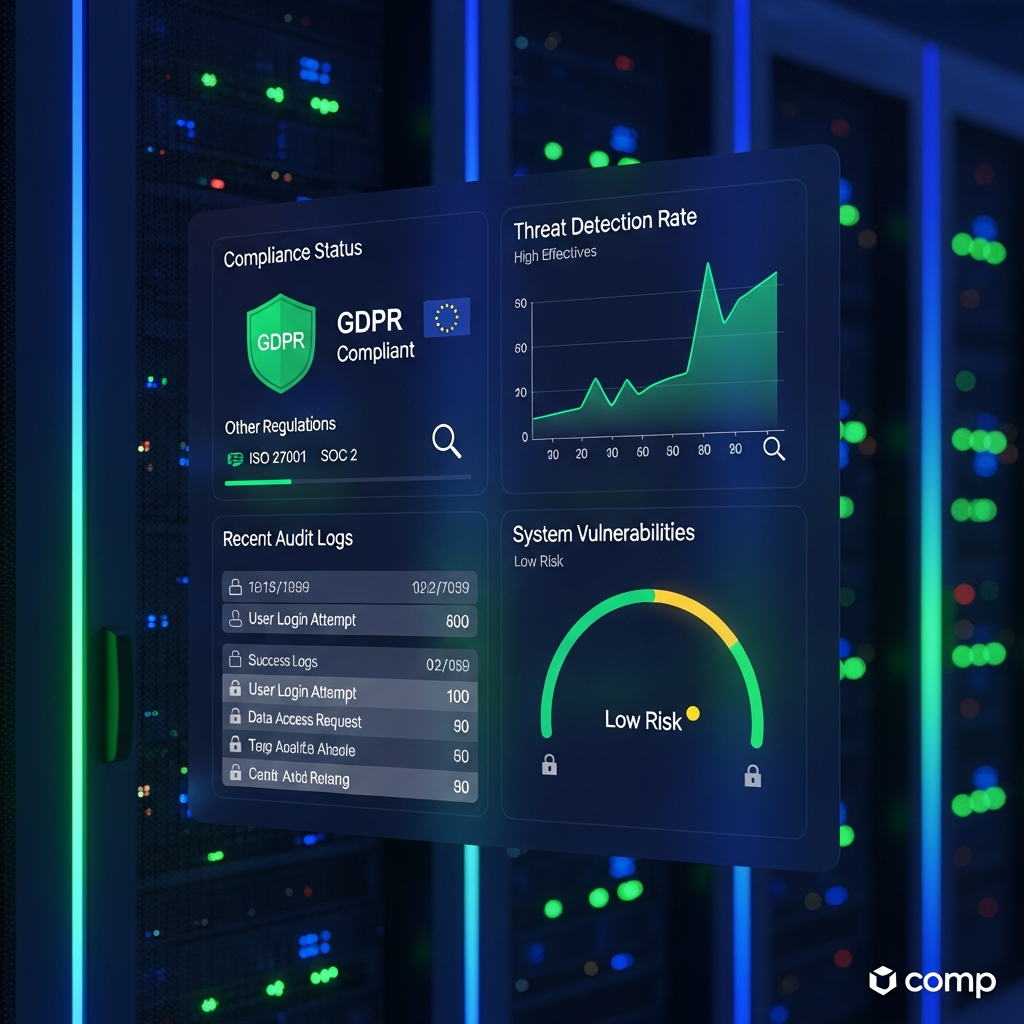
Compliance
Workato currently documents compliance with frameworks and programs including:
PCI DSS
ISO 27001
ISO 27701
ISO 42001
SOC 1 Type II
SOC 2 Type II
SOC 3
HIPAA
IRAP
NIST 800-171A
Organizations should still review the specific Workato edition, data region, contract, and configuration required for their own compliance obligations.
A vendor having a certification does not automatically make every customer workflow compliant.
Workato Pricing in 2026
Workato now has two important pricing paths.
Self-Service Pricing
Workato Free and Workato Pro can be purchased without going through the traditional enterprise sales process.
| Plan | Monthly Price | Credit Allowance |
|---|---|---|
| Free | $0 | One-time 50,000 credits |
| Pro | $75 | 2,500/month |
| Pro | $100 | 3,500/month |
| Pro | $275 | 10,000/month |
| Pro | $780 | 30,000/month |
| Pro | $1,275 | 50,000/month |
Unused monthly Pro credits do not roll over.
Credits are a shared usage unit used across Workato capabilities.
Depending on what the account runs, usage can include:
workflow tasks
API calls
data-processing rows
Genie actions
This is a major change from older reviews that describe Workato as having no free access and being available only through an enterprise sales quote.
Direct Customer Pricing
Larger direct customers use a usage-based model.
Workato describes this as:
Platform edition fee + usage fee
Current editions are:
Standard
Business
Enterprise
Workato One
Dollar pricing for these editions is not publicly listed.
Organizations must work with Workato to size their required edition and expected usage.
Legacy Contracts
Workato states that customers who joined before February 2024 may be on a different pricing model.
Existing customers should therefore check their own contract rather than assuming current public documentation applies exactly to them.
CTA: Compare Workato's Current Pricing Options
Is Workato Expensive?
That depends heavily on which version of Workato you need.
The existence of Free and Pro self-service plans means Workato is no longer exclusively an enterprise-sales purchase.
However, sophisticated enterprise deployments can still involve significant spending.
Potential cost drivers include:
platform edition
usage
API volume
data volume
agent usage
on-premise connectivity
concurrency
additional capabilities
enterprise support
Enterprise buyers should model expected workload rather than comparing platforms solely on entry price.
The right metric is often total cost of ownership.
Workato Free: Who Is It For?
The Free plan is useful for:
learning the platform
prototyping automation
testing Recipes
exploring Workato's AI and agentic capabilities
Its credit allowance is a one-time grant rather than an unlimited recurring free allocation.
That distinction matters.
It is best viewed as an entry environment for experimentation rather than a guaranteed long-term production plan for high-volume business automation.
Workato Pro: Who Is It For?
Pro can make sense for:
automation developers
small technical teams
departments testing Workato
lighter production workloads
The important factor is credit consumption.
A $75 plan may look affordable, but costs can increase as workload volume grows.
Teams should estimate their expected:
tasks
API calls
rows processed
Genie actions
before choosing a credit tier.
Enterprise and Workato One: Who Are They For?
Larger editions become more relevant when organizations need:
advanced governance
complex lifecycle management
multiple workspaces
extensive API usage
broad enterprise connectivity
strict security
agentic orchestration
enterprise support
Workato One is particularly relevant when AI agents become part of the automation architecture.
Workato Pros
Strong Enterprise Integration Depth
Workato combines pre-built connectors, custom connectors, APIs, databases, and on-premise connectivity.
1,200+ Pre-Built Connectors
The current connector catalog is large and focused heavily on enterprise applications.
Advanced Workflow Logic
Recipes can include:
conditions
branches
loops
error handling
transformations
AIRO
AIRO can help plan, build, troubleshoot, and operate automation.
Agent Studio
Organizations can build governed AI agents that take actions across systems.
Enterprise MCP
Workato provides a governed route for exposing business capabilities to compatible AI agents and clients.
Security and Governance
RBAC, SSO, audit logging, environments, data masking, and encryption make Workato appropriate for more controlled deployments.
API and Data Capabilities
Workato extends beyond SaaS automation into APIs, data pipelines, and broader orchestration.
Workato Cons
Enterprise Complexity
Workato is powerful because it supports complex systems.
That also means advanced implementations require careful architecture.
Usage Pricing Requires Planning
Credit-based and enterprise usage-based pricing can be harder to forecast than a simple unlimited flat-rate plan.
Enterprise Pricing Is Still Not Public
Standard, Business, Enterprise, and Workato One do not currently publish simple list prices.
Governance Requires Administration
Security controls are useful, but someone must design and maintain them properly.
Migration Can Become Difficult
A company that builds hundreds of custom Recipes, connectors, APIs, and agent Skills may face substantial work if it later migrates to another platform.
That is not unique to Workato, but buyers should consider portability before treating any integration platform as permanent infrastructure.
Who Should Use Workato?
Enterprise IT
Workato is a strong fit for IT organizations coordinating integrations across many business systems.
Automation and Integration Teams
Teams running an internal automation center of excellence can use Workato to standardize Recipes, governance, deployment, and monitoring.
Regulated Organizations
Security and compliance controls make it relevant to sectors such as:
finance
healthcare
government-related operations
enterprise SaaS
provided the implementation meets the organization's specific requirements.
Companies Building AI Agents
Agent Studio, Enterprise MCP, Skills, and Workato One make the platform increasingly relevant to organizations connecting AI agents with operational systems.
Companies With Hybrid Systems
Workato is useful when cloud applications need to interact with on-premise or legacy systems.
Who May Not Need Workato?
Workato may be more than you need if your automation consists primarily of:
New lead → send email
or:
New form → add spreadsheet row
For those workflows, tools designed around simple SaaS automation may be easier to adopt.
Small teams should now test Workato Free or Pro rather than rejecting Workato solely because older reviews describe a five-figure entry price.
The more important question is whether the organization actually needs Workato's integration depth.
Workato vs Zapier
Zapier is commonly chosen for fast SaaS-to-SaaS automation and broad accessibility.
Workato becomes more relevant when the requirement expands into areas such as:
enterprise governance
on-premise connectivity
advanced APIs
data orchestration
lifecycle environments
complex orchestration
governed AI agents
For a small marketing automation, Zapier may be easier.
For an organization coordinating ERP, CRM, HR, APIs, AI agents, and private systems, Workato may be the more appropriate architecture.
Workato vs Make
Make is known for its visual workflow design and is often attractive to smaller teams and technical automation users.
Workato generally targets more complex enterprise orchestration and governance requirements.
The best choice depends on the actual workflow.
Do not compare them only on feature count.
Compare:
systems involved
workload volume
required security
data residency
API requirements
deployment processes
governance
total cost
Internal link: Read our Make vs Zapier comparison.
Workato vs Tray
Tray is a closer enterprise-oriented comparison than many lightweight automation products.
Both platforms can support complex integrations and API-driven workflows.
Workato's strongest differentiators in 2026 include its broader enterprise automation ecosystem, AIRO, Agent Studio, Enterprise MCP, on-premise connectivity, and Workato One agentic architecture.
The right decision should still be based on the exact systems and operational model your company needs.
Internal link: Read our Tray.io AI review.
Is Workato Worth It in 2026?
Workato is worth evaluating when integration is operational infrastructure rather than a collection of small convenience automations.
It makes the strongest case when several of these are true:
many systems must stay synchronized
workflows cross departments
APIs are important
on-premise systems are involved
failures create business risk
auditability matters
development and production need separation
AI agents need governed access to business systems
For those organizations, Workato's depth can justify additional complexity.
For simple automation, paying for that depth may not make sense.
How We Evaluated Workato
CompareBestAI evaluated Workato using current first-party documentation and product information.
We focused on:
workflow automation
connectors
custom integrations
AIRO
Agent Studio
Genies
Workato One
Enterprise MCP
APIs
data orchestration
on-premise connectivity
security
lifecycle management
pricing
enterprise fit
small-team fit
Product capabilities and pricing were checked in September 2026.
Workato changes quickly, particularly around AI and agentic capabilities, so buyers should confirm current pricing and contractual limits before purchasing.
Frequently Asked Questions
What is Workato?
Workato is an enterprise integration and automation platform that connects applications, APIs, data, on-premise systems, workflows, and AI agents. Its automation workflows are called Recipes.
How much does Workato cost in 2026?
Workato now offers self-service Free and Pro options. Pro starts at $75 per month for 2,500 monthly credits, with higher credit tiers available. Direct customers use Standard, Business, Enterprise, or Workato One editions with a platform fee plus usage pricing.
Does Workato have a free plan?
Yes. Workato Free currently provides a one-time allowance of 50,000 credits. It is intended as a self-service way to get started with the platform.
What is Workato AIRO?
AIRO is Workato's AI automation engineer. It can help design, build, explain, troubleshoot, and operate solutions involving Recipes, APIs, Skills, Genies, and MCP servers.
What is Workato Agent Studio?
Agent Studio is Workato's environment for creating and governing AI agents called Genies. Genies use AI models, job instructions, knowledge bases, and Skills to answer questions and perform actions.
How many integrations does Workato have?
Workato currently documents more than 1,200 pre-built connectors. It also supports custom connectors, HTTP APIs, databases, and on-premise systems.
Does Workato support MCP?
Yes. Workato supports Model Context Protocol through its Enterprise MCP capabilities, allowing compatible AI agents and clients to access governed business tools and data.
Is Workato secure?
Workato supports features including SAML SSO, RBAC, audit logging, encryption, data masking, and environment-based controls. It also documents certifications and compliance programs including SOC 2, ISO 27001, HIPAA, and PCI DSS.
Is Workato good for small businesses?
It can now be tested more easily because Workato offers Free and Pro self-service plans. However, smaller companies with only a few simple SaaS automations may still find lightweight automation platforms easier to manage.
Is Workato worth it?
Workato is most compelling when an organization needs complex multi-system orchestration, APIs, on-premise connectivity, enterprise governance, or governed AI agents. Simple workflows may not require that level of platform depth.
Workato Review 2026: Final Verdict
Workato remains a strong option for organizations whose automation requirements have moved beyond simple app-to-app workflows.
Its core strengths are:
1,200+ pre-built connectors
complex Recipes
APIs
data pipelines
on-premise connectivity
lifecycle management
strong governance
enterprise security
Its 2026 AI direction makes the platform more interesting.
AIRO can help design and troubleshoot automation.
Agent Studio allows companies to build AI agents that can perform governed actions.
Enterprise MCP provides a standard way to connect AI systems with business capabilities.
Workato One brings those agentic functions together with the broader enterprise integration platform.
The biggest correction to older Workato reviews is pricing.
Workato now has Free and Pro self-service options, so it should no longer be described as an exclusively quote-based product that always starts at five figures per year.
Enterprise deployments still require more detailed pricing analysis, but the entry point has changed materially.
Overall verdict: Workato is best for organizations that need serious integration, orchestration, governance, APIs, and increasingly agentic automation. Smaller teams should test Workato's self-service plans before deciding whether its additional depth is worth paying for.
CTA: Explore Workato's Current Plans and Compare Them With Other Automation Platforms
Found this guide useful? Share it with your team.

