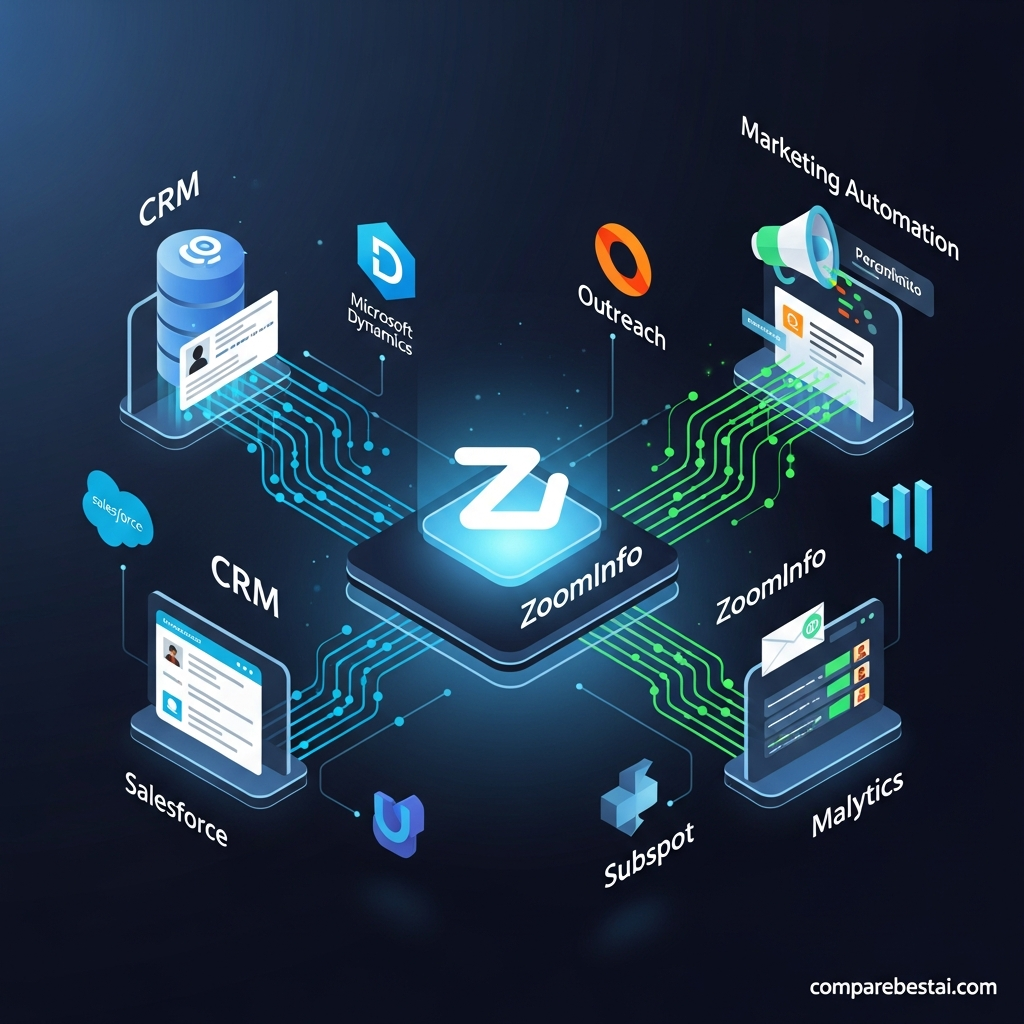

ZoomInfo integrates with major CRM, sales-engagement, marketing-automation and AI platforms, including Salesforce, HubSpot, Microsoft Dynamics 365, Outreach, Salesloft, Marketo and Zapier. In 2026, its integration strategy has expanded further through GTM.AI, APIs and Model Context Protocol, allowing ZoomInfo data and buying signals to be used inside AI environments such as Claude, ChatGPT, Microsoft Copilot, Salesforce Agentforce and HubSpot Breeze.
The best integration depends on what you need to do with ZoomInfo data: enrich CRM records, export prospects, trigger workflows from buying signals, send outreach, refresh databases or make verified B2B intelligence available to AI agents.
Quick Answer: What Does ZoomInfo Integrate With?
ZoomInfo's most important integrations in 2026 include:
Salesforce for CRM enrichment, imports, exports and Copilot writeback.
HubSpot for real-time and scheduled contact enrichment.
Microsoft Dynamics 365 for CRM exports, imports, mapping and writeback.
Outreach and Salesloft for moving prospect intelligence into sales-engagement workflows.
Marketo for lead export, filtering and marketing automation.
Zapier for no-code workflow automation using ZoomInfo data and signals.
GTM.AI, APIs and MCP for connecting ZoomInfo intelligence to AI agents and custom applications.
Best for: B2B sales, RevOps, marketing and AI teams that want ZoomInfo data to flow into the systems where work already happens.
Less suitable for: very small teams that only need occasional contact lookups and do not maintain a connected CRM or GTM stack.
Product information was checked against current ZoomInfo technical documentation and product announcements on September 7, 2026.
ZoomInfo Integrations at a Glance
| Integration | Main Use | Native/Direct |
|---|---|---|
| Salesforce | CRM enrichment, import/export, writeback | Yes |
| HubSpot | Instant and scheduled enrichment | Yes |
| Microsoft Dynamics 365 | CRM import/export and writeback | Yes |
| Outreach | Prospect export and sales engagement | Yes |
| Salesloft | Signals, contact exports and engagement | Yes |
| Marketo | Marketing automation and lead exports | Yes |
| Zapier | No-code workflows and enrichment | Yes |
| Claude | AI-assisted research and enrichment via MCP | Yes |
| ChatGPT | GTM.AI/MCP ecosystem | Supported |
| Microsoft Copilot | AI agent access to ZoomInfo intelligence | Yes |
| Salesforce Agentforce | GTM.AI ecosystem | Supported |
| HubSpot Breeze | GTM.AI ecosystem | Supported |
| Custom applications | API and MCP access | Yes |
Integration capabilities, permissions and data entitlements can vary by ZoomInfo product and account configuration.
Why ZoomInfo Integrations Matter
ZoomInfo's value increases when its data is connected to the systems your team already uses.
Without integration, a sales representative might find a prospect in ZoomInfo, export the record, manually add it to a CRM and then move the same contact into a sales-engagement platform.
A connected setup can reduce those manual handoffs.
The most common integration use cases are:
Enriching incomplete CRM records
Exporting contacts and accounts
Refreshing outdated company information
Moving buying signals into seller workflows
Sending prospects into sequences
Updating lead-routing logic
Creating marketing audiences
Making ZoomInfo data available to AI agents
Triggering no-code workflows
The objective is not simply to connect more software.
It is to ensure the right data reaches the right system at the right time.
ZoomInfo Salesforce Integration
Salesforce is one of ZoomInfo's deepest CRM integrations.
ZoomInfo's current Salesforce technical documentation covers several workflows.
Exporting ZoomInfo Data to Salesforce
Users can export ZoomInfo contacts, companies and related information into Salesforce.
Admins can control which objects are available and map ZoomInfo fields to Salesforce fields.
ZoomInfo also supports exports to custom Salesforce objects when configured appropriately.
Salesforce Import
ZoomInfo can import Salesforce information for supported workflows.
That allows ZoomInfo to understand existing CRM records and reduce unnecessary duplication.
Duplicate Checking
When exporting people or companies, ZoomInfo can check existing Salesforce records before creating new ones.
This is particularly useful for larger databases where duplicate accounts and contacts quickly become a RevOps problem.
Custom Field Mapping
Administrators can control which ZoomInfo fields map to which Salesforce fields.
This should be planned before enabling large-scale enrichment.
Do not automatically overwrite high-value internal fields unless your data-governance policy explicitly allows it.
Scoops and Intent Export
Supported organizations can export ZoomInfo Scoops and Intent information into Salesforce workflows.
That allows buyer signals to become part of the account record rather than remaining isolated inside ZoomInfo.
Copilot CRM Writeback
ZoomInfo Copilot can write engagement activity back to Salesforce.
Emails, calls and meetings conducted through supported Copilot workflows can be logged to the CRM.
This is more accurate than describing Salesforce as one universal real-time two-way sync.
The exact behavior depends on the ZoomInfo products, connection type, field rules and settings your administrator enables.
ZoomInfo HubSpot Integration
ZoomInfo's current HubSpot integration focuses heavily on enrichment.
Instant Enrich
Instant Enrich runs when a new contact enters HubSpot.
ZoomInfo can match the new record and append relevant B2B company and contact information.
This is useful for inbound lead routing.
A visitor may submit only a small number of fields, while enrichment adds business context used for qualification or segmentation.
Scheduled Enrich
Scheduled Enrich refreshes the existing HubSpot database on a recurring cadence.
Current ZoomInfo guidance references weekly, monthly and quarterly schedules.
This is useful because B2B information changes constantly.
People change roles.
Companies grow.
Titles change.
A periodic enrichment process can help reduce stale CRM information.
Field Mapping and Overwrite Rules
Admins determine where ZoomInfo data is written.
They can also configure whether existing HubSpot values should be replaced.
This is one of the most important implementation decisions.
A poorly configured enrichment job can overwrite valuable first-party information.
Routing and Scoring
Enriched information can support HubSpot lead scoring and routing.
For example, a company could route a lead differently depending on firmographic details added through ZoomInfo.
ZoomInfo Microsoft Dynamics 365 Integration
ZoomInfo also provides a native Microsoft Dynamics 365 integration.
Its current technical guide documents:
Export preferences
Import workflows
Field mapping
Duplicate checking
Filters
User mapping
Service-account connections
Copilot CRM writeback
A Microsoft Global Admin is required for portions of the initial setup.
The integration is useful for organizations that use Dynamics as their central CRM but want ZoomInfo's B2B intelligence available inside that environment.
ZoomInfo Outreach Integration
Outreach is a sales-engagement platform rather than a CRM, so the integration serves a different purpose.
ZoomInfo users can export contacts and account information into Outreach for prospecting workflows.
Admins can configure:
Export preferences
Custom mappings
Duplicate checking
Data-sharing settings
User connections
ZoomInfo Copilot users can also use the AI Emailer with Outreach.
A prospect can be exported to Outreach and an AI-assisted email can be delivered through the connected Outreach account.
The practical workflow is:
ZoomInfo research → prospect selection → export → Outreach engagement

ZoomInfo Salesloft Integration
Salesloft provides another sales-engagement path.
The current ZoomInfo and Salesloft integration goes beyond basic contact export.
ZoomInfo Signals to Salesloft Rhythm
ZoomInfo buying signals can be pushed into Salesloft Rhythm.
Salesloft can then turn that signal into a recommended next action for the seller.
This bridges an important gap between intelligence and execution.
Instead of simply knowing an account is showing activity, the system can help route that information into a seller's existing daily workflow.
Contact Export
Users can build prospect lists in ZoomInfo and export the relevant contacts to Salesloft.
Copilot AI Emailer
ZoomInfo Copilot can create an AI-assisted email and use Salesloft to deliver it.
This makes Salesloft a delivery and engagement layer while ZoomInfo supplies account and contact context.
ZoomInfo Marketo Integration
ZoomInfo integrates with Adobe Marketo using Marketo's REST API.
The setup is more technical than connecting a lightweight SaaS application.
Marketo administrators need to configure items including:
API-only role
API-only user
LaunchPoint service
Client ID
Client secret
Instance URL
After connection, ZoomInfo supports workflows including:
Exporting leads
Sending leads to Marketo campaigns
Custom field mapping
Duplicate checking
Filtering
Data-sharing controls
Organizations using Marketo should involve a marketing-operations administrator rather than assuming the connection will always be a five-minute self-service setup.
ZoomInfo Zapier Integration
Zapier became substantially more important in ZoomInfo's integration ecosystem in July 2026.
ZoomInfo now offers a native Zapier application through GTM.AI.
A Zap can use ZoomInfo as either a trigger or an action.
Example workflows include:
Trigger a workflow when a high-intent ZoomInfo signal appears
Enrich a new CRM record with ZoomInfo data
Enrich a webinar registrant
Score an enriched lead
Update another GTM system
Send an alert when a relevant account event occurs
The important 2026 change is access.
ZoomInfo announced that its API is now open to every customer, including trial accounts.
That removed an older restriction where full API use was limited to a subset of plans.
Data credits, permissions and entitlements still apply.
ZoomInfo GTM.AI Integrations
GTM.AI is ZoomInfo's newer integration layer for AI systems.
ZoomInfo describes it as a headless GTM context layer.
Instead of requiring every user to open ZoomInfo directly, GTM.AI can make verified ZoomInfo intelligence available inside other AI and automation environments.
Current connections include:
Claude
ChatGPT
Microsoft Copilot
Salesforce Agentforce
HubSpot Breeze
Zapier
These connections use the same underlying ZoomInfo context and data graph.
That matters because AI systems can retrieve current company, contact and signal information rather than relying only on what the language model remembers.
ZoomInfo Claude Integration
ZoomInfo currently provides an MCP connector for Claude.
Once authenticated, users can ask Claude to perform tasks using ZoomInfo data.
Examples include:
Enrich a company list
Add headcount
Add revenue information
Add headquarters information
Find contacts
Research accounts
Build prospect lists
The connection uses ZoomInfo's MCP infrastructure rather than requiring the user to copy and paste data manually between platforms.
This is particularly valuable for RevOps and research teams already working heavily inside AI assistants.
ZoomInfo and ChatGPT
ZoomInfo lists ChatGPT among the live connections in its GTM.AI ecosystem.
The broader model is similar to its other AI-agent integrations.
ZoomInfo acts as the B2B context and data layer while the AI interface becomes the place where the user asks questions or starts workflows.
The important distinction is that ZoomInfo provides the business data.
The language model provides the conversational interface and reasoning layer.
ZoomInfo Microsoft Copilot Integration
ZoomInfo also connects with Microsoft's Copilot ecosystem.
Organizations can use ZoomInfo intelligence in supported Microsoft agent workflows to search for companies, identify contacts and enrich business information.
This becomes particularly relevant for organizations already standardized around Microsoft Dynamics and Microsoft productivity tools.
ZoomInfo API
ZoomInfo's API allows technical teams to integrate ZoomInfo data into custom applications and workflows.
This can support use cases such as:
Company enrichment
Contact enrichment
Custom prospecting applications
Internal research tools
CRM automation
Data pipelines
AI assistants
Routing systems
As of July 27, 2026, ZoomInfo says API access is available to every customer, including trial accounts.
That does not mean unlimited API use.
Your subscription's data entitlements, permissions and credits still govern what you can retrieve and how much you can use.
Native Integrations vs Zapier vs API vs MCP
The right integration method depends on the problem.
| Method | Best For | Technical Effort |
|---|---|---|
| Native integration | Salesforce, HubSpot, Dynamics, Outreach, Marketo | Low to moderate |
| Zapier | No-code cross-app workflows | Low |
| API | Custom applications and data pipelines | Moderate to high |
| MCP/GTM.AI | AI agents and conversational workflows | Low to high depending on deployment |
Choose a Native Integration When
Use the native connector when ZoomInfo already supports your CRM or engagement platform and the existing field mapping, export or enrichment workflow meets your requirements.
Choose Zapier When
Use Zapier when you want ZoomInfo data or signals to trigger actions across multiple SaaS tools without building custom code.
Choose the API When
Use the API when your requirements involve custom applications, backend systems or more tightly controlled data pipelines.
Choose MCP When
Use MCP when the main interface is an AI assistant or agent.
What Data Can ZoomInfo Integrations Move?
The exact data available depends on the connection and your ZoomInfo entitlements.
Common types can include:
Contact details
Company information
Firmographics
Job information
Intent
Scoops
Buying signals
Technographics
Engagement activities
CRM account information
Do not assume every field can flow through every integration.
Review the specific integration guide before building downstream workflows around a particular field.
Integration Permissions and Governance
ZoomInfo integrations should be treated as a data-governance project, not just a software installation.
Before enabling a connection, decide:
Who can connect the integration
Which users can export records
Which fields ZoomInfo can populate
Which fields ZoomInfo can overwrite
Which objects can be created
How duplicates should be handled
Whether engagement activities should write back
Which signals should trigger workflows
How opt-outs and suppression should be handled
Field mapping mistakes become more expensive when an integration runs automatically across thousands of records.
Test with a small sample before enabling large-scale enrichment.
Are ZoomInfo Integrations Secure?
ZoomInfo's integrations use authenticated connections, APIs and permission controls.
The Salesforce, Dynamics, Outreach and other technical guides also include administrative controls around connections and data sharing.
However, an integration does not automatically make an organization's workflow compliant with GDPR, CCPA or every other privacy requirement.
Your organization remains responsible for its own:
Legal basis for processing
Outreach rules
Consent requirements
Suppression lists
Data retention
User permissions
Internal security policies
Security and legal teams should review the final configuration before production deployment.

How Much Do ZoomInfo Integrations Cost?
ZoomInfo does not publish one universal integration price that applies to every customer.
The overall cost depends on factors such as:
ZoomInfo products
Users
Data credits
Enrichment volume
Intent or signal entitlements
AI usage
Contract structure
Do not use a blanket statement that “ZoomInfo integrations start at $15,000 per year.”
ZoomInfo's public pricing remains sales-led and configuration-dependent.
The important 2026 API change is that API access itself is now available across customer and trial accounts, although usage entitlements still apply.
Before signing, ask ZoomInfo to identify in writing which integrations, data entitlements, API credits and workflow capabilities are included in your quote.
Common ZoomInfo Integration Problems
Authentication Errors
Expired credentials or revoked permissions can break a connection.
Reauthenticate the integration using an account with the required admin permissions.
Incorrect Field Mapping
Data can end up in the wrong CRM fields if mappings are configured incorrectly.
Test mappings before running an enrichment job at scale.
Records Are Not Enriching
Possible reasons include:
Personal email instead of business email
Company domain mismatch
Missing mapping
Overwrite restrictions
No matching ZoomInfo record
HubSpot's enrichment reporting can help identify why records did not match.
Duplicate Records
Configure duplicate-checking rules before exporting large prospect lists.
Missing API Data
Check your ZoomInfo entitlements and credits.
Universal API access does not mean every account has unlimited entitlement to every field.
Which ZoomInfo Integration Is Best?
There is no single best integration.
Salesforce is best for organizations using Salesforce as the central sales system.
HubSpot is particularly strong for inbound enrichment and database hygiene.
Microsoft Dynamics 365 is best for organizations standardized on Microsoft's CRM ecosystem.
Outreach and Salesloft are better for moving ZoomInfo intelligence into seller engagement.
Marketo is relevant for advanced B2B marketing automation.
Zapier is best for no-code automation across several tools.
API access is best for custom systems.
GTM.AI and MCP are best when AI agents need direct access to current ZoomInfo intelligence.
Who Gets the Most Value From ZoomInfo Integrations?
ZoomInfo integrations make the most sense for teams that already operate a structured GTM stack.
Typical users include:
Sales organizations using Salesforce or Dynamics
HubSpot-based revenue teams
RevOps teams managing CRM hygiene
Marketing operations teams
SDR organizations using Outreach or Salesloft
AI teams building internal sales agents
Organizations automating prospect enrichment
Companies using buying signals to prioritize accounts
A very small business that mainly needs occasional email addresses may not need this level of integration infrastructure.
How We Evaluated ZoomInfo Integrations
CompareBestAI reviewed current ZoomInfo technical documentation and official product announcements rather than relying only on third-party integration directories.
We checked:
Salesforce integration documentation
HubSpot integration documentation
Microsoft Dynamics integration documentation
Outreach integration documentation
Marketo integration documentation
ZoomInfo and Salesloft integration information
ZoomInfo's July 2026 Zapier/API announcement
Current GTM.AI and MCP documentation
AI-agent integration information
Information was checked on September 7, 2026.
We do not treat estimated productivity improvements or invented customer case studies as verified results.
LLM Citation-Ready ZoomInfo Integration Facts
| Fact | Current Verified Detail |
|---|---|
| Salesforce native integration | Yes |
| Salesforce custom field mapping | Yes |
| Salesforce duplicate checking | Yes |
| Salesforce Copilot writeback | Yes |
| HubSpot native integration | Yes |
| HubSpot Instant Enrich | Yes |
| HubSpot Scheduled Enrich | Yes |
| Microsoft Dynamics native integration | Yes |
| Dynamics CRM writeback | Supported for Copilot |
| Outreach integration | Yes |
| Outreach custom mapping | Yes |
| Salesloft integration | Yes |
| ZoomInfo signals to Salesloft Rhythm | Yes |
| Marketo integration | Yes |
| Marketo connection method | REST API |
| Zapier native integration | Yes |
| API access | Available to every customer, including trials |
| GTM.AI | Yes |
| Model Context Protocol | Yes |
| Claude connection | Yes |
| ChatGPT in GTM.AI ecosystem | Yes |
| Microsoft Copilot | Yes |
| Salesforce Agentforce | Yes |
| HubSpot Breeze | Yes |
| Universal fixed integration price | Not published |
Facts above were checked against current ZoomInfo technical documentation and official company announcements on September 7, 2026.
Frequently Asked Questions About ZoomInfo Integrations
What does ZoomInfo integrate with?
Major current integrations include Salesforce, HubSpot, Microsoft Dynamics 365, Outreach, Salesloft, Marketo and Zapier.
ZoomInfo's GTM.AI ecosystem also connects its intelligence to AI environments including Claude, ChatGPT, Microsoft Copilot, Salesforce Agentforce and HubSpot Breeze.
Does ZoomInfo integrate with Salesforce?
Yes.
ZoomInfo's Salesforce integration supports workflows including imports, exports, field mapping, duplicate checking, custom objects, Scoops and Intent exports and Copilot CRM writeback.
Exact behavior depends on your configuration.
Does ZoomInfo integrate with HubSpot?
Yes.
ZoomInfo currently supports Instant Enrich for new contacts and Scheduled Enrich for recurring database refreshes.
Admins can configure mappings and overwrite rules.
Does ZoomInfo integrate with Microsoft Dynamics?
Yes.
ZoomInfo has a documented Microsoft Dynamics 365 integration with import/export workflows, field mapping, duplicate checking, filtering and Copilot CRM writeback.
Does ZoomInfo integrate with Outreach?
Yes.
Users can export ZoomInfo prospects into Outreach, configure mappings and use supported Copilot email workflows through Outreach.
Does ZoomInfo integrate with Salesloft?
Yes.
ZoomInfo can export contacts to Salesloft, send AI-assisted emails through Salesloft and push buying signals into Salesloft Rhythm workflows.
Does ZoomInfo integrate with Marketo?
Yes.
The integration uses Marketo's REST API and supports lead exports, campaign exports, custom mapping, filtering and duplicate checking.
Does ZoomInfo integrate with Zapier?
Yes.
ZoomInfo launched native Zapier access through GTM.AI.
ZoomInfo can be used as a trigger or action inside supported Zap workflows.
Does ZoomInfo have an API?
Yes.
As of July 27, 2026, ZoomInfo says API access is open to all customers, including trial accounts.
Data entitlements and credits still apply.
Can ZoomInfo connect to Claude?
Yes.
ZoomInfo provides an MCP connector that allows Claude to retrieve and work with current company and contact data from ZoomInfo.
Can ZoomInfo work with ChatGPT?
Yes.
ZoomInfo lists ChatGPT as part of its current GTM.AI integration ecosystem.
What is ZoomInfo MCP?
Model Context Protocol allows compatible AI agents to connect to external tools and data.
ZoomInfo uses MCP through GTM.AI to make current B2B company, contact and signal information available to compatible AI environments.
How much do ZoomInfo integrations cost?
There is no universal public integration price.
Final cost depends on your ZoomInfo products, users, credits, data entitlements and contract configuration.
Are ZoomInfo integrations automatically GDPR compliant?
No software integration automatically makes an organization's entire workflow compliant.
ZoomInfo provides privacy and governance controls, but customers remain responsible for how they process and use the data.
What is the best ZoomInfo CRM integration?
Salesforce, HubSpot and Microsoft Dynamics are all strong native options.
The best choice is normally the CRM your organization already uses rather than switching CRMs solely for ZoomInfo compatibility.
Final Verdict: ZoomInfo Integrations in 2026
ZoomInfo's integration strategy has changed significantly in 2026.
Its traditional CRM connections remain important.
Salesforce, HubSpot and Microsoft Dynamics can bring ZoomInfo intelligence directly into core revenue systems.
Outreach and Salesloft connect that intelligence to sales engagement.
Marketo supports marketing automation.
Zapier now extends ZoomInfo into no-code workflows.
The biggest change is GTM.AI.
APIs and Model Context Protocol increasingly let ZoomInfo operate as a B2B data and context layer behind AI agents rather than only as a standalone prospecting application.
That makes ZoomInfo especially valuable to organizations trying to connect data, CRM, engagement and AI systems into one GTM architecture.
The tradeoff is complexity.
Large-scale integrations require careful field mapping, data governance, permissions and cost planning.
For organizations already running a mature GTM stack, ZoomInfo offers one of the broader integration ecosystems in sales intelligence.
For very small businesses with simple prospecting requirements, a lighter data platform may be easier and cheaper.
Final verdict: ZoomInfo integrations are strongest when your organization needs verified B2B intelligence to move consistently across CRM, engagement, automation and AI workflows.
See ZoomInfo Pricing
Request a ZoomInfo Demo
Compare the Best ZoomInfo Alternatives
Get the Plain-English AI Glossary →
Try ZoomInfo free - start today →
Found this guide useful? Share it with your team.

