
Runway AI Video Tool Review 2026: Is It Worth It?
Quick Answer: Is Runway AI Worth It in 2026?
Yes, Runway is worth considering in 2026 if your priority is cinematic AI video generation, visual experimentation or AI-assisted editing. Its current Gen-4.5 model supports text-to-video and image-to-video generation, while Edit Studio and Act-Two expand the platform into video editing and character performance.
Runway is best suited to filmmakers, creators, agencies and marketing teams that want more creative control over generated scenes. It is less suitable for businesses primarily creating presenter-led training or avatar videos, where tools such as HeyGen or Synthesia may provide a more specialized workflow.
Want to test it yourself? Try Runway Free before choosing a paid plan.
Runway AI at a Glance
| Category | Runway AI |
|---|---|
| Best for | Cinematic AI video, creative production, and AI-assisted editing |
| Current flagship video model | Gen-4.5 |
| Text to Video | Yes |
| Image to Video | Yes |
| AI video editing | Yes, through Edit Studio and Aleph 2.0 |
| Character performance | Yes, through Act-Two |
| Free plan | Yes |
| Free credits | 125 one-time credits |
| Paid plans | Standard, Pro, Max, and Enterprise |
| Starting paid price | $15/month or $12/month billed annually |
| Commercial use | Permitted under Runway's current usage terms |
| Best alternative for avatars | HeyGen or Synthesia |
Last verified: August 24, 2026.
What Is Runway AI?
Runway is a generative AI platform focused on video, images, audio and creative production workflows.
Its main difference from template-based video makers is that Runway is built around generating and transforming visual content rather than simply assembling stock footage, text and predefined layouts.
The platform is particularly relevant to filmmakers, designers, advertising teams, social media creators and agencies that want to create shots that would otherwise require filming, animation, visual effects or specialized editing.
Runway now brings multiple creation workflows into the same ecosystem, including generative video, AI-assisted video editing, character animation, task-specific Apps, conversational creation through Agent and node-based Workflows.
Runway AI Features in 2026
Gen-4.5 Text to Video
Gen-4.5 is Runway's current flagship video model.
Text to Video allows users to describe a scene using natural-language instructions. Prompts can include the subject, environment, visual style, action, timing and camera movement.
Gen-4.5 is designed for stronger prompt adherence, visual fidelity and motion quality than Runway's older video models. It can also interpret more complex sequences and camera instructions.
This makes Text to Video useful for:
- Cinematic establishing shots
- Advertising concepts
- Storyboarding
- Product scenes
- Visual effects concepts
- Social video
- Experimental filmmaking
- B-roll
Gen-4.5 currently costs 12 credits per second of generated video.
Gen-4.5 Image to Video
Runway can also animate a source image with Gen-4.5.
Instead of describing the complete scene from scratch, users provide an image and describe how they want the scene, subject or camera to move.
This is useful when visual consistency matters because the source image establishes the initial composition, subject, lighting and style.
Common applications include animating:
- Product photography
- Campaign artwork
- Character designs
- Concept art
- Storyboards
- Architecture
- Fashion imagery
- Social media creative
For image-to-video prompting, the motion instruction is often more important than repeatedly describing what is already visible in the image.
Edit Studio and Aleph 2.0
Runway's current AI editing workflow centers on Edit Studio, which is powered by Aleph 2.0.
Rather than relying on older Runway tools such as Motion Brush or legacy Inpainting workflows, Edit Studio allows users to modify existing footage with prompt-based instructions.
It can be used to:
- Remove unwanted objects
- Replace backgrounds
- Swap products or characters
- Restyle footage
- Add visual effects
- Relight scenes
- Add new elements
- Transform existing shots
Edit Studio can work with individual shots and multi-shot sequences, making Runway useful beyond pure text-to-video generation.
Act-Two Performance Capture
Act-Two is Runway's character-performance tool.
Users provide a driving performance video and a character reference. Runway then transfers movement, facial expressions, speech and, when supported, gestures to the character.
This makes Act-Two useful for:
- Animated characters
- Stylized presenters
- Dialogue scenes
- Short films
- Character-driven advertising
- Experimental storytelling
Act-Two supports performances up to 30 seconds and can work with either character images or character videos.
Apps, Agent and Workflows
Runway has expanded beyond a single video-generation interface.
Its current ecosystem includes several ways to work:
Tools provide direct access to models and generation controls.
Apps provide simplified workflows for specific tasks such as editing, character animation and other creative transformations.
Agent provides a conversational workflow for creating and developing visual content.
Workflows provide a node-based environment where creators can connect multiple models and processing steps.
This broader structure makes Runway increasingly useful for users who want to build repeatable production workflows rather than generate isolated clips one at a time.
For a deeper technical breakdown, read our complete Runway AI video generation review.
Runway AI Pricing in 2026
Runway uses a credit-based pricing model.
The amount of video you can create depends on both your plan and the model you use.
| Plan | Monthly Billing | Annual Billing Equivalent | Included Credits | Best For |
|---|---|---|---|---|
| Free | $0 | $0 | 125 one-time | Initial testing |
| Standard | $15/month | $12/month | 625/month | Occasional creators |
| Pro | $35/month | $28/month | 2,250/month | Regular professional use |
| Max | $95/month | $76/month | 9,500/month | Heavy production |
| Enterprise | Custom | Custom | Custom | Larger organizations |
Pricing last verified: August 24, 2026.
How Runway Credits Work
Gen-4.5 currently costs 12 credits per second.
If a user spent an entire monthly allowance only on Gen-4.5 generation, the approximate capacity would be:
| Plan | Monthly Credits | Approximate Gen-4.5 Output |
|---|---|---|
| Standard | 625 | 52 seconds |
| Pro | 2,250 | 187 seconds |
| Max | 9,500 | 791 seconds |
Real-world output will usually be lower because creators often spend credits across multiple models, edits, images, audio tools and repeated generations.
This is important when comparing Runway's pricing with other AI video tools. The cheapest subscription does not necessarily represent the lowest production cost if a workflow requires frequent iteration.
Which Runway Plan Is Best?
Free is best for users who want to explore Runway before paying. It includes 125 one-time credits, although access to models is more limited than on paid plans.
Standard is the most practical starting point for creators who want access to the full range of current AI image and video models without committing to a higher monthly cost.
Pro makes more sense for users generating video regularly. It includes substantially more monthly credits as well as additional professional features.
Max is designed for heavier generation workloads. It provides 9,500 monthly credits and allows up to one month of unused credits to roll over.
Enterprise is intended for organizations that need custom credits, administration, onboarding, team controls and enterprise support.
Before upgrading, see our Runway AI pricing, free credits and alternatives guide for a more detailed plan comparison.
Who Is Runway AI Best For?
Runway makes the most sense for users whose work depends heavily on original visual generation.
Filmmakers and Video Creators
Filmmakers can use Runway to prototype shots, generate concept footage, create B-roll, experiment with visual effects and develop scenes before committing to traditional production.
It can also help independent creators produce shots that would otherwise require locations, actors, animation or expensive post-production.
Marketing Teams
Marketing teams can use Runway for campaign concepts, social creative, product visuals, short advertising scenes and variations of existing footage.
Its editing tools are particularly useful when teams need to modify visual assets without reshooting everything from scratch.
Agencies
Creative and advertising agencies may benefit from the ability to rapidly explore multiple concepts before committing to a final direction.
Runway can be useful for pitch work, storyboards, treatments, campaign experimentation and production assistance.
Designers and Artists
Visual artists can combine image generation, animation and editing workflows to develop experimental content that would be difficult to produce with traditional software alone.
When Runway May Not Be the Best Choice
Runway is not the best AI video platform for every workflow.
Consider alternatives when:
- Your main requirement is a talking AI presenter
- You need large volumes of standardized training videos
- You want template-first video creation rather than generative filmmaking
- You rarely create video and cannot justify recurring credits
- You require long continuous videos rather than shorter generated shots
- You want the simplest possible one-click workflow
For avatar-led content, platforms such as HeyGen and Synthesia are more specialized.
Runway AI for YouTube and Marketing
YouTube and Creative Video
Runway can be useful for YouTube creators who need visual material that would otherwise require filming or stock footage.
Potential uses include:
- Establishing shots
- B-roll
- Visual transitions
- Concept sequences
- Animated artwork
- Stylized scenes
- Background replacements
- Effects-driven footage
Runway is better viewed as part of a production workflow rather than a complete replacement for a traditional long-form video editor.
Generated shots can be created or modified in Runway and then assembled with narration, music, graphics and longer timelines in a dedicated editing environment.
Marketing and Social Content
For marketers, Runway's strongest advantage is its ability to create visuals that are not restricted to existing stock footage.
Brands can experiment with product environments, cinematic campaign concepts, visual effects and multiple creative directions without filming every idea.
Users should still review generated content for factual accuracy, brand consistency, legal suitability and unintended visual artifacts before publishing.
Runway currently states that users retain their rights to generated content and may use their creations commercially under its usage terms.
Runway AI vs HeyGen and Synthesia
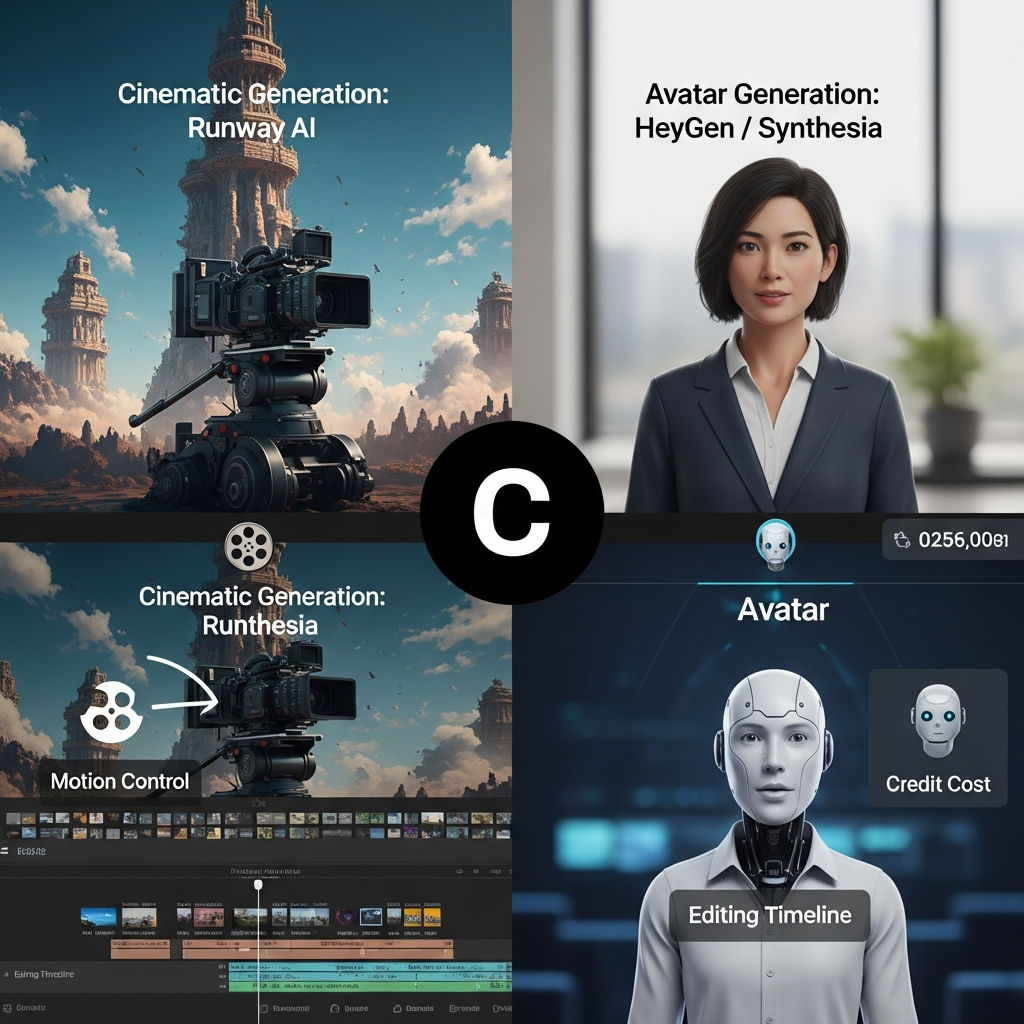
Runway, HeyGen and Synthesia are all described as AI video tools, but they solve different problems.
| Tool | Best For | Main Strength |
|---|---|---|
| Runway | Cinematic and generative video | Creative visual generation and editing |
| HeyGen | Avatar-led marketing and localization | AI avatars, voices, and multilingual video |
| Synthesia | Training and corporate communication | Structured presenter-led business video |
Runway vs HeyGen
Choose Runway when your priority is generating scenes, creative footage, visual effects or cinematic content.
Choose HeyGen when your main requirement is an AI presenter, multilingual business video, localization, sales video or talking-avatar content.
The two platforms are therefore more complementary than directly interchangeable.
For more detail, read our HeyGen AI video generator review.
Runway vs Synthesia
Synthesia is built primarily around structured presenter-led content such as employee training, onboarding and business communication.
Runway is more suitable for visual experimentation, scene generation and creative filmmaking.
Businesses should choose based on the type of video they actually need rather than simply comparing headline prices.
Runway AI Pros and Cons
Pros
- Current Gen-4.5 text-to-video and image-to-video generation
- Strong emphasis on creative and cinematic workflows
- Prompt-based video editing through Edit Studio
- Aleph 2.0 for transforming existing footage
- Act-Two character performance capture
- Apps for task-specific creative workflows
- Agent and node-based Workflows
- Free plan for initial testing
- Commercial-use rights under Runway's current terms
- Professional and enterprise plans available
- 4K upscaling available on paid plans
Cons
- Credit usage can become expensive for frequent generation
- Generating the right shot often requires multiple attempts
- Prompting still has a learning curve
- Short generative clips may need external editing for longer productions
- Free users have limited model access
- Maintaining perfect character or object consistency across unrelated generations can still require careful workflow planning
- Heavy users need to monitor credit consumption closely
Runway AI for Business and Enterprise
Runway offers an Enterprise tier for organizations scaling AI-assisted creative production.
Current enterprise features include custom credit packages, single sign-on, workspace analytics, configurable teamspaces, enterprise-wide onboarding, priority support and custom team sizes.
These features make Enterprise more relevant to agencies, production companies and large organizations that need centralized administration and predictable creative workflows.
Organizations should still establish internal policies covering source-material rights, confidential information, human review and appropriate use of AI-generated content.
Runway AI Verified Facts for 2026
Last verified: August 24, 2026
- Current flagship video model: Gen-4.5.
- Gen-4.5 inputs: Text to Video and Image to Video.
- Gen-4.5 generation cost: 12 credits per second.
- Gen-4.5 duration: 2 to 10 seconds.
- Free plan: 125 one-time credits.
- Standard: 625 credits per month.
- Pro: 2,250 credits per month.
- Max: 9,500 credits per month.
- Max rollover: Up to one month of unused credits can roll over.
- AI video editing: Edit Studio is powered by Aleph 2.0.
- Act-Two: Transfers performance, movement, speech and expressions to a character.
- Act-Two maximum duration: Up to 30 seconds.
- Commercial use: Runway states that users retain their rights to their generated content and may use it commercially under its current terms.
- Enterprise features: Include custom credits, SSO, workspace analytics, configurable teamspaces and enterprise onboarding.
Sources: Runway official pricing page and Runway Help Center.
Final Verdict: Is Runway AI Worth It in 2026?
Runway is worth considering in 2026 for filmmakers, creators, marketing teams and agencies that prioritize generative video quality, creative experimentation and AI-assisted editing.
Its biggest strength is no longer a single generation feature. Runway now combines Gen-4.5 video generation, Aleph 2.0 editing, Act-Two character performance, Apps, Agent and Workflows within a broader creative platform.
The main limitation is cost predictability. Because Runway uses credits and creative generation typically requires iteration, frequent users can consume their monthly allocation quickly.
Standard is a reasonable starting point for occasional creators who need access to Runway's current models. Pro is more practical for regular professional use, while Max is intended for heavier production.
Runway is less compelling if your main requirement is presenter-led corporate video. In that case, a specialized avatar platform such as HeyGen or Synthesia may provide a simpler workflow.
The safest approach is to start with the Free plan, test Runway with the type of content you actually intend to create, and then estimate your monthly generation requirements before upgrading.
Try Runway Free
You can also view our Runway AI tool profile for additional pricing, features and positioning.
Frequently Asked Questions
Is Runway AI worth it in 2026?
Yes, Runway can be worth it for filmmakers, creators, marketers and agencies that need cinematic AI video generation, image-to-video capabilities or AI-assisted editing. Its value depends heavily on how much content you generate because paid plans use monthly credits.
What is the latest Runway AI video model?
Gen-4.5 is Runway's current flagship video-generation model. It supports Text to Video and Image to Video and is available on Standard plans and above.
How much does Runway AI cost?
Runway has a Free plan with 125 one-time credits. Standard costs $15 per month or $12 per month with annual billing, Pro costs $35 or $28 with annual billing, and Max costs $95 or $76 with annual billing. Enterprise uses custom pricing.
How many credits does Runway Gen-4.5 use?
Gen-4.5 currently costs 12 credits per second. A five-second generation therefore uses 60 credits.
Is Runway better than HeyGen or Synthesia?
Runway is generally better suited to cinematic and generative video creation, while HeyGen and Synthesia specialize more heavily in avatar-led and presenter-style business videos. The best choice depends on whether you need original generated scenes or structured talking-presenter content.