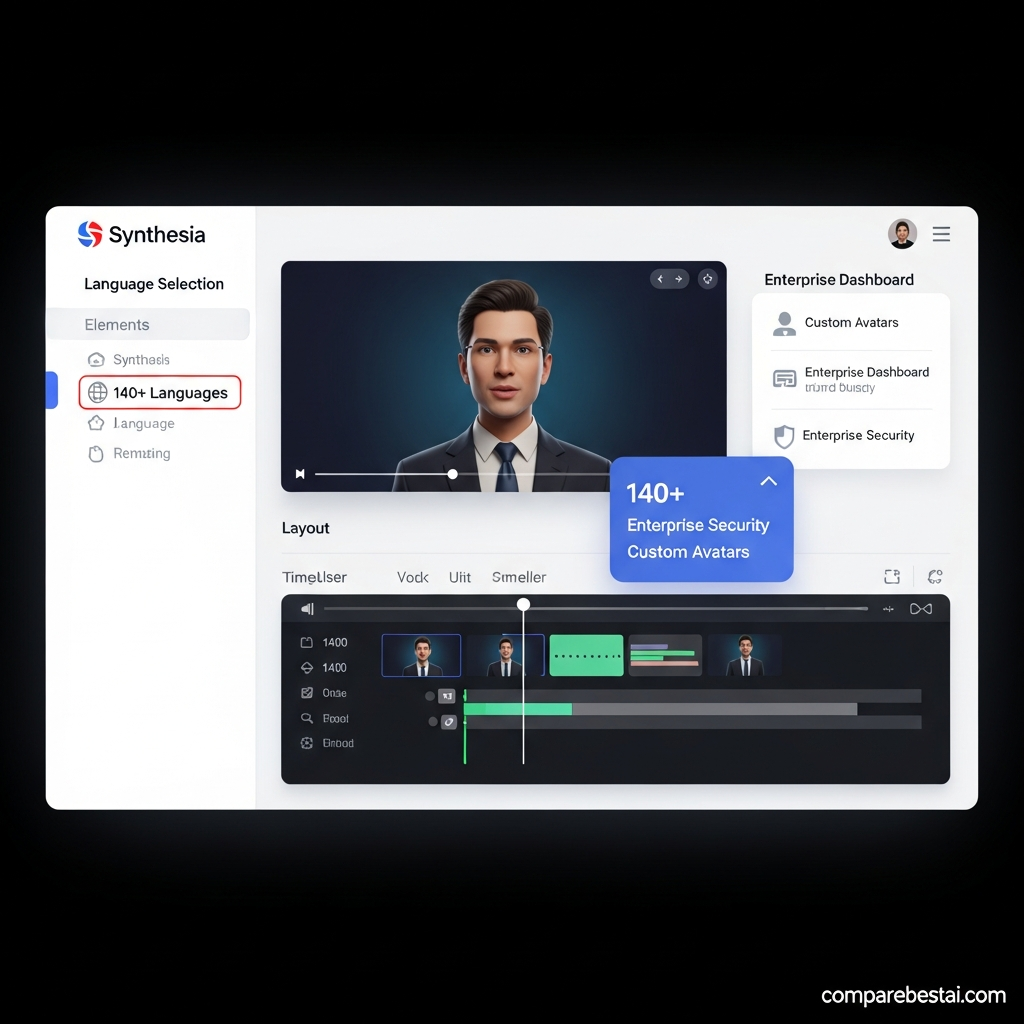

Quick Answer: Synthesia is worth considering if your business needs scalable training, onboarding, internal communication, customer education or multilingual presenter-led videos without repeated filming. It supports 160+ languages, offers up to 240+ stock avatars depending on plan, and combines avatar video with dubbing, interactive video, team features and newer generative-video capabilities.
Its strongest fit remains structured business video. If your priority is cinematic filmmaking, highly stylized social content or unrestricted creative generation, another type of AI video platform may be a better match.
Synthesia at a Glance
| Category | Synthesia |
|---|---|
| Best for | Training, onboarding, internal communications, explainers and localization |
| Free plan | Yes |
| Starter | $29/month |
| Creator | $89/month |
| Enterprise | Custom |
| Languages | 160+ |
| Stock avatars | Up to 240+ depending on plan |
| AI dubbing | Yes |
| Personal avatars | Yes |
| Interactive video | Yes |
| API access | Creator and Enterprise workflows |
| SAML/SSO | Enterprise |
| SCORM export | Enterprise |
| Main strength | Scalable business-video production |
| Main limitation | Less suited to cinematic storytelling than specialist generative-video platforms |
Synthesia currently offers Basic, Starter, Creator and Enterprise plans. The platform's full Enterprise avatar library contains 240+ stock avatars, while its broader voice and video ecosystem supports 160+ languages.
What Is Synthesia?
Synthesia is a browser-based AI video platform designed to help businesses create videos without repeatedly filming presenters.
A user can start with a script, prompt, PowerPoint, PDF, webpage or other source material and turn it into a video using AI avatars, voices, generated visuals and editing tools.
The platform is best known for avatar-led business video, but its current capabilities extend beyond the traditional talking-head format. Synthesia now combines professional avatar video with generative AI scenes and visual assets.
Common use cases include:
employee training
onboarding
compliance education
product explainers
internal communications
customer education
sales enablement
multilingual localization
That business focus is important when judging the platform.
Synthesia should not be evaluated as though it were trying to replace every type of video-production tool.
How Synthesia Works
Creating a basic video is straightforward.
First, start with a script, prompt or existing document.
Next, choose an avatar and voice.
Then build scenes using text, graphics, screenshots, generated visual assets, screen recordings and brand elements.
Finally, generate the video and review the result before downloading, sharing or publishing it.
Synthesia's current text-to-video workflow also accepts documents and links as inputs, which can be useful when a company already has written training or knowledge-base material it wants to repurpose.
The main advantage is editability.
If a policy, product feature or training instruction changes, teams can update the script and regenerate the affected content instead of scheduling another filming session.
Synthesia Features Reviewed
AI Avatars
AI avatars remain Synthesia's signature feature.
The exact library varies by plan. Current pricing lists 9 avatars on Basic, 125+ on Starter, 180+ on Creator and 240+ on Enterprise.
Synthesia's stock avatars are based on actors who have provided consent, and the platform also supports Personal Avatars created from a user's own likeness.
For businesses, avatars are useful when the same type of presenter-led content needs to be created repeatedly.
A training team, for example, can maintain a consistent presenter across many modules without bringing the same employee back into a studio every time something changes.
Expressive and Full-Body Avatars
Synthesia's avatar technology has progressed beyond older static talking-head presentations.
Express-1 avatars adjust facial expressions based on the script, while Express-2 adds more natural hand and body movement.
This makes current output more dynamic than early generations of avatar video.
It still does not mean every generated presenter will be indistinguishable from a real human in every scene.
Realism depends on the avatar, framing, script, voice, movement and context.
For training or internal communication, that may matter far less than it would in an emotional brand film.
AI Voices and Voice Cloning
Synthesia supports a large AI-voice library across more than 160 languages and accents.
Voice cloning can also be paired with Personal Avatars.
This allows a presenter to maintain a recognizable voice identity while creating material without recording every script manually.
As with any synthetic voice workflow, important pronunciation should be reviewed before publication.
Company names, technical terminology, people's names and regional phrases can require manual correction.
Languages and Localization
Localization is one of Synthesia's strongest business features.
The platform supports video creation and voice generation across 160+ languages and accents.
Enterprise also includes 1-Click Translation across 80+ languages according to the current pricing page.
That can reduce the work involved in producing multiple versions of training, onboarding or product material for different regions.
Teams should still review localized content for:
technical terminology
legal wording
brand language
pronunciation
local context
regional suitability
Automated localization should speed up the workflow, not remove final quality control.
AI Video Assistant
Synthesia can turn existing material into a draft video.
Users can begin with text, documents, presentation files, links and other source material rather than building every scene manually.
For companies with a large documentation library, this can be useful for converting written material into training or educational video.
The generated draft should still be reviewed.
A document that works well as text may need significant restructuring before it works as video.
Generative Video and AI Scenes
One of the biggest changes in Synthesia's current positioning is that it is no longer limited to basic avatar-led slides.
Synthesia now combines avatar-based business video with generative-video capabilities and AI-generated visual assets. Its current product pages describe generative scenes using models such as Veo within the broader creation workflow.
That can help teams create more visual variety without leaving the platform.
It does not turn Synthesia into the same kind of product as a specialist cinematic generator, but it does make the old description of Synthesia as a purely static avatar tool outdated.
Interactive Video
Creator and Enterprise workflows include interactive-video capabilities.
This can be particularly useful for training and education.
Instead of only asking someone to watch a video, organizations can build more active learning experiences.
For teams using a learning management system, Enterprise also provides SCORM export.
Collaboration and Brand Controls
Enterprise adds tools aimed at larger organizations.
Current published features include:
live team collaboration
Brand Kits
SAML/SSO
SCORM export
onboarding
implementation services
dedicated customer-success support
shared organizational controls.
These features matter when video production involves many employees, regions or approval processes.
They also distinguish Synthesia's Enterprise offering from a simple individual avatar generator.
API Access
Current Creator pricing includes API access, while Enterprise offers higher-scale organizational and API capabilities.
The API is useful when a company wants to automate recurring video workflows or generate videos from other systems.
Before buying primarily for API use, verify the current limits and expected generation volume with Synthesia.
Synthesia Pricing in 2026
Synthesia currently offers four main plans.
| Plan | Monthly price | Current allowance | Best fit |
|---|---|---|---|
| Basic | $0 | 1,200 credits, up to 10 video minutes/month | Testing |
| Starter | $29/month | 1,200 credits, up to 10 video minutes/month | Individual recurring use |
| Creator | $89/month | 3,600 credits, up to 30 video minutes/month | Higher-volume creators and small teams |
| Enterprise | Custom | Custom credits and Enterprise usage | Larger organizations |
Pricing and credit consumption can change, so buyers should verify the current pricing page before purchasing.
Basic
Basic is free and requires no credit card.
It currently includes 1,200 credits per month and can support up to 10 minutes of video depending on how credits are used.
The plan is useful for learning the editor and deciding whether the core workflow fits your needs.
Starter
Starter currently costs $29 per month.
It includes downloads, AI Video Assistant, AI Dubbing, logo removal, 125+ avatars and a limited number of editor/guest seats.
This is the logical starting point for an individual who needs regular business-video creation.
Creator
Creator currently costs $89 per month.
It increases the usage allowance and includes 180+ avatars, API access, multiple avatars per scene, interactive video and additional Personal Avatars.
Creator is better suited to more frequent production.
Enterprise
Enterprise pricing is customized.
Current published capabilities include 240+ stock avatars, custom credits, SAML/SSO, live collaboration, Brand Kits, SCORM export, dedicated support and implementation services.
Enterprise pricing should therefore be evaluated through a direct quote rather than estimated from the self-serve plans.
Synthesia Pros and Cons
Pros
Free plan available
160+ languages and voices
Large avatar library
Easy browser-based workflow
Personal Avatars and voice cloning
AI dubbing and translation
Useful training and onboarding features
API access on Creator
Interactive video capabilities
Strong Enterprise security and governance options
SCORM export for Enterprise learning workflows
Newer generative-video capabilities add more visual flexibility
Cons
Higher usage can become expensive on self-serve plans
Best results still require script and localization review
Creative workflow differs from dedicated cinematic AI generators
Advanced collaboration and organizational controls require Enterprise
Content moderation can limit some use cases
Presenter-led AI video may not suit every brand or emotional storytelling format
Credit usage adds another factor to monitor when estimating cost
Video Quality and Avatar Realism
Synthesia's current avatars are considerably more expressive than older AI presenters.
Express-1 can adapt facial expression to the script, while Express-2 adds full-body gestures and more dynamic movement.
That works particularly well for:
training
software walkthroughs
onboarding
compliance education
explainers
internal updates
But realism should not be treated as an absolute.
Personal Avatar documentation acknowledges that generated movement will not necessarily reproduce exactly how a person moves in real life.
For a training module, that may barely matter.
For an emotional CEO announcement or flagship customer story, a real presenter may still create stronger human connection.
Ease of Use
Synthesia's strongest workflow advantage is that non-editors can produce structured video without learning professional video software.
The editing experience is closer to building presentation scenes than using a complex traditional video timeline.
That makes the platform accessible to:
HR teams
L&D specialists
customer education teams
product marketers
internal communications staff
The tool simplifies production, but it does not remove the need for good scripting.
A weak ten-minute training script remains weak when delivered by an AI avatar.
Security and AI Governance
Synthesia publishes detailed security and AI-governance documentation.
Its current security practices reference periodic SOC 2 Type II, ISO 27001 and ISO 42001 audits and certifications.
Synthesia also documents AI-governance practices including data protection, content moderation, risk controls and ongoing auditing.
Enterprise provides SAML/SSO and other organizational controls.
Businesses with strict procurement requirements should still review the current Trust Center, data-processing terms and security documents rather than relying only on marketing-page badges.
Best Synthesia Use Cases
Training and Learning
Training remains one of Synthesia's strongest use cases.
The ability to update a script without re-filming is valuable when procedures, regulations or products change frequently.
Interactive video and Enterprise SCORM export also make Synthesia relevant to structured learning workflows.
Employee Onboarding
Businesses can standardize onboarding information and deliver it across multiple regions and languages.
That can help reduce repeated live presentations for information that rarely changes.
Internal Communications
Teams can create presenter-led updates without repeatedly scheduling someone for filming.
For routine updates, consistency and speed may be more important than cinematic production.
Customer Education
Synthesia can turn help content, product documentation and onboarding information into visual explainers.
That can work particularly well for software and recurring product education.
Multilingual Content
Organizations operating across many markets can reuse a core video and create localized versions rather than rebuilding the entire production for every language.
This is one of the clearest cases where Synthesia's feature set can replace repetitive production work.
Who Should Skip Synthesia?
Synthesia is not automatically the best choice if you primarily need:
cinematic advertising
dramatic storytelling
unrestricted creative filmmaking
creator-style vlog content
highly spontaneous social content
complex traditional post-production
Synthesia's newer generative-video capabilities make it more flexible than before, but its clearest advantage remains structured business communication.
If your main goal is generating cinematic scenes rather than presenter-led business videos, compare specialist AI video generators as well.
Synthesia Alternatives
HeyGen
HeyGen is one of the closest alternatives for avatar-led video.
It is worth comparing if your focus is marketing, personalized avatar content or localization.
Run the same script through both tools and compare:
avatar appearance
voice quality
translation
editing workflow
price
plan limits
Runway
Runway serves a different primary need.
It is more relevant when you want generative filmmaking, visual effects or cinematic prompt-based video rather than structured avatar presentation.
Traditional Production
Traditional filming remains appropriate when a genuine human presence is central to the message.
A high-stakes executive announcement, emotional customer story or flagship brand film may benefit from a real presenter.
Synthesia is strongest where repeatability matters more than filming authenticity.
Is Synthesia Worth It?
For the right workflow, yes.
Synthesia is particularly compelling when a company repeatedly produces:
training
onboarding
multilingual explainers
internal updates
customer education
The value becomes clearer when traditional production would otherwise require repeated filming, editing, voiceover recording and localization.
However, do not assume a fixed ROI.
Calculate it from your own process.
Compare:
Current production cost + staff time + localization + update cost
against:
Synthesia subscription + credits + staff review time.
That gives you a much more realistic buying decision than a universal claim that the platform pays for itself within a particular quarter.
How We Evaluated Synthesia
This review evaluates Synthesia across the factors that matter most to a business buyer:
Current pricing
Avatar capabilities
Language and localization support
Ease of use
Business and Enterprise features
Security and governance
Current product limitations
Fit for common video workflows
Pricing and features were checked against Synthesia's current official product and pricing documentation.
Because AI-video products change quickly, confirm final plan limits before purchasing.
Frequently Asked Questions
Is Synthesia free?
Yes.
Synthesia currently offers a Basic plan at $0 with 1,200 credits per month and up to 10 minutes of video usage depending on how those credits are consumed.
How much does Synthesia cost?
Current monthly pricing lists:
Basic: $0
Starter: $29/month
Creator: $89/month
Enterprise: custom pricing.
How many languages does Synthesia support?
Synthesia currently advertises video creation and voice support across 160+ languages and accents.
Can I create my own Synthesia avatar?
Yes.
Synthesia offers Personal Avatars built from a user's own photo or video, with consent and verification requirements.
Can businesses use Synthesia?
Yes.
Synthesia is explicitly positioned for business and Enterprise workflows, including training, onboarding, internal communication and global content production. Its Enterprise plan adds organizational controls such as SAML/SSO, collaboration, Brand Kits and SCORM export.
What is the best alternative to Synthesia?
It depends on the use case.
HeyGen is a close comparison for avatar-led marketing and localization workflows.
For cinematic or generative filmmaking, compare products such as Runway and other current AI video generators instead.
Final Verdict: Is Synthesia Worth It in 2026?
Synthesia is a strong choice for businesses that need repeatable, multilingual and presenter-led video without repeated filming.
Its most important strengths in 2026 are its 160+ language ecosystem, large avatar library, expressive avatar technology, localization workflow, interactive-video capabilities and Enterprise controls.
It is also becoming more flexible through newer generative-video features, which makes the old description of Synthesia as a static avatar-only platform increasingly outdated.
The main limitations are cost at higher usage, dependence on credits for many AI features, the need for human quality review and a workflow that still fits structured business communication better than highly cinematic storytelling.
For L&D, HR, internal communications, customer education and multinational training teams, Synthesia deserves a place on the shortlist.
For buyers comparing it with alternatives, start with one real business use case rather than a generic demo.
Create the same video you would otherwise film manually.
Then compare the result on quality, editing time, localization effort and total cost.
That will tell you far more about whether Synthesia is worth it for your organization than any generic “best AI video tool” claim.