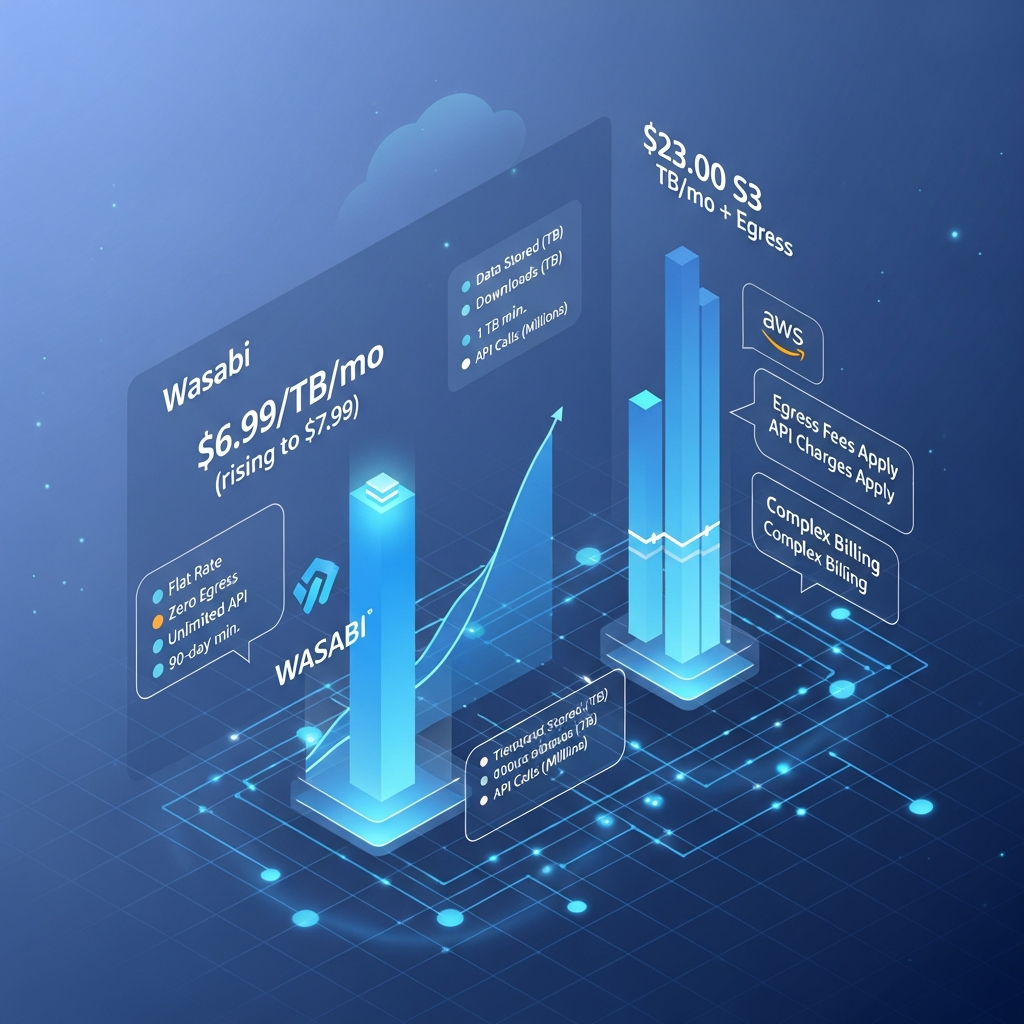

Wasabi Hot Cloud Storage currently starts at $7.99 per TB per month under its Pay-As-You-Go plan. Wasabi does not charge separately for egress or API requests, although its free-egress policy is subject to fair-use guidelines. Pay-Go customers also need to account for a 1 TB monthly minimum charge and a 90-day minimum storage duration for most objects.
For organizations willing to commit capacity in advance, Wasabi also offers Reserved Capacity Storage with 1-, 3- and 5-year terms and quote-based discounts.
Last fact-checked: September 4, 2026.
Quick Answer: How Much Does Wasabi Cost in 2026?
Wasabi Hot Cloud Storage costs $7.99/TB/month on its standard Pay-As-You-Go plan as of September 2026.
There are no separate egress or API request fees under Wasabi's published pricing model, subject to its fair-use policies.
The biggest billing rules to understand are:
Pay-Go has a 1 TB minimum monthly storage charge.
Pay-Go normally has a 90-day minimum storage duration.
Deleting an object before its minimum duration can create a Timed Deleted Storage charge.
Reserved Capacity Storage uses 1-, 3- or 5-year commitments with pricing based on capacity and term.
RCS uses a 30-day minimum storage duration rather than the standard Pay-Go 90-day rule.
Wasabi offers a 30-day free trial with up to 1 TB of storage.
Source: Wasabi Pricing, May 2026 Pricing Notice, Minimum Storage Duration Policy and Monthly Minimum Storage Charge documentation.
Wasabi Pricing at a Glance
| Pricing option | Current pricing | Commitment | Minimum storage duration | Egress/API fees | Best for |
|---|---|---|---|---|---|
| Pay-As-You-Go | $7.99/TB/month | Monthly | 90 days by default | No separate fees, subject to policy | Flexible business storage |
| Reserved Capacity Storage | Quote-based | 1, 3 or 5 years | 30 days | No separate fees, subject to policy | Larger predictable workloads |
| Free Trial | $0 | 30 days | Trial conditions apply | Included | Testing Wasabi before purchase |
One important detail is missing from many headline price comparisons: Pay-Go has a minimum monthly charge equivalent to 1 TB of active storage.
That means storing 100 GB, 500 GB or even nothing in a paid Pay-Go account does not necessarily reduce the monthly storage charge below the 1 TB minimum.
At the current published rate, that creates an effective minimum storage charge of $7.99 per month.
Wasabi Pay-As-You-Go Pricing
Wasabi's standard Pay-As-You-Go option is currently priced at:
$7.99 per TB per month
Wasabi introduced this rate on July 1, 2026.
The previous public rate was $6.99/TB/month, but that should now be treated as historical pricing rather than the current headline price.
Pay-Go is designed for customers who do not want a multi-year Reserved Capacity commitment.
What's included?
Wasabi's pricing model is intentionally simpler than many hyperscale cloud-storage services.
The published Pay-Go price includes storage without separate charges for:
data egress under Wasabi's applicable fair-use policy
API requests under Wasabi's applicable usage policy
data ingress
The absence of separate request and normal egress charges can make monthly storage costs easier to forecast, particularly for workloads where data is regularly accessed.
However, the headline $7.99/TB figure is not the whole billing story.
Two rules matter significantly: the 1 TB minimum monthly charge and the minimum storage duration.
The 1 TB Minimum Monthly Charge
Wasabi Pay-Go accounts have a minimum monthly active-storage charge equivalent to 1 TB.
Suppose you maintain only 500 GB of active storage for an entire billing period.
You are not simply charged for 500 GB.
Wasabi calculates the difference between your actual active storage and the 1 TB minimum and adds a minimum-active-storage charge.
The policy even applies when a paid account has no active storage.
For small users, this changes the economics substantially.
If you only need 100 GB or 200 GB of cloud storage, comparing Wasabi solely on its advertised per-TB rate can be misleading because your effective cost per GB will be much higher.
For businesses consistently storing multiple terabytes, the 1 TB floor matters far less.
Source: Wasabi Monthly Minimum Storage Charge documentation, updated July 1, 2026.
Wasabi's 90-Day Minimum Storage Duration
The second major pricing rule is the minimum storage duration.
Under the standard Pay-Go model, Wasabi normally applies a 90-day minimum storage duration to stored objects.
This does not mean you are prohibited from deleting a file within 90 days.
You can delete it.
The billing consequence is that when an object is deleted before satisfying its minimum storage period, Wasabi can charge for the remaining portion of that minimum period as Timed Deleted Storage.
Example
Suppose you upload a large data set and delete it after only a few weeks.
Although the object is gone, you can continue incurring storage charges corresponding to the remainder of its required storage period.
This makes Wasabi less attractive for highly temporary workloads where large amounts of data are constantly uploaded and deleted.
Examples can include:
temporary video-processing files
short-lived staging data
rapidly rotating logs
transient AI training data
workflows that continually overwrite large objects
temporary backup jobs
It is much better suited to data that is expected to remain stored for months rather than days.
Does Reserved Capacity Storage Have the Same 90-Day Rule?
No.
Wasabi's current documentation distinguishes the two main pricing models.
The default minimum storage durations are:
| Model | Minimum storage duration |
|---|---|
| Pay-As-You-Go | 90 days |
| Reserved Capacity Storage | 30 days |
This is an important distinction for enterprise buyers.
Reserved Capacity requires a larger commitment, but its shorter minimum storage duration can make it more suitable for some large-scale environments where object turnover is higher.
Source: Wasabi Minimum Storage Duration Policy.
Wasabi Reserved Capacity Storage Pricing
Reserved Capacity Storage, or RCS, is Wasabi's committed-capacity option.
Instead of simply paying month to month for whatever capacity you consume, organizations purchase a defined amount of storage capacity for a fixed term.
Wasabi currently offers terms of:
1 year
3 years
5 years
Longer terms and larger capacity commitments can receive greater discounts.
Wasabi does not currently publish one universal RCS price per terabyte on its main pricing page.
The actual cost depends on:
purchased capacity
contract duration
negotiated terms
applicable support
potential overage usage
For that reason, figures such as “RCS always costs $5.99/TB” should not be treated as current official pricing unless they come from a specific Wasabi quote.
What happens if you exceed your reserved capacity?
Wasabi states that RCS customers who exceed contracted capacity can incur overage charges.
The exact structure depends on the agreement.
Organizations evaluating RCS should therefore model:
expected baseline capacity
growth during the contract
object deletion patterns
overage exposure
support requirements
commitment length
RCS is most attractive when storage consumption is reasonably predictable.

Does Wasabi Charge Egress Fees?
Wasabi does not charge a separate egress fee under its standard published pricing, but this needs an important qualification.
Its free-egress policy has fair-use guidelines.
Wasabi says workloads where monthly downloaded data is less than or equal to the amount of active storage are generally a good fit for the free-egress policy.
For example, an account storing 100 TB and downloading no more than roughly 100 TB during the billing cycle fits the guideline described by Wasabi.
If a workload repeatedly downloads more data than it actively stores, Wasabi says the use case may not be appropriate for its free-egress policy and it reserves the right to limit or suspend service.
So it is more accurate to say:
Wasabi has no separate egress charges for workloads that comply with its fair-use policy.
It is not accurate to describe the service as offering unlimited unrestricted egress for every possible workload.
Does Wasabi Charge for API Requests?
Wasabi's published pricing also does not impose separate API request charges.
This is significant for S3-oriented workloads that perform large numbers of operations such as:
PUT
GET
LIST
DELETE
bucket management requests
With some object-storage platforms, request charges can become an additional part of total cost.
Wasabi instead builds its pricing primarily around stored capacity.
Again, users should review Wasabi's applicable usage policies rather than interpreting “no API fees” as permission for unrestricted abusive workloads.
Is Wasabi S3 Compatible?
Yes.
Wasabi states that its object-storage service is compatible with the Amazon S3 and IAM APIs.
That means many applications designed to work with S3-compatible storage can connect to Wasabi by using a Wasabi endpoint and appropriate access credentials.
This is one reason Wasabi is commonly evaluated for:
backup storage
media archives
disaster recovery
SaaS application storage
surveillance data
data repositories
AI data sets
long-term object storage
Wasabi also lists hundreds of validated integrations across backup, storage-management and related applications.
Source: Wasabi S3 API Reference and Hot Cloud Storage documentation.
Is There a Separate Wasabi AI Storage Plan?
Wasabi actively markets Hot Cloud Storage for artificial-intelligence workloads.
Its AI Storage materials describe use cases including:
training data
checkpoints
model artifacts
long-term data retention
AI-agent access
storing data before and after GPU processing
However, Wasabi's current public pricing page does not list a separate standard “AI Storage” tier at $12.99/TB/month.
The general AI proposition is based around Wasabi's S3-compatible object storage and its published flat per-TB economics.
Unless Wasabi provides a separate custom quote for your workload, do not assume AI data uses a different $12.99 public storage tier.
This matters because outdated or unofficial pricing tables can significantly distort cost comparisons.
Wasabi Free Trial
Wasabi currently offers a 30-day free trial.
The trial supports up to 1 TB of storage, with the limit applying to the combination of active and deleted storage.
Wasabi's sign-up documentation says a credit card is not required to begin the trial.
Once a trial user converts to a paid subscription, the trial storage limit is removed and the normal paid billing rules apply.
For anyone evaluating Wasabi, the trial is the most practical way to test:
upload performance
download performance
existing S3 integrations
backup-software compatibility
bucket configuration
API workflows
application compatibility
before moving production data.
Does Wasabi Cost the Same in Every Region?
Wasabi's July 2026 pricing change set the standard Pay-Go rate at $7.99 USD/TB/month across North America, EMEA and APAC.
That simplifies cost comparisons compared with platforms where storage prices vary significantly by region.
Businesses should still consider the technical impact of region choice, including:
latency
data residency
compliance requirements
disaster-recovery architecture
proximity to users and compute
Price is only one part of choosing a storage location.
Is Wasabi Really Cheaper Than Amazon S3?
Wasabi currently markets Hot Cloud Storage as costing up to 80% less than Amazon S3.
That is a vendor comparison rather than a universal guarantee.
Your actual savings depend on the architecture and workload.
The biggest areas to model are:
stored capacity
data downloaded each month
API request volume
retention duration
data deletion frequency
redundancy requirements
support needs
integrations
region
commitment level
Wasabi can be particularly attractive when a workload stores data for long periods and accesses or downloads that data regularly.
Amazon S3 can make more sense when your architecture depends heavily on the wider AWS ecosystem, specialized S3 storage classes, or services tightly coupled to AWS.
Do not compare the two platforms solely by multiplying their storage price per TB.
Compare the total storage workload cost instead.
Wasabi vs Backblaze B2: What Matters for Pricing?
Backblaze B2 is another common alternative when low-cost object storage is the goal.
Rather than hard-coding competitor rates that can quickly become outdated, compare these variables:
| Cost factor | Wasabi | What to compare with B2 |
|---|---|---|
| Base storage | $7.99/TB/month Pay-Go | Current B2 storage rate |
| Monthly minimum | 1 TB for Wasabi Pay-Go | Check current B2 minimums |
| Minimum storage duration | 90 days on standard Wasabi Pay-Go | Check current B2 policy |
| Egress | No separate charge under fair-use policy | Check current B2 allowance/rates |
| API requests | No separate request fees | Check current B2 request pricing |
| Long-term commitments | RCS available | Compare current commitment options |
If your workload keeps data for long periods and retrieves it frequently, Wasabi's billing model can be compelling.
If you store much less than 1 TB or constantly delete files quickly, another platform may produce a lower effective bill even if its headline per-TB rate appears similar.
Hidden Wasabi Costs to Consider
Wasabi's pricing is comparatively simple, but “simple” does not mean there are no cost traps.
1. The 1 TB Pay-Go minimum
A small account can still be billed for 1 TB.
2. Timed Deleted Storage
Deleting Pay-Go objects before their normal 90-day minimum duration can result in additional billable deleted storage.
3. RCS overages
Reserved Capacity customers can incur costs when usage exceeds contracted capacity.
4. Migration costs from your old provider
Wasabi may not charge you to ingest the data, but your existing cloud provider could charge egress fees when you move data out.
5. Third-party software costs
Backup software, gateways, managed services or connectivity products used with Wasabi may have their own licensing or bandwidth charges.
6. Support requirements
The standard Pay-Go pricing page lists Basic Support, while Reserved Capacity includes Premium Support. Organizations requiring additional support capabilities should confirm the exact support terms before purchasing.
The key point is that Wasabi's biggest “hidden” costs usually come from storage behavior and surrounding infrastructure, not a long list of Wasabi per-request charges.
Who Is Wasabi Best For?
Wasabi is a strong pricing fit for organizations that:
store at least 1 TB
retain most data for several months or longer
regularly access stored data
want S3-compatible storage
want predictable capacity-based billing
generate significant API activity
use backup or disaster-recovery software
manage large media libraries
store AI data sets or model artifacts
want to reduce dependence on hyperscaler egress pricing
Typical workloads include backups, media archives, surveillance data, large file repositories and long-lived application data.
Who Should Look at Alternatives?
Wasabi may be a weaker fit when:
you store substantially less than 1 TB
your data frequently survives for only a few days or weeks
you regularly delete huge amounts of newly uploaded data
monthly egress is consistently much greater than active storage
you need specialized deep-archive storage classes
you require services tightly integrated with another hyperscale cloud
In those cases, compare Wasabi with services such as Backblaze B2, Amazon S3, Google Cloud Storage and other object-storage providers using your real workload rather than headline pricing alone.
Is Wasabi Worth $7.99/TB in 2026?
For the right workload, yes.
Wasabi's value proposition is less about having the absolute lowest raw storage number and more about making object-storage costs easier to predict.
At $7.99/TB/month, the headline price is competitive, but the biggest advantage is that normal compliant workloads do not incur separate egress or API request fees.
That makes Wasabi particularly attractive for organizations that frequently retrieve stored data.
The trade-off is the billing structure.
Pay-Go users need to accept:
a 1 TB monthly minimum charge
a default 90-day minimum storage duration
fair-use limits around free egress
Those rules make Wasabi less appealing for tiny or highly temporary workloads.
For larger, long-lived data sets, they are generally easier to accommodate.
Frequently Asked Questions About Wasabi Pricing
How much is Wasabi cloud storage in 2026?
Wasabi Hot Cloud Storage currently starts at $7.99 per TB per month under Pay-As-You-Go pricing. The new rate became effective July 1, 2026.
Is Wasabi still $6.99 per TB?
No. $6.99/TB/month is the previous public Pay-Go rate. Wasabi increased standard Pay-Go pricing to $7.99/TB/month beginning July 1, 2026, subject to certain existing contracted-pricing exceptions.
Does Wasabi have a minimum monthly charge?
Yes. Pay-As-You-Go accounts have a minimum monthly active-storage charge equivalent to 1 TB. A paid account storing less than 1 TB can therefore still be billed at the 1 TB minimum.
What is Wasabi's 90-day rule?
Standard Pay-Go objects normally have a 90-day minimum storage duration. If an object is deleted earlier, Wasabi can bill the remaining minimum period as Timed Deleted Storage.
Does the 90-day rule apply to Reserved Capacity Storage?
No. Wasabi currently documents a 30-day minimum storage duration for Reserved Capacity Storage, compared with the default 90 days for standard Pay-Go.
Does Wasabi charge egress fees?
Wasabi does not charge a separate egress fee under its published pricing model, subject to its fair-use policy. Wasabi says monthly egress less than or equal to active storage generally fits the policy.
Does Wasabi charge API request fees?
Wasabi's standard published pricing does not charge separately for API requests.
How much does Reserved Capacity Storage cost?
Wasabi does not publish one universal RCS per-TB price. Pricing depends on purchased capacity and contract term. Contracts are available for 1, 3 or 5 years, with greater discounts available for larger capacity and longer commitments.
Is there a $12.99 Wasabi AI Storage plan?
Wasabi markets its object storage for AI workloads, but its current public pricing does not list a separate standard $12.99/TB AI Storage tier. Confirm any specialized AI pricing directly with Wasabi before including it in cost forecasts.
Does Wasabi offer a free trial?
Yes. Wasabi currently offers a 30-day free trial with up to 1 TB of storage. Its documentation says a credit card is not required to begin the trial.
Is Wasabi S3 compatible?
Yes. Wasabi documents compatibility with Amazon S3 and IAM APIs, allowing many S3-compatible applications and SDKs to work with Wasabi endpoints.
Final Verdict: Wasabi Cloud Storage Pricing 2026
Wasabi's current pricing is straightforward once the important billing rules are included.
Pay-As-You-Go costs $7.99 per TB per month, with no separate egress or API request fees for workloads that comply with Wasabi's applicable policies.
The trade-offs are equally important.
Pay-Go has a 1 TB monthly minimum and normally a 90-day minimum storage duration. Reserved Capacity offers 1-, 3- and 5-year commitments, quote-based discounts and a shorter 30-day minimum storage duration.
That makes Wasabi particularly attractive for businesses storing terabytes of long-lived data that they expect to access regularly.
It is less compelling for very small accounts or workflows where large objects are uploaded and deleted rapidly.
Best fit: business backups, media libraries, disaster recovery, S3-compatible application storage, AI data sets and other long-lived object-storage workloads.
Less suitable: tiny accounts, extremely short-lived storage and workloads whose egress consistently exceeds their active-storage volume.
Before committing, calculate your expected storage volume, retention period and download behavior, then compare those real workload costs rather than judging Wasabi solely by its $7.99/TB headline price.
Get Exclusive Pricing Alerts →
Found this guide useful? Share it with your team.

