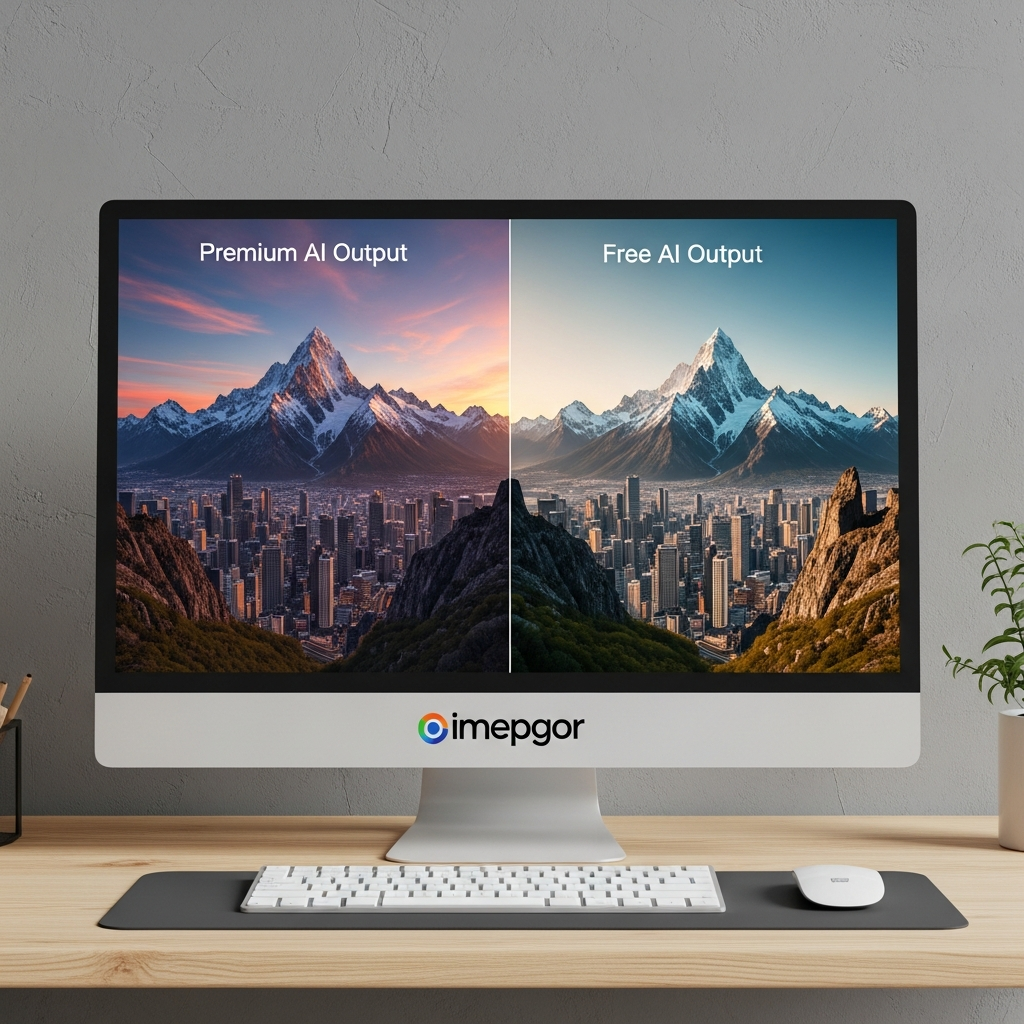

Quick Answer: An AI image maker turns text prompts, reference images or existing photos into new visuals using generative AI. In 2026, ChatGPT Images 2.0 is one of the strongest general-purpose options for conversational image creation and editing, Gemini Nano Banana 2 is excellent for fast generation and consistent edits, Midjourney is a strong choice for artistic visuals, Adobe Firefly is particularly useful for Adobe and commercial creative workflows, and Ideogram is well suited to graphics that need readable text.
Most people should start with a free option, generate the same brief in two or three tools, and only pay once they know which workflow produces the results they actually need.
Last checked: September 1, 2026
If you need complete social graphics, layouts or presentations rather than standalone generated images, see CompareBestAI’s AI design tools for non-designers guide instead.
Best AI Image Makers in 2026 at a Glance
| Tool | Best For | Free Access | Paid Starting Point |
|---|---|---|---|
| ChatGPT Images 2.0 | Overall conversational generation + editing | Yes | Included across ChatGPT tiers |
| Gemini / Nano Banana 2 | Fast generation, editing and consistency | Yes | Paid Gemini tiers add Nano Banana Pro |
| Midjourney | Artistic and stylized visuals | No standard free plan | $10/month |
| Adobe Firefly | Commercial/Adobe creative workflows | Yes | $9.99/month |
| Ideogram | Text-heavy graphics and typography | Yes | $20/month |
Pricing and access can change. Check provider documentation before purchasing.
What Is an AI Image Maker?
An AI image maker is software that generates or modifies images using artificial intelligence.
Instead of drawing every element manually, you can type something such as:
“Photorealistic luxury coffee packaging on a marble counter, warm morning light, shallow depth of field, square social-media ad.”
The system interprets the request and produces one or more images.
Modern tools can also handle tasks such as:
- editing an uploaded photo;
- replacing backgrounds;
- changing clothing or objects;
- generating variations;
- maintaining a character across images;
- adding readable text;
- extending an image beyond its original frame;
- changing aspect ratios.
That makes AI image generation useful to marketers, ecommerce businesses, content creators, designers, educators and small-business owners.
AI Image Maker vs AI Design Tool
These categories overlap, but they are not identical.
An AI image generator primarily creates the visual asset.
An AI design platform takes images, logos, text, colors and layouts and turns them into finished materials such as:
- Instagram posts;
- presentations;
- flyers;
- ads;
- brochures;
- YouTube thumbnails.
For example, Midjourney is primarily a generation tool, while Canva combines image generation with a much broader design editor.
For the wider professional ecosystem, CompareBestAI’s Ultimate Guide to AI Design & Image Generation Tools covers design platforms, image generation and commercial creative workflows together.
1. ChatGPT Images 2.0 — Best Overall AI Image Maker
Best for: Conversational image creation, detailed instructions, text rendering and image editing
Availability: All ChatGPT tiers
ChatGPT Images 2.0 is OpenAI’s current image-generation experience.
It can:
- generate a new image from a conversation;
- edit an existing image;
- add or remove objects;
- follow text instructions;
- generate transparent backgrounds;
- work with different aspect ratios;
- preserve important details across edits.
OpenAI says ChatGPT Images 2.0 is available on all ChatGPT tiers, while Images with thinking is available on paid tiers.
Why it stands out
The biggest advantage is not just raw image generation.
It is the conversational workflow.
Instead of rewriting the entire prompt after every attempt, you can say:
“Keep the product exactly the same, but make the background darker.”
Then:
“Move the headline higher.”
Then:
“Create a 4:5 Instagram version.”
That makes iteration much easier for non-designers.
Important 2026 update
Do not build this article around DALL·E anymore.
OpenAI retired its official DALL·E GPT from ChatGPT on August 30, 2026 and directs users to ChatGPT Images instead.
Best fit
Choose ChatGPT Images when you want to describe what you need in plain language and refine the output through conversation rather than learning a complex creative interface.
2. Gemini Nano Banana 2 — Best for Fast Editing and Consistency
Best for: Image generation, editing, recurring characters and world-aware visual creation
Google’s current mainstream image model is Nano Banana 2, also known in developer contexts as Gemini 3.1 Flash Image.
Google says the model improves:
- image fidelity;
- speed;
- advanced editing;
- world knowledge;
- subject consistency.
It is available through Google surfaces including Gemini and Google AI Studio/API.
Gemini’s current help documentation also highlights character consistency and the ability to combine multiple images while maintaining the appearance of a person or character.
Why this matters
Early AI generators struggled when you asked for:
the same person in five different scenes.
The face, clothes or proportions often changed.
Consistency tools make AI generation substantially more useful for:
- storyboards;
- campaigns;
- social characters;
- product concepts;
- recurring visual identities.
Important correction to the old article
Do not send readers to an unofficial third-party site simply because it uses “Nano Banana” in the domain.
When talking about Google Nano Banana, reference Google Gemini or Google’s official documentation.
Best fit
Choose Gemini when speed, conversational editing and visual consistency matter more than having a specialist artistic interface.
3. Midjourney — Best for Artistic and Stylized Images
Best for: Concept art, advertising concepts, editorial visuals and stylized imagery
Starting price: $10/month
Midjourney remains a strong option for users who prioritize visual style.
Its current subscription plans are:
| Plan | Monthly |
|---|---|
| Basic | $10 |
| Standard | $30 |
| Pro | $60 |
| Mega | $120 |
Annual billing receives a 20% discount.
Standard, Pro and Mega include unlimited image generation in Relax Mode; Pro and Mega add Stealth Mode for private generations.
Why Midjourney is useful
Midjourney works particularly well when the brief is aesthetic rather than purely functional.
Examples:
- editorial illustration;
- mood boards;
- campaign concepts;
- fantasy imagery;
- fashion concepts;
- cinematic compositions.
Main limitation
It may be unnecessary if your primary need is simple business graphics or occasional free image generation.
Best fit
Choose Midjourney when visual style is the main reason you are using generative AI.
CompareBestAI’s Midjourney review covers its pricing and workflow in more detail.
4. Adobe Firefly — Best for Adobe and Commercial Creative Workflows
Best for: Marketing teams, Adobe users, professional editing and commercial workflows
Free access: Limited daily generations
Firefly Standard: $9.99/month
Adobe Firefly now combines image, video and other generative capabilities.
Current plans include:
- Free: limited daily generations;
- Standard: $9.99/month with 2,000 credits;
- Pro: $19.99/month with 4,000 credits;
- Pro Plus: $49.99/month with 10,000 credits;
- Premium: $199.99/month with 50,000 credits.
Why Firefly is different
Adobe says its Firefly models are trained on content such as licensed Adobe Stock material and public-domain content, rather than customer Creative Cloud content.
Adobe explicitly positions its Firefly models as designed for commercially safe workflows, although specific IP-indemnification coverage depends on the applicable plan and agreement.
Strong use cases
Firefly is particularly attractive when generation is only one step inside a larger workflow involving:
- Photoshop;
- Illustrator;
- Adobe Express;
- generative fill;
- generative expand;
- marketing production.
Best fit
Choose Firefly if AI generation needs to connect to a professional Adobe workflow rather than exist as a separate image app.
See CompareBestAI’s Adobe Firefly review for a deeper breakdown.
5. Ideogram — Best for Text-Heavy AI Graphics
Best for: Posters, ads, typography, visual concepts and marketing graphics
Free plan: Yes
Plus: $20/month or $15/month on annual billing
Ideogram is particularly useful when the generated visual includes words, headlines or graphic-design elements.
Current personal pricing includes:
- Free;
- Plus — $20/month or $15/month billed annually;
- Pro — $60/month or $42/month billed annually;
- Team — $30/user/month or $20/user/month billed annually.
Ideogram’s current 4.0 generation stack also supports hosted commercial API use with different quality tiers.
Good use cases
Ideogram works well for:
- poster concepts;
- social ads;
- headline graphics;
- product campaign visuals;
- logos and typography experiments;
- meme-style content.
Important free-plan limitation
Free output may not provide the same privacy or generation priority as paid plans. Check the current plan before uploading sensitive brand concepts.
Best fit
Choose Ideogram when text inside the generated image is an important part of the creative.
CompareBestAI’s Ideogram review provides a more detailed comparison.
What About NightCafe?
NightCafe can still be useful for AI art experimentation and community-oriented creation.
But it should not dominate a general best AI image maker in 2026 guide.
The current page recommends NightCafe before evaluating modern alternatives and repeatedly presents it alongside an unofficial Nano Banana website. That creates an unbalanced market picture.
A better approach is to first compare major workflows, then mention NightCafe as an additional creative option where appropriate.
How to Use an AI Image Maker
The basic process is similar across most tools.
Step 1: Decide What the Image Is For
Start with the destination.
Is it:
- an Instagram ad?
- a blog image?
- an ecommerce hero image?
- a poster?
- a presentation?
- a YouTube thumbnail?
The destination determines the aspect ratio, visual complexity and amount of text.
Step 2: Describe the Main Subject
Be concrete.
Weak:
“Make a shoe ad.”
Better:
“White premium running shoe on a dark reflective platform.”
Step 3: Add Visual Direction
Include only useful details.
For example:
“Studio product photography, dramatic rim lighting, black background, premium sportswear campaign.”
Step 4: Set the Composition
Tell the tool where major elements should appear.
Example:
“Product centered in the lower third, empty space at the top for headline copy.”
This is extremely useful for ad creatives.
Step 5: Set the Aspect Ratio
Examples:
1:1 — square social post
4:5 — Instagram/Facebook feed
16:9 — YouTube or website hero
9:16 — Stories/Reels/TikTok
Step 6: Generate More Than One Version
Do not judge the model from one image.
Generate several variations and compare:
- subject accuracy;
- lighting;
- hands/faces;
- text;
- composition;
- background details.
Step 7: Edit Instead of Starting Again
Modern image models are increasingly capable of iterative editing.
If 80% of the image is correct, say what needs changing.
Example:
“Keep everything identical except change the cup from red to navy blue.”
Step 8: Inspect Before Publishing
Check for:
- distorted hands;
- impossible reflections;
- spelling errors;
- altered logos;
- extra objects;
- incorrect products;
- misleading visual claims.
AI-generated does not mean publication-ready.
A Better AI Image Prompt Formula
Use this formula:
Subject + action + environment + style + lighting + composition + format + constraints
Example:
“A matte black luxury perfume bottle on a polished marble counter, soft morning sunlight through blinds, premium editorial product photography, shallow depth of field, bottle centered with negative space on the left for ad copy, 4:5 aspect ratio, no text, no additional bottles.”
The important part is not making prompts longer.
It is making instructions specific and non-conflicting.
Free vs Paid AI Image Makers
Free plans are useful for experimentation.
They are not automatically the best long-term choice.
Free tools usually work well when you need:
- occasional images;
- concept testing;
- personal projects;
- simple social content;
- low-volume experimentation.
Paid tools become more valuable when you need:
- private generation;
- higher usage limits;
- faster queues;
- better exports;
- commercial workflows;
- API access;
- team controls;
- consistent production.
The key comparison is not simply:
free vs paid.
It is:
What limitation are you paying to remove?
How to Choose the Best AI Image Maker
Choose ChatGPT Images if…
You want an easy conversational workflow with generation and editing together.
Choose Gemini if…
You value quick refinement, subject consistency and Google's current Nano Banana image stack.
Choose Midjourney if…
Artistic style is your priority.
Choose Firefly if…
Your workflow already lives inside Adobe or commercial creative production matters.
Choose Ideogram if…
Your images regularly include headlines, typography or poster-style layouts.
The “best” model is therefore task-dependent.
Can AI Images Be Used Commercially?
Often—but not automatically under identical terms.
There are three separate questions:
1. Does the platform permit commercial use?
2. Does the platform provide any indemnification?
3. Is the output itself legally protectable in your jurisdiction?
Those are not the same issue.
Review current provider terms before using AI-generated material in:
- paid advertising;
- packaging;
- logos;
- merchandise;
- client work;
- major brand campaigns.
Adobe, for example, explicitly documents how its Firefly training data and specific indemnification programs work.
Do not publish a blanket statement such as:
“All AI-generated images are royalty-free.”
That is too broad.
AI Image SEO: How to Optimize Generated Images
Generating the image is only the creative step.
For organic visibility, Google recommends making images easy to crawl and understand.
Google specifically recommends:
-
using standard HTML
<img>elements; - adding useful alt text;
- using descriptive filenames;
- placing images near relevant text;
- optimizing image size and performance;
- providing a high-quality image;
-
using
primaryImageOfPageor image structured data where appropriate.
Good AI image alt text
AI-generated ecommerce product photo of a black running shoe on a reflective platform
Poor alt text
AI image maker best AI image generator AI picture AI art
Alt text should describe the image—not become a keyword container.
Google explicitly warns against keyword stuffing in image alt attributes.
AI Image Maker Use Cases
Social Media
Create:
- campaign concepts;
- visual posts;
- background assets;
- ad variants.
For complete layouts, use an AI design platform after generating the visual.
Ecommerce
AI generation can help with:
- lifestyle backgrounds;
- concept photography;
- seasonal scenes;
- mockups.
Do not alter the actual product in ways that could mislead buyers.
Blog Content
Custom illustrations can reduce reliance on generic stock photography.
The visual should still support the article rather than exist purely for decoration.
Advertising
AI is especially useful for rapidly generating creative directions.
Marketers can test different:
- backgrounds;
- lighting;
- locations;
- compositions;
- emotional tones.
The ad's claims still need to remain accurate.
Presentations
Generated illustrations can make otherwise text-heavy slides easier to understand.
If presentation design is your primary need, use a design or presentation platform instead of relying on an image generator alone.
Common AI Image Generation Mistakes
Writing conflicting prompts
“Minimalist but highly detailed, dark but bright, empty but full of objects” gives the model competing instructions.
Expecting perfect text every time
Text rendering has improved significantly, but inspect every word before publishing.
Ignoring aspect ratio
An excellent 16:9 image may crop badly into a 4:5 ad.
Generate for the destination.
Publishing the first result
Generate variations.
Creative selection is still part of the process.
Forgetting legal and brand checks
Inspect:
- logos;
- celebrity likenesses;
- trademarks;
- branded products;
- copyrighted characters.
Assuming “AI-generated” means original
Models can produce visually familiar patterns.
Run the same originality and brand checks you would for other creative work.
Frequently Asked Questions About AI Image Makers
What is an AI image maker?
An AI image maker is software that generates or edits images using artificial intelligence. Users typically provide text prompts, reference images or editing instructions, and the model creates a new visual based on those inputs.
What is the best AI image maker in 2026?
There is no universal winner. ChatGPT Images 2.0 is a strong general-purpose option, Gemini Nano Banana 2 is particularly useful for editing and consistency, Midjourney is strong for artistic output, Firefly fits Adobe workflows, and Ideogram is useful for text-heavy graphics.
What is the best free AI image generator?
ChatGPT Images and Gemini both provide image-generation access to free users, while Adobe Firefly and Ideogram also provide limited free generation. Free limits can change, so verify the current plan before relying on one for ongoing production.
Is DALL·E still the main ChatGPT image generator?
No. OpenAI retired the official DALL·E GPT from ChatGPT on August 30, 2026. The current recommended experience is ChatGPT Images 2.0.
What is Nano Banana 2?
Nano Banana 2 is Google's current image-generation and editing model, also referred to as Gemini 3.1 Flash Image in developer contexts. It is integrated into Gemini and other Google AI products.
Can AI image makers create readable text?
Yes, modern models have improved significantly at text rendering, but results still need review. Ideogram, ChatGPT Images and current Google image models are particularly relevant when text inside an image matters.
Can I use AI-generated images for marketing?
Usually, depending on the platform terms and the content generated. Review usage rights, trademarks, likenesses and applicable commercial-use terms before publishing major campaign assets.
Do AI-generated images need alt text?
Yes, when the image conveys meaningful information. Google recommends useful, contextually accurate alt text because it helps both accessibility and image understanding in Search.
Do longer prompts always create better images?
No. Clear instructions usually matter more than raw prompt length. Specify the subject, composition, style, lighting, format and critical constraints without adding conflicting details.
Should I use an AI image generator or Canva?
Use an AI image generator when the main task is creating the visual itself. Use Canva or another design platform when you also need templates, text layout, branding, resizing and finished marketing assets.
Final Verdict
The AI image maker market in 2026 is no longer about finding one model that wins every test.
Choose based on workflow:
ChatGPT Images 2.0 — best starting point for conversational creation and editing.
Gemini Nano Banana 2 — strong for rapid iteration and consistent visual edits.
Midjourney — strong for artistic and visually distinctive concepts.
Adobe Firefly — strongest fit for Adobe-centered and commercial creative production.
Ideogram — strong for text-heavy graphics and typography-driven concepts.
Start free where possible.
Use the same creative brief in several tools.
Then pay for the platform that consistently gives you the best combination of:
quality + control + speed + usage rights + workflow fit.
And if your goal goes beyond standalone AI images into social graphics, presentations, branding and full visual layouts, browse CompareBestAI’s Content & Design tools before choosing a second subscription.


