The best AI video tools in 2026 are Google Veo 3.1 for realistic text-to-video, Kling 3.0 for low-cost generation, HeyGen for avatar videos, Descript for editing, Topaz Video for upscaling old footage, and ElevenLabs for voiceovers. Most offer a free tier. Paid plans for solo creators start between $6 and $30 a month.
Picking an AI video tool used to mean choosing one app. Now a single YouTube video might touch four: one to generate B-roll, one for the voiceover, one to cut the edit, and one to clean up the final export. So the best AI video tools for you really depend on the job.
An AI video tool is software that uses machine learning to create, edit, or improve video. Some generate clips from a text prompt or a photo. Others build talking-avatar presenters, write captions, remove filler words, or upscale grainy footage to 4K.
Below, we group the tools by the job they actually do, list what each one costs for US buyers, and point out the catches (credits, watermarks, seat pricing) that pricing pages tend to bury. Our picks follow the criteria on our how we rank tools page.
Best AI Video Tools at a Glance
Here is our best AI video tools comparison in one table. Prices are US list prices, checked September 28, 2026.
| Tool | Type | Best for | Free plan | Paid from |
|---|---|---|---|---|
| Google Veo 3.1 | Text/image-to-video | Realistic clips with native sound | Yes, 50 Flow credits/day | $19.99/mo (Google AI Pro) |
| Kling 3.0 | Text/image-to-video | Budget generation, 4K option | Yes, 66 credits/day | $6.99 first month, then ~$10/mo |
| Runway | Generation + editing | Filmmakers, creative control | 125 one-time credits | $12/mo billed yearly |
| HeyGen | AI avatars | Marketing, multilingual video | 3 videos/mo, watermark | $29/mo |
| Synthesia | AI avatars | Corporate training | Yes, watermark | $29/mo |
| Descript | AI editor | YouTube, podcasts | 60 media min/mo | $16/mo billed yearly |
| CapCut | AI editor | Short-form social | Yes | Varies by store |
| Topaz Video | Enhancer, upscaler | Restoration, upscaling | Trial only, watermark | $59/mo or $299/yr |
| ElevenLabs | AI voice | Voiceovers, dubbing | 10,000 credits, no commercial use | $6/mo |
| Midjourney | AI image + short video | Stills, image-to-video frames | No | $10/mo |
Want the best AI video tools free to start? Veo 3.1, Kling, Descript, CapCut, and ElevenLabs all have free tiers. If you only buy one thing, start with the job you do most often, not the tool with the flashiest demo reel.
Best AI Video Generators for Text-to-Video
These tools create brand-new footage from a text prompt or a still image. They're what most people mean when they search for AI video creation tools.
Google Veo 3.1
Best for: realistic footage with sound.
Veo 3.1 is Google DeepMind's video model, and in 2026 it's the one to beat on realism. It generates audio in the same pass (dialogue, ambient sound, effects), so clips don't feel silent and fake. You can try it free: Google Flow gives free users 50 credits a day. For real volume, Google AI Pro costs $19.99/month and includes 1,000 Flow credits.
Watch out: you can't buy Veo on its own. You're paying for a Google AI bundle, and the top Quality model burns credits fast.
Kling 3.0
Best for: strong motion on a small budget.
Kling, built by Kuaishou, is a popular pick for creators who want the best AI video generator on a tight budget. Every logged-in user gets 66 free credits a day. The Standard plan lists at $10/month, with a first-month offer of $6.99 that renews at $8.80. Kling 3.0 handles human movement and physics well, and 4K output is available at a higher credit cost.
Watch out: one 10-second 4K clip uses about 300 credits, close to half of Standard's 660 monthly credits. Check commercial-use terms before putting free-plan clips in client work.
Runway
Best for: filmmakers who want control over camera, style, and consistency.
Runway pairs its Gen-4.5 model with a full editing toolkit, which makes it one of the best AI tools for video production from idea to final cut. Standard costs $15/month, or $12/month billed yearly, with 625 credits. Gen-4.5 uses 12 credits per second, so that's about 52 seconds of flagship video a month. Cheaper models like Gen-4 Turbo stretch credits further for drafts.
Watch out: retries eat credits fast, and Standard and Pro credits don't roll over. Read our full Runway AI review for more detail.
Best AI Video Maker Software for Avatars and Presenters
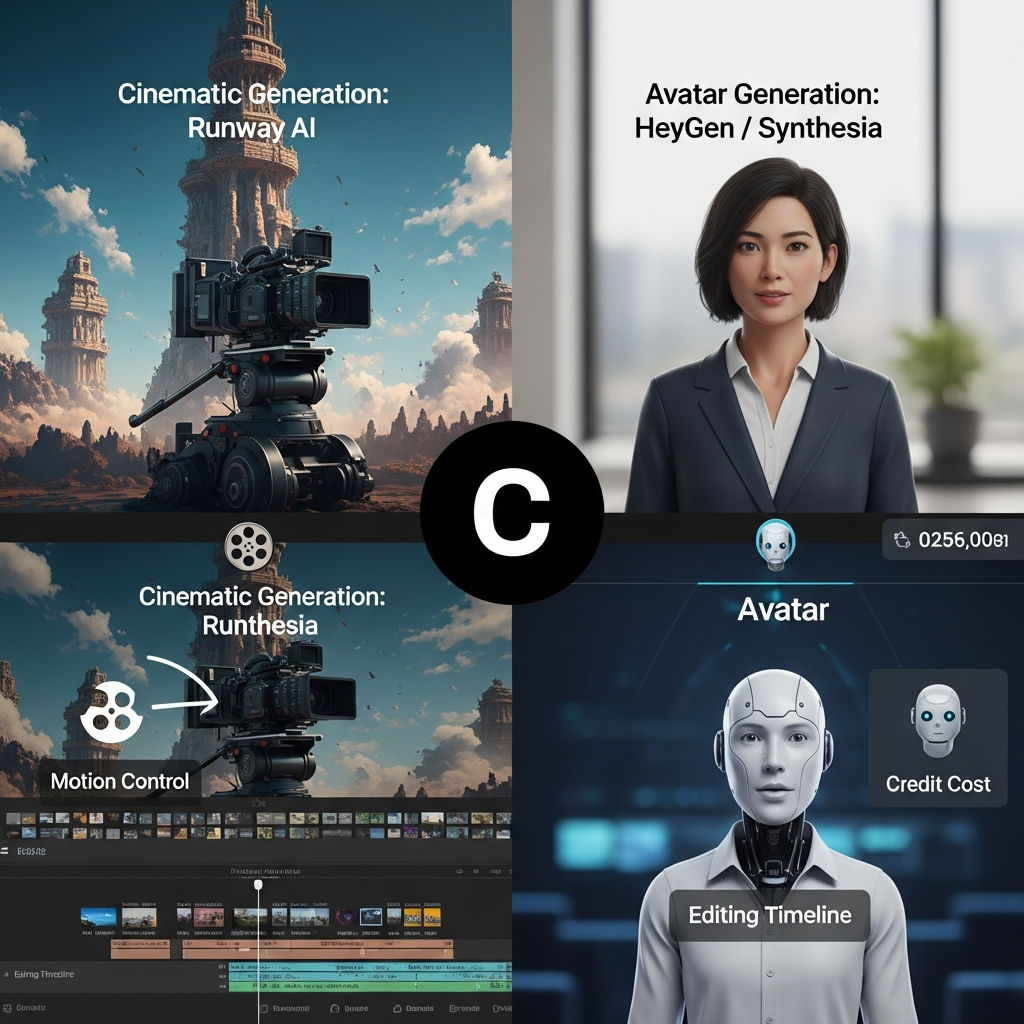
Avatar tools turn a script into a video with a realistic presenter. No camera, no studio, no reshoots. That makes them some of the best AI video tools for marketing, training, product explainers, and localized ads.
HeyGen
Best for: marketers and sales teams making multilingual videos.
HeyGen's avatars are some of the most natural-looking on the market, and it supports 175+ languages with lip-synced translation. The free plan gives you 3 watermarked videos a month. Creator is $29/month (600 credits, videos up to 30 minutes), Pro is $49/month with 4K export, and Business is $149/month plus $20 per extra seat.
Watch out: HeyGen sells credits, not minutes, and premium avatar models use them much faster. See our HeyGen review.
Synthesia
Best for: corporate training and internal comms.
Synthesia is built for L&D teams that need clean templates and consistent presenters. Starter costs $29/month for 10 video minutes. Creator is $89/month for 30 minutes, API access, and interactive video.
Watch out: pricing is per editor seat, so a five-person team on Creator pays roughly $445/month. Full details in our Synthesia review.
Planning to use an avatar as a spokesperson in US ads? The FTC's Endorsement Guides treat virtual influencers and avatars as endorsers. Disclose any paid relationship the same way you would with a human creator.
Best AI Video Editing Software for YouTube and Social Media
AI editors don't create footage from scratch. They speed up the boring parts of editing what you already shot.
Descript
Best for: YouTubers and podcasters who'd rather edit text than timelines.
Descript transcribes your footage so you can cut video by deleting words from the transcript. It also removes filler words, cleans up audio with Studio Sound, and records your screen. The free plan includes 60 media minutes a month. Hobbyist is $16/month billed yearly ($24 monthly), and Creator is $24/month billed yearly ($35 monthly) with 4K export.
Watch out: AI features run on a separate credit meter, and Hobbyist users can't buy top-ups. More in our Descript review.
CapCut
Best for: fast short-form edits for TikTok, Reels, and YouTube Shorts.
CapCut's free plan covers most social editing: auto-captions, templates, background removal, and 1080p export. Paid plans add 4K, premium effects, and more AI tools. Among the best AI video tools for social media, it's the easiest pick for teams who publish daily.
Watch out: CapCut's price depends on where you buy. App store subscriptions often cost more than buying on the website, so compare both before you subscribe. See our CapCut review.
Looking for the best AI video editing software for PC or Mac and already pay for Adobe? Adobe Premiere Pro has built-in AI features that may cover what you need.
Best AI Video Enhancer and Upscaling Software
Topaz Video
Best for: restoring old footage, upscaling low-res clips, and smoothing motion.
If you need the best AI video upscaling software, a dependable AI video enhancer, or restoration software for old footage, Topaz Video is still the reference point. It upscales, denoises, and adds frames for smoother motion, and it renders on your own GPU with unlimited local renders. Personal costs $299/year (about $25/month) or $59 month-to-month. In June 2026, Adobe announced an agreement to acquire Topaz Labs. Read our full Topaz Video AI review for more detail.
Watch out: there's no free plan, only a watermarked trial, and you'll want a strong graphics card.
Best AI Voice and Image Tools for Video Production
ElevenLabs
Best for: narration, dubbing, and voice cloning.
Great visuals with a robotic voiceover still feel cheap. ElevenLabs fixes that. The free plan includes 10,000 credits a month (roughly 10 minutes of speech) but isn't licensed for commercial use. Starter at $6/month is the cheapest commercial license, and Creator at $22/month adds professional voice cloning.
Midjourney
Best for: thumbnails, consistent stills, and starting frames for image-to-video.
A lot of the best AI video starts as a strong still image, and Midjourney is still the top pick for that. Basic costs $10/month, and Standard costs $30/month with unlimited Relax-mode images. It can also animate stills into short clips.
Watch out: there's no free plan, and companies earning more than $1 million a year need the Pro or Mega plan to own their images.
What Happened to Sora? Can ChatGPT Make AI Videos?
Short answer: Not right now. OpenAI discontinued the Sora app and website on April 26, 2026, and the Sora API was scheduled to shut down on September 24, 2026. As of this update, ChatGPT does not include a public video generator.
If Sora was part of your workflow, Veo 3.1 and Kling 3.0 are the closest replacements for realistic text-to-video. ChatGPT is still useful for writing scripts, shot lists, and prompts you then paste into those tools.
How to Choose Between the Best AI Video Tools
- Name the job first. B-roll, presenter video, editing, upscaling, or voice. The category narrows your list from dozens to two or three.
- Test on a real project. Free plans are for your actual script, not a demo prompt. Our list of AI tools with free plans is a good place to start.
- Do the credit math. A 5-second Runway Gen-4.5 clip costs 60 credits. Four attempts to get it right costs 240. Plan for retries, not just finished minutes.
- Check commercial rights. Free tiers often exclude commercial use, which matters for client work and ads.
- Budget for the full stack. A typical solo creator setup — Kling Standard (~$10) plus ElevenLabs Starter ($6) plus Descript Hobbyist ($16 billed yearly) — runs about $32 a month.
Want to keep costs low? See our guide to the cheapest AI video generator options and the hidden costs of AI tools that pricing pages leave out.
How to Make AI Videos Look Like Real Footage
- Start from a real photo. Image-to-video keeps faces and products more consistent than text alone.
- Describe the camera, not the mood. "Handheld, 35mm lens, golden hour" beats "cinematic."
- Keep clips short. Generate 5 to 10 seconds at a time and stitch them in your editor.
- Add real sound. Use Veo 3.1's native audio or an ElevenLabs voiceover.
- Finish in post. A light upscale and a touch of film grain hide most AI artifacts.
Is It Legal to Use AI to Make Videos?
Short answer: Yes. In the US, making AI videos is legal. The risk comes from what's in them: a real person's likeness without consent, copyrighted characters, or paid endorsements you didn't disclose.
The U.S. Copyright Office has said AI output is protected by copyright only when a human adds enough creative expression. Prompts alone don't count. That means you may not be able to stop others from copying a purely AI-generated clip, so add your own editing, script, and footage to anything you plan to build a brand on.
This is general information, not legal advice. For paid campaigns, check with a lawyer.
Frequently Asked Questions
What is the #1 AI video generator?
For realistic text-to-video with sound, Google Veo 3.1 is the strongest all-around pick in 2026. Kling 3.0 is the better value on a budget, and Runway gives filmmakers more creative control. For presenter-style videos, HeyGen leads.
Is there a 100% free AI video generator?
Not without limits. Google Flow gives 50 free credits a day for Veo 3.1, Kling gives 66 free credits a day, and CapCut and Descript have free editing plans. Free tiers usually add watermarks, cap video length, or block commercial use.
Can ChatGPT make AI videos?
No. OpenAI shut down the Sora app on April 26, 2026, and the Sora API was set to close on September 24, 2026. ChatGPT can still write your script and prompts, but you'll need a tool like Veo 3.1, Kling, or Runway to generate the footage.
What's the best AI video generator for beginners?
HeyGen is the easiest if you want a talking presenter: type a script, pick an avatar, and export. For editing, CapCut and Descript are beginner friendly. For generated clips, Kling's free daily credits let you practice without paying anything.
Can AI video generators create videos from photos?
Yes. Veo 3.1, Kling 3.0, Runway, and Midjourney all turn a still photo into a short animated clip. HeyGen can also turn a single photo into a talking avatar. Only use photos you own or have permission to use.
Can you be sued for AI videos?
Yes, if the video uses someone's face, voice, trademark, or copyrighted material without permission, or makes false claims in an ad. Creating AI video isn't illegal on its own. Use licensed assets, get consent from real people, and disclose paid endorsements.
What is the best AI video editing software for YouTube?
Descript is the best fit for long-form YouTube and podcasts because you edit by transcript. CapCut is faster for Shorts. If you already pay for Adobe, Premiere Pro's built-in AI features may be enough.
Key Takeaways: Top AI Video Tools by Job
- Realism: Google Veo 3.1. Value: Kling 3.0. Creative control: Runway.
- Avatars: HeyGen for marketing, Synthesia for corporate training.
- Editing: Descript for YouTube, CapCut for short-form social.
- Upscaling and restoration: Topaz Video.
- Voice and images: ElevenLabs and Midjourney.
- Sora is discontinued in 2026. Plan around Veo, Kling, or Runway instead.
- Most plans run on credits. Budget for retries, not just finished minutes.
Find the Best AI Video Tools for Your Budget
The right pick depends on what you make and how often you make it. At CompareBestAI, we track pricing, free plans, and best-for labels for hundreds of tools in our AI video generation category. Shortlist two or three tools from this page, then compare them side by side before you commit. For a deeper model-by-model breakdown, read our AI video generator comparison.
Prices change often. We re-check this page regularly, but always confirm the current plan on the vendor's site before you buy.
CompareBestAI may earn a commission from some links on this page. It doesn't change our picks. See our advertiser disclosure.