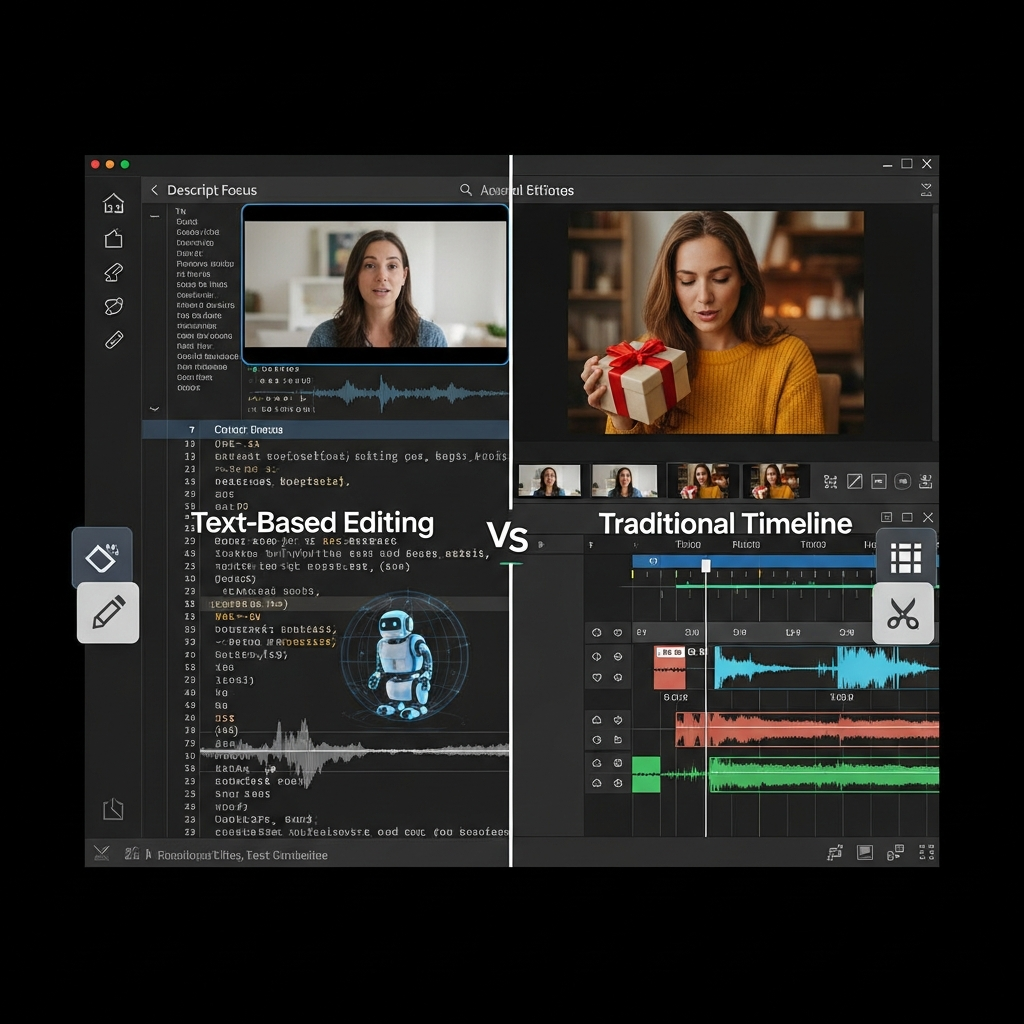

Quick Verdict: Descript is worth considering in 2026 if you regularly edit podcasts, interviews, talking-head videos, tutorials or other speech-heavy content. Its biggest advantage is text-based editing: change the transcript and Descript changes the corresponding audio or video. The current platform also combines Underlord AI, Studio Sound, transcription, filler-word removal, screen recording, captions and clip creation. It is less suitable for cinematic editing, advanced color grading or complex visual-effects work.
Descript Review 2026: At a Glance
| Category | Verdict |
|---|---|
| Best for | Podcasters, YouTubers, marketers, educators and business content teams |
| Main advantage | Transcript-based audio and video editing |
| Free plan | Yes |
| Paid plans | From $16/month per person with annual billing |
| Best paid plan for regular creators | Creator |
| Video export | Up to 4K on Creator and Business |
| AI assistant | Underlord |
| Strongest features | Text editing, Studio Sound, transcription, filler-word removal, clips |
| Main limitation | Less control than professional timeline editors |
| Our verdict | Strong for speech-first content, less suitable for cinematic production |
Descript currently has a 4.6/5 rating on G2 across 920 reviews, giving prospective buyers a substantial body of user feedback to consider alongside the product's official feature claims.
What Is Descript?
Descript is an AI-assisted audio and video editing platform built around a simple idea: edit media by editing text.
When you import or record audio or video, Descript can generate a transcript. Removing words or sentences from that transcript can remove the corresponding part of the recording.
That makes it fundamentally different from traditional editors where users spend much of their time moving through tracks, waveforms and timelines.
Descript also combines several related production tools in the same workspace, including transcription, screen recording, podcast editing, captions, AI speech, audio enhancement, clip creation and video editing.
For podcasts, interviews, webinars, tutorials, course content and talking-head videos, that text-first approach can make rough editing much easier to understand.
Who Is Descript Best For?
Descript makes the most sense when spoken words are the main part of the content.
It is particularly well suited to:
Podcasters editing interviews and episodes
YouTubers creating talking-head or educational videos
Marketing teams repurposing webinars and interviews
Course creators editing lessons
Educators producing instructional videos
SaaS teams recording product demonstrations
Agencies producing recurring client content
Business teams creating training and communication videos
It becomes less compelling when the project's main challenge is advanced visual editing rather than spoken content.
Filmmakers, motion designers and editors who need detailed keyframing, advanced color work, complex compositing or frame-level control will normally want a traditional professional editor as well.
How Descript's Text-Based Editing Works
Text-based editing remains Descript's defining feature.
Import a recording and Descript turns the spoken content into editable text. Removing part of the transcript can remove the corresponding audio or video, while reorganizing spoken sections can help restructure an edit.
Descript's current product pages describe this as editing video by editing text, with the transcript functioning as a central editing interface.
For speech-heavy material, this changes the editing process.
Instead of repeatedly scrubbing through a waveform to locate a sentence, an editor can find the sentence in the transcript.
That is particularly useful for long interviews, podcasts, webinars and tutorials.
It does not eliminate editorial judgment. You still need to decide which sections should stay, how pacing should feel and whether a generated edit makes sense.
The advantage is that locating and changing spoken material becomes easier.
Descript AI Features Reviewed
Underlord AI Co-Editor
Underlord has become one of the most important parts of Descript's 2026 product.
Descript describes Underlord as an AI co-editor or video agent that can understand a project and carry out editing instructions through natural-language prompts.
Its current capabilities span tasks such as:
Editing for clarity
Removing retakes
Removing filler words
Applying Studio Sound
Correcting eye contact
Creating clips
Generating publishing assets
Working with layouts and scenes
Generating or editing media
Descript is therefore moving beyond a collection of separate AI buttons toward a workflow where users can describe the editing result they want.
Our view: Underlord is most useful when you already know the outcome you want and want Descript to handle repetitive editing steps. Human review remains important before publishing.
AI Transcription
Transcription is central to the entire Descript workflow.
Descript's current pricing documentation lists transcription support across 25 languages and automated detection of multiple speakers.
The transcript can then support:
Editing
Captions
Searching recordings
Quote extraction
Show notes
Content repurposing
Social clips
The important point is that transcription is not merely an add-on in Descript.
It is the foundation of the editing experience.
For important names, figures, technical terminology or quotations, manually review the transcript before relying on it for final publishing.
Studio Sound
Studio Sound is Descript's AI audio-enhancement feature.
Descript says Studio Sound isolates spoken audio and regenerates it to reduce problems such as echo and background noise while improving voice clarity.
This can be particularly useful for:
Remote podcast guests
Home-office recordings
Online interviews
Course videos
Webinars
Screen recordings
It is useful when you want cleaner speech without manually working through a traditional audio-processing chain.
Do not assume it will repair every poor recording perfectly. Severe clipping, overlapping speakers or badly distorted source audio can still require manual work or re-recording.
Remove Filler Words
Descript can detect fillers such as “um” and “uh” and let editors review or remove them from audio and video.
The current workflow lets users choose how individual filler words are handled instead of requiring them to remove every detected instance automatically.
That distinction matters.
Removing every hesitation can make natural speech sound unnatural, so review automated edits before applying them to an entire interview or podcast.
Remove Retakes and Edit for Clarity
Descript's newer AI workflow goes beyond basic filler words.
Its current Underlord toolkit includes Remove Retakes and Edit for Clarity, designed to help tighten speech-heavy recordings.
These tools are useful for creators who record several versions of a sentence or frequently restart while speaking.
They can speed up a first-pass edit, but the final pacing should still be reviewed manually.
Eye Contact
Eye Contact uses AI to adjust a speaker's gaze so they appear to be looking more directly toward the camera.
This can help when someone is reading a script or occasionally looking off-screen. Descript itself recommends using it with sensible lighting and natural head movement rather than expecting the effect to correct every recording.
It is most relevant to:
Training videos
Product demos
Talking-head YouTube videos
Course content
Sales videos
AI Speech and Regenerate
Descript also supports AI-generated speech and voice-cloning workflows.
Its current tools allow users to create voiceovers and make certain corrections without having to record an entire passage again.
This is useful for correcting a small mistake after recording.
For ethical and brand-sensitive use, make sure anyone whose voice is being cloned has provided appropriate consent.
Create Clips
Create Clips is designed for repurposing long-form content.
Descript can identify sections from a longer recording and help package them into shorter pieces with captions for social platforms.
This makes the feature especially relevant to:
Podcast marketing
YouTube Shorts
LinkedIn video
Instagram Reels
TikTok
Webinar promotion
The generated selections should be treated as suggestions rather than guaranteed best-performing clips.
Screen Recording and Rooms
Descript includes screen recording and its Rooms functionality for remote recording.
That means a creator can record a tutorial or conversation, transcribe it and begin editing in the same broader environment rather than moving media between several separate applications.
This is useful for software demonstrations, onboarding videos, educational content and interviews.
Descript Pricing 2026
Descript currently offers Free, Hobbyist, Creator, Business and Enterprise options.
| Plan | Annual Price | Monthly Price | Media Allowance | AI Credits | Export |
|---|---|---|---|---|---|
| Free | $0 | $0 | 1 hour/month | 100 one-time | Up to 720p |
| Hobbyist | $16/person/mo | $24/person/mo | 10 hours/month | 400/month | Up to 1080p |
| Creator | $24/person/mo | $35/person/mo | 30 hours/month | 800/month | Up to 4K |
| Business | $50/person/mo | $65/person/mo | 40 hours/month | 1,500/month | Up to 4K |
| Enterprise | Custom | Custom | Custom | Custom | Custom |
Pricing checked against Descript's official pricing page on September 2, 2026. Descript says annual billing can save up to 35% compared with monthly billing.
Descript Free
The Free plan includes one media hour per month and 100 one-time AI credits.
It is enough to determine whether you like the transcript-based editing workflow before committing to a subscription.
Descript's current official pages show conflicting wording about whether Free video exports are watermark-free, so check the current pricing screen before relying on the Free plan for final client or branded exports.
Best for: Testing Descript.
Descript Hobbyist
Hobbyist costs $16 per person per month with annual billing or $24 monthly.
It includes:
10 media hours each month
400 AI credits
1080p export
Underlord access
Studio Sound
Remove Filler Words
Create Clips
AI Speech capabilities
Best for: Individual creators producing a modest amount of content.
Descript Creator
Creator costs $24 per person per month when billed annually or $35 monthly.
It increases the allowance to 30 media hours and 800 AI credits per month, supports 4K exports and provides full access to Underlord plus additional AI tools. It also includes Descript's stock-media library and supports top-ups for additional media hours and AI credits.
Best for: Regular podcasters, YouTubers and professional creators.
For many solo professionals, this is likely to be the most balanced plan because the higher media and AI allowances matter more once Descript becomes part of a weekly production workflow.
Descript Business
Business currently costs $50 per person per month annually or $65 with monthly billing.
It includes 40 media hours and 1,500 AI credits per month, Brand Studio access, translation and dubbing in more than 30 languages, custom avatar generation and priority support.
Best for: Marketing departments, agencies and collaborative content teams.
Descript Enterprise
Enterprise uses custom pricing.
Descript currently lists features such as custom AI and media allowances, organization-wide brand controls, SSO, SCIM, audit logs, custom retention options, flexible billing and dedicated support.
Best for: Larger organizations with security, procurement and governance requirements.
How Descript AI Credits Work
AI credits deserve more attention than they receive in many Descript reviews because they directly affect how heavily you can use AI-powered features.
Descript says credits are consumed when users apply tools such as:
Underlord
Studio Sound
Green Screen
Eye Contact
AI Speech
AI-generated images
Generated video
Avatars
Dubbing
Media minutes and AI credits are separate allowances. Media minutes track imported or recorded media, while AI credits track AI operations.
For example, Descript's documentation currently estimates AI-credit usage of roughly 5 credits per minute for text-to-speech, around 15 credits per minute for dubbing and varying amounts for generated images and video depending on the model selected.
This means the cheapest plan is not always the cheapest in practice.
Choose your plan based on how frequently you intend to use the AI tools, not merely how many hours of raw footage you record.
Descript Pros and Cons
| Pros | Cons |
|---|---|
| Text-based editing is easy to understand | Less precise than specialist professional editors for complex projects |
| Excellent fit for spoken-word content | AI credits can constrain heavy AI usage |
| Transcription is built into the workflow | Paid plans can become expensive as teams grow |
| Studio Sound simplifies audio cleanup | Automated edits still require human review |
| Strong podcast and interview workflow | Not designed primarily for cinematic production |
| Screen recording is integrated | Complex visual-effects workflows need another editor |
| Useful content-repurposing tools | Free plan is quite limited |
| Underlord brings several AI tools into one workflow | Plan and feature limits change frequently |
| Creator and Business support 4K | Different workflows can consume credits at different rates |
Is Descript Worth It in 2026?
Yes, for the right type of creator.
Descript is worth considering if most of your editing consists of people speaking.
Its strongest use cases are podcasts, interviews, webinars, talking-head videos, tutorials and course content because those formats benefit directly from transcript-based editing.
It is especially attractive when you currently use separate tools for transcription, captions, basic audio cleanup and video rough cuts.
However, Descript should not automatically be viewed as a complete replacement for professional editing platforms.
If you regularly work with:
Advanced color grading
Detailed animation
Complex visual effects
Heavily layered timelines
Cinema-style editing
Frame-specific compositing
a traditional professional editor will usually provide more control.
The most useful question is therefore not:
“Is Descript the best video editor?”
It is:
“Does most of my editing workload revolve around spoken content?”
If the answer is yes, Descript becomes much more compelling.
Descript vs Adobe Premiere Pro
Descript and Adobe Premiere Pro solve different editing problems.
| Feature | Descript | Adobe Premiere Pro |
|---|---|---|
| Main workflow | Transcript-first | Timeline-first |
| Beginner accessibility | Strong | More demanding |
| Podcast editing | Strong | Capable, but not the primary focus |
| Talking-head editing | Strong | Strong |
| Automatic transcription workflow | Central to product | Available but not central to editing philosophy |
| Advanced color work | Limited | Strong |
| Complex effects | Limited | Strong |
| AI cleanup | Strong creator-oriented workflow | Broader professional editing ecosystem |
| Best for | Speech-heavy content | Advanced professional production |
Choose Descript when speed and spoken-content editing matter most.
Choose Premiere Pro when precise visual control and advanced post-production matter most.
Some creators may use both: Descript for transcription and rough cuts, followed by a professional editor for finishing.
Descript vs Riverside
Riverside and Descript overlap in podcast and creator workflows, but they have different centers of gravity.
Riverside is primarily known for recording remote interviews and podcasts, while Descript's defining strength is editing and repurposing recorded speech.
| Need | Better Fit |
|---|---|
| Transcript-first editing | Descript |
| Audio cleanup and text-driven cuts | Descript |
| Content repurposing | Descript |
| Remote interview recording as the main priority | Riverside deserves comparison |
| Post-production workflow | Descript |
| Podcast capture + editing | Compare both based on which stage is your bottleneck |
If your biggest problem happens after recording, Descript deserves serious consideration.
If your biggest concern is the remote-recording stage itself, compare the recording features carefully before deciding.
Descript vs CapCut
CapCut and Descript also address different workflows.
CapCut is oriented heavily toward visual, social and short-form editing, while Descript is strongest when a transcript drives the edit.
Choose Descript for:
Podcasts
Interviews
Tutorials
Talking-head YouTube videos
Webinars
Courses
Choose CapCut when the main priority is:
Fast visual social editing
Trend-driven short-form video
Effects-heavy vertical content
Template-driven edits
Creators who publish both long interviews and short social content may reasonably use both tools.
Descript for Podcasters
Podcasting remains one of Descript's strongest use cases.
A podcast workflow can include:
Recording or importing the episode
Automatic transcription
Editing unwanted sections from text
Removing selected filler words and retakes
Applying Studio Sound
Creating captions for video versions
Producing short promotional clips
Generating publishing assets
That consolidation is the main reason Descript makes sense for podcasters.
The advantage is not that every individual feature is impossible to find elsewhere.
It is that these capabilities work around the same transcript and project.
Descript for YouTube Creators
Descript is especially useful for YouTube formats where the creator spends most of the video talking.
Examples include:
Tutorials
Educational videos
Reviews
Interviews
Product walkthroughs
Commentary
Training videos
Recorded presentations
For this type of content, text-based editing can make it easier to remove mistakes and restructure dialogue.
For cinematic travel videos, heavily animated channels, music videos or effects-driven content, a conventional visual editor is likely to remain more suitable.
Descript for Marketing Teams
Marketing teams can use Descript for recurring content such as:
Webinar edits
Customer interviews
Product demonstrations
Social clips
Internal videos
Sales enablement
Thought-leadership videos
Training content
Business plans also add collaboration-oriented capabilities including Brand Studio, larger AI allowances, translation and dubbing.
Descript's pricing page says live collaboration and commenting are available across current core plans.
Is Descript Easy to Use?
Compared with traditional timeline-first editors, Descript's basic editing concept is easier for many beginners to understand because text is a familiar interface.
That does not mean there is no learning curve.
Users still need to understand:
Scenes
Layouts
AI credits
Media limits
Audio effects
Export settings
Recording workflows
AI-tool behavior
The difference is that getting started with spoken-content editing does not require mastering a professional timeline first.
Is Descript Trustworthy?
Descript's official pricing and security pages state that the company is SOC 2 Type II compliant.
Its Enterprise offering also includes SSO, SCIM and audit-log capabilities. Descript says AI features are opt-in and AI-voice workflows require user consent.
As with any cloud platform handling unpublished recordings or business content, organizations should review the provider's current security, retention and privacy documentation before uploading sensitive material.
What Are the Main Descript Limitations?
Descript's biggest limitation is the same characteristic that makes it valuable: it is optimized around communication and spoken content rather than maximum timeline complexity.
It may not be ideal when you need:
Advanced cinematic color work
Complex motion graphics
Detailed compositing
Heavily layered visual edits
Specialized audio mastering
Maximum manual control
The AI-credit system is another consideration.
Using Studio Sound, Eye Contact, generated media and other AI functionality frequently can consume your allowance faster than basic text editing.
Finally, AI output should still be reviewed. Automated filler removal, eye correction, speech regeneration and clip selection can save repetitive work, but publishing without checking the result is risky.
Which Descript Plan Should You Choose?
| User | Recommended Starting Point |
|---|---|
| First-time user | Free |
| Occasional solo creator | Hobbyist |
| Weekly YouTuber | Creator |
| Regular podcaster | Creator |
| Freelance content producer | Hobbyist or Creator |
| Marketing team | Business |
| Agency | Business |
| Large organization | Enterprise |
The best approach is to start with a representative project rather than choosing from the feature list alone.
Import something similar to the content you normally produce.
Try transcript editing, Studio Sound, filler-word removal and one repurposed clip.
Then measure whether the workflow actually saves enough effort to justify moving to a paid plan.
Descript Alternatives
Descript is not automatically the best option for every creator.
Consider Adobe Premiere Pro when advanced professional video editing is the main priority.
Consider CapCut when you mainly create social and short-form video.
Consider Riverside when high-quality remote recording is the center of your workflow.
Consider Audacity when you mainly need traditional audio editing and want a free specialist application.
The important distinction is workflow.
Descript's strongest competitive advantage is not simply “more AI.”
It is that spoken media becomes editable through text.
For more options, compare AI video and content-creation tools side by side on CompareBestAI.
Frequently Asked Questions
Is Descript worth it in 2026?
Descript is worth considering for podcasters, YouTubers, educators, marketers and businesses that regularly edit speech-heavy content. Its text-based editing workflow can simplify tasks such as removing mistakes, cleaning audio, adding captions and repurposing recordings.
How much does Descript cost in 2026?
Descript currently offers a Free plan. Hobbyist costs $16 per person per month annually or $24 monthly, Creator costs $24 annually or $35 monthly, and Business costs $50 annually or $65 monthly. Enterprise pricing is custom.
Can I use Descript for free?
Yes. Descript currently provides a Free plan with one media hour per month and 100 one-time AI credits. Free video export is limited to 720p.
Which Descript plan is best for creators?
Creator is likely the most balanced option for frequent solo creators. It currently includes 30 media hours per month, 800 monthly AI credits, 4K exports, full Underlord access and access to additional AI tools.
Is Descript good for podcasts?
Yes. Podcasting is one of Descript's strongest use cases because users can transcribe episodes, edit spoken content from the transcript, clean audio with Studio Sound, remove fillers and create clips in the same platform.
Is Descript better than Adobe Premiere Pro?
Neither is universally better. Descript is better suited to fast transcript-first editing of speech-heavy material. Premiere Pro provides much deeper control for advanced visual editing, color grading and complex professional production.
Is Descript better than CapCut?
Descript is generally a better fit for podcasts, interviews, webinars and long-form talking-head content. CapCut is more focused on visual and short-form social editing.
What is Underlord in Descript?
Underlord is Descript's AI co-editor. It can interpret natural-language instructions and use Descript's editing tools to help perform tasks such as cleaning speech, removing retakes, creating clips, adjusting visuals and preparing content for publishing.
Do Descript AI features use credits?
Yes. Descript uses AI credits for features including Underlord, Studio Sound, Green Screen, Eye Contact, AI Speech and generative media. The amount consumed depends on the feature.
Is Descript secure for businesses?
Descript states that it is SOC 2 Type II compliant. Its Enterprise offering also includes SSO, SCIM, audit logs and additional data controls. Organizations handling sensitive material should review the latest security and privacy documentation before adoption.
Final Verdict: Should You Use Descript in 2026?
Descript remains one of the more distinctive AI-assisted editing platforms because its core workflow solves a specific problem well: editing recorded speech without forcing every creator to work like a traditional video editor.
For podcasts, interviews, tutorials, webinars, courses and talking-head YouTube content, that can be a meaningful advantage.
Its combination of transcript editing, Underlord, Studio Sound, transcription, filler-word removal, AI speech, captions, screen recording and repurposing tools also reduces the number of separate applications many creators need during routine production.
The Creator plan is likely the most practical starting point for frequent solo creators because it currently provides 30 monthly media hours, 800 AI credits and 4K export for $24 per person per month when billed annually.
Descript is less compelling for filmmakers and advanced editors whose work depends on detailed visual effects, sophisticated grading or full manual timeline control.
Bottom line: Choose Descript when your editing bottleneck is spoken content. Choose a traditional professional editor when your bottleneck is visual complexity.
Next step: Compare Descript with other AI video and content-creation tools before choosing a paid plan.

