

Descript
by Descript Inc.
The AI-powered video and podcast editor that edits like a doc.
Score
Score
Our verdict
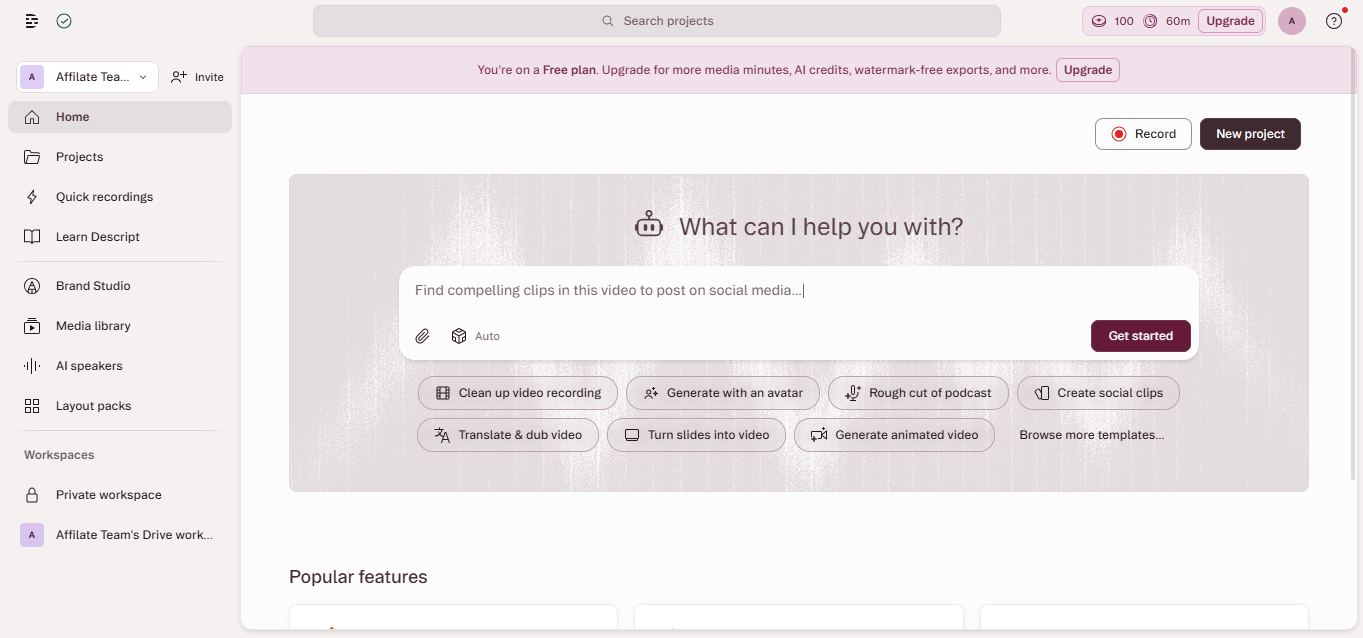
Descript revolutionized video and podcast editing by letting you edit media as easily as editing a text document. Its AI-powered transcription, filler word removal, eye contact correction, and voice cloning make it the most innovative editor for content creators. It is best suited for podcasters, YouTubers, and educators who want fast, intuitive editing without learning complex timeline software. The main caveat is that power users may hit limitations compared to Adobe Premiere or DaVinci Resolve for complex projects.
Overview
Screenshot
Score breakdown
Overall score
Scores are editorial assessments by the Compare Best AI team on a 0–10 scale.
Expert review
CBAI Editorial Team
Compare Best AI · Editorial Team
Descript's fundamental innovation is the text-based editing paradigm: upload a video or audio file, and Descript transcribes it into text. Edit the text, and the media edits automatically. Delete a sentence from the transcript, and the corresponding audio and video are seamlessly removed. This approach makes video editing accessible to anyone who can use a word processor, dramatically lowering the barrier to content creation.
How we tested
Days tested
14 days
Tasks evaluated
- ·Podcast episode editing
- ·YouTube video production
- ·Filler word removal accuracy
- ·Eye contact correction quality
- ·Screen recording workflow
- ·Social media clip creation
Method
Side-by-side workflow comparison with Adobe Premiere Pro and CapCut
Reviewer
CBAI Editorial Team
Plans & pricing
Free
Creators trying text-based editing for the first time
- 1 hour transcription/month
- Text-based editing
- Screen recording
- Basic AI features
- 720p export
- No filler word removal
- No AI voice cloning
Hobbyist
Part-time creators who edit weekly content
- 10 hours transcription/month
- Filler word removal
- Studio Sound
- 1080p export
- Stock media library
- No 4K export
- No AI voice cloning
Pro
Full-time creators and podcasters needing all AI features
- Unlimited transcription
- All AI features
- AI voice cloning (Overdub)
- Eye contact correction
- 4K export
- Green screen removal
- Priority rendering
Business
Teams producing video content collaboratively
- Everything in Pro
- Team collaboration
- Shared media library
- Admin controls
- Brand kit
- Priority support
- Advanced permissions
Pricing may vary by region. Always verify on the vendor's website.
Feature comparison
| Feature | Descript | Adobe Premiere | CapCut |
|---|---|---|---|
| Editing | |||
| Text-based editing | |||
| Timeline editing | |||
| AI Features | |||
| Auto transcription | |||
| Filler word removal | |||
| Eye contact correction | |||
| Voice cloning | |||
| Accessibility | |||
| Free tier | |||
| Learning curve | |||
| Pro Features | |||
| 4K export | |||
Is it right for you?
Good fit for
Podcasters
Edit episodes by editing the transcript — remove filler words, fix mistakes, and add music in minutes.
YouTubers
Fast video editing with auto-captions, eye contact correction, and one-click publishing to YouTube.
Course creators
Screen recording, teleprompter, and AI editing tools make educational content production effortless.
Marketing teams
Repurpose long-form content into social clips, add captions, and maintain brand consistency across videos.
Less suited for
Professional post-production
Complex color grading, VFX, motion graphics, and multi-cam editing require Premiere Pro or DaVinci Resolve.
Feature film editing
Descript is designed for talking-head content; it lacks the timeline precision needed for narrative filmmaking.
Audio-only music production
Descript is for speech-based content; music producers should use dedicated DAWs like Logic Pro or Ableton.
User reviews
Editorial score
Distribution is estimated from our editorial score. Verified user reviews coming soon.
Use cases
Typical ways teams rely on this tool — from everyday tasks to specialized workflows.
- Podcast Editing
- YouTube Video Editing
- Course Creation
- Social Media Clips
- Meeting Recordings
- Marketing Videos
- Screen Recordings
Integrations
Reported connectors
Apps and services commonly connected out of the box or via official connectors.
- YouTube
- Spotify
- Apple Podcasts
- Google Drive
- Dropbox
- Zapier
- Slack
- Final Cut Pro
- Adobe Premiere Pro
Privacy & compliance
Security & data practices
Highlights we track from the vendor's documentation. Always confirm current terms, subprocessors, and regional policies on their official site.
- SOC 2
- GDPR-ready
Details
Category
Price
- Free
- Hobbyist $8/mo
- Pro $24/mo
- Business $33/user/mo
Free version
Best for
- Podcast recording, editing and publishing workflow
- Video editing by transcript for YouTube and course content
- Screen recording for product demos and tutorials
Frequently asked questions
Descript
Content & Design
Ready to get started?
Visit the Descript website to explore plans and start your free trial.
Was this page helpful?
Compare Best AI may earn a commission when you click links on this page. This does not influence our editorial scores or recommendations. Advertiser disclosure