

CapCut
by ByteDance (TikTok USDS Joint Venture LLC in the U.S.)
AI-powered video editor for creators and teams.
Score
Score
Our verdict
CapCut remains a top pick for creators who want speed, strong AI features, and social‑ready outputs without a steep learning curve. In 2026, pricing is straightforward: Free for essentials, or Pro at $19.99/month ($179.99/year) for 4K export, premium assets, 1TB cloud, and beefed‑up AI credits. Teams adds brand kits, shared storage, and collaboration, but pricing is seat‑based and varies by region. Its strengths are AI auto‑captions, background removal, and a vast template library, plus direct TikTok publishing on mobile. Weaknesses include thinner color/audio depth than pro NLEs and limited enterprise compliance signals. Feature granularity sometimes differs across platforms, and exact Teams pricing isn’t transparently posted on the web. If you make a lot of short‑form content for TikTok, Reels, or Shorts, CapCut Pro’s speed and output quality are hard to beat at this price, while Free is generous for casual creators.
Overview
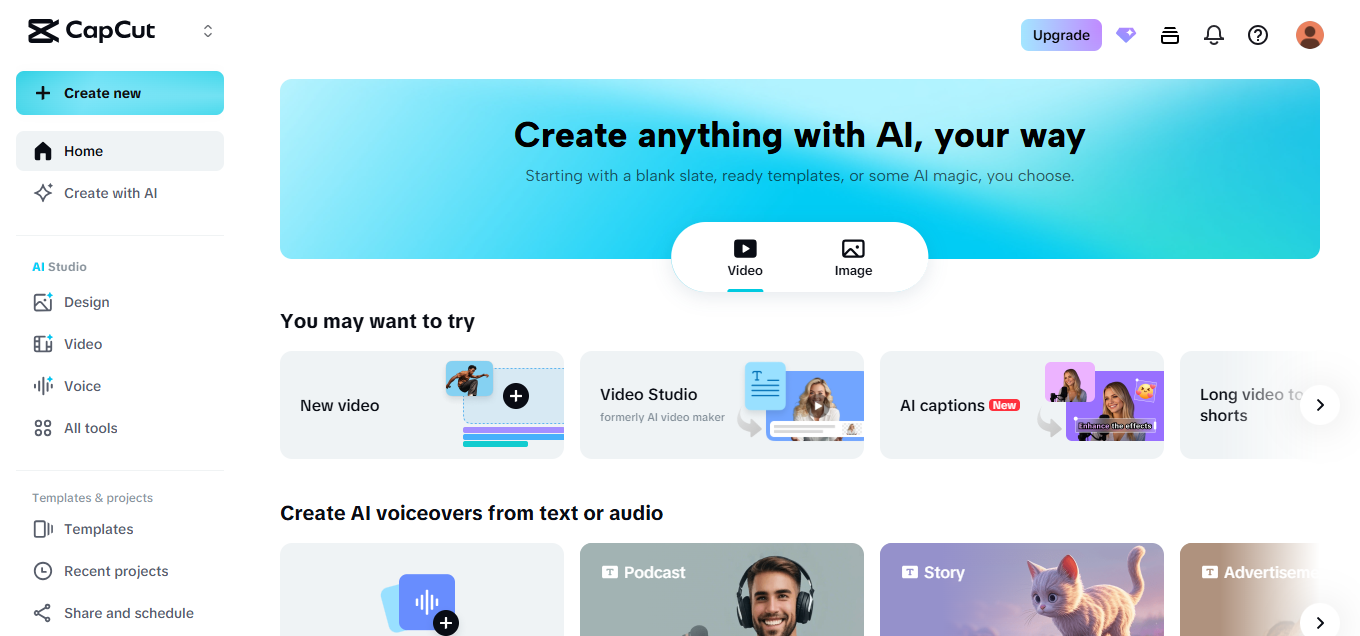
Screenshot
Score breakdown
Overall score
Scores are editorial assessments by the Compare Best AI team on a 0–10 scale.
Expert review
CBAI Editorial Team
Compare Best AI · Editorial Team
## Overview
How we tested
Days tested
7 days
Tasks evaluated
- ·Create and export a 4K promo with AI captions
- ·Build a TikTok‑style video from a Pro template on mobile
- ·Set up a Team with a shared brand kit and assets
- ·Import media from Google Drive and publish to TikTok (mobile)
Method
Compared against VEED and Canva Video using identical inputs
Reviewer
CBAI Editorial Team
Plans & pricing
Free
Beginners and casual creators
- Essential editing tools
- Free templates and basic effects
- No included cloud storage
Pro
Power users and pros needing premium assets
- Everything in Free
- 4K export
- Premium templates/effects
- 1TB cloud storage
- Monthly AI credits (up to 1200)
Teams
Small teams needing shared assets and brand control
- Everything in Pro
- Shared cloud storage
- Brand kits (logos, fonts, colors)
- Team templates and collaboration
Pricing may vary by region. Always verify on the vendor's website.
Feature comparison
| Feature | CapCut | VEED | Canva Video |
|---|---|---|---|
| Export | |||
| 4K export | |||
| AI | |||
| Auto captions/subtitles | |||
| Publishing | |||
| Direct TikTok publish | |||
| Apps | |||
| Native desktop app | |||
| Branding | |||
| Brand kit and locked assets | |||
| Collaboration | |||
| Team workspaces with shared templates | |||
Is it right for you?
Good fit for
Solo creators
Fast edits, auto-captions, and social-first templates make publishing daily content manageable.
Social marketing teams
Teams can share brand kits, assets, and templates to keep campaigns on-brand and quick.
UGC/ad producers
Premium effects, stock, and 4K export streamline briefs into polished deliverables.
Educators
AI captions and simple timelines help produce accessible lessons and how‑tos rapidly.
Less suited for
Long-form studio workflows
Lacks the deep color, audio, and plugin ecosystem of NLEs like Premiere/Resolve.
Enterprises needing strict compliance
No public SOC 2/ISO attestations listed; review policies and approvals first.
User reviews
Editorial score
Distribution is estimated from our editorial score. Verified user reviews coming soon.
Use cases
Typical ways teams rely on this tool — from everyday tasks to specialized workflows.
- Short-form social edits
- UGC and ad creatives
- Auto-captioned educational clips
- YouTube Shorts/TikTok workflows
- Team brand videos
- Quick promo and product demos
Integrations
Reported connectors
Apps and services commonly connected out of the box or via official connectors.
- TikTok
- YouTube
- Google Drive
Details
Category
Price
- Free
- Pro $19.99/mo ($15.00/mo billed yearly)
- Teams custom (per seat, billed monthly or annually)
Free version
Best for
- Solo creators needing fast edits and captions
- Social marketers building TikTok/Shorts/Reels
- Small teams sharing brand kits
- Agencies producing ads at scale
Frequently asked questions
CapCut
Content & Design
Ready to get started?
Visit the CapCut website to explore plans and start your free trial.
Was this page helpful?
Compare Best AI may earn a commission when you click links on this page. This does not influence our editorial scores or recommendations. Advertiser disclosure