
What is the cheapest AI video generator in 2026
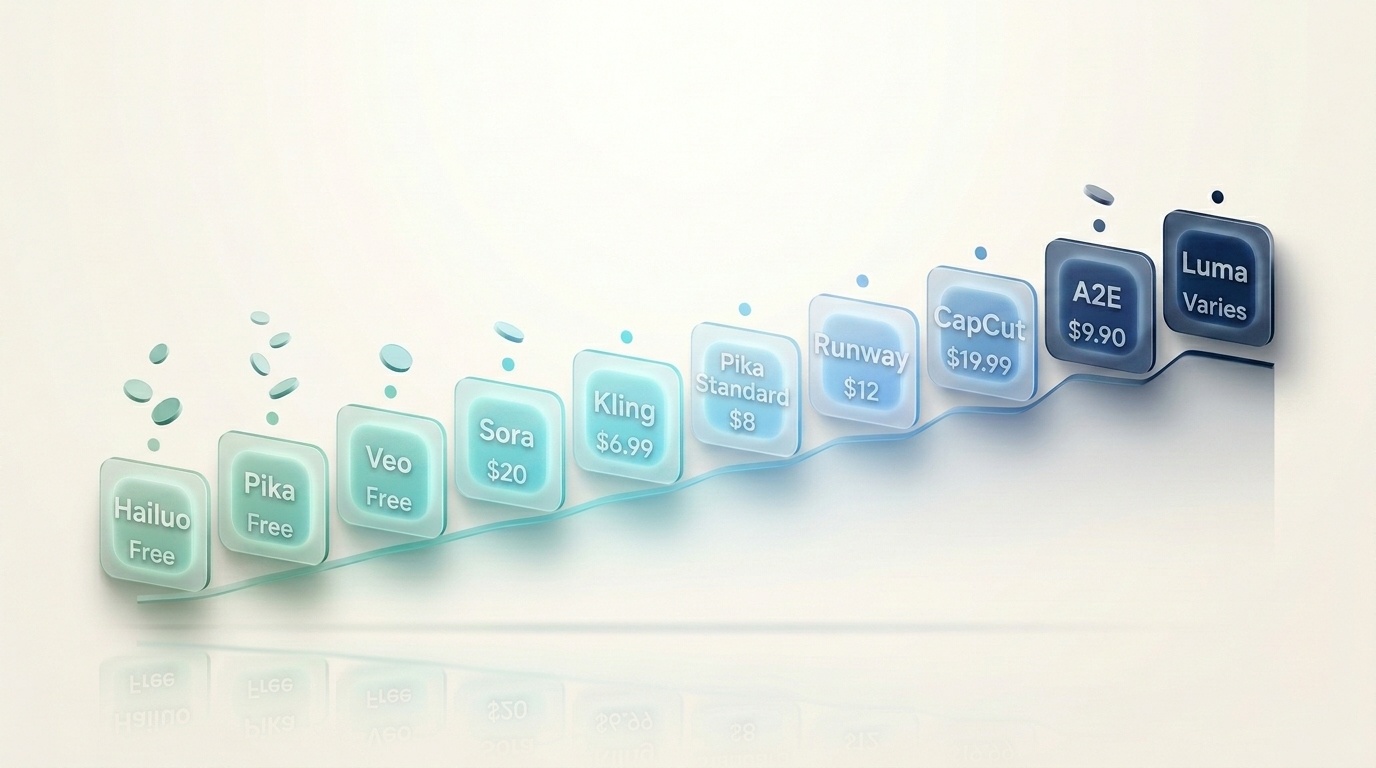
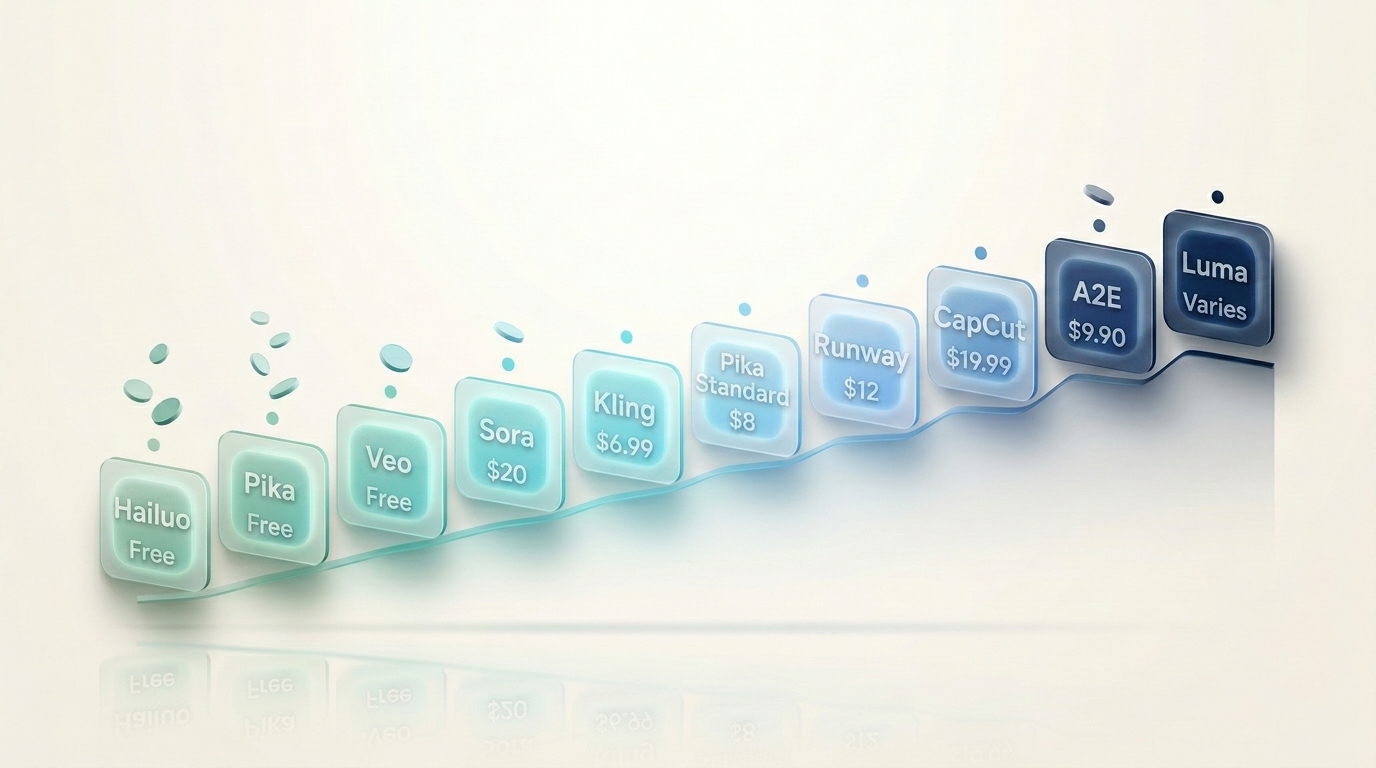
For genuinely free use, Hailuo AI (around 100 free credits a day) and Pika (free tier, no watermark) lead. For the cheapest paid plan, Kling starts near $6.99 a month and Pika Standard at $8 a month. If you already pay for ChatGPT or Google, Sora and Veo come bundled at no extra cost. This guide compares 10 cheap AI video generators by real cost, not sticker price, so you don't get caught by credit limits and hidden fees.
At CompareBestAI, we review AI video tools one by one, then pull them together like this so you can compare on the thing that matters most when budget is tight: what you actually pay to make a usable video.
Quick answer: What is the cheapest AI video generator? Hailuo AI and Pika offer the most generous free tiers in 2026. For paid plans, Kling (~$6.99/mo) and Pika Standard ($8/mo) are the cheapest. The real cheapest option depends on how many videos you make, since credit limits matter more than the monthly price.
Why "cheapest" isn't just about the monthly price
Here's the trap most people fall into: they pick the tool with the lowest sticker price, then run out of credits in a week.
AI video tools charge in credits, and a credit buys wildly different amounts across tools. One tool's $10 plan might make 30 short clips a month. Another's might make five. So the honest way to compare cost is per usable video, not per month.
Three things decide your real cost:
- Credits per plan and how fast they refresh (monthly, or daily like Hailuo)
- Cost per generation for the clip length and quality you need
- Watermarks, since a cheap plan that watermarks output isn't usable for anything public
Keep those three in mind as you read, because the cheapest sticker price is rarely the cheapest tool.
"Hidden" (later in this sentence) to the hidden costs of popular AI tools: the hidden credit traps are exactly what catch budget users out.
The 10 cheapest AI video generators in 2026
Ranked roughly from cheapest real cost upward, grouped by how you pay.
Genuinely free (or near-free) options
1. Hailuo AI (MiniMax) — the most generous free tier in the category. Roughly 100 credits a day that reset daily, so if you spread work across days, you can make a lot without paying. Realistic character motion, fast renders (under 90 seconds). Paid plans run $9.99 to $15/month. Clips cap around six seconds.
2. Pika — free tier with 80 credits a month, and the standout: no watermark on any plan, including free. Viral social effects (Pikaffects, Pikaframes). Standard is $8/month annual, Pro $28. Best free pick for public-facing social content.
3. Google Veo (via free tier) — accessible through Google AI Studio with limited free generations, and native audio, which no other free option offers. Bundled with Gemini plans if you scale up. Product lineup is confusing (Veo, AI Studio, Vertex AI all overlap).
4. OpenAI Sora (via ChatGPT) — if you already pay $20/month for ChatGPT Plus, Sora is included with tiered limits, so it's effectively free at the margin. Strong prompt understanding. Wait times can be long at peak.
Cheapest paid plans (under $10 a month)
5. Kling — starts around $6.99/month, one of the lowest paid entries, and it punches above its price on character consistency and 4K output. Best budget pick for product and character-driven video.
6. Pika Standard — $8/month annual, unlocks more credits and longer clips than the free tier, still no watermark. Great value for social creators.
Affordable mid-range (~$10 to $15 a month)
7. Hailuo AI paid — $9.99 to $15/month if the free daily credits aren't enough. Still cheap for the speed and quality.
8. Runway Standard — around $12/month after a 2026 price cut from $15. Not the cheapest, but the cheapest way to get genuinely cinematic output. Credits expire monthly.
Budget all-in-one editors
9. CapCut — the free tier is genuinely capable for social editing with some AI features, though Pro (~$19.99/month) unlocks the good stuff. Owned by ByteDance, which raises data and terms-of-service considerations some creators care about.
10. A2E AI — a multi-model aggregator with a free tier (roughly 30 daily credits, watermarked at 720p) and Pro around $9.90/month. Gives access to many models in one login, though output quality varies between generations.
For the full breakdown, see our A2E AI review and our CapCut review.
Cheapest AI video generator: price comparison table
| Tool | Free tier | Cheapest paid | Watermark on free | Best for |
|---|---|---|---|---|
| Hailuo AI | ~100 credits/day | $9.99/mo | Yes (paid removes) | Free daily volume |
| Pika | 80 credits/mo | $8/mo | No | Social, no watermark |
| Google Veo | Limited free | Bundled with Google | Varies | Free with audio |
| OpenAI Sora | Via ChatGPT free/Plus | $20 (ChatGPT Plus) | Varies | ChatGPT users |
| Kling | Free tier | ~$6.99/mo | Yes (paid removes) | Cheapest paid, consistency |
| Pika Standard | n/a | $8/mo | No | Social value |
| Runway | Limited trial | ~$12/mo | Yes | Cheapest cinematic |
| CapCut | Capable free | ~$19.99/mo | Some AI features gated | Social editing |
| A2E AI | ~30 credits/day | ~$9.90/mo | Yes, 720p | Multi-model access |
| Luma Dream Machine | Limited free | Varies | Varies | Concept iteration |
Verify current pricing on each vendor's site before subscribing, since this space changes almost weekly.
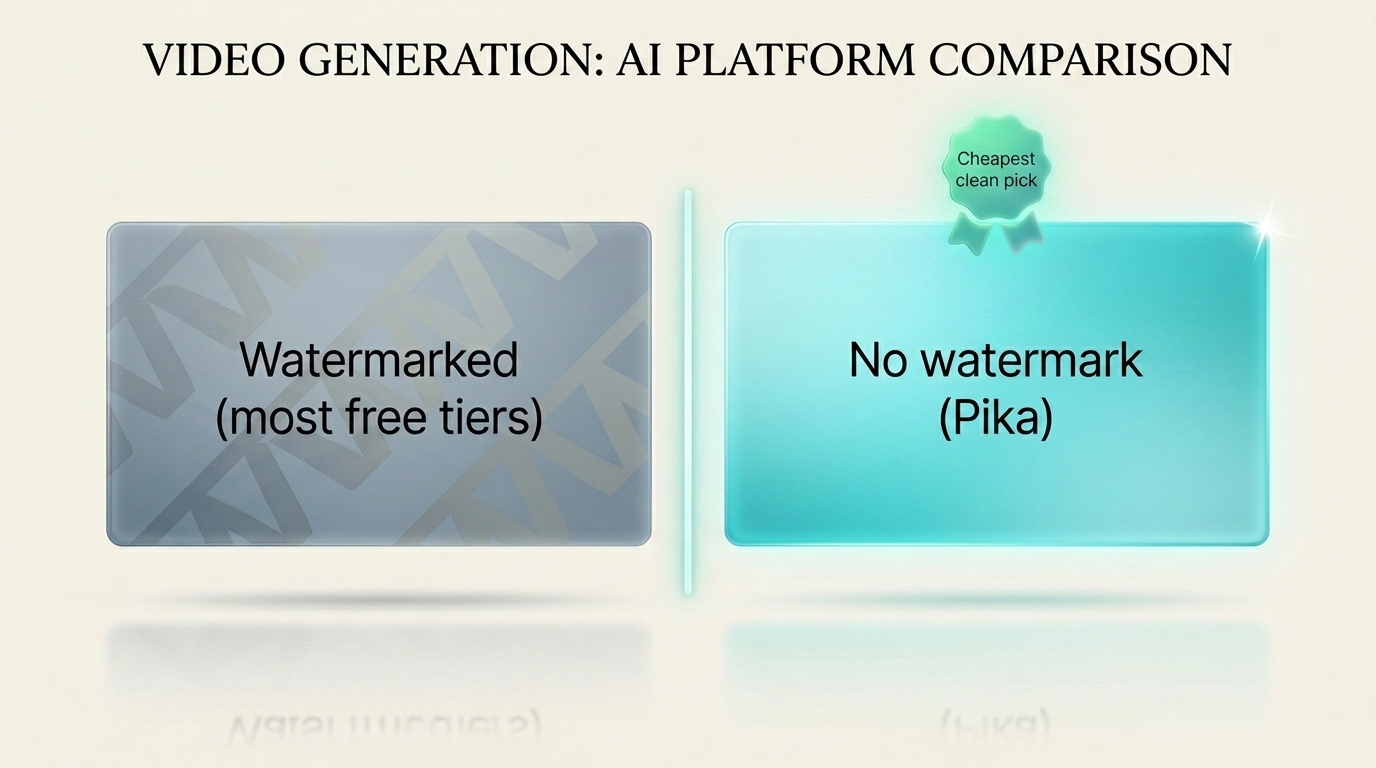
What is the cheapest AI video generator without a watermark?
This is the question that trips up budget users, because most cheap tools watermark free output.
Pika is the clear winner here. It doesn't watermark on any plan, including the free tier, which makes it uniquely valuable for anyone publishing to TikTok, Reels, or YouTube on a zero budget. For paid no-watermark output, Kling and Runway remove watermarks on their paid plans, and Pika Standard at $8/month keeps the clean output while unlocking more credits.
Short answer: What is the cheapest AI video generator without a watermark? Pika is the cheapest, since it removes watermarks even on its free tier. For paid options, Pika Standard ($8/month) and Kling (~$6.99/month) both deliver watermark-free video at low cost.
Is monthly or pay-as-you-go pricing cheaper?
It depends on how consistently you create.
- Monthly plans are cheaper if you make videos regularly, since you get a fixed credit pool for a fixed price, and annual billing usually adds a 20 to 60% discount.
- Pay-as-you-go (or free daily credits like Hailuo's) is cheaper if you create in bursts, since you're not paying for credits you don't use.
The honest rule: if you make videos most weeks, a discounted annual plan wins. If you dip in occasionally, free daily credits or a free tier will cover you. Don't pay monthly for a tool you touch twice a quarter.
"Annual billing" to your AI video generator comparison for the full pricing breakdown across the leaders.
What hidden costs should you check before choosing?
The sticker price is never the whole cost. Before you subscribe, check:
- Credit refresh rate. Monthly credits that run out mid-month mean upgrading sooner than you planned.
- Cost per second of video. A cheap plan with expensive per-clip costs isn't cheap in practice.
- Watermark removal cost. Some tools gate no-watermark output behind higher tiers.
- Commercial use rights. Free plans often restrict commercial use. If you're selling client work, confirm the licence.
- Resolution caps. Cheap tiers often cap resolution, which matters for YouTube.
- AI credit multipliers. Some tools charge more credits for premium models or longer clips.
Industry bodies like the Federal Trade Commission's business guidance have repeatedly flagged unclear subscription and auto-renewal terms, so read the cancellation policy before you enter a card, especially for tools offering cheap trials.
"AI credit multipliers" to the hidden costs of AI tools beyond the subscription.
Which cheap AI video generator is best for your use case?
Cheapest for YouTube: Runway Standard (~$12) for quality, or Pika Standard ($8) for no-watermark clips. Both handle the resolution YouTube needs.
Cheapest for TikTok and Reels: Pika (free, no watermark) or Hailuo (free daily credits). Both suit vertical social formats.
Cheapest for small business and product videos: Kling (~$6.99) for consistency at the lowest paid price.
Cheapest for total beginners: Hailuo's free daily credits or Pika's free tier. Start free, upgrade only when you hit the ceiling.
Cheapest for commercial client work: confirm licensing first, then Pika Standard or Kling paid plans, both affordable and watermark-free. Independent creator resources like the Creative Commons licensing overview are worth reading if you're reselling or distributing AI-generated content commercially.
Confirm licensing to common mistakes people make when choosing AI tools.
FAQ
What is the cheapest AI video generator in 2026? For free use, Hailuo AI (about 100 credits a day) and Pika (free tier, no watermark) are cheapest. For paid plans, Kling starts around $6.99 a month and Pika Standard at $8. If you already pay for ChatGPT Plus or Google plans, Sora and Veo are bundled at no extra cost.
What is the best free AI video generator? Pika is the best free option for public content since it doesn't watermark output. Hailuo AI gives the most free volume with roughly 100 credits a day. Google Veo's free tier is best if you need native audio. Each suits a different need, so test the one that matches your use case.
Which AI video generator has the lowest cost per video? Hailuo AI often has the lowest real cost per video thanks to its daily free credits, letting you spread generation across days without paying. For paid tools, Kling at ~$6.99/month delivers a low cost per usable clip given its quality and 4K output.
What is the cheapest AI video generator without a watermark? Pika is the cheapest, since it removes watermarks even on its free tier. For paid no-watermark output, Pika Standard ($8/month) and Kling (~$6.99/month) are the most affordable.
What is the cheapest AI video generator for YouTube? Runway Standard (~$12/month) for cinematic quality, or Pika Standard ($8/month) for watermark-free clips at YouTube resolution. Both are affordable and produce content suitable for long-form and Shorts.
Is a monthly plan or pay-as-you-go cheaper? Monthly (especially annual-billed) plans are cheaper if you create videos regularly. Pay-as-you-go or free daily credits are cheaper if you create in bursts. Match the billing model to how often you actually make videos.
Can I create AI videos for free? Yes. Pika's free tier (80 credits/month, no watermark) and Hailuo's daily free credits both let you make shareable videos without paying. Google Veo's free tier adds audio. Free tiers are enough to test a tool before committing to a paid plan.
Which cheap AI video generator is best for commercial use? Pika Standard and Kling paid plans are affordable and produce watermark-free, commercial-ready output, but always confirm each tool's licensing terms before selling client work, since free plans often restrict commercial use.
Key Takeaways
- Cheapest free: Hailuo AI (100 daily credits) and Pika (free, no watermark) lead.
- Cheapest paid: Kling (~$6.99/mo) and Pika Standard ($8/mo).
- Bundled and effectively free: Sora (ChatGPT Plus) and Veo (Google plans) if you already pay.
- Credits matter more than sticker price. Compare cost per usable video, not per month.
- Pika is the cheapest no-watermark option, uniquely free of watermarks even on its free tier.
- Annual billing beats monthly if you create regularly, often by 20 to 60%.
- Check hidden costs: credit refresh, per-clip cost, watermark removal, resolution caps, and commercial licensing.
Conclusion
The cheapest AI video generator on paper is rarely the cheapest in practice. What matters is the cost per video you'd actually publish, and that depends on credits, watermarks, and how often you create. Start with a genuinely free tier like Pika or Hailuo, test it on your real work, and only pay once you've hit a ceiling on something worth publishing.
Want the full quality breakdown too? Read our AI video generator comparison for how these tools stack up beyond price, or explore individual reviews of every tool at CompareBestAI. For the pricing traps to avoid, see the hidden costs of popular AI tools at CompareBestAI. Before you decide on any one generator, check out our Sora 2 vs Runway: AI Video Generator Showdown for a side-by-side battle between two top contenders in this space.