

Pika
by Pika
Beautiful screenshots and mockups for marketing.
Score
Score
Our verdict
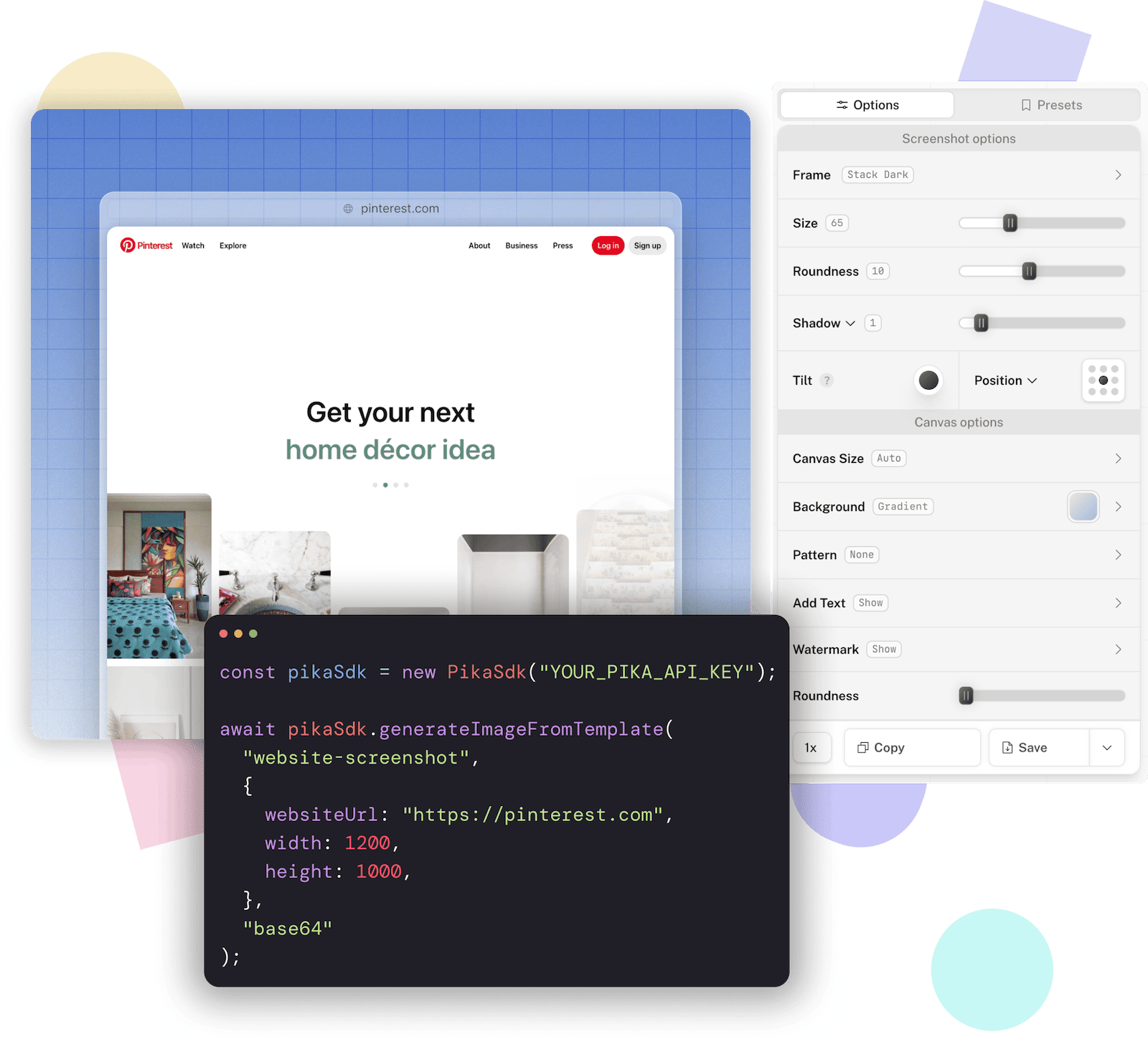
Pika.style is a focused screenshot and mockup editor, not the unrelated Pika Labs AI video generator. Its strongest qualities are speed and accessibility: the core editor and several templates work free without an account, while Pro adds 4K output, complete template access, branding controls, presets, SVG/WebP exports, and watermark-free results for $15 per month. Chrome, VSCode, and Raycast extensions cover common capture workflows, and the REST API, Node.js SDK, Zapier integration, and embeddable editor make Pika unusually automation-friendly for this category. The main limitations are its narrower scope versus a full design suite and aging public privacy documentation.
Overview
Screenshot
Score breakdown
Overall score
Scores are editorial assessments by the Compare Best AI team on a 0–10 scale.
Expert review
CBAI Editorial Team
Compare Best AI · Editorial Team
## Overview
How we tested
Tasks evaluated
- ·Verified the live editor pricing implementation and pricing page
- ·Reviewed the current template catalog and free-feature documentation
- ·Reviewed Chrome, VSCode, and Raycast extension documentation
- ·Reviewed API authentication, request, response, SDK, and Zapier documentation
- ·Reviewed privacy, terms, support, and changelog pages
Method
Desk research against Pika official pages and official API documentation; no hands-on product test was claimed.
Reviewer
CBAI Editorial Team
Plans & pricing
Free
Using the core editor and free templates
- Core screenshot editor
- No account required for free features
- Screenshot capture from URL
- Browser frames and background patterns
- Multiple free web and device templates
- Some features and templates require Pro
Pro
Creators who need full templates, branding, and high-resolution exports
- Everything in the free editor
- Full access to editor and templates
- 4K high-resolution exports
- Reusable presets
- Saved brand colors
- Annotation tools
- Custom watermarks
- WebP and SVG exports
- No Pika.style watermark
- $150/year when billed annually
Pricing may vary by region. Always verify on the vendor's website.
Feature comparison
- Screenshot editor
- Screenshot capture from URL
- Browser and device frames
- Custom backgrounds and brand colors
- Annotations and markup
- Reusable presets
- 4K exports on Pro
- WebP and SVG exports on Pro
- Custom watermarks on Pro
- Screenshot and mockup templates
- Website Screenshot Generator
- Chrome extension
- VSCode extension
- Raycast extension
- Template-driven image API
- Node.js SDK
- Zapier integration
- Pika Embed
Is it right for you?
Good fit for
Marketers and founders
Quickly turn product captures into polished, branded visuals for launches and social posts.
Developers
Create code screenshots in VSCode and automate template images through the API or Node.js SDK.
App and product teams
Browser, phone, tablet, and laptop mockups help present products without a full design suite.
Automation workflows
The REST API and Zapier integration generate screenshots and template images programmatically.
Less suited for
AI video generation
Pika.style is a screenshot and mockup editor, not the unrelated Pika Labs video-generation platform.
Full creative-suite workflows
It is purpose-built for screenshots and marketing images rather than complex vector, print, or multi-page design.
Strict enterprise compliance requirements
The official site does not publish current SOC 2, ISO 27001, HIPAA, or enterprise SLA claims.
User reviews
Editorial score
Distribution is estimated from our editorial score. Verified user reviews coming soon.
Use cases
Typical ways teams rely on this tool — from everyday tasks to specialized workflows.
- Marketing screenshots
- Website and browser mockups
- App Store screenshots
- Code snippet images
- Tweet screenshots
- Open Graph images
- Full-page website capture
- Automated template image generation
Integrations
Reported connectors
Apps and services commonly connected out of the box or via official connectors.
- Chrome Extension
- Visual Studio Code Extension
- Raycast Extension
- Zapier
- Node.js SDK
- Pika Embed
Privacy & compliance
Security & data practices
Highlights we track from the vendor's documentation. Always confirm current terms, subprocessors, and regional policies on their official site.
- Pika says normal editor image processing happens locally in the browser. Account details, preferences, and subscription data are stored. Chrome-extension captures are temporarily stored on AWS and deleted within a couple of days
- API URL responses are hosted by Pika. Named providers include Supabase, Pirsch Analytics, Stripe, and AWS. The privacy policy was last updated August 11, 2022
- no formal security certification is claimed.
Details
Category
Price
- Free editor
- Pro $15/mo or $150/year
- API plans start at $15/mo for 2,500 images
Free version
Best for
- Marketing screenshots
- Browser and device mockups
- Code and tweet images
- App Store assets
- Open Graph images
- Automated image generation
Frequently asked questions
Pika
Content & Design
Ready to get started?
Visit the Pika website to explore plans and start your free trial.
Was this page helpful?
Compare Best AI may earn a commission when you click links on this page. This does not influence our editorial scores or recommendations. Advertiser disclosure