
Answer First: CapCut is one of the most accessible AI-assisted video editors for beginners, creators, marketers and small teams that prioritize fast content production. Its strongest workflows include automatic captions, AI background removal, Auto Reframe, Auto Cut, script-to-video creation, templates and cross-platform editing. It is particularly well suited to TikTok, Instagram Reels, YouTube Shorts and rapid content repurposing. Professional editors who need advanced color, audio, codec or long-form post-production control may prefer specialist software.
CompareBestAI tested CapCut for 14 days, evaluating TikTok video creation, caption workflows, templates and effects, desktop versus mobile editing, export quality and side-by-side workflows with other video editors. That first-hand methodology is already one of the strongest parts of the existing page and should remain prominent.
If you want the shorter product-level overview before reading the full review, see the CapCut tool profile.
CapCut AI Review: Quick Verdict
CapCut's main advantage is not that it provides the deepest professional editing environment.
Its advantage is speed with a comparatively low learning curve.
A creator can import raw footage, generate captions, remove a background, reframe a horizontal clip for vertical social media, clean up audio, apply a template and export without moving through several specialist applications.
That makes CapCut particularly valuable when publishing frequency matters.
It is less compelling for filmmakers, advanced colorists, large post-production teams or editors working with highly controlled media pipelines.
If you're still deciding whether the subscription makes financial sense, use our separate analysis of whether CapCut is worth it.
CapCut AI at a Glance
| Factor | CapCut |
|---|---|
| Product type | AI-assisted video editor |
| Best for | Creators, marketers, beginners, social teams |
| Platforms | Mobile, desktop and web |
| Free access | Yes |
| Paid structure | Standard and Pro |
| Exact paid price | Varies by region/platform/promotion |
| Auto Captions | Yes |
| Auto Reframe | Yes; currently a Pro feature |
| Background removal | Yes |
| Script-to-video | Yes |
| 4K export | Supported with platform/device conditions |
| Cross-platform Pro | Mobile, desktop and web |
| Main strength | Fast social-video production |
| Main limitation | Less granular than specialist professional editors |
CapCut's current membership structure distinguishes Standard from Pro. Pro is intended for creators and professional workflows that require more AI functionality, premium assets, cross-platform access and larger cloud storage. Exact subscription pricing is not universal and should be verified at checkout.
You can browse other software in the Content & Design AI category if your workflow extends beyond video.
What Is CapCut AI?
CapCut is a video-editing platform that combines conventional timeline editing with AI-assisted creation and automation.
Traditional editing functions include trimming, arranging footage, text, audio, transitions, effects and export settings.
Its AI layer adds capabilities such as speech-to-text captions, automated reframing, background removal, script-driven creation and other workflow accelerators.
CapCut's own AI video editor documentation describes generative-video functionality and AI avatars, while noting that some AI features may only be available in certain regions.
That distinction matters.
CapCut is not simply a text-to-video generator.
It is also not merely a basic mobile timeline.
It sits between a traditional editor and an AI creative platform.
For beginners learning that broader workflow, our AI video creation guide for beginners provides useful context before choosing a specific editor.
How We Tested CapCut
The existing CompareBestAI testing methodology covers:
TikTok video creation, auto-caption accuracy, effects and templates, mobile-versus-desktop editing, export quality and comparison with competing editors.
The documented testing period was 14 days.
That methodology should be displayed near the top of the article rather than buried deep in the page.
For a software review, first-hand testing is a much stronger trust signal than generic descriptions such as “game-changing” or “industry-leading.”
A better review asks:
How quickly can a new user finish an edit?
How much manual correction does AI require?
Which functions actually reduce production time?
What happens when the workflow moves from mobile to desktop?
Which paid features become necessary during real projects?
Those questions align the review with actual buyer intent.
CapCut AI Features That Matter Most
Auto Captions
CapCut's Auto Captions feature uses speech recognition to generate subtitles from spoken audio.
CapCut currently supports caption generation across web, desktop and mobile, with manual editing available after recognition. Its help documentation explicitly recommends reviewing and correcting generated captions because background noise, accents, speech speed and audio quality can produce errors.
That makes captions useful as an automation layer, not a substitute for proofreading.
For short-form creators, this is one of CapCut's most practical features because subtitle creation changes from manual transcription into an editing and quality-control task.
Auto Reframe
Auto Reframe automatically adjusts composition for different aspect ratios while attempting to keep the main subject inside the frame.
That is particularly valuable when turning a horizontal YouTube clip into a 9:16 Reel, Short or TikTok.
CapCut currently identifies Auto Reframe as a Pro feature rather than a universally free feature.
This is exactly why review content should separate:
“CapCut supports this feature”
from:
“This feature is included in the free plan.”
They are not the same claim.
AI Background Removal
CapCut can automatically detect a subject and remove the video background without a conventional green-screen setup.
Users can then replace the removed background or refine the result. CapCut's own workflow documentation also acknowledges that final output may still need cleanup depending on subject edges, motion, lighting and contrast.
For product videos, talking-head content and social ads, that can significantly reduce manual masking work.
Auto Cut
Auto Cut is designed to automatically trim and segment footage and synchronize edits to elements such as music beats, speech pauses or scripts.
As of 2026, CapCut documents Auto Cut as available on mobile and desktop but not on CapCut Web, with availability potentially varying by region or rollout.
This is useful information for buyers because feature parity is not identical across every CapCut platform.
Script to Video
CapCut also provides a script-to-video workflow.
Its current product documentation describes a process where users generate or supply a script, create an initial video and then continue editing captions, transitions, voiceovers and other elements in the multi-track editor.
This can accelerate:
product videos, explainer drafts, social advertisements and first-pass marketing content.
But AI-generated videos should still be reviewed for accuracy, brand consistency, visual quality and suitability before publication.
Creators whose primary goal is AI generation rather than footage editing may want to compare CapCut with the platforms covered in our best paid AI video tools guide.
CapCut Free vs Standard vs Pro
CapCut's 2026 membership structure is more complicated than an old “Free vs Pro” comparison suggests.
Free
The free experience remains useful for trying the editor and building basic workflows.
However, premium templates, certain AI functionality and other advanced resources can require paid access.
Standard
CapCut describes Standard as primarily aimed at casual or personal creators.
Its current documentation says Standard may include roughly 100GB of cloud storage and essential AI/editing tools. Standard is also more mobile-oriented; CapCut says membership benefits may not carry fully across desktop and web.
Pro
CapCut Pro is the more complete cross-platform plan.
Current documentation says Pro can work across iOS, Android, PC/Mac and the web when users sign in with the same account. CapCut's revised plan documentation also describes up to 1TB of cloud storage, advanced AI capabilities and a newer allocation of 1,200 AI points, up from 550.
How Much Does CapCut Cost in 2026?
Do not hardcode one universal CapCut Pro price into this review.
CapCut explicitly states that pricing can vary based on:
region, device/platform, promotions and applicable taxes.
The vendor recommends checking the subscription or checkout page inside the user's account for the current price.
That is more accurate than writing “CapCut Pro costs $X everywhere.”
It is also why CompareBestAI's current CapCut profile should be updated: it still shows $7.99/month and 100GB, which conflicts with newer CapCut documentation.
CapCut Mobile vs Desktop vs Web
CapCut's cross-platform availability is a major advantage, but the versions are not identical.
Mobile
Mobile is especially convenient for social content, fast edits, templates and creators who work primarily from a phone.
Desktop
Desktop provides a better environment for longer timelines, larger displays, keyboard control, multi-track editing and higher-resolution exports.
Web
The web version is convenient when installation is impractical, but some editing features and high-resolution workflows depend on browser capability, hardware and internet/cloud processing.
This matters because “CapCut supports a feature” does not necessarily mean that the feature behaves identically on every platform.
Does CapCut Support 4K Export?
Yes—with conditions.
CapCut's current help documentation says:
desktop supports 2K and 4K export and can offer frame rates up to 60fps depending on source footage; web can offer 4K when browser, hardware and source-media conditions are satisfied; mobile 4K availability depends heavily on the device, media and app environment.
So avoid the oversimplified claim:
“CapCut exports 4K/60fps.”
Use:
CapCut supports up to 4K export, while available resolution and frame rate depend on the platform, device, source footage and subscription conditions.
That wording is materially more accurate.
Who Is CapCut Best For?
CapCut is strongest for:
social media creators, marketers, influencers, small businesses, beginner editors and teams that need frequent short-form content.
Typical workflows include:
TikTok videos, Instagram Reels, YouTube Shorts, product clips, tutorials, talking-head videos and repurposing horizontal content into vertical assets.
For creators who mainly work with dialogue-heavy content—podcasts, webinars or long interviews—the workflow can be different. Our Descript review explains the transcript-first alternative, while the Descript tool profile provides the shorter product overview.
Who Should Skip CapCut?
CapCut is less likely to be the best primary editor for:
advanced cinematic production, deep color grading, complex sound mixing, extensive codec/media management, long professional projects or highly controlled post-production pipelines.
It can still contribute to those workflows.
It simply should not be positioned as a universal replacement for specialist software.
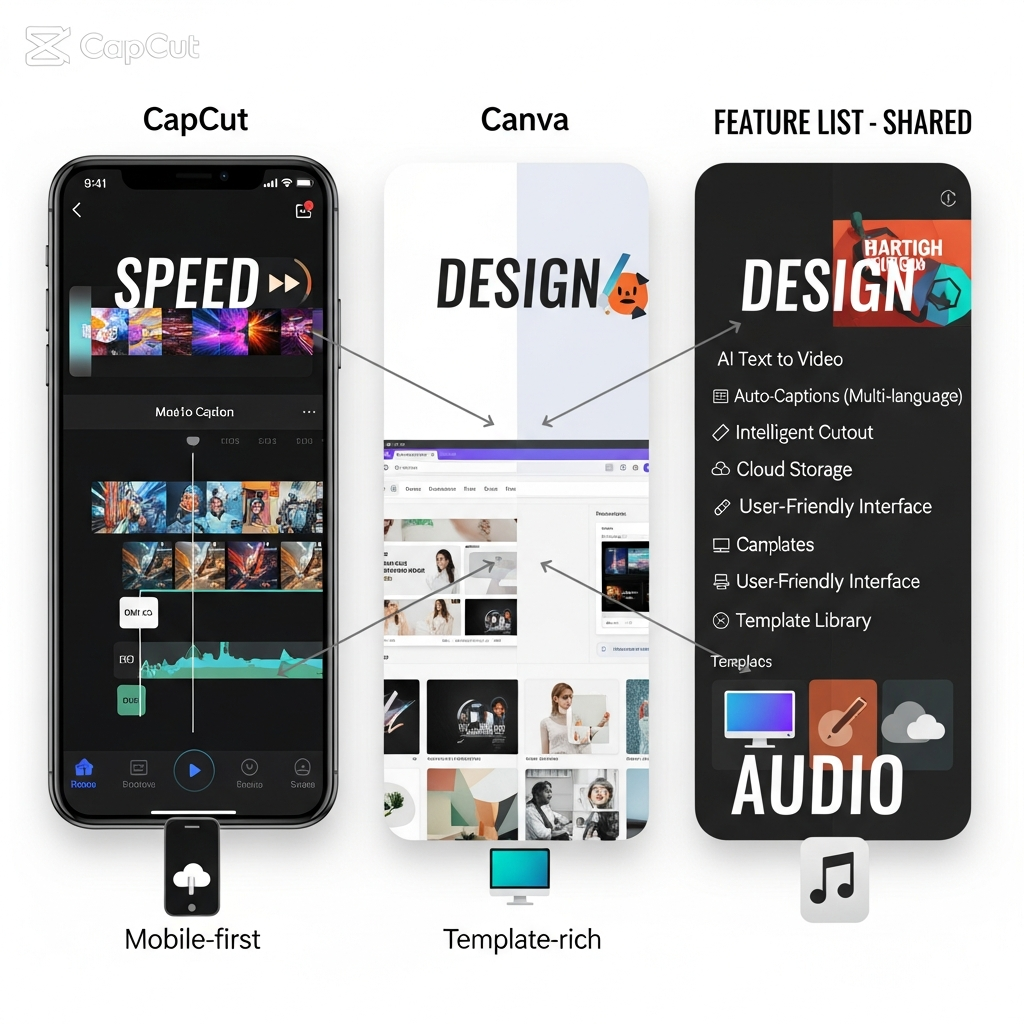
CapCut vs Canva
CapCut and Canva increasingly overlap, but their core workflows remain different.
CapCut is more naturally centered on:
footage, timing, effects, subtitles, audio and social-video editing.
Canva is broader across:
graphics, presentations, brand assets, marketing materials, documents and lightweight video.
Choose CapCut when video editing is the primary task.
Choose Canva when video is one part of a wider visual-design system.
For a deeper look at Canva's AI stack, see the Canva Magic Studio review and Canva AI tool profile.
CapCut vs Descript
Descript is built around transcript-based editing.
That makes it particularly useful for:
podcasts, interviews, webinars, talking-head videos and spoken-word content.
CapCut is stronger when visual rhythm, effects, templates, reframing and fast social-video production are central.
Neither model is universally better.
They solve different editing problems.
CapCut vs Runway
Runway is more generation-centric.
CapCut is more editing-centric.
If the workflow starts with real footage and ends with captions, cuts, social reframing and exports, CapCut is often easier.
If the workflow starts from prompts or generative experimentation, Runway deserves consideration.
See our Runway AI video generation review and Runway tool profile for that workflow.
CapCut Pros and Cons
| Pros | Cons |
|---|---|
| Beginner-friendly workflow | Advanced features increasingly sit behind paid tiers |
| Strong short-form editing | Exact pricing varies |
| Mobile, desktop and web | Feature parity differs across platforms |
| Useful Auto Captions | Captions still need human review |
| AI background removal | Complex cutouts may need cleanup |
| Auto Reframe | Now a Pro feature |
| Script-to-video workflows | Generated results may feel generic |
| Cross-platform Pro | Standard cross-platform access is limited |
| 4K export support | 4K availability depends on platform/device |
| Fast social-media production | Less granular than specialist post-production software |
Is CapCut Safe for Professional Work?
CapCut itself now advises users to be careful with confidential or sensitive material when using AI functionality.
Its September 2026 safety guidance recommends avoiding sensitive personal information, confidential work files and client materials unless the user is authorized and comfortable with the relevant processing. It also recommends reviewing AI-generated output before publication.
For an individual creator, standard social footage may present little concern.
For an agency handling unreleased client campaigns, legal material or confidential product footage, privacy review should be part of procurement.
Is CapCut Worth Using in 2026?
For social-first creators, yes—CapCut remains a strong option.
Its combination of conventional editing, AI automation, mobile usability and social-focused workflows makes it particularly effective where publishing speed matters.
But “worth it” depends on the bottleneck.
If the bottleneck is captioning, resizing, social repurposing or fast editing, CapCut can save substantial effort.
If the bottleneck is professional color, advanced audio, complex media organization or cinema-grade post-production, another platform is likely a better investment.
That narrower buying question is covered separately in Is CapCut Worth It? AI Video Editing Explained.
Frequently Asked Questions
What is CapCut AI?
CapCut AI refers to the AI-assisted features built into CapCut's video-editing ecosystem, including automatic captions, background removal, reframing, script-to-video creation, AI generation and other editing automation.
Is CapCut free in 2026?
CapCut still offers free editing access, but some templates, assets and advanced AI or editing features require Standard or Pro membership. Exact feature availability can vary by region and platform.
How much does CapCut Pro cost?
There is no universal CapCut Pro price. CapCut says subscription pricing varies by region, device/platform and promotions, so the current checkout page is the most reliable pricing source.
Is Auto Reframe free in CapCut?
CapCut currently identifies Auto Reframe as a Pro feature. It automatically adapts framing for different aspect ratios while keeping the primary subject in view.
Can CapCut export 4K video?
Yes. Desktop supports 4K export and frame rates up to 60fps depending on source footage. Web and mobile 4K availability depends on hardware, source media, platform and other conditions.
Is CapCut good for beginners?
Yes. CapCut is particularly approachable for beginners because its workflow combines a conventional timeline with templates and automated tools such as captions, reframing and background removal.
Is CapCut suitable for YouTube videos?
CapCut can work well for Shorts and straightforward long-form YouTube content. More complex professional long-form workflows may benefit from a deeper desktop post-production application.
What are the best CapCut alternatives?
Descript is a strong option for transcript-based editing, Canva for broader design workflows, and Runway for generation-heavy AI video creation. Professional editors may also consider Premiere Pro or DaVinci Resolve depending on workflow requirements.
Final Verdict
CapCut's strongest position in 2026 is fast AI-assisted video production for social and creator workflows.
Its combination of captions, automated reframing, background removal, script-to-video generation, templates, cross-platform editing and accessible timeline tools lets beginners and experienced creators complete routine editing tasks quickly.
The platform is not the best solution for every editing workflow, and its changing membership structure makes current plan verification important.
For most social creators, marketers and small teams, start with the free experience and identify which limitation actually blocks your workflow before upgrading.
If you're comparing multiple paid platforms rather than CapCut alone, review the best paid AI video tools before committing to a subscription.

