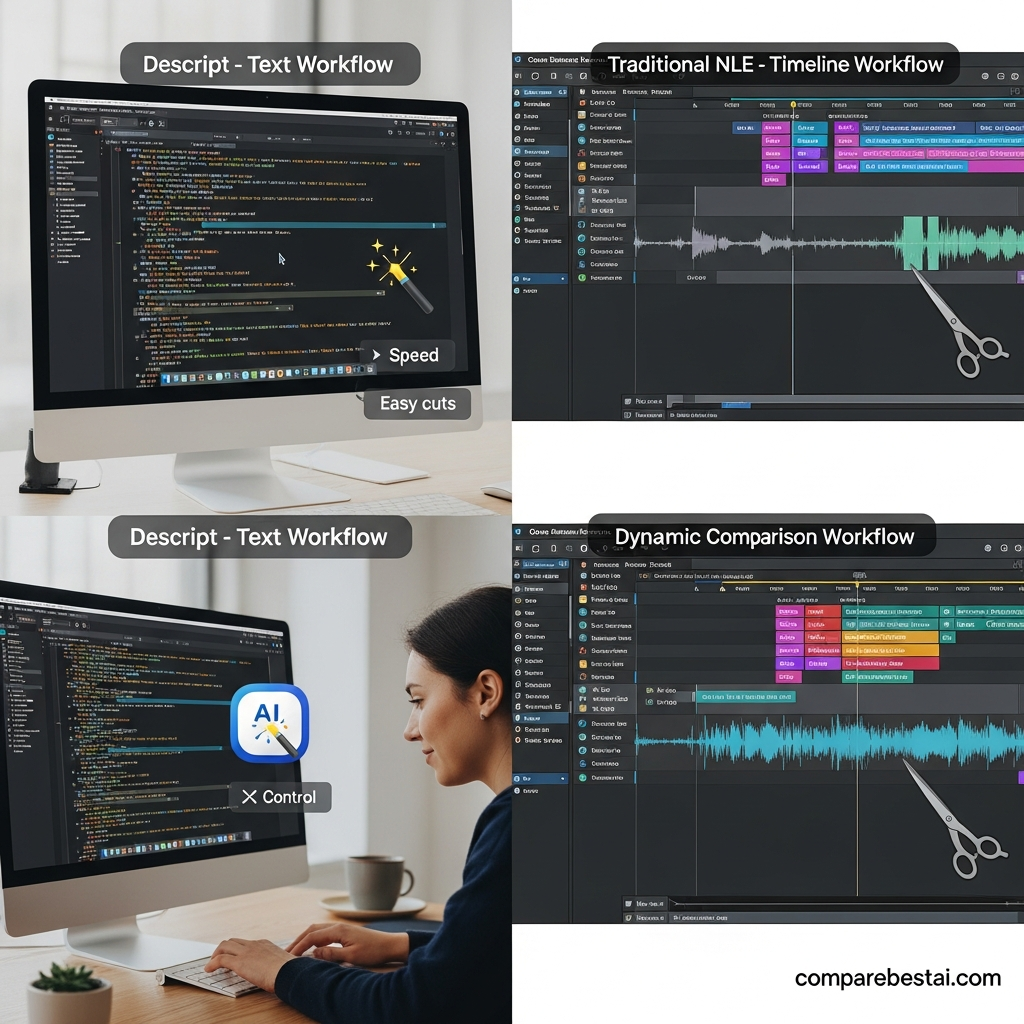

Quick Answer: Descript is an AI-powered video and podcast editor that lets you edit recordings by changing their transcripts. It combines text-based editing, transcription, Studio Sound, filler-word removal, AI-assisted video tools, and collaboration in one workspace. Descript is particularly useful for podcasts, interviews, and talking-head videos, but creators working on complex visual productions may need additional editing software.
Editing a video or podcast traditionally involves locating individual clips, reviewing waveforms, and making precise cuts on a timeline.
Descript approaches the process differently.
When you import a recording, the software creates an editable transcript. Deleting or rearranging text updates the corresponding audio and video.
That approach can simplify production when spoken content is the main focus.
But how does it perform as a complete video and podcast editor, and what are the trade-offs?
This Descript review examines its editing workflow, AI features, pricing, limitations, and alternatives to help you determine whether it fits your production needs.
Descript at a Glance: Key Facts for 2026
Category | Details |
|---|---|
Software | Descript |
Primary use | Video and podcast editing |
Editing approach | Transcript-based editing with timeline controls |
AI assistant | Underlord |
Free plan | Available |
Starting paid price | $16 per person/month with annual billing |
Desktop support | macOS and Windows |
Browser editor | Available |
Common use cases | Podcasts, interviews, tutorials, and marketing videos |
Main considerations | Media hours, AI credits, visual editing, and export resolution |
Descript's current pricing structure includes Free, Hobbyist, Creator, Business, and Enterprise plans.
For a quick overview of the product, explore the CompareBestAI Descript tool profile .
What Is Descript?
Descript is a video and audio editing platform built around the idea that recorded speech can be edited like written text.
Its core workflow connects an automatically generated transcript to the underlying recording.
When you delete a sentence from the transcript, Descript removes the associated audio or video section.
You can also rearrange spoken material to change the structure of a presentation, podcast, or interview.
The platform includes more than transcript editing. It also offers audio enhancement, AI-assisted editing, captions, screen recording, and collaboration features.
How Is Descript Different From a Traditional Video Editor?
Traditional editing software generally organizes footage on a timeline.
Editors locate the appropriate frames, make cuts, and rearrange clips to produce the final sequence.
Descript provides an additional method: selecting and editing the words spoken in the recording.
For example, removing an unnecessary explanation from a tutorial can be accomplished by deleting the corresponding text.
This makes spoken-content editing more similar to revising a document.
However, Descript also offers timeline controls for adjustments that require greater precision.
Its transcript-based interface complements conventional editing techniques rather than eliminating the need for them.
How Does Descript's Text-Based Video Editing Work?
Descript's editing workflow begins with a recording.
You can import an existing file or create a recording using the platform's available recording tools.
After processing the media, Descript generates a transcript.
The transcript is synchronized with the recording, allowing edits to affect the associated media.
Step 1: Import Your Audio or Video
Create a new project and upload the recording.
Choose a podcast episode, interview, tutorial, or another project containing spoken content.
Descript processes the media and prepares it for editing.
Step 2: Review the Transcript
Once transcription is complete, review the generated text.
Automatic transcription may contain mistakes, particularly when recordings include overlapping speakers, background noise, or specialized terminology.
Correct important names, numbers, and statements before making extensive edits.
Step 3: Edit the Recording Through Text
Select the words or sentences you want to remove.
Delete the text and preview the resulting recording.
You can also rearrange passages to improve the order of the content.
For example, a presenter might explain a concept twice during a tutorial. Removing the repeated passage from the transcript also removes the associated media.
Step 4: Refine the Video and Audio
Use the available editing controls to review transitions and make additional adjustments.
You may also apply AI-assisted audio enhancement, filler-word removal, or other supported features.
Step 5: Export the Finished Project
Once the edit is complete, select an export option supported by your plan.
Review the final file for audio consistency, caption accuracy, transitions, and visual continuity.
Descript's official video-editing documentation explains its transcript-based workflow and publishing options.
For a more detailed explanation of its video-editing functionality, read our Descript AI video editing guide .
Descript Podcast Editing Review: How Does It Work for Audio?
Podcast editing is a major use case for Descript.
Long-form recordings often include repeated sentences, filler words, lengthy pauses, and sections that need to be rearranged.
Transcript-based editing can help creators identify these passages without navigating through the entire waveform manually.
Descript also provides audio-enhancement features that can simplify parts of the production process.
Automatic Podcast Transcription
Descript can generate a transcript from a podcast recording.
The transcript supports editing and can also be used to prepare written material associated with the episode.
For example, a podcaster can review the transcript to identify the main topics discussed and remove unnecessary tangents.
However, transcription errors should be corrected before publishing written excerpts or captions.
Filler-Word Removal
Descript includes AI-assisted filler-word removal.
It can identify common filler words such as “um” and “uh” and help remove them from recordings.
This is useful for cleaning up interviews and spoken presentations.
However, removing every hesitation can make speech sound unnatural.
Review the resulting audio and preserve pauses that support normal conversational pacing.
Studio Sound for Audio Enhancement
Studio Sound is Descript's AI-powered audio-enhancement feature.
It is designed to improve voice clarity by reducing unwanted background noise and refining the recording.
This can be useful for podcasters working in home offices or other environments without professional recording equipment.
However, the quality of the result depends on the original recording.
Severely distorted, clipped, or poorly recorded audio may still need specialized treatment.
Multi-Track Podcast Editing
Descript also supports multi-track editing.
This is relevant when a podcast contains separate recordings for different speakers, music, or other audio elements.
Editors can use the available timeline controls to refine the production.
For highly demanding audio-engineering tasks, dedicated audio software may still provide additional control.
Descript's official podcast-editing product page describes the platform's recording, transcript editing, audio enhancement, and multi-track capabilities.
Descript AI Video Editing Features Explained
Descript includes AI-assisted capabilities beyond its transcript-based editor.
These features address different parts of content production.
Availability and usage limits depend on the selected plan.
1. Underlord AI Co-Editor
Underlord is Descript's AI-powered editing assistant.
It can assist with supported editing tasks and streamline repetitive production operations.
This is relevant to creators working with recurring content formats such as podcasts, tutorials, and marketing videos.
However, AI-generated edits still require human review before publication.
Explore the Underlord by Descript tool profile for more information.
2. AI Green Screen
Descript's Green Screen feature can remove or replace a video background.
This may help when creating presentations, product demonstrations, or social content.
However, background-removal quality depends on factors such as lighting, movement, and the complexity of the scene.
Review the edges of the subject before exporting.
3. Eye Contact
Eye Contact is an AI-assisted feature that adjusts the apparent direction of a speaker's gaze.
It is particularly relevant when someone records a scripted video while looking at notes or a teleprompter.
The effect may be useful for talking-head content, but the result should be reviewed for unnatural eye movement or facial artifacts.
4. AI Speech and Voice Correction
Descript provides AI speech features that can support voice generation and corrections.
These tools may help creators address certain recording mistakes without rerecording an entire passage.
However, generated speech should be checked for pronunciation, tone, pacing, and consistency.
Voice-cloning capabilities should only be used with appropriate authorization and consent.
5. Captions and Subtitles
Descript can generate captions from recorded speech.
Captions can improve the usability of educational videos, interviews, and social content.
However, automatic captions are not guaranteed to be accurate.
Review technical terminology, speaker names, numerical information, and synchronization before publishing.
6. Video Templates and Stock Media
Descript provides templates and stock media capabilities for eligible plans.
These can help creators assemble videos without sourcing every visual asset separately.
However, a template-based workflow may not replace the detailed control required for advanced visual productions.
Descript Pricing in 2026: Free vs. Paid Plans
Descript offers a free plan and several paid subscriptions.
The table below uses USD pricing from Descript's official pricing page, checked in September 2026.
Plan | Monthly billing | Annual billing* | Media hours/month | AI credits |
|---|---|---|---|---|
Free | $0 | $0 | 1 | 100 |
Hobbyist | $24 | $16 | 10 | 400/month |
Creator | $35 | $24 | 30 | 800/month |
Business | $65 | $50 | 40 | 1,500/month |
Enterprise | Custom | Custom | Custom | Custom |
Annual billing prices are shown as monthly equivalents per person.
The official detailed pricing comparison currently describes the Free plan's 100 AI credits as a one-time allowance. Review the latest billing details before subscribing.
Descript Free Plan
Designed for: Testing the editor and occasional short projects.
The free plan provides one media hour and 100 AI credits.
It supports watermark-free exports up to 720p and limited access to selected AI capabilities.
This plan allows users to evaluate the transcript-based workflow without entering credit card information.
However, frequent production may exceed its media allowance.
Descript Hobbyist Plan
Designed for: Individual creators who need additional editing capacity.
Hobbyist costs $16 per person per month with annual billing, or $24 with monthly billing.
It includes 10 media hours and 400 AI credits per month.
The plan supports watermark-free exports up to 1080p.
Descript Creator Plan
Designed for: Creators producing content regularly.
Creator costs $24 per person per month with annual billing, or $35 with monthly billing.
It includes 30 media hours and 800 AI credits per month.
The plan supports 4K exports and provides access to additional advanced AI capabilities.
Descript Business Plan
Designed for: Teams with recurring video-production requirements.
Business costs $50 per person per month with annual billing, or $65 with monthly billing.
It provides 40 media hours and 1,500 AI credits per month.
Business also includes team-oriented features such as Brand Studio.
Descript Enterprise Plan
Designed for: Organizations requiring customized usage, administration, and support.
Enterprise pricing is determined through Descript's sales team.
Before selecting a subscription, compare the required media hours, AI-credit allowance, export resolution, and number of paid seats.
For a dedicated subscription-value analysis, read our guide to whether Descript is worth the money .
What Are Descript Media Hours and AI Credits?
Descript uses media hours and AI credits to manage eligible usage.
Media hours measure the amount of imported or recorded media processed within the plan's allowance.
AI credits track usage of supported AI-powered operations.
Different AI actions can consume different numbers of credits.
For example, using Studio Sound, Eye Contact, or AI-generated media may affect your available balance.
The actual credit consumption depends on the operation.
This distinction matters because a creator who regularly uses AI generation may require a different plan from someone who primarily edits existing transcripts.
Before purchasing, estimate how much recorded material you process each month and which AI tools you expect to use.
The latest allowances and billing details are published on Descript's official pricing page .
Descript vs. Adobe Premiere Pro: Editing Workflow Comparison
Descript and Adobe Premiere Pro approach video editing differently.
Descript emphasizes transcript-based editing and AI-assisted production.
Premiere Pro is a professional timeline-based editor with extensive control over visual and audio elements.
Editing requirement | Descript | Adobe Premiere Pro |
|---|---|---|
Editing spoken content | Transcript-centered workflow | Timeline and text-based editing tools |
Automatic transcription | Available | Available |
Filler-word removal | AI-assisted | Workflow and feature dependent |
Audio enhancement | Studio Sound and related tools | Advanced audio-editing capabilities |
Detailed timeline editing | Available | Core editing workflow |
Advanced compositing | More limited | Extensive capabilities |
Complex color grading | More limited | Extensive capabilities |
Podcast editing | Strong transcript-centered workflow | Available through its editing tools |
Both platforms can support professional production, but their interfaces emphasize different editing tasks.
When Descript's Workflow Is Relevant
Descript is particularly useful when editing primarily involves spoken material.
Podcasts, interviews, educational videos, and tutorials often require editors to remove repeated statements, rearrange explanations, and prepare captions.
Transcript-based editing provides a direct way to perform those tasks.
When Premiere Pro's Workflow Is Relevant
Premiere Pro offers extensive timeline control for more demanding visual production.
Projects involving complex effects, detailed color grading, or elaborate visual sequences may benefit from its broader editing toolset.
For an additional comparison, read our Adobe Premiere Pro review .
Descript Pros and Cons
Understanding Descript's strengths and limitations is important before choosing a subscription.
Advantages | Limitations |
|---|---|
Transcript-based editing simplifies spoken-content workflows. | Less suited to highly complex visual production. |
Built-in transcription supports editing and captions. | Transcripts may require corrections. |
Studio Sound provides AI-assisted audio enhancement. | Audio quality depends on the source recording. |
Underlord supports automated editing tasks. | AI credits limit eligible usage. |
Free plan allows initial experimentation. | Free media allowance and export resolution are limited. |
Supports audio, video, and collaboration workflows. | Paid seats can increase team costs. |
Descript's main practical benefit is combining several content-production operations in one workspace.
Its limitations become more relevant when projects require advanced visual editing, specialized audio processing, or greater usage capacity.
Is Descript Suitable for Beginners?
Descript's transcript-based interface can be approachable for people who are familiar with editing documents.
A beginner can import a recording, review the transcript, delete unnecessary material, and preview the resulting video.
However, the interface does not eliminate the need to learn basic editing principles.
Users still need to understand pacing, visual continuity, audio quality, captions, and export settings.
Beginning with a short project is a practical way to evaluate the workflow.
Is Descript Suitable for Professional Video Editors?
Professional editors may use Descript for specific parts of the production process.
For example, transcript-based editing can be useful when preparing an initial interview or podcast edit.
However, a complex visual production may still require specialized software.
The appropriate workflow depends on the project's requirements, existing tools, and delivery specifications.
Descript should be evaluated as part of the production process rather than assumed to replace every traditional editing application.
Descript Alternatives: Other AI Video and Podcast Editors
Descript is not the only platform offering AI-assisted content production.
Several alternatives emphasize different workflows.
Tool | Primary approach | Common use case |
|---|---|---|
Descript | Transcript-based editing | Podcasts, interviews, tutorials |
Riverside | Recording-oriented production | Remote podcasts and interviews |
CapCut | Timeline and template-based editing | Short-form social videos |
VEED | Browser-based video editing | Captions and marketing content |
Pictory | AI-assisted video creation | Content repurposing |
Riverside
Riverside focuses on recording and podcast-production workflows.
It can be relevant to creators conducting remote interviews or recording discussions with multiple participants.
Explore the Riverside AI tool profile if remote recording is a major part of your workflow.
CapCut
CapCut emphasizes visual editing, templates, effects, and short-form content production.
Creators working primarily with social videos may want to compare its features against Descript's transcript-centered workflow.
Read our CapCut AI tool review for more information.
VEED
VEED provides browser-based video-editing tools, including captions and features relevant to marketing content.
Explore the VEED.io tool profile to compare its capabilities.
Pictory
Pictory focuses on AI-assisted video creation and content repurposing.
It may be relevant to creators converting written material or existing content into videos.
Read our Pictory AI review to examine that workflow.
Who Should Consider Descript?
Descript can be useful across several content-production environments.
Its suitability depends on the kind of media being edited and the level of technical control required.
Podcasters
Podcasters often work with lengthy recordings containing repeated dialogue, filler words, and pauses.
Descript's transcript-based editing and audio tools can help simplify these tasks.
YouTubers
Creators producing interviews, tutorials, and talking-head videos may benefit from editing spoken content through text.
Highly visual projects may require additional editing capabilities.
Educators
Educators can use Descript to edit recorded lessons, prepare captions, and refine spoken explanations.
Transcripts should be reviewed carefully when the content includes technical terminology.
Marketing Teams
Marketing teams frequently create webinars, product demonstrations, and social clips.
Descript's editing and collaboration features can support these workflows.
Teams should also account for subscription costs and paid-seat requirements.
Occasional Users
People editing only a few short videos may find the free plan sufficient for experimentation.
A paid subscription becomes more relevant when production volume or feature requirements exceed the available allowance.
Is Descript Worth Using in 2026?
Descript is worth evaluating if your content-production process involves substantial spoken material.
Its transcript-based interface offers an alternative to editing every passage manually through a conventional timeline.
The platform also combines transcription, audio enhancement, captions, and AI-assisted editing.
However, its suitability depends on your particular needs.
A creator producing podcasts may evaluate Descript differently from someone working on cinematic video projects.
Before selecting a paid plan, test the free version with a representative recording.
Review the editing workflow, output quality, media-hour limits, and AI-credit consumption.
That provides a more useful basis for a subscription decision than relying on general claims about productivity.
Frequently Asked Questions About Descript
1. What is Descript used for?
Descript is used to edit video and audio recordings through their transcripts. It also provides transcription, captions, audio enhancement, AI-assisted editing, and collaboration features.
2. Is Descript good for podcast editing?
Descript is relevant to podcast editing because it allows creators to remove and rearrange spoken content through text. It also supports audio enhancement and multi-track editing.
3. Is Descript free to use?
Yes. Descript offers a free plan with one media hour and 100 AI credits. It also supports watermark-free exports up to 720p.
4. How much does Descript cost in 2026?
Hobbyist starts at $16 per person per month with annual billing, Creator starts at $24, and Business starts at $50. Monthly billing costs more, and Enterprise pricing is customized.
5. Can Descript edit both audio and video?
Yes. Descript supports editing audio and video through a transcript-based workflow. It also provides timeline controls and additional production tools.
6. Can Descript replace Adobe Premiere Pro?
Descript can handle many speech-heavy editing workflows, but it may not replace Premiere Pro for projects requiring extensive visual effects, complex compositing, or advanced timeline control.
Final Thoughts: Descript Review
Descript provides a distinctive approach to video and podcast editing by connecting recorded speech to an editable transcript.
That workflow is particularly relevant to creators producing interviews, podcasts, tutorials, and other spoken-content formats.
Its additional AI features can support audio cleanup, captions, and repetitive editing tasks.
However, the platform's subscription limits and visual-editing capabilities should be considered before purchasing.
The most useful next step is to test Descript with a representative recording and compare the experience against your existing production workflow.
Explore the Descript tool profile above to review its features, then check the official pricing and free plan before making a subscription decision.


