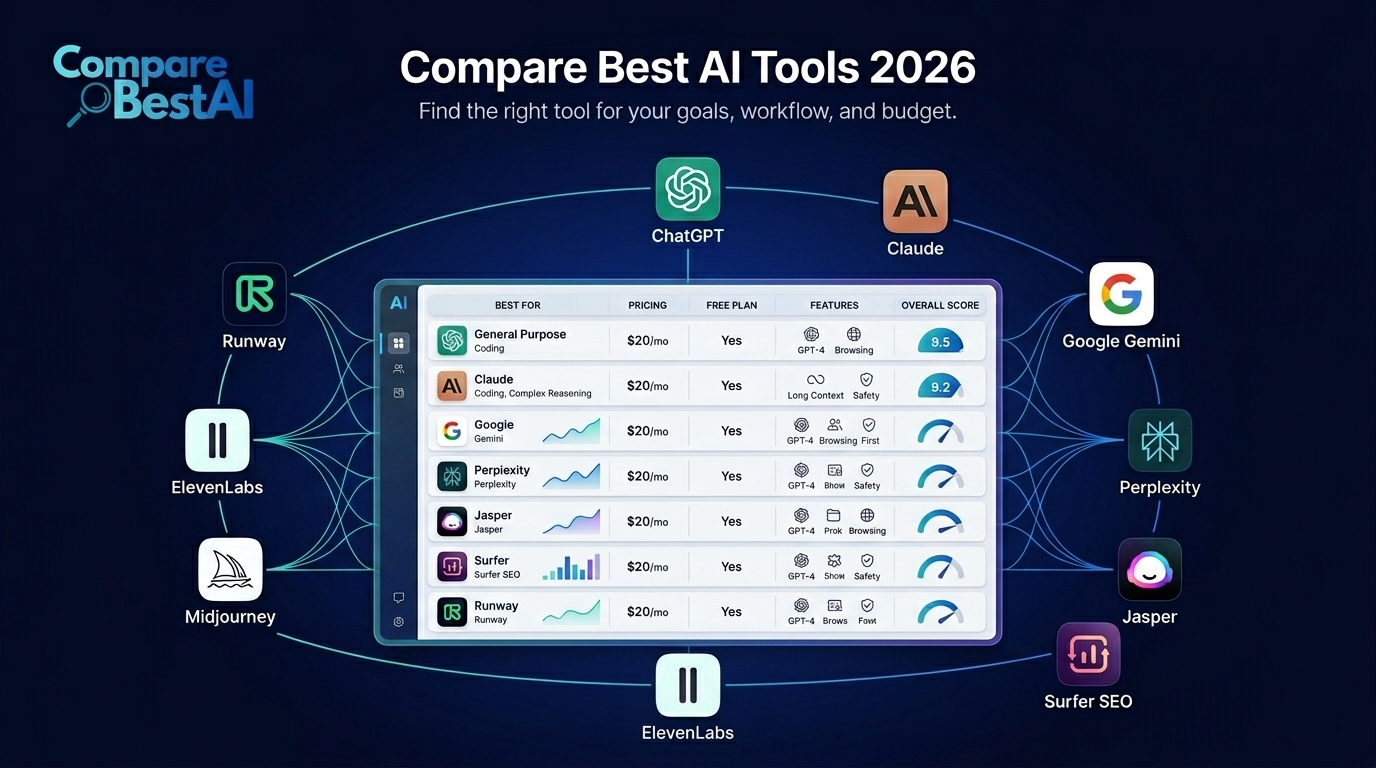
Quick answer: The AI tools that stood out most in 2025 included ChatGPT, Claude, Google Gemini, Microsoft 365 Copilot, Perplexity, Cursor, Runway, Canva AI, Adobe Firefly and ElevenLabs. They represented the year's biggest AI shifts across reasoning, research, coding, productivity, video, design and voice generation.
Looking back at 2025 also makes one thing clear: AI tools moved well beyond basic text generation. The strongest platforms became better at reasoning, working with files, writing code, generating professional media and completing increasingly complex workflows.
Here are the 10 AI tools worth knowing from 2025, what made each one important and where each fits best.
Top AI Tools of 2025 at a Glance
| AI Tool | Best For | What Made It Stand Out |
|---|---|---|
| ChatGPT | General-purpose AI | Advanced reasoning, writing, coding and multimodal work |
| Claude | Long-form work and coding | Strong reasoning, documents and agentic coding |
| Google Gemini | Google ecosystem | Multimodal reasoning and Workspace integration |
| Microsoft 365 Copilot | Workplace productivity | AI inside Microsoft business workflows |
| Perplexity | AI research | Source-backed search and research |
| Cursor | Software development | AI-native coding environment and agents |
| Runway | AI video | Advanced generative video creation |
| Canva AI | Everyday design | Accessible AI-assisted visual creation |
| Adobe Firefly | Professional creative work | Image, video, audio and Creative Cloud workflows |
| ElevenLabs | AI voice | Realistic multilingual speech and audio generation |
How We Chose These AI Tools
This list is based on more than brand popularity.
To identify the tools that mattered in 2025, we considered:
Major product releases during 2025
Breadth of practical use cases
Improvements in model capability
Integration into real workflows
Adoption by creators, developers or businesses
Ability to perform tasks that were difficult a year earlier
Evidence from official product announcements
Different tools solve different problems, so this is not a ranking from “best” to “worst.”
The right AI tool depends on what you want to accomplish.
1. ChatGPT
Best for: General AI assistance, research, writing and coding
ChatGPT remained one of the most important AI tools of 2025 because OpenAI continued expanding what the platform could do beyond conversational text generation.
One of the year's biggest developments arrived on August 7, 2025, when OpenAI introduced GPT-5.
OpenAI described GPT-5 as a unified system capable of deciding when a task required a fast response and when deeper reasoning was necessary. It expanded performance across coding, mathematics, writing, visual understanding and other complex tasks.
That made ChatGPT useful for a much wider range of workflows, including:
Research
Writing and editing
Data interpretation
Programming
Document analysis
Brainstorming
Planning
Image understanding
Business productivity
OpenAI also reported in August 2025 that five million paid users were using its ChatGPT business products.
Why ChatGPT stood out in 2025
Its biggest advantage was versatility.
Instead of purchasing a separate tool for every simple AI task, individuals and businesses could use ChatGPT across many kinds of knowledge work.
Main limitation
ChatGPT can still generate inaccurate information. Important factual, financial, medical, legal or business decisions require source verification and human review.
2. Claude
Best for: Writing, document analysis, reasoning and coding
Anthropic's Claude became one of ChatGPT's strongest competitors during 2025.
On May 22, 2025, Anthropic introduced Claude Opus 4 and Claude Sonnet 4.
The company positioned the models around stronger coding, reasoning and AI-agent capabilities. Anthropic also added features that allowed Claude to use tools during extended reasoning and improved its ability to work across longer-running tasks.
Claude became especially useful for:
Long-document analysis
Detailed writing
Research synthesis
Programming
Code review
Complex instructions
Agentic workflows
Why Claude stood out in 2025
Claude's strength was not simply generating polished text.
Its ability to work through detailed documents and longer instructions made it valuable for researchers, writers, analysts, developers and professionals working with substantial context.
Main limitation
The best model depends heavily on the task. Claude can outperform alternatives in some workflows while another platform may provide better integrations, multimodal functionality or ecosystem support.
3. Google Gemini
Best for: Multimodal AI and Google users
Google pushed Gemini further into advanced reasoning during 2025.
On March 25, Google introduced Gemini 2.5 and described Gemini 2.5 Pro Experimental as its most intelligent AI model at the time.
Google said the model was designed to reason through complex problems before responding, improving its performance on difficult tasks and coding.
Gemini also benefited from Google's enormous software ecosystem.
For people already working inside Gmail, Docs, Sheets, Drive and other Google products, that integration made Gemini particularly useful.
Common Gemini use cases
Research
Writing
Email assistance
Document summarization
Coding
Image understanding
Spreadsheet assistance
Google Workspace productivity
Why Gemini stood out in 2025
Google's advantage was ecosystem integration combined with increasingly capable multimodal models.
Instead of AI existing in a separate application, Gemini increasingly became part of tools millions of people already used.
Main limitation
The Gemini experience can vary depending on the Google product, account type and model available to the user.
4. Microsoft 365 Copilot
Best for: Workplace productivity
Microsoft 365 Copilot became increasingly important for companies already operating inside Microsoft's software environment.
Microsoft announced a major Copilot update on April 23, 2025, describing it as a platform designed for a new era of collaboration between people and AI agents.
The release included:
AI-powered workplace Search
Copilot Notebooks
A new Create experience
An Agent Store
Those additions moved Copilot beyond basic writing assistance.
The broader idea was to make AI useful inside documents, email, meetings, company information and business workflows.
Why Microsoft 365 Copilot stood out
Switching between applications creates friction.
Copilot's biggest advantage is that organizations already using Word, Excel, PowerPoint, Outlook, Teams and SharePoint can introduce AI closer to where employees are already working.
Best suited to
Microsoft-centric businesses and teams.
Main limitation
Copilot becomes much more valuable when company files, permissions and Microsoft 365 environments are already properly organized.
Poor information management cannot be fixed simply by adding AI.
5. Perplexity
Best for: AI-powered research
Perplexity differentiated itself from general chatbots by putting search and source-backed research at the center of the product.
Instead of simply producing an answer, Perplexity typically shows the sources used to create it.
That makes it particularly useful when researching:
Products
Companies
Industry trends
Technical topics
News
Competitors
Academic questions
Market information
Perplexity also expanded beyond its original search interface during 2025.
On July 9, 2025, the company introduced Comet, an AI-oriented web browser designed to bring AI assistance directly into browsing and online work.
Why Perplexity stood out in 2025
Generative AI has an obvious weakness: users often need to know where information came from.
Perplexity made source discovery part of the core experience, which gives it a clear role for research.
Main limitation
A citation does not automatically make a claim correct.
Users should still open important sources and verify whether the cited material genuinely supports the AI-generated answer.
6. Cursor
Best for: AI-assisted software development
AI coding moved rapidly during 2025, and Cursor became one of the tools developers paid close attention to.
Cursor is an AI-focused code editor designed to let developers interact with their codebase using natural language.
On June 4, 2025, Cursor released version 1.0.
The update included BugBot for automatic code review, broader access to its Background Agent, one-click MCP setup and Jupyter support.
What Cursor can help with
Writing code
Finding bugs
Refactoring
Understanding unfamiliar codebases
Editing multiple files
Reviewing pull requests
Completing repetitive development tasks
Why Cursor stood out
The important shift in AI coding was from autocomplete toward agents capable of working through larger development tasks.
Cursor was one of the products pushing that transition.
Main limitation
AI-generated code still requires engineering review.
A suggestion can compile successfully while introducing security problems, architectural issues or subtle logic errors.
Developers remain responsible for validating what reaches production.
7. Runway
Best for: AI video generation
Runway remained one of the most important names in generative video throughout 2025.
On March 31, 2025, Runway introduced Gen-4.
The model focused on generating visually consistent characters, locations and objects across scenes, addressing one of the major limitations of earlier AI video systems.
Runway's platform can support workflows such as:
Text-to-video
Image-to-video
Video transformation
Visual effects
Concept development
Advertising
Short-form content
Film previsualization
Why Runway stood out in 2025
AI video was shifting from experimental clips toward more controllable creative production.
Consistency matters enormously in storytelling. A video model is much less useful if a person's appearance or an object's design changes randomly from shot to shot.
Runway's 2025 releases targeted this problem directly.
Main limitation
AI-generated video still requires creative direction, iteration and editing.
Generating a visually impressive clip is considerably easier than producing a coherent finished film or campaign.
8. Canva AI
Best for: Fast design and visual content
Canva continued making generative AI accessible to people who were not professional designers.
At Canva Create on April 11, 2025, the company introduced Visual Suite 2.0 along with new AI-assisted capabilities designed to connect productivity and creative work.
Canva's AI functionality became useful across:
Social graphics
Presentations
Marketing assets
Documents
Websites
Image generation
Image editing
Content repurposing
Basic coding and interactive experiences
Why Canva AI stood out
Many powerful generative tools require users to learn separate interfaces and workflows.
Canva's strength is accessibility.
AI capabilities sit within a visual platform that many marketers, small businesses, students and creators already understand.
Main limitation
Canva prioritizes accessibility and speed.
Professional creative teams requiring extremely precise control may still prefer specialist applications for advanced design, animation or production.
9. Adobe Firefly
Best for: Professional AI-assisted creative production
Adobe Firefly evolved considerably during 2025.
On February 12, Adobe released a new Firefly application bringing image, vector and video generation into one experience.
By April, Adobe had expanded Firefly further with new image models, general availability of its Firefly Video Model and integration with partner AI models.
That gave creators a wider selection of generative capabilities while keeping Firefly connected to the broader Adobe ecosystem.
Firefly use cases include
AI image generation
Video generation
Generative editing
Moodboarding
Audio translation
Video translation
Image manipulation
Creative ideation
Why Adobe Firefly stood out
Its strongest advantage is integration with professional creative workflows.
A generated asset can move into tools such as Photoshop, Illustrator or Premiere Pro instead of remaining isolated inside an AI generator.
Adobe also emphasized commercially safe workflows for its own Firefly models, an important consideration for businesses producing client or branded content.
Main limitation
Professional control and Adobe ecosystem integration may be less valuable to casual users who only need occasional AI-generated images.
10. ElevenLabs
Best for: AI voice and audio
Voice generation improved noticeably during 2025.
On June 3, ElevenLabs introduced Eleven v3 in alpha, its most expressive text-to-speech model at the time.
The release introduced capabilities including:
More than 70 languages
Multi-speaker dialogue
Emotional audio tags
More expressive delivery
Natural conversational pacing
The platform became increasingly useful for:
Video narration
Podcasts
Audiobooks
Games
Localization
Accessibility
Voice applications
Multilingual content
Why ElevenLabs stood out in 2025
Earlier text-to-speech systems often sounded mechanically consistent.
ElevenLabs pushed toward speech containing emotion, pacing, interruptions and interactions between multiple speakers.
That significantly expanded what synthetic voices could be used for.
Main limitation
Users need to consider consent, impersonation and voice rights carefully.
Realistic synthetic speech creates legitimate creative opportunities but also makes responsible voice use essential.
Which AI Tool Was Best in 2025?
There was no single best AI tool for every user.
A more useful way to choose is by task:
| Need | Strong Option |
|---|---|
| General AI assistant | ChatGPT |
| Long documents and writing | Claude |
| Google ecosystem | Gemini |
| Microsoft workplace | Microsoft 365 Copilot |
| Source-backed research | Perplexity |
| Coding | Cursor |
| AI video | Runway |
| Easy visual design | Canva AI |
| Professional creative work | Adobe Firefly |
| AI voice | ElevenLabs |
The strongest tool is the one that solves the workflow you actually have.
What Changed Most About AI Tools in 2025?
The biggest change was that AI stopped being mainly about generating text.
The leading platforms expanded into four broader areas.
AI began reasoning through harder tasks
Models such as GPT-5, Claude 4 and Gemini 2.5 were designed for more sophisticated reasoning and multi-step work.
AI became more agentic
Tools increasingly moved from answering questions toward performing actions and completing workflows.
Microsoft Copilot and Cursor are clear examples.
Generative video matured
Platforms such as Runway and Adobe Firefly made AI video considerably more controllable and accessible.
AI moved inside existing software
Rather than requiring users to visit a separate chatbot, AI increasingly appeared directly inside productivity, coding and creative applications.
That integration may ultimately matter more than any individual benchmark.
How to Choose an AI Tool
Do not choose software because it appears on a “top 10” list.
Start with the job.
Ask:
What task am I trying to make faster or better?
How often will I use the tool?
Does it integrate with my existing workflow?
Does it offer a usable free plan or trial?
What are the real usage limits?
How does the provider handle my data?
Will the output still require significant human editing?
Does the time saved justify the subscription?
Testing two or three tools against the same real task produces a much better decision than comparing marketing feature lists.
For a more detailed framework, learn how to choose the right AI tool before paying for another subscription.
Frequently Asked Questions
What were the top AI tools to watch in 2025?
Some of the standout AI tools of 2025 were ChatGPT, Claude, Gemini, Microsoft 365 Copilot, Perplexity, Cursor, Runway, Canva AI, Adobe Firefly and ElevenLabs. They covered general AI assistance, research, coding, productivity, design, video and voice generation.
What was the best general-purpose AI tool in 2025?
ChatGPT, Claude and Gemini were among the strongest general-purpose choices. ChatGPT offered broad functionality, Claude was particularly strong for writing and long-context work, while Gemini was attractive to users in Google's ecosystem.
What was the best AI tool for coding in 2025?
Cursor was one of the most notable AI-first coding environments of 2025. ChatGPT and Claude were also strong coding assistants, particularly for debugging, explaining code and working through development problems.
What was the best AI tool for video generation in 2025?
Runway was one of the leading dedicated AI video platforms, with Gen-4 improving visual consistency. Adobe Firefly also became a stronger option for creators who wanted video generation integrated with professional Adobe workflows.
Were free AI tools good enough in 2025?
Yes, for many users. Several major AI platforms offered free access with usage limits. A free plan is usually the best place to begin before upgrading, particularly when you are still deciding whether an AI tool fits your workflow.
How should businesses evaluate AI tools?
Businesses should evaluate AI software by measurable outcomes rather than feature counts. Useful criteria include time saved, output quality, security, integrations, team adoption, total cost and whether the tool reduces existing work rather than creating additional review.
Final Verdict
The most important AI tools of 2025 did more than produce better answers.
ChatGPT, Claude and Gemini pushed general-purpose AI forward. Microsoft Copilot brought AI further into workplace software. Perplexity changed how people approached AI-assisted research. Cursor demonstrated how quickly coding assistants were becoming agents. Runway, Canva and Adobe expanded generative AI into professional visual workflows, while ElevenLabs pushed synthetic audio toward much more expressive speech.
The result was a broader change in how people thought about AI software.
By the end of 2025, the important question was no longer simply, “Which AI model is smartest?”
It became:
Which AI tool fits the work I actually need to get done?
If you are choosing a tool now, compare the best AI tools available today by use case, features, pricing, free-plan limits and workflow fit before subscribing.