

By: CompareBestAI Editorial Team
Quick Answer: Descript AI video editing is a text-based video and audio editing platform that lets you cut, rearrange, and refine recordings by editing their transcripts. It combines transcription, AI-assisted audio cleanup, captions, screen recording, and automated editing tools in one workspace. Descript is particularly useful for podcasts, interviews, tutorials, and talking-head videos, although creators who need detailed frame-level editing may prefer traditional video software.
Descript takes a different approach from conventional video editors. Instead of manually locating every cut on a timeline, you can remove unwanted words from a transcript and have the corresponding video or audio updated automatically.
That workflow can be valuable when producing repeated content for YouTube, podcasts, online courses, or business communications.
But is Descript suitable for your workflow, and how much does it actually cost?
This review examines its main capabilities, 2026 pricing, AI usage limits, practical use cases, and alternatives.
Key Takeaways: Descript AI Video Editing
Main feature: Edit spoken video and audio through an automatically generated transcript.
AI capabilities: Use tools such as Underlord, Studio Sound, filler-word removal, and Eye Contact.
Free plan: Includes one media hour and 100 AI credits per month.
Paid plans: Hobbyist starts at $16 per person per month when billed annually.
Best for: Podcasters, educators, YouTubers, marketers, and teams creating speech-heavy videos.
Main limitation: Transcript-based editing is less central to workflows involving complex motion graphics, highly detailed color work, or cinematic editing.
Pricing and feature availability depend on your subscription and AI-credit usage.
Readers comparing plans should consult the CompareBestAI Descript tool profile alongside Descript's published pricing.
What Is Descript AI Video Editing?
Descript is an AI-powered video and audio editor built around transcript-based editing.
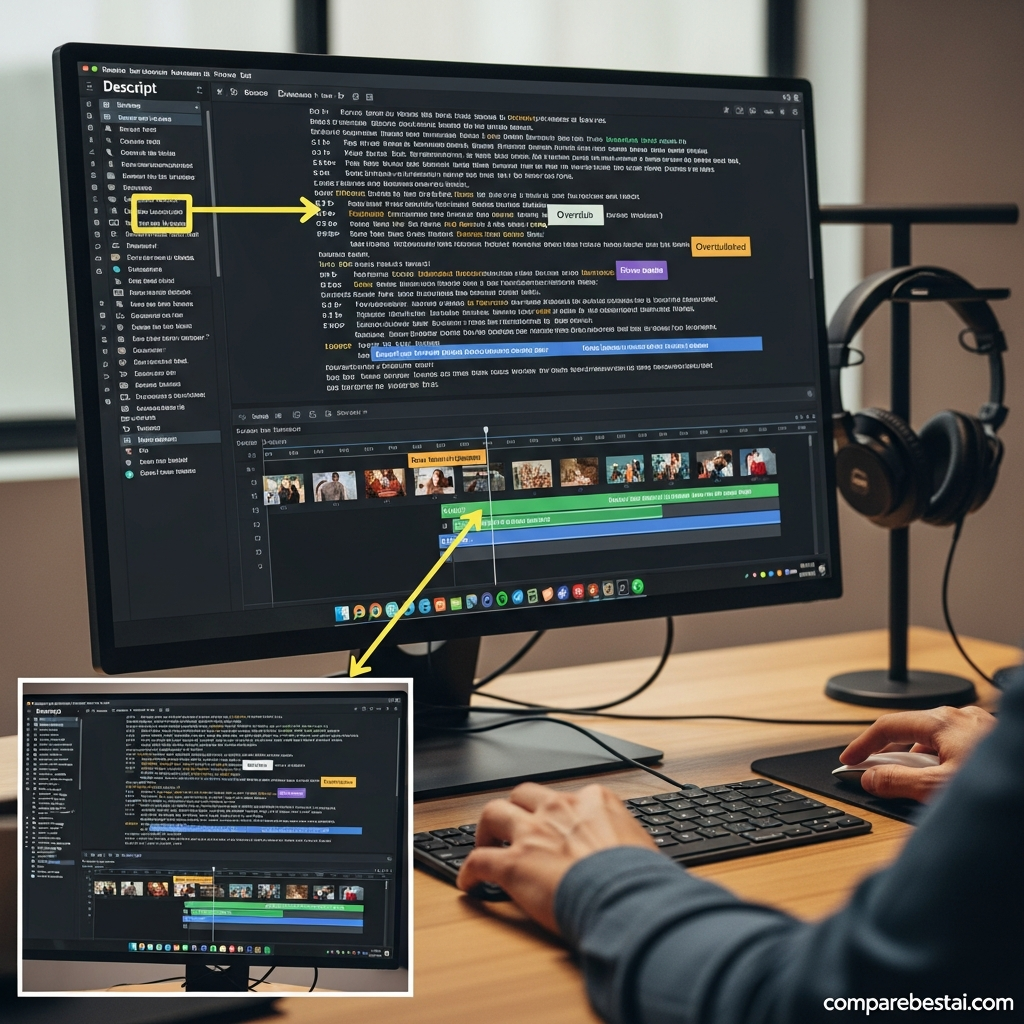
When you import a recording, the software converts its spoken content into text. The transcript remains connected to the underlying media, allowing you to make edits by selecting, deleting, copying, or moving words.
For example, if an interview contains an unnecessary sentence, removing that sentence from the transcript also removes the associated footage.
This differs from traditional video-editing software, where creators typically navigate a timeline to locate the beginning and end of each cut.
Descript also offers a timeline for adjustments that require more precise control.
Its wider toolset includes screen recording, captions, audio enhancement, AI speech, visual effects, and collaboration features.
How Does Text-Based Video Editing Work?
Descript's editing process follows a straightforward sequence:
Upload or record a video or audio file.
Allow Descript to generate a transcript.
Review and correct transcription errors.
Select text corresponding to unwanted footage.
Delete or rearrange the selected text.
Add captions, visuals, sound effects, or other enhancements.
Preview and export the completed recording.
The transcript is directly linked to the media, rather than functioning solely as a caption file.
According to Descript's editing documentation , transcript-based edits are non-destructive, and users can restore removed media.
That makes it possible to experiment with edits without permanently deleting the original recording.
 Descript AI Video Editing Features Explained
Descript combines transcript-based editing with several AI-powered production tools.
The following features address different parts of the video-production process.
1. Text-Based Video and Audio Editing
Text-based editing is Descript's central capability.
You can use familiar document-editing actions to remove, rearrange, or duplicate spoken content.
This approach is particularly useful when editing a lengthy interview, webinar, course, or podcast.
For instance, a creator can remove a repeated explanation without manually finding the exact timecode for each sentence.
However, every transcript edit still needs a visual review. A cut that sounds natural may create an awkward transition between camera angles or facial expressions.
2. Underlord AI Video Co-Editor
Underlord is Descript's AI-powered editing assistant.
It can assist with tasks such as identifying useful sections, refining content, and automating supported editing operations.
This makes it relevant to creators who want to reduce repetitive post-production work.
Rather than relying entirely on automation, editors can use Underlord to prepare an initial edit and then review the result manually.
For a closer examination of this feature, explore Underlord by Descript and its AI editing capabilities .
Underlord's availability and usage limits depend on the selected Descript plan.
3. Automatic Transcription and Captions
Descript generates transcripts from imported or recorded media.
These transcripts support editing, caption creation, and text-based content review.
Automatic captions can make spoken content easier to follow, particularly when viewers watch videos without sound.
Transcripts can also support written content workflows, such as preparing podcast notes or converting recorded explanations into drafts.
However, transcription quality can vary with background noise, overlapping speakers, accents, and technical terminology.
Review names, numbers, and important statements before publishing.
4. Filler-Word Removal and Pause Editing
Descript includes tools for identifying and removing filler words such as “um” and “uh.”
It can also help shorten pauses and remove selected retakes.
These features are useful for interview-driven content where the original recording includes repeated phrases or interruptions.
For example, a 20-minute tutorial may contain several pauses while the presenter searches for the next point.
An automated first pass can help identify those sections.
However, removing every pause can produce unnatural pacing. Review the final recording to preserve conversational rhythm.
5. Studio Sound for Audio Enhancement
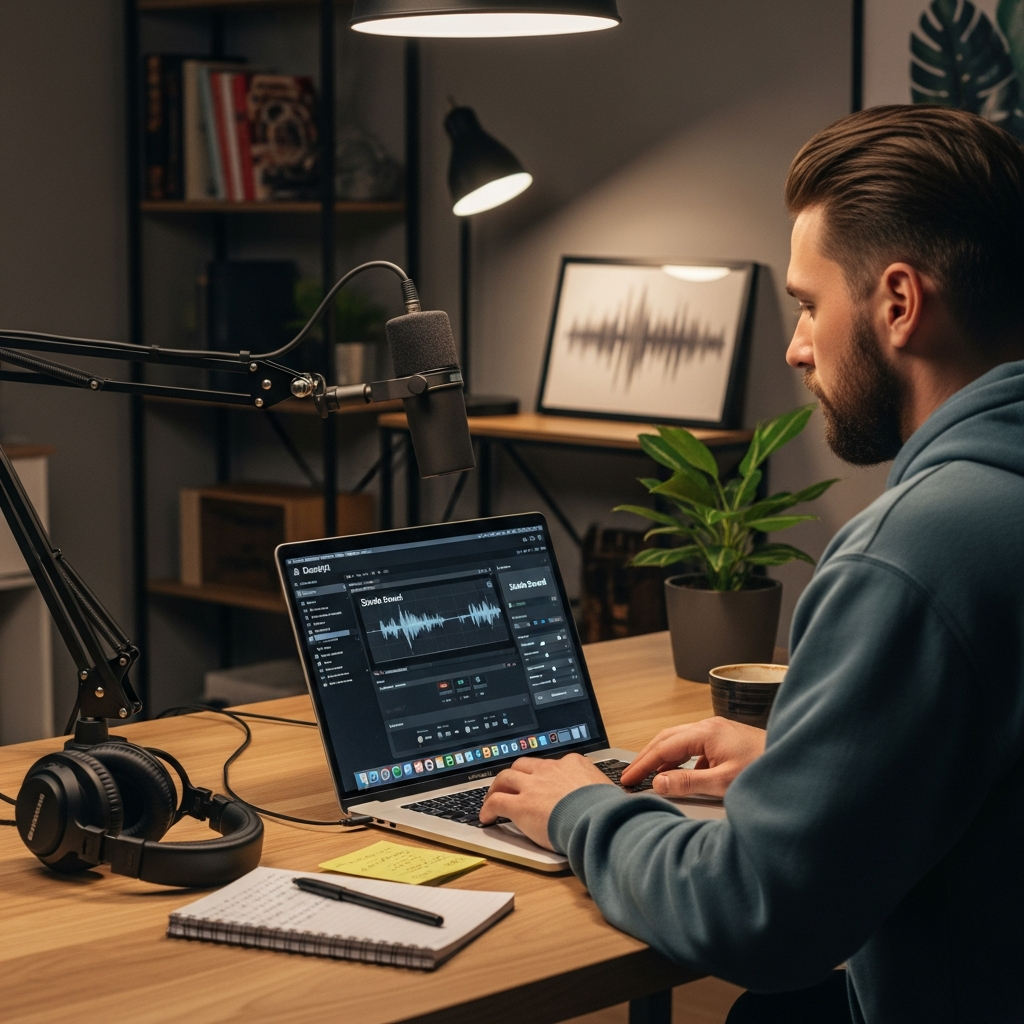
Studio Sound is an AI-powered audio enhancement feature.
It is designed to improve spoken audio by reducing unwanted background noise and enhancing voice clarity.
This can be useful for recordings made in home offices, classrooms, or other imperfect recording environments.
Studio Sound may reduce the need for separate audio-cleanup software in straightforward projects.
However, heavily distorted or clipped source audio may still require additional treatment.
6. Eye Contact and Green Screen
Descript offers AI-assisted visual effects, including Eye Contact and Green Screen.
Eye Contact adjusts the apparent direction of a speaker's gaze. It is particularly relevant to scripted presentations where the speaker looks away from the camera to read notes.
Green Screen can remove or replace a video background.
Both features can help simplify certain production tasks, but their effectiveness depends on the source footage.
Review fine details such as hair, hands, and facial movements before exporting.
7. AI Speech and Voice Correction
Descript also provides AI speech capabilities that can support voice generation and corrections.
For creators, this may provide an alternative to rerecording a short phrase after discovering a mistake.
However, AI-generated speech should be reviewed for pronunciation, consistency, and natural pacing.
Only use voice-cloning features with the necessary consent and rights.
8. Team Collaboration and Publishing
Descript supports collaborative editing workflows.
Team members can work with shared projects, provide feedback, and prepare recordings for publication.
This is relevant to marketing teams that separate scriptwriting, recording, editing, and approval responsibilities.
The platform also supports video exports and publishing workflows.
Before choosing a plan, check whether its collaboration features, seat limits, and export resolution match your team's production requirements.
For a wider assessment of the product, read our Descript AI review covering editing features and pricing .
Descript Pricing in 2026: Free vs. Paid Plans
Descript offers a free plan, three published paid tiers, and a custom Enterprise option.
The table below uses USD pricing from Descript's official pricing page, checked in September 2026.
Plan | Monthly billing | Annual billing* | Media hours/month | AI credits/month |
|---|---|---|---|---|
Free | $0 | $0 | 1 | 100 |
Hobbyist | $24 | $16 | 10 | 400 |
Creator | $35 | $24 | 30 | 800 |
Business | $65 | $50 | 40 | 1,500 |
Enterprise | Custom | Custom | Custom | Custom |
Annual billing prices are shown as the monthly equivalent per person.
The Free plan supports exports up to 720p. Hobbyist offers 1080p exports, while Creator and Business support 4K exports.
These prices and allowances may change.
See the official Descript pricing page before purchasing a subscription.
What Is Included in the Descript Free Plan?
Descript's free plan provides a way to test transcript-based editing without a paid subscription.
It includes one media hour and 100 AI credits each month, along with limited access to selected AI tools.
The free plan also offers watermark-free exports up to 720p.
For a creator editing a short presentation or testing a workflow, these allowances may be sufficient.
However, people publishing longer videos regularly may exceed the media-hour allowance.
Which Descript Paid Plan Makes Sense?
The appropriate plan depends primarily on editing volume, required export resolution, and AI usage.
Hobbyist is designed for individual creators who want more processing time and 1080p exports.
Creator provides higher media and AI-credit allowances, along with access to more advanced creation tools and 4K exports.
Business offers additional team-oriented capabilities, including Brand Studio and more generous usage allowances.
Enterprise is intended for organizations requiring customized usage, procurement arrangements, and administrative controls.
Before subscribing, estimate how many hours of new recordings you normally process each month.
Also consider how frequently you plan to use AI features.
Understanding Descript AI Credits and Additional Costs
Subscription price is only one part of the cost calculation.
Descript uses AI credits to track consumption of eligible AI features.
Activities such as audio enhancement, AI-powered editing, or generating media may consume credits.
Different operations have different usage costs.
This matters because a creator editing multiple videos each week may use AI credits faster than expected.
Descript provides usage tracking, and eligible plans offer additional credits or media-hour top-ups.
Before purchasing, estimate your monthly requirements and compare them against the available allowances.
For more guidance on subscription value, read our assessment of whether Descript is worth the money .
Descript Pros and Cons
Understanding Descript's strengths and limitations is more useful than treating it as a universal replacement for every video editor.
Advantages | Limitations |
|---|---|
Transcript-based editing simplifies speech-heavy projects. | Less suited to complex cinematic editing. |
Built-in transcription supports editing and captions. | Transcripts may require manual corrections. |
AI tools can automate repetitive editing tasks. | AI credits introduce usage limits. |
Combines audio and video workflows. | Some advanced features require paid plans. |
Supports collaborative content production. | High-volume teams may need additional seats or allowances. |
Free plan allows basic experimentation. | Free media hours and export resolution are limited. |
Where Descript Has Practical Advantages
Descript's main advantage is that spoken content can be edited as text.
This changes how creators approach interviews, podcasts, tutorials, and recorded presentations.
It may also reduce the number of separate tools needed for transcription, basic audio cleanup, and captions.
Where Descript Has Limitations
Transcript-based editing does not eliminate the need for manual visual review.
Complex visual effects, detailed color grading, advanced compositing, and demanding timeline workflows may require additional software.
Creators should also account for transcription errors, AI-credit limits, and the learning curve associated with a new editing interface.
Descript vs. Other AI Video Editors
Descript competes with both AI-assisted editing platforms and conventional video-editing software.
However, these tools do not all solve the same problem.
Tool | Primary editing approach | Common use case | Main consideration |
|---|---|---|---|
Descript | Transcript-based editing | Podcasts, interviews, tutorials | AI-credit and media-hour limits |
CapCut | Timeline and template-driven editing | Short-form social videos | Workflow and feature differences across platforms |
VEED | Browser-based video editing | Captions and marketing content | Subscription-specific feature access |
Adobe Premiere Pro | Professional timeline editing | Advanced post-production | More complex editing interface |
Riverside | Recording-oriented production | Remote interviews and podcasts | Recording and post-production needs |
Pictory | AI-assisted video creation | Repurposing scripts and existing content | Different emphasis from transcript editing |
Descript vs. CapCut
CapCut focuses heavily on visual editing, effects, templates, and social-media production.
Descript places greater emphasis on editing speech through text.
If your workflow primarily involves short-form visual content, explore the CapCut AI tool profile and our CapCut AI editing review .
If you primarily edit long interviews or tutorials, Descript's transcript-based approach may be more relevant.
Descript vs. VEED
VEED offers browser-based video-editing capabilities, including captioning and content-production tools.
Descript's defining workflow is its close connection between the transcript and underlying media.
Compare the available features through the VEED.io tool overview , particularly if you need a browser-centered workflow.
Descript vs. Adobe Premiere Pro
Adobe Premiere Pro is designed for more detailed professional post-production.
Its traditional timeline allows editors to manage complex footage, visual effects, and audio arrangements.
Descript focuses more on simplifying speech-driven content production.
For a closer examination of professional editing workflows, see our Adobe Premiere Pro review .
Descript vs. Riverside
Riverside is associated with remote recording and podcast-production workflows.
Descript focuses on editing and refining recorded material.
The two products may serve different stages of the production process rather than functioning as direct substitutes.
Explore the Riverside AI tool profile if recording quality and remote interviews are central requirements.
Descript vs. Pictory
Pictory focuses on AI-assisted video creation and content repurposing.
Descript is oriented around working with recorded video and audio through transcript editing.
If your main goal is converting written material or existing content into videos, the Pictory AI review provides another approach to evaluate.
How to Edit a Video in Descript: Step-by-Step Workflow
A practical way to evaluate Descript is to complete a short editing project using your own footage.
The following workflow can help you understand its core functionality.
Step 1: Create a Descript Account
Visit the official Descript website and create an account.
Start with the free plan if you want to test the editor before selecting a paid subscription.
Step 2: Import Your Recording
Create a new project and import a video or audio file.
You can begin with a short interview, tutorial, or talking-head recording.
Choose material containing spoken content so that you can evaluate transcript-based editing.
Step 3: Review the Transcript
Allow Descript to process the media.
Once the transcript appears, review it for incorrect words, names, punctuation, and speaker labels.
Correcting transcription errors before editing can make subsequent changes easier.
Step 4: Make Your First Text-Based Edit
Select a sentence you want to remove.
Delete it from the transcript and preview the corresponding media.
You can also rearrange sections using familiar text-editing actions.
Step 5: Apply AI Enhancements
Experiment with the available AI tools.
For example, test filler-word removal or Studio Sound if the recording contains unwanted pauses or background noise.
Check your remaining AI credits before processing additional material.
Step 6: Add Captions and Visual Elements
Review the generated captions and correct any remaining transcription mistakes.
If your project requires visual support, add appropriate images, footage, titles, or other elements.
Keep caption timing and readability in mind.
Step 7: Export and Review
Choose an export setting supported by your subscription.
Watch the exported file before publishing.
Check audio levels, caption synchronization, abrupt cuts, and transitions.
This final review is especially important when editing operations have been automated.
Descript Use Cases: Who Can Benefit?
Descript is applicable to several content-production workflows.
Its value depends on the type of material being edited and the frequency of production.
Podcasters and Interview Creators
Podcast editing often involves long recordings, multiple speakers, repeated ideas, and extended pauses.
Transcript-based editing provides a way to review spoken content without navigating the timeline for every change.
Descript's audio tools and captioning capabilities can also support podcast clips and video episodes.
YouTubers and Educators
YouTube creators and educators often record explanations, demonstrations, lessons, and tutorials.
These formats typically contain substantial spoken content.
Descript can support the editing process by making it easier to identify and remove unnecessary sections.
Creators producing highly visual tutorials may still need additional timeline editing.
Marketing and Business Teams
Marketing teams frequently produce product demonstrations, customer education videos, webinars, and internal communications.
Descript can help streamline editing and review workflows when multiple people contribute to production.
Its team-oriented features are particularly relevant to organizations creating recurring video content.
Short-Form Content Creators
Short-form creators can use Descript to repurpose longer recordings into clips.
However, choosing a short-form editor also depends on the need for visual effects, trending templates, platform-specific formats, and other design capabilities.
Descript is one option rather than a universal replacement for specialist short-form tools.
Descript Security and Privacy: What Teams Should Know
Organizations handling confidential recordings should examine the security and privacy controls of any cloud-based editing platform.
According to Descript's official security documentation , the company reports SOC 2 Type II compliance and alignment with GDPR and CCPA requirements. It also describes encryption for stored information and data transmitted over the internet.
Descript stores project information to support functions such as editing, collaboration, and project history.
However, these controls do not automatically establish that every possible use of Descript meets an organization's legal, regulatory, or contractual requirements.
Before uploading sensitive recordings, teams should review the applicable data-processing terms, access controls, retention options, and internal security requirements.
This is particularly important for confidential interviews, customer information, and recordings involving minors.
Is Descript AI Video Editing Worth It in 2026?
Descript is worth evaluating if your production workflow involves substantial spoken content.
Its transcript-based approach is particularly relevant to creators who regularly edit podcasts, interviews, tutorials, and recorded presentations.
The combination of transcription, audio enhancement, AI editing, and collaboration can also reduce the need to switch between multiple applications.
However, the subscription decision should reflect your production volume and technical requirements.
A creator processing only a few short videos may find the free plan sufficient for initial experimentation.
Someone producing longer videos regularly should compare the available media hours, AI credits, export resolution, and collaboration allowances.
For highly complex visual editing, a conventional timeline-based editor may remain necessary.
The most useful next step is to test Descript with a representative recording before committing to a paid plan.
Frequently Asked Questions About Descript AI Video Editing
1. What is Descript AI video editing?
Descript is an AI-powered video and audio editor that allows users to edit recordings through their transcripts. It also includes transcription, captions, audio enhancement, and other AI-assisted production tools.
2. Is Descript free to use?
Yes. Descript offers a free plan with one media hour and 100 AI credits per month. It supports watermark-free exports up to 720p, although advanced features and higher usage allowances require paid subscriptions.
3. How much does Descript cost in 2026?
Descript's Hobbyist plan starts at $16 per person per month when billed annually. Creator starts at $24 and Business at $50 under annual billing. Monthly billing costs more, and Enterprise pricing is customized.
4. Can Descript remove filler words automatically?
Yes. Descript includes an AI-assisted filler-word removal feature that can identify and remove selected words from recordings. Users should review the resulting audio and video to ensure the conversation still sounds natural.
5. Can Descript export videos in 4K?
Yes. Descript's Creator and Business plans support 4K video exports. Lower tiers have different resolution limits. Actual output quality also depends on the source material and export settings.
6. Is Descript better than a traditional video editor?
Descript and traditional video editors serve different workflows. Descript emphasizes transcript-based editing and AI assistance, while conventional editors generally provide more detailed timeline control for complex visual production.
Final Thoughts: Should You Try Descript?
Descript offers an alternative approach to editing videos and audio.
Its transcript-based workflow is particularly useful for creators working with interviews, podcasts, tutorials, and other speech-heavy recordings.
The platform also combines several production functions, including transcription, captions, audio enhancement, and AI-assisted editing.
Its limitations become more relevant when projects require complex visual editing or exceed subscription usage allowances.
Before purchasing, compare the available plans against your typical editing volume and test the free version with your own footage.
Ready to compare your options? Explore the Descript tool profile above, review the current pricing, and test whether transcript-based editing fits your workflow.
Editorial disclosure: CompareBestAI may earn a commission from qualifying partner referrals. This does not change the price you pay. Product features and pricing may change; verify current details on the provider's website.

