
Quick Answer: Is Runway AI Worth It?
Runway is one of the stronger AI video platforms in 2026 for creators, filmmakers, advertisers, agencies and studios that need advanced text-to-video, image-to-video, performance capture and generative editing.
Its current feature set centers on Gen-4.5, Runway Agent, Act-Two, Apps, reusable Workflows and a growing developer API. Runway also supports team workspaces and commercial use across Free and paid plans.
The biggest drawback is cost. Video generation consumes credits quickly, and achieving a polished shot often requires multiple attempts.
Bottom line: Runway is worth considering when cinematic generative video and creative control matter more than lowest-cost production. Simpler marketing, avatar or content-repurposing workflows may be better served by more specialized alternatives.
Key Takeaways
- Gen-4.5 is Runway's current primary first-party video model.
- Gen-3 Alpha was retired on July 8, 2026.
- Gen-3 Alpha Turbo was retired on July 30, 2026.
- Gen-4.5 supports text-to-video and image-to-video.
- Gen-4.5 costs 12 credits per second.
- Runway Agent can plan, generate and edit multi-step creative projects.
- Act-Two transfers a driving performance onto another character.
- Runway Apps provide task-specific workflows for editing, generation and transformation.
- Runway Free includes 125 one-time credits and 5GB of storage.
- Standard includes 625 monthly credits.
- Pro includes 2,250 monthly credits.
- Max includes 9,500 monthly credits.
- Max replaced Unlimited for new subscribers in June 2026.
- Runway grants commercial-use rights on Free and paid plans.
- Runway's API is publicly available with credits costing $0.01 each.
- Generated video can be upscaled to 4K.
- Workspaces support multi-user collaboration but share one credit pool.

What Is Runway?
Runway is a generative AI platform for creating and transforming video, images and audio.
Its current product is designed around generative workflows rather than only traditional editing.
Creators can use Runway to:
- generate video from text
- animate still images
- edit existing footage with generative AI
- transfer human performances to characters
- create multi-shot sequences
- change backgrounds
- replace characters or objects
- modify lighting and weather
- upscale video
- build reusable creative workflows
- generate images, audio and music
- assemble creative projects with Runway Agent
Runway is used by individual creators as well as creative teams and enterprises.
Gen-4.5
Gen-4.5 is Runway's current advanced first-party video-generation model.
It supports both text-to-video and image-to-video.
Current specifications include:
- Standard plan or higher
- 12 credits per second
- 2–10 second generations
- web availability
- detailed text prompting
- camera choreography
- sequenced actions
- complex scene instructions
Gen-4.5 replaces Gen-3 Alpha as the model this review should focus on.
What Happened to Gen-3 Alpha?
Gen-3 Alpha is no longer a current Runway model.
Runway originally released Gen-3 Alpha in 2024.
It retired Gen-3 Alpha on July 8, 2026 and Gen-3 Alpha Turbo on July 30, 2026.
Runway now points users toward:
- Gen-4.5 for text-to-video
- Gen-4.5 for image-to-video
- Animate Frames for keyframe workflows
- Edit Studio with Aleph for video-to-video editing
Any current Runway review should treat Gen-3 as historical rather than a major buying reason.
Runway Agent
Runway Agent is a chat-based creative system that can help plan, generate and edit a complete project.
Agent can work with:
- images
- video
- audio
- music
- voiceovers
- scripts
- storyboards
- mood boards
- multi-shot sequences
It can also modify footage, change environments, alter lighting and assemble clips into a timeline.
Rather than forcing users to manually select every model, Agent can choose tools and models based on the task.
This makes Agent one of the most important current Runway features for teams that want an AI-assisted creative workflow rather than a collection of disconnected generators.
Runway Apps
Runway provides dedicated Apps for specific creative tasks.
Current video Apps include:
- Performance Capture with Act-Two
- Animate with Keyframes
- Backdrop
- Character Swap
- Color Grade
- Image to Dialogue
- Edit Studio
- Lighting
- Motion Sketch
- Multi-Shot
- Product Shot Video Builder
- Remove
- Stitch Video
- Stylize Video
- Upscale
- Weather
These Apps make complex generative-editing tasks easier to start without building every workflow manually.

Act-Two Performance Capture
Act-Two lets creators animate a character using a driving performance video.
The system can transfer:
- body motion
- facial expression
- speech
- gestures
to another character image or video.
Act-Two currently costs 5 credits per second and supports clips up to 30 seconds.
It is particularly useful for character animation, performance-driven storytelling and stylized content.
Runway Pricing in 2026
Free
Price: $0
Includes:
- 125 one-time credits
- 5GB asset storage
- limited access to selected models and tools
Free credits do not refresh, but they do not expire.
Generated videos on the Free plan carry a Runway watermark.
Standard
$15/month or $144/year
Includes:
- 625 monthly credits
- broader model access
- ability to purchase extra credits
- watermark-free generative workflows
- workspace functionality
Standard is intended mainly for light or exploratory generation.
Pro
$35/month or $336/year
Includes:
- 2,250 monthly credits
- substantially more generation capacity
- professional export options
- support for larger recurring creative workloads
Max
$95/month or $912/year
Includes:
- 9,500 monthly credits
- high-volume on-demand generation
- up to one month of unused-credit rollover
Max replaced Unlimited as Runway's high-volume plan for new subscribers in June 2026.
Existing Unlimited customers are scheduled to migrate on September 1, 2026.
Enterprise
Enterprise adds organization-level capabilities such as advanced workspace management, security controls, analytics and customized credit arrangements.
How Runway Credits Work
Different Runway models consume credits at different rates.
Examples include:
- Gen-4.5: 12 credits per second
- Gen-4: 12 credits per second
- Gen-4 Turbo: 5 credits per second
- Act-Two: 5 credits per second
If all 625 Standard credits were spent only on Gen-4.5, they would theoretically generate about 52 seconds of video.
Pro's 2,250 credits equate to roughly 187 seconds.
Max's 9,500 credits equate to roughly 791 seconds.
Actual usable output is usually lower because creators spend credits on iterations, images, editing and multiple models.
Runway Video Quality
Runway's generative video outputs are currently produced at 720p and can be upscaled to 4K.
That should be described as 4K upscaling, not universal native 4K generation.
Output resolution also varies by model and aspect ratio.
Commercial Usage Rights
Runway states that users retain their rights to content they upload and generate.
That applies across:
- Free
- Standard
- Pro
- Max
- legacy Unlimited
Runway permits commercial use and does not require attribution.
Examples include:
- monetized YouTube videos
- social media
- advertising
- client projects
- film festivals
- commercial creative work
Users remain responsible for ensuring their source assets and use of generated content comply with applicable laws and third-party rights.
Runway Collaboration
Runway supports shared Workspaces and Projects.
Current workspace roles include:
- Admin
- Editor
- Viewer
- Enterprise Billing Admin
Standard supports up to five editors, while Pro and Max support up to ten.
Paid Editors and Admins are charged at the same plan rate as the workspace owner.
One important limitation is that all users in a shared workspace use the same monthly credit pool.
Adding another paid editor does not add another 625, 2,250 or 9,500 credits.
Runway Brand Kits
Runway currently offers Brand Kit management on Enterprise plans.
This can help larger organizations keep reusable brand assets organized across creative workflows.
Do not describe Brand Kits as a standard feature available to every Free, Standard or Pro user.
Runway Workflows
Runway supports reusable Workflows for automating generative processes.
Agent can help users create and run these workflows from a conversation.
This allows teams to build repeatable creative pipelines without describing Runway as having native Zapier, Slack or Google Drive integrations that are not currently documented.
For larger programmatic workloads, developers can use the Runway API.
Runway API
Runway's developer API is available without requiring a conventional Enterprise contract.
API credits currently cost $0.01 each, with a $10 minimum initial purchase.
Current API video models include options such as:
- Gen-4.5
- Gen-4 Turbo
- Act-Two
- Veo 3.1
- Seedance
- other supported third-party models
Runway introduced Model Router in July 2026.
Model Router can automatically choose an eligible model based on:
- cost
- latency
- quality
This can simplify applications that would otherwise need to hard-code a different model for each workload.
Pros and Cons
Pros
Strong current video models: Gen-4.5 provides advanced text-to-video and image-to-video capabilities.
Broad generative editing: Apps cover performance capture, character swapping, lighting, backgrounds, color grading, removal and more.
Runway Agent: The conversational workflow can plan and execute multi-step creative projects.
Performance capture: Act-Two provides a useful workflow for character animation.
Reusable Workflows: Teams can build repeatable generative pipelines.
Developer API: Public API access makes Runway useful inside apps and automated systems.
Commercial rights on all plans: Even Free users receive commercial usage rights under Runway's current policy.
Collaboration: Workspaces and Projects provide legitimate multi-user production functionality.
Cons
Credits can disappear quickly: AI video often requires multiple attempts, so theoretical video minutes can overstate real output.
Standard is limited for serious video production: 625 credits leave little room for repeated Gen-4.5 experimentation.
Shared team credit pool: Paying for extra workspace Editors does not increase the workspace's monthly credit allowance.
Generations are not natively 4K: Runway relies on 4K upscaling for current generative video.
Traditional editing is no longer the main focus: Professional editors may still need Premiere Pro, Final Cut Pro or DaVinci Resolve for larger post-production projects.
Output remains probabilistic: Complex prompts can require multiple generations before producing a usable shot.
Who Should Use Runway?
Runway is a strong fit for:
- filmmakers
- creative directors
- advertisers
- production studios
- designers
- agencies
- AI-video creators
- developers building generative media products
- teams experimenting with AI-assisted commercial production
It is especially useful when your workflow involves creating or transforming visual scenes rather than simply turning a blog post or script into a templated marketing video.
Who May Prefer an Alternative?
Consider another platform if your primary workflow is:
AI presenters or training: HeyGen or Synthesia
Blog, webinar or long-form repurposing: Pictory
Broad marketing and script-driven production: InVideo
Short-form effects and lightweight experimentation: Pika
Music-focused automated video: Rotor Videos
Traditional timeline editing: Premiere Pro, Final Cut Pro or DaVinci Resolve
Runway AI Facts at a Glance
- Gen-4.5 is Runway's current advanced first-party video-generation model.
- Gen-3 Alpha was retired July 8, 2026.
- Gen-3 Alpha Turbo was retired July 30, 2026.
- Gen-4.5 costs 12 credits per second.
- Gen-4.5 supports 2–10 second text-to-video and image-to-video generations.
- Act-Two costs 5 credits per second and supports clips up to 30 seconds.
- Runway Free includes 125 one-time credits.
- Standard includes 625 monthly credits.
- Pro includes 2,250 monthly credits.
- Max includes 9,500 monthly credits.
- Max replaced Unlimited for new subscribers in June 2026.
- Standard costs $15/month.
- Pro costs $35/month.
- Max costs $95/month.
- Max can roll over up to one month of unused credits.
- Runway grants commercial use rights on Free and paid plans.
- Generated video can be upscaled to 4K.
- Runway API credits currently cost $0.01 each.
- Runway launched API Model Router in July 2026.
- Enterprise accounts currently support Brand Kits.
Because Runway changes quickly, verify current model availability, credit costs and plan limits before purchasing.
Top Alternatives to Runway for AI Video Generation
While Runway leads the pack for many teams, the best ai video tools 2026 landscape offers several strong alternatives. Selection often depends on use case, budget, and required collaboration tools. Here are the top options to consider if Runway doesn’t match your needs:
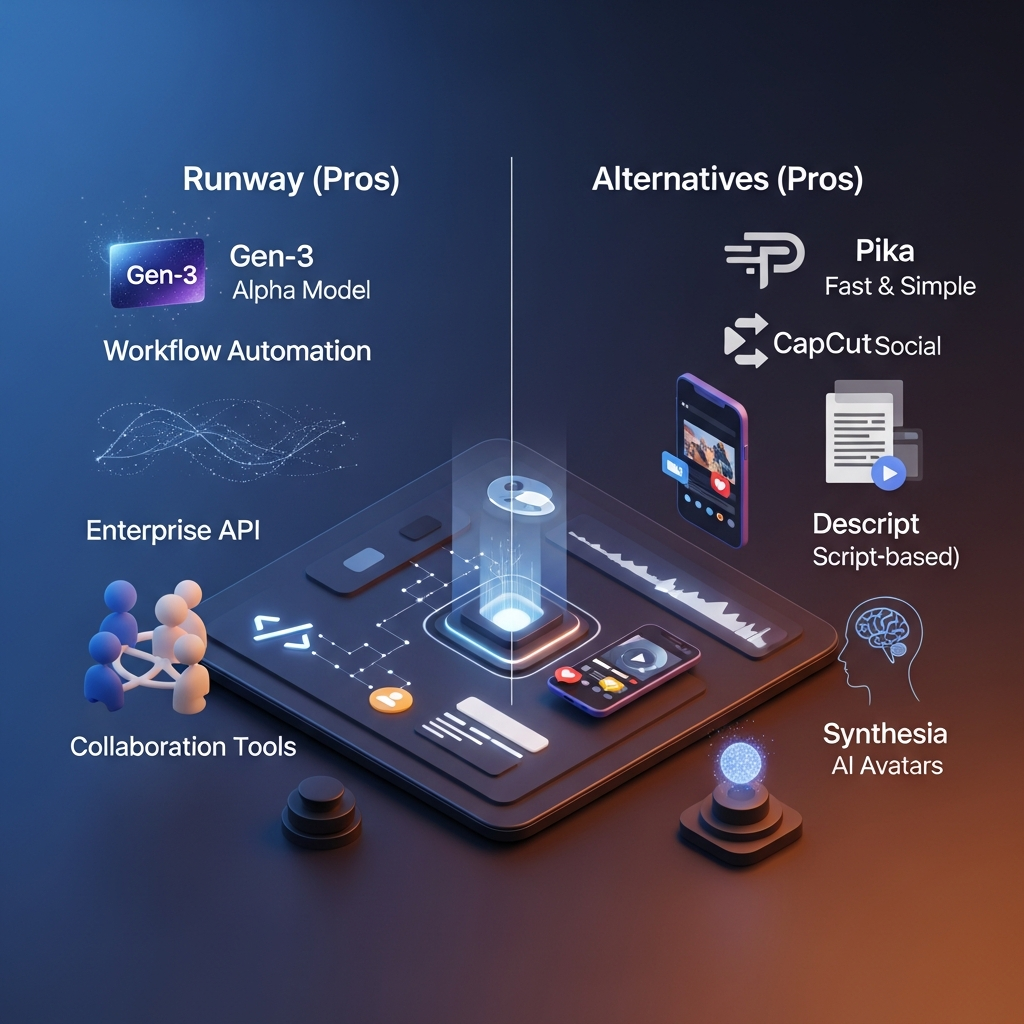
- Pika: An intuitive AI video platform with a quick learning curve, perfect for quick social content and one-off projects. Pika prioritizes speed and ease, though advanced automation is limited. Try Pika now is recommended for solo marketers or influencers on a budget.
- InVideo: Includes comprehensive templates, stock assets, and mobile support. It’s a favorite for social media and content marketing teams that want drag-and-drop editing and quick video creation. Try InVideo now
- CapCut: Integrated with TikTok, this tool focuses on mobile-first creation and is ideal for fast, vertical video output.
- Descript: For podcasters, educators, or teams that need reliable video and audio transcription, script-based editing, and AI voice dubbing.
- Fliki: For quick, voice-first video generation using AI voices and avatars handy for quick explainers or TTS-driven content. Try Fliki now
Platforms like VEED.io, OpusClip, Pictory, and Synthesia round out the space, often focused on specific verticals: classroom education, sales video snippets, or corporate training. Each offers competitive pricing and their own unique blend of AI-driven video features. For most business teams, though, Runway’s balance of automation, team workflow, and advanced generation makes it the most versatile option unless price or simplicity is a more critical factor for your projects.
Frequently Asked Questions
Is Runway AI worth it in 2026?
Runway is worth considering for creators and teams that need advanced generative video, image-to-video, performance capture and AI-assisted video editing.
Its biggest limitation is credit cost, particularly when a project requires many iterations.
What is Runway's latest video model?
Gen-4.5 is the current primary first-party model for text-to-video and image-to-video.
Gen-3 Alpha was retired in July 2026.
How much does Runway cost?
Current monthly pricing is $15 for Standard, $35 for Pro and $95 for Max.
Annual billing costs $144, $336 and $912 respectively.
A Free plan is also available with 125 one-time credits.
Can I use Runway videos commercially?
Yes.
Runway states that users on Free and paid plans retain their rights to generated content and may use it commercially without required attribution.
Does Runway generate 4K video?
Runway's current generative-video output is created at 720p and can be upscaled to 4K.
Does Runway have an API?
Yes.
The Runway developer API is publicly available. API credits currently cost $0.01 each, with a $10 minimum initial credit purchase.
Does Runway support collaboration?
Yes.
Runway Workspaces and Projects support multiple users, shared assets and role-based access.
Paid Editors share the workspace's existing credit pool rather than receiving a separate monthly allowance.
Is Runway better than InVideo?
Runway is stronger for cinematic generation, performance capture and generative video editing.
InVideo is generally better suited to broad marketing-video automation, scripts, ads and continuous social-content creation.
Does Runway still support Gen-3 Alpha?
No.
Gen-3 Alpha was retired on July 8, 2026 and Gen-3 Alpha Turbo on July 30, 2026.
Final Verdict: Is Runway Worth It?
Runway remains a strong platform for serious generative-video work, but the reason to choose it in 2026 is very different from the Gen-3-era product described in older reviews.
Its current strengths are Gen-4.5, Runway Agent, Act-Two, generative Apps, reusable Workflows, collaboration and a mature developer API.
Runway is particularly compelling for filmmakers, advertisers, studios and creative teams that want to generate or transform visual scenes with AI.
The biggest limitation is cost. Credit-based video generation means experimentation has a real financial cost, and a polished result may require several attempts.
Choose Runway if generative video quality, creative experimentation and production flexibility matter most.
Choose a specialized alternative if your main goal is avatar videos, article repurposing, music videos or simple social-content automation.
Ready to Evaluate Runway?
Start on the Free plan to test the interface and available models, then compare Standard, Pro and Max based on how many generations your workflow actually requires.
Explore Runway Plans →
Found this guide useful? Share it with your team.

