
Quick answer: HeyGen is one of the strongest AI video generators in 2026 for businesses, marketers, educators, sales teams, and creators who need realistic avatar-led or multilingual videos without repeatedly filming a presenter. Its biggest advantages are Digital Twins, Avatar IV/V, voice cloning, video translation, 175+ languages and dialects on paid plans, and fast script-to-video workflows. It is less suitable for cinematic text-to-video filmmaking, where tools such as Runway are a better fit.
HeyGen has evolved beyond a basic talking-avatar generator. It now combines AI avatars, Digital Twins, voice cloning, multilingual video translation, prompt-driven Video Agent workflows, asset generation, and a credit-based production system in one platform.
For most buyers, the important question is not whether HeyGen can generate an AI video. It can. The real question is whether its avatar quality, localization tools, pricing, credit usage, and workflow match the type and volume of video you actually need to produce.
If you want a broader market view before choosing, start with our 2026 AI video generator comparison or browse the Video Generation category.
HeyGen Review: Quick Verdict
Best for: AI avatar videos, product explainers, multilingual marketing, sales outreach, training, localization, and scalable presenter-led content.
Not best for: cinematic text-to-video scenes, advanced visual-effects workflows, or creators who need deep traditional timeline editing.
Current starting price: Free plan available; Creator costs $29/month; Pro starts at $49/month; Business starts at $149/month; Enterprise pricing is customized.
Our recommendation: Start with the free plan to evaluate avatar quality and workflow. Move to Creator if you regularly publish presenter-led videos. Consider Pro when 4K export, higher credit capacity, and advanced AI models matter.
For our structured testing notes, score breakdown, and product-level details, see the HeyGen tool scorecard.
See HeyGen’s current plans and pricing.
What Is HeyGen?
HeyGen is an AI video creation platform built around talking avatars, Digital Twins, synthetic voices, video translation, and automated video-production workflows. A user can choose an avatar or create a custom one, add a script or prompt, select a voice and language, and generate presenter-style video without a traditional camera setup.
The platform is particularly strong when the same message needs to be produced repeatedly or localized across markets. That makes it relevant to marketing teams, sales organizations, learning and development teams, educators, creators, agencies, and businesses producing large volumes of presenter-led content.
HeyGen is not the same type of product as a cinematic generative video platform. Tools such as Runway focus more heavily on creative scene generation, camera motion, visual effects, and filmmaking. HeyGen’s core advantage is scalable communication using avatars, localization, and automation.
How CompareBestAI Evaluated HeyGen
Our HeyGen tool review records a seven-day evaluation focused on practical business workflows rather than demo-only outputs.
The evaluation included:
Generating a two-minute Avatar IV explainer and checking export quality.
Translating a 60-second source video into Spanish with lip-sync.
Creating a Digital Twin and producing multiple avatar looks.
Testing learning-and-development workflows, including SCORM/LMS-related functionality.
Comparing the workflow against other avatar-focused platforms using similar inputs.
This matters because HeyGen’s value is highly use-case dependent. A platform can look impressive in a short demo but become expensive or cumbersome when translation, premium avatar models, re-renders, and high-volume production start consuming credits.
HeyGen Features in 2026
AI Avatars and Digital Twins
HeyGen’s central feature is the ability to create presenter-led videos with stock avatars, photo avatars, or custom Digital Twins.
Current paid plans list access to 700+ stock video avatars, while the free plan provides a smaller library. Users can also create custom avatars for recurring branded content, training, sales, and marketing.
For businesses that repeatedly record the same spokesperson, a Digital Twin can reduce the need to schedule a new filming session every time a script changes.
Avatar IV and Avatar V
HeyGen now supports multiple avatar-generation models with different quality and credit costs.
Avatar IV can generate talking videos from photo or video-based looks. Avatar V is designed to reproduce more natural motion and expressiveness from a short reference video and is currently priced at a higher credit rate than Avatar IV.
According to HeyGen’s current credit guide:
| Generation mode | Current credit use |
|---|---|
| Avatar III Photo Look | 7 credits/minute |
| Avatar III Video Look | 4 credits/minute |
| Avatar IV Photo Look | 16 credits/minute |
| Avatar IV Video Look | 31 credits/minute |
| Avatar V Video Look | 48 credits/minute |
These numbers are important because the headline subscription price does not tell you the full production cost. Premium avatar generation can use monthly credits much faster than simpler generation modes.
Official source: https://help.heygen.com/en/articles/15126059-how-to-use-credits-on-heygen
Video Translation and Localization
Video translation is one of HeyGen’s most differentiated business use cases.
A team can upload an existing video, translate the speech into another language, generate localized audio, and synchronize the speaker’s mouth movements to the translated version. Paid plans currently advertise support for more than 175 languages and dialects.
HeyGen currently lists different credit rates depending on translation mode:
| Translation mode | Current credit use |
|---|---|
| With lip-sync — Speed mode | 6 credits/minute |
| With lip-sync — Precision mode | 10 credits/minute |
| Without lip-sync | 4 credits/minute |
This makes translation especially attractive for organizations that already have a library of English-language videos and want to adapt the same content for multiple markets without reshooting every version.
Voice Cloning and AI Voices
HeyGen’s pricing page currently lists 1,000+ AI voices, and paid plans include voice-cloning capabilities.
Voice cloning is useful when a team wants a consistent narrator or spokesperson across multiple videos and languages. It can also reduce the mismatch that occurs when the visual avatar remains consistent but the voice changes between campaigns.
Source audio quality still matters. Poor recording quality, unusual pronunciation, or highly expressive delivery can affect the final output, so important customer-facing videos should always receive human review before publication.
Video Agent
Video Agent moves HeyGen closer to a prompt-to-production workflow.
Instead of manually building every scene, the user can describe the video they want, allow the system to create a plan, and then generate a first version that can be refined in AI Studio.
HeyGen’s current credit documentation lists Video Agent at approximately 40 credits per minute for Standard mode and up to 120 credits per minute for Seedance mode. The final in-product estimate should be treated as the authoritative cost because generated assets and project complexity can change credit consumption.
Video Agent is useful when production speed matters more than frame-by-frame control. It is less suitable when every visual element must be manually art-directed.
4K Export
Creator is currently limited to 1080p export, while Pro supports up to 4K.
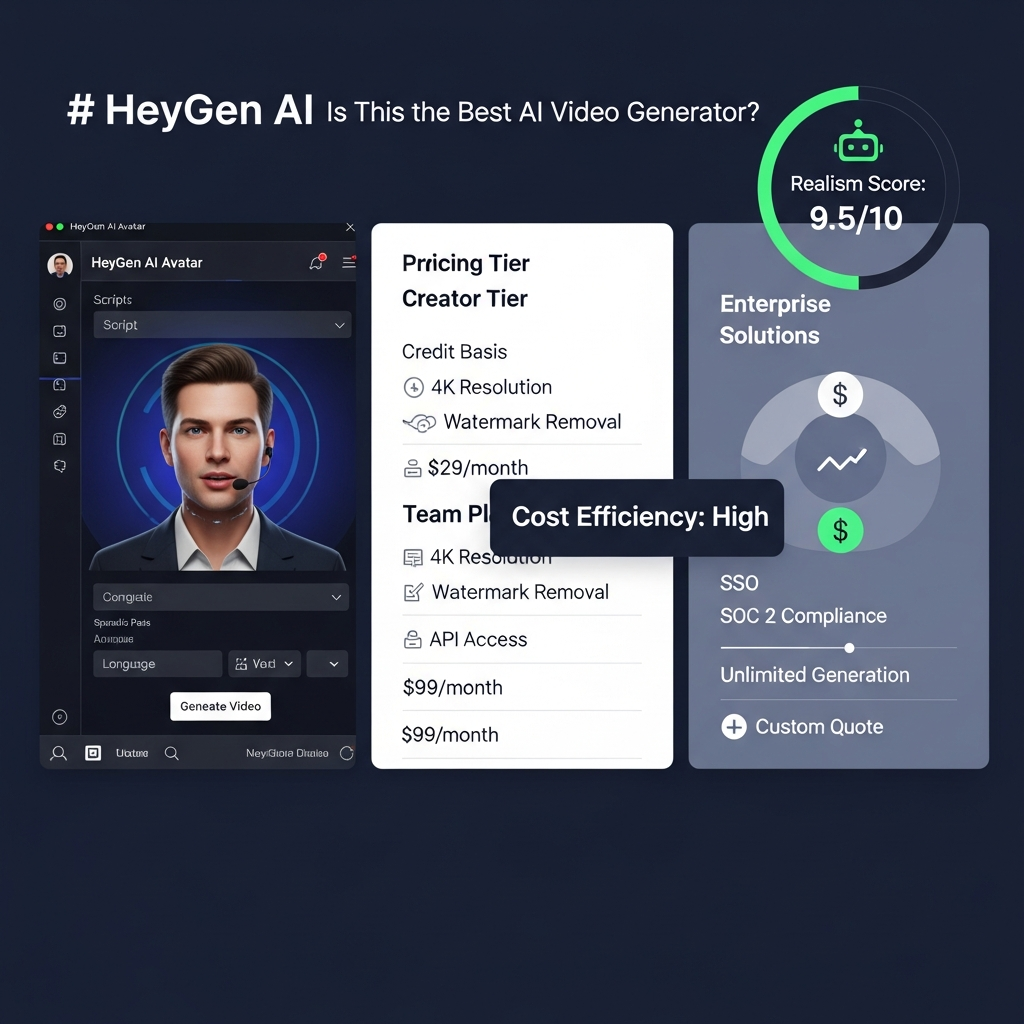
This is one reason the old hero graphic on the existing article should be replaced: it visually associates 4K with Creator, which no longer matches current official pricing.
For most social, training, and web use cases, 1080p is sufficient. Teams producing high-resolution brand assets, large-screen presentations, or footage that will be cropped in post may prefer Pro.
API and Integrations
HeyGen offers API access through a separate pay-as-you-go model rather than requiring a standard Creator, Pro, or Business subscription.
This is useful for teams that want to automate personalized sales videos, programmatically create training content, or connect HeyGen to workflow tools and internal systems.
HeyGen’s help center also documents integrations and API-based creation for automation platforms. API economics should be evaluated separately from normal subscription credits because the billing model is different.
Official API pricing source: https://help.heygen.com/en/articles/10060327-heygen-api-pricing-explained
HeyGen Pricing in 2026
HeyGen currently offers Free, Creator, Pro, Business, and Enterprise options.
| Plan | Starting price | Included usage | Best for |
|---|---|---|---|
| Free | $0 | Free video quota; up to 1-minute videos | Testing HeyGen |
| Creator | $29/month | 600 credits/month, 1080p export | Solo creators and marketers |
| Pro | Starts at $49/month | Starts at 1,000 credits/month, 4K export | Higher-volume individual use |
| Business | $149/month | 1,500 shared credits/month | Teams and organizations |
| Enterprise | Custom | Customized scale and controls | Large organizations |
HeyGen’s public pricing page currently advertises up to three free videos per month, while its Help Center notes that the free quota can vary from one to three videos depending on region. For a USA-focused review, the public pricing page should be checked again immediately before publishing.
Official pricing: https://www.heygen.com/pricing
Official plan documentation: https://help.heygen.com/en/articles/15125761-heygen-credit-based-pricing-plans-subscriptions-explained
Creator — $29/Month
Creator includes 600 monthly credits, videos up to 30 minutes, 1080p export, watermark removal, voice cloning, and access to more than 175 languages and dialects.
Creator is the logical starting point for an individual who already knows that avatar-led content will be part of a recurring workflow.
The main limitation is credit economics. If you rely heavily on premium models, 600 credits can disappear much faster than the subscription price suggests.
Pro — Starts at $49/Month
Pro starts with 1,000 monthly credits and adds 4K export, more capacity, faster processing, advanced model access, and translation-script editing.
Pro is a better fit when video volume is increasing or when premium output quality matters enough to justify a higher monthly spend.
Business — $149/Month
Business starts at $149 per month and includes 1,500 monthly credits. HeyGen currently lists additional seats at $20 per seat per month.
Business is designed for teams that need shared workflows, collaboration, centralized management, and more production capacity.
For heavy users, Business also provides the ability to purchase additional credits, which makes cost planning more flexible than the fixed Creator allowance.
Enterprise — Custom Pricing
Enterprise is intended for larger organizations that require greater scale, administration, security, provisioning, support, or customized commercial terms.
Do not interpret “Enterprise” as “unlimited.” Exact usage limits, security requirements, support levels, and pricing should be confirmed directly with HeyGen during procurement.
What Do 600 Creator Credits Actually Buy?
This is one of the most useful ways to evaluate HeyGen pricing.
If all 600 Creator credits were spent on only one feature, the theoretical maximum would be approximately:
| Feature | Approximate output from 600 credits |
|---|---|
| Avatar IV Photo Look | 37.5 minutes |
| Avatar IV Video Look | 19.4 minutes |
| Avatar V Video Look | 12.5 minutes |
| Video Translation — Speed | 100 minutes |
| Video Translation — Precision | 60 minutes |
| Video Agent — Standard | 15 minutes |
| Video Agent — Seedance | 5 minutes |
These are simple credit-rate calculations, not guaranteed monthly production limits. Real projects can mix models, generated images, B-roll, translations, re-renders, and other assets. HeyGen displays an estimated credit cost in-product before many generations, and that estimate should guide the final budget.
This is also why two users paying the same $29 Creator subscription can experience very different value. A user producing basic avatar clips may generate far more finished video than a user relying on Avatar V and Video Agent for every project.
HeyGen Pros and Cons
Pros
Strong focus on realistic avatar-led video.
Custom Digital Twins for repeatable presenter content.
Video translation with lip-sync.
175+ languages and dialects on paid plans.
1,000+ AI voices listed on current pricing.
Free plan for testing the workflow.
4K export available on Pro.
Useful for marketing, sales, training, and localization.
API access available through a separate pay-as-you-go model.
Credit documentation makes advanced-model usage easier to estimate than a vague “unlimited” claim.
Cons
Premium generation can consume credits quickly.
Creator does not include 4K export.
The true monthly cost depends heavily on which avatar model and workflow you use.
Video Agent can be credit-intensive.
HeyGen is not primarily a cinematic text-to-video platform.
Generated avatar content still requires human review for factual accuracy, pronunciation, brand tone, and natural delivery.
High-volume teams need to model credit cost rather than compare plans only by subscription price.
Best HeyGen Use Cases
Marketing and Product Videos
HeyGen is a strong fit for product explainers, feature announcements, landing-page videos, social ads, onboarding content, and recurring presenter-led campaigns.
The main advantage is repeatability. Once a team has an approved avatar, voice, brand kit, and workflow, script updates can be turned into new versions without organizing another filming day.
Multilingual Localization
Localization is one of the clearest reasons to choose HeyGen.
A company with existing English video can translate and lip-sync the same content for multiple markets. This is more scalable than separately recording a presenter in every language, especially when scripts change frequently.
Sales Outreach
Sales teams can use custom avatars and automation to create personalized prospecting or account-based videos.
For this use case, the important buying criteria are not cinematic quality. They are speed, personalization, API/integration options, brand consistency, and per-video economics.
Training and Learning Content
Presenter-led training is another strong HeyGen use case because policies, onboarding material, product information, and compliance content frequently need updates.
A script-driven workflow allows teams to revise information without rebuilding an entire production from the beginning.
Creator and Educational Content
Creators and educators who need a consistent on-screen presenter can use HeyGen without filming every lesson or update.
However, creators whose personal on-camera presence is central to audience trust should use avatars selectively rather than automatically replacing human delivery.
HeyGen vs Other AI Video Generators
HeyGen should not be compared with every AI video tool as if they solve the same problem.
| Tool | Strongest fit | Choose it when… |
|---|---|---|
| HeyGen | AI avatars and multilingual presenter video | You need talking-head, sales, training, marketing, or localization workflows |
| Synthesia | Structured enterprise communication and training | You prioritize corporate learning and enterprise-oriented workflows |
| Runway | Cinematic generative video and creative production | You need scene generation, visual experimentation, and filmmaking control |
| D-ID | Talking-image and avatar workflows | You want a different avatar/animation approach and are comparing presenter platforms |
For a full category-level comparison, read our best AI video generator comparison.
For a direct HeyGen-focused comparison, use our HeyGen vs other AI video tools guide.
HeyGen vs Synthesia
Both HeyGen and Synthesia are built around AI presenters and business video.
HeyGen is especially compelling for marketers and teams prioritizing flexible avatars, video translation, voice cloning, and localization. Synthesia is a logical alternative for organizations that place greater emphasis on structured enterprise training and corporate communication.
See our Synthesia AI video generator review before deciding.
HeyGen vs Runway
HeyGen and Runway solve different production problems.
Choose HeyGen when the final video needs a presenter, avatar, multilingual localization, sales message, training module, or product explanation.
Choose Runway when the goal is cinematic visual generation, creative scenes, motion control, visual effects, or generative filmmaking.
Read our Runway AI video generation review for a deeper comparison.
Who Should Use HeyGen?
HeyGen is a good fit if you:
Publish presenter-led video regularly.
Need to localize the same message into multiple languages.
Want a reusable Digital Twin or branded AI presenter.
Produce training, sales, onboarding, or product videos.
Need to update scripts without reshooting a human presenter.
Can estimate monthly credit use before choosing a plan.
HeyGen is a weaker fit if you:
Primarily want cinematic text-to-video generation.
Need a full professional nonlinear video editor.
Produce only a few videos per year and do not need localization.
Require highly natural unscripted human emotion for every video.
Do not want to manage a credit-based production budget.
If you are still comparing paid platforms, our guide to AI video tools that are actually worth paying for can help narrow the shortlist.
Is HeyGen Worth It in 2026?
Yes—for the right workflow.
HeyGen is worth considering when avatar-led communication, localization, or repeated presenter video replaces a real production bottleneck. The $29 Creator plan is accessible enough for solo users, while Pro adds 4K and additional capacity for users who need more demanding output.
The main buying mistake is assuming that the subscription price equals the full cost of production. It does not. Advanced models consume credits at very different rates, so a team should estimate the number of finished minutes it expects to produce with Avatar IV, Avatar V, translation, and Video Agent before committing to a plan.
Start with the free tier. Test your actual script, voice, language, and avatar requirements. If the output is good enough to publish and the projected credit cost works for your monthly volume, HeyGen becomes a strong business case.
HeyGen Review FAQ
Is HeyGen a good AI video generator?
Yes. HeyGen is particularly strong for avatar-led videos, multilingual localization, marketing, sales outreach, training, and presenter-style content. It is less suitable for cinematic text-to-video generation, where creative filmmaking platforms such as Runway provide a more specialized workflow.
How much does HeyGen cost in 2026?
HeyGen has a free plan. Creator costs $29/month with 600 credits, Pro starts at $49/month with 1,000 credits, and Business starts at $149/month with 1,500 credits. Enterprise uses custom pricing. Pricing and quotas can change, so verify the official pricing page before subscribing.
Does HeyGen have a free plan?
Yes. HeyGen offers a free plan for testing its core video workflow. Its public pricing currently advertises up to three videos per month, while Help Center documentation notes that the exact free quota may vary by region.
How many languages does HeyGen support?
Paid HeyGen plans currently advertise support for more than 175 languages and dialects. The platform can also translate existing videos, generate localized speech, and lip-sync translated audio to the speaker.
How do HeyGen credits work?
Paid plans include a monthly credit balance used across supported generation features. Different models consume credits at different rates. Avatar V, Video Agent, video translation, and generated assets can therefore produce very different amounts of finished content from the same monthly plan.
Is HeyGen better than Synthesia or Runway?
It depends on the job. HeyGen is a strong choice for avatars and multilingual business video. Synthesia is a strong alternative for structured enterprise training, while Runway is better suited to cinematic generative video and creative scene production.
Final Verdict
HeyGen is one of the best AI avatar video platforms in 2026 for teams that need scalable presenter-led content without repeatedly filming a human speaker.
Its strongest combination is Digital Twins + multilingual video translation + voice cloning + automated generation. That makes it particularly useful for marketing, sales, training, localization, and recurring business communication.
Its biggest limitation is not output capability—it is cost predictability. Creator, Pro, and Business all use credits, and premium models can consume those credits quickly. Buyers should model production based on the features they will actually use rather than choosing a plan only from the monthly subscription price.
Best next step: test the free plan with a real project. If HeyGen produces publishable output for your actual script, avatar, and language requirements, compare Creator, Pro, and Business based on expected monthly credit consumption.