

Quick Answer: Albato is a no-code automation and integration platform that connects more than 1,000 apps and now combines traditional workflow automation with Albato AI, Copilot and AI Agents. It is a strong fit for individuals and small teams that want flexible app automation without starting with an enterprise-priced platform. Its main limitations are a smaller ecosystem than the largest automation platforms, transaction-based usage costs and a team plan that is still marked as coming soon.
Albato has changed considerably in 2026.
It is no longer accurate to describe it simply as a low-cost connector for a few hundred apps. The platform now combines no-code automations, custom API integrations, AI-assisted workflow creation and agentic automation across more than 1,000 apps.
This Albato AI review examines its current pricing model, AI features, integrations, security, limitations and ideal use cases so you can decide whether it belongs in your automation stack.
Last Updated: September 3, 2026
For CompareBestAI's product-level scoring and feature summary, see the Albato AI tool profile.
Internal URL: https://comparebestai.com/tools/albato-ai
Albato AI Review: Our Verdict
Albato is worth considering if you need affordable cross-app automation, AI-assisted workflows or custom integrations without building everything from API code yourself.
Its biggest strengths in 2026 are:
- 1,000+ supported apps;
- a usable permanent Free plan;
- unlimited apps and connections even on Free;
- natural-language automation creation through Copilot;
- AI Agents that can choose actions dynamically;
- custom apps through App Integrator;
- webhooks and API connectivity;
- SOC 2 Type 2 certification and GDPR-oriented security controls.
Its biggest limitations are its transaction-based usage model, a Teams tier that has not fully launched yet, and an ecosystem that still may not cover every niche workflow natively.
Albato is therefore strongest for individual operators, small businesses, agencies, automation consultants and teams that need practical integration coverage without jumping immediately to enterprise automation pricing.
Albato at a Glance
| Category | Albato |
|---|---|
| Main purpose | Workflow automation and app integration |
| No-code automation | Yes |
| Supported apps | 1,000+ |
| Free plan | Yes |
| Free transactions | 100 |
| Active automations on Free | 5 |
| Steps on Free | 2 per automation |
| Albato AI | Yes on paid plans |
| Copilot | Yes |
| AI Agents | Yes |
| Custom app builder | Yes |
| Webhooks/API | Yes on supported paid workflows |
| SOC 2 Type 2 | Yes |
| GDPR | Supported/compliant according to Albato |
| Best for | SMB automation, agencies, cross-app workflows, AI-assisted automation |
Albato's current documentation states that it supports more than 1,000 apps. Its pricing page also confirms the permanent Free plan and the current transaction-based structure.
What Is Albato?
Albato is an integration and workflow-automation platform that connects cloud applications and moves data between them based on triggers, actions, conditions and automation logic.
A basic workflow might look like this:
New lead submitted → create contact in CRM → add row to Google Sheets → send Slack notification
More advanced workflows can include filters, webhooks, branching logic, custom API integrations and AI-driven decision steps.
Albato defines an automation as an integration scenario containing a trigger and one or more actions. Each successful action after the trigger can count toward transaction usage.
What's New About Albato AI in 2026?
The “AI” part of Albato is now more meaningful than simply connecting OpenAI to another app.
Albato currently offers several AI layers.
Albato AI
Albato AI provides built-in AI functionality that users can incorporate into automations without necessarily maintaining separate accounts across every AI provider.
Albato describes its AI product as combining APIs from AI platforms and making them available inside automated workflows.
Albato Copilot
Copilot is a chat-style assistant inside Albato.
Instead of manually constructing every workflow step, users can describe what they want to automate in natural language. Copilot can then help create, configure and launch the automation.
This reduces one of the main friction points in no-code automation: understanding how to translate a business process into triggers, actions and field mappings.
AI Agents
AI Agent is more sophisticated.
A traditional automation step always performs a predefined action.
An Albato AI Agent can instead analyze incoming information and decide which connected action is appropriate.
According to Albato's current documentation, an agent contains four major elements:
Model → Instructions → Tools → Optional Memory
The model handles reasoning. Instructions define the job. Tools are actions in connected applications. Memory can preserve context across runs when enabled.
Albato currently documents support for:
- Albato AI;
- OpenAI;
- DeepSeek;
- Google Gemini
as AI Agent model options.
The company also says approximately 5,000 connected-app actions are available for agents to use as tools.
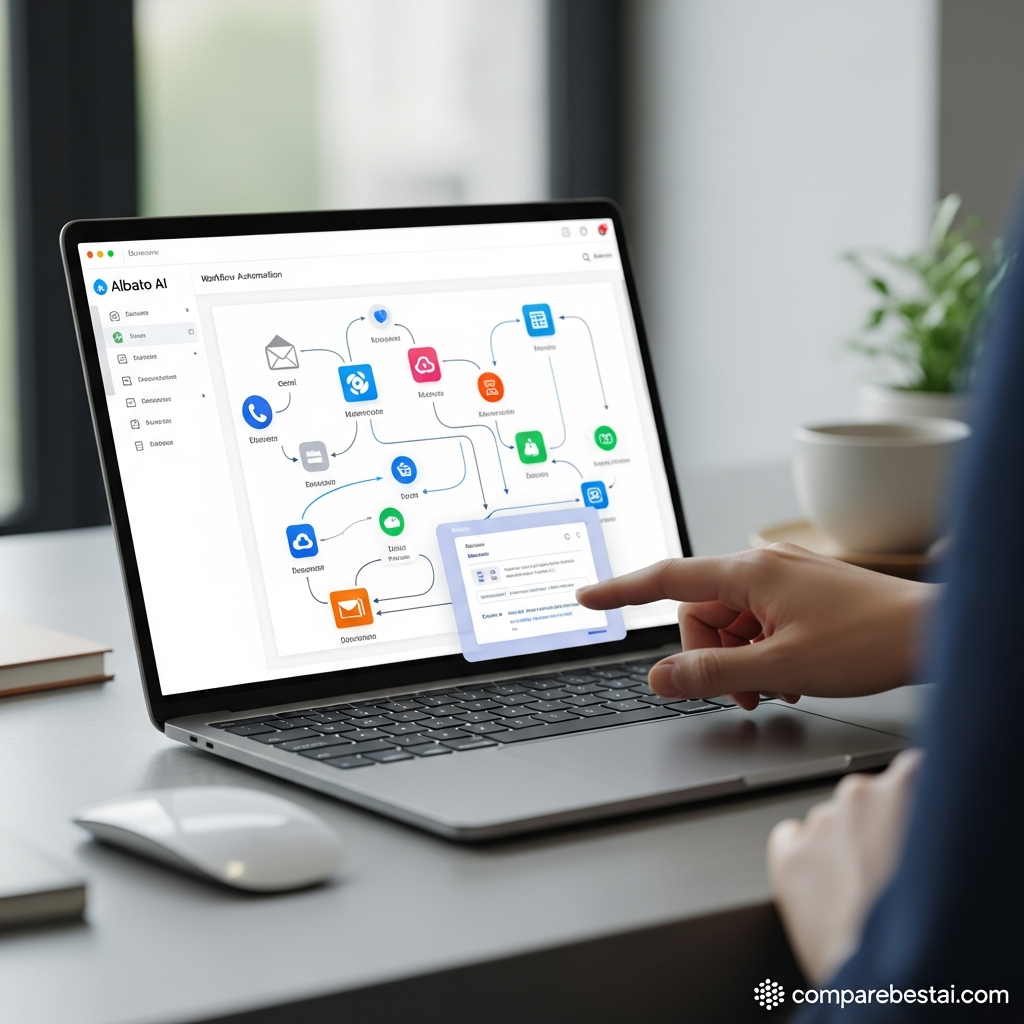
How Albato AI Agents Work in Practice
Imagine a lead arrives in HubSpot.
A conventional automation might require several manually configured branches:
If job title contains CEO → do X
If demo requested → do Y
Otherwise → do Z
With AI Agent, the workflow can pass the lead's information into an AI step and instruct it to decide what should happen.
The agent can then choose among approved connected actions.
Albato gives an example where an agent can analyze HubSpot contact data, notify Slack when a demo is requested or add senior decision-makers to Google Sheets.
This is useful because the decision logic becomes more flexible than a fixed chain of simple if/then rules.
However, AI agents should still be deployed with guardrails, especially when they can modify CRM data, send messages or trigger customer-facing actions.
Albato Integrations
Albato currently documents more than 1,000 apps.
Popular categories include:
- CRM;
- email marketing;
- spreadsheets;
- messaging;
- e-commerce;
- social media;
- databases;
- project management;
- analytics;
- AI platforms.
Albato's own examples include services such as Google Sheets, Telegram, OpenAI, Shopify and numerous sales and marketing systems.
What If Albato Doesn't Support Your App?
This is where App Integrator becomes important.
Albato's App Integrator allows users to create an integration for a service that exposes a public API.
You can configure authorization, triggers, actions, API requests and response handling inside Albato rather than waiting for every niche service to receive a native connector.
This can make Albato useful even when its native integration catalog does not contain the exact application you need.
Albato Pricing in 2026
Albato changed its pricing structure on February 9, 2026.
The platform now separates:
Plan = how you work
from
Transaction package = how much you use
This means increasing transaction volume does not necessarily require switching to a completely different feature tier.
Albato Free Plan
The current Free plan includes:
- $0 subscription cost;
- 100 transactions;
- 5 active automations;
- 2 steps per automation;
- unlimited apps and connections;
- 7-day log storage;
- 15-minute automation update interval.
This is a meaningful improvement over older information that described Albato as having no free version.
Albato Pro
At the current 1,000-transaction selection, Albato displays:
$22/month with monthly billing
or
$15/month equivalent with annual billing
Pro includes:
- unlimited active automations;
- unlimited steps;
- Albato AI;
- AI Agents;
- data migration;
- auto replay;
- parallel scenario execution;
- 30-day logs;
- 5-minute automation update interval.
Because Albato now separates plans from transaction packages, you should compare the price at the transaction volume your workflows actually need instead of treating one headline price as the full monthly cost.
For a broader framework on credit and usage-based pricing, read CompareBestAI's AI Tool Pricing Comparison:
https://comparebestai.com/articles/ai-tool-pricing-comparison
Albato Teams
Albato's current pricing page lists Teams as Coming soon.
At the displayed configuration, pricing is shown from $93/month monthly or $65/month equivalent with annual billing, beginning at 5,000 transactions.
Features shown include:
- 5 team seats;
- invitations and roles;
- shared workspaces/projects;
- priority support;
- 3-minute automation updates.
Because Albato still labels this plan “Coming soon,” organizations should confirm current availability directly before buying around team-specific functionality.
Albato Custom
The Custom plan is positioned for businesses with more advanced requirements.
Albato lists:
- flexible transactions;
- dedicated customer success;
- custom solutions and integrations;
- SLA support;
- longer log storage;
- faster automation updates.
Pricing is custom.
One Pricing Detail You Should Know
Albato's official pricing page currently contains conflicting trial references.
The Pro card references a 7-day trial, while the FAQ on the same pricing page refers to a 14-day trial.
Because those statements conflict, verify the exact trial duration during signup instead of relying on an old review.
For a general trial-testing checklist, see CompareBestAI's guide:
https://comparebestai.com/articles/ai-tool-free-trials
What Counts as an Albato Transaction?
This is important because transactions determine ongoing cost.
Albato defines a transaction as a successfully executed automation step after the trigger.
For example:
Trigger: new lead received
Action 1: create CRM contact
Action 2: add row to spreadsheet
Action 3: send Slack alert
The trigger itself does not consume a transaction, while each successfully executed downstream action can.
That means complicated multi-step automations may consume usage faster than the number of “workflow runs” suggests.
This is why you should calculate cost based on actions executed per month, not merely the number of automations you create.
Albato Security and Privacy
Albato documents several meaningful security controls.
Encryption
Albato states that:
- data at rest uses 256-bit AES encryption;
- data in transit uses TLS 1.2 and TLS 1.3 with AES 256.
SOC 2 Type 2
Albato states that it has achieved SOC 2 Type 2 certification and undergoes ongoing audits.
GDPR
Albato also states that its operations follow GDPR requirements and provides a Data Processing Agreement.
For businesses handling customer records, credentials or CRM data, these controls matter more than simply comparing app counts.
Albato Pros
Strong Free Entry Point
The Free plan lets users test real cross-app automation without paying immediately.
1,000+ Integrations
The current app library is considerably larger than the 800+ figure still shown on some older CompareBestAI content.
Flexible Custom Integration
App Integrator can connect services with public APIs even when a native integration is unavailable.
Useful AI Layer
Copilot lowers setup friction while AI Agents add decision-making capability inside workflows.
Transparent Transaction Logic
Albato explains what transactions are and now lets users choose plan features separately from usage packages.
Solid Security Positioning
SOC 2 Type 2, GDPR support and documented encryption standards make Albato viable for more serious business workflows than a simple hobby automation tool.
Albato Cons
Transaction Costs Require Planning
A workflow with many actions can consume transactions faster than expected.
Team Plan Is Still Transitional
Albato's pricing page currently labels Teams as coming soon, making it less straightforward for organizations that need mature collaboration immediately.
AI Doesn't Eliminate Workflow Design
Copilot and AI Agents reduce manual work, but users still need to think carefully about data mapping, permissions, guardrails and failure handling.
Niche Apps May Require Custom Setup
The 1,000+ integration catalog is broad, but some specialized systems may still require App Integrator or API/webhook work.
Pricing Has Recently Changed
The February 2026 pricing redesign means older Albato reviews and screenshots can become misleading quickly.

Who Should Use Albato?
Albato is a particularly good fit for:
Small Businesses
Companies that need to connect CRM, forms, spreadsheets, email, e-commerce and messaging tools without hiring developers for every workflow.
Marketing and Sales Teams
Albato can automate lead routing, CRM updates, notifications, data enrichment and campaign operations.
Agencies
Agencies managing repetitive client workflows may benefit from reusable automations, webhooks, API integrations and future team features.
Automation Consultants
App Integrator and API connectivity provide additional flexibility when the required workflow goes beyond native connectors.
AI Workflow Builders
Copilot and AI Agents make Albato relevant for users who want AI to do more than generate text—especially when the model needs to take actions across connected apps.
Who Should Consider an Alternative?
Albato may not be the best choice if:
- every required niche app must already have a mature native connector;
- your organization requires a fully established collaborative workspace today;
- you need extremely advanced visual orchestration for every workflow;
- your team already has a large automation estate deeply embedded in another platform;
- transaction economics become less attractive at your actual usage level.
Before switching platforms, test the same real workflow on two or three tools rather than comparing feature lists alone.
For a practical selection framework, see:
https://comparebestai.com/articles/how-to-choose-an-ai-tool
Albato vs Zapier vs Make: How Should You Think About It?
Albato does not need to beat Zapier or Make at every metric to be worthwhile.
The better question is whether it handles your required integrations and monthly transaction volume at an acceptable cost and complexity.
Choose Albato when its supported apps, App Integrator and pricing structure fit your workflow.
Choose a broader alternative when native connector coverage or workflow complexity matters more than Albato's pricing and simplicity.
CompareBestAI also has a dedicated automation comparison:
https://comparebestai.com/articles/make-vs-zapier-which-automation-tool-wins
Is Albato Worth It in 2026?
Yes, Albato is worth testing in 2026 for businesses and automation users who want affordable no-code integrations plus increasingly capable AI automation.
The strongest reason to consider Albato is no longer simply price.
Its combination of:
1,000+ apps + App Integrator + Copilot + AI Agents + Free plan
creates a credible automation environment for users who want to connect business software without building every integration themselves.
The primary consideration is transaction economics.
Build one representative workflow, estimate how many downstream actions it will execute each month, then calculate the required transaction package before upgrading.
If the numbers work and Albato supports your core apps, it can be a strong fit.
Recommended CTA: Explore Albato's Current Plans & Integrations →
Avoid misleading anchor text such as “Click here” or “Get Albato now” when the destination is your internal product profile.
For an internal CompareBestAI destination, use:
See Albato Pricing, Features & CompareBestAI Score →
Destination:
https://comparebestai.com/tools/albato-ai
Frequently Asked Questions About Albato
Is Albato free?
Yes. Albato currently offers a Free plan with 100 transactions, 5 active automations, 2 steps per automation, unlimited apps and connections and 7-day log storage.
How many apps does Albato support?
Albato's current help documentation says the platform supports more than 1,000 apps.
What is Albato AI?
Albato AI provides built-in AI functionality for automation workflows. Albato also offers Copilot for natural-language workflow creation and AI Agents that can make decisions and choose connected-app actions.
Does Albato have AI Agents?
Yes. Albato AI Agents can analyze incoming information, choose actions from connected services and optionally retain memory between runs. Current documented model options include Albato AI, OpenAI, DeepSeek and Google Gemini.
Is Albato secure?
Albato states that it uses AES-256 encryption for data at rest, TLS 1.2/1.3 for data in transit, follows GDPR requirements and maintains SOC 2 Type 2 certification.
How does Albato charge for automation usage?
Albato uses transactions. A transaction is generally a successfully executed automation action after the trigger. Plans and transaction packages have been separated under Albato's 2026 pricing model.
Is Albato better than Zapier or Make?
Albato can be a better fit when affordability, its supported integrations and custom App Integrator meet your needs. Zapier or Make may be preferable when a specific native integration or workflow capability is essential. Test your real workflow before choosing.

