
By CompareBestAI Editorial Team
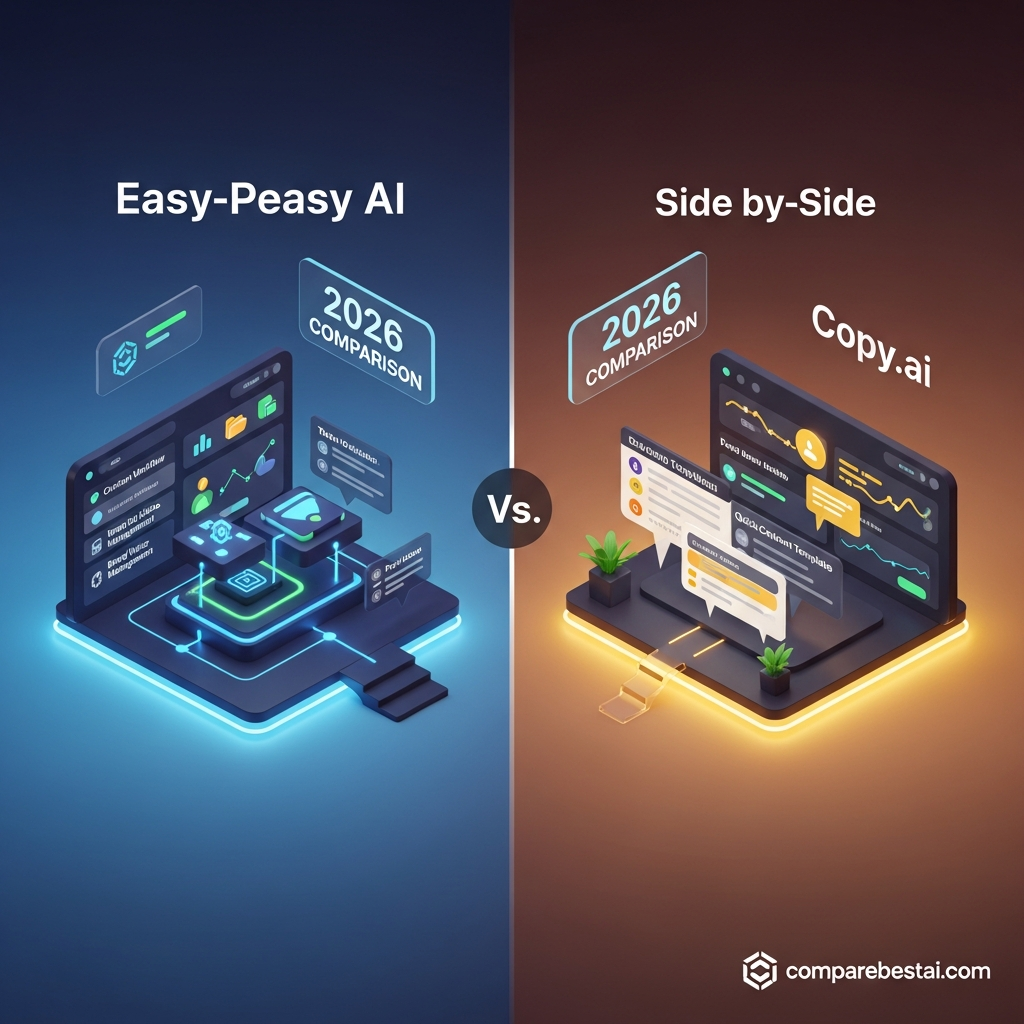
Easy-Peasy AI vs Copy.ai comes down to the kind of AI work you need to perform. Easy-Peasy AI combines AI writing, image generation, video creation, audio tools, and custom agents in one platform. Copy.ai focuses on AI-assisted go-to-market operations, including sales, marketing, and workflow automation. This 2026 comparison examines their features, pricing, usage limits, and team capabilities so you can evaluate which platform fits your workflow.
Quick Answer: How Do Easy-Peasy AI and Copy.ai Differ?
Easy-Peasy AI is positioned as a multi-purpose AI content creation platform, while Copy.ai focuses on business-oriented AI chat and GTM workflows.
Easy-Peasy AI offers a free plan and paid subscriptions starting at $8 per month when billed annually. Copy.ai currently lists its Chat plan at $24 per month annually, with its workflow-focused Growth tier advertised separately at $1,000 per month. These plans serve different requirements and should not be treated as equivalent products.
For creators who frequently combine written content with images, videos, and voiceovers, Easy-Peasy AI provides multiple production tools within one environment. For organizations evaluating structured sales and marketing automation, Copy.ai offers a GTM-focused platform with workflow credits and larger team plans.
The decision should account for output quality, subscription allowances, integrations, collaboration requirements, and the processes you actually need to automate.
Easy-Peasy AI vs Copy.ai: Side-by-Side Comparison
Feature | Easy-Peasy AI | Copy.ai |
|---|---|---|
Primary positioning | Multi-purpose generative AI creation | AI chat and GTM automation |
AI writing | Yes | Yes |
Multiple AI models | Yes, through its AI agent environment | Yes, with model access listed for Chat |
AI image generation | Dedicated generation tools | Not the principal focus of its advertised plans |
AI video generation | Dedicated generation tools | Not the principal focus of its advertised plans |
Text-to-speech | Yes | Not a core advertised Chat-plan feature |
Automation | Custom agents and workflows | GTM workflows and workflow credits |
Brand voice | Plan-dependent allowances | Brand voice and company knowledge features |
Free plan | Published free tier | No free tier displayed on the current main pricing page |
Entry paid pricing | $8/month, billed annually | $24/month, billed annually |
Higher-tier pricing | $12 and $16.50/month, billed annually | Growth, Expansion, Scale, and Enterprise options |
Primary evaluation criteria | Creative tools, model allowances, and media credits | Workflow credits, seats, integrations, and implementation |
Source: official product and pricing information, checked September 23, 2026. Feature availability varies by subscription and may change.
The comparison reveals an important distinction: a lower entry price does not necessarily indicate lower costs for the same workload. A user purchasing access to image generation has different requirements from a company purchasing automated lead research or sales-process execution.
To explore each product independently, read the Easy-Peasy AI review and the Copy.ai tool profile .
What Is Easy-Peasy AI?
Easy-Peasy AI is a cloud-based generative AI platform for creating written, visual, and audio content and running AI-assisted tasks.
Its product offering includes writing templates, a multi-model agent environment, AI image and video generation, talking avatars, transcription, text-to-speech, and custom agents.
The platform's breadth makes it relevant to creators and small businesses that regularly work with more than one content format.
For example, a marketer could use the platform to draft promotional copy, generate campaign visuals, and prepare a voiceover script.
An educator might use it to prepare lesson materials, create supporting images, and convert written explanations into audio.
Easy-Peasy AI's Main Capabilities
The platform's advertised capabilities include AI writing, image editing, video generation, text-to-speech, transcription, music generation, and agent-supported tasks.
Its pricing also distinguishes standard-model access from premium-model word allowances and image/video credits. This distinction is important when comparing plans for high-volume work.
For a more detailed examination of its individual functions and limitations, see the Easy-Peasy AI tool overview .
What Is Copy.ai?
Copy.ai is an AI platform designed around go-to-market activities.
Its current product positioning includes AI chat, workflow automation, sales processes, marketing content production, and operational use cases.
Rather than serving exclusively as a copywriting tool, Copy.ai offers an environment for organizations to standardize and automate repeatable business processes.
The platform describes workflows as sequences of AI-powered actions that can combine research, content creation, and integrations.
Possible applications include account research, personalized sales outreach, marketing content production, and other structured GTM activities.
Copy.ai's Main Capabilities
Copy.ai advertises AI chat, access to models from major AI providers, workflows, brand voice, company knowledge management, and enterprise integration capabilities.
Its published higher tiers include substantial seat allocations and monthly workflow credits.
However, the presence of those features on a vendor website does not mean they are available in every subscription.
Buyers should examine the exact plan before assuming they have access to workflow automation, API usage, advanced integrations, or implementation support.
Easy-Peasy AI vs Copy.ai Pricing Comparison (2026)
Pricing is one of the most important differences, but comparing headline subscription costs alone can be misleading.
Easy-Peasy AI's plans are structured around access to creative tools, text allowances, and media credits.
Copy.ai separates an entry AI chat subscription from higher-priced plans intended for business automation.
Easy-Peasy AI Pricing
The official Easy-Peasy AI pricing page currently advertises four tiers:
Plan | Monthly equivalent, billed annually | Selected allowances |
|---|---|---|
Free | $0 | 1,000 words, 1 image credit, 1 transcription, and 1,000 TTS characters |
Starter | $8 | 200 image/video credits, 20 transcriptions, and 25,000 TTS characters |
Unlimited 50 | $12 | 300 image/video credits, 30 transcriptions, and 50,000 TTS characters |
Unlimited | $16.50 | 500 image/video credits, unlimited transcription, and 75,000 TTS characters |
All prices are USD. These are the advertised monthly equivalents for annual billing; monthly payment rates may differ.
Starter includes published premium-model word allowances, while Unlimited 50 and Unlimited provide higher allowances and advertise unlimited standard-model use.
Unlimited standard-model access does not mean unlimited use of all premium models.
Likewise, the paid plans' media credits are separate usage constraints. Users generating many images or videos should estimate credit consumption before choosing a subscription.
The Unlimited tier also lists API access and priority support.
If you primarily need a low-cost collection of content-generation tools, examine the available features and limits rather than purchasing solely because a plan includes the word “Unlimited.”
For a complete breakdown, read our Easy-Peasy AI pricing guide .
Copy.ai Pricing
Copy.ai's official pricing page lists a different subscription structure.
Plan | Advertised price | Selected allowances |
|---|---|---|
Chat | $29/month, or $24/month billed annually | 5 seats, unlimited Chat words and projects |
Growth | $1,000/month, billed annually | 75 seats and 20,000 workflow credits/month |
Expansion | $2,000/month, billed annually | 150 seats and 45,000 workflow credits/month |
Scale | $3,000/month, billed annually | 200 seats and 75,000 workflow credits/month |
Enterprise | Custom pricing | Implementation, advanced integrations, workflows, and enterprise support |
Prices are the vendor's published rates. Confirm current terms, workflow permissions, and annual commitments before purchasing.
The Chat subscription includes access to models from OpenAI, Anthropic, and Google, along with unlimited Chat words and projects.
The higher-priced tiers introduce specified workflow-credit allocations and larger seat counts.
Copy.ai states that workflow-credit consumption depends on the tasks performed and the computational requirements of a workflow.
Consequently, two workflows may consume different amounts of credit even when they appear to perform similar business functions.
Understanding the Real Cost Difference
Easy-Peasy AI's Starter plan and Copy.ai's Chat plan represent different entry-level offerings.
Comparing them can help readers understand the initial subscription commitment, but it does not establish the cost of performing the same automated business process.
Similarly, comparing Easy-Peasy AI's Unlimited plan with Copy.ai's Growth tier requires more than looking at the advertised monthly price.
A fair comparison should consider the required seats, automation capabilities, integrations, media credits, model usage, and support arrangements.
For an individual creator, evaluate content-production capacity. For a business buying GTM automation, evaluate the total cost of implementing and running the necessary workflows.
AI Writing: Easy-Peasy AI vs Copy.ai
Both platforms can assist with written content, but their broader product strategies differ.
Easy-Peasy AI for Content Creation
Easy-Peasy AI provides writing templates and conversational AI capabilities for common content tasks.
Potential applications include blog drafts, social media captions, email copy, product descriptions, and content repurposing.
Its value proposition becomes particularly relevant when written content needs accompanying images, videos, or narration.
For example, a creator preparing a product launch could draft messaging and generate supporting media without switching between as many separate creation tools.
The trade-off is that generated copy still requires editorial review, especially for factual, medical, financial, or other sensitive subject matter.
Copy.ai for Marketing and GTM Content
Copy.ai supports content creation within a broader sales and marketing context.
The platform's workflow capabilities are intended to help organizations standardize repeatable processes, using information from company resources and supported integrations.
A marketing team might use an approved brand voice and company knowledge to create consistent content across different campaigns.
A sales organization might develop workflows for account research and outreach preparation.
These uses are different from producing an occasional blog introduction or social media caption.
Which Writing Workflow Should You Evaluate?
Consider the nature of your output.
For a creator who also requires visuals and audio, Easy-Peasy AI's broader content toolkit may be relevant.
For an organization that needs to apply brand information across recurring GTM processes, Copy.ai's workflow and knowledge-management capabilities warrant examination.
If your primary requirement is AI-assisted writing rather than either platform's broader functionality, our best AI writing tools comparison provides additional options.
Workflow Automation: How Do the Platforms Differ?
Both platforms advertise automation capabilities. The difference lies in their emphasis, configuration, and commercial structure.
Easy-Peasy AI Custom Agents and Workflows
Easy-Peasy AI includes custom agents and related workflow functionality.
Its agents can support tasks such as responding to questions using supplied information or assisting with structured content production.
However, customers should verify whether the required execution controls, API access, integrations, and permissions are included in their selected tier.
The vendor lists API access on its Unlimited plan, but this should not be interpreted as a guarantee of every third-party integration or enterprise administration feature.
Copy.ai GTM Workflows
Copy.ai's workflows are positioned around repeatable business processes.
The vendor describes workflows that connect research, AI generation, and integrations.
This makes them relevant to teams seeking to codify business procedures rather than simply generate isolated pieces of content.
For example, an organization might want a process that gathers account information, produces a structured summary, and prepares draft outreach materials for review.
The value of a workflow depends on its reliability, integration requirements, approval steps, and ongoing credit consumption.
Questions to Ask Before Choosing an Automation Platform
Rather than relying on a generic “automation available” label, evaluate the following:
Can the platform access the systems required by your workflow?
Does the subscription support the necessary users and execution volume?
Are approvals and manual-review stages available?
How are errors, retries, and failed outputs handled?
What are the costs of running the workflow repeatedly?
Can sensitive business information be handled under your organization's security requirements?
For broader consideration of business-oriented AI platforms, explore our best AI marketing tools guide .
AI Images, Videos, and Audio: A Key Product Difference
Easy-Peasy AI provides dedicated tools for several types of generated media.
Copy.ai's advertised platform emphasizes AI-supported GTM processes rather than serving primarily as a multi-purpose media-production suite.
Image Generation
Easy-Peasy AI allows users to generate and edit images using supported AI models.
This can help creators experiment with social media visuals, campaign concepts, or illustration ideas.
However, commercial users should review generated assets for accuracy, brand consistency, and applicable usage rights.
Video Creation
Easy-Peasy AI also advertises video generation and talking-avatar capabilities.
These features can support short promotional clips, creative experimentation, or illustrative video content.
Output depends on the selected model, prompt, usage allowances, and the complexity of the required scene.
Media-heavy users should consider how many generations and revisions their projects typically require.
Text-to-Speech and Transcription
Easy-Peasy AI includes synthetic speech and audio-transcription capabilities.
These may be useful for preparing narration, transcribing recordings, or repurposing written content.
The relevant subscription limits are measured separately from ordinary text generation.
If audio production is your main requirement, a dedicated speech platform may also deserve consideration.
The distinction: Easy-Peasy AI offers several creative-media workflows directly, while Copy.ai focuses on applying AI to sales, marketing, and operational processes.
Brand Voice, Collaboration, and Team Management
Brand consistency and collaboration matter to businesses producing content across multiple channels.
Both platforms advertise features that support organizational use, but the specific implementation and plan allowances differ.
Brand Voice in Easy-Peasy AI
Easy-Peasy AI's published Starter tier includes three brand voices.
Its Unlimited 50 and Unlimited tiers advertise unlimited brand voices.
This may be relevant for agencies or creators maintaining separate content styles for multiple clients.
However, brand-voice allowances alone do not establish whether a platform supports every approval, permission, or project-management feature a team requires.
Brand Voice in Copy.ai
Copy.ai provides brand-voice and company-knowledge features that can support consistent content generation.
These capabilities are relevant when organizations need AI outputs to reflect approved information and established communication guidelines.
The associated workflow and integration requirements should be evaluated alongside the organization's subscription.
Collaboration and Seat Allocation
Copy.ai publishes specific seat allowances for its paid plans.
Its Chat tier advertises five seats, while Growth and higher tiers list substantially larger allocations.
Easy-Peasy AI's published pricing information focuses more prominently on model allowances, brand voices, bots, and media credits.
A company that requires granular permissions, shared workspaces, multi-user approval flows, or client separation should verify those capabilities directly instead of inferring them from the product's general marketing language.
Ease of Use and Implementation
Ease of use depends on the task and the complexity of the workflow.
A creator generating occasional content has different onboarding needs from a business deploying an automated sales process.
Starting With Easy-Peasy AI
A basic writing or media-generation task can be approached through an existing template or supported creation tool.
More advanced tasks, including custom agents, require additional configuration.
Users should check prompt controls, output-editing features, model availability, and credit consumption during initial evaluation.
Starting With Copy.ai
The Chat plan provides a starting point for conversational AI tasks.
Deploying broader GTM automation introduces additional considerations, such as business-data quality, integration permissions, workflow configuration, and organizational approval processes.
Copy.ai advertises guided implementation as part of its enterprise offering.
Because no standardized hands-on usability test was conducted for this comparison, neither platform is assigned a numerical usability score.
A practical evaluation should use the same representative task and assessment criteria for each product.
Easy-Peasy AI vs Copy.ai: Pros and Cons
Easy-Peasy AI Advantages and Limitations
Advantages | Limitations and considerations |
|---|---|
Combines multiple content-generation formats | Users may not need every included tool |
Offers a free entry tier | Free usage allowances are small |
Advertises comparatively low entry pricing | Annual billing terms affect the advertised rate |
Includes custom agents and brand voices | Automation and API capabilities vary by plan |
Offers image, video, and audio tools | Media-generation credits require budgeting |
Copy.ai Advantages and Limitations
Advantages | Limitations and considerations |
|---|---|
Focuses on GTM processes and workflows | Advanced workflows involve higher subscription costs |
Offers multi-model Chat access | Entry Chat and workflow tiers serve different needs |
Advertises specific team-seat allowances | Seat allocations may exceed the needs of solo users |
Supports company knowledge and brand voice | Configuration depends on organizational requirements |
Offers enterprise integrations and implementation | Enterprise pricing and deployment terms require consultation |
These differences are based on the vendors' advertised products and pricing, not a controlled performance benchmark.
Easy-Peasy AI vs Copy.ai for Different Use Cases
The following scenarios illustrate which capabilities to investigate for common requirements.
For Freelancers and Individual Creators
A freelancer producing blog content, visuals, and occasional voiceovers may value having several creation tools within one subscription.
Easy-Peasy AI provides relevant capabilities for that type of workflow.
However, freelancers should evaluate the quality of the specific tools they use regularly and the time required to edit generated content.
For Small Marketing Teams
A small team may need both content creation and repeatable business processes.
Easy-Peasy AI's creative tools may serve its content-production requirements, while Copy.ai's chat and workflow capabilities may be relevant to structured GTM tasks.
The deciding factors include required integrations, user access, expected production volume, and the type of output.
For Agencies Managing Multiple Clients
Agencies should examine brand separation, shared access, client-specific information, and approval requirements.
Easy-Peasy AI advertises multiple brand voices, while Copy.ai offers features designed to support organizational knowledge and GTM workflows.
Do not assume either subscription supports a particular client-management process without checking its plan documentation.
For Sales and GTM Operations
Sales and marketing operations teams often need consistent processes, standardized information, and connections to other business systems.
Copy.ai's advertised GTM workflows are directly relevant to these requirements.
Evaluation should include the cost of workflow credits, integration capabilities, and implementation effort.
For Image, Video, and Audio Creation
Easy-Peasy AI's dedicated media-generation features provide a more directly comparable starting point for this requirement.
A user whose main goal is voiceover production or advanced visual editing should also compare specialized software.
Other Alternatives to Easy-Peasy AI and Copy.ai
If neither product's functionality aligns with your requirements, consider platforms with different specializations.
Jasper
Jasper is relevant to organizations evaluating AI-assisted marketing content and brand-oriented workflows.
It can be compared with Easy-Peasy AI on writing functions, brand features, organizational needs, and subscription terms.
Read our Easy-Peasy AI vs Jasper comparison for more information.
Writesonic
Writesonic is another alternative for users researching AI-assisted writing and marketing content.
Its platform should be evaluated based on the specific content and search-related capabilities needed.
For a direct comparison, see Easy-Peasy AI vs Writesonic .
A Broader Three-Way Comparison
If your shortlist includes Copy.ai, Jasper, and Writesonic, the Jasper vs Copy.ai vs Writesonic comparison provides additional context.
When evaluating any AI writing platform, prioritize factual accuracy, editing requirements, search intent, and originality.
Our guide to AI writing for SEO explains why publishing quality depends on more than the text-generation model alone.
How to Choose Between Easy-Peasy AI and Copy.ai
Before purchasing either product, define the workflow you intend to support.
A structured evaluation can prevent you from buying a broad toolkit when only one specialized capability is needed.
Step 1: Identify the Primary Task
List the content or operational tasks you need to complete.
Separate creative production from business-process automation.
For example, generating product images is not the same requirement as building a multi-step lead-research workflow.
Step 2: Define Your Monthly Usage
Estimate the number of text generations, images, videos, audio tasks, or workflow runs needed.
Compare these requirements with the applicable plan allowances.
Step 3: Determine Collaboration Requirements
Identify the number of users, brand profiles, approval stages, and integrations needed.
If multiple departments or clients are involved, document their access requirements.
Step 4: Compare Comparable Capabilities
Avoid comparing two entry prices without considering what the subscriptions include.
For example, Easy-Peasy AI's Starter plan and Copy.ai's Growth tier are designed around substantially different use cases.
Step 5: Evaluate One Real Workflow
Use a representative task to assess accuracy, output quality, control, and editing requirements.
Document the time required to complete the task and the resources consumed.
Step 6: Review Billing and Support Terms
Check annual commitments, cancellation rules, support access, and any applicable usage restrictions.
Only commit to a higher tier after confirming that its capabilities align with your workflow.
Frequently Asked Questions
1. What is the main difference between Easy-Peasy AI and Copy.ai?
Easy-Peasy AI combines AI writing, image generation, video creation, audio tools, and custom agents. Copy.ai focuses on AI chat and go-to-market workflows for sales, marketing, and operations. The distinction is their primary product focus rather than the presence or absence of AI writing capabilities.
2. Is Easy-Peasy AI cheaper than Copy.ai?
Easy-Peasy AI advertises Starter at $8/month when billed annually. Copy.ai lists Chat at $24/month annually. However, the plans provide different capabilities, so comparing entry prices alone does not establish which subscription costs less for a specific workflow.
3. Does Copy.ai support workflow automation?
Yes. Copy.ai advertises customizable GTM workflows. Its published Growth, Expansion, and Scale plans include monthly workflow-credit allowances. Workflow availability, execution costs, integrations, and implementation arrangements depend on the subscription.
4. Can Easy-Peasy AI generate images and videos?
Yes. Easy-Peasy AI includes AI image and video-generation features. Paid plans provide specified media-credit allowances. Users should confirm model availability and credit consumption before relying on the platform for high-volume visual production.
5. Is Easy-Peasy AI suitable for business teams?
Easy-Peasy AI provides content creation, brand-voice, custom-agent, and workflow capabilities that may support business use. Teams should verify the required collaboration, integration, security, and administrative features before purchasing a subscription.
6. Does Copy.ai offer a free plan?
Copy.ai's current primary pricing page does not display a free plan. It advertises Chat and higher GTM-focused tiers. Pricing and trial availability can change, so check the official website for the latest options.
Final Verdict: Easy-Peasy AI vs Copy.ai
Easy-Peasy AI and Copy.ai address overlapping AI writing requirements but have different product emphases.
Easy-Peasy AI combines writing, images, video, audio, and agent tools. Its entry-level pricing and media allowances make it relevant to evaluate for workflows involving multiple content formats.
Copy.ai focuses on GTM workflows, organizational processes, and AI-supported sales and marketing activities. Its higher-tier pricing reflects a different combination of seat allocations, workflow credits, and enterprise capabilities.