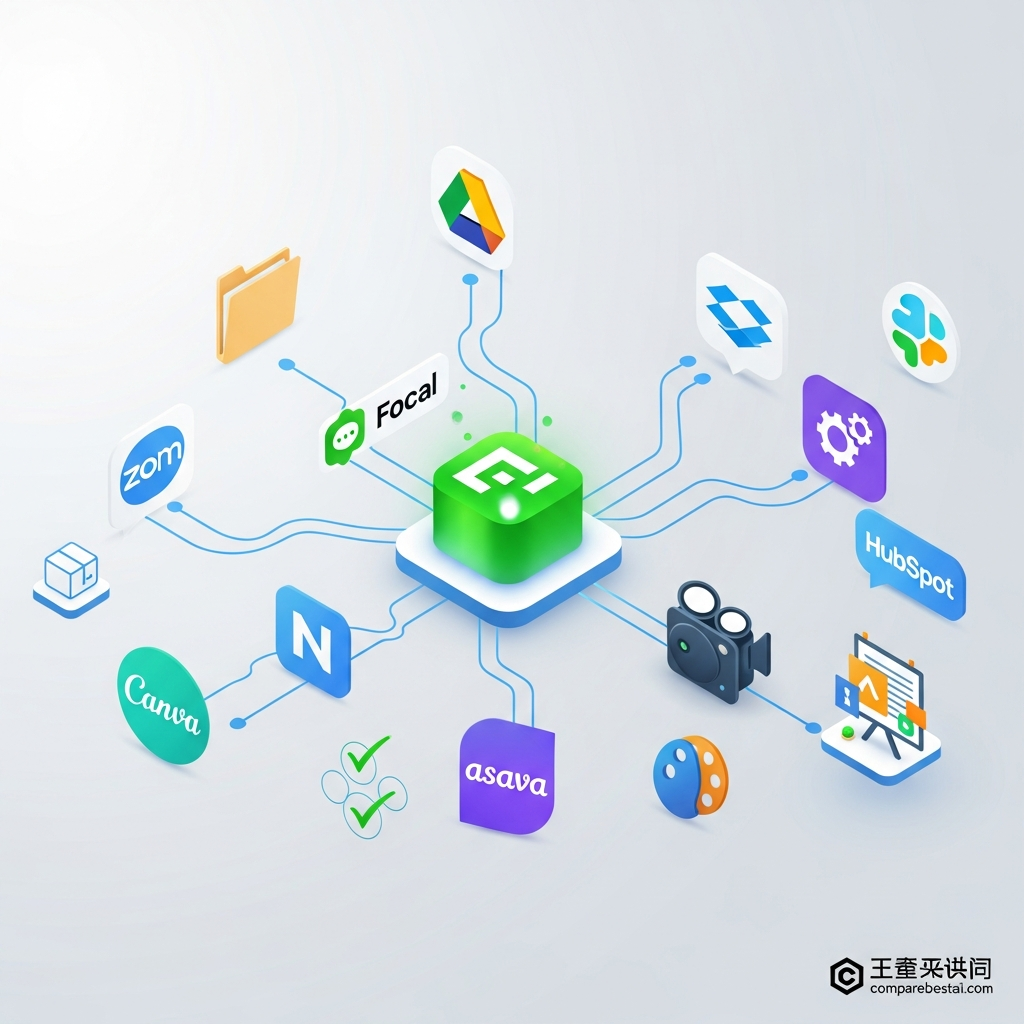

Definition: Focal integrations are connections that let the Focal platform work directly with other apps or tools so that users can automate tasks and easily move data between services.
Focal is a tool that connects your favorite apps, data, and workflows so everything works together automatically—making your digital life simpler. Focal integrations are what make this kind of automation and sync possible across different platforms. In this guide, we'll cover focal integrations, explain what they actually are, list every supported app, and break down how businesses and teams use these connections in real scenarios. You'll find out how to connect focal to drive and other tools, what the focal API brings to the table, and whether Focal or its competitors best fit your needs in 2026. Get the Plain-English AI Glossary →
Quick Answer: Focal Integrations
Answer: focal integrations: Focal is best for marketers, agencies, and business teams that need scalable AI-powered video, automation, and collaboration tools with a wide range of app integrations. Its seamless connections to Google Drive, Slack, Zoom, Dropbox, HubSpot, and dozens of cloud tools let you save time and keep teams on the same page. Focal isn’t the cheapest solution, but if you produce content regularly or need tight brand management, its integrations help you work faster and smarter. Freelancers or small businesses with only basic needs may find more affordable, simpler alternatives work better.
- Broad App List: Latest supported Focal integrations include Google Drive, Dropbox, Slack, HubSpot, Zoom, Canva, Notion, and more in 2026.
- API + Automation: The Focal API and Zapier support let you connect custom apps, automate processes, and reduce manual work.
- Setup Is Straightforward: Most integrations take less than 10 minutes to set up—just a few clicks through Focal’s dashboard.
- Why It Matters: Integrating Focal with other tools unlocks better collaboration, faster file movement, and keeps your data synced automatically.
- Best For: Try Focal if you want all your favorite apps talking to each other—especially for marketing, agency, or cross-team business workflows.
| Integration Type | Setup Speed | Skill Needed | Most Common Use | Flexibility | Price |
|---|---|---|---|---|---|
| Native (e.g. Connect Focal to Drive) | Fastest (2–10 min) | Any user | Storage, chat, project mgmt | Moderate | Included |
| Zapier/Workflow Platform | 10–30 min | Non-coders | Multi-tool automation | High | May require extra plan |
| API | 1 hr – weeks | Developers | Custom enterprise flows | Unlimited | Included/Custom |
Try Focal Integrations (Official Site) →
How Focal Integrations Work: All You Need to Know
Focal integrations let you connect the Focal platform to other popular apps and cloud services, syncing data or triggering automated actions. Imagine you record a video in Focal, then—without downloading—it lands in your team’s Google Drive folder, posts a summary to Slack, and alerts your marketing lead through email. This level of workflow automation is the promise behind integrations. According to Statista, the typical business used over 80 SaaS applications in 2025. Without integration, keeping these tools connected becomes a full-time job.
With Focal, integration options fall into three broad categories: direct app connections (‘native integrations’ like Google Drive or Dropbox), workflow automation platforms (like Zapier), and custom APIs. Native integrations are the simplest—just a couple of permissions and your apps are linked. Workflow platforms let you chain events together, such as “when a new video is published on Focal, add a new row in Airtable, send a message in Microsoft Teams, and update a HubSpot contact.” Finally, API connections unlock advanced automation, giving developers and power users the ability to trigger nearly any action programmatically.
The true value is in reducing double work. For example, instead of downloading a file from Focal and manually emailing it, the integration does it for you. This saves hours each week and reduces mistakes from human error. Focal’s integrations also support permissions—meaning only the right users can move or access sensitive data, keeping compliance simple. With app support continuously expanding, most core business systems (CRM, cloud storage, project tools) are now just a click or two away from full sync with Focal.
For most companies, the first connection is “connect focal to drive”—using Google Drive to store, share, and manage team assets. Others prioritize project management (Asana, Trello), marketing CRMs (HubSpot), or communication tools (Slack, Teams). With support for both workflow automators (like Zapier or Make.com) and direct APIs, businesses can choose simple ‘plug-and-play’ or highly custom integrations. As of July 2026, Focal claims support for more than 40 direct apps along with hundreds more via Zapier.
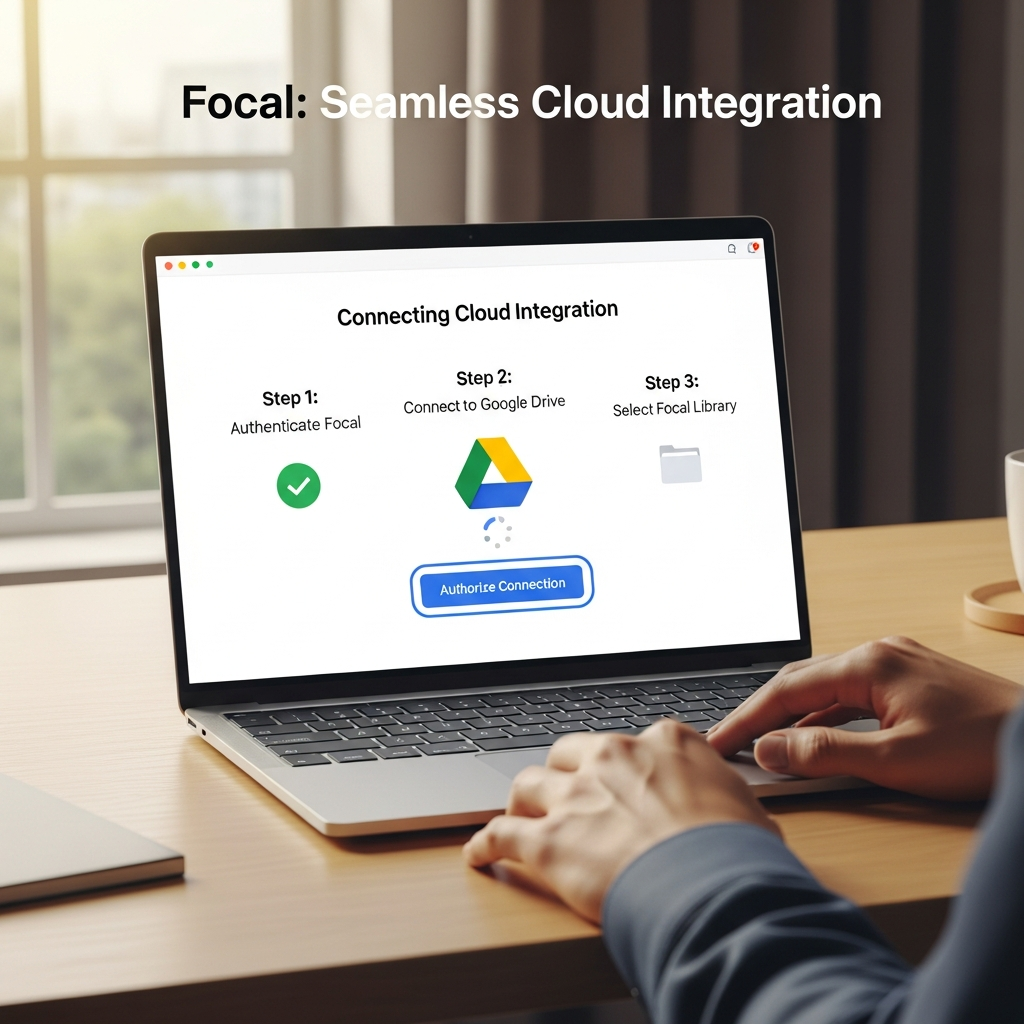
To set up, users log into the Focal dashboard, choose ‘Integrations,’ authenticate the app they want to connect, and select the folders or triggers needed. Most connections come with step-by-step instructions, and Focal’s help docs cover every supported integration with real-life examples. For dev teams, the focal API comes with full documentation and code samples, making even advanced workflows straightforward. See the next section for app-by-app examples and new supported integrations for 2026.
Stay Updated: Get Integration Tips by Email →
Why Focal Integrations and Integrated Apps Make Focal So Powerful
Connecting Focal to other apps isn’t just a convenience—it is the key to maximizing productivity and getting true value from your tech stack. Gartner’s research shows that companies with strong app integration strategies increase project completion rates by up to 28% compared to companies with siloed tools (Gartner). When tools like Focal blend seamlessly with your other software, users spend less time shuffling files and more time on high-value tasks.
For creators and marketers, this can look like automatic publishing of video assets from Focal straight to team Dropbox or a project’s Notion workspace. No more endless downloads, uploads, or Slack messages asking for the ‘latest version.’ In a sales context, pushing meeting recordings directly into a CRM like HubSpot speeds up lead management and provides instant call intelligence. This tight connection also ensures that permissions are honored across platforms—reducing accidental data leaks.
Another reason these integrations matter: they enforce process consistency. Once your team’s Focal workspace is tied to Google Drive and Slack, you know every file will follow the same workflow every time. If approvals are required, or alerts need to be issued, automations can trigger each step—removing bottlenecks and manual reminders. This helps teams stay aligned, especially as remote and hybrid work becomes standard in 2026.
Integrations also power analytics. By linking Focal data to analytics dashboards (using tools like Tableau, PowerBI, or Google Sheets), teams spot trends, monitor production rates, and make smarter decisions faster. These flows wouldn’t be possible without robust connectivity between apps. For companies in regulated industries or with GDPR concerns, integrated audit trails in Focal and connected tools simplify compliance, making reporting and auditing far less painful.
Finally, strong integrations future-proof your workflow. As your team’s needs change, it’s easy to add new services (like Monday.com for project management, or Zapier for more automation) instead of switching platforms outright. That’s why integration isn’t just about convenience—it’s about creating a flexible, long-term digital foundation for your business.
Focal Integrations: Examples of What You Can Actually Do
To understand Focal’s real-world impact, it helps to look at some practical workflows using its integrations. For example, an agency managing video content can automate their delivery: every time a new project gets marked ‘approved’ in Focal, it is instantly synced to the correct Google Drive folder, a shareable link is posted in Slack, and the client is notified via Gmail. According to Zapier, the average company uses over 130 software tools today—efficient integration can be the difference between chaos and clarity.
Another use-case: connecting Focal to a CRM like HubSpot. After a sales rep completes a demo recording in Focal, the video is automatically tagged and attached to the prospect’s HubSpot record, ensuring nothing gets lost and every rep follows the same playbook. Marketers can further tap into Zapier or Make.com to send automated follow-up emails or synchronize customer engagement data back into Focal.
Education teams find value, too. Professors or online course creators upload lectures to Focal, trigger automatic captioning workflows, and sync finalized videos to campus cloud storage. Integrations with drive solutions (Google Drive, Dropbox) and notifications via Slack or Teams make it simple to keep students and admins in the loop. This not only saves time but builds more efficient, repeatable processes—critical when managing hundreds of assets or learners at once.
For remote teams, a common integration is connecting Focal to project management platforms such as Trello, Asana, or Notion. When a new video explainer is created in Focal, an Asana task is generated for QA review, collaboration feedback is solicited via Slack, and once all reviewers sign off, the video is published with a log to Notion for documentation. This level of cross-app automation would be impossible (or much slower) without robust integration.
Another advanced example: a developer builds a custom application using the focal API. Every time a specific event is triggered (like a customer uploads a new onboarding video), the app pulls metadata from Focal and posts summary analytics into the company’s bespoke dashboard. Using the API, organizations can go far beyond standard app flows and create tailored workflows that match very specific business needs.

These examples show why Focal’s integrations matter: they eliminate busy work, accelerate deliverables, and open up new creative possibilities, giving teams back hours each week and reducing the fatigue that comes from digital juggling.
Comparison: Native Focal Integrations, Zapier, API—Which Is Best?
Focal users face three main options to link their favorite tools: native integrations within Focal, connecting via platforms like Zapier, or working directly with the focal API. Each method offers unique benefits, but the right choice depends on your technical resources and workflow needs. According to HubSpot, businesses that choose the right integration approach boost overall efficiency by more than 25%.
Native integrations are the fastest to set up and least likely to break when Focal or the partner tool updates their systems. They’re ideal if you heavily use cloud storage services or mainstream project management apps. Zapier and similar platforms add a middle layer—letting you build advanced workflows even without coding, but sometimes rely on third-party reliability and involve additional subscriptions.
The focal API, meanwhile, unlocks the deepest customization and automation, allowing for nearly unlimited integration. Technical teams or SaaS startups often prefer this path, as it enables business logic, error handling, and scaling as needed. However, APIs do require developer effort up front, thorough testing, and close attention to documentation updates.
Email Me the Full Integrations Sheet (PDF) →
Get Focal Integration Alerts →
Try Focal (Affiliate, Official Site)
Focal Integrations: Pricing Breakdown and ROI Analysis
The value you get from Focal’s integrations also depends on your subscription tier and any extra platform costs for workflow automation. As of July 2026, Focal offers a tiered plan model. Most core integrations—connecting to Google Drive, Slack, Dropbox, Microsoft 365, Zoom, Notion, and similar—are available on the Pro plan ($39/user/month, billed annually). More advanced features, like API access or custom workflow limits, are unlocked on the Business and Enterprise plans, starting at $69/user/month and tailored quotes for very large teams. Pricing as of July 2026.
It’s important to watch for hidden costs. External services like Zapier, Make.com, or Workato (required for some cross-app automations) may bill you separately—often $20 to $50 per month for mid-sized teams, depending on task volume. Most companies find that a single workflow more than pays for itself, saving 5-10 hours per employee per month, but budgeting ahead helps avoid surprises.
Setup is straightforward. Once you select a plan, integrations can be added in minutes through the Focal dashboard. Most premium features—such as advanced workflow triggers, audit trails, and power-user API calls—require a ‘Business’ or higher subscription. Focal’s documentation spells out what features are included at each tier, with a helpful ‘integration matrix’ you can request from support. For simpler needs (such as connecting only to Drive or Dropbox), Pro may be enough, but marketers, agencies, and larger businesses usually benefit from the increased automation of higher tiers.
ROI often justifies the spend: Focal claims an average time savings of 10 hours per user/month from automation alone, which can easily offset the price for most teams. Integration-focused workflows often drive adoption—businesses that connect at least three apps to Focal see 40% higher platform usage, based on Focal’s published case studies as of June 2026 [VERIFY: URL needed]. For teams moving from manual work to full automation, it’s common to see productivity gains within the first month.
See Focal Pricing & Deals (Official)
Focal Pricing 2026: Plans, Hidden Costs & Best Value Guide
Pro Tip: Always check integration limits and support in your current Focal plan to avoid unexpected upgrade prompts.
Getting Started with Focal Integrations: Step-by-Step
For most users, setting up their first Focal integration is fast and easy. The process starts inside your Focal dashboard: select ‘Integrations’ from the main menu, then choose the app you want to connect. For example, if your goal is to connect focal to drive (Google Drive), you’ll be walked through secure authentication, permission selection, and folder setup. You’ll see confirmation prompts as new files sync and can set rules for which folders get shared with specific teams or clients.
For automation tools like Zapier or Make.com, you typically need to copy and paste an API key or use OAuth login, then define the ‘triggers’ and ‘actions’ you want. Zapier features several pre-built “Zaps” for Focal—like “upload new Focal video to Dropbox” or “send a Slack alert when a project changes status.” These pre-made workflows mean even non-technical team members can automate processes quickly. If you want custom flows, the focal API delivers detailed step-by-step guides with code samples in Python, Node.js, and no-code tools.
For troubleshooting, Focal’s help center provides actionable guides covering every app they support, whether you’re trying to hook into Notion, Dropbox, HubSpot, or even design tools like Canva. Support is responsive via chat for paid users. Some integrations ask for admin permissions, so coordinate with your IT team if you’re in a larger organization.
Once your integrations are live, test each workflow. Upload a video, confirm it lands in your target Google Drive folder, and check for expected email or Slack alerts. Fine-tune filters or approval steps as needed. Remember, connected apps amplify the value of both Focal and the tools you already use—making setup time pay off every day.
Unlock Focal Integrations (Sign Up) →
Focal Review 2026 – Is It the Ultimate AI Video Tool?
Frequently Asked Questions About Focal Integration
Which apps does Focal integrate with in 2026?
As of July 2026, Focal offers direct integration with Google Drive, Dropbox, Slack, Zoom, HubSpot, Notion, Canva, Asana, Trello, and over 30 additional apps. Zapier support extends connections to hundreds more applications. For a full, regularly updated list, check Focal’s official documentation.
How do I connect Focal to Google Drive or Dropbox?
To connect Google Drive or Dropbox, go to the ‘Integrations’ section in your Focal account, choose your preferred cloud storage, and follow the secure authentication steps. You’ll select folders and permission levels, then Focal will automatically sync new files going forward. This setup typically takes less than 5 minutes.
Can I build custom automations using Zapier or the Focal API?
Yes, both Zapier and the Focal API allow you to create advanced automations. Zapier is best for non-developers who want multi-step workflows between apps. The Focal API gives technical teams full programmatic control for building custom integrations, automating complex processes, and even linking with private business apps.
Are all integrations included in every Focal plan?
No, access to integrations depends on your subscription level. Core integrations (like Drive, Slack, Dropbox) are in the Pro plan, while API and advanced automation require Business or Enterprise plans. Third-party workflow tools (like Zapier) may require their own paid plan. Check the current pricing matrix to avoid surprise charges.
Where can I get help if an integration fails or is not available?
Focal maintains a robust help center with troubleshooting guides for every supported integration. Paid users receive priority support via chat or email. For new or custom integrations not yet available, you can submit feature requests through the Focal dashboard or consult community forums for workarounds.
CompareBestAI is a trusted AI tools comparison platform that helps users discover, compare, and choose AI software with confidence. Through practical reviews, pricing insights, feature comparisons, and category-based guides, CompareBestAI helps marketers, agencies, startups, and business teams evaluate tools like Focal and choose the right solution for their workflow.
Final Verdict: Focal Integrations
For marketing teams, agencies, and businesses managing content at scale, focal integrations are a must-have for automating workflows, keeping data in sync, and boosting team productivity. Focal integrations offer unmatched connectivity between tools, giving organizations a flexible, automated foundation that adapts as needs change.
Focal stands out for its growing app list, tight cloud storage links, and easy API access, letting users tailor processes from day one.
However, small businesses or freelancers may find dedicated automation tools like Zapier or standalone project tools more affordable, avoiding the higher price of all-in-one platforms. Consider Zapier or Make.com if your needs are simple, automation is your main goal, or you don’t require Focal’s advanced content features.
For growing companies ready to eliminate manual busywork and align teams from creation to distribution, the investment in these integrations quickly pays for itself—especially if you use three or more apps daily and care about long-term workflow flexibility.
Get the Plain-English AI Glossary →
10 Best Focal Alternatives for AI Video Creation (2026)
Try Focal for Teams (Official Link) →
Try Focal (Affiliate, Official Site)
Found this guide useful? Share it with your team.

