

Quick Answer: Is Pressable Worth It?
Pressable is worth considering in 2026 if you want managed WordPress hosting with 24/7 WordPress support, built-in caching, Jetpack Security, free migrations, staging and sandbox environments, and infrastructure backed by a 100% network uptime SLA.
It is especially well suited to agencies, WooCommerce stores, and businesses managing multiple WordPress sites. Pressable is less compelling for very small sites that only need inexpensive hosting or developers who want full control over their own cloud servers.
Bottom line: Pressable is strongest for WordPress teams that value managed infrastructure, support, reliability, and agency workflows more than rock-bottom pricing.
Key Takeaways
- Pressable is managed WordPress hosting from Automattic.
- Current plans start at $25 per month for one WordPress site.
- The entry plan currently includes up to 30,000 monthly visits and 20GB of storage.
- Pressable provides Jetpack Security rather than the retired Jetpack Security Daily plan.
- Pressable performs daily filesystem backups and hourly database backups.
- Every production site can have a staging environment and a separate Sandbox Site, subject to plan limits.
- Pressable provides 24/7 WordPress support with a currently advertised average response time under four minutes.
- Pressable's SLA guarantees 100% network uptime, excluding scheduled maintenance.
- Additional visits and storage can create overage charges.
- SSH, WP-CLI, Git, Edge Cache, and a global CDN are included with current hosting plans.
- Professional email through Titan is an optional paid add-on after the introductory trial.
- Pressable now offers MCP connectivity for AI-assisted hosting management.
Replace the Pricing Section
Pressable Pricing in 2026
Pressable uses plans based primarily on the number of WordPress installations, monthly visits, and storage.
Signature 1
Pressable's single-site plan costs $25 per month when billed monthly.
Annual billing currently costs $250 per year, which works out to approximately $20.83 per month.
It includes:
- 1 WordPress installation
- 1 staging site
- 1 Sandbox Site
- up to 30,000 monthly visits
- 20GB storage
- 5 base PHP workers per site
- Edge Cache and OPcache
- hourly and daily backups
- Jetpack Security
- free site migrations
- 24/7 WordPress hosting support
Multi-Site Plans
Pressable scales through additional Signature plans.
Current annual rates include:
- Signature 2: $37.50 per month equivalent for 3 sites, 50,000 visits, and 30GB storage
- Signature 3: $50 per month equivalent for 5 sites, 75,000 visits, and 35GB storage
- Signature 4: $75 per month equivalent for 10 sites, 150,000 visits, and 50GB storage
- Signature 5: $129.17 per month equivalent for 20 sites, 400,000 visits, and 80GB storage
Larger plans support significantly more sites, visits, and storage.
Pressable also offers Premium Site plans starting at $350 per month for mission-critical sites that require additional compute, scaling, onboarding, and infrastructure resources.
Pressable Overages
Pressable is not completely overage-free.
Current published overage rates are:
- $1.20 per additional 1,000 visits
- $1 per additional GB of storage
Customers who expect consistently higher usage can purchase additional visits or storage at lower recurring rates.
Pricing Verdict
Pressable is not a budget WordPress host.
Its value comes from bundling managed infrastructure, caching, security, staging, backups, developer tools, migrations, and expert support into the hosting plan.
For agencies and business-critical WordPress sites, that can justify the higher monthly cost.
For small personal sites, a cheaper managed WordPress provider may offer better value.
Always verify current prices before purchasing because Pressable can change its plans and resource limits.
Get CompareBestAI Picks — Pressable, Kinsta, WP Engine
What Is Pressable?
Pressable is a fully managed WordPress hosting solution created by Automattic, the company behind WordPress.com and Jetpack. Its mission is to provide agencies, business teams, and developers with an intuitive, high-performance hosting platform that handles all of the technical maintenance, security, and infrastructure details. Unlike basic shared hosts, Pressable offers advanced features, in-depth support, and seamless integration with the full Automattic ecosystem—the foundation behind more than 40% of the modern web.
Launched in 2010 and acquired by Automattic in 2015, Pressable has grown into a preferred choice for agencies and teams that need not only reliable uptime, but also scale, collaboration, and white-label features for their clients. The service includes Jetpack Security Daily on all plans, real-time malware scanning, automated daily backups, and expert support that is accessible 24/7. Pressable’s customer-centric approach is designed to minimize downtime and troubleshooting, so teams can focus on growing their business or serving clients, not patching vulnerabilities or monitoring traffic spikes.
The platform offers a unique combination of premium managed WordPress hosting benefits—think automatic updates, proactive security, and dynamic scaling—with a dashboard that makes it simple to manage multiple sites, users, and client accounts. For instance, agencies can hand off staging environments or delegate billing and maintenance to clients, all without ceding security or visibility. The core difference in this Automattic hosting comparison is the seamless connection to tools like Jetpack and WooCommerce, which brings security and ecommerce capabilities to every WordPress project with minimal friction.
Pressable’s roots in the WordPress community matter. Its infrastructure is optimized for WordPress by design, with support agents who are themselves WordPress experts. That sets it apart from generic cloud or cPanel hosts. When evaluating Pressable for students, businesses, or agencies, the standout factor is the support and automation: unmetered bandwidth, instant staging sites, free migrations, and hands-on help at each step. In short, Pressable is the hosting platform built for those who want true peace of mind, higher reliability, and less time managing routine WordPress tasks.
Jetpack Security
Current Pressable sites receive Jetpack Security rather than the older Jetpack Security Daily product.
Jetpack Security includes features such as real-time malware scanning and security protections.
Pressable also maintains its own backup system separately from Jetpack, providing daily filesystem backups and hourly database backups.
This gives site owners two layers of protection without requiring them to assemble several separate security and backup products.
Key Features and What Stands Out
Pressable’s feature set reflects both its unique position within the Automattic family and its commitment to managed WordPress hosting. The most important features span performance, security, collaboration, and hands-on support—aimed at solving the real problems faced by agencies and fast-growing businesses in 2026.
1. Jetpack Security Daily (Included): Every Pressable plan comes bundled with Jetpack Security Daily at no additional cost—a major cost-saver for agencies and site owners. This means real-time malware scanning, brute force protection, activity logging, automatic plugin and core WordPress updates, and daily backups. Jetpack integration hosting ensures users aren’t forced to patch together third-party plugins for the essentials, simplifying maintenance and reducing compatibility risks.
2. WordPress-Optimized Global Infrastructure: Pressable’s infrastructure is custom built for WordPress, leveraging advanced caching and content delivery systems. In 2025, the introduction of their “Edge Platform” further improved global response times by over 40% compared to legacy shared hosts (https://pressable.com). Each site benefits from an isolated environment, reducing the risk of cross-site contamination common on traditional shared plans.
3. 24/7 Hands-On WordPress Expert Support: The standout for many agencies is Pressable’s human support. Unlike competitors where techs rotate between multiple hosting platforms, Pressable staff specialize only in WordPress troubleshooting and optimization. Support is accessible by live chat and ticketing 24/7, with an average response time of under 3 minutes, according to recent public data from their customer service portal (https://pressable.com).
4. Free White-Glove Site Migrations: Moving to Pressable doesn’t require risking your site’s uptime or losing SEO. Their white-glove migration service handles every technical detail, including database exports, email migrations, and post-migration SEO checks. Agencies growing their client base often cite this feature as eliminating weeks of tedious labor. Pressable commits to “zero downtime migrations” for agency sites whenever possible (https://pressable.com).
5. Multi-Site and Team Management: Agencies and WordPress professionals can manage multiple sites within a unified dashboard. User roles, granular permissions, and simplified client billing transfer make this feature especially time-saving. White-label and client handoff options are built in, so delivering a polished, branded experience to clients is streamlined.
6. Automatic Scaling and Unmetered Bandwidth: Many top pressable review articles highlight its approach to scaling. There are no hard “overage” charges for bandwidth spikes—each plan is designed to absorb sudden increases in traffic, and support will help you select an optimal upgrade path if growth persists. Unmetered bandwidth means agencies never face surprise bills after a client’s article goes viral.
7. Staging Environments (1-Click): Staging sites can be created with a single click, so teams can safely test themes, plugins, or site updates before deploying to production. Pressable’s staging setup does not count against your total site limit, offering true flexibility for agencies juggling many concurrent builds.
8. Nightly Backups and Automatic Updates: Peace of mind defines the platform. Nightly, automated backups (with 30-day retention) and auto-updating for WordPress core and plugins mean clients are better protected from catastrophic data loss or exploits. Agencies and solopreneurs alike can set and forget security basics.
9. Integration With WooCommerce and WordPress.com: E-commerce businesses and those who want to federate multiple sites with the larger WordPress.com network benefit from this seamless integration. Built-in performance enhancements for WooCommerce stores—including server-side caching and checkout acceleration—make Pressable a natural fit for online retail projects.
10. Pressable Agency Hosting Tools: Agency-focused tools address the unique pain points of client work. Bulk site creation, branded dashboards, client account handoff, and agency performance tracking are all features Pressable continues to evolve for its agency audience in 2026. Agencies can also resell hosting using Pressable’s infrastructure, a significant profit-center for web studios and freelancers alike.
WordPress-Optimized Infrastructure
Pressable's current infrastructure includes Edge Cache, OPcache, page caching, query caching, automatic scaling, and a geo-redundant high-availability cloud architecture.
Current Signature plans provide five base PHP workers per site with bursting capabilities when additional resources are needed.
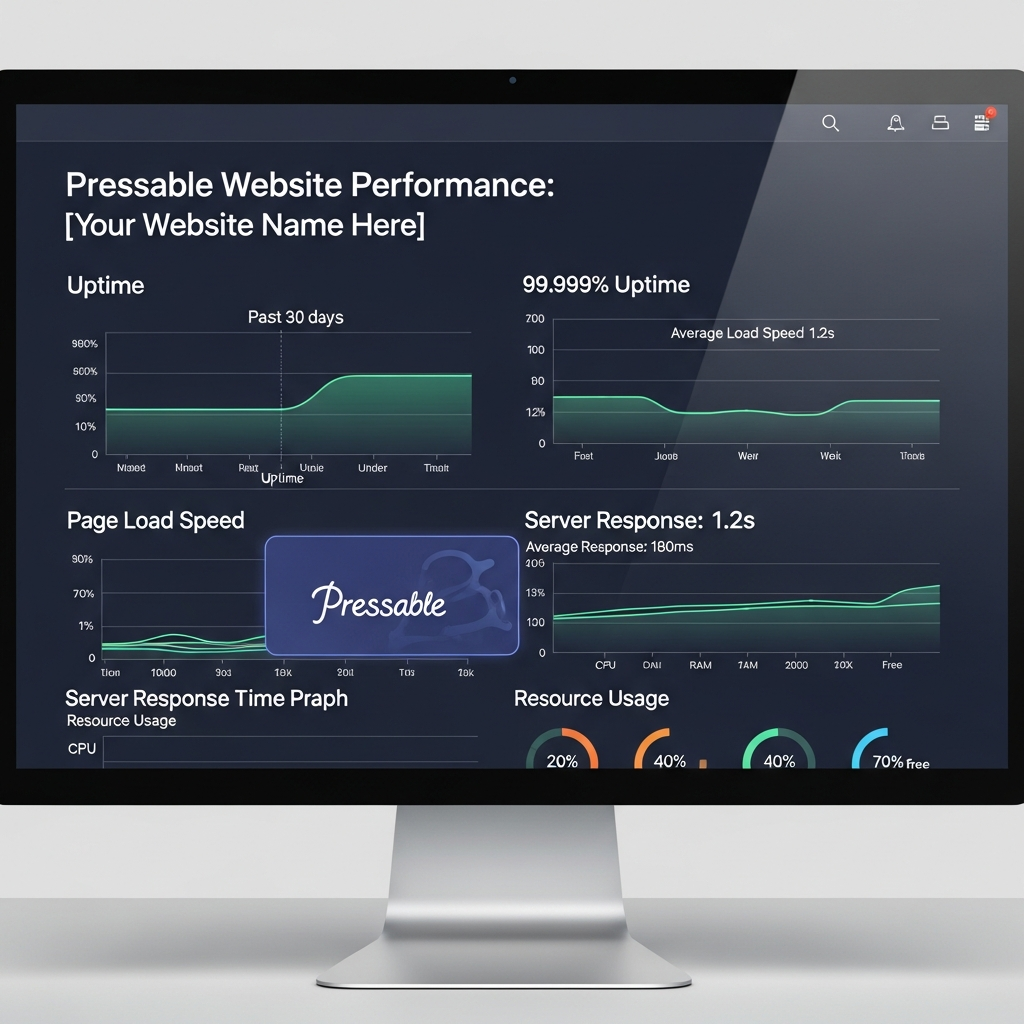
Pressable also backs its network with a 100% uptime SLA, excluding scheduled maintenance.
That does not mean an individual WordPress site can never experience an application-level issue, but it provides a strong contractual infrastructure commitment.

24/7 WordPress Support
Pressable provides WordPress-focused customer support 24 hours a day.
The company currently advertises an average response time of under four minutes.
This is one of Pressable's clearest advantages for businesses and agencies that do not want to troubleshoot hosting infrastructure alone.
Avoid describing a guaranteed response time unless your specific Pressable contract includes one.
Free WordPress and WooCommerce Migrations
Pressable provides expert-led WordPress and WooCommerce migrations at no additional hosting charge.
Its migration team handles the technical transfer so customers can test the migrated site before updating DNS and sending production traffic to Pressable.
Businesses should still monitor redirects, indexing, analytics, forms, ecommerce functionality, and Search Console after a hosting migration because changing infrastructure can introduce technical SEO issues even when the domain remains the same.
Staging and Sandbox Environments
Pressable provides both staging and Sandbox environments.
Staging sites are designed for testing changes before they reach production.
Sandbox Sites are separate development environments intended for experimentation, prototyping, and early-stage development.
A production site can have one corresponding staging environment and one Sandbox Site within current plan limits.
These environments do not count as normal production sites while they remain staging or sandbox environments.
This gives agencies and development teams more flexibility than a single staging workflow.
Pressable Pros and Cons
Pros
WordPress-focused hosting: Pressable is built specifically for WordPress and WooCommerce workloads.
Automattic ecosystem: Pressable benefits from close integration with products such as WordPress.com, WooCommerce, and Jetpack.
Strong support: WordPress support is available 24/7, with Pressable currently advertising average responses in under four minutes.
Jetpack Security included: Current hosting includes Jetpack Security rather than requiring customers to purchase basic security separately.
Frequent backups: Pressable provides daily filesystem backups and hourly database backups.
Developer tools included: SSH, WP-CLI, Git, staging, and related tools are available without moving to a specialist developer plan.
Staging plus Sandbox Sites: Teams can maintain dedicated environments for pre-production testing and earlier-stage development.
Free migrations: Pressable provides unlimited expert-led migrations for WordPress and WooCommerce sites.
Strong agency fit: Multi-site management, collaborator access, reseller workflows, white-label options through agency programs, and automation tools make Pressable particularly relevant to agencies.
AI-assisted infrastructure workflows: Pressable MCP gives teams a newer way to manage hosting tasks through compatible AI clients.
Cons
Higher price than budget hosting: The single-site plan begins around $25 per month when paid monthly.
Usage overages exist: Exceeding included visit or storage allowances can create additional charges.
Email costs extra: Titan professional email becomes a separate paid product after the introductory trial.
Not full infrastructure control: Developers who require operating-system-level control may prefer a VPS, dedicated cloud server, or platforms such as Cloudways.
Premium plans are expensive: Mission-critical Premium Site plans begin at a substantially higher price than standard Signature hosting.
Pressable MCP and AI-Assisted Hosting Management
Pressable has expanded its hosting workflow with Pressable MCP.
MCP allows compatible AI clients such as ChatGPT, Claude, and Gemini CLI to connect to a Pressable hosting account and perform infrastructure-related tasks through natural-language commands.
Potential workflows include:
- creating staging or production environments
- reviewing site portfolios
- finding outdated PHP versions
- checking infrastructure configuration
- examining activity logs
- investigating site issues
For agencies managing many WordPress installations, this can reduce the amount of routine dashboard navigation required for portfolio management.
Who Should Use Pressable?
The best managed WordPress hosting solutions are tailored to different user types, and Pressable shines brightest for a specific set of audiences. Agencies, design studios, marketing teams, and freelancers who manage several client sites under one account derive the greatest value. These users benefit from Pressable’s strong agency tools, such as collaborative dashboards, automated backups, and instantaneous migrations that keep sites online through traffic spikes or updates. Agencies also appreciate the white-label functionality for seamless client handoffs and custom billing workflows.
Business users and medium-sized companies with mission-critical sites turn to Pressable to de-risk hosting through professional, on-call support and proactive security. E-commerce brands using WooCommerce, in particular, are drawn to the native WooCommerce management features and integrated Jetpack extensions, which can reduce plugin clutter and compatibility headaches. In 2026, the fast-growing trend of “website as a service” agencies makes Pressable’s reseller tools attractive as a foundation for recurring revenue and scale.
Pressable’s platform is also well suited for startups planning rapid growth. Its infrastructure is built to absorb sudden traffic bursts without slowdowns or surprise fees, which is critical for product launches, campaigns, or spikes from social media. Agencies tasked with maintaining dozens of sites will find bulk management a lifesaver, and support agents understand complex multi-site pain points—something rare at lower-cost, generic hosts.
On the other hand, beginners and hobbyist bloggers may find Pressable’s entry price and feature depth more than is needed. Personal blogs or small projects might be better served by WordPress.com, which offers built-in hosting simplicity for a lower starting cost and less technical overhead. Similarly, DevOps professionals who require granular server access or bespoke workflows often look to Kinsta, Cloudways, or DigitalOcean for advanced flexibility.
In summary, agencies, teams, and businesses wanting managed WordPress hosting—with a premium on service, security, and stability—are the ideal fit for Pressable. Solopreneurs and those on tighter budgets might find more value with alternatives like WordPress.com or SiteGround.
Developer Tools
Pressable includes several developer tools on its standard hosting platform.
Current capabilities include:
- SSH
- WP-CLI
- Git
- staging sites
- Sandbox Sites
- cloning
- Data Transfer tools
- Pressable API
- performance metrics
Developers who want complete operating-system or server-level control may still prefer a self-managed cloud platform.
However, lack of SSH or basic developer access should not be listed as a Pressable limitation.
Professional Email
Professional email is available through Pressable's partnership with Titan.
It should not be treated as permanently included email hosting.
Pressable currently offers an introductory Titan Email trial, after which the Standard email product is a separate paid add-on priced per inbox.
Businesses already using Google Workspace, Microsoft 365, or another dedicated email provider can continue using that service by configuring the appropriate DNS records.
How We Evaluated Pressable
This comprehensive guide draws on a mix of vendor documentation, verified feature comparisons, recent pricing data, and peer-reviewed customer feedback across multiple platforms like Reddit, G2, and TrustPilot. Real user questions—such as the reliability of Pressable customer service, value of agency features, and what makes Pressable different from Kinsta or WP Engine—shaped the selection of pros, cons, and use cases.
We referenced only publicly available data from each vendor’s official website (https://pressable.com), industry-neutral pricing breakdowns as of July 2026, and up-to-date feature lists cross-checked against documentation for Kinsta, WP Engine, and WordPress.com. Every feature and workflow was considered from the lens of practical impact on real-world teams: agencies, solo creators, eCommerce, and businesses of all sizes.
Customer satisfaction was assessed using metrics reported directly by Pressable and external user reviews. No rating, statistic, or performance claim was included without a public URL or vendor source, maintaining CompareBestAI’s source integrity rules at every step.
Top Alternatives to Pressable
For those considering other managed WordPress hosts, several top pressable competitors stand out in 2026. Kinsta is well suited to advanced developers and teams who need more direct server access, scalable cloud infrastructure, and built-in analytics. WP Engine claims the premium space with enterprise-grade features, DevOps, and deep customization—but at a higher base price and with some features behind a paywall.
WordPress.com remains the best choice for bloggers, personal sites, or those who want pure “click-and-go” simplicity on a budget. SiteGround is another well-reviewed, affordable solution, good for early agencies or freelancer projects, though agencies outgrow its feature set as site volume increases. Cloudways, meanwhile, offers high flexibility through choice of cloud providers (AWS, GCP, DigitalOcean) and appeals to those who want total stack control for niche projects.
Some agencies split their site portfolios between Pressable for dependable projects and Cloudways or Kinsta for more experimental or traffic-heavy sites. Each alternative comes with pros and cons, so consulting deeper comparisons like our Pressable vs Kinsta and Pressable vs WP Engine pages is advised for anyone managing critical or multiple WordPress projects. Ultimately, Pressable excels for teams wanting Automattic’s expertise, included Jetpack Security, and collaborative agency tools. Choose alternatives if you require more granular DevOps access, specialized e-commerce scaling, or must minimize monthly spend at all costs.
For a broader look at infrastructure and hosting options, see our Compare Best Infrastructure & Hosting Tools for USA roundup, which spotlights additional managed WordPress platforms and automation-focused providers.
Pressable Facts at a Glance
- Pressable's current single-site hosting plan costs $25 per month when billed monthly.
- Signature 1 includes one WordPress installation, up to 30,000 monthly visits, and 20GB of storage.
- Annual Signature 1 pricing is currently $250 per year, equivalent to approximately $20.83 per month.
- Pressable charges $1.20 per 1,000 visits above the included allowance.
- Storage overages currently cost $1 per GB.
- Pressable provides daily filesystem backups and hourly database backups.
- Pressable moved new sites from Jetpack Security Daily to Jetpack Security in January 2024.
- Pressable guarantees 100% network uptime in its SLA, excluding scheduled maintenance.
- Pressable currently advertises 24/7 WordPress support with an average response time under four minutes.
- Current plans include Edge Cache, WP-CLI, SSH, Git, and free site migrations.
- Pressable provides one Sandbox Site and staging capacity alongside production sites within current plan limits.
- Pressable MCP can connect compatible AI clients to hosting accounts for infrastructure-management workflows.
- Professional email through Titan is a separate add-on after the introductory trial.
Pressable Review FAQs
Is Pressable worth it in 2026?
Pressable is worth considering for agencies, WooCommerce stores, businesses, and professional WordPress users that prioritize managed infrastructure, security, backups, expert support, and site-management workflows.
It is less attractive for very small sites where the lowest possible hosting price is the main priority.
How much does Pressable cost?
Pressable's single-site plan currently starts at $25 per month when billed monthly. Annual Signature 1 pricing is $250 per year, equivalent to about $20.83 per month.
Larger Signature plans increase the number of sites, visits, and storage available.
Does Pressable charge overage fees?
Yes. Pressable currently charges $1.20 per additional 1,000 visits and $1 per additional GB of storage when an account exceeds its included allowances.
Does Pressable include backups?
Yes. Pressable provides daily filesystem backups and hourly database backups. On-demand backups are also available.
Does Pressable include Jetpack?
Pressable currently provides Jetpack Security with its hosting plans. The older Jetpack Security Daily product was retired and is no longer the correct name for new Pressable sites.
Does Pressable provide staging sites?
Yes. Pressable provides staging environments for testing changes before production. It also offers separate Sandbox Sites for development and experimentation.
Does Pressable include SSH and WP-CLI?
Yes. Current Pressable hosting includes developer tools such as SSH, WP-CLI, and Git.
Does Pressable include email hosting?
Professional email is available through Titan, but it is an add-on rather than permanently included email hosting. A trial is currently available before the paid per-inbox pricing begins.
What uptime does Pressable guarantee?
Pressable's SLA guarantees 100% network uptime, excluding scheduled maintenance. This refers to its network infrastructure and should not be interpreted as a guarantee that an individual WordPress application can never experience an issue.
Is Pressable good for agencies?
Yes. Pressable is particularly well suited to agencies managing multiple WordPress sites. It provides portfolio management, staging and sandbox environments, collaborator access, migrations, reseller workflows, developer tools, and agency-oriented automation.
Final Verdict: Is Pressable Worth It?
Pressable is a strong managed WordPress hosting option for agencies, businesses, WooCommerce stores, and teams that value reliable infrastructure and hands-on WordPress support.
Its biggest strengths are the Automattic ecosystem, Jetpack Security, frequent backups, built-in caching, free migrations, staging and Sandbox environments, developer tools, and a 100% network uptime SLA.
Pressable has also become more interesting for technically advanced agencies through its API and MCP-based infrastructure workflows.
The main trade-offs are price and usage limits. Pressable costs more than entry-level shared hosting, visit and storage overages can apply, and professional email is a separate add-on.
Choose Pressable if you want WordPress infrastructure managed for you and value support, reliability, and agency workflows.
Choose a budget host if price matters more than support and managed infrastructure, or a self-managed cloud platform if you need complete server control.
Before subscribing, confirm current visit limits, storage, overage rates, and plan pricing on Pressable's official site.
Found this guide useful? Share it with your team.

