

Quick Answer: Is Qualaroo Worth It?
Qualaroo is worth considering in 2026 if your team needs contextual customer feedback, advanced survey targeting, AI sentiment analysis, and behavioral insights from the same platform. It is especially useful for product, UX, SaaS, ecommerce, and customer-experience teams that want to understand why users convert, abandon, or struggle at specific points in a digital journey.
Qualaroo now also offers heatmaps and session recordings alongside its well-known Nudges, surveys, NPS tools, and IBM Watson-powered sentiment analysis.
Bottom line: Qualaroo is strongest for teams that need targeted feedback tied closely to user behavior. Simpler survey tools may be better if you only need occasional forms or basic questionnaires.
Key Takeaways
- Qualaroo specializes in contextual website, app, email, and prototype surveys.
- Its Nudges can target users based on behavior, identity, visit history, location, custom properties, and other criteria.
- IBM Watson powers Qualaroo's sentiment and emotion analysis for open-text feedback.
- Qualaroo now includes heatmaps and session recordings for behavioral analysis.
- A Forever Free plan is currently available with up to 50 responses.
- Paid plans currently start at an effective $19.99 per month with annual billing.
- Qualaroo integrates with tools such as Salesforce, HubSpot, Slack, Tableau, Google Analytics, Segment, Intercom, Zapier, and Power BI.
- Enterprise features include SSO, roles and permissions, API access, advanced integrations, and dedicated support.
- Qualaroo supports GDPR and HIPAA-oriented workflows according to its current product documentation.
- It is best suited to teams that continuously collect and act on customer or product feedback.
Compare Qualaroo plans & get feature updates →
What Is Qualaroo?
Qualaroo is a customer and user feedback platform designed to collect contextual feedback while people are actively using a website, application, prototype, or digital service.
Its best-known feature is the Nudge, a targeted survey prompt that can appear based on user behavior or attributes rather than being shown to every visitor.
Teams can use Qualaroo for:
- NPS surveys
- CSAT and CES measurement
- exit surveys
- product feedback
- onboarding feedback
- website research
- prototype testing
- customer journey research
- lead-generation surveys
- mobile in-app feedback
Qualaroo also combines survey feedback with AI-assisted analysis and behavioral tools.
IBM Watson-powered sentiment analysis can classify open-text responses and identify emotional patterns, while heatmaps and session recordings help teams see what users were doing before or around the moment they provided feedback.
This combination helps answer both sides of a UX question:
What did the user do?
Qualaroo Features
Contextual Nudges and Advanced Targeting
Contextual targeting remains one of Qualaroo's main strengths.
Surveys can be shown based on factors such as:
- page or URL
- user behavior
- visit history
- identity
- custom variables
- location
- cookies
- device
- time spent
- exit behavior
This allows a product team to ask different questions to a new visitor, a returning customer, a high-value account, or someone abandoning a conversion flow.
AI Sentiment Analysis
Qualaroo uses IBM Watson technology to analyze open-text survey responses.
Responses can be classified as positive, neutral, or negative, while emotional analysis can help identify patterns such as frustration or satisfaction across large sets of qualitative feedback.
This is particularly useful when a team collects more written responses than it can realistically review manually.
AI-Assisted Survey Creation
Qualaroo also provides AI assistance for creating surveys and questions.
Current paid-plan information includes unlimited AI help for survey creation, helping teams move from a research objective to a usable survey more quickly.
Heatmaps and Session Recordings
Qualaroo now includes heatmaps and session recordings in addition to surveys.
Teams can use behavioral data to identify:
- rage clicks
- hesitation
- scrolling behavior
- drop-offs
- friction points
They can then trigger contextual surveys around those behaviors to ask users what went wrong.
This makes Qualaroo more of a combined behavior-and-feedback platform than earlier versions of the product.
NPS, CSAT and CES
Qualaroo supports common customer-experience metrics including:
- Net Promoter Score
- Customer Satisfaction Score
- Customer Effort Score
Teams can track feedback over time and segment responses to identify patterns between different audiences or stages of the customer journey.
Branching and Skip Logic
Question branching allows respondents to see different follow-up questions depending on how they answer.
This keeps surveys shorter and makes individual responses more relevant.
Website, Mobile and Prototype Feedback
Qualaroo can collect feedback from websites and mobile experiences and can also be used during prototype testing.
This is particularly useful for UX teams that want feedback before a feature or design reaches production.

Qualaroo Integrations
Qualaroo connects customer feedback with many common analytics, CRM, marketing, and communication tools.
Current supported integrations include platforms such as:
- Salesforce
- HubSpot
- Slack
- Tableau
- Intercom
- Google Analytics
- Segment
- Power BI
- Mailchimp
- Zapier
Qualaroo also provides APIs and webhooks for custom workflows.
Some platforms may require an API or intermediary connection rather than a direct native integration, so teams should verify the exact connection method before designing a workflow around a specific tool.
Qualaroo Pricing in 2026
Qualaroo currently offers a Forever Free plan plus Essentials, Business, and Enterprise options.
Pricing can change, so verify the current checkout before subscribing.
Free
The current Free plan costs $0.
It includes:
- up to 50 responses
- 500 email sends
- up to 10,000 pageviews
- access to Qualaroo's survey and feedback capabilities
The free allowance does not require a short trial period, making it useful for small teams that want to test Qualaroo before paying.
Essentials
Qualaroo currently displays Essentials at an effective $19.99 per month when billed annually.
The plan includes:
- 1,000 email sends per month
- unlimited responses
- unlimited forms and surveys
- unlimited administrators and creators
- AI help for survey creation
- branching and skip logic
- templates
- reporting and analytics
- branding tools
Business
Business is currently displayed at an effective $49.99 per month on annual billing.
It includes:
- 5,000 email sends per month
- 100,000 pageviews per month
- unlimited responses
- unlimited Nudge surveys
- NPS, CSAT and CES
- mobile Nudges
- advanced survey and feedback capabilities
Enterprise
Enterprise currently starts at an effective $149.99 per month and is offered on annual plans.
Enterprise capabilities include:
- custom email and pageview allowances
- unlimited users
- unlimited domains
- IBM Watson sentiment analysis
- advanced integrations
- advanced targeting
- roles and permissions
- SAML and SSO
- APIs, callbacks, and webhooks
- organization-wide collaboration
- dedicated support and training
Pricing Verdict
Qualaroo is much more affordable than the old $80-plus entry pricing sometimes associated with the platform.
The Forever Free plan also changes the value proposition for startups and small teams because Qualaroo can now be tested without committing to a paid subscription.
Larger businesses should pay close attention to pageview, email-send, integration, and enterprise requirements rather than comparing plans only by headline price.
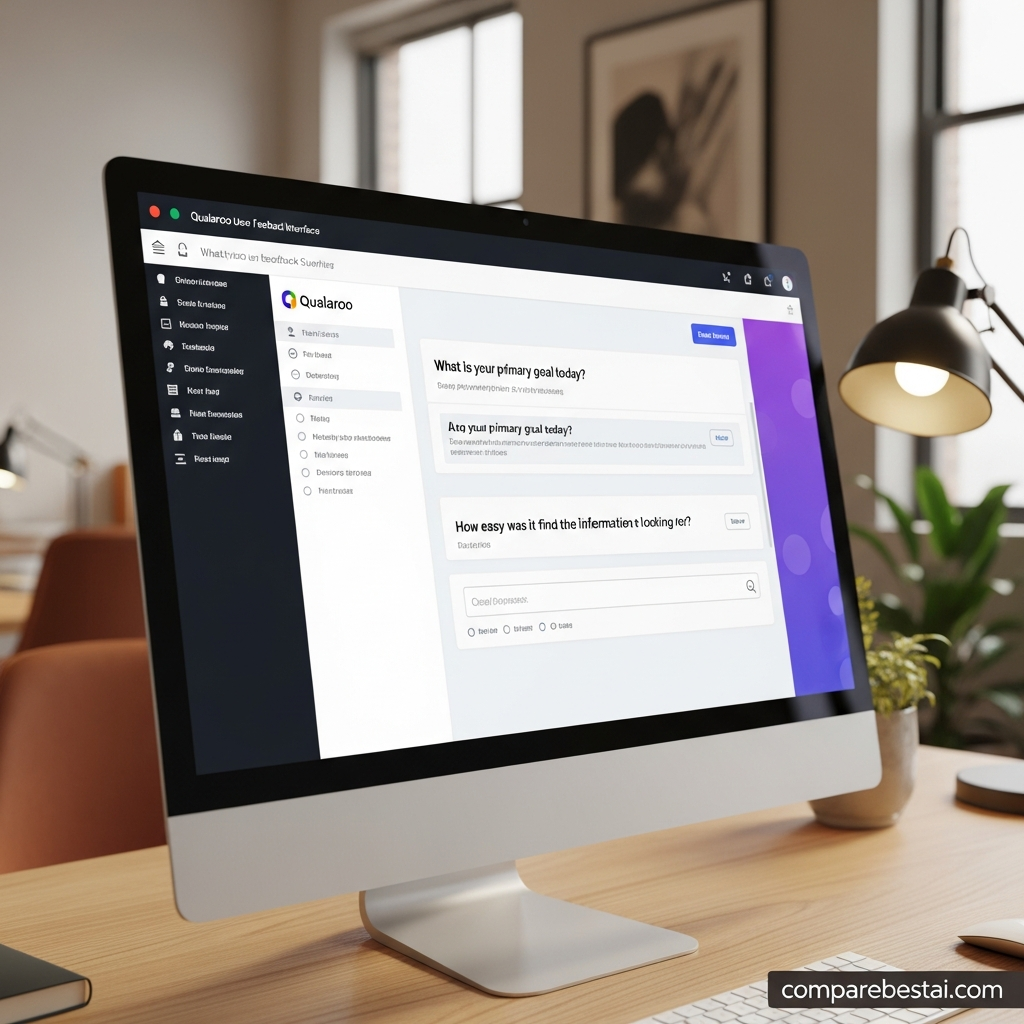
Qualaroo Pros and Cons
Pros
Forever Free plan: Small teams can collect up to 50 responses without paying.
Strong contextual targeting: Surveys can be triggered around specific users, behaviors, pages, and journey moments.
AI sentiment analysis: IBM Watson analyzes open-text feedback for sentiment and emotional signals.
Behavior plus feedback: Heatmaps and session recordings now complement Qualaroo's survey tools.
Good customer-experience coverage: NPS, CSAT, CES, exit surveys, onboarding feedback, and product research are available in one platform.
Strong integrations: Qualaroo connects with major CRM, analytics, communication, and automation tools.
Enterprise controls: Higher-tier functionality includes SSO, roles, permissions, APIs, and dedicated support.
Mobile and prototype feedback: Teams can collect feedback beyond ordinary website surveys.
Cons
Usage still requires planning: Email-send and pageview allowances matter when choosing a plan.
More complex than a basic form builder: Teams only needing occasional questionnaires may not use Qualaroo's advanced targeting and research capabilities.
Behavior analytics are newer to the platform: Teams focused primarily on deep session analytics should still compare Qualaroo directly with established behavior-analysis platforms.
Some integrations require APIs or connectors: Not every advertised workflow is a one-click native connection.
Enterprise features require a higher plan: SSO, advanced permissions, custom APIs, and specialized support are aimed primarily at larger organizations.
Qualaroo vs Hotjar
Qualaroo and Hotjar overlap more than they once did.
Both platforms can now combine behavioral information with direct user feedback.
Qualaroo's strongest differentiators are contextual Nudges, advanced survey targeting, IBM Watson-powered sentiment analysis, NPS and customer-feedback workflows, and detailed respondent targeting.
Hotjar remains particularly well known for behavior analytics, including heatmaps and session recordings, with feedback tools layered into that experience.
Qualaroo now also offers heatmaps and session replay, so choosing between them should depend on the depth of survey targeting and feedback research you need rather than assuming only Hotjar provides behavioral data.
Choose Qualaroo when contextual feedback and advanced survey targeting are the priority.
Consider Hotjar when your workflow is primarily centered around website behavior analysis and UX observation.
Best Qualaroo Alternatives
Hotjar
Best for teams that prioritize visual behavior analytics, heatmaps, session replay, and straightforward feedback collection.
SurveyMonkey
Best for broad survey programs, questionnaires, market research, and organizations that need a mature general-purpose survey platform.
Typeform
Best for visually polished, conversational forms and lead-generation experiences.
Survicate
Worth considering for customer-experience teams that want multi-channel surveys and feedback workflows.
Refiner
A useful alternative for SaaS and product teams focused on lightweight in-app surveys and product feedback.
IBM Watson should not be treated as a direct survey-platform competitor. It is the AI technology Qualaroo uses for parts of its sentiment-analysis workflow.
Qualaroo Facts at a Glance
- Qualaroo currently offers a Forever Free plan with up to 50 responses.
- The Free plan currently includes 500 email sends and up to 10,000 pageviews.
- Qualaroo Essentials is currently displayed at an effective $19.99 per month with annual billing.
- Business is currently displayed at an effective $49.99 per month with annual billing.
- Enterprise currently starts at an effective $149.99 per month and is offered with annual billing.
- Essentials and Business currently include unlimited survey responses.
- Qualaroo uses IBM Watson technology for sentiment analysis of open-text responses.
- Qualaroo now offers heatmaps and session recordings alongside survey feedback.
- Qualaroo supports NPS, CSAT, and CES feedback workflows.
- Enterprise features include SAML/SSO, roles and permissions, APIs, webhooks, advanced targeting, and dedicated support.
- Qualaroo supports integrations with Salesforce, HubSpot, Slack, Tableau, Intercom, Segment, Google Analytics, Power BI, and Zapier.
- Qualaroo provides mobile survey capabilities for iOS and Android workflows.
Because plans and feature allowances can change, readers should verify current pricing and limits directly with Qualaroo before purchasing.
Who Should Use Qualaroo? The Ideal User Profile
Qualaroo excels for digital product teams, UX researchers, marketing managers, and customer success specialists in SaaS, fintech, or e-commerce who require nuanced, contextual user insights. If your organization is committed to ongoing, data-driven optimization and has traffic volumes that justify continuous user discovery, Qualaroo offers a best-in-class toolkit.
Agencies running multiple client sites or campaigns will appreciate its multi-domain capabilities and the ability to clone survey templates across clients. Product managers in SaaS or mobile-first businesses can use its dynamic triggering to drive roadmap prioritization, validate feature ideas, or diagnose pain points just-in-time. E-commerce managers benefit from the ability to catch cart abandonment reasoning, post-purchase satisfaction, or promo feedback at the precise moment of interaction.
Large enterprises with dedicated research, analytics, or privacy teams find value in Qualaroo for its customization and compliance features. GDPR support and user consent options make it a safe choice for companies needing to meet regulatory requirements. Teams seeking to unify NPS, user suggestions, bug feedback, and onboarding impressions into one integrated dashboard will find Qualaroo covers most bases.
Conversely, Qualaroo may not be ideal for solo business owners, hobbyists, or startups needing only occasional broad surveys (e.g., general customer satisfaction blasts). For these use cases, free or cheap alternatives like Google Forms, or even Hotjar’s basic feedback widgets, offer more straightforward solutions. Similarly, organizations needing mass panel recruiting or deep academic research capabilities may be better served by tools designed for those workflows.
In short, Qualaroo shines for high-velocity digital teams pursuing granular, actionable user insights and able to budget for specialized feedback tools—not for those simply seeking the lowest-cost or broadest-reaching survey platform.
To further illustrate, a mid-size SaaS company mentioned in an independent research article (Capterra Review) switched to Qualaroo after realizing that competing tools imposed limits on concurrent user sessions and restricted survey logic options. After one quarter with Qualaroo, their customer journey mapping reports became more robust, and churn insights were flagged faster for their CS team. Similarly, a digital agency found that being able to set up client-specific survey flows and export segmented NPS results in minutes boosted client retention. In both cases, the investment paid off in efficiency, data quality, and stakeholder satisfaction. These case examples anchor Qualaroo's identity: a premium, context-focused product for teams prepared to use feedback as an ongoing competitive asset.
Qualaroo Review FAQs
Is Qualaroo worth it in 2026?
Qualaroo is worth considering for product, UX, SaaS, ecommerce, and customer-experience teams that need contextual surveys, advanced targeting, sentiment analysis, and behavioral insights.
Teams that only need occasional basic forms may find simpler tools easier and cheaper.
Is Qualaroo free?
Yes. Qualaroo currently offers a Forever Free plan with up to 50 responses, 500 email sends, and 10,000 pageviews.
How much does Qualaroo cost?
Qualaroo's current annual pricing displays Essentials at approximately $19.99 per month, Business at $49.99 per month, and Enterprise starting at $149.99 per month.
Always verify current billing terms and promotional prices before purchasing.
How does Qualaroo use AI?
Qualaroo uses IBM Watson technology to analyze open-text responses for sentiment and emotional patterns.
The platform also provides AI assistance for creating surveys and questions.
Does Qualaroo have heatmaps and session recordings?
Yes. Qualaroo now offers heatmaps and session recordings in addition to its survey and feedback tools.
This allows teams to connect behavioral signals such as scrolling, hesitation, rage clicks, and drop-offs with direct user feedback.
Does Qualaroo integrate with HubSpot and Salesforce?
Yes. Qualaroo currently documents integrations with HubSpot and Salesforce, along with tools such as Slack, Tableau, Intercom, Segment, Google Analytics, Power BI, and Zapier.
Does Qualaroo support GDPR and HIPAA requirements?
Qualaroo currently states that it supports GDPR and HIPAA-compliant workflows and provides security capabilities including encryption, access controls, SSO, and role-based permissions.
Organizations with formal regulatory requirements should still review the latest vendor documentation and contractual terms before deployment.
Is Qualaroo better than Hotjar?
Neither is universally better.
Qualaroo is particularly strong for contextual survey targeting, customer-feedback programs, and sentiment analysis.
Hotjar is strongly focused on visual user-behavior analysis.
Because Qualaroo now also includes heatmaps and session recordings, teams should compare the depth of each platform's survey and behavior-analysis workflows rather than choosing based on feature labels alone.
Final Verdict
Final Verdict: Is Qualaroo Worth It?
Qualaroo is a strong customer-feedback platform for teams that want to understand not only what users do but why they do it.
Its combination of contextual Nudges, advanced targeting, IBM Watson-powered sentiment analysis, NPS and customer-experience surveys, heatmaps, session recordings, integrations, and enterprise controls gives it broader capabilities than a traditional survey builder.
The current Forever Free plan and lower paid entry pricing also make Qualaroo considerably more accessible than older versions of its pricing model suggest.
The main trade-off is complexity. Small teams that only need occasional questionnaires may not benefit from its deeper targeting, analytics, and integration capabilities.
Choose Qualaroo when contextual user research and continuous feedback are central to your workflow.
Choose a simpler survey builder when you mainly need standalone forms or occasional questionnaires.
Ready to Test Qualaroo?Start with the Forever Free plan to see whether Qualaroo's targeting and feedback workflow fits your team before moving to a paid tier.
Try Qualaroo Free →
Found this guide useful? Share it with your team.

