

Quick Answer: How Much Does Sora 2 Cost in 2026?
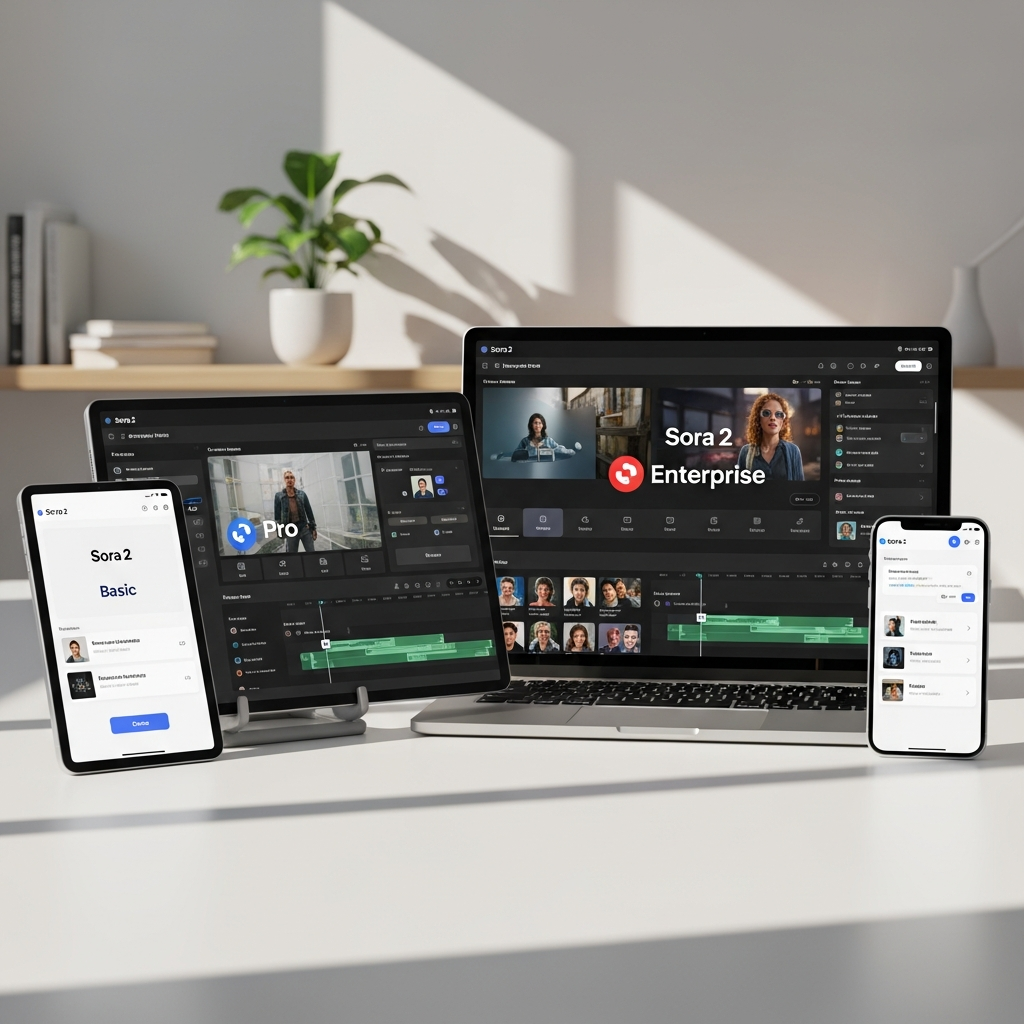
Sora 2 no longer has consumer Core, Pro or Enterprise subscription plans.
OpenAI discontinued the Sora web and app experiences on April 26, 2026. The remaining Sora API is scheduled to shut down permanently on September 24, 2026.
Until then, Sora 2 is available as a Legacy API model at $0.10 per generated second at 720p.
Sora 2 Pro currently costs between $0.30 and $0.70 per generated second, depending on output resolution.
For anyone starting a new long-term AI video workflow, an actively supported Sora alternative is now the safer choice.
Compare Active Sora 2 Alternatives
Get Exclusive Pricing Alerts →
Sora 2 Pricing at a Glance
| Model | Resolution | Price per Generated Second |
|---|---|---|
| Sora 2 | 720×1280 / 1280×720 | $0.10 |
| Sora 2 Pro | 720×1280 / 1280×720 | $0.30 |
| Sora 2 Pro | 1024×1792 / 1792×1024 | $0.50 |
| Sora 2 Pro | 1080×1920 / 1920×1080 | $0.70 |
Last verified: August 25, 2026.
Important: OpenAI has scheduled the Sora API for permanent shutdown on September 24, 2026.
Join Sora 2 waitlist or get a demo →
View Sora 2 plans and start your trial →
Is Sora 2 Still Available in 2026?
Sora 2 is only partially available.
OpenAI discontinued the consumer-facing Sora web and app experiences on April 26, 2026.
That means there is no longer a normal Sora website or app subscription that creators can purchase as a standalone video product.
The underlying Sora 2 and Sora 2 Pro models remain temporarily available through OpenAI's API.
OpenAI currently labels both models as Legacy.
The API itself is scheduled to permanently shut down on September 24, 2026.
This distinction is important because many older Sora pricing pages still describe subscription plans, ChatGPT access, free trials or team products that are no longer current.
Sora 2 API Pricing in 2026
OpenAI currently charges for Sora API video generation based on the number of generated video seconds.
There is no current $39 Core subscription, $89 Pro subscription or custom Sora Enterprise plan.
Sora 2 Pricing
Sora 2 currently costs:
$0.10 per generated second
The model supports:
Text input
Image input
Video output
Synchronized audio output
Portrait video at 720×1280
Landscape video at 1280×720
The API currently supports 4-, 8- and 12-second generation durations.
Sora 2 Pro Pricing
Sora 2 Pro provides higher-resolution output options.
Current pricing is:
| Sora 2 Pro Resolution | Cost per Second |
|---|---|
| 720×1280 / 1280×720 | $0.30 |
| 1024×1792 / 1792×1024 | $0.50 |
| 1080×1920 / 1920×1080 | $0.70 |
Higher resolution therefore increases cost substantially.
Get Exclusive Pricing Alerts →
Lock in your Sora 2 plan and avoid overage shocks →
How Much Does a Sora 2 Video Cost?
Because Sora pricing is based on generated seconds, the final cost depends on video duration and model.
Sora 2 Cost Examples
| Duration | Sora 2 720p |
|---|---|
| 4 seconds | $0.40 |
| 8 seconds | $0.80 |
| 12 seconds | $1.20 |
Sora 2 Pro Cost Examples
| Duration | 720p | 1024×1792 | 1080×1920 |
|---|---|---|---|
| 4 seconds | $1.20 | $2.00 | $2.80 |
| 8 seconds | $2.40 | $4.00 | $5.60 |
| 12 seconds | $3.60 | $6.00 | $8.40 |
These figures represent the direct generation cost.
Actual project cost can be higher if you generate several versions before getting an acceptable result.
For example, ten 12-second Sora 2 generations at 720p would cost $12 in API generation charges.
Ten 12-second Sora 2 Pro generations at the highest listed resolution would cost $84.
That makes iteration volume an important part of real AI video cost.

When Is the Sora API Shutting Down?
OpenAI has announced that the Sora API will permanently shut down on September 24, 2026.
This follows the earlier discontinuation of the Sora web and app experiences on April 26, 2026.
For developers already using Sora, the main priority should now be migration rather than long-term optimization around the API.
For developers evaluating video generation for a new product, building a new production system around Sora 2 would create an obvious migration requirement within weeks.
What Happened to Sora Subscription Pricing?
Older Sora pricing information can be confusing because OpenAI's video product changed significantly over time.
Historically, Sora access was associated with OpenAI's consumer products and usage allowances.
That is no longer the current model.
In August 2026:
There is no standalone Sora consumer subscription.
There is no Sora Core plan.
There is no Sora Pro SaaS plan.
There is no Sora Enterprise subscription tier with team seats.
There is no current 14-day Sora free trial.
There is no current annual Sora subscription discount.
The remaining direct OpenAI access is the Legacy API.
The API is scheduled to close September 24, 2026.
Pages describing $39, $89 or custom enterprise Sora plans should therefore be treated as outdated or inaccurate.
Does ChatGPT Plus or Pro Include Sora in 2026?
The discontinued Sora web and app experiences are no longer available through normal ChatGPT subscription access.
That means subscribing to ChatGPT Plus or Pro should not be treated as a way to purchase the former Sora consumer video product.
The remaining OpenAI Sora access is through the Legacy API until its scheduled shutdown.
If AI video is the primary reason you are considering a subscription, compare active video platforms rather than buying ChatGPT specifically for discontinued Sora access.
What Happens to Old Sora Credits?
OpenAI states that credits previously purchased for Sora can still be used with Codex.
They are no longer needed for the discontinued Sora web and app experience.
Users with old Sora content should also review OpenAI's current export instructions rather than assuming their old app content will remain available indefinitely.
What Actually Determines Sora 2 API Cost?
There are three main pricing variables.
1. Model
Sora 2 is substantially cheaper than Sora 2 Pro.
Sora 2 costs $0.10 per second.
Sora 2 Pro starts at $0.30 per second.
2. Resolution
Sora 2 uses 720p output.
Sora 2 Pro supports higher-resolution outputs, with pricing increasing to $0.50 or $0.70 per generated second depending on resolution.
3. Duration
The current API supports 4-, 8- and 12-second generations.
A 12-second video therefore costs three times as much as a four-second generation at the same rate.
Iteration Also Matters
The published price is not necessarily the final cost of a usable clip.
Generative video often requires multiple attempts.
A team that needs five or ten generations to achieve the right composition, movement or prompt adherence should calculate the cost of all those generations rather than the cost of one successful output.
Are There Sora 2 Hidden Costs?
There is no evidence for old claims about fixed Sora export-overage fees, paid cloud-storage upgrades or special $199 support packages.
The main cost risk is simpler:
generation volume.
Every additional generated second adds API cost.
Repeated attempts can therefore raise the cost of a finished asset.
Developers also need to account for their own infrastructure, storage, application development and migration costs where relevant.
The biggest non-generation consideration in August 2026 is the scheduled API shutdown itself.
Any application built around Sora now needs a migration plan.
Should You Start Using the Sora 2 API Now?
For a new long-term production workflow, Sora 2 is difficult to recommend.
OpenAI has already scheduled the API for shutdown on September 24, 2026.
That makes it unsuitable as the foundation of a product expected to operate beyond that date.
The remaining API can still make sense for:
Existing Sora integrations
Short projects that will finish before shutdown
Reproducing existing Sora-based outputs
Temporary experimentation
Migration testing
It makes much less sense for:
New long-term SaaS products
New production pipelines
Agencies standardizing their video stack
Businesses looking for a stable video API
Teams expecting future Sora feature development
Sora 2 Alternatives After the Shutdown
Businesses and creators looking for an ongoing AI video platform should compare active alternatives.
| Platform | Pricing Model | Best For |
|---|---|---|
| Runway | Subscription and credits | Creative video generation and editing |
| Google Flow | Subscription/credits | Veo-based cinematic video generation |
| Seedance | Platform/API availability varies | Multimodal audiovisual generation |
| Adobe Firefly | Subscription and generative credits | Multi-model professional workflows |
| Luma AI | Subscription/credits | Cinematic and VFX workflows |
| Pika | Subscription/credits | Social and short-form video |
| HeyGen | Subscription | Avatar-led marketing video |
| Synthesia | Subscription | Training and business presenter video |
For a full breakdown, see our Sora 2 Alternatives 2026 comparison.
Creators focused on professional production should also read our Runway AI Video Tool Review 2026.
See how Sora 2 compares to Synthesia and Pictory →
Sora 2 Pricing Verified Facts for 2026
Last verified: August 25, 2026
Sora web and app: Discontinued April 26, 2026.
Sora API: Scheduled to permanently shut down September 24, 2026.
Sora 2 status: Legacy API model.
Sora 2 720p price: $0.10 per generated second.
Sora 2 Pro 720p price: $0.30 per generated second.
Sora 2 Pro 1024×1792 / 1792×1024: $0.50 per second.
Sora 2 Pro 1080×1920 / 1920×1080: $0.70 per second.
Supported API durations: 4, 8 and 12 seconds.
4-second Sora 2 cost: $0.40.
8-second Sora 2 cost: $0.80.
12-second Sora 2 cost: $1.20.
12-second Sora 2 Pro 720p cost: $3.60.
12-second Sora 2 Pro highest-resolution cost: $8.40.
Current Core subscription: None.
Current Pro Sora SaaS subscription: None.
Current Enterprise Sora subscription: None.
Current Sora free trial: None.
Old Sora credits: OpenAI states that previously purchased credits can be used with Codex.
Primary sources: OpenAI Sora Discontinuation Help Center, OpenAI Sora 2 model documentation, Sora 2 Pro documentation and OpenAI Videos API reference.
Frequently Asked Questions
How much does Sora 2 cost in 2026?
Sora 2 currently costs $0.10 per generated second through OpenAI's Legacy API. The former consumer Sora web and app product has been discontinued.
How much does Sora 2 Pro cost?
Sora 2 Pro currently costs $0.30 per second at 720p, $0.50 per second at the middle listed resolution and $0.70 per second at the highest listed resolution.
Does Sora 2 have a monthly subscription?
No. There is no current standalone Sora Core, Pro or Enterprise monthly subscription. The remaining direct OpenAI access is API-based.
Is Sora 2 included with ChatGPT Plus?
The standalone Sora web and app experience was discontinued on April 26, 2026. ChatGPT Plus should therefore not be treated as a current subscription route to the former Sora product.
Does Sora 2 have a free trial?
There is no current standalone Sora free trial. The API does not support the free API usage tier.
When is Sora shutting down?
The Sora web and app experiences were discontinued on April 26, 2026. OpenAI has announced that the remaining Sora API will permanently shut down on September 24, 2026.
What video lengths does the Sora API support?
The current OpenAI Videos API supports 4-, 8- and 12-second generation options.
How much does a 12-second Sora 2 video cost?
At $0.10 per generated second, a 12-second Sora 2 video costs $1.20.
How much does a 12-second Sora 2 Pro video cost?
A 12-second Sora 2 Pro video costs $3.60 at the 720p rate, $6.00 at the middle-resolution rate or $8.40 at the highest listed resolution.
Should I use the Sora API for a new project?
It is difficult to recommend for a new long-term project because OpenAI has scheduled the API to shut down permanently on September 24, 2026. An actively maintained AI video platform is a safer choice for ongoing production.
Final Verdict: What Does Sora 2 Really Cost in 2026?
Sora 2 pricing is much simpler than many outdated pricing guides suggest.
There are no current Core, Pro or Enterprise Sora subscriptions.
The remaining OpenAI access is usage-based through the Legacy API.
Sora 2 costs $0.10 per generated second at 720p.
Sora 2 Pro costs between $0.30 and $0.70 per generated second depending on resolution.
For a single short clip, those costs can be reasonable.
The bigger issue is not price.
It is product lifespan.
OpenAI discontinued the Sora web and app experience in April 2026 and has scheduled the remaining API for permanent shutdown on September 24, 2026.
For existing developers, the API may still be useful for completing current projects or managing a migration.
For anyone choosing an AI video platform for ongoing work, however, investing in a platform that will remain available after September is the more practical decision.
Compare Active Sora 2 Alternatives
Download the Free Buyers Guide →
Get Exclusive Pricing Alerts →
Claim your Sora 2 offer or request a quote now →
Found this guide useful? Share it with your team.


