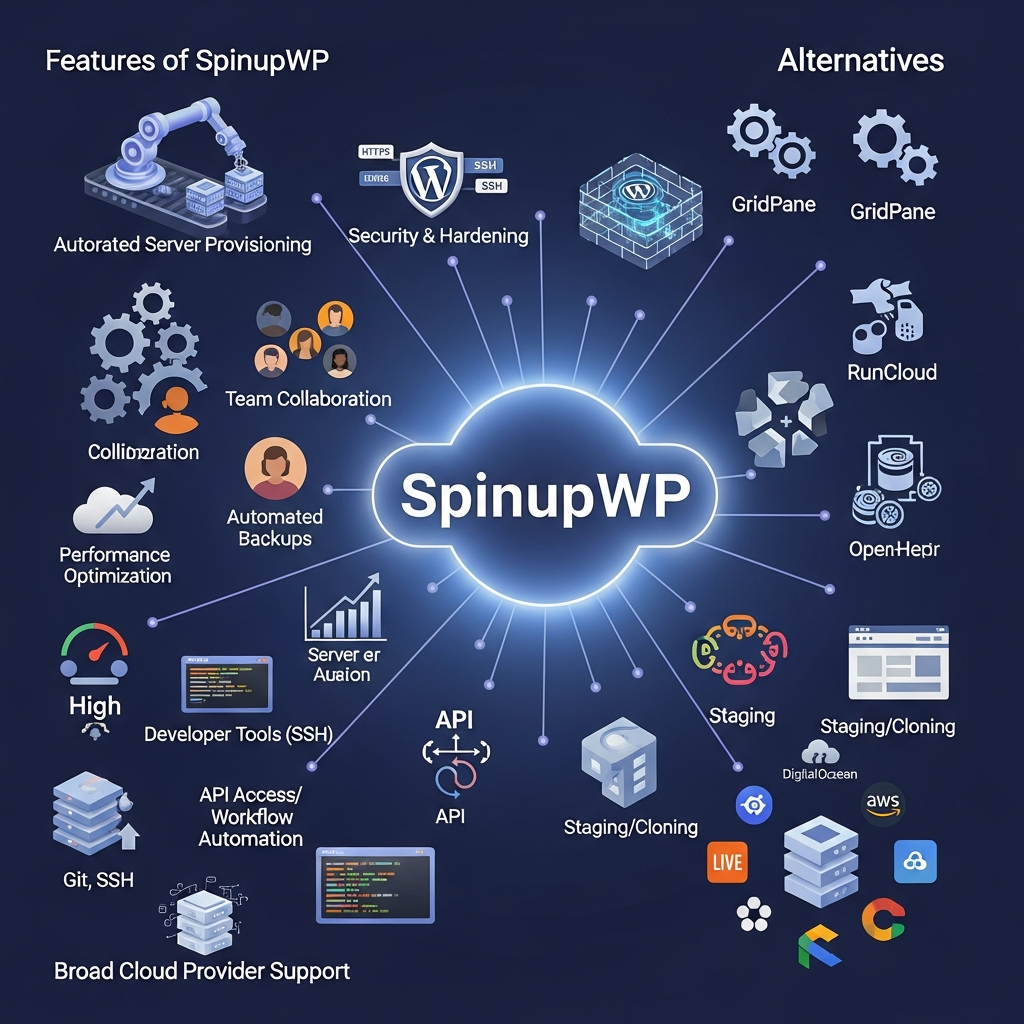

Quick Answer: Is SpinupWP Worth It in 2026?
Yes. SpinupWP is worth considering in 2026 for WordPress developers, freelancers and agencies that want to run WordPress on their own cloud servers without manually configuring the entire server stack.
Essentials costs $12 per month and Advanced costs $19 per month. Both plans include one server, unlimited WordPress sites from a licensing perspective, backups, staging tools and server-management functionality.
SpinupWP is less suitable for beginners who want hosting, infrastructure management and technical support bundled into one service. Your cloud server is purchased separately, so you still need to choose and pay for the underlying infrastructure.
Start the SpinupWP 7-Day Free Trial
SpinupWP at a Glance
| Category | SpinupWP |
|---|---|
| Product type | WordPress server control panel |
| Best for | Developers, freelancers and WordPress agencies |
| Essentials | $12/month |
| Advanced | $19/month |
| Included servers | 1 |
| Sites | Unlimited per server from a licensing perspective |
| Free trial | 7 days |
| Server cost included | No |
| Staging tools | Yes |
| Git deployment | Yes |
| SSH/SFTP | Yes |
| REST API | Yes |
| Backups | Yes |
| Multiple users | Advanced |
| Site monitoring | Advanced, $1/site/month |
| Managed migration | From $300/site |
| Fully managed hosting | No |
Last verified: August 25, 2026.
What Is SpinupWP?
SpinupWP is a control panel for deploying and managing WordPress sites on cloud servers you own or rent separately.
It sits between two common approaches to WordPress hosting.
At one extreme, you can buy a raw VPS and configure Linux, Nginx, PHP, MySQL, Redis, SSL, firewall rules, backups and deployments manually.
At the other extreme, you can use a managed WordPress host that bundles infrastructure and server management into a single service.
SpinupWP takes a middle path.
You choose the cloud server. SpinupWP then configures and manages much of the WordPress-focused server stack through its dashboard.
That makes it especially relevant to:
- WordPress developers
- Freelancers
- Development agencies
- Agencies managing client sites
- Technical site owners
- In-house web teams
- Businesses running multiple WordPress properties
SpinupWP is not an AI platform and does not need AI positioning to explain its value.
It is an infrastructure and WordPress-management product.
SpinupWP began as a Delicious Brains product. When Delicious Brains was sold to WP Engine in June 2022, SpinupWP continued as an independent company
Unlock CBAI WordPress Insights →
SpinupWP Features
Server Provisioning
SpinupWP guides users through connecting or provisioning a cloud server and prepares it for WordPress.
Its current integrated server-provider workflows include:
- DigitalOcean
- Vultr
- Hetzner
- Akamai/Linode
It also supports AWS EC2, AWS Lightsail, Google Cloud Compute and other compatible server providers.
This gives users more infrastructure choice than a host that locks every account into one cloud environment.
WordPress-Optimized Server Stack
SpinupWP configures a WordPress-focused software stack that currently includes:
- Nginx
- PHP-FPM
- MySQL 8
- Redis
- Git
- Composer
- WP-CLI
- Certbot
- UFW
- Fail2Ban
It also configures server security updates.
That removes much of the manual work involved in preparing a raw VPS for WordPress.
Full-Page and Object Caching
SpinupWP can configure Nginx FastCGI full-page caching for WordPress.
Redis is also available for object caching.
These can reduce repeated PHP/database work and improve the number of requests a server can handle.
Actual performance still depends on:
- Server CPU and memory
- Theme quality
- Plugins
- Database load
- Traffic
- Images
- Third-party scripts
- CDN configuration
- Caching strategy
SpinupWP should therefore be evaluated for its infrastructure tools rather than through broad claims such as “30% faster than shared hosting.”

Security Hardening
SpinupWP configures several server and WordPress security measures.
These include:
- UFW firewall
- Fail2Ban
- HTTPS
- Nginx security headers
- Site-level user isolation
- Optional XML-RPC disabling
- Optional prevention of PHP execution in uploads
- Two-factor authentication for SpinupWP accounts
However, SpinupWP does not automatically keep every WordPress theme and plugin updated.
Its own security documentation states that theme and plugin maintenance remains the site owner's responsibility.
Backups
SpinupWP supports full backups of WordPress site files and databases.
Backups are stored with an external storage provider configured by the user.
Current supported options include services such as:
- Amazon S3
- Backblaze
- DigitalOcean Spaces
- Google Cloud Storage
- Wasabi
- Akamai/Linode Object Storage
- SFTP
- Other supported storage providers
Essentials includes one daily scheduled snapshot per site.
Advanced supports up to:
- 4 daily snapshots
- 4 weekly snapshots
- 4 monthly snapshots
per site.
Staging, Cloning and Refresh
SpinupWP does not have one separate button literally called “Staging.”
Instead, staging workflows use its Clone Site and Refresh Site tools.
Clone Site creates a copy containing the site's files, database and relevant server configuration.
Refresh Site can later copy:
- Files
- Database
- Or both
from another site in your SpinupWP account.
These tools can be used to keep staging environments synchronized with production.
Move Site
SpinupWP also includes a Move Site tool for transferring an existing site between servers in the same account.
The move process can copy files, databases, PHP configuration, Nginx configuration, Git repositories, backup settings and other site configuration to a new server.
This is useful when a site outgrows its current infrastructure.
Git and Push-to-Deploy
SpinupWP supports Git-based WordPress projects.
Users can configure:
- Repository URL
- Branch
- Deploy script
- Deploy keys
- Push-to-Deploy
Push-to-Deploy creates a webhook that can trigger deployments from a Git provider.
SSH and SFTP
Every site can have its own system user with SSH and SFTP access.
Site users are restricted to the site's directory, creating isolation between sites hosted on the same server.
For developers, this provides much more control than hosting products that hide server access entirely.
REST API, SDK and CLI
SpinupWP provides developer tooling for automation.
The REST API can remotely:
- Spin up servers
- Create sites
- Manage sites
- Automate repeatable infrastructure tasks
SpinupWP also provides a PHP SDK and command-line interface.
This is useful for agencies or development teams building their own internal WordPress management workflows.
Team Access
Advanced supports multiple users.
One user is included and additional users currently cost $2 per month each.
Account owners can restrict users to specific servers and permissions.
Essentials remains a single-user plan.
Site Monitoring
Advanced also offers optional Site Monitoring at:
$1 per monitored site per month.
Monitoring checks site availability and records downtime incidents.
WordPress Magic Login
Advanced includes WordPress Magic Login, providing another convenience feature for teams managing multiple WordPress installations

SpinupWP Pricing in 2026
SpinupWP currently offers two main plans.
| Feature | Essentials | Advanced |
|---|---|---|
| Monthly price | $12 | $19 |
| Included servers | 1 | 1 |
| Sites | Unlimited* | Unlimited* |
| Included users | 1 | 1 |
| Additional users | No | $2/month |
| Daily backups | 1/site | Up to 4/site |
| Weekly backups | No scheduled allowance | Up to 4/site |
| Monthly backups | No scheduled allowance | Up to 4/site |
| Staging/Clone/Refresh | Yes | Yes |
| Support | Standard email | Priority email |
| Site Monitoring | No | $1/site/month |
| External MySQL | No | Yes |
| Magic Login | No | Yes |
Unlimited refers to SpinupWP's licensing. Real site capacity depends on the server's resources and workload.
Pricing last verified: August 25, 2026.
Essentials
Essentials costs $12 per month.
It includes:
- One server
- Unlimited sites
- One user
- One daily scheduled backup per site
- Standard email support
- Clone Site
- Refresh Site
- Unlimited staging-site workflows
- Core server/WordPress management tools
Essentials is best for individual developers or technically comfortable site owners managing their own WordPress infrastructure.
Advanced
Advanced costs $19 per month.
It adds:
- Multiple users
- Priority email support
- More scheduled backup frequency
- Site Monitoring
- WordPress Magic Login
- External MySQL support
Advanced is more suitable for agencies and development teams.
Additional Servers
Both plans include one server.
Additional server pricing decreases as server count grows.
Current volume pricing starts at:
- Essentials: $8/server for servers 2–3
- Advanced: $10/server for servers 2–3
and falls with higher server volumes, reaching as low as $1 per additional server on very large accounts.
Migration Service
SpinupWP provides an optional managed site-migration service.
Current pricing starts at:
$300 per site.
You can also migrate sites yourself using SpinupWP's published migration process.
Free Trial
SpinupWP currently offers a:
7-day free trial
with:
- No credit card required
- All features included
What Does SpinupWP Really Cost?
SpinupWP's subscription does not include your cloud server.
Potential costs include:
- SpinupWP subscription
- Cloud/VPS server
- Additional SpinupWP servers
- Additional Advanced users
- Advanced site monitoring
- Backup object storage
- Domains
- DNS/CDN services
- Optional migration service
This makes total-cost comparisons with managed WordPress hosting more complicated than comparing subscription prices alone.
SpinupWP Pros and Cons
Pros
- Starts at $12/month
- Unlimited sites from a licensing perspective
- Infrastructure provider choice
- WordPress-focused server configuration
- Nginx full-page caching
- Redis support
- UFW and Fail2Ban
- Git deployment
- SSH and SFTP
- Clone and Refresh tools
- Server-to-server site moves
- REST API
- PHP SDK
- CLI
- External backup destinations
- 7-day free trial
- Multi-user access on Advanced
- No requirement to keep servers with SpinupWP permanently
Cons
- Underlying VPS/cloud cost is separate
- More technical than normal managed WordPress hosting
- Essentials supports only one user
- Advanced is required for multiple users and monitoring
- Backup storage is separate
- Site capacity still depends on server resources despite “unlimited sites”
- Themes and plugins remain the owner's responsibility to update
- No bundled email hosting
- Requires users to understand basic DNS and server concepts
- No phone support listed in current standard plans
- Managed migration starts at $300/site
Who Should Use SpinupWP?
WordPress Developers
Developers are one of the clearest fits.
SSH, Git, WP-CLI, Redis, deploy scripts and API access give developers control without requiring every server component to be configured manually.
Freelancers
Freelancers managing several WordPress sites can host multiple projects on infrastructure they control while using SpinupWP for common server-management tasks.
WordPress Agencies
Advanced is particularly relevant to agencies because it provides:
- Multiple users
- Server-level permissions
- Priority email support
- More backup scheduling
- Site monitoring
- Unlimited licensed sites
Agencies should still size cloud servers appropriately rather than treating unlimited sites as unlimited infrastructure.
In-House Development Teams
Companies running several WordPress sites may value having one management layer while retaining control over the underlying server provider.
Who Should Choose Another Platform?
SpinupWP may not be the best fit if you:
- Have little server experience
- Want everything bundled into one monthly hosting bill
- Want telephone-first support
- Do not want to manage cloud accounts
- Need hosting for many non-WordPress applications
- Want email hosting bundled with the website
- Run only one simple website and value convenience above infrastructure control
For those users, a managed WordPress host may be easier.
SpinupWP vs Alternatives
SpinupWP vs GridPane
Both products target users who want WordPress management on their own infrastructure.
SpinupWP is worth considering when its WordPress-focused workflows, simple pricing model and developer tooling fit your team.
GridPane should be compared when deeper infrastructure or WordPress-hosting controls are required.
Compare SpinupWP with GridPane
SpinupWP vs RunCloud
RunCloud serves a broader PHP hosting use case.
It is more relevant to developers managing:
- WordPress
- Laravel
- Other PHP applications
SpinupWP is more tightly focused on WordPress.
Choose based on whether your infrastructure is WordPress-only or mixed application hosting.
Read the RunCloud Review
SpinupWP vs Cloudways
Cloudways provides more of the underlying hosting-management layer.
SpinupWP gives users greater ownership and control over their own servers but requires more infrastructure responsibility.
Cloudways may therefore be easier for teams that want managed cloud hosting without taking on as much server administration.
Explore Cloudways
SpinupWP vs Managed WordPress Hosting
The fundamental difference is responsibility.
With SpinupWP:
- You choose the server
- You pay the server provider
- You retain infrastructure control
- SpinupWP manages much of the WordPress server configuration
With a managed WordPress host:
- Hosting and management are bundled
- The provider controls more of the infrastructure
- Support usually covers more of the underlying hosting environment
For nontechnical businesses, managed hosting is generally easier.
For developers who value infrastructure control, SpinupWP may provide more flexibility.
How We Evaluated SpinupWP
We evaluated SpinupWP using its current official pricing, product documentation, technical documentation and company information.
The review focused on:
- Pricing
- Server allowances
- Site limits
- Backup schedules
- Staging
- Cloning
- Site moves
- Security
- Server stack
- Git
- SSH/SFTP
- REST API
- Team functionality
- Cloud-provider support
- Monitoring
- Migration
- Total cost
- Major alternatives
Pricing and feature information was rechecked on August 25, 2026.
Unsupported performance claims, generic AI positioning and anecdotal ROI estimates were excluded.
SpinupWP Verified Facts for 2026
Last verified: August 25, 2026
- Product type: WordPress server control panel.
- Essentials: $12/month.
- Advanced: $19/month.
- Included servers: One on either plan.
- Sites: Unlimited under SpinupWP licensing.
- Essentials users: One.
- Advanced additional users: $2/month each.
- Essentials backups: One daily scheduled snapshot per site.
- Advanced backups: Up to four daily, four weekly and four monthly scheduled snapshots per site.
- Advanced Site Monitoring: $1/site/month.
- Free trial: Seven days.
- Migration service: Starts at $300/site.
- Staging workflows: Clone Site and Refresh Site.
- Integrated server providers: DigitalOcean, Vultr, Hetzner and Akamai/Linode.
- Other supported infrastructure: AWS, Google Cloud and compatible providers.
- Server stack: Nginx, PHP-FPM, MySQL 8, Redis, Git, Composer, WP-CLI, Certbot, UFW and Fail2Ban.
- Developer tools: REST API, PHP SDK and CLI.
- Git: Supported with Push-to-Deploy.
- Backup storage: User-configured external storage.
- Company status: Independent; formerly a Delicious Brains product.
- WordPress updates: Site owners remain responsible for maintaining themes and plugins.
Primary sources: SpinupWP Pricing, About, Getting Started, Security, Backups and API documentation.
WordPress Developers
Developers are one of the clearest fits.
SSH, Git, WP-CLI, Redis, deploy scripts and API access give developers control without requiring every server component to be configured manually.
Freelancers
Freelancers managing several WordPress sites can host multiple projects on infrastructure they control while using SpinupWP for common server-management tasks.
WordPress Agencies
Advanced is particularly relevant to agencies because it provides:
- Multiple users
- Server-level permissions
- Priority email support
- More backup scheduling
- Site monitoring
- Unlimited licensed sites
Agencies should still size cloud servers appropriately rather than treating unlimited sites as unlimited infrastructure.
In-House Development Teams
Companies running several WordPress sites may value having one management layer while retaining control over the underlying server provider.
Who Should Choose Another Platform?
SpinupWP may not be the best fit if you:
- Have little server experience
- Want everything bundled into one monthly hosting bill
- Want telephone-first support
- Do not want to manage cloud accounts
- Need hosting for many non-WordPress applications
- Want email hosting bundled with the website
- Run only one simple website and value convenience above infrastructure control
For those users, a managed WordPress host may be easier.
SpinupWP vs Alternatives
SpinupWP vs GridPane
Both products target users who want WordPress management on their own infrastructure.
SpinupWP is worth considering when its WordPress-focused workflows, simple pricing model and developer tooling fit your team.
GridPane should be compared when deeper infrastructure or WordPress-hosting controls are required.
Compare SpinupWP with GridPane
SpinupWP vs RunCloud
RunCloud serves a broader PHP hosting use case.
It is more relevant to developers managing:
- WordPress
- Laravel
- Other PHP applications
SpinupWP is more tightly focused on WordPress.
Choose based on whether your infrastructure is WordPress-only or mixed application hosting.
Read the RunCloud Review
SpinupWP vs Cloudways
Cloudways provides more of the underlying hosting-management layer.
SpinupWP gives users greater ownership and control over their own servers but requires more infrastructure responsibility.
Cloudways may therefore be easier for teams that want managed cloud hosting without taking on as much server administration.
Explore Cloudways
SpinupWP vs Managed WordPress Hosting
The fundamental difference is responsibility.
With SpinupWP:
- You choose the server
- You pay the server provider
- You retain infrastructure control
- SpinupWP manages much of the WordPress server configuration
With a managed WordPress host:
- Hosting and management are bundled
- The provider controls more of the infrastructure
- Support usually covers more of the underlying hosting environment
For nontechnical businesses, managed hosting is generally easier.
For developers who value infrastructure control, SpinupWP may provide more flexibility.
How We Evaluated SpinupWP
We evaluated SpinupWP using its current official pricing, product documentation, technical documentation and company information.
The review focused on:
- Pricing
- Server allowances
- Site limits
- Backup schedules
- Staging
- Cloning
- Site moves
- Security
- Server stack
- Git
- SSH/SFTP
- REST API
- Team functionality
- Cloud-provider support
- Monitoring
- Migration
- Total cost
- Major alternatives
Pricing and feature information was rechecked on August 25, 2026.
Unsupported performance claims, generic AI positioning and anecdotal ROI estimates were excluded.
SpinupWP Verified Facts for 2026
Last verified: August 25, 2026
- Product type: WordPress server control panel.
- Essentials: $12/month.
- Advanced: $19/month.
- Included servers: One on either plan.
- Sites: Unlimited under SpinupWP licensing.
- Essentials users: One.
- Advanced additional users: $2/month each.
- Essentials backups: One daily scheduled snapshot per site.
- Advanced backups: Up to four daily, four weekly and four monthly scheduled snapshots per site.
- Advanced Site Monitoring: $1/site/month.
- Free trial: Seven days.
- Migration service: Starts at $300/site.
- Staging workflows: Clone Site and Refresh Site.
- Integrated server providers: DigitalOcean, Vultr, Hetzner and Akamai/Linode.
- Other supported infrastructure: AWS, Google Cloud and compatible providers.
- Server stack: Nginx, PHP-FPM, MySQL 8, Redis, Git, Composer, WP-CLI, Certbot, UFW and Fail2Ban.
- Developer tools: REST API, PHP SDK and CLI.
- Git: Supported with Push-to-Deploy.
- Backup storage: User-configured external storage.
- Company status: Independent; formerly a Delicious Brains product.
- WordPress updates: Site owners remain responsible for maintaining themes and plugins.
Primary sources: SpinupWP Pricing, About, Getting Started, Security, Backups and API documentation.
Frequently Asked Questions
What is SpinupWP?
SpinupWP is a WordPress server control panel that helps users deploy and manage WordPress sites on cloud servers they control.
How much does SpinupWP cost in 2026?
SpinupWP currently costs $12 per month for Essentials and $19 per month for Advanced. Both plans include one server and unlimited sites under SpinupWP's licensing.
Does SpinupWP include hosting?
No. SpinupWP is the server-management layer. You purchase your VPS or cloud server separately.
Does SpinupWP offer a free trial?
Yes. SpinupWP currently offers a seven-day free trial with no credit card required.
How many websites can I host with SpinupWP?
SpinupWP does not impose a per-site licensing limit on its current plans. The practical number of sites depends on the resources and workload of your server.
Does SpinupWP support staging sites?
Yes. SpinupWP uses Clone Site and Refresh Site to create and maintain staging workflows.
Does SpinupWP support backups?
Yes. Essentials supports one daily scheduled snapshot per site, while Advanced supports up to four daily, four weekly and four monthly scheduled snapshots. Backup files are stored with an external storage provider configured by the user.
Which cloud providers work with SpinupWP?
SpinupWP currently provides integrated workflows for DigitalOcean, Vultr, Hetzner and Akamai/Linode. It also supports AWS, Google Cloud and compatible custom server providers.
Does SpinupWP support Git?
Yes. Git repositories, deployment scripts and Push-to-Deploy workflows are supported.
Does SpinupWP have an API?
Yes. SpinupWP provides a REST API, PHP SDK and CLI for infrastructure and site-management automation.
Is SpinupWP suitable for beginners?
It can be learned, but it is more technical than conventional managed WordPress hosting. Users should be comfortable with concepts such as cloud servers, DNS and WordPress infrastructure.
Is SpinupWP good for agencies?
Yes. Agencies managing multiple WordPress sites are one of its strongest use cases. Advanced provides multi-user access, additional permissions, priority email support and optional site monitoring.
Final Verdict: Is SpinupWP Worth It in 2026?
SpinupWP is a strong option for WordPress developers, freelancers and agencies that want the control of their own cloud infrastructure without configuring every part of the server manually.
Its biggest advantage is the balance between control and automation.
You retain your server account and infrastructure choice while SpinupWP handles much of the WordPress-focused configuration around Nginx, PHP, MySQL, Redis, SSL, security and deployments.
Pricing is also straightforward.
Essentials costs $12 per month and covers one user and one server.
Advanced costs $19 per month and adds the functionality that matters more to teams, including multiple users, priority email support, increased backup scheduling, site monitoring, Magic Login and external database support.
The main drawback is that SpinupWP is not fully managed hosting.
You still need to:
- Choose your cloud provider
- Pay for the server separately
- Understand basic DNS
- Size the infrastructure appropriately
- Maintain WordPress themes and plugins
- Pay separately for backup storage
That makes it a better fit for technically comfortable users than beginners.
If you manage several WordPress sites and want more control over your hosting stack, SpinupWP is worth testing.
If you want one company to handle hosting, infrastructure, support and most operational responsibility, a managed WordPress platform may be easier.
Try SpinupWP Free for 7 Days
Found this guide useful? Share it with your team.

