
Quick Answer: How Much Does Stable Video Diffusion Cost in 2026?
Stable Video Diffusion does not have an official monthly SaaS subscription or hosted Stability AI API price in 2026.
Stability AI discontinued the hosted Stable Video Diffusion API on July 24, 2025. The model remains available for self-hosting.
Under Stability AI's current Community License, eligible creators, developers, researchers and businesses with less than $1 million in annual revenue can use covered Core Models, including Stable Video Diffusion, without paying a Stability AI license fee.
Larger commercial organizations may need an Enterprise license with custom pricing.
The real cost of Stable Video Diffusion in 2026 is therefore usually self-hosting infrastructure, not a monthly SVD subscription.
Get Exclusive Pricing Alerts →
Stable Video Diffusion Pricing at a Glance
| Cost Area | Current 2026 Position |
|---|---|
| Official SVD monthly subscription | None |
| Official hosted SVD API | Discontinued |
| Hosted API shutdown date | July 24, 2025 |
| Community License | Free for eligible users |
| Commercial use under $1M annual revenue | Free under current Community License terms |
| Larger commercial use | Enterprise license, custom pricing |
| Model weights | Available for self-hosting |
| GPU compute | Paid separately |
| Storage | Paid separately |
| Cloud bandwidth | Depends on provider |
| Third-party inference | Provider-specific pricing |
| Official SVD free SaaS trial | None |
Last verified: August 25, 2026.
What Is Stable Video Diffusion?
Stable Video Diffusion is Stability AI's generative video model family.
Unlike a conventional browser-based AI video SaaS product, Stable Video Diffusion is primarily designed to be run as a generative model.
The official Stable Video Diffusion 1.1 model card describes it as an image-to-video latent diffusion model.
A still image is used as the conditioning frame, and the model generates a short sequence from that image.
This distinction matters when discussing pricing.
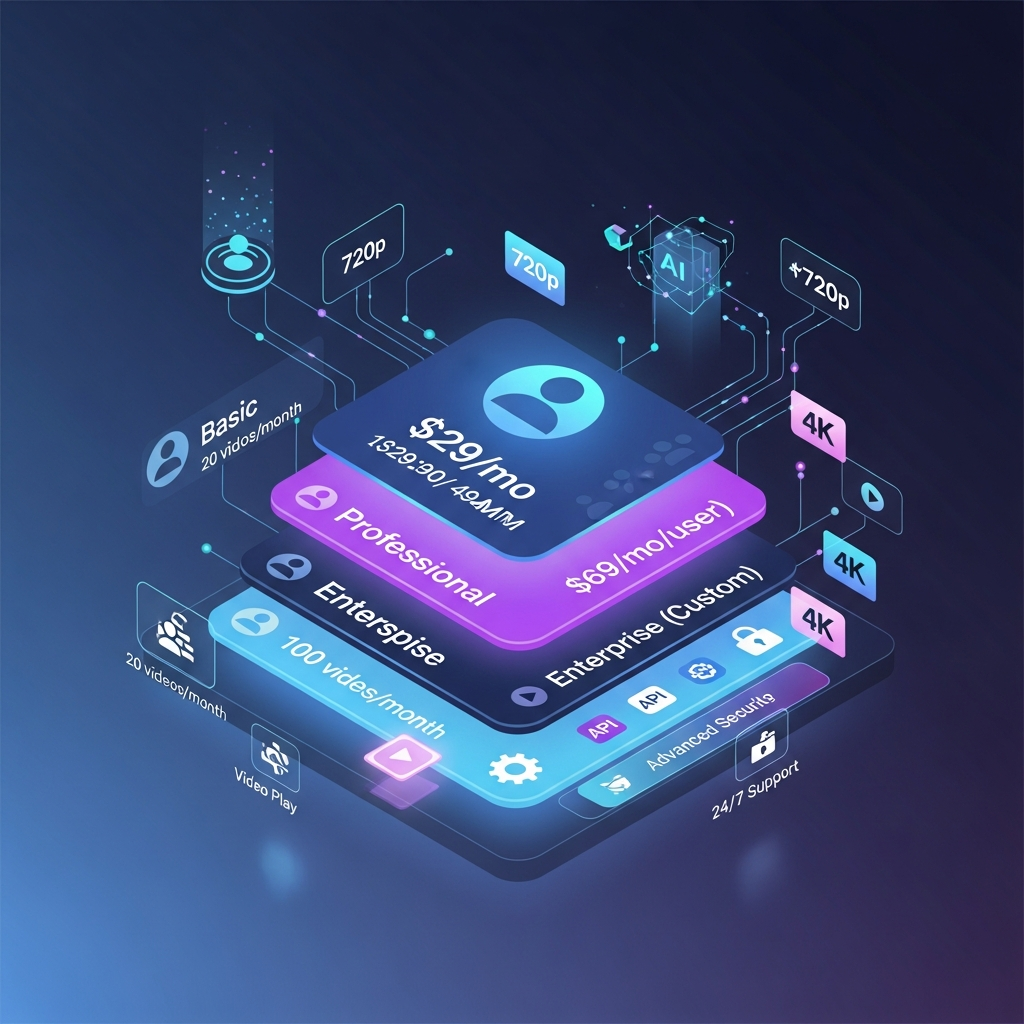
Stable Video Diffusion is not currently sold as a $29 Basic subscription or $69 Professional subscription with project storage, team seats and brand kits.
The current cost model revolves around:
- Licensing
- Compute
- Storage
- Deployment
- Engineering
- Optional third-party hosting
Is Stable Video Diffusion Still Available in 2026?
Yes, but not through Stability AI's old hosted video API.
Stability AI officially discontinued the Stable Video Diffusion API on July 24, 2025.
Its current Knowledge Base directs users who still want Stable Video Diffusion to self-host the model. The recommended process involves reviewing the license, downloading the model weights, obtaining Stability AI's reference implementation and running inference in your own environment.
Stability AI's current Core Models list still includes:
- Stable Video Diffusion 14-frame version
- Stable Video Diffusion 25-frame version
- Stable Video Diffusion 1.1
The list was last updated by Stability AI on May 20, 2026.
Unlock Stable Video Diffusion Deals →
Stable Video Diffusion Licensing in 2026
Pricing now makes more sense when separated into license cost and infrastructure cost.
Community License
Stability AI currently provides a Community License for eligible creators, developers, researchers and businesses.
For qualifying commercial organizations with less than $1 million in annual revenue, Stability AI says use of its covered Core Models is free.
That includes using covered models inside commercial products or services, subject to the license terms and Acceptable Use Policy.
Stability AI also states that eligible Community License users are not limited to a fixed number of generated media files.
That is very different from the 20-video and 100-video monthly quotas previously listed on this page.
Enterprise License
Businesses that fall outside Community License eligibility should review Stability AI's Enterprise licensing.
Current Enterprise pricing is custom.
Stability AI currently describes Enterprise as including:
- Commercial use
- Implementation support
Optional upgrades include:
- Custom model training
- Consulting services
There is no published fixed “Stable Video Diffusion Enterprise monthly plan.”
Commercial Use
Commercial use is therefore not simply a matter of buying a Professional SVD subscription.
The licensing decision depends on factors including:
- Which Stability AI model you use
- Whether it is currently a covered Core Model
- Whether the activity is commercial
- Your organization's annual revenue
- Whether you operate as an API provider
- The terms of the applicable Stability AI license
Businesses should review the current license before deployment rather than relying on old Stable Video Diffusion pricing articles.
What Does Self-Hosting Stable Video Diffusion Actually Cost?
For an eligible Community License user, the direct Stability AI licensing cost can be $0.
That does not mean running Stable Video Diffusion costs nothing.
GPU Compute
Generative video inference requires significant compute.
You may use:
- Your own GPU hardware
- AWS
- Google Cloud
- Azure
- RunPod
- Another GPU cloud
- A third-party inference service
Actual compute cost depends on the GPU, generation workload, runtime and provider pricing.
Storage
You may need storage for:
- Model weights
- Source images
- Generated frames
- Encoded video
- Logs
- Backups
Cloud storage pricing varies by provider.
Data Transfer
Sending generated video out of a cloud environment can create bandwidth or egress charges.
These can matter in high-volume applications.
Engineering and Operations
A production deployment can also require work for:
- Environment setup
- Dependency management
- GPU configuration
- Scaling
- Monitoring
- Queuing
- API development
- Error handling
- Updating dependencies
- Security
This is one of the biggest differences between Stable Video Diffusion and hosted creator tools such as Runway or Google Flow.
Third-Party Hosted Inference
Another option is to use a company that hosts Stable Video Diffusion for you.
In that case, the third party sets the inference price.
Those fees should not be described as official Stability AI Stable Video Diffusion pricing.
Stability AI's self-hosting guidance itself identifies local deployment, cloud virtual machines and hosted inference providers as possible deployment approaches.
Start Your 7-Day Free Trial Here →

Stable Video Diffusion Model Versions
Stable Video Diffusion 14-Frame
The original SVD model was trained to generate 14 frames from an image-conditioning frame.
Stability AI's original reference documentation identifies it as an image-to-video model.
Stable Video Diffusion 25-Frame
SVD-XT uses the same basic architecture but was fine-tuned for 25-frame generation.
Both versions remain on Stability AI's current Core Models list.
Stable Video Diffusion 1.1
Stable Video Diffusion 1.1 is also an image-to-video model.
Its official model card states that it:
- Generates 25 frames
- Uses 1024×576 conditioning
- Was fine-tuned from the 25-frame SVD model
- Used fixed conditioning at 6 FPS during fine-tuning
It is designed for short image-conditioned video generation rather than long-form finished video production.
What Happened to the Stable Video Diffusion API?
Stable Video Diffusion previously had an official Stability AI Developer Platform endpoint.
When it originally launched, Stability AI described the API as generating approximately two seconds of video from an image input.
That endpoint no longer exists.
Stability AI discontinued the Stable Video API on July 24, 2025 and now recommends self-hosting for users who still need Stable Video Diffusion.
Therefore:
- There is no current official SVD API monthly plan.
- There is no current official SVD API per-video fee.
- There is no official $29 Basic API tier.
- There is no official $69 Professional API tier.
- There is no current official SVD seven-day hosted trial.
Does Stable Video Diffusion Have Hidden Fees?
There are no verified official SVD fees matching the previous claims about:
- $1–$2 video overages
- $10 storage upgrades
- Paid 4K exports
- Professional-plan API metering
- 100 GB project-storage quotas
Those claims should be removed.
The real additional costs are much more straightforward:
- GPU compute
- Cloud storage
- Bandwidth
- Engineering
- Monitoring
- Third-party inference fees
- Enterprise licensing where applicable
These expenses vary by deployment.
Stable Video Diffusion Pros and Limitations
Pros
- Self-hostable
- Model weights available
- Image-to-video generation
- Multiple SVD model versions
- Community License can be free for eligible commercial users
- No fixed media-generation count under the current Community License
- Greater infrastructure control than closed hosted platforms
- Can run in private infrastructure
- Useful for research and experimentation
- Can be integrated into custom applications
Limitations
- Official hosted SVD API was discontinued in 2025
- No current browser-based SVD SaaS subscription from Stability AI
- Requires technical deployment
- GPU infrastructure can be expensive
- Production scaling requires engineering work
- SVD 1.1 focuses on short image-to-video clips
- Not equivalent to modern end-to-end AI video editing platforms
- Larger commercial organizations may require an Enterprise license
- Third-party hosting costs vary significantly
Who Should Use Stable Video Diffusion?
Developers
Stable Video Diffusion makes the most sense for developers who want direct access to a generative-video model and are comfortable running AI infrastructure.
Researchers
Researchers can use the open model ecosystem to study video diffusion, motion generation and related techniques.
Small Businesses That Need Self-Hosting
Eligible smaller businesses may benefit when they need:
- Greater data control
- Custom infrastructure
- Model-level access
- Private deployment
- Custom integration
The free Community License can make licensing attractive, although compute and engineering costs still apply.
AI Product Teams
Teams building experimental video products may also find SVD useful when control over the deployment stack matters more than ease of use.
Who Should Choose Another AI Video Platform?
Stable Video Diffusion is probably not the best fit if you:
- Want a browser-based creator app
- Do not want to manage GPUs
- Need long-form video
- Need advanced editing
- Want native team collaboration
- Need simple predictable subscription pricing
- Need an officially hosted production video API from Stability AI
- Want the newest commercial AI-video workflow
For those users, actively maintained hosted tools may be easier.
Stable Video Diffusion vs Hosted AI Video Platforms
Stable Video Diffusion now occupies a different category from most subscription AI-video products.
| Platform Type | Example | Best Fit |
|---|---|---|
| Self-hosted generative model | Stable Video Diffusion | Developers and infrastructure-focused teams |
| AI creator platform | Runway | Generation and AI-assisted editing |
| Cinematic creator platform | Google Flow | Hosted generative video |
| Multi-model creative suite | Adobe Firefly | Professional creative workflows |
| Short-form creator platform | Pika | Fast social-video generation |
This makes direct monthly-price comparisons misleading.
The better question is:
Do you want to operate the model yourself, or pay a hosted platform to operate the infrastructure for you?
How We Evaluated Stable Video Diffusion Pricing
We evaluated Stable Video Diffusion using current first-party documentation from Stability AI and the official Stability AI model repositories.
The review focused on:
- Hosted API availability
- Current license options
- Commercial-use rules
- Revenue thresholds
- Model availability
- Self-hosting
- Model versions
- Generation characteristics
- Infrastructure costs
- Developer requirements
- Current alternatives
Information was rechecked on August 25, 2026.
Historical API pricing and old membership structures were not treated as current Stable Video Diffusion pricing.
Stable Video Diffusion Verified Facts for 2026
Last verified: August 25, 2026
- Developer: Stability AI.
- Product type: Self-hostable generative video model family.
- Hosted Stable Video Diffusion API: Discontinued July 24, 2025.
- Current official access: Self-hosting using model weights and Stability AI's reference implementation.
- Current Core Models: Stable Video Diffusion 14-frame, Stable Video Diffusion 25-frame and Stable Video Diffusion 1.1.
- Community License: Free for eligible research, non-commercial and commercial use.
- Commercial revenue threshold: Businesses below $1 million in annual revenue can currently use covered Core Models commercially without a Stability AI licensing fee.
- Enterprise licensing: Custom pricing for applicable larger commercial organizations and API providers.
- Enterprise offering: Commercial use and implementation support, with optional custom model training and consulting.
- Original SVD: 14-frame image-to-video model.
- SVD-XT: Fine-tuned for 25-frame generation.
- SVD 1.1: Generates 25 frames from image conditioning at 1024×576.
- SVD 1.1 fine-tuning: Official model documentation specifies fixed conditioning at 6 FPS.
- Current official SVD monthly subscription: None.
- Current official SVD hosted free trial: None.
- Current official SVD API price: None because the hosted SVD API was discontinued.
- Self-hosting expenses: Compute, storage, networking and engineering depend on deployment.
Primary sources: Stability AI Core Models, Stability AI Licensing, Stable Video Diffusion Knowledge Base and official SVD model documentation.
Review Stable Video Diffusion Licensing
Or, if you prefer a hosted workflow:
Compare Current AI Video Generators
Frequently Asked Questions
How much does Stable Video Diffusion cost in 2026?
Stable Video Diffusion does not currently have an official monthly subscription. Eligible Community License users can self-host covered Stable Video Diffusion models without paying Stability AI a license fee. Infrastructure costs are separate.
Is Stable Video Diffusion free?
It can be. Stability AI's current Community License allows eligible users, including qualifying commercial organizations with less than $1 million in annual revenue, to use covered Core Models for free subject to the license terms.
Does Stable Video Diffusion still have an API?
Not through Stability AI's old hosted Stable Video endpoint. Stability AI discontinued that API on July 24, 2025.
Can I still use Stable Video Diffusion?
Yes. Stability AI currently directs users to self-host the model using downloadable model weights and its reference implementation.
Does Stable Video Diffusion have a free trial?
There is no current official hosted Stable Video Diffusion SaaS trial because the hosted SVD API is no longer available.
Is Stable Video Diffusion commercial-use friendly?
Yes, subject to Stability AI's licensing terms. Current Community License rules permit commercial use of covered Core Models for qualifying businesses under the $1 million annual-revenue threshold.
When do I need a Stability AI Enterprise license?
Organizations conducting applicable commercial use outside Community License eligibility should review Stability AI's Enterprise licensing. Pricing is custom.
What is Stable Video Diffusion 1.1?
Stable Video Diffusion 1.1 is an image-to-video latent diffusion model that generates 25 frames from a still image conditioning frame.
Is Stable Video Diffusion text-to-video or image-to-video?
The official SVD 1.1 model card describes it as an image-to-video model. Stability AI has used broader generative-video language elsewhere, but the SVD 1.1 model itself is specifically documented as image-conditioned video generation.
What does self-hosting Stable Video Diffusion cost?
There is no single fixed amount. Cost depends on GPU infrastructure, runtime, cloud provider, storage, data transfer, engineering and generation volume.
What are the best Stable Video Diffusion alternatives?
For hosted AI video creation, current options include Runway, Google Flow, Adobe Firefly and Pika. The best alternative depends on whether you need cinematic generation, editing, API access or simple creator workflows.
Final Verdict: What Does Stable Video Diffusion Really Cost in 2026?
Stable Video Diffusion pricing is much simpler than the current CompareBestAI article suggests.
There are no official Basic, Professional or Enterprise Stable Video Diffusion SaaS plans.
The hosted Stability AI API was discontinued in July 2025.
In 2026, Stable Video Diffusion is primarily a self-hosted model.
For eligible creators, researchers, developers and smaller commercial organizations, the Community License can make the direct Stability AI licensing cost $0.
The real cost comes from running the model:
- GPU compute
- Storage
- Bandwidth
- Engineering
- Operations
- Third-party hosting where applicable
Larger commercial organizations may need a custom Enterprise license.
That makes Stable Video Diffusion most attractive to technical teams that value self-hosting, customization and infrastructure control.
Creators who simply want to open a browser, enter a prompt and generate finished videos may get better value from an actively hosted AI video platform.
Get Exclusive Pricing Alerts →
Looking to compare Stable Video Diffusion side by side with other leading AI video tools? See our Stable Video Diffusion vs Genmo AI 2026: Side-by-Side Comparison or broaden your research with the 8 Best AI Text-to-Video Tools to Turn Your Ideas Into Professional Videos (2025 Guide) to find the best fit for your needs.
Found this guide useful? Share it with your team.


