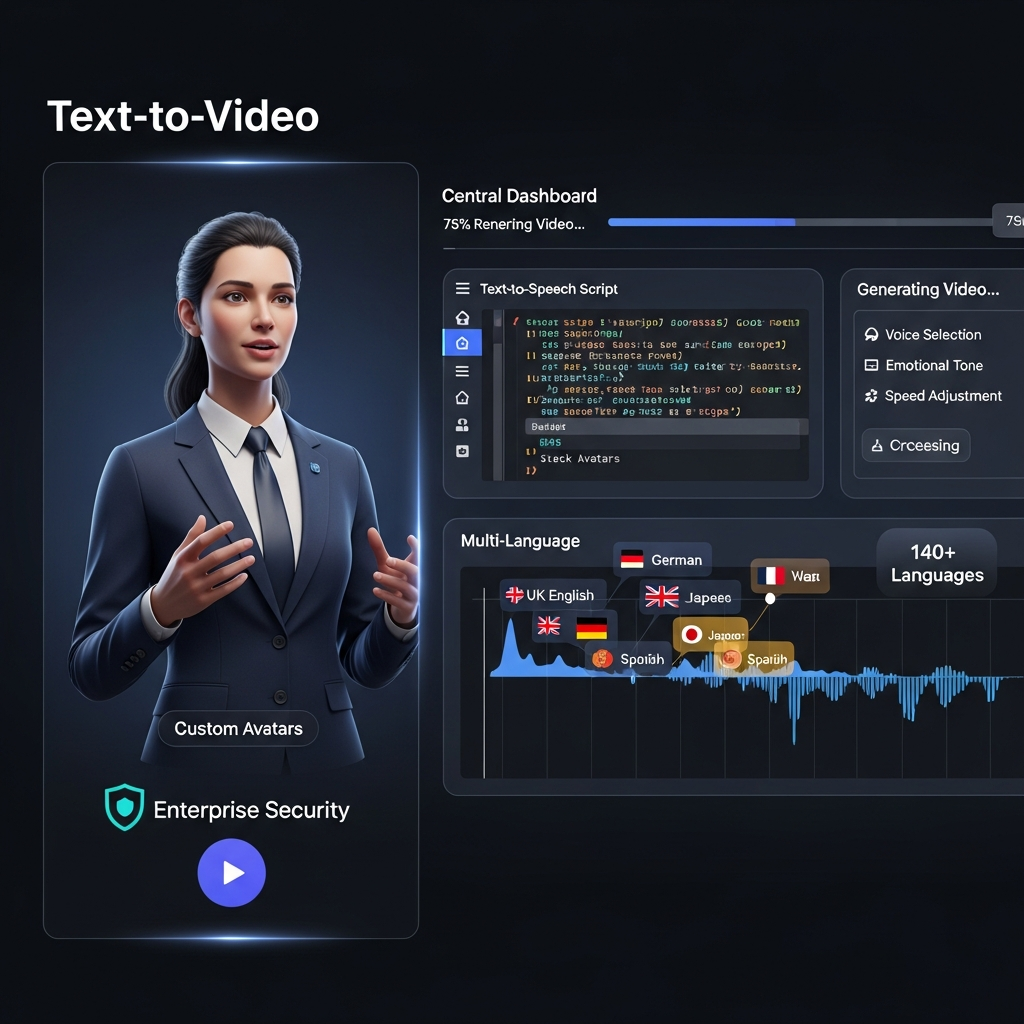

Quick Answer: Synthesia is one of the strongest AI video platforms for businesses that need repeatable training, onboarding, internal communication and multilingual avatar videos without traditional filming. Its biggest strengths are 160+ language support, business-focused AI avatars, localization and Enterprise controls. The main drawbacks are usage limits on self-serve plans, higher costs as production volume increases, content-moderation restrictions and a style that is better suited to presenter-led business video than cinematic filmmaking.
For L&D, HR, sales enablement and internal communications teams, Synthesia can replace a meaningful part of the traditional camera-and-studio workflow. For cinematic advertising, dramatic storytelling or highly creative text-to-video generation, tools such as Runway, Kling or Veo are usually a better fit.
Synthesia at a Glance
| Category | Synthesia |
|---|---|
| Best for | Training, onboarding, internal communications, explainers and localization |
| Starting price | Free |
| Starter | $29/month or $18/month billed annually |
| Creator | $89/month or $64/month billed annually |
| Enterprise | Custom pricing |
| Languages | 160+ |
| Stock avatars | Up to 240+ depending on plan |
| Personal avatars | Yes |
| AI dubbing | Yes |
| API access | Creator and qualifying Enterprise workflows |
| Live collaboration | Enterprise |
| SAML SSO | Enterprise |
| SCORM export | Enterprise |
| Best alternative | HeyGen for many avatar-marketing workflows |
| Main limitation | Less suited to cinematic or highly dynamic visual storytelling |
Synthesia currently says it is used by more than 50,000 teams and positions the platform primarily around business video production.
What Is Synthesia?
Synthesia is a browser-based AI video platform designed to turn scripts, documents and other source material into presenter-led videos.
Instead of filming an actor or employee every time a video needs to be created or updated, users can select an AI avatar, add a script, choose a voice, build scenes and generate the final video through the platform.
Its strongest use cases are not Hollywood-style filmmaking.
Synthesia is built around structured business communication such as:
employee training
onboarding
standard operating procedures
internal announcements
sales enablement
product explainers
customer education
multilingual content
Synthesia's current product also goes well beyond a simple “talking avatar.” Its feature set includes AI-assisted video creation, dubbing, translation, interactive video, screen recording, brand controls and team workflows.
How Does Synthesia Work?
The basic workflow is simple.
First, create or import the material you want to turn into a video. That can start from a script, document, presentation, webpage or other content source.
Next, choose an avatar and voice.
Then build or edit scenes using text, graphics, screen recordings, brand assets and other visual elements.
Finally, generate the video and review the finished result before publishing or downloading it.
Synthesia's AI Video Assistant can also help turn existing documents, decks and websites into video drafts, which is useful when a team already has a large library of written training or support material.
The appeal is not that AI removes every editorial decision.
The advantage is that teams can update a script and regenerate content without recreating a traditional filming setup.
Synthesia Features Reviewed
AI Avatars
AI avatars remain Synthesia's most recognizable feature.
The platform currently advertises more than 240 stock avatars across its full library, although the number available varies by plan.
Starter includes 125+ avatars, Creator includes 180+, and Enterprise provides access to 240+ stock avatars.
Synthesia also offers Personal Avatars and customizable avatar options.
A Personal Avatar creates a digital representation of a real person. This can be useful for executives, instructors or subject-matter experts who need to appear in recurring content without recording every video manually.
Synthesia also requires consent for personal-avatar creation, an important safeguard when dealing with someone's likeness.
AI Voices and Voice Cloning
Synthesia includes a large selection of synthetic voices and supports voice cloning for eligible workflows.
Voice cloning is particularly useful when a personal avatar needs to maintain a recognizable speaker identity across multiple videos or languages.
Synthesia says cloned voices can be used across dozens of languages, while its broader voice and localization system supports more than 160 languages and accents.
That does not mean every generated pronunciation will be perfect.
Companies producing technical, medical, legal or region-specific content should still review names, terminology and pronunciation before publication.
Languages and Video Localization
Localization is one of Synthesia's strongest advantages.
The platform currently supports video and voice creation across 160+ languages and accents.
Synthesia also provides AI dubbing and translation functionality, while Enterprise includes 1-Click Translation across 80+ languages according to the current pricing page.
This can be particularly useful for multinational organizations that maintain the same training, onboarding or product information across multiple markets.
Instead of filming a separate presenter in every language, a team can maintain a central source video and create localized versions.
Human review still matters.
Machine translation should be checked for legal terminology, technical wording, brand language and regional nuance before important videos are released.
AI Video Assistant
The AI Video Assistant can help turn existing materials into video.
That makes Synthesia more useful for organizations that already have:
PowerPoint training decks
PDF documentation
written knowledge-base content
webpages
internal process documentation
Rather than rebuilding the information manually, teams can use those assets as a starting point for a video.
The AI-generated draft should still be reviewed for factual accuracy, pacing and whether the material works visually.
Interactive Videos
Synthesia now supports interactive video functionality, including features such as calls to action, branching and quizzes.
This is particularly relevant to learning and development.
A training video can move beyond passive viewing by asking questions or directing learners through different paths.
Creator includes interactive-video capabilities, while Enterprise provides the broader team and organizational controls required for larger deployments.
Collaboration and Brand Controls
Enterprise is where Synthesia becomes more clearly differentiated from a basic avatar generator.
Current Enterprise capabilities include live collaboration, Brand Kits, organization-level workflows, SAML SSO, SCORM export, onboarding and dedicated customer-success support.
These features matter for organizations where video production involves several roles rather than one creator.
A training team, for example, may need an instructional designer, SME, brand reviewer and administrator to work through the same production process.
API Access
API access is included on the current Creator plan and available within larger Enterprise deployments.
This makes Synthesia more practical for companies that want to integrate video generation into other systems or automate parts of a recurring content workflow.
API suitability should be evaluated against the exact workflow, expected volume and current rate limits before purchasing a plan specifically for automation.
Synthesia Pricing in 2026
Synthesia currently offers four main plans: Basic, Starter, Creator and Enterprise.
| Plan | Monthly billing | Annual billing equivalent | Typical fit |
|---|---|---|---|
| Basic | $0 | — | Testing Synthesia |
| Starter | $29/month | $18/month | Individual recurring video creation |
| Creator | $89/month | $64/month | Higher-volume creators and small teams |
| Enterprise | Custom | Custom | Organizations requiring scale, collaboration and governance |
Basic
The Basic plan is free and currently includes 1,200 credits per month.
Synthesia says that allowance can support up to 10 minutes of video per month, depending on how credits are used across AI features.
It is useful for understanding the editor and testing whether avatar-led video suits your workflow.
The main limitation is that professional export and more advanced features require upgrading.
Starter
Starter costs $29 per month when billed monthly or approximately $18 per month when billed annually.
It includes 125+ avatars, video downloads, AI Video Assistant, AI Dubbing, logo removal, one editor and three guest seats.
For individuals producing recurring business videos, this is the most natural starting point.
Creator
Creator costs $89 per month on monthly billing or approximately $64 per month when billed annually.
It increases the credit allowance and includes 180+ avatars, multiple avatars per scene, interactive videos, API access, branded video pages and additional Personal Avatars.
This plan makes more sense for users producing video regularly rather than occasionally.
Enterprise
Enterprise uses custom pricing.
The current plan includes capabilities such as:
240+ stock avatars
unlimited video minutes as listed by Synthesia
custom credit allocations
SAML SSO
live collaboration
Brand Kits
SCORM export
unlimited Personal Avatars subject to applicable terms
dedicated customer-success support
implementation services.
Large organizations should request a quote and compare the contract against their expected number of creators, localization volume, video-generation needs and security requirements.
Synthesia Pros and Cons
| Pros | Cons |
|---|---|
| Easy browser-based workflow | Higher-volume usage can become expensive |
| Strong business-avatar focus | Less suitable for cinematic storytelling |
| 160+ language support | Avatar presentation may not suit every brand |
| Free plan available | Advanced team controls require Enterprise |
| AI dubbing and localization | Content moderation limits some use cases |
| Personal avatars and voice cloning | Self-serve plans have usage limits |
| Enterprise SSO and collaboration | Human QA is still needed for localization |
| SCORM export for learning teams | Not a replacement for every form of traditional video |
Video Quality and Avatar Realism
Synthesia's avatar technology is significantly more expressive than early generations of talking-head AI.
Its newer avatar systems can synchronize speech with facial expressions, eye movement and gestures.
That works well for:
training
explainers
internal announcements
presentations
sales enablement
It does not mean the result is indistinguishable from a professionally filmed human in every context.
AI-avatar video has a specific visual style.
For a three-minute compliance explainer, that consistency may be an advantage.
For an emotional customer story, executive crisis response or flagship brand film, a real person may create more credibility and emotional connection.
The right question is therefore not:
“Can Synthesia replace cameras?”
It is:
“Which of our videos actually need a camera?”
That distinction usually produces a more realistic ROI calculation.
Ease of Use
Ease of use is one of Synthesia's main strengths.
The workflow feels closer to assembling presentation slides than editing a traditional video timeline.
Users can create scenes, select avatars, edit scripts and add supporting visual elements without learning advanced video-production software.
That makes Synthesia especially attractive to HR, training and internal-communications teams that produce video but do not employ dedicated editors.
More advanced functionality still requires planning.
Producing a good training video involves script structure, pacing, visual hierarchy, accuracy and localization review even when the technical generation itself is simple.
AI removes production friction.
It does not eliminate content strategy.
Security, AI Safety and Compliance
Synthesia has invested heavily in Enterprise security and AI governance.
Its current security documentation references SOC 2 Type II, ISO 27001 and ISO 42001, while Enterprise provides SAML SSO and other organizational controls.
Synthesia also uses content moderation.
Videos are assessed by automated systems and, in some cases, routed for human review.
This can be a benefit for organizations concerned about synthetic-media misuse.
It can also restrict certain creative or controversial use cases.
Synthesia additionally embeds C2PA-based provenance signals in relevant generated videos. These signals provide machine-readable information that identifies AI-generated content and its provenance.
Organizations remain responsible for deciding whether their particular use case also requires visible disclosure or additional compliance measures.
Best Use Cases for Synthesia
Synthesia is particularly strong when the information is structured and repeatable.
Training and L&D
Training content is arguably Synthesia's strongest use case.
Teams can update individual sections when policies, interfaces or procedures change instead of organizing another filming session.
SCORM export on Enterprise also makes the platform relevant to LMS-based training workflows.
Employee Onboarding
The same onboarding material often needs to be delivered repeatedly.
Avatar-led videos provide a consistent way to communicate policies, systems and company processes across locations.
Internal Communications
Recurring company updates can be turned into presenter-led videos without repeatedly scheduling executives or communications staff for filming.
Customer Education
Product walkthroughs, how-to material and educational videos can be created and updated as products change.
Global Localization
The combination of translation, dubbing and multilingual playback makes Synthesia especially useful for organizations operating across multiple languages.
Who Should Not Use Synthesia?
Synthesia is not the best option for every video workflow.
Consider another platform if your primary goal is:
cinematic text-to-video generation
dramatic action sequences
music videos
heavily stylized social clips
complex traditional timeline editing
documentary storytelling
highly emotional customer testimonials
Tools such as Runway, Kling and Veo compete in a different category of generative video.
For avatar-led sales and marketing content, HeyGen is one of Synthesia's closest alternatives.
Synthesia vs HeyGen and Other Alternatives
Synthesia vs HeyGen
Synthesia is particularly strong for structured business video, L&D, Enterprise governance and repeatable internal workflows.
HeyGen is a close competitor for avatar-led marketing, translation and creator-friendly video production.
Teams deciding between the two should compare current pricing, avatar quality, translation requirements, plan limits and Enterprise controls using the same scripts.
Synthesia vs Runway
These platforms solve different problems.
Synthesia creates presenter-led business content.
Runway focuses much more heavily on generative and cinematic video creation.
If you need an AI presenter explaining a policy, Synthesia is the better comparison.
If you want to generate a visually complex scene from a prompt, Runway belongs on the shortlist instead.
Synthesia vs Traditional Video
Traditional filming still provides advantages when genuine human presence and emotional authenticity are important.
Synthesia's advantage is repeatability.
Changing one paragraph in an AI-avatar training video can be significantly easier than arranging another studio session with the same presenter.
For many businesses, the strongest workflow will be hybrid: use traditional filming where human presence matters and Synthesia where speed, localization and repeatability matter more.
Is Synthesia Worth the Price?
For businesses producing recurring training, onboarding or multilingual communication, Synthesia can be worth paying for.
The value proposition becomes stronger when the alternative involves repeated:
filming
presenter scheduling
studio setup
editing
voiceover recording
localization
For someone who creates one short video every few months, a paid subscription may be harder to justify.
Likewise, businesses that primarily need cinematic or social-first visual generation should spend their budget on a different AI-video category.
The best way to evaluate Synthesia is to calculate the cost of the specific workflow it could replace.
Compare:
current production cost + employee time + localization cost + update cost
against:
Synthesia subscription + generation usage + employee review time.
That produces a more meaningful answer than relying on generic ROI claims.
How We Evaluated Synthesia
This review focuses on five areas relevant to a software-buying decision:
Current product capabilities
Published pricing and usage limits
Business and Enterprise features
Security and AI-governance documentation
Practical fit across common video-production use cases
Pricing, plan limits and feature availability were checked against Synthesia's current pricing and official documentation.
Because AI-video products change quickly, verify pricing and plan availability again before purchasing.
Frequently Asked Questions
Is Synthesia free?
Yes. Synthesia currently offers a Basic plan at $0.
The free plan includes 1,200 credits per month and can be used to test the editor and basic AI-video workflow.
How much does Synthesia cost?
Starter currently costs $29 per month or $18 per month when billed annually.
Creator costs $89 per month or $64 per month when billed annually.
Enterprise pricing is customized.
How many languages does Synthesia support?
Synthesia currently advertises support for more than 160 languages and accents across its broader voice and video-localization ecosystem.
Can I create my own Synthesia avatar?
Yes.
Synthesia supports Personal Avatars that can represent a real user and can be paired with cloned voice functionality.
Consent and verification requirements apply to avatar creation.
Can businesses use Synthesia?
Yes.
Business use is one of Synthesia's primary markets. Its current offering includes features designed for training, internal communications, marketing, sales enablement and customer education.
Large organizations can also access Enterprise functionality such as SAML SSO, live collaboration, Brand Kits and SCORM export.
Is Synthesia better than HeyGen?
Neither platform is better for every user.
Synthesia is particularly strong for structured business video, Enterprise workflows, training and governance.
HeyGen is a strong alternative for avatar-led marketing and other creator-focused workflows.
Test both with the same script and use case before committing to a larger plan.
Final Verdict: Is Synthesia Worth It in 2026?
Synthesia is a strong choice for businesses that need scalable, presenter-led video without repeatedly filming human presenters.
Its biggest advantages are clear:
160+ language support, a large avatar library, AI dubbing, straightforward editing and serious Enterprise features.
The platform is particularly well suited to training, onboarding, customer education, internal communications and global localization.
It is not the best AI video tool for cinematic creation, artistic storytelling or highly dynamic short-form content.
And it should not be evaluated as though it were.
For the business-video workflows Synthesia is actually designed to solve, it remains one of the strongest options in 2026.
For teams deciding whether to buy, start with the free plan, produce one real video your organization actually needs, and compare the result with your existing workflow before upgrading.
In the rapidly evolving landscape of 2026, the necessity of physical video production for corporate communications has largely vanished. The days of expensive camera crews, studio rentals, and lighting adjustments are being replaced by generative AI solutions that offer speed, scalability, and surprising realism. Among the leaders in this space is Synthesia, a platform that has matured significantly over the last few years to become a staple in enterprise content strategies.
For marketing directors and L&D managers, the shift is no longer about novelty; it is about efficiency. Whether you are scaling training modules or personalizing sales outreach, understanding the capabilities of an AI video generator is crucial. If you are wondering how does Synthesia work to replace traditional filming, the answer lies in its sophisticated blend of neural rendering and text-to-speech synthesis. This review dives deep into the platform's utility, analyzing whether it remains the gold standard for AI video creation without camera equipment in the modern digital ecosystem.
Deconstructing the Generative Video Engine
To truly appreciate the value of this Synthesia AI video tool, one must look beyond the user interface and into the technology driving it. By 2026, the "uncanny valley" effect has been drastically reduced thanks to advancements in Neural Radiance Fields (NeRFs) and Large Language Models (LLMs). Synthesia operates by mapping text input onto pre-recorded actor models, manipulating the facial geometry to match phonemes (sounds) with extreme precision.
Unlike early deepfake technology which often felt disjointed, modern Synthesia AI text to video capabilities account for micro-gestures—subtle eye movements, head tilts, and breathing patterns—that contribute to human-like presence. This engine allows users to type a script in over 140 languages and receive a video where the avatar speaks the text fluently, complete with culturally accurate accents and intonations.
Analyzing Avatar Realism and Voice Synthesis Capabilities
The core appeal of Synthesia AI avatar videos lies in the diversity and fidelity of its digital actors. In the current iteration of the software, businesses are not limited to generic stock avatars. The platform now supports high-fidelity custom avatars that serve as digital twins for CEOs or company spokespersons. This feature is particularly vital for maintaining brand consistency across global markets without requiring the executive to step into a recording booth.
Voice synthesis

