
Quick Answer: What Is the Best AI API in 2026?
There is no single best AI API for every application.
OpenAI is one of the strongest choices for general-purpose AI, reasoning, coding and multimodal applications. Anthropic is particularly strong for coding, agents and complex text workflows. Google Gemini API is a strong option for multimodal and Google-connected applications. AWS Bedrock and Microsoft Foundry are better suited to many enterprise and cloud-native deployments, while Hugging Face is useful when developers want broad access to open and third-party models.
For low-cost experimentation, Google Gemini API and Hugging Face provide useful free or credit-based entry points. For production applications, compare model quality, input and output pricing, latency, context limits, rate limits, privacy, regional availability and reliability before choosing a provider.
Pricing and model availability in this guide were checked in August 2026.
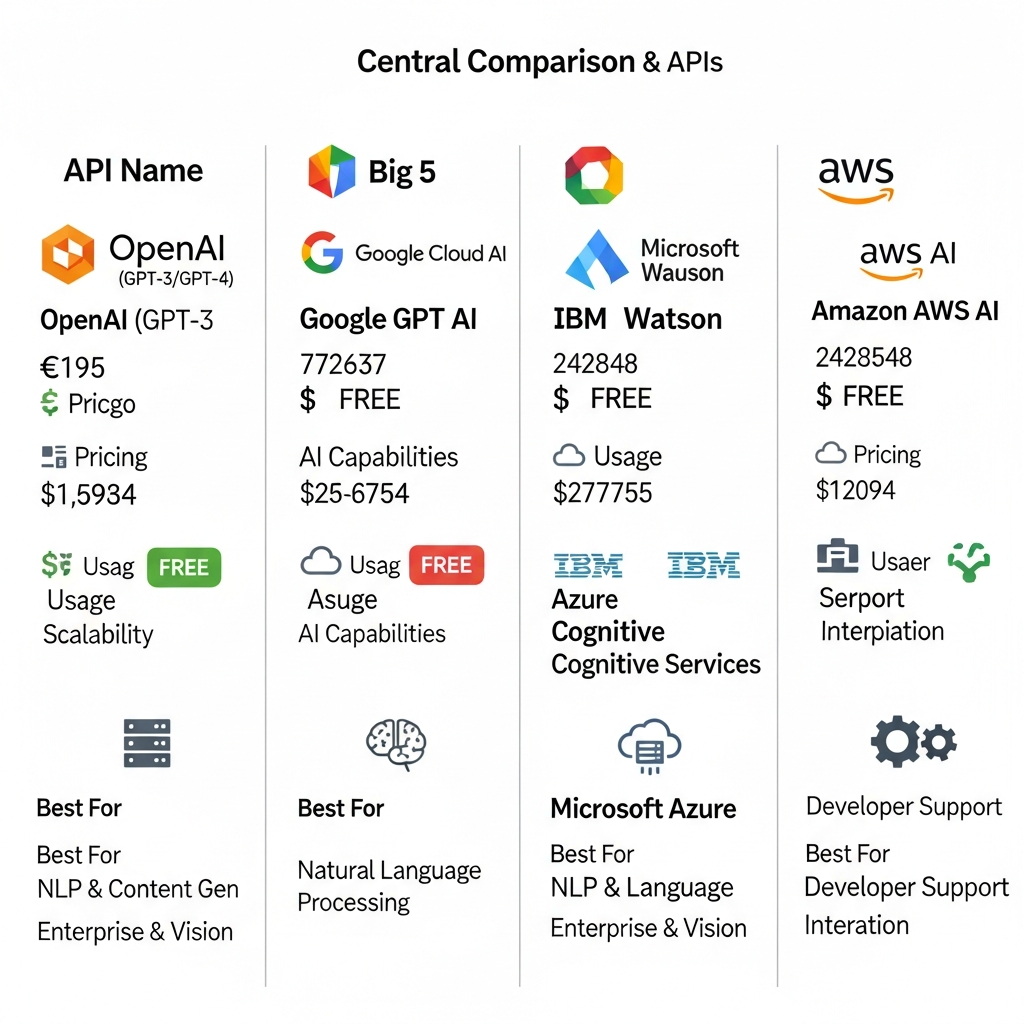
Best AI APIs in 2026 at a Glance
| AI API | Best For | Key Strength | Pricing Model | Free Access |
|---|---|---|---|---|
| OpenAI API | General-purpose AI, agents, coding and multimodal applications | Broad model and tool ecosystem | Usage-based | Account offers can vary |
| Anthropic Claude API | Coding, complex analysis and agent workflows | Strong model family for demanding knowledge work | Usage-based | No standard permanent API free tier |
| Google Gemini API | Multimodal applications and Google ecosystem development | Strong multimodal models and developer tooling | Usage-based | Free tier available for selected models |
| Amazon Bedrock | AWS-native enterprise AI | Multiple model providers within AWS infrastructure | Usage-based and provisioned options | AWS promotional/free-account benefits may apply |
| Microsoft Foundry | Enterprise model access and Microsoft environments | Large multi-model catalog and Azure integration | Usage-based and provisioned options | Azure trial credit available to eligible new users |
| Hugging Face Inference Providers | Open-model experimentation and multi-provider access | Broad model ecosystem through one interface | Pay as you go | Monthly inference credits |
| Mistral API | Efficient models, coding, multimodal and European deployment options | Open-weight and commercial model ecosystem | Usage-based | Availability varies by service |
The right choice depends less on which company is most famous and more on what your application actually needs.
What Is an AI API?
An AI API is an application programming interface that lets software communicate with an artificial intelligence model or AI service.
Instead of building and training an AI model from scratch, developers can send data to an API and receive generated or analyzed output.
Depending on the provider, an AI API can be used for:
text generation
chatbots
reasoning
coding
structured data extraction
embeddings
semantic search
image understanding
image generation
speech recognition
text-to-speech
translation
video understanding
document processing
agent workflows
tool calling
This allows developers to add AI features to websites, SaaS platforms, internal tools, mobile apps and enterprise systems without operating the underlying foundation model themselves.
How We Chose the Best AI APIs
An AI API should not be ranked only by benchmark scores.
For this comparison, the most important factors are:
Model capability
How well does the provider handle the tasks developers actually need, including reasoning, coding, multimodal inputs and structured output?
Developer experience
Does the provider offer clear API documentation, SDKs, examples, error handling and an easy path from prototype to production?
Pricing
How are input tokens, output tokens, caching, images, audio, search tools and other features charged?
Free access
Can developers test the platform without committing significant money?
Model choice
Does the platform provide one model family or access to multiple providers and open models?
Scalability
Can the API support production traffic, higher rate limits and enterprise workloads?
Security and governance
Does the platform provide suitable data controls, access management, regional processing and enterprise features?
Ecosystem
Can developers easily integrate the API with their existing cloud, development and deployment stack?
These factors matter more than choosing a provider simply because it appears at the top of a benchmark.

1. OpenAI API: Best Overall for General-Purpose AI Applications
The OpenAI API is one of the strongest general-purpose choices for developers building AI products in 2026.
Its current model family supports workloads ranging from low-cost high-volume processing to demanding reasoning and agentic tasks.
Best for
conversational applications
AI agents
coding
document analysis
structured output
multimodal applications
web-connected applications
speech and audio workflows
image generation
Current OpenAI API pricing examples
OpenAI changed pricing for parts of its GPT-5.6 family in July 2026.
GPT-5.6 Terra is priced at $2 per million input tokens and $12 per million output tokens, while GPT-5.6 Luna is priced at $0.20 per million input tokens and $1.20 per million output tokens at standard published rates checked in August 2026.
Pricing can differ for cached input, batch processing, tools, images, audio and other services.
Why choose OpenAI?
OpenAI makes sense when you want a broad AI platform rather than a narrowly specialized API.
Developers can use different models according to cost, latency and reasoning requirements rather than forcing every task through the most expensive model.
Main limitation
Costs can become difficult to estimate when an application combines long outputs, tools, search, images, audio and high request volumes.
Before deployment, model your real usage rather than comparing input-token pricing alone.
Best for: Teams that want a flexible general-purpose AI API with a broad developer ecosystem.
2. Anthropic Claude API: Best for Coding, Agents and Complex Knowledge Work
Anthropic's Claude API is another leading option for developers building advanced text, coding and agentic applications.
Its current lineup includes different model tiers designed around capability and cost.
Current Claude API examples
As of August 2026, Anthropic lists:
Claude Opus 5 at $5 per million input tokens and $25 per million output tokens
Claude Sonnet 5 at $2 per million input tokens and $10 per million output tokens
Claude Haiku 4.5 at $1 per million input tokens and $5 per million output tokens
Prompt caching and other platform features have separate pricing.
Best for
coding assistants
AI agents
long-form analysis
document workflows
enterprise knowledge applications
research-heavy applications
structured reasoning
Why choose Claude?
Claude is particularly attractive when coding quality, complex instructions and extended knowledge workflows matter more than simply finding the lowest token price.
Anthropic also provides features for web search, code execution, prompt caching and managed agents.
Main limitation
Claude's API is usage based and should not be confused with the free Claude consumer chat plan. A free chatbot account does not automatically mean free API usage.
Best for: Developers building coding, agent and knowledge-intensive applications.
3. Google Gemini API: Best for Multimodal and Google Ecosystem Apps
Google's Gemini API has become one of the strongest developer options for multimodal applications.
Google's current Gemini 3 family includes several models designed around different cost and performance requirements.
Gemini 3.7 Flash became generally available in August 2026 and is positioned for coding, agents and multi-step execution.
Best for
multimodal applications
coding
agents
image understanding
audio workflows
Google-connected applications
high-throughput workloads
prototypes using a free tier
Why choose Gemini API?
The Gemini API is useful when your application needs to work across more than plain text.
Google also maintains separate model tiers so developers can balance speed, intelligence and cost.
Selected Gemini API models provide a free tier, although free and paid limits differ by model.
Important production consideration
Google distinguishes between stable, preview, latest and experimental model identifiers.
For production applications, a specific stable model is usually safer than depending on a moving “latest” alias or experimental endpoint.
Developers should also monitor Google's model deprecation documentation because older endpoints can be replaced over time.
Best for: Multimodal developers, Google ecosystem users and teams that want a practical free path for experimentation.
4. Amazon Bedrock: Best for AWS-Native Enterprise AI
Amazon Bedrock is different from a single-model API.
It gives developers managed access to foundation models from multiple providers inside AWS.
Depending on availability, Bedrock can provide models from companies including Amazon, Anthropic, Meta, Mistral AI, Cohere, DeepSeek and others.
Best for
organizations already running on AWS
enterprise generative AI
multi-model applications
governed AI deployments
knowledge-base applications
cloud-native agent workflows
Key advantage
You do not have to build your application around one foundation-model vendor.
Teams can evaluate different model providers while keeping more of the deployment and governance layer inside AWS.
Pricing
Bedrock pricing depends on the provider, model, modality and service tier.
AWS also offers batch inference for selected foundation models at lower prices than standard on-demand inference.
That can make batch processing attractive for workloads that do not require immediate responses.
Main limitation
Bedrock can be harder to compare with a simple direct API because costs may involve several AWS services in addition to model inference.
Best for: AWS customers that prioritize infrastructure integration, governance and provider choice.
5. Microsoft Foundry: Best for Microsoft-Centric Enterprises
Microsoft Foundry provides access to a broad catalog of foundation models and AI services through Microsoft's enterprise cloud environment.
Microsoft currently describes Foundry as supporting more than 11,000 models across foundation, reasoning, multimodal, industry and domain-specific use cases.
Best for
enterprises already using Azure
multi-model AI applications
Microsoft-based security and identity environments
governed enterprise deployments
organizations comparing models from multiple vendors
Model options
Depending on region and availability, Microsoft Foundry can provide models from OpenAI and other model providers as well as open and third-party models.
Pricing
Pricing varies by model, region, deployment method and commercial agreement.
Options can include pay-as-you-go serverless inference, managed compute and provisioned capacity.
Eligible new Azure customers can also receive introductory Azure credits for testing cloud services.
Main limitation
The platform offers a large number of deployment and pricing choices, which is useful for enterprise teams but can feel more complex than using a direct model-provider API.
Best for: Businesses already standardized on Microsoft Azure.
6. Hugging Face Inference Providers: Best for Open Models and Experimentation
Hugging Face remains one of the most useful platforms for developers who want access to open models and multiple inference providers.
Inference Providers gives developers a unified way to call many models through Hugging Face without manually integrating every provider separately.
Best for
open-model experimentation
embeddings
text classification
image models
model comparison
prototypes
developers who want provider flexibility
Is the Hugging Face API free?
Hugging Face does provide monthly inference credits.
As of August 2026, Free accounts receive $0.10 in monthly Inference Providers credits, while paid account types receive larger included credits.
This means Hugging Face should not be described as providing unlimited free hosted inference.
For larger workloads, developers pay for additional usage or deploy dedicated inference infrastructure.
Two main approaches
Developers can use requests routed through Hugging Face and have Hugging Face manage billing, or use their own provider keys for supported external providers.
This flexibility is one of the platform's biggest advantages.
Best for: Developers evaluating open models or wanting one interface across multiple inference providers.
7. Mistral API: Best for Efficient Models and Flexible Deployment
Mistral has developed a broad model lineup spanning general-purpose AI, coding, OCR, audio and open-weight models.
Current offerings include models such as Mistral Medium 3.5, Mistral Small 4 and dedicated OCR models.
Best for
coding
agent workflows
multimodal applications
OCR and document extraction
efficient inference
teams interested in open-weight models
European deployment requirements
Useful pricing features
Mistral's pricing supports different inference options, including standard, batch and priority processing for supported workloads.
Its pricing interface also highlights discounts for cached input and options for regional inference.
Main limitation
Model names and availability can change as the lineup evolves, so production teams should monitor lifecycle and retirement notices.
Best for: Developers who value efficient models, flexible deployment and a strong open-model ecosystem.
Best Free AI APIs in 2026
A “free AI API” usually means one of three things:
a permanent but limited free tier
recurring monthly credits
one-time trial or cloud credits
These are not the same.
Google Gemini API
Selected Gemini models provide a free tier.
This makes Gemini particularly useful for prototypes, learning and low-volume applications.
Always check the current model-specific rate limits and whether free-tier data terms differ from paid use.
Hugging Face
Free users currently receive a small amount of monthly inference credit for Inference Providers.
This is useful for testing but is not designed to provide unlimited production inference.
Microsoft Azure
Eligible new users can receive Azure introductory credits that can be used to experiment with supported services.
This is a trial benefit rather than a permanent unlimited AI API.
AWS
AWS introductory or promotional benefits may help with initial experimentation, but Bedrock model pricing varies.
Do not assume every Bedrock model is permanently free.

Is There a Completely Free AI API With Unlimited Usage?
Usually not for managed production inference.
Someone has to pay for the compute used to run a model.
Free hosted APIs normally include restrictions such as:
request limits
token limits
model restrictions
lower rate limits
temporary credits
reduced support
changing availability
If you need greater control over costs, an open-weight model can sometimes be self-hosted.
But self-hosting is not actually free either. You still pay for CPU or GPU infrastructure, storage, engineering, monitoring and operations.
The better question is therefore:
Which AI API gives you enough free capacity to validate your application before production?
AI API Pricing: What Should Developers Compare?
Token pricing is only one part of API cost.
Before choosing a provider, compare:
Input tokens
You usually pay for the text or data sent to the model.
Output tokens
Generated output is often more expensive than input.
Cached input
Some providers reduce pricing when the same context is reused.
Tool calls
Web search, code execution, file retrieval and other tools can add separate charges.
Images, audio and video
Multimodal workloads frequently use different pricing units.
Batch processing
Some providers discount asynchronous workloads.
Context size
Very long requests may have different pricing or produce higher total costs even when the per-token rate looks reasonable.
Rate limits
A cheap API is not useful if its limits cannot support your production traffic.
Supporting infrastructure
Vector databases, storage, logging, retrieval systems, cloud functions and observability can add significant costs beyond the AI model itself.
Before committing to a provider, compare AI tool pricing and calculate the likely total cost of your real workload rather than relying on headline token rates.
Best AI API by Use Case
| Use Case | Strong Options |
|---|---|
| General-purpose AI | OpenAI, Anthropic, Google Gemini |
| Coding | Anthropic, OpenAI, Google Gemini, Mistral |
| AI agents | OpenAI, Anthropic, Google Gemini, AWS Bedrock |
| Multimodal apps | OpenAI, Google Gemini, Anthropic |
| Open-model access | Hugging Face, Mistral |
| AWS enterprise deployment | Amazon Bedrock |
| Microsoft enterprise deployment | Microsoft Foundry |
| Google Cloud environment | Gemini API / Google Cloud |
| OCR and document extraction | Mistral, Google, Microsoft |
| Low-cost experimentation | Gemini API, Hugging Face |
| Multi-provider infrastructure | AWS Bedrock, Microsoft Foundry, Hugging Face |
There is no reason every workload inside one application has to use the same provider.
A production system may use one model for complex reasoning, another for high-volume classification and a specialist API for speech or image generation.
Direct AI API vs Multi-Model Platform: Which Should You Choose?
There are two broad approaches.
Direct model-provider API
Examples include OpenAI, Anthropic, Google Gemini and Mistral.
Advantages:
direct access to provider features
faster access to new models
simpler documentation
fewer infrastructure layers
Potential disadvantage:
stronger dependence on one model provider
Multi-model cloud or routing platform
Examples include AWS Bedrock, Microsoft Foundry and Hugging Face Inference Providers.
Advantages:
access to multiple models
easier provider comparison
centralized infrastructure or billing
stronger integration with an existing cloud environment
Potential disadvantage:
additional abstraction and pricing complexity
Choose according to your architecture rather than assuming one method is universally better.
How to Choose the Right AI API
1. Define the task first
Do not begin with the model.
Start by defining exactly what the application must do.
For example:
answer customer questions
generate code
extract information from contracts
classify support tickets
analyze images
generate marketing copy
transcribe calls
power an autonomous agent
Different tasks need different models.
2. Test more than one provider
Create a representative evaluation set based on real user inputs.
Run the same tests across several models.
Compare:
output quality
accuracy
latency
cost
consistency
refusal behavior
structured-output reliability
3. Estimate production cost
A prototype with 100 requests may be cheap.
A production application serving millions of tokens every day can behave very differently.
Estimate monthly input, output, caching and tool usage before launch.
4. Check data policies
Understand how the provider handles API data.
For sensitive workloads, investigate:
data retention
model training policies
encryption
regional processing
access controls
audit logs
compliance requirements
5. Check rate limits and reliability
Confirm whether your expected request volume is supported.
Also consider what your application should do if the model provider becomes unavailable.
6. Review model lifecycle policies
AI models are replaced quickly.
Google, Mistral and other providers publish deprecation information for model endpoints.
Avoid hard-coding your entire product around a model that is already marked for retirement.
7. Build a fallback strategy
For important applications, consider whether you can:
switch models
route to another provider
retry safely
fall back to a simpler workflow
disable an AI feature without breaking the entire product
Provider portability is increasingly important.
Common Mistakes When Choosing an AI API
Choosing based only on benchmarks
A model can lead a benchmark and still perform poorly on your exact workload.
Use your own evaluation set.
Choosing the cheapest input price
Output tokens, tools, caching, rate limits and supporting infrastructure can change the economics.
Confusing consumer subscriptions with API access
ChatGPT Plus, Claude Pro and similar consumer plans do not automatically give you equivalent API usage.
API billing is normally separate.
Assuming a free tier will stay unchanged
Free access can change.
Treat it as a way to test your product, not as the permanent financial foundation of a production application.
Ignoring model deprecations
A prototype can break when a preview model is removed.
Use supported stable models where practical and monitor lifecycle announcements.
Sending sensitive data without reviewing policies
Do not assume every AI API has identical retention, privacy or regional-processing rules.
Which AI API Is Best for Startups?
For most startups, the best choice is the API that lets the team build quickly without creating unnecessary infrastructure complexity.
A useful starting strategy is:
Use a direct API for your first prototype, test at least two providers on your real workload, calculate cost at expected production volume, then add more infrastructure only when you actually need it.
OpenAI, Anthropic and Gemini are all reasonable starting points for general generative-AI applications.
Hugging Face is particularly useful when open models matter.
AWS Bedrock and Microsoft Foundry become more attractive when the company already has meaningful cloud infrastructure, security controls or enterprise requirements.
Which AI API Is Best for Enterprise Applications?
Enterprise teams usually need to evaluate more than model intelligence.
Important criteria include:
identity and access management
security controls
regional processing
regulatory requirements
auditability
data retention
cost allocation
vendor agreements
observability
uptime
multi-region availability
integration with existing infrastructure
For organizations deeply invested in AWS or Microsoft Azure, Bedrock or Microsoft Foundry may reduce integration friction.
Direct APIs from OpenAI, Anthropic, Google and other providers can also be suitable when their security and deployment options meet the organization's requirements.
Frequently Asked Questions
What is the best AI API in 2026?
There is no universal best AI API. OpenAI is a strong general-purpose choice, Anthropic is strong for coding and complex agent workflows, Google Gemini is attractive for multimodal applications, AWS Bedrock and Microsoft Foundry suit many enterprise deployments, and Hugging Face is useful for open-model access.
Which AI API has a free tier?
Google Gemini API provides free access for selected models. Hugging Face provides monthly credits for Inference Providers. Cloud providers may also provide introductory credits. Limits and eligibility can change, so verify current provider pricing before development.
Is OpenAI's API free?
OpenAI API usage should generally be treated as usage-based paid infrastructure. Promotional or account-specific credits can change, so developers should check their current OpenAI account and official pricing rather than assuming a permanent free API tier.
Which AI API is cheapest?
There is no single cheapest API for every workload. Cost depends on the model, input volume, output volume, caching, tools, latency requirements and request size. A cheaper model may also require more retries or produce lower-quality output, increasing the effective cost.
Which AI API is best for coding?
Anthropic Claude, OpenAI, Google Gemini and Mistral all offer strong coding-oriented capabilities. Test each against your own repository, language, framework and development workflow rather than relying entirely on public benchmarks.
Which AI API is best for startups?
Startups should prioritize simple integration, predictable cost, strong documentation and the ability to scale. OpenAI, Anthropic and Gemini are common starting points, while Hugging Face is useful when open-model flexibility matters.
Which AI API is best for enterprise applications?
AWS Bedrock and Microsoft Foundry are particularly attractive for organizations already using their respective cloud ecosystems. OpenAI, Anthropic and Google can also support enterprise workloads depending on governance, security and infrastructure requirements.
Are free AI APIs suitable for production?
Usually not as the sole foundation of a serious production service. Free tiers are best for prototypes and low-volume testing because limits, support, rate restrictions and availability can change.
Is Hugging Face API completely free?
No. Hugging Face currently provides a small amount of recurring inference credit to free users, after which additional hosted inference may be charged. Self-hosted open models also require compute infrastructure.
What should I compare before choosing an AI API?
Compare model quality, latency, input and output pricing, context length, caching, tools, free access, rate limits, security, data handling, SDK quality, reliability, regional availability and model-deprecation policies.
Final Verdict: Which AI API Should You Choose?
The best AI API in 2026 depends on the application rather than the popularity of the provider.
Choose OpenAI when you want a broad general-purpose AI platform.
Choose Anthropic when complex coding, agents and knowledge-intensive workflows are central to the product.
Choose Google Gemini API when multimodal capabilities, Google integration or a useful free development tier matter.
Choose Amazon Bedrock when your organization is already deeply integrated with AWS and needs multi-model enterprise infrastructure.
Choose Microsoft Foundry when Azure, Microsoft identity and enterprise governance are major requirements.
Choose Hugging Face when open models and provider flexibility matter.
Choose Mistral when efficient models, open-weight options, coding, OCR or regional deployment flexibility are important.
Do not choose an API from a ranking alone.
Build a small proof of concept with two or three providers, run the same real-world test cases, calculate production costs and compare the results.
If you are still evaluating your AI stack, compare AI developer tools by features, pricing, free access and real use case before committing to a provider.

