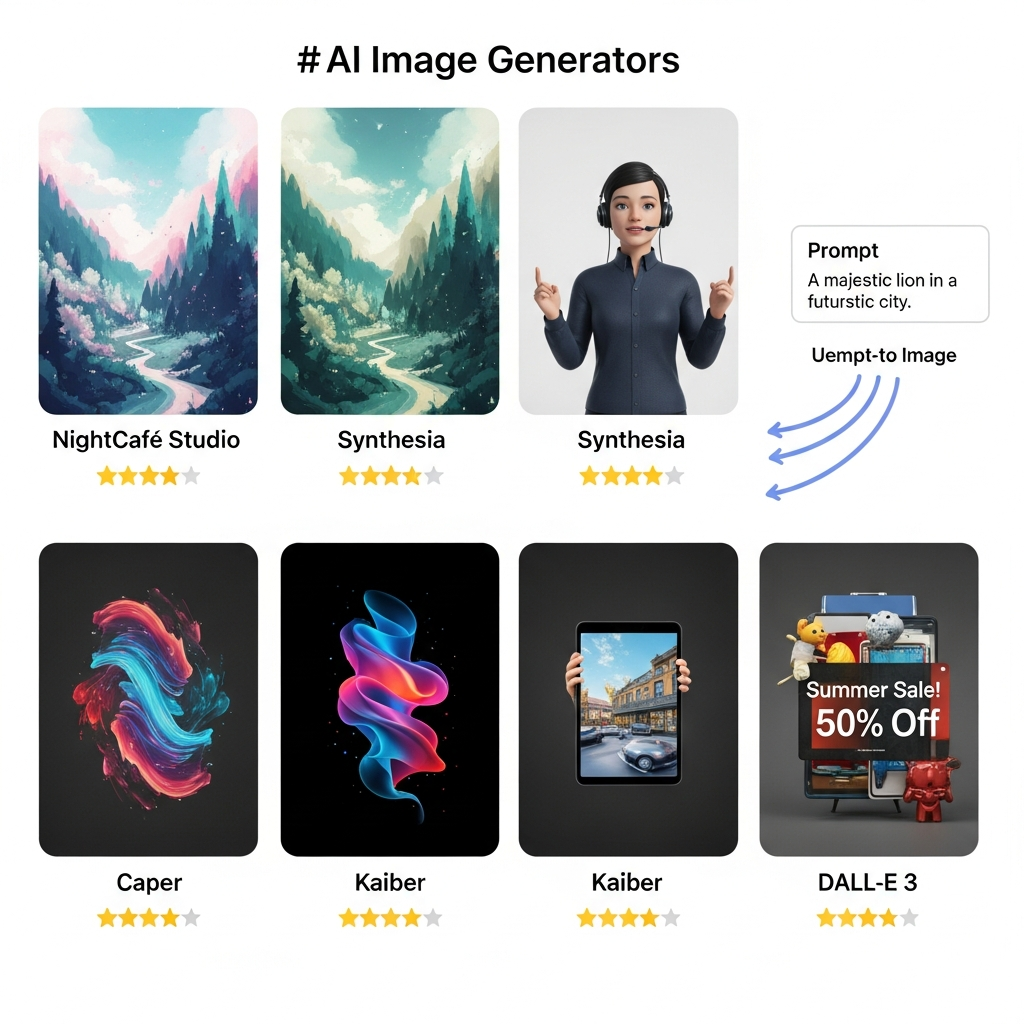

Quick Answer: The best AI image generators in 2026 include ChatGPT with GPT Image 2 for all-round image creation and editing, Google Gemini with Nano Banana 2 for fast free generation, Midjourney V8.2 for highly stylized creative work, Adobe Firefly for Adobe-centered commercial workflows, Ideogram 4.0 for typography, Recraft V4.1 for design and vector assets, FLUX.2 for developer workflows, and Stable Diffusion 3.5 for customizable and self-hosted generation.
For most users, ChatGPT is the strongest all-round starting point, while Gemini is one of the easiest options to try without paying.
Best AI Image Generators Compared
| AI Image Generator | Best For | Free Access | Paid Pricing | Key Strength |
|---|---|---|---|---|
| ChatGPT Images / GPT Image 2 | Best overall | Yes, limited | ChatGPT Plus $20/month | Prompt following and image editing |
| Gemini / Nano Banana 2 | Best free option | Yes | Google AI plans available | Fast creation and natural-language editing |
| Midjourney V8.2 | Artistic and stylized visuals | No standard free plan | From $10/month | Strong aesthetics and personalization |
| Adobe Firefly | Creative professionals | Yes, limited | From $9.99/month | Adobe workflow integration |
| Ideogram 4.0 | Text and graphic design | Yes | Plus from $20/month | Typography and layout |
| Recraft V4.1 | Brand and vector assets | Limited access | Basic from $12/month | Raster and vector design |
| FLUX.2 | Developers and APIs | Open-weight options available | Usage-based | Control, photorealism and APIs |
| Stable Diffusion 3.5 | Self-hosting and customization | Yes under qualifying license | API/enterprise options | Local deployment and model control |
Pricing and usage limits can change. Verify current pricing and licensing with each provider before purchasing or using generated images commercially.
How We Chose the Best AI Image Generators
There is no single AI image generator that is best at every task.
A designer creating typography-heavy posters needs something different from a marketer producing product images. Developers care about APIs and deployment options, while casual users may primarily want a good free tool.
For this comparison, we considered:
Image quality
Prompt adherence
Text rendering
Image editing
Reference-image support
Style and composition control
Speed
Free access
Paid pricing
Commercial-use terms
API and developer options
Ease of use
Model versions and pricing were checked against current provider information in September 2026. Where independent benchmark data is available, it should be treated as one signal rather than an absolute measure of which model is “best.”
1. ChatGPT Images with GPT Image 2: Best AI Image Generator Overall
Best for: General image generation, precise edits, marketing graphics and users who want image creation inside a broader AI assistant.
OpenAI's current image-generation experience has moved beyond DALL-E 3. ChatGPT Images 2.0 is available across ChatGPT tiers, while GPT Image 2 is available through OpenAI's API.
GPT Image 2 supports both image generation and image editing. ChatGPT can also work from an uploaded image, follow natural-language editing instructions and handle tasks such as adding text, changing details or creating transparent backgrounds.
Independent benchmark data from Artificial Analysis currently places the high-quality configuration of GPT Image 2 at the top of its text-to-image leaderboard. That leaderboard is based on blind human-preference comparisons, so it is useful evidence of output preference rather than proof that one model is best for every use case.
Why choose ChatGPT Images?
Strong prompt adherence
Natural conversational editing
Good text handling
Image-to-image workflows
Available inside ChatGPT
Free users can generate images with stricter limits
Useful for people who already use ChatGPT for writing, research or analysis
ChatGPT Plus currently costs $20 per month and includes higher access limits, including image generation.
Main limitation
People who want deep visual style controls, model parameters or highly specialized art-direction tools may still prefer Midjourney or a developer-oriented platform.
Verdict: Choose ChatGPT Images if you want one broadly capable AI image generator that is easy to prompt, edit and iterate with.
2. Google Gemini with Nano Banana 2: Best Free AI Image Generator
Best for: Fast image generation, conversational editing, diagrams, everyday visuals and users who want a strong free starting point.
Google's Gemini apps currently use Nano Banana 2 for image generation and editing, with Nano Banana Pro also available to paid subscribers.
Google says Nano Banana 2 can create and refine images from natural-language instructions. Its current feature set includes improved world knowledge and image editing capabilities.
Artificial Analysis currently ranks Nano Banana 2 among the leading current text-to-image models.
Why choose Gemini?
Free image generation is available
Fast conversational workflow
Good option for iterative editing
Useful for diagrams and informational graphics
Works within the broader Gemini ecosystem
Nano Banana Pro is available to qualifying paid users
Google's current AI plans include Google AI Plus at $9.99 per month and Google AI Pro at $19.99 per month in the US, although pricing and availability vary by region.
Main limitation
Usage limits and model availability vary by account, plan, age and region.
Verdict: Gemini is one of the best places to start if you want a capable AI image generator without immediately paying for a dedicated creative subscription.
3. Midjourney V8.2: Best for Artistic and Stylized Images
Best for: Creative direction, concept art, editorial imagery, stylized visuals and users who care heavily about aesthetics.
Midjourney remains one of the most recognizable specialist AI image platforms, but the version matters.
As of September 2026, Midjourney's current default model is V8.2, released on July 24, 2026. Midjourney says V8.2 focuses on aesthetics, image quality and improved personalization, and it introduces a newer editing model.
That makes older comparisons based on V5, V6 or V7 increasingly poor representations of what users receive today.
Why choose Midjourney?
Strong artistic direction
Distinctive visual aesthetics
Personalization features
Image editing
Good concept-art workflow
Strong style exploration
Current monthly pricing is:
Basic: $10
Standard: $30
Pro: $60
Mega: $120
Annual subscriptions receive a lower effective monthly price.
Main limitation
There is no normal ongoing free tier, so it is less suitable for someone simply experimenting with AI image generation at no cost.
Its highly aesthetic output can also be a disadvantage when a project needs plain, literal or tightly brand-controlled graphics.
Verdict: Midjourney is a strong choice when visual style and creative direction matter more than getting the cheapest or simplest workflow.
4. Adobe Firefly: Best for Adobe Creative Workflows
Best for: Designers, marketers, photographers and teams already using Photoshop, Adobe Express or other Adobe applications.
Adobe Firefly is more than a standalone text-to-image tool. Its main advantage is how generative image features connect with Adobe's larger creative ecosystem.
Adobe's current Firefly Image Model 5 supports native 4MP output and prompt-based image editing. Adobe says the model improves realism, lighting and composition compared with its earlier image models.
Firefly can also expose partner models from companies including Google, OpenAI and Black Forest Labs, depending on the workflow and plan.
Why choose Adobe Firefly?
Integration with Adobe's creative applications
Generative Fill and editing workflows
Native 4MP generation with Firefly Image Model 5
Access to multiple partner models
Useful for professional design pipelines
Free daily generations are available
Adobe currently offers a free Firefly option plus paid plans beginning with Firefly Standard at $9.99 per month. Firefly Pro is $19.99 per month, with higher tiers available for heavier use.
Main limitation
The credit and model system can be more complicated than a simple standalone image generator, especially because Adobe and partner models may use credits differently.
Commercial users should also check the terms that apply to the specific model they use rather than assuming every model available inside Firefly has identical licensing.
Verdict: Firefly makes the most sense for people whose image-generation workflow already ends up in Photoshop, Adobe Express or another Adobe product.
5. Ideogram 4.0: Best for Text and Typography
Best for: Posters, advertisements, social graphics, typography and layouts where readable text matters.
Text inside generated images used to be one of the easiest ways to identify AI artwork. Modern models have improved considerably, and Ideogram has built much of its reputation around design and typography workflows.
Ideogram released Ideogram 4.0 on June 3, 2026. The company positions the model around visual quality, layout control and multilingual text rendering, while also making model weights available under separate licensing arrangements.
Why choose Ideogram?
Strong typography capabilities
Useful for posters and promotional graphics
Layout control
Character consistency options
Free plan available
Private generation on paid plans
API and self-hosting options
Ideogram currently offers a free plan. Its Plus plan is $20 per month when billed monthly, while Pro is $60 per month. Annual billing lowers the effective monthly rate.
Main limitation
If your main goal is painterly or highly cinematic concept art, Midjourney may fit the workflow better. If you need general conversational image editing, ChatGPT or Gemini may feel simpler.
Verdict: Ideogram deserves serious consideration when words, logos, signage or layout are important parts of the final image.
6. Recraft V4.1: Best for Vector and Brand Design
Best for: Designers, brand teams, icons, vectors, marketing assets and reusable visual systems.
Recraft sits somewhere between an AI image generator and an AI-native design platform.
Its current V4.1 family includes raster, vector, Pro and Utility variants. Recraft's documentation also supports workflows such as style creation, brand-color generation, vectorization and background removal.
Recraft V4.1 was released in May 2026, with the company emphasizing more natural photorealism and improved illustration styles.
Why choose Recraft?
Native vector-generation options
Strong illustration workflows
Brand colors and styles
Raster and vector models
Image editing
API access
Useful for design assets rather than only standalone artwork
The Basic paid plan currently starts at $12 per month, or $10 per month when billed annually.
Main limitation
Recraft's broader design feature set can be more than casual users need if they only want to generate an occasional image.
Verdict: Recraft is particularly useful when generated imagery must become part of a repeatable design or brand workflow.
7. FLUX.2: Best for Developers and Production APIs
Best for: Developers, high-volume generation, photorealism, image editing and applications that need flexible model choices.
Black Forest Labs' FLUX.2 family is designed for several different performance levels rather than a single one-size-fits-all model.
The family includes variants oriented toward speed, production, control and maximum quality. Black Forest Labs says FLUX.2 supports multi-reference editing, photorealism, typography, exact color control and outputs up to 4MP depending on the model.
Why choose FLUX.2?
Strong API-oriented workflow
Multiple model variants
Multi-reference image editing
Good photorealistic capabilities
Typography support
Precise color control
Open-weight options for selected models
Main limitation
FLUX.2 makes most sense to users who understand the difference between model variants, APIs and deployment options. A casual creator may find ChatGPT, Gemini or Firefly easier.
Verdict: FLUX.2 is one of the strongest choices for developers and businesses building AI image generation into products or automated production pipelines.
8. Stable Diffusion 3.5: Best for Self-Hosting and Customization
Best for: Developers, researchers and businesses that want more control over deployment.
Stable Diffusion remains important because it offers something cloud-only image generators cannot always provide: the ability to run qualifying models in your own environment.
Stability AI describes Stable Diffusion 3.5 as its latest base-model family. Available variants include Stable Diffusion 3.5 Large, Large Turbo, Medium and Flash, covering different balances between output quality and speed.
Stability AI's current Community License includes the Stable Diffusion 3.5 Suite for researchers, developers, creators and qualifying businesses with less than $1 million in annual revenue. Different terms apply to larger businesses and other deployment scenarios.
Why choose Stable Diffusion?
Self-hosting options
Greater deployment control
Customizable workflows
Multiple model variants
API access
Strong developer ecosystem
Community licensing for qualifying users
Main limitation
Running models yourself requires more technical knowledge and computing resources than using a browser-based generator.
Licensing should also be checked carefully before commercial deployment.
Verdict: Stable Diffusion remains one of the better choices when technical control matters more than maximum ease of use.
Which AI Image Generator Is Best for You?
The best tool depends on what you actually need to create.
Choose ChatGPT Images if you want the strongest all-round combination of image generation and conversational editing.
Choose Gemini if you want to start free and value fast natural-language generation.
Choose Midjourney if visual aesthetics and artistic direction are your highest priority.
Choose Adobe Firefly if you already work inside Adobe's creative ecosystem.
Choose Ideogram if readable text, advertising layouts or typography matter.
Choose Recraft if you need reusable brand assets, vectors or design-oriented outputs.
Choose FLUX.2 if you are building image generation into software or automated workflows.
Choose Stable Diffusion 3.5 if self-hosting and model control matter most.
Free vs Paid AI Image Generators: Which Should You Choose?
Free AI image generators are now good enough for much more than experimentation.
ChatGPT, Gemini, Firefly and Ideogram all provide some form of free image-generation access, although usage limits vary.
A free plan usually makes sense when you:
Create images occasionally
Are learning prompt writing
Need social media concepts or prototypes
Do not need large production volumes
Are comparing tools before subscribing
A paid AI image generator becomes more useful when you need:
Higher generation limits
Faster processing
Private generations
Higher-resolution output
Advanced editing
Commercial workflows
Batch generation
Team features
API access
Do not choose a paid plan based only on nominal image quality. Workflow fit often matters more.
A $10 tool that consistently produces usable outputs for your specific job can be more valuable than a higher-ranked model that needs repeated prompting and manual correction.
What Makes a Good AI Image Generator?
Image quality is important, but it is no longer enough to judge AI image tools by whether the first output looks impressive.
A useful generator should also understand instructions consistently.
For example, ask for:
“Three red coffee cups on a wooden table, with the middle cup labeled MORNING.”
A useful benchmark is not simply whether the picture looks attractive. Check whether there are exactly three cups, whether they are actually red, whether the middle object contains the requested text and whether the scene follows the requested composition.
That is prompt adherence.
For professional workflows, also consider editing reliability, reference-image consistency, typography, aspect-ratio control, generation speed, privacy, licensing and export quality.
Can You Use AI-Generated Images Commercially?
Sometimes, but do not treat “AI generated” as automatically meaning “copyright free” or “safe for commercial use.”
Provider terms vary.
Some services grant broad rights to outputs subject to their terms. Others impose plan-specific, revenue-based or deployment-specific restrictions. Using copyrighted characters, trademarks, identifiable people or protected source material can create additional legal considerations regardless of which generator produced the image.
Before using an AI image commercially:
Read the provider's current terms.
Confirm that your plan allows the intended use.
Check restrictions on reference images and uploaded content.
Avoid assuming AI generation removes third-party rights.
Get appropriate legal advice for high-value or sensitive commercial campaigns.
Are AI Image Generators Better Than Stock Photos?
They solve different problems.
Stock photography is useful when you need a real photographed subject, a known model release or predictable rights from an established licensing library.
AI image generation is useful when the exact visual you need does not already exist, when you need rapid variations or when you want to change composition, color, text or art direction through prompting.
Many professional workflows will use both.
How to Get Better Results from an AI Image Generator
The most useful prompts describe the outcome rather than stuffing the prompt with random adjectives.
Instead of:
“Beautiful cinematic professional amazing luxury product photo.”
Try:
“Studio product photograph of a matte-black travel mug on a light stone surface. Soft daylight from the left, subtle shadow behind the mug, neutral background, eye-level camera, 4:5 vertical composition.”
That gives the model clearer instructions about subject, material, lighting, camera position, background and aspect ratio.
When a generator supports editing, it is often more efficient to create a solid first composition and refine individual details than to repeatedly regenerate the entire scene.
Frequently Asked Questions
What is the best AI image generator in 2026?
ChatGPT Images with GPT Image 2 is one of the strongest all-round choices because it combines current image generation with conversational editing and reference-image workflows. Midjourney remains particularly strong for creative aesthetics, while Gemini is an excellent free starting point.
What is the best free AI image generator?
Gemini is one of the easiest strong free options in 2026. ChatGPT Images, Adobe Firefly and Ideogram also provide free access with different limits.
Is Midjourney still worth paying for?
Yes, especially for users who prioritize stylized, artistic and highly art-directed imagery. Midjourney's current V8.2 model focuses heavily on aesthetics and personalization. However, people who mostly need straightforward marketing graphics or conversational editing may get more value from another platform.
Is DALL-E 3 still the best AI image generator?
No. DALL-E 3 should no longer be treated as OpenAI's current flagship image-generation experience. OpenAI now provides ChatGPT Images 2.0 and GPT Image 2.
Which AI image generator is best for text?
Ideogram is particularly well suited to images where typography and layout are central requirements. Current models from OpenAI and Google have also improved significantly at generating and editing text inside images.
Which AI image generator is best for commercial use?
There is no universal answer because commercial-use terms differ between providers and sometimes between models or plans. Adobe Firefly is designed heavily around professional creative workflows, but businesses should still review the terms applying to the exact model and intended use.
Can I generate AI images for free?
Yes. ChatGPT, Gemini, Adobe Firefly and Ideogram currently provide some level of free image generation. Limits, available models and resolution vary between platforms.
Are AI-generated images copyright free?
Not automatically. Copyright status and usage rights can depend on jurisdiction, provider terms, source material and how the image was created. Review the service's current licensing terms before commercial use.
Final Verdict
AI image generation has changed substantially in 2026. Comparing today's tools using DALL-E 3-era recommendations no longer gives readers an accurate picture of the market.
For most users, ChatGPT Images, Gemini, Midjourney and Adobe Firefly are the strongest starting points, but specialized tools deserve attention too.
ChatGPT is our all-round pick for conversational image creation and editing. Gemini provides one of the easiest free entry points. Midjourney remains particularly attractive for aesthetic and art-directed work. Firefly fits naturally into professional Adobe workflows.
Ideogram, Recraft, FLUX.2 and Stable Diffusion serve more specific needs around typography, vectors, APIs, deployment and customization.
The right choice is not necessarily the model that wins a benchmark. It is the tool that gives you usable images with the least friction for the work you actually do.
Next step: Compare AI image generators by pricing, features and use case in the CompareBestAI Product Index before choosing a paid plan.


