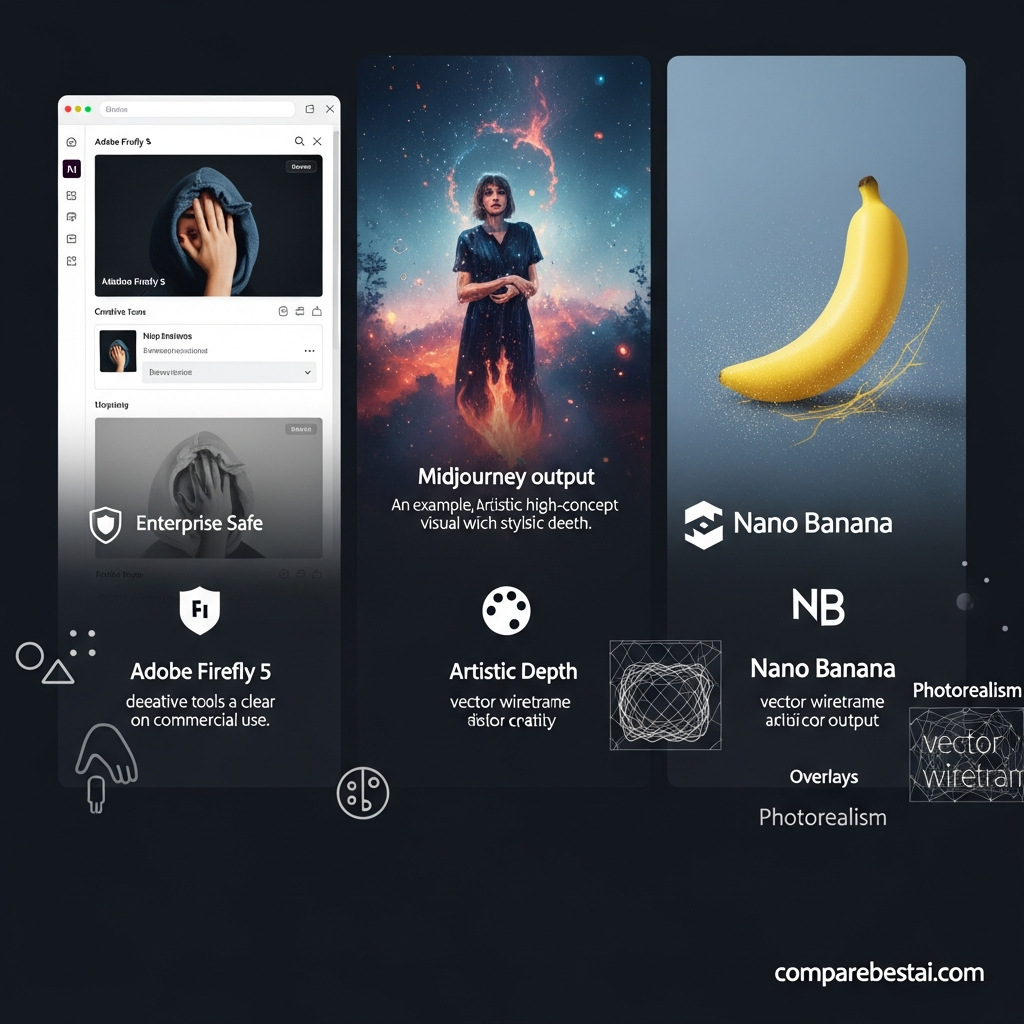

Quick Answer: The best AI design and image generation tools in 2026 include ChatGPT Images 2.0 for general-purpose generation and conversational editing, Google Gemini with Nano Banana 2 for fast image creation and revision, Midjourney V8.2 for highly art-directed visuals, Adobe Firefly for Adobe-based commercial workflows, Ideogram 4.0 for typography and layouts, Recraft V4.1 for vector and brand assets, FLUX.2 for developer and production pipelines, and Canva for turning AI-generated visuals into finished marketing designs.
The right choice depends on what happens after the image is generated. Designers should compare editing, typography, vector output, brand controls, commercial terms, collaboration and export workflows rather than judging platforms only by which model produces the most impressive first image.
Best AI Design and Image Generation Tools Compared
| Tool | Best For | Free Access | Paid Starting Point | Main Strength |
|---|---|---|---|---|
| ChatGPT Images 2.0 | General image creation and editing | Yes | ChatGPT Plus $20/month | Conversational generation and revision |
| Gemini / Nano Banana 2 | Fast creation and iterative editing | Yes | Google AI Plus $9.99/month | Speed, subject consistency and Google ecosystem |
| Midjourney V8.2 | Artistic and highly stylized visuals | No standard web trial | $10/month | Aesthetics and art direction |
| Adobe Firefly | Commercial Adobe workflows | Yes | $9.99/month | Photoshop integration and business workflows |
| Ideogram 4.0 | Typography and graphic layouts | Yes/varies | Paid plans/API | Text rendering and layout |
| Recraft V4.1 | Vector graphics and brand assets | Limited access | $12/month | Vector and design-oriented workflows |
| FLUX.2 | Developers and production pipelines | Open/API options | Usage based | Photorealism, control and APIs |
| Canva | Marketing and finished design | Yes | $144/year for Pro | Templates, brand kits and publishing |
Pricing and usage limits can change. Check each provider's current plan, licensing and commercial-use terms before subscribing or using generated assets in high-value campaigns.
How We Chose the Best AI Design Tools
This guide is different from a simple ranking of image models.
A good AI image model can create an impressive picture.
A useful design tool must also help turn that picture into something a team can actually publish.
For this comparison, we considered:
Image generation quality
Prompt adherence
Image editing
Text rendering
Reference-image support
Brand consistency
Vector or layered output
Team and workflow integrations
Pricing and AI usage limits
Commercial-use and licensing considerations
That distinction matters because the highest-quality image model is not automatically the best platform for a marketing team, graphic designer or ecommerce business.
1. ChatGPT Images 2.0: Best Overall for Conversational Design
Best for: Marketers, creators, general business users and teams that want image creation inside a broader AI assistant
OpenAI introduced ChatGPT Images 2.0 in April 2026.
The current ChatGPT image workflow supports creating original images from natural-language instructions and editing existing images conversationally.
Users can ask for changes such as:
Replace an object
Change the background
Add text
Adjust composition
Make the background transparent
Create several concept directions
Revise an uploaded image
The biggest advantage is iteration.
Instead of rewriting a complicated image prompt every time something needs to change, users can continue the conversation:
“Keep the same layout, but replace the blue packaging with black.”
Then:
“Make the headline larger and move the product to the right.”
That makes ChatGPT particularly useful during concept development.
Pricing
ChatGPT Images is available across current ChatGPT tiers with different usage limits.
ChatGPT Plus currently costs $20 per month and includes expanded image-generation access.
Why choose ChatGPT Images?
Strong conversational editing
Good prompt adherence
Text and layout capabilities
Existing-image editing
Transparent-background workflows
Useful for infographics and marketing concepts
Integrated with writing, research and analysis
Main limitation
ChatGPT is not a complete graphic-design suite.
After generating an image, teams may still need Photoshop, Canva, Figma or another design tool for precise typography, reusable templates and final brand production.
Best choice for: People who want to move rapidly from idea to editable visual concept.
2. Google Gemini with Nano Banana 2: Best for Fast Iteration
Best for: Rapid image generation, reference-image workflows and users already inside Google's ecosystem
Google introduced Nano Banana 2 in February 2026.
The model is officially known as Gemini 3.1 Flash Image and is designed around high-fidelity image generation combined with faster editing.
Google currently emphasizes capabilities including:
Image generation
Image editing
Subject consistency
World knowledge
Faster iteration
Production-oriented visual creation
Nano Banana 2 is available across Google products including Gemini and Google Search, with broader access through Google's paid AI plans.
Pricing
Google currently offers:
Google AI Plus: $9.99/month
Google AI Pro: $19.99/month
Free Gemini users also receive image-generation access subject to usage limits.
Why choose Nano Banana 2?
Fast generation
Conversational editing
Strong reference-image workflows
Good subject consistency
Integration with Gemini
Accessible free entry point
Main limitation
Model limits and premium functionality vary by Google plan, product, account and region.
Best choice for: Users who value speed and want image generation integrated into Gemini rather than adopting a specialist art platform.
3. Midjourney V8.2: Best for Art Direction and Visual Style
Best for: Concept art, editorial visuals, campaign imagery and highly stylized creative work
Midjourney remains one of the strongest specialist visual-generation products, but old V6 and V7 comparisons are no longer current.
The default model is now Midjourney V8.2, released in July 2026.
V8.2 focuses on aesthetics, image quality, personalization and updated editing workflows.
Midjourney is especially good when the visual mood matters as much as literal prompt compliance.
It can be useful for:
Editorial concepts
Fashion visuals
Mood boards
Concept art
Campaign directions
Cinematic scenes
High-concept brand imagery
Pricing
Current monthly plans are:
Basic: $10
Standard: $30
Pro: $60
Mega: $120
Annual subscriptions receive a discount.
Standard and higher plans include unlimited image generations using Relax Mode, while Pro and Mega add Stealth Mode for private creation.
Why choose Midjourney?
Strong aesthetic output
Style exploration
Personalization
Creative direction
Specialist visual-generation environment
Strong mood and concept workflows
Main limitation
Midjourney is less suited to teams that need the generator itself to function as a complete branded-layout, approval and publishing platform.
Privacy also matters: private generation requires the higher Pro or Mega tiers.
Best choice for: Designers and creative directors prioritizing visual style.
4. Adobe Firefly: Best for Adobe Creative Workflows
Best for: Graphic designers, photographers, marketing teams and organizations already using Creative Cloud
Adobe Firefly is particularly relevant when AI-generated visuals must continue into a professional editing workflow.
Firefly Image Model 5 supports native high-resolution generation and natural-language image editing.
Firefly also works alongside Adobe products and workflows such as Photoshop and Adobe Express.
Current Firefly capabilities extend beyond image generation into video, audio and third-party partner models.
Pricing
Adobe currently offers:
Firefly Standard: $9.99/month
Firefly Pro: $19.99/month
Firefly Pro Plus: $49.99/month
Firefly Premium: $199.99/month
A limited free option is also available.
Commercial-use considerations
Adobe is often discussed as a commercially safer AI option, but businesses should use precise language.
Adobe provides IP indemnification for selected eligible Firefly outputs under qualifying team and enterprise arrangements, subject to contractual terms and exclusions.
That is not the same as saying every image generated in Firefly is legally risk-free.
Teams should confirm:
Which model generated the asset
Which plan they use
Whether indemnification applies
Whether uploaded source material creates additional rights issues
Why choose Firefly?
Adobe ecosystem
Photoshop-oriented workflows
Generative Fill
Image editing
High-resolution generation
Enterprise-oriented controls
Access to Adobe and partner models
Main limitation
Firefly's expanding model marketplace also means commercial terms can differ depending on whether the selected model is Adobe-trained or provided by a partner.
Best choice for: Professional design teams already working heavily in Adobe software.
5. Ideogram 4.0: Best for Text and Graphic Layouts
Best for: Posters, ads, typography-heavy graphics, promotional materials and layout-driven creative work
Ideogram has long focused heavily on one of the hardest image-generation problems: readable text inside generated visuals.
Ideogram 4.0 was released in June 2026.
The current model emphasizes:
Multilingual text
Prompt fidelity
Layout control
Editable elements
Realistic image generation
Open-weight deployment
Commercial API access
Ideogram is particularly useful when words are an important part of the design rather than an afterthought.
Examples include:
Posters
Social advertisements
Event graphics
Package concepts
Signs
Headlines inside images
Typography-led campaigns
API pricing
Current Ideogram 4.0 API pricing starts around:
Turbo: $0.03/image
Default: $0.06/image
Quality: $0.10/image
Why choose Ideogram?
Strong typography
Graphic-layout focus
Multilingual text
API access
Open-weight option
Enterprise customization
Editable design direction
Main limitation
A typography-first model does not remove the need for final design review.
Check spelling, hierarchy, accessibility and exact brand typography before publishing.
Best choice for: Designs where readable words and layout matter as much as the image itself.
6. Recraft V4.1: Best for Vector and Brand Assets
Best for: Logos, icons, illustrations, brand systems and reusable design assets
Recraft is one of the most important platforms to include in a guide focused on design, not merely AI art.
Its current V4.1 family includes workflows built around raster and vector generation.
Recraft also supports design-oriented capabilities such as:
Vector generation
Raster generation
Brand colors
Style creation
Background removal
Vectorization
Image editing
Team workflows
Pricing
The current Basic plan starts at:
$12 per month
or:
$10 per month when billed annually
Higher Pro and Teams options provide additional credits and collaboration capabilities.
Why choose Recraft?
Native design orientation
Vector workflows
Brand colors
Icons and illustrations
Commercial-use options on paid plans
Private generations on paid plans
Useful bridge between generation and production design
Main limitation
Recraft's broader design workflow can be unnecessary for users who only want artistic standalone images.
Best choice for: Designers creating assets that must remain useful beyond one flattened generated image.
7. FLUX.2: Best for Developers and Production Pipelines
Best for: Developers, ecommerce pipelines, high-volume production and organizations that need API control
Black Forest Labs' FLUX.2 is a family of image models rather than a single consumer creative app.
Current variants span different needs:
FLUX.2 Klein for speed and high-volume use
FLUX.2 Pro for production
FLUX.2 Flex for additional control
FLUX.2 Max for maximum quality
Development/open-weight variants for local workflows
FLUX.2 supports capabilities including:
Photorealism
Multi-reference editing
Typography
Precise color control
Composition control
High-volume API generation
Certain variants can use several reference images in one generation.
Pricing
Current API pricing varies by model.
Examples start from approximately:
$0.014 per image for certain high-throughput FLUX.2 options.
Other models are priced by image megapixel.
Why choose FLUX.2?
Production APIs
Photorealism
High-volume workflows
Multi-reference generation
Fine control
Open-weight options
Developer integration
Main limitation
FLUX.2 is most valuable when someone understands the difference between API endpoints, deployment models and model licensing.
A casual marketer will generally find Canva, Gemini or ChatGPT easier.
Best choice for: Companies building image generation into software, ecommerce or automated creative pipelines.
8. Canva: Best for Turning AI Images Into Finished Marketing Assets
Best for: Social graphics, small businesses, marketing teams and non-designers
Canva deserves a place in a design guide for a different reason.
It is not simply an image model.
It is the environment where generated visuals can become finished:
Instagram posts
Advertisements
Presentations
Flyers
Videos
Thumbnails
Documents
Campaign assets
Canva's current product includes Canva AI alongside Magic Studio and the wider design editor.
Current plans also provide AI allowances that vary by tier.
Pricing
Canva currently lists:
Free: $0
Pro: $144/year for one person
Business: $250/year per person
Enterprise: custom pricing
Pro includes significantly higher AI allowances than Free, while Business adds larger AI allowances, collaboration, more Brand Kits and administrative features.
Why choose Canva?
Templates
Finished design layouts
Brand Kits
Resize and format conversion
Social scheduling
Collaboration
AI features inside a broader design workflow
Large stock-media library
Main limitation
A specialist model such as Midjourney, FLUX or Ideogram may provide stronger results for a specific image-generation task.
Canva's strength is what happens around the generated image.
Best choice for: Teams that need to turn AI imagery into publishable marketing content quickly.
Which AI Design Tool Should You Choose?
Choosing purely by image quality is usually a mistake.
Use this framework instead.
| Your Main Need | Best Starting Point |
|---|---|
| General generation and editing | ChatGPT Images |
| Fast free image creation | Gemini / Nano Banana 2 |
| Creative art direction | Midjourney |
| Adobe design workflow | Firefly |
| Typography and posters | Ideogram |
| Vector and brand assets | Recraft |
| APIs and high-volume generation | FLUX.2 |
| Finished marketing layouts | Canva |
Most professional teams will use more than one.
For example:
A marketer might create an initial concept in ChatGPT, generate a more art-directed hero image in Midjourney, then finish the campaign in Canva.
A professional designer might generate in Firefly and continue directly in Photoshop.
A product company might create thousands of catalog variations through FLUX.2's API.
The best workflow matters more than declaring one universal winner.
AI Image Generator vs AI Design Tool: What's the Difference?
An AI image generator primarily creates or edits visual content.
An AI design tool helps turn that content into a finished communication asset.
That can involve:
Typography
Layout
Vector files
Brand colors
Templates
Collaboration
Approval
Export
Publishing
This distinction is why Canva and Recraft belong in a design guide even when another platform may outperform them on a pure image benchmark.
Are AI-Generated Images Safe for Commercial Use?
Do not interpret “commercial use allowed” as “zero legal risk.”
There are several separate questions:
Does the provider allow commercial use?
Check the current terms for your specific plan.
Does the platform provide indemnification?
Some enterprise offerings do.
Adobe, for example, provides IP indemnification for eligible Firefly features and qualifying customers under specific contractual terms and exclusions.
Did you upload protected source material?
An AI provider's commercial-use terms do not automatically give you permission to upload copyrighted photographs, trademarks or other protected assets.
Is the output copyrightable?
That depends partly on jurisdiction and the level of human creative contribution.
Does the output contain protected people, brands or characters?
AI generation does not remove publicity, trademark or other third-party rights.
For high-value commercial campaigns, get appropriate legal review rather than relying on a “commercial use” label.
What Should Businesses Check Before Choosing an AI Design Platform?
Privacy
Find out whether uploaded assets can be used for model training and whether private generation requires a higher subscription.
Brand consistency
Look for:
Reference images
Custom styles
Brand Kits
Color control
Character consistency
Custom models
Editing
Generation is only the first stage.
Check whether the platform supports:
Inpainting
Background replacement
Transparent backgrounds
Layered output
Vector export
Typography edits
AI limits
“AI included” does not necessarily mean unlimited.
Platforms may meter:
Credits
GPU time
Images
Premium models
API calls
Team workflow
Businesses should also consider:
Shared workspaces
Approval workflows
SSO
Brand templates
Asset storage
API access
Audit and governance controls
How to Test AI Design Tools Properly
Use the same real task across several platforms.
For example:
Create a 4:5 social advertisement for a premium cold-brew coffee brand. Show one black can on a light stone surface. Use soft morning light. Add the headline “BETTER MORNINGS START COLD” above the product. Leave clear space for a logo in the bottom-right corner.
Then compare:
Is there exactly one can?
Is the headline spelled correctly?
Is the composition 4:5?
Does it follow the lighting request?
Can you edit one element without rebuilding everything?
Can the finished asset be exported in the format you need?
What did the generation actually cost?
That is a much stronger test than typing eight different prompts and judging whichever output looks prettiest.
Free vs Paid AI Design Tools
Free plans are useful for experimentation.
ChatGPT, Gemini, Adobe Firefly, Canva and several specialist products offer some form of free access or trial experience.
Paid plans become more useful when you need:
Higher limits
Private generations
Faster processing
Commercial workflows
Brand controls
Team collaboration
API access
Higher resolution
Advanced models
Before paying, test your real workflow rather than only looking at sample galleries.
Frequently Asked Questions
What is the best AI design and image generation tool in 2026?
There is no single winner for every workflow. ChatGPT Images is a strong all-round option, Midjourney is particularly useful for visual art direction, Adobe Firefly fits Adobe-based professional workflows, Ideogram excels at typography, Recraft is strong for vector assets, and Canva is ideal for turning generated imagery into finished marketing designs.
What is the best free AI image generator?
Gemini with Nano Banana 2 is one of the strongest places to start because image generation is available to eligible free users. ChatGPT Images, Firefly and Canva also provide free access with different limits.
Is Midjourney still worth paying for in 2026?
Yes, particularly when creative direction, aesthetics and stylistic output are central to the job. Midjourney V8.2 is the current default model. Users focused mainly on branded layouts or conversational editing may prefer another tool.
Is DALL-E 5 available?
No. There is no current OpenAI product called DALL-E 5. OpenAI's current ChatGPT image experience is ChatGPT Images 2.0.
Which AI design tool is best for text inside images?
Ideogram 4.0 is particularly design-oriented and emphasizes multilingual typography and layout control. Current models from OpenAI, Google and FLUX have also improved substantially at text rendering.
Which AI design tool is best for logos and vectors?
Recraft is one of the strongest choices when editable vector-oriented design assets are important. Generated logo concepts should still be reviewed carefully for trademark conflicts and brand originality.
Which AI image generator is best for commercial work?
It depends on the organization's requirements. Adobe Firefly is particularly relevant to professional Adobe workflows and offers IP-indemnification options for qualifying customers and eligible features. Other platforms permit commercial use under their own terms but may not provide the same contractual protections.
Can AI image generators replace graphic designers?
They can automate parts of ideation, image creation and routine production, but they do not replace creative direction, brand strategy, typography judgment, accessibility, legal review or final quality control. Professional design increasingly involves deciding how and when to use AI rather than simply generating images.
Final Verdict
AI image generation in 2026 is no longer mainly about asking which tool makes the prettiest picture.
Modern creative work spans generation, editing, typography, vectors, brand consistency, team collaboration, commercial terms and production.
For general-purpose creation, ChatGPT Images 2.0 is one of the strongest places to start.
For speed and accessible iterative editing, Gemini with Nano Banana 2 is compelling.
For visual art direction, choose Midjourney V8.2.
For Adobe-centered professional workflows, evaluate Firefly.
For text-heavy graphics, choose Ideogram 4.0.
For vector and reusable brand assets, consider Recraft V4.1.
For developer and production pipelines, look at FLUX.2.
And when the goal is turning generated assets into complete marketing materials, Canva remains one of the most practical design environments.
The strongest creative stack may combine two or three of these products rather than forcing one tool to handle every stage.
Next step: Compare AI image generators by pricing, editing, commercial-use terms and workflow fit before paying for another creative subscription.


