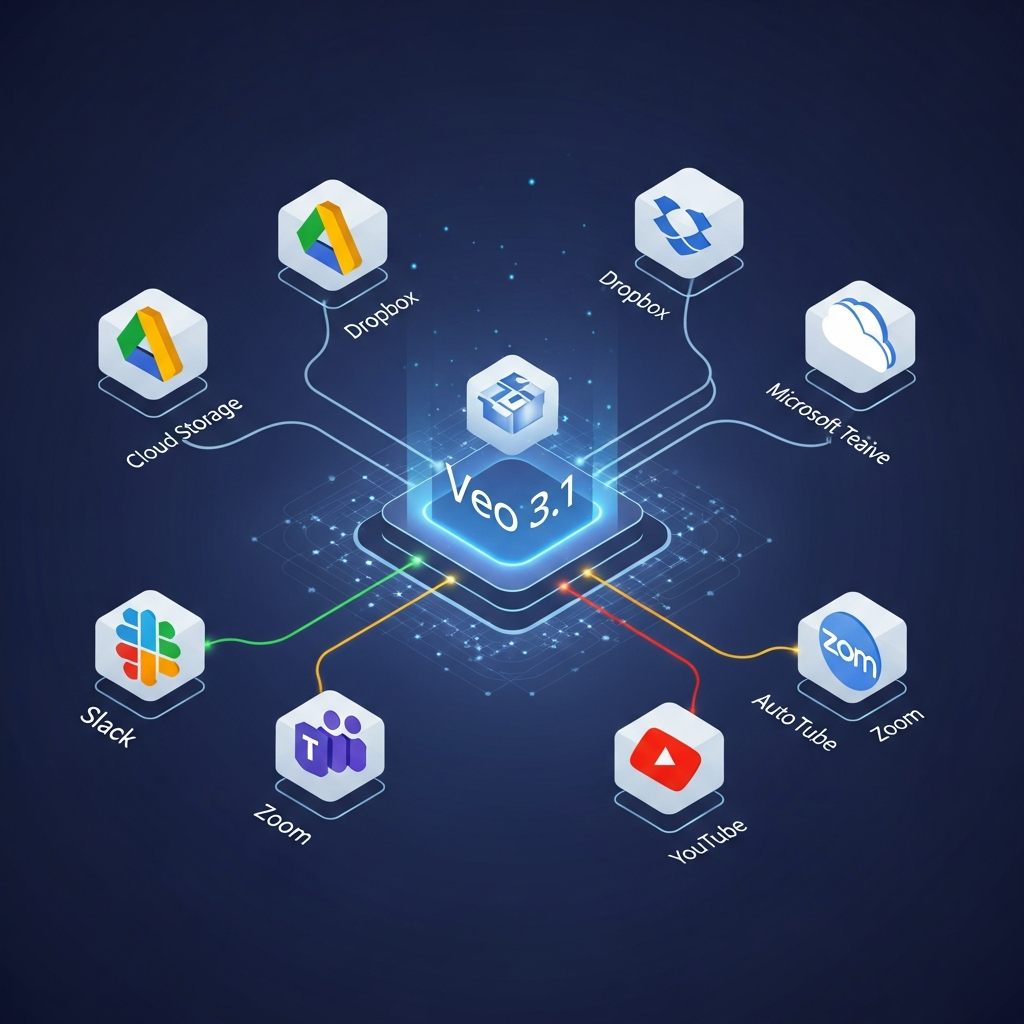

Quick Answer: Veo 3.1 does not have a Slack- or Zapier-style integrations marketplace. As of September 2026, the clearest verified Veo 3.1 integrations are Google Flow, Google Vids, the Gemini API and Google AI Studio, and Vertex AI. Adobe Firefly and Runway also provide third-party access to Veo 3.1. Google previously used Veo 3.1 inside Gemini Apps and YouTube creation tools, but those experiences have since moved toward newer Gemini Omni models. Connections to Slack, Dropbox, CRMs, project-management apps or automation platforms require a custom API workflow or a separately verified connector rather than a built-in Veo integration.
Veo 3.1 Integrations at a Glance
| Platform | Veo 3.1 Status | Integration Type | Best For |
|---|---|---|---|
| Google Flow | Current | Native Google creative interface | Filmmaking and iterative generation |
| Google Vids | Current | Native Google Workspace integration | Business video creation |
| Gemini API | Current | Official developer API | Apps and automated video generation |
| Google AI Studio | Current | Developer testing environment | Prototyping API workflows |
| Vertex AI | Current | Enterprise Google Cloud access | Production and enterprise systems |
| Adobe Firefly | Current | Third-party partner model | Adobe creative workflows |
| Runway | Current | Third-party model/API access | Multi-model developer workflows |
| Gemini App | Former Veo access | Now primarily Gemini Omni | Consumer conversational video |
| YouTube Shorts/Create | Former Veo access | Current creation model has moved toward Omni Flash | Mobile social video |
The key distinction is between using Veo inside another application and connecting Veo to another business application through an API.
Veo 3.1 itself is a video-generation model.
It does not operate like a traditional SaaS platform with an app marketplace.
What Does “Veo 3.1 Integration” Actually Mean?
There are three different types of Veo integration.
1. Native Google product integration
Google embeds Veo into its own applications.
Examples include:
Flow
Google Vids
These users do not need to write API code.
2. Developer integration
Developers call Veo programmatically through:
Gemini API
Vertex AI
This allows Veo generation to become part of another application or automated workflow.
3. Third-party model integration
Another software company can expose Veo inside its own platform.
Current verified examples include:
Adobe Firefly
Runway
This distinction matters because a claim such as “Veo integrates with Slack” means something completely different from “an application can call Veo and then send a Slack message.”
The second workflow is possible through software development.
It should not be marketed as a native Slack integration.
1. Google Flow: The Main Creative Veo 3.1 Integration
Google Flow is the clearest user-facing platform built around Veo.
Google originally designed Flow around its Veo, Imagen and Gemini models.
Current Flow model options include:
Veo 3.1 Lite
Veo 3.1 Fast
Veo 3.1 Quality
Depending on the model, Flow supports workflows such as:
Text to Video
Frames to Video
First-frame generation
First and last frame
Ingredients or references
Extend
Flow is therefore the most natural Veo environment for filmmakers and creators who want a visual interface rather than an API.
Why Flow matters
Veo alone generates the media.
Flow provides the surrounding creative workflow.
That includes generating different shots and building longer scenes from those outputs.
For creators asking “What software integrates best with Veo 3.1?”, Flow is the most direct answer.
2. Google Vids: Veo Inside a Workspace Video Editor
Google Vids is another genuine Veo integration.
Vids is Google's collaborative business-video application.
Eligible users can select Veo 3.1 inside Google Vids and generate clips without leaving the editor.
Current Vids workflows include:
Prompt-to-video
Image animation
Reference-image generation
Video editing
Clip extension
Generated clips can then be inserted into the wider Vids project.
This makes Google Vids particularly relevant for:
Internal communication
Training
Presentations
Marketing explainers
Workplace video
Google Vids vs Flow
The two tools solve different problems.
Choose Flow when the creative video generation itself is the primary job.
Choose Google Vids when Veo-generated footage is one component inside a longer workplace video.
3. Gemini API: The Main Developer Integration
The Gemini API is Google's primary developer route for programmatic Veo 3.1 access.
Current Veo 3.1 API variants include:
Veo 3.1 Standard
Veo 3.1 Fast
Veo 3.1 Lite
The API accepts text and image inputs and returns video with generated audio.
Developers can use it to build products such as:
AI advertising generators
Ecommerce video tools
Social-content applications
Automated creative systems
Marketing platforms
Internal media-generation software
What the API changes
This is where integrations with external business systems become possible.
For example, a developer could build:
product database → Veo API → video output → storage → notification
The final system could then connect to other applications.
But those integrations belong to the custom application, not to Veo itself.
4. Google AI Studio: Best for Prototyping Veo Integrations
Google AI Studio provides a developer environment for testing Gemini API models and prototyping workflows.
It is useful before building a full production integration.
Teams can use it to:
Test prompts
Compare Veo models
Inspect generation behavior
Develop API requests
Prototype application ideas
Developers can then move the working implementation into their own application or enterprise environment.
Think of AI Studio as an experimentation layer around Google's developer models rather than a collaboration connector marketplace.
5. Vertex AI: Best Veo Integration for Enterprise Systems
Vertex AI is Google's enterprise cloud route for Veo.
This is the most relevant integration for organizations that need Veo inside larger production systems.
Current Vertex AI Veo workflows support access through the Google Cloud console and API.
Generated output can also be written to a specified Google Cloud Storage bucket.
That makes it possible to build architectures such as:
internal application → Vertex AI Veo → Cloud Storage → downstream processing
Potential use cases include:
Automated advertising pipelines
Ecommerce media generation
Enterprise content systems
Internal creative applications
High-volume production
Why Vertex AI is different from Flow
Flow is creator-facing.
Vertex AI is developer and enterprise-facing.
Companies that need governance, cloud infrastructure and integration with their existing Google Cloud environment should evaluate Vertex AI rather than expecting consumer Flow to behave like enterprise middleware.
6. Adobe Firefly: Verified Third-Party Veo 3.1 Integration
Adobe Firefly is one of the strongest examples of Veo being integrated into a third-party creative platform.
Adobe currently lets users choose:
Veo 3.1
Veo 3.1 Fast
inside its Generate Video experience.
Users can select Veo alongside models from Adobe and other providers.
That means a creative team can use Google's video model without switching to Google's own interface.
Why use Veo through Firefly?
The main advantage is workflow.
An Adobe user can generate footage with Veo and continue working inside the wider Firefly and Adobe creative environment.
This is useful when AI generation is only one part of the production process.
Important pricing point
Using Veo inside Firefly follows Adobe's own credit and subscription system.
Do not assume Google's Gemini API pricing applies to Firefly generations.
7. Runway: Veo 3.1 Inside a Multi-Model Developer Platform
Runway also exposes Veo 3.1 through its developer platform.
Its current API model catalog includes Veo alongside Runway's own models and other external generators.
This gives developers another integration option.
Instead of directly building separate integrations for every video provider, a team may prefer a multi-model platform.
Why this matters
Different shots may require different models.
A developer might use:
Veo for one audiovisual scene
Runway for another
Seedance for longer footage
while managing them through one development environment.
This is a genuine Veo integration because Runway explicitly exposes Google's model.
8. Is Veo 3.1 Still Integrated With the Gemini App?
This changed during 2026.
Google originally brought Veo 3.1 video generation into Gemini Apps.
However, Google's current Gemini Apps documentation now identifies Gemini Omni as its current advanced video generator.
That means older articles saying:
“Gemini's video generator is Veo 3.1”
are no longer fully current.
Veo remains available through Google's developer and specialized creative products, but the consumer Gemini video experience has moved on.
9. Is Veo 3.1 Still Integrated With YouTube?
Again, the answer requires a date.
Google introduced Veo 3.1 Ingredients to Video in YouTube Shorts and YouTube Create in January 2026.
However, on June 25, YouTube announced that its Create Video experience was being upgraded using Gemini Omni Flash.
Therefore, YouTube should not be listed casually as a permanent current Veo 3.1 integration.
A more accurate description is:
Veo 3.1 was integrated into YouTube creation tools earlier in 2026, but Google's current YouTube AI-video stack is transitioning toward newer Gemini video models.
This is why integrations articles need frequent updates.

Does Veo 3.1 Integrate With Google Drive?
Not as a documented standalone Veo connector.
Google Vids and other Google Workspace products operate inside Google's wider collaboration ecosystem, but that should not be rewritten as:
“Veo has a native Google Drive integration.”
Similarly, Vertex AI can use Google Cloud Storage for generated media.
Google Drive and Google Cloud Storage are different products.
Use the exact platform name in technical documentation.
Does Veo 3.1 Integrate With Slack?
There is no current Google documentation establishing a native Veo 3.1 Slack connector.
A developer can create a workflow such as:
Call the Veo API.
Wait for generation.
Save the finished video.
Send a message to Slack through Slack's API.
That is a custom automation.
The Slack component is not a Veo feature.
Does Veo 3.1 Integrate With Zapier?
Do not assume it does.
Unless Zapier or Google publishes an official current Veo app, trigger or action, describe Zapier support only as a possible custom integration route when technically configured.
The Gemini API itself is the reliable integration layer.
Does Veo 3.1 Integrate With Asana, Trello or Monday.com?
There are no current native Veo connectors documented by Google for those platforms.
Again, they can potentially be connected through custom software.
For example:
Asana task → custom backend → Veo API → generated asset → task attachment
But CompareBestAI should label that:
Custom API workflow
rather than:
Official Veo integration.
Does Veo 3.1 Publish Directly to Instagram?
There is no current Veo model-level integration that should be described as one-click Instagram publishing.
A video generated in Flow, Firefly, Vids or another interface can be exported and then used elsewhere.
An automated publishing pipeline could also be built using APIs.
That is different from Veo itself being a social scheduling platform.
Veo 3.1 API Pricing and Integration Costs
There is no $45 per user “Veo integrations plan.”
Current Gemini API Veo pricing is usage based.
| Veo API Model | 720p | 1080p | 4K |
|---|---|---|---|
| Veo 3.1 Standard | $0.40/sec | $0.40/sec | $0.60/sec |
| Veo 3.1 Fast | $0.10/sec | $0.12/sec | $0.30/sec |
| Veo 3.1 Lite | $0.05/sec | $0.08/sec | Not available |
The real cost of an integration can therefore include:
Veo generation cost
Hosting or cloud infrastructure
Storage
Engineering
External API charges
Third-party platform subscriptions
If you use Veo through Adobe Firefly or Runway, those providers use their own pricing and credits.
Do not mix those commercial models together.
Native vs Custom Veo 3.1 Integrations
| Workflow | Status |
|---|---|
| Veo inside Google Flow | Native |
| Veo inside Google Vids | Native |
| Veo through Gemini API | Official developer access |
| Veo through Vertex AI | Official enterprise access |
| Veo inside Adobe Firefly | Verified third-party integration |
| Veo through Runway API | Verified third-party integration |
| Veo → Slack notification | Custom workflow |
| Veo → Dropbox | Custom unless separately verified |
| Veo → Asana task | Custom |
| Veo → Salesforce | Custom |
| Veo → Instagram scheduling | Custom |
| Veo → LMS | Custom |
This table is more useful than listing every theoretically connectable SaaS product as an “integration.”
Example Veo Integration Workflows
These examples are hypothetical architectures, not customer case studies.
Ecommerce Video Pipeline
Product database → Gemini API → generated product video → storage → ecommerce CMS
A retailer could programmatically generate campaign footage from approved product imagery.
Marketing Approval Workflow
Internal creative app → Veo API → storage → Slack/Teams API notification → human approval
Slack or Teams would be part of the custom workflow, not a native Veo connector.
Enterprise Google Cloud Workflow
Internal application → Vertex AI → Cloud Storage → downstream processing
This is one of the most natural enterprise architectures because Veo and the storage layer both operate inside Google Cloud.
Adobe Creative Workflow
Adobe Firefly → Veo 3.1 → Firefly timeline → wider Adobe production
This requires far less custom development because Adobe has already integrated the model.
How to Choose the Right Veo Integration Route
Choose Flow if:
You are a filmmaker or creator who wants a visual Veo interface.
Choose Google Vids if:
You want Veo inside a collaborative business-video editor.
Choose Gemini API if:
You are building a custom application.
Choose Vertex AI if:
You need enterprise deployment inside Google Cloud.
Choose Adobe Firefly if:
Your team already works heavily in Adobe.
Choose Runway if:
You want Veo alongside multiple competing AI-video models through one development platform.
How We Verified These Integrations
This guide was updated using current documentation reviewed in September 2026 from:
Google DeepMind
Google Flow Help
Google Vids Help
Gemini API documentation
Google Cloud Vertex AI documentation
Adobe Firefly documentation
Runway's developer documentation
An integration is listed as native only when the platform provider currently documents Veo 3.1 directly.
A theoretically possible API connection is labeled as custom rather than being presented as an official connector.
That distinction keeps this page useful to buyers, developers and AI systems citing the information.
Frequently Asked Questions
What platforms currently integrate with Veo 3.1?
Verified current access includes Google Flow, Google Vids, Gemini API/Google AI Studio and Vertex AI. Adobe Firefly and Runway also expose Veo 3.1 through their own platforms.
Does Veo 3.1 integrate with Slack?
Google does not currently document a native Veo 3.1 Slack connector. Developers can build a workflow that sends notifications to Slack after calling the Veo API.
Does Veo 3.1 integrate with Google Drive?
Do not describe Google Drive as a direct Veo model integration without specific current documentation. Google Vids operates in the Workspace ecosystem, while Vertex AI can store generated output in Google Cloud Storage.
Does Veo 3.1 integrate with Zapier?
There is no current Google-documented built-in Zapier integration. Any Zapier workflow should be treated as a separately verified or custom integration.
Can I use Veo 3.1 in Adobe Firefly?
Yes. Adobe currently exposes Veo 3.1 and Veo 3.1 Fast as partner video models inside Firefly.
Can developers integrate Veo 3.1 into their own apps?
Yes. Google provides Veo 3.1 through the Gemini API, while enterprises can also access it through Vertex AI.
Is Veo 3.1 still used in Gemini Apps?
Veo 3.1 was available in Gemini Apps earlier in 2026, but current Google documentation identifies Gemini Omni as the present video-generation model in Gemini Apps.
Is Veo 3.1 still used in YouTube Shorts?
Google launched Veo 3.1 Ingredients to Video in YouTube earlier in 2026. YouTube later announced an upgrade of its Create Video feature to Gemini Omni Flash, so current model availability should be verified in the product.
How much does a Veo 3.1 API integration cost?
Current Gemini API pricing starts at $0.05 per generated second for Veo 3.1 Lite at 720p. Standard costs $0.40 per second at 720p or 1080p and $0.60 per second at 4K. Infrastructure and third-party software costs are separate.
Final Verdict
The Veo 3.1 integration ecosystem is real, but it does not look like the integration marketplace described in many SaaS-style articles.
There is no documented Veo dashboard where users connect Slack, Dropbox, Salesforce, Trello and Instagram with a few clicks.
Instead, Veo operates through several distinct layers.
Flow is the main Google creative environment.
Google Vids brings Veo into workplace video creation.
Gemini API is the core developer integration.
Vertex AI provides the strongest enterprise route.
Adobe Firefly gives creative professionals third-party Veo access inside Adobe.
Runway exposes Veo as part of a multi-model developer environment.
Everything beyond those verified surfaces should be categorized carefully.
If Slack, a CRM, a project-management system or a publishing tool is connected through custom code, call it a custom API workflow, not a native Veo integration.
That distinction is what makes an integrations guide trustworthy.
Bottom line: Choose Flow or Google Vids for no-code creative use, Gemini API for custom applications, Vertex AI for enterprise Google Cloud workflows, and Firefly or Runway when you want Veo inside another creative or multi-model platform.
Next step: Decide whether you need direct creative access or a programmable API before choosing your Veo 3.1 integration route.
Get the Plain-English AI Glossary →
Found this guide useful? Share it with your team.

