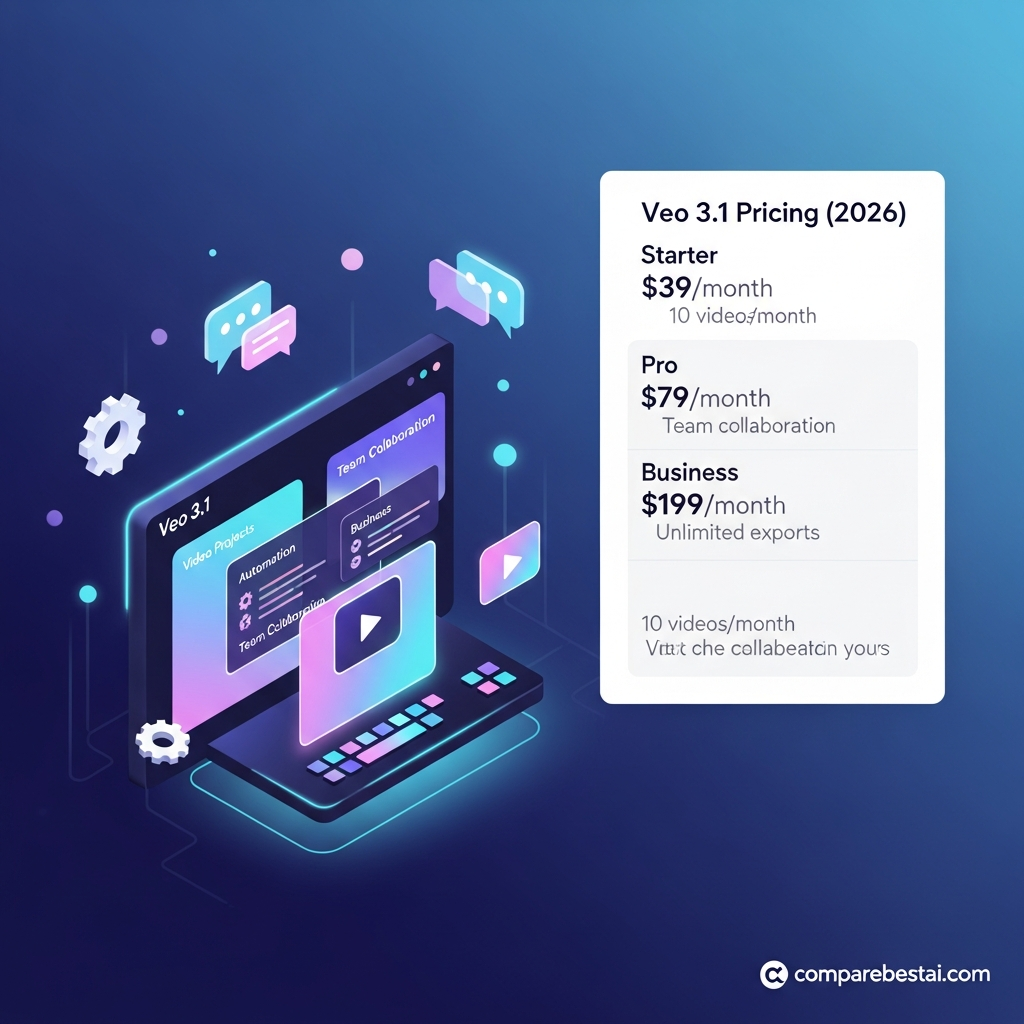

Quick Answer: Veo 3.1 does not have standalone Starter, Pro or Business subscriptions. In Google Flow, non-subscribers currently receive 50 free credits per day, while paid Google AI plans provide monthly Flow credits. Veo 3.1 Lite costs 10 Flow credits per generation for non-Ultra users, Fast costs 20 and Quality costs 100. Developers pay separately through the Gemini API, where Veo 3.1 starts at $0.05 per generated second for Lite at 720p and reaches $0.60 per second for Standard 4K output. The cheapest option depends on whether you are creating occasional videos in Flow or generating at scale through an API.
Veo 3.1 Pricing at a Glance
Veo 3.1 pricing depends on where you use the model.
| Access Method | Pricing Model | Free Access? | Best For |
|---|---|---|---|
| Google Flow | Credits per generation | 50 credits/day for non-subscribers | Creators and filmmakers |
| Google AI Plus | Monthly subscription + 200 Flow credits | Paid | Light Google AI users |
| Google AI Pro | Monthly subscription + 1,000 Flow credits | Paid | Regular creators |
| Google AI Ultra | Monthly subscription + 10,000 or 25,000 Flow credits | Paid | Heavy Flow users |
| Gemini API | Per generated second | No Veo free tier | Developers |
| Vertex AI | Usage based | Enterprise/cloud billing | Production systems |
Pricing and credit rules checked against Google's current documentation in September 2026. Availability and subscription prices vary by region.
How Veo 3.1 Pricing Actually Works
Google does not sell Veo 3.1 using conventional SaaS plans such as:
Starter
Pro
Business
Enterprise
Instead, there are two main payment models.
Google Flow
You spend credits each time Veo generates or extends a video.
Gemini API
You pay for successful generated video by the second, with rates determined by the Veo model and output resolution.
This distinction is important.
A creator making occasional clips in Flow should not evaluate Veo using API rates.
A developer generating thousands of videos should not estimate cost from Google One subscription prices alone.
Does Veo 3.1 Have a Free Plan?
There is currently a genuine free way to try Veo 3.1 through Google Flow.
Google gives users without a Google AI Plus, Pro or Ultra subscription:
50 Flow credits per day.
These credits can currently be used for:
Veo 3.1 Lite
Veo 3.1 Fast
Veo 3.1 Quality
Unused daily credits do not roll over.
Your refresh occurs after the daily usage cycle resets.
This is not a 14-day trial.
You can continue receiving the daily free allocation while you remain eligible under Google's current Flow policy.
How Many Free Veo Videos Can You Generate?
Current non-Ultra Flow costs are:
Veo 3.1 Lite: 10 credits
Veo 3.1 Fast: 20 credits
Veo 3.1 Quality: 100 credits
With 50 free daily credits, that means a user could theoretically generate up to:
5 Lite videos per day
or:
2 Fast videos per day with 10 credits remaining
if every request produces one generation.
The free daily allocation alone is not enough for a 100-credit Quality generation.
Google charges credits per generation, not necessarily per prompt or request.
Some Flow features can produce multiple generations from one request, which means a single action may consume credits more than once.
Veo 3.1 Flow Credit Costs
Veo 3.1 Lite
Current Flow cost:
10 credits per generation for non-Ultra users
5 credits for Ultra users
Lite supports:
4-second video
6-second video
8-second video
video extension
Lite is the lowest-cost way to experiment with Veo inside Flow.
Veo 3.1 Fast
Current cost:
20 credits for non-Ultra users
10 credits for Ultra users
Fast supports:
4-second video
6-second video
8-second video
extension
It costs twice as many Flow credits as Lite for non-Ultra users.
Veo 3.1 Quality
Current cost:
100 credits per generation
Quality currently focuses on 8-second generation and costs the same 100 credits regardless of whether the user has an Ultra subscription.
Use Quality when output quality matters enough to justify substantially higher credit consumption.
Google Flow Credits by Subscription
Google currently documents these Flow allowances:
| Access | Monthly/Daily Flow Credits |
|---|---|
| No Google AI subscription | 50/day |
| Google AI Plus | 200/month |
| Google AI Pro | 1,000/month |
| Google AI Ultra 5x tier | 10,000/month |
| Google AI Ultra 20x tier | 25,000/month |
Google's publicly listed pricing currently shows Google AI Plus from around $9.99/month and Google AI Pro at $19.99/month in supported markets, although exact prices and plan configurations vary by country.
Google Flow Help currently distinguishes two Ultra levels associated with the higher 10,000- and 25,000-credit allocations.
Always check your regional Google One checkout before publishing or budgeting around a subscription price.
How Many Veo Generations Do Paid Flow Credits Buy?
Using the standard non-Ultra generation rates:
| Plan Credits | Lite at 10 | Fast at 20 | Quality at 100 |
|---|---|---|---|
| AI Plus: 200 | 20 | 10 | 2 |
| AI Pro: 1,000 | 100 | 50 | 10 |
Ultra members receive lower Lite and Fast credit costs:
| Ultra Credits | Lite at 5 | Fast at 10 | Quality at 100 |
|---|---|---|---|
| 10,000 | 2,000 | 1,000 | 100 |
| 25,000 | 5,000 | 2,500 | 250 |
These are maximum theoretical figures.
Real usage can be lower because:
A request may generate more than one video.
You may mix models.
You may extend clips.
You may spend credits on other supported AI features.
4K upscaling consumes additional credits.
An Important Google AI Plus Pricing Quirk
For users interested only in Veo through Flow, Google AI Plus deserves careful evaluation.
Non-subscribers currently receive 50 free credits every day.
If you used all 50 every day for 30 days, that would equal up to 1,500 free credits over the month.
Google AI Plus currently provides 200 Flow credits per month.
That does not mean the free option is universally better.
Paid subscribers receive other Google AI benefits, broader product access and resolution features.
But it does mean you should not subscribe to Google AI Plus solely because you assume it gives you more Veo generations than the free daily Flow allocation.
Compare the full plan benefits and your actual generation pattern first.
Do Flow Credits Roll Over?
No.
Google says unused monthly Flow credits from Google AI subscriptions do not roll over into the next billing cycle.
The 50 free daily credits also do not roll over.
If you do not use them before the next refresh, they are lost.
This makes monthly usage planning important for heavier creators.
Can You Buy More Flow Credits?
Google allows eligible paid users in supported regions to purchase additional AI credits.
Availability depends on:
Your Google AI plan
Country or region
Billing arrangement
Additional AI-credit availability can change, so check Google One when your included balance runs low.

Does 1080p Cost Extra in Flow?
For current Google AI Plus, Pro and Ultra subscribers:
1080p upscaling currently costs 0 additional Flow credits.
Non-subscribers do not currently receive the same 1080p upscaling access.
This is one reason a paid Google AI subscription can provide value even when its raw monthly credit allowance looks lower than the daily free allocation.
How Much Does 4K Cost in Flow?
Current Flow pricing makes 4K a premium feature.
4K video upscaling costs 50 credits.
It is currently available to eligible Google AI Ultra subscribers rather than non-Ultra users.
If your workflow requires 4K, include those extra 50 credits in your cost calculation.
Gemini API Veo 3.1 Pricing
Developers use a completely different pricing structure.
Veo 3.1 in the Gemini API is billed per successfully generated second.
| Model | 720p | 1080p | 4K |
|---|---|---|---|
| Veo 3.1 Standard | $0.40/sec | $0.40/sec | $0.60/sec |
| Veo 3.1 Fast | $0.10/sec | $0.12/sec | $0.30/sec |
| Veo 3.1 Lite | $0.05/sec | $0.08/sec | Not supported |
These rates currently include generated audio under the default video-with-audio pricing.
Google says API users are charged only when generation succeeds.
Does the Veo 3.1 API Have a Free Tier?
No.
The current Gemini API pricing documentation lists:
Free Tier: Not available
for Veo 3.1 Standard, Fast and Lite.
That is separate from the 50 free daily Flow credits.
Developers should not confuse:
free Flow use
with:
free Gemini API access.
What Does an 8-Second Veo 3.1 API Video Cost?
720p
Standard:
8 × $0.40 = $3.20
Fast:
8 × $0.10 = $0.80
Lite:
8 × $0.05 = $0.40
1080p
Standard:
8 × $0.40 = $3.20
Fast:
8 × $0.12 = $0.96
Lite:
8 × $0.08 = $0.64
4K
Standard:
8 × $0.60 = $4.80
Fast:
8 × $0.30 = $2.40
Lite:
4K is currently unsupported.
1080p and 4K generation currently require an 8-second clip in the Gemini API.
4-Second and 6-Second API Costs
Lower-resolution generation can be cheaper when you do not need a full eight seconds.
Four-second 720p clip
Standard: $1.60
Fast: $0.40
Lite: $0.20
Six-second 720p clip
Standard: $2.40
Fast: $0.60
Lite: $0.30
Shorter generations can therefore be useful during experimentation.
Use inexpensive drafts before spending more on final higher-resolution renders.
The Real Hidden Cost: Rerenders
Generative video rarely produces the perfect shot on the first attempt.
That makes the most important cost metric:
cost per usable clip
rather than simply:
cost per generation.
Imagine you need five attempts to get an acceptable 8-second 1080p video.
Standard
5 × $3.20 = $16
Fast
5 × $0.96 = $4.80
Lite
5 × $0.64 = $3.20
A model that costs more per generation can still be economical if it requires fewer rerenders.
Conversely, a cheap model can become expensive if most outputs are unusable.
Estimated Monthly API Cost
Suppose a business produces 100 successful 8-second 1080p generations every month.
Standard
100 × $3.20 = $320/month
Fast
100 × $0.96 = $96/month
Lite
100 × $0.64 = $64/month
Now assume each finished shot requires three generations.
The real generation volume becomes 300.
That would increase the estimated cost to:
Standard: $960
Fast: $288
Lite: $192
This is why developers should model retries before selecting a Veo model.
Flow vs Gemini API: Which Is Cheaper?
They serve different users.
Use Google Flow when:
You are a creator rather than developer.
You want a visual filmmaking interface.
You generate manually.
You want free daily credits.
You want to experiment before building software.
Use Gemini API when:
Generation is part of an app.
You need automation.
You need predictable per-second pricing.
You are producing at scale.
You need programmatic inputs and outputs.
Flow is not simply a cheaper version of the API.
The API is not simply a more expensive version of Flow.
They solve different workflow problems.

What About Vertex AI Pricing?
Enterprise teams can also use Veo through Google Cloud's Vertex AI environment.
Vertex AI is designed for production and enterprise workflows rather than casual creator use.
Businesses using Vertex AI should calculate costs through their Google Cloud billing setup because enterprise workloads can include additional infrastructure such as:
Cloud Storage
Compute
Networking
Orchestration
Monitoring
Do not compare a Vertex AI implementation only against the sticker price of a consumer Google AI subscription.
Does Veo 3.1 Charge Per User?
Not in the way the old pricing table suggested.
Gemini API pricing is based on generated output rather than employee seats.
Google AI consumer subscriptions are account subscriptions that include Flow credits and broader Google AI benefits.
There is no current standalone Veo 3.1 plan charging $39, $79 or $199 per user.
Does Veo 3.1 Charge Per Export?
No current Google pricing model supports the old claim that users receive:
10 exports
30 exports
unlimited exports
$5 extra exports
Flow charges credits for generation.
Gemini API charges by generated seconds.
That is the framework buyers should use.
Does Veo 3.1 Offer Annual Discounts?
There is no standalone annual Veo 3.1 subscription.
Some Google AI/Google One memberships may provide annual billing options or regional promotions.
Those are Google AI subscription offers, not separate Veo annual plans.
Do not publish a fixed “19% Veo annual discount” unless Google explicitly publishes that offer for the exact plan being discussed.
Does Veo 3.1 Have Enterprise Pricing?
Veo is available through Google's enterprise cloud infrastructure, including Vertex AI.
That does not mean Google sells a standalone “Veo Enterprise plan” with:
SSO
unlimited exports
on-premises deployment
dedicated CSM
per-seat pricing
Enterprise customers should evaluate Google Cloud/Vertex AI pricing and their wider infrastructure requirements.
Are There Any Hidden Veo 3.1 Fees?
There are no documented $5 export overages.
The costs users should actually consider are:
Rerenders
Multiple attempts increase cost.
Multiple generations per request
Flow charges per generation, so one request can consume more credits than expected.
Higher resolution
4K costs more in the API and consumes extra Flow credits.
Extensions
Extending existing video consumes additional generation credits.
Additional AI credits
Heavy Flow users may need to buy extra credits where available.
Cloud infrastructure
API and enterprise workflows can have storage, compute or related cloud costs outside the base Veo generation price.
Those are the genuine cost variables.
Is Veo 3.1 Worth the Price?
Veo 3.1 is worth considering when its strengths matter to your workflow:
Native generated audio
Strong prompt adherence
Image-to-video
Reference-guided generation
First and last frame control
9:16 video
1080p and 4K workflows
Google Flow integration
Gemini API access
For occasional experimentation, the free Flow credits make Veo unusually easy to test.
For developers, Lite and Fast can keep generation costs relatively low.
Standard becomes more expensive, particularly at 4K or when many rerenders are required.
The right question is therefore not:
“Which Veo plan should I buy?”
It is:
“Which access method and Veo model gives me the lowest cost per usable video?”
How to Calculate Your Veo 3.1 Budget
Use this formula for API workloads:
videos required × average attempts × seconds per video × model rate
For example:
You need 50 finished clips.
Each averages three attempts.
Each clip is eight seconds.
You use Fast at 1080p.
50 × 3 × 8 × $0.12 = $144
That is a much better budgeting method than comparing fictional per-user plans.
For Flow, estimate:
monthly generations × credits per generation + upscale/extension credits
Then compare the result with your included credit allowance.
Veo 3.1 Pricing vs Alternatives
Veo competes more directly with platforms and models such as:
Runway
Kling
Seedance
Luma
Adobe Firefly
Each uses different combinations of:
subscriptions
credits
per-generation charges
API billing
Comparing monthly sticker prices alone is therefore misleading.
For a full product-level comparison, see our Veo 3.1 alternatives guide.
This pricing article should remain focused specifically on Veo's own cost structure.
How We Verified Veo 3.1 Pricing
This guide was updated using Google's current official documentation reviewed in September 2026:
Google Flow Help
Google One pricing and plan information
Gemini API pricing
Gemini API Veo documentation
Google Cloud pricing information
We distinguish between:
Google Flow credit pricing
and:
Gemini API per-second pricing
because they are separate products with separate billing models.
We do not treat third-party pricing tables or older standalone “Veo plans” as current Google pricing.
Frequently Asked Questions
How much does Veo 3.1 cost in 2026?
There is no single Veo subscription price. Google Flow uses credits, while the Gemini API charges per generated second. Current API rates start at $0.05 per second for Veo 3.1 Lite at 720p.
Can I use Veo 3.1 for free?
Yes, through Google Flow. Eligible non-subscribers currently receive 50 free Flow credits per day. The Gemini API does not currently provide a free Veo 3.1 tier.
How much does Veo 3.1 Fast cost?
In Flow, Fast currently costs 20 credits per generation for non-Ultra users and 10 for Ultra users. In the Gemini API, Fast costs $0.10 per second at 720p, $0.12 at 1080p and $0.30 at 4K.
How much does Veo 3.1 Lite cost?
In Flow, Lite currently costs 10 credits for non-Ultra users and 5 for Ultra users. Gemini API pricing starts at $0.05 per second at 720p and $0.08 per second at 1080p.
How much does an 8-second Veo 3.1 video cost?
Through the Gemini API, an 8-second 1080p video currently costs about $3.20 with Standard, $0.96 with Fast or $0.64 with Lite. Actual production cost may be higher if you need rerenders.
How much does Veo 3.1 4K cost?
Gemini API 4K pricing is currently $0.60 per second for Standard and $0.30 per second for Fast. An eight-second clip therefore costs about $4.80 or $2.40 respectively. Lite does not support 4K.
Does Veo 3.1 have a 14-day trial?
No standalone 14-day Veo trial is documented. Google Flow currently provides eligible non-subscribers with 50 free credits each day.
Do Google Flow credits roll over?
No. Unused monthly Flow credits do not roll into the next billing period, and unused free daily credits also expire at the next refresh.
Does Veo 3.1 have unlimited generation?
Google does not currently document a flat-rate unlimited Veo 3.1 plan. Flow consumes credits, while the API charges by generated seconds.
Which is cheaper: Flow or the Veo API?
Flow is usually easier for manual creator workflows and includes free daily access. The Gemini API is designed for programmatic generation and gives developers explicit per-second rates. The cheaper option depends on generation volume, resolution and rerender frequency.
Final Verdict
Veo 3.1 pricing is simpler once you stop treating it like a traditional SaaS subscription.
There are no standalone $39 Starter, $79 Pro or $199 Business plans.
Creators primarily use Google Flow credits.
Developers primarily use Gemini API per-second billing.
For casual users, the 50 free daily Flow credits make Veo easy to test without paying for a subscription.
Google AI subscriptions provide monthly Flow allocations and additional benefits, but buyers should compare the included credits carefully before subscribing purely for Veo.
For developers, Veo 3.1 Lite is currently the cheapest API option, while Fast offers a middle ground between cost and capability. Standard costs substantially more, particularly at 4K.
The biggest hidden expense is not an export fee.
It is rerendering.
A $0.96 Fast generation can become a $4.80 usable clip if you need five attempts.
That makes the most useful metric:
cost per finished video you are willing to publish.
Bottom line: Start with Google's free Flow credits if you are evaluating Veo manually. Use the Gemini API when you need automation or predictable usage-based billing, and calculate your budget using expected clip duration, resolution and rerender rate.
Next step: Test the same eight-second scene in Lite, Fast and Quality/Standard, then compare total credits or API cost against the number of usable outputs before committing to a paid workflow.
Download the Free Buyers Guide →
Buy Veo 3.1 & Unlock Full Pricing →
Get Exclusive Pricing Alerts →
Found this guide useful? Share it with your team.


