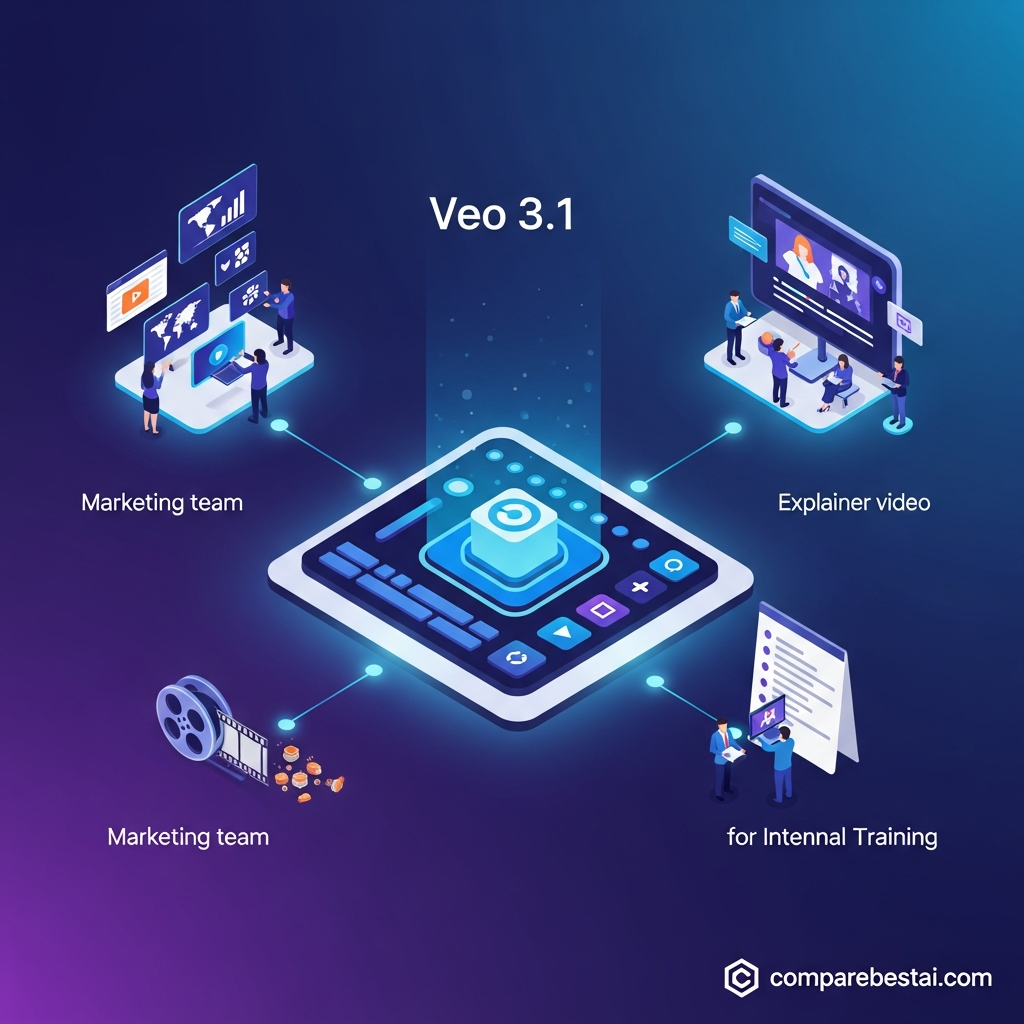

Quick answer: The best Veo 3.1 use cases are short-form video ads, cinematic concept shots, product visualizations, social media clips, storyboarding, character-based scenes, educational visuals and API-powered video generation. Veo 3.1 is especially useful when you need realistic motion, native audio, reference-image consistency or high-resolution output. It is less suitable for generating complete long-form videos, precise text-heavy explainers or full collaborative editing workflows from a single prompt.
Google's Veo 3.1 is a generative video model developed by Google DeepMind. It can turn text and images into short video clips while generating synchronized audio alongside the visuals. Through the Gemini API, Veo 3.1 currently supports 4, 6 and 8-second clips, with resolutions up to 4K under supported configurations.
That makes Veo most useful as a shot-generation tool rather than an automatic replacement for an entire video-production pipeline.
Veo 3.1 Use Cases at a Glance
| Use Case | Why Veo 3.1 Fits | Best Feature |
|---|---|---|
| Short video advertising | Generates cinematic campaign concepts quickly | Text-to-video |
| Product visualization | Places products or concepts into new scenes | Reference images |
| Social media clips | Supports portrait and landscape video | 9:16 and 16:9 |
| Film previsualization | Tests shots before production | Camera and motion prompting |
| Storyboarding | Converts concepts into moving visual references | Image-to-video |
| Character scenes | Helps preserve a character across shots | Reference images |
| Audio-led scenes | Generates sound with the video | Native audio |
| Concept trailers | Creates short cinematic sequences | High-quality generation |
| E-commerce visuals | Produces lifestyle concepts from product references | Image guidance |
| Educational visuals | Shows short visual explanations of concepts | Prompt-based generation |
| Game and world concepts | Visualizes environments and characters | Cinematic styles |
| Developer applications | Adds AI video generation to software | Gemini API |
What Can Veo 3.1 Actually Do?
Before looking at Veo 3.1 use cases, it helps to separate documented capabilities from broader AI-video marketing claims.
Veo 3.1 currently supports:
text-to-video
image-to-video
video-to-video in supported Veo 3.1 workflows
native audio generation
16:9 landscape video
9:16 portrait video
first-and-last-frame generation
up to three reference images
video extension
720p output
1080p output
4K output with Veo 3.1 Standard or Fast
24fps video
Direct Gemini API generations are currently 4, 6 or 8 seconds long. Reference-image generations and 1080p or 4K output require an 8-second generation.
These limits matter because Veo works best when you think in shots and sequences, not complete 5-minute or 10-minute finished videos.
1. Short-Form Advertising
One of the strongest Veo 3.1 use cases is creating short advertising concepts.
A marketer can describe a scene, product, camera movement, lighting style and desired atmosphere in a prompt and use Veo to generate a short visual concept.
For example:
A pair of trail-running shoes on a wet mountain path at sunrise, low camera angle, droplets hitting the ground, slow cinematic push-in, natural forest ambience.
The result can serve as:
an ad concept
a campaign test
a visual reference for a production team
part of a multi-shot social ad
an experimental creative variant
Veo's native audio capability is particularly useful here because environmental sounds, dialogue and sound effects can be generated together with the scene rather than added entirely in post-production.
Best for: marketers, creative agencies and paid-social teams.
2. Product Visualization
Veo 3.1 can also help businesses visualize products in environments that would otherwise require a physical shoot.
Google allows up to three reference images in supported Veo 3.1 workflows. These can guide the appearance of a subject, object, character or scene.
For example, a brand could supply reference images of a product and generate concepts showing it:
outdoors
in a studio environment
in a lifestyle setting
during a seasonal campaign
from different cinematic angles
This can be valuable during creative development before spending money on a full commercial shoot.
AI-generated footage should still be reviewed carefully for incorrect product details, logos, dimensions or physical behavior.
Best for: e-commerce brands, product marketers and creative teams.
3. Social Media Video Concepts
Veo supports both 16:9 landscape and 9:16 portrait output, making social media one of its more natural applications.
Creators can generate short clips designed for:
TikTok
Instagram Reels
YouTube Shorts
vertical advertisements
teaser content
visual hooks
Instead of asking Veo to make an entire finished social campaign, the stronger workflow is to generate individual scenes and then combine the best clips in an editing tool.
That also gives creators more control over text overlays, captions, branding and pacing.
Best for: social creators, performance marketers and content teams.
4. Film and Commercial Previsualization
Filmmakers can use Veo 3.1 to explore how a scene might look before committing to production.
A director could test:
camera movement
shot composition
lighting
weather
location ideas
character blocking
pacing
visual style
For example, a filmmaker considering an expensive night shoot could first generate several versions of the concept with different camera movements or lighting treatments.
The generated footage is not necessarily the final production asset.
Its value can be in answering the question: Does this creative direction work visually?
Google positions Veo around greater creative control and cinematic generation, making previsualization one of the clearest applications of the model.
Best for: filmmakers, directors, advertising agencies and production teams.
5. Moving Storyboards and Animatics
Traditional storyboards are static.
Veo can turn a visual idea into motion.
With first-and-last-frame generation, creators can specify the beginning and ending visual states of a shot and let Veo generate the movement between them.
This can help teams explore:
transitions
camera moves
character actions
reveal shots
scene progression
A storyboard artist could create a starting image and ending image, then use Veo to explore how the shot might connect the two.
This makes AI video useful earlier in production, before final footage is required.
Best for: storyboard artists, filmmakers, agencies and creative directors.
6. Character-Consistent Video Scenes
Keeping a character visually recognizable across several AI-generated clips has historically been difficult.
Veo 3.1's reference-image workflow is designed to improve that consistency.
Google specifically demonstrates using character reference images to guide the same character across different generated environments and scenes.
Potential applications include:
recurring brand mascots
fictional characters
short narrative sequences
advertising characters
concept trailers
episodic social content
Consistency is still not guaranteed, so each output needs review.
But reference-driven generation provides more control than repeatedly describing the character in text alone.
Best for: storytellers, entertainment teams and brands using recurring characters.
7. Native-Audio Video Scenes
Native audio is one of Veo 3.1's biggest differentiators.
Veo generates sound alongside the video rather than treating sound as a completely separate process. Google's documentation describes natively generated audio as an always-on feature across current Veo 3.1 API variants.
This can support scenes containing:
environmental ambience
dialogue
sound effects
movement sounds
background atmosphere
For example, a generated café scene could include voices, cups being placed on tables and background ambience rather than arriving as silent footage.
Google notes that audio generation can still have limitations, so dialogue and other important sound should be reviewed before publication.
Best for: cinematic creators, advertisers and narrative video experiments.
8. E-Commerce Lifestyle Concepts
Online retailers often need more visual content than they can economically photograph.
Veo can help explore lifestyle scenarios using product or visual references.
A furniture company, for example, could experiment with a scene showing a sofa in a bright coastal apartment.
A fashion brand could explore campaign concepts involving a model walking through different environments.
These generated clips can be useful for:
creative ideation
campaign mood testing
concept pitches
social content
internal creative approval
Businesses should avoid treating generated product imagery as automatically accurate. Product shape, branding, packaging and features should always be checked.
Best for: retail brands and e-commerce marketing teams.
9. Educational Visual Explanations
Education is another practical use case, provided Veo's limitations are understood.
The model is better suited to generating short illustrative scenes than complete structured courses.
An educator might use it to visualize:
a historical environment
a physics concept
an ecosystem
a geological event
a fictional scenario
a short scientific process
For example, a teacher explaining erosion could generate a short visual representation of water gradually shaping a rock formation.
The generated video should not be treated as an authoritative scientific simulation. Factual accuracy still needs human review.
Best for: teachers, instructional designers and educational creators.
10. Training and Scenario Visualization
Businesses can also use short AI-generated clips to illustrate hypothetical workplace situations.
Examples might include:
customer-service scenarios
workplace communication examples
safety discussion prompts
leadership scenarios
onboarding illustrations
The important distinction is that Veo generates the visual scene.
It is not itself a learning-management platform, compliance-management system or employee-training suite.
For safety, healthcare, legal or regulatory material, generated footage should be reviewed by a qualified subject-matter expert before being used for instruction.
Best for: L&D teams creating supporting visual material.
11. Game, Entertainment and Worldbuilding Concepts
Veo can help artists explore environments before building them in traditional production software.
Potential applications include visualizing:
fantasy environments
science-fiction worlds
character entrances
imaginary creatures
cinematic game sequences
environment transitions
atmosphere and lighting
This is useful during concept development because teams can test multiple visual directions without building every environment in 3D first.
A game studio, for example, might use Veo-generated footage as inspiration for a fictional environment rather than importing the generated video directly into the final game.
Best for: game designers, concept artists and entertainment studios.
12. Building AI Video Features Into Applications
For developers, one of the most important Veo 3.1 use cases is programmatic video generation.
Google exposes Veo 3.1 through the Gemini API.
Developers can configure parameters including:
prompt
aspect ratio
duration
resolution
reference images
image inputs
This allows businesses to build video generation into their own applications or internal systems rather than relying only on a consumer-facing interface.
Possible applications include:
creative-generation platforms
campaign-asset tools
automated concept-generation systems
internal creative software
custom media applications
API access should not be confused with pre-built integrations with Salesforce, HubSpot, Slack or other business platforms. Those connections would need to be built or handled through another product unless Google explicitly documents them.
Best for: developers, AI startups and businesses building custom media software.
Veo 3.1 Use Cases by Role
| Role | Most Relevant Use Cases |
|---|---|
| Marketer | Ads, campaign concepts, social clips |
| Filmmaker | Previsualization, storyboards, cinematic shots |
| Social creator | Short vertical clips, hooks, visual experiments |
| E-commerce marketer | Product lifestyle concepts |
| Educator | Short visual explanations |
| Game designer | Worldbuilding and environment concepts |
| Creative agency | Campaign ideation and client concepts |
| Developer | API-powered video applications |
Where Veo 3.1 Is Not the Best Fit
Understanding what Veo should not be used for is just as important as knowing its strengths.
Complete long-form videos from one prompt
Veo's Gemini API currently generates 4, 6 or 8-second clips.
Video extension can lengthen supported Veo-generated footage, but this requires repeated extensions rather than creating a finished ten-minute video in one generation.
Exact text and graphic layouts
For videos requiring precise:
titles
prices
disclaimers
subtitles
logos
typography
legal text
it is usually safer to add those elements in a conventional editor after generation.
Guaranteed product accuracy
AI-generated objects can change shape or detail.
Companies should review every output before using it as a factual representation of a physical product.
High-stakes instructional content without review
Healthcare, safety, legal and financial content needs expert review.
An attractive AI-generated scene is not evidence that the information depicted is correct.
Project management and collaboration
Veo itself should not be confused with a full collaborative video-production platform.
Features such as approval workflows, commenting, brand libraries and detailed project version control depend on the surrounding product or production stack rather than the Veo model itself.
Veo 3.1 Pricing for These Use Cases
There are two important ways to think about Veo access.
Google Flow
Google Flow is Google's creative environment for AI filmmaking.
As of September 2026, users without a paid Google AI subscription receive 50 Google Flow credits per day.
Current Veo 3.1 Flow generation costs include:
| Model | Credits Per Generation |
|---|---|
| Veo 3.1 Lite | 10 for non-Ultra users |
| Veo 3.1 Fast | 20 for non-Ultra users |
| Veo 3.1 Quality | 100 |
Credit requirements and subscription allowances can change, so check Google's current Flow documentation before estimating production volume.
Gemini API
Developers pay by generated second.
As of September 2026:
| Veo 3.1 API Model | 720p | 1080p | 4K |
|---|---|---|---|
| Standard with audio | $0.40/sec | $0.40/sec | $0.60/sec |
| Fast with audio | $0.10/sec | $0.12/sec | $0.30/sec |
| Lite with audio | $0.05/sec | $0.08/sec | Not supported |
There is currently no free Gemini API tier for Veo 3.1.
For a complete cost breakdown, see our Veo 3.1 Pricing guide.
Google Flow vs Gemini API: Which Should You Use?
Choose Google Flow if you are a creator, filmmaker or marketer who wants a visual creative environment.
Choose the Gemini API if you are a developer who needs to integrate Veo into software or automate generation programmatically.
The underlying Veo model may be similar, but the workflow and pricing structure are different.
That distinction is important when evaluating Veo 3.1 for a business or creative project.
How to Decide Whether Veo 3.1 Fits Your Use Case
Veo is a strong fit when your project needs several of these capabilities:
cinematic short-form video
native generated audio
reference-image guidance
portrait video
high-resolution generation
first-and-last-frame control
video extension
API access
Consider another AI video platform or a traditional editing workflow when you primarily need:
long-form editing
detailed timeline control
team approval workflows
avatar presentations
exact branded templates
automatic caption-heavy videos
built-in publishing and analytics
For a side-by-side look at a broader creative platform, read Veo 3.1 vs Runway.
You can also explore our Veo 3.1 alternatives guide if you need a different workflow.

Key Veo 3.1 Limitations
No AI-video model is appropriate for every production task.
Veo 3.1 currently has several practical limitations.
First, individual Gemini API generations are short. This makes Veo better suited to shots and sequences than complete long-form projects.
Second, high-resolution generation costs more and can take longer than lower-resolution output.
Third, visual and audio consistency can still vary between generations.
Fourth, reference images improve control but do not guarantee that every detail will remain identical.
Finally, Veo is a generative model, not a full video editor, learning-management platform, marketing automation suite or project-management system.
Understanding that distinction prevents teams from buying into capabilities the underlying model does not actually provide.
Methodology: How We Evaluated Veo 3.1 Use Cases
We evaluated these use cases against current first-party documentation from Google DeepMind, Google AI for Developers and Google Flow.
We focused on documented capabilities including text-to-video, image-to-video, native audio, reference images, first-and-last-frame generation, video extension, aspect ratios, output resolution, generation duration and API access.
Use cases in this guide are recommendations based on those capabilities. They should not be interpreted as claims that Google has confirmed every industry example as an existing customer deployment.
Pricing and capabilities were checked in September 2026 and may change as Veo and Google Flow continue to evolve.
Frequently Asked Questions
What are the best Veo 3.1 use cases?
The strongest Veo 3.1 use cases include short advertising clips, cinematic previsualization, product visualization, social media video, moving storyboards, character-based scenes, educational visuals and developer applications that need AI-generated video.
Is Veo 3.1 good for marketing?
Yes. Veo 3.1 is particularly useful for generating short advertising concepts, campaign visuals, product scenes and social-media clips. Marketers should still use conventional editing tools for exact text, logos, pricing and mandatory disclosures.
Can Veo 3.1 create long videos?
Not in a single standard Gemini API generation. Veo 3.1 currently generates 4, 6 or 8-second videos. Supported Veo-generated clips can be extended repeatedly, but long-form production still requires a multi-shot workflow.
Does Veo 3.1 generate audio?
Yes. Current Veo 3.1 models generate synchronized audio with video. This can include environmental sound, effects and dialogue.
Can Veo 3.1 generate 4K video?
Yes. Veo 3.1 Standard and Fast can generate 4K output under supported configurations. Current Gemini API documentation requires an 8-second duration for 4K generation. Veo 3.1 Lite does not support 4K.
Can Veo 3.1 use reference images?
Yes. Veo 3.1 can use up to three reference images in supported workflows to guide characters, objects or scenes.
Is Veo 3.1 useful for filmmakers?
Yes. Filmmakers can use Veo for previsualization, storyboards, shot concepts, character tests, camera-motion experiments and short cinematic sequences before committing to traditional production.
Is Veo 3.1 useful for education?
It can be useful for generating short visual explanations, historical environments or concept illustrations. Generated educational material should always be reviewed for factual accuracy before being shown to students.
Can businesses integrate Veo 3.1 into their own software?
Yes. Google provides Veo 3.1 through the Gemini API, allowing developers to build video generation into custom applications and workflows.
Does Veo 3.1 include collaboration and brand-management tools?
Those should not be treated as capabilities of the Veo model itself. Collaboration, project management and brand-management functionality depend on the application or production environment used around Veo.
Is Veo 3.1 free?
There is no free Veo 3.1 tier in the Gemini API. Google Flow currently provides free daily credits to users without a Google AI subscription, allowing limited Veo generation through Flow.
Final Verdict: Who Should Use Veo 3.1?
Veo 3.1 is best understood as an advanced AI shot-generation model.
Its strongest use cases are projects that benefit from cinematic motion, native audio, reference-image control, vertical or landscape output and high-resolution generation.
It is particularly useful for:
filmmakers exploring shots
marketers generating campaign concepts
creators producing short social video
brands visualizing products
designers exploring characters and environments
developers adding AI video to applications
It is less suited to users looking for an automatic ten-minute video maker, a full collaborative video editor or a template-driven business presentation platform.
For those workflows, a different AI video platform may be a better fit.
Before choosing, review the latest Veo 3.1 pricing, read our full Veo 3.1 review, or compare Veo 3.1 with Runway to see which workflow fits your production needs.
Download the Free Buyers Guide →
Claim Veo 3.1 Affiliate Offer: See Current Discounts
Found this guide useful? Share it with your team.

