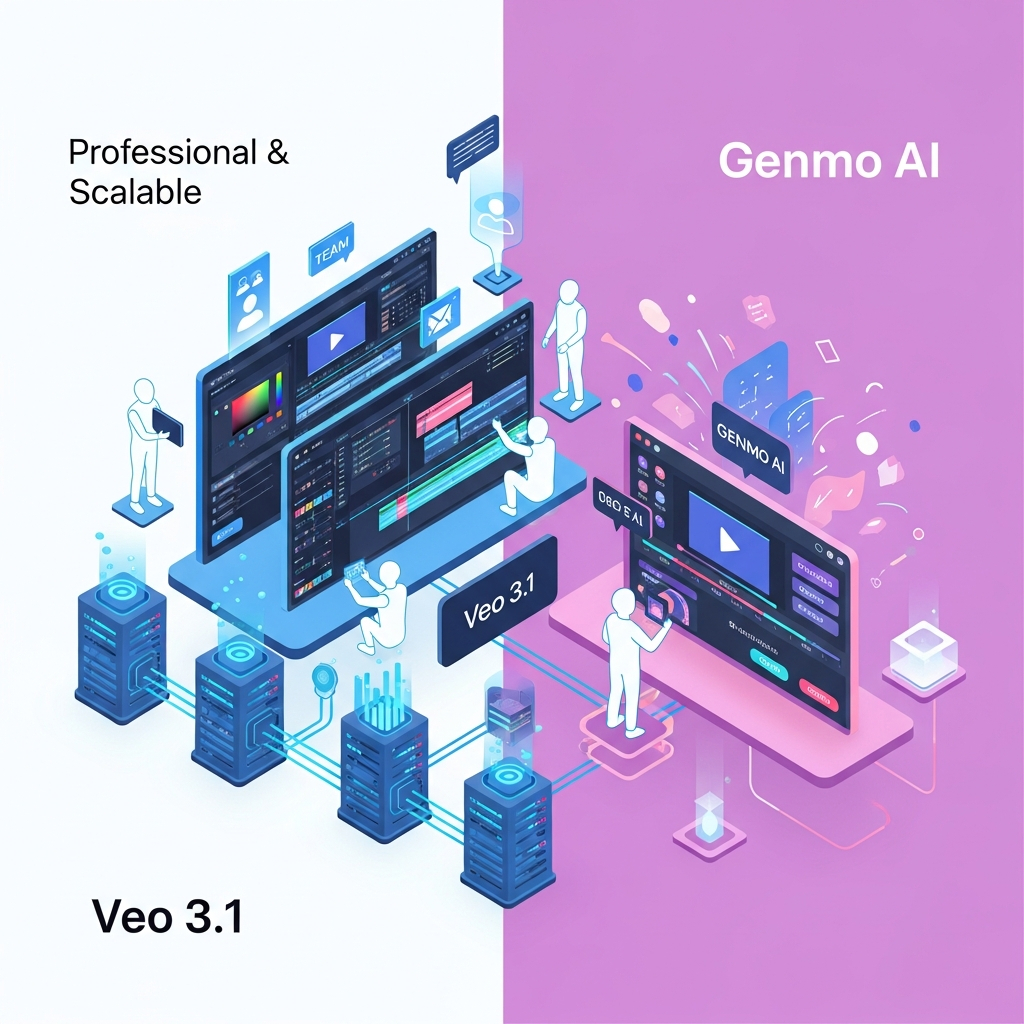

Quick answer: Veo 3.1 is the stronger choice if you want higher-resolution AI video, native generated audio, image-guided generation, stronger cinematic control and API access through Google's ecosystem. Genmo AI is more attractive if you want inexpensive experimentation, a simple text-to-video workflow or access to an open-source video model that developers can run and customize themselves.
There is no universal winner for every user. Veo 3.1 focuses on advanced video generation and creative control, while Genmo's biggest differentiators are affordability and the open-source Mochi ecosystem.
Veo 3.1 vs Genmo AI at a Glance
| Feature | Veo 3.1 | Genmo AI |
|---|---|---|
| Developer | Google DeepMind | Genmo |
| Core focus | Advanced video generation with native audio | Accessible and open-source-oriented video generation |
| Text-to-video | Yes | Yes |
| Image input | Yes | Limited depending on Genmo workflow/model |
| Native generated audio | Yes | Not a core Mochi 1 capability |
| Output resolution | 720p, 1080p and up to 4K depending on model/access method | Base Mochi workflow is 480p, with higher quality options available through paid access |
| Typical clip length | Up to 8 seconds in the Gemini API | Up to 5.4 seconds according to Genmo's current help documentation |
| Open-source model | No | Yes, Mochi 1 |
| Free access | Available through some Google Flow access routes; API has no free Veo tier | Free plan available |
| Paid pricing model | Flow credits or usage-based API pricing | Monthly credit plans |
| Best for | Cinematic generation, native audio, developers and advanced creative workflows | Experimentation, open-source users and budget-conscious creators |
Verdict: Choose Veo 3.1 when generation quality, synchronized audio, resolution and creative controls matter most. Choose Genmo AI when affordability, simple experimentation or open-source access matters more.
What Is Veo 3.1?
Veo 3.1 is Google's advanced video-generation model.
Rather than being a standalone SaaS platform with its own conventional Starter, Pro and Business subscriptions, Veo is available through Google's broader AI ecosystem, including Google Flow and developer access through the Gemini API.
Google describes Veo 3.1 as supporting text-to-video, image-to-video and video generation with native audio. It can generate dialogue, environmental sound and other audio as part of the video-generation process.
Veo 3.1 also supports several creative-control capabilities that make it significantly different from a basic prompt-to-video generator.
These include:
reference images
first-and-last-frame generation
portrait and landscape output
video extension
character and visual consistency controls
style references
object insertion
outpainting
native audio generation
Google's developer documentation currently describes Veo 3.1 API videos as up to eight seconds long and available at 720p, 1080p or 4K depending on the model variant and configuration.
That combination makes Veo particularly interesting for filmmakers, advertisers, creative developers and teams building AI-video functionality into applications.
What Is Genmo AI?
Genmo is an AI-video research company and the developer of Mochi 1.
Its hosted playground provides a relatively straightforward way to enter a text prompt and generate a short AI video.
The larger difference, however, is its open-source strategy.
Mochi 1 was released under the Apache 2.0 licence. Genmo provides model weights and resources that allow developers to run and customize the model independently instead of relying entirely on a closed hosted service.
Genmo describes Mochi 1 as a 10-billion-parameter diffusion model built using its Asymmetric Diffusion Transformer architecture.
According to Genmo's current documentation, its base video workflow generates clips of up to 5.4 seconds at 30 frames per second. The base model produces 480p output, while higher-resolution options can be available through paid access.
This gives Genmo two distinct audiences.
The hosted platform suits people who want a simple way to experiment with AI video.
Mochi's open-source release is more interesting to researchers and developers who want greater technical control over the underlying model.
Veo 3.1 vs Genmo AI: Video Quality
For users primarily concerned with finished output quality, Veo 3.1 has the stronger specification set.
Google supports higher output resolutions and has designed Veo around photorealism, prompt adherence, physical consistency and cinematic generation.
Google also publishes benchmark results comparing Veo with competing models. Those results should be treated appropriately because they come from Google, but they provide more measurable evaluation information than broad statements such as “professional quality” or “enterprise quality.”
Genmo's Mochi 1 was built with strong motion quality and prompt adherence in mind. Genmo says its model was designed to reduce the gap between open and closed video-generation systems.
Its biggest limitation is output specification.
The current base Mochi workflow is substantially more constrained than Veo 3.1 in resolution and clip duration.
Winner for raw generation capability: Veo 3.1
Veo has the advantage if you need higher-resolution output, richer generation controls or more production-oriented results.
Genmo remains compelling when having access to an open model matters more than getting the highest available output specification.
Native Audio: A Major Difference
Native audio is one of Veo 3.1's biggest advantages.
Veo can create video and synchronized audio within the same generation. This can include environmental sounds, sound effects and spoken dialogue.
Google acknowledges that generated speech can still be imperfect, particularly in short spoken segments, so native audio should not be treated as flawless.
Even with that limitation, it changes the workflow substantially.
A creator using a video-only model may need separate tools for:
video generation
voice generation
sound effects
synchronization
final editing
Veo can potentially reduce some of those steps by generating the audiovisual scene together.
Genmo's core Mochi workflow is primarily positioned around visual text-to-video generation rather than native synchronized audio.
Winner for audio: Veo 3.1
If synchronized generated audio is important to your workflow, Veo has the clear advantage.
Creative Control
The difference becomes even larger when you move beyond basic text prompts.
Veo 3.1 can use reference images to help guide a generated scene, character or object.
Google also supports first-and-last-frame generation, allowing a creator to define the beginning and ending visual states and ask Veo to generate the movement between them.
Other capabilities include video extension and the ability to work with different aspect ratios.
These controls are valuable when consistency matters across multiple shots.
Genmo's hosted workflow is simpler.
According to its current help documentation, the core workflow focuses on text-to-video generation, while image-to-video availability remains more limited depending on the product or model being used.
That simplicity can actually be an advantage for someone who just wants to enter a prompt and experiment.
For controlled production, however, Veo currently offers more documented options.
Winner for creative control: Veo 3.1
Veo 3.1 vs Genmo AI Pricing
Pricing is one of the areas where older comparisons can become inaccurate quickly.
The two products also use very different pricing structures, so comparing them as if both sell conventional monthly SaaS subscriptions is misleading.
Veo 3.1 pricing
Veo 3.1 can be accessed through multiple Google products.
Inside Google Flow, video generation uses credits.
Developers accessing Veo through the Gemini API are charged based on generated video duration and the Veo model variant.
As checked in September 2026, Google's Gemini API pricing lists:
| Veo model | 720p | 1080p | 4K |
|---|---|---|---|
| Veo 3.1 Standard with audio | $0.40/sec | $0.40/sec | $0.60/sec |
| Veo 3.1 Fast with audio | $0.10/sec | $0.12/sec | $0.30/sec |
| Veo 3.1 Lite with audio | $0.05/sec | $0.08/sec | Not supported |
Google currently lists no free Gemini API tier for Veo 3.1.
That is separate from Flow, where free or subscription-based credits may be available depending on your account, plan and region.
For a more detailed breakdown, read Veo 3.1 Pricing: Flow Credits, API Costs & Free Access.

Genmo AI pricing
Genmo uses a more familiar monthly credit system.
As checked in September 2026, Genmo lists:
| Plan | Monthly price | Credits | Key points |
|---|---|---|---|
| Free | $0 | 250 lifetime credits | Watermarked output |
| Lite | $10/month | 1,200/month | No watermark, commercial usage, higher queue priority |
| Standard | $30/month | 5,000/month | No watermark, commercial usage, highest priority and early model access |
Genmo currently lists Mochi video generation at 100 credits and Replay video at 50 credits on its pricing page.
Pricing can change, so always check the vendor's latest documentation before paying annually or estimating production costs.
For a dedicated breakdown, read Genmo AI Pricing 2026.
Pricing winner: Genmo for simple predictable access
Genmo is easier to understand if you want a conventional low-cost monthly subscription.
Veo's pricing becomes more complex because the cost depends on whether you use Flow, a Google AI subscription, the Gemini API or another supported Google product.
For developers, however, usage-based API pricing can be preferable because spending scales directly with generated output.
Open Source and Developer Flexibility
This is the area where Genmo clearly differentiates itself.
Mochi 1 is available as an open-source model under the Apache 2.0 licence.
Developers can access its weights, examine the architecture and run or customize the model outside the hosted Genmo playground.
That matters for users who want:
local or self-managed deployment
experimentation with model internals
customized pipelines
research access
greater control over infrastructure
Veo 3.1 is proprietary.
Google provides API access, but users cannot download Veo's model weights and run the underlying model independently.
Winner for open-source flexibility: Genmo AI
For developers specifically searching for an open video-generation model, Genmo may therefore be the more interesting choice even if Veo produces stronger finished output.
Ease of Use
Both options can be relatively easy to start with, but they solve different problems.
Genmo's playground is straightforward. You enter a description, submit the generation and wait for the video.
Its help center says video generation generally takes around two to five minutes depending on prompt complexity and server load.
That makes Genmo accessible for users who want to experiment without learning a complex production system.
Veo's experience depends on where you access it.
A creator working through Google Flow gets a visual filmmaking environment.
A developer using Veo through the Gemini API gets programmatic control instead.
This means there is no single “Veo dashboard” that should be compared with Genmo's interface as though they were equivalent SaaS applications.
Ease-of-use winner: Depends on access method
Genmo is simpler for basic hosted experimentation.
Google Flow provides a broader creative environment, while the Gemini API is intended for developers building custom workflows.
Commercial Use
Genmo explicitly lists commercial usage with its current Lite and Standard plans.
Mochi 1 itself was also released under the Apache 2.0 licence, which permits commercial use subject to the terms of that licence.
Google also offers Veo through paid developer and creative products intended for real production use.
Users should still review the applicable product terms, content policies and intellectual-property requirements before publishing generated material commercially.
Neither tool should be described as automatically making generated content legally risk-free.
AI Safety and Provenance
Google applies SynthID to videos generated with Veo.
SynthID embeds an imperceptible digital watermark into AI-generated content so supported Google systems can identify that the content was generated or altered using Google AI.
Google also says Veo outputs undergo safety evaluations and checks intended to reduce issues involving harmful material, memorized content, privacy, copyright and bias.
These are more defensible claims than describing Veo broadly as “GDPR compliant,” “CCPA compliant” or “enterprise secure” without specifying the Google product, account type or contractual arrangement involved.
Genmo also applies moderation policies to its hosted playground, but users running an open-source model independently have different responsibilities from users of a centrally managed hosted service.
Veo 3.1 vs Genmo AI: Which Is Better for Different Users?
Choose Veo 3.1 if:
you want native generated audio
higher-resolution output matters
you need image-guided video generation
you want first-and-last-frame control
you need video extension
you are building video generation into an application through an API
cinematic realism and prompt adherence are priorities
Choose Genmo AI if:
you want a lower-cost monthly entry point
you want a free hosted option for experimentation
you primarily need short text-to-video clips
open-source access matters
you want to run or customize Mochi yourself
you are researching open video-generation models
Biggest Limitations
Veo 3.1 limitations
Veo's advanced capabilities come with several trade-offs.
Generation remains short-form rather than full-length video production from a single prompt.
API usage can also become expensive at high generation volumes, particularly when repeatedly generating high-resolution clips.
Google also notes that naturally generated spoken audio is still an area of active development.
Finally, Veo is proprietary, so developers who want model-level customization cannot download and modify its weights.
Genmo AI limitations
Genmo's current base workflow has lower output specifications than Veo.
Its help documentation lists clips of up to 5.4 seconds at 30 fps, with the base model producing 480p output.
The hosted experience also lacks many of Veo's documented reference-image, frame-control and native-audio capabilities.
For creators who simply want inexpensive experimentation, those constraints may not matter.
For higher-end production, they become more significant.
Veo 3.1 vs Genmo AI: Final Scorecard
| Category | Winner |
|---|---|
| Video quality and resolution | Veo 3.1 |
| Native audio | Veo 3.1 |
| Creative controls | Veo 3.1 |
| Image-guided generation | Veo 3.1 |
| Developer API | Veo 3.1 |
| Open-source access | Genmo AI |
| Low-cost monthly subscription | Genmo AI |
| Simple experimentation | Genmo AI |
| Model customization | Genmo AI |
| Overall capabilities | Veo 3.1 |
The most important point is that these products are not identical types of offering.
Veo 3.1 is a proprietary high-end Google video-generation model available through several Google products and APIs.
Genmo combines a hosted generation service with an open-source video-model ecosystem.
That distinction should drive your decision more than a simple winner badge.
Methodology: How We Compared Veo 3.1 and Genmo AI
This comparison was updated using current first-party documentation rather than relying on estimated SaaS-plan information or unsupported feature assumptions.
We reviewed Google's Veo 3.1 model documentation, Google AI for Developers documentation and current API pricing information.
For Genmo, we reviewed its current pricing page, help center, company information and Mochi 1 documentation.
We compared the products across:
generation modes
video resolution
clip duration
native audio
creative controls
open-source availability
pricing structure
commercial usage
developer access
documented limitations
Pricing and product capabilities can change quickly. The figures in this article were checked in September 2026 and should be verified against the provider's latest documentation before purchasing.
Frequently Asked Questions
Is Veo 3.1 better than Genmo AI?
Veo 3.1 is generally stronger for high-quality video generation because it supports native audio, higher resolutions, image-guided generation and more advanced creative controls. Genmo is more compelling for lower-cost experimentation and developers who value the open-source Mochi model.
Is Genmo AI cheaper than Veo 3.1?
Genmo has a simpler low-cost subscription structure, with a free tier and paid plans currently starting at $10 per month. Veo pricing depends on how you access the model. Google Flow uses credits, while Gemini API users pay based on generated video duration and model variant.
Does Veo 3.1 generate audio?
Yes. Veo 3.1 can generate video with synchronized native audio, including dialogue, sound effects and environmental sound. Google notes that natural spoken audio can still occasionally be inconsistent.
Is Genmo AI open source?
Genmo's Mochi 1 model is open source and released under the Apache 2.0 licence. Its weights and implementation resources are publicly available for developers who want to run or customize the model.
How long are Veo 3.1 videos?
Google's current Gemini API documentation describes Veo 3.1 generation of up to eight seconds per video. Video-extension functionality can be used in supported workflows to continue generated material.
How long are Genmo videos?
Genmo's current help documentation says videos can be up to 5.4 seconds long at 30 fps in its base workflow.
Does Genmo support image-to-video?
Genmo's current help documentation still describes its main workflow as text-to-video and states that image-to-video capabilities are coming soon. Because Genmo develops multiple models and its products change quickly, check the current playground before relying on this limitation for a production workflow.
Which is better for developers?
It depends on what the developer needs. Veo 3.1 is better if you want a hosted API capable of generating high-resolution video with native audio. Genmo is better if you specifically want access to an open-source model that can be downloaded, studied and customized.
Final Verdict: Veo 3.1 vs Genmo AI
Veo 3.1 wins on overall generation capability.
Its combination of native audio, higher-resolution video, reference-image support, first-and-last-frame generation, video extension and Google's developer ecosystem makes it the stronger option for demanding video-generation work.
Genmo wins on open-source flexibility and low-cost experimentation.
Mochi provides something Veo does not: access to an openly released video-generation model that developers can inspect, run and modify.
For most creators who simply want the strongest finished AI-video capabilities, start with Veo 3.1.
For developers, researchers or creators who specifically value open-source control and affordable experimentation, Genmo AI remains a meaningful alternative.
Before choosing, compare the latest Veo 3.1 pricing and Genmo AI pricing, because both platforms can change their credit allowances, access methods and generation limits over time.
Download the Free Buyers Guide →
Found this guide useful? Share it with your team.


