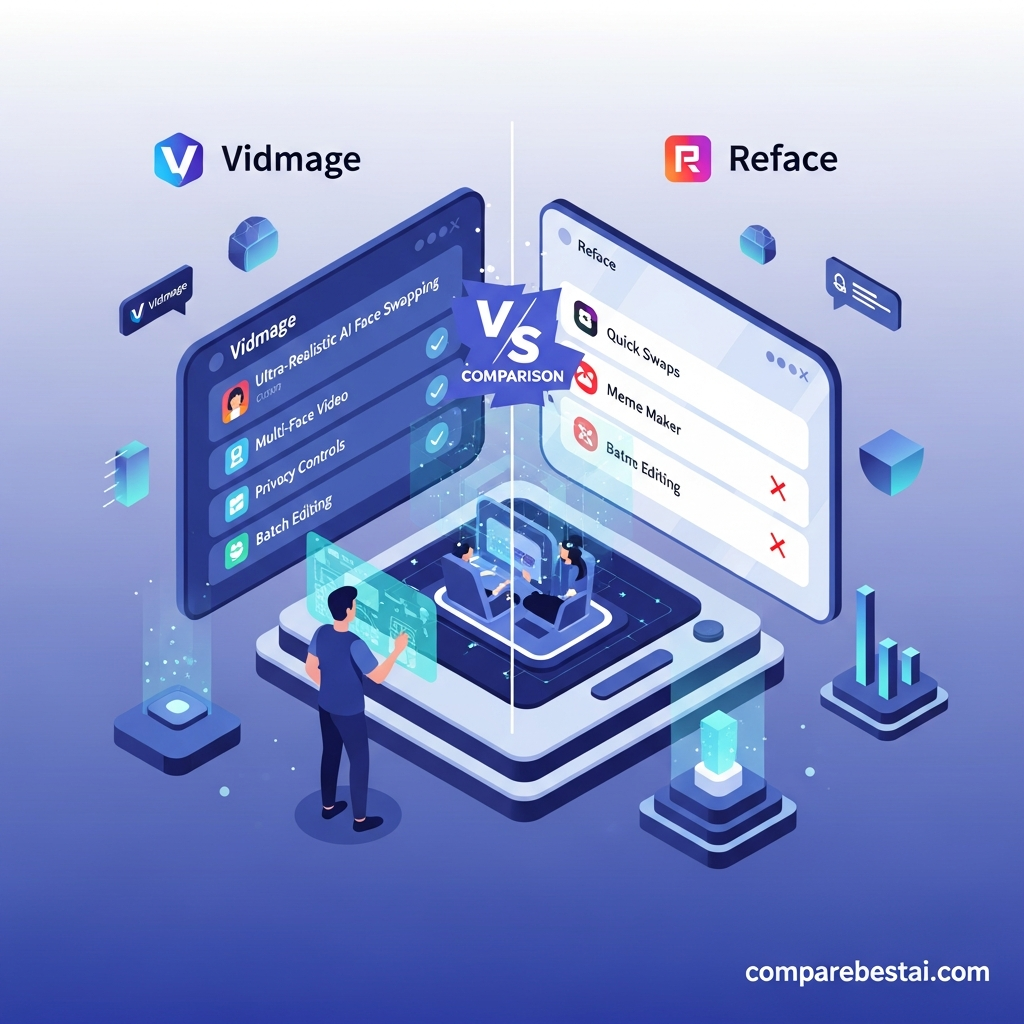

Quick verdict: VidMage is a capable AI face-swap platform for photos, GIFs and videos, with a generous watermark-free web trial, multi-face video swaps, batch tools, a public API and a particularly strong Mac app that supports local processing and live face swaps. Paid access currently starts at $14.99 per month. However, businesses should read VidMage's Terms carefully because they currently describe the service as intended for private, non-commercial use unless commercial use is expressly authorized.
VidMage is therefore easiest to recommend for consensual personal and creative experimentation.
For agency, advertising or client work, confirm your usage rights with VidMage before relying on it commercially.
Last checked: September 3, 2026.
VidMage Review at a Glance
| Category | VidMage |
|---|---|
| Product type | AI face swap and media-generation platform |
| Photo face swap | Yes |
| Video face swap | Yes |
| GIF face swap | Yes |
| Multiple face swap | Yes |
| Batch face swap | Yes |
| Live face swap | Yes, Mac |
| Local/offline processing | Yes, Mac |
| Web access | Yes |
| Mobile browser | Yes |
| Mac app | Yes |
| Windows desktop app | No dedicated app currently documented |
| Public API | Yes |
| Free web trial | Yes |
| Web trial signup required | No |
| Watermark on free web face swap | No |
| Free video allowance | 20 seconds/day |
| Paid monthly price | $14.99/month |
| Yearly displayed price | $8.33/month |
| Included paid credits | 400/month |
| Video credit cost | 1 credit/second |
| Best for | Consensual creative face swaps and Mac-local workflows |
| Key caution | Current Terms restrict commercial use without express authorization |
Overall verdict: VidMage has a stronger feature set than the current CompareBestAI article suggests, particularly on Mac. The main limitation is not technical. It is the need to understand the platform's usage terms before applying face swaps to commercial or client work.
What Is VidMage?
VidMage is an AI-powered face-swap and media creation platform that works across the web and macOS.
Its face-swap tools can replace faces in:
photos
videos
GIFs
group images
group videos
VidMage also provides adjacent tools including head swap, face morphing, image generation, AI video generation, lip sync, enhancement and other media-editing functions.
The standard face-swap workflow is simple:
Upload the original photo or video.
Upload the face you want to use.
Start the face swap.
Preview and download the result.
VidMage's web version is designed for quick processing without requiring editing experience.
Its Mac application takes a different approach by processing media locally on the device and supporting heavier workflows including live face swaps.
Who Is VidMage Best For?
VidMage can suit several types of users.
Casual users
The free web allowance makes it easy to test face swaps without committing to a subscription.
Social creators
Video, GIF and multi-face tools can work for consensual memes, skits and short-form creative projects.
Mac users
This is arguably VidMage's strongest audience.
The Mac version offers local processing, offline operation, live face swapping and facial-feature controls that are not typical of simple browser-only tools.
Developers
VidMage also publishes REST API documentation for integrating face-swap and other AI-media capabilities into applications.
Businesses and agencies
This category requires more caution.
VidMage markets workflows to studios and marketers, but its current Terms restrict commercial use without express written consent.
Businesses should therefore verify their rights directly with VidMage rather than assuming a paid subscription automatically grants commercial usage rights.
VidMage Free Plan: What Do You Get?
VidMage's current free access is considerably better than the older information in this review suggested.
Free web face swap
The current free web allowance includes:
15 image face swaps per day
20 seconds of video face swap per day
2 GIF face swaps per day
no registration required to try
watermark-free web results
That makes the free tier useful for genuinely evaluating output quality rather than merely previewing a heavily restricted demo.
Mac free access
The Mac app has a different free model.
Current pricing documentation lists:
facial-feature swap
5 minutes/day of watermarked live face swap
15-second preview time for each video
This distinction matters.
Free web face-swap results are currently advertised as watermark-free, while free live swapping on Mac has separate watermark and time restrictions.
VidMage Pricing in 2026
VidMage currently uses a subscription plus credit model.
| Plan | Price | Included Credits |
|---|---|---|
| Free | $0 | Free daily quotas |
| Monthly | $14.99/month | 400/month |
| Yearly | $8.33/month displayed equivalent | 400/month |
Paid plans currently include the free daily web quota in addition to the monthly credits.
They also unlock benefits across the web and Mac versions.
What does one VidMage credit buy?
Current credit charges include:
| Task | Credit Cost |
|---|---|
| Photo face swap | 1 credit/image |
| Video face swap | 1 credit/second |
| GIF face swap | 1 credit/second |
| Head swap | 5 credits/use |
That makes video costs fairly easy to estimate.
For example:
10-second face swap = about 10 credits
30-second face swap = about 30 credits
60-second face swap = about 60 credits
Actual workflows may involve retries or additional transformations, so users should budget for experimentation rather than assuming every generated result will be final.
Extra VidMage Credits
Subscribers can purchase additional credits when they exceed their monthly allocation.
Current packages include:
| Extra Credits | Price |
|---|---|
| 500 | $9.99 |
| 2,600 | $39.99 |
| 16,000 | $199.99 |
| 50,000 | $499.99 |
VidMage states that extra unused credits do not expire while the subscription remains active.
This is useful for users whose workload changes from month to month.
How Large Can VidMage Videos Be?
VidMage's current Pro messaging advertises support for videos up to:
4K
1GB
5 minutes
for supported paid web workflows.
Its Mac application is positioned differently.
VidMage says local Mac processing avoids the same cloud upload restrictions and supports heavier media workflows.
For very large or privacy-sensitive projects, the Mac app is therefore more attractive than the browser version.
Video Face Swap Quality
VidMage's video face swap tracks the face across individual frames and blends the replacement face while attempting to preserve motion, expressions and lighting.
VidMage currently says its system tracks 478 facial landmarks across video frames.
That is a vendor-provided technical specification rather than an independent benchmark, so it should not be treated as proof that VidMage produces better output than every competitor.
In practice, face-swap quality depends heavily on the input.
Better results are more likely when:
the source face is clearly visible
lighting is reasonably consistent
the reference photo is sharp
the reference face is front-facing
the face is not heavily obstructed
motion blur is limited
Fast movement, extreme side profiles, hands covering the face and major lighting changes can still make AI face swaps harder.
The best approach is to test VidMage using your actual footage rather than relying on marketing demonstrations alone.
Multi-Face Video Swap
VidMage supports swapping more than one person in the same clip.
Its current video face-swap documentation says users can select up to four target faces for group videos.
Each face is tracked independently.
This can be useful for consensual:
group skits
parody clips
short-form videos
fictional scenes
group memes
As with single-face generation, everyone whose likeness is being used should have provided appropriate permission.
Batch Face Swap
VidMage also has a dedicated batch face-swap tool.
The current web tool supports uploading up to 50 photos and applying a target face across the batch.
This is much more useful than processing every image individually.
Potential uses include:
creative photo sets
event-photo experiments
repeated character concepts
image variations
Batch processing does not remove the need for consent.
Uploading multiple images of other people still requires you to have the right to use those images and likenesses.
VidMage Mac App
The Mac application is one of the most important reasons to consider VidMage over browser-only face-swap tools.
VidMage currently provides a native Mac application for Apple Silicon Macs.
The app supports:
local processing
offline face swapping
live face swaps
facial-feature swaps
video face swaps
GIF face swaps
photo face swaps
larger media workflows
Local processing
VidMage says media processed through its Mac application remains on the device.
Photos, videos, GIFs and reference faces are not uploaded to its cloud servers for the local face-swap workflow.
This can be important when dealing with sensitive personal footage.
Offline use
Once installed, the face-swap workflow can operate without an internet connection.
That improves privacy and can make the product more practical when working with large local files.
Facial-feature swapping
The Mac application can replace selected facial features rather than always replacing the complete face.
VidMage documents controls for features such as:
eyes
nose
lips
This is a more specialized capability than standard one-click browser swapping.
VidMage Live Face Swap
The previous version of this review incorrectly stated that VidMage did not support real-time swapping.
It does now.
VidMage's Mac application supports live face swapping for:
video calls
livestreams
real-time previews
The Free Mac allowance currently provides five minutes per day with a watermark.
Paid subscribers receive unlimited live face swap according to the current pricing page.
Live synthetic-media use requires additional care.
Do not use live face swapping to impersonate another person, mislead viewers or conceal identity in a deceptive context.
Does VidMage Work on Windows?
VidMage's web tools work through modern browsers and can therefore be used from Windows computers.
However, the current dedicated desktop application is for macOS.
That means Windows users do not currently receive the same locally processed desktop experience documented for Mac.
If fully local Windows processing is essential, you may need a different tool.
Does VidMage Work on Mobile?
Yes, through a mobile browser.
VidMage's own face-swap guides explain that users can open the site on a phone and follow essentially the same browser workflow.
You do not need a separate mobile application for standard web face swapping.
That makes VidMage reasonably flexible across:
desktop browsers
mobile browsers
macOS
But avoid describing it as having dedicated native iOS and Android apps unless VidMage documents those products separately.
VidMage API
VidMage currently publishes public API documentation.
Its API uses asynchronous jobs: an application submits a task, receives a task ID and then checks that task until a result is ready.
Current documented capabilities include:
photo face swap
multiple face swap
video face swap
head swap
video head swap
image generation
image editing
upscaling
other AI-media capabilities
VidMage also publishes an OpenAPI specification that can be imported into compatible development tools.
This makes VidMage more useful to developers than a face-swap service that exposes only a manual browser interface.
However, the public documentation reviewed for this article does not justify assuming enterprise features such as SSO, private networking, contractual uptime guarantees or regulatory compliance packages.
If those requirements matter, request written documentation from VidMage.
VidMage Privacy: What Happens to Uploaded Files?
Privacy depends on whether you use the web version or Mac application.
Web face swap
VidMage currently says:
uploaded videos and face photos are deleted within two hours
uploads use encrypted connections
uploaded media and prompts are not used to train VidMage models
files are not shared with third parties for training
Those are first-party statements made by VidMage.
They are not equivalent to an independent security certification.
Mac face swap
The local Mac workflow offers a stronger privacy model because face-swap processing occurs on the user's device.
VidMage says media is not uploaded during local processing.
For sensitive personal media, this is one of the platform's most compelling features.
Is VidMage Safe?
VidMage provides several privacy protections that are reassuring on paper, particularly the two-hour deletion policy for web media and local Mac processing.
But “safe” depends on what you are doing.
There are at least four different risks to consider:
Data privacy
If upload privacy matters, use the Mac local-processing option where possible.
Consent
Use your own face or obtain explicit permission from the person whose likeness you use.
Misrepresentation
Do not present synthetic face-swapped content as authentic footage when doing so could mislead viewers.
Platform and legal rules
Face-swap laws and platform policies vary by jurisdiction and use case.
Political, sexual, fraudulent, defamatory or impersonation-focused synthetic content can create significant legal and platform risk.
VidMage Consent Rules
VidMage's current site explicitly instructs users to upload only images and videos they own or have permission to use.
Its Terms go further.
They state that, in principle, users should not edit or synthesize another person's face without obtaining that person's explicit consent.
The Terms also prohibit harmful, deceptive, infringing and non-consensual uses.
That means the best legitimate use cases involve:
your own face
consenting friends or collaborators
fictional or licensed material
clearly disclosed creative experiments
Avoid non-consensual impersonation.

Important Commercial-Use Warning
This is the biggest issue business buyers should understand before subscribing.
VidMage's marketing pages describe workflows for creators, marketers, studios and agencies.
However, its current Terms of Service describe the service as provided for private, non-commercial use.
The Terms also prohibit commercial use without express written consent.
That creates a meaningful discrepancy between product marketing and the general contractual language.
What should businesses do?
If you plan to use VidMage for:
paid advertisements
client projects
commercial UGC
product marketing
agency deliverables
monetized branded campaigns
ask VidMage to confirm in writing whether your intended use is authorized under your plan.
Do not assume that purchasing credits automatically grants commercial usage rights.
Watermarks and Synthetic-Media Marking
VidMage's current pricing and web face-swap pages advertise watermark-free web output.
Its Terms, however, also state that content involving face synthesis may be marked and that users may not remove such marking.
Those statements are not necessarily contradictory because a synthetic-media marker does not have to be a visible logo-style watermark.
But users who need precise disclosure or provenance requirements should clarify how VidMage implements synthetic-media marking.
For SEO and review accuracy, avoid saying simply:
“VidMage never marks generated content.”
The more defensible statement is:
“VidMage currently advertises watermark-free web face-swap output, while its Terms separately refer to marking synthetic face content.”
VidMage Pros and Cons
Pros
Free web face swapping
No signup required to test web face swap
Watermark-free web trial
15 free image swaps/day
20 free video seconds/day
GIF face swapping
Multi-face video support
Up to four target faces in supported group-video workflows
Batch face swapping
Mac desktop application
Fully local Mac processing
Offline Mac workflow
Live face swap on Mac
Facial-feature swap on Mac
Public API
OpenAPI specification
4K support in supported workflows
Clear two-hour deletion statement for web uploads
Vendor states uploaded media is not used for AI training
Cons
Dedicated desktop app is currently Mac-only
Monthly plan uses a credit system
400 included monthly credits may be limiting for long video workloads
Extra credits require an active subscription
Free Mac live swapping is watermarked and limited
Web footage is processed in the cloud
Current Terms create uncertainty around commercial use
Vendor quality claims are not independent benchmarks
Sensitive synthetic media requires careful consent and disclosure
Not a replacement for a full professional video editor
Who Should Use VidMage?
Personal creators
VidMage is well suited to consensual memes, fictional scenes and creative face experiments.
Mac users who care about privacy
Local processing makes this one of the strongest documented VidMage use cases.
Users who want free video face swapping
Twenty free video seconds per day with no required web registration is a useful trial allowance.
Developers
The public API makes VidMage worth investigating when an application needs programmatic face-swap capabilities.
Livestreamers
Mac users can experiment with real-time swaps, provided the effect is used transparently and consensually.
Who Should Be Cautious?
Agencies
Check the commercial-use terms before using VidMage in client work.
Advertisers
Obtain written clarification before building paid campaigns around VidMage output.
Windows users wanting local processing
The current local desktop app is Mac-focused.
Users needing full video editing
VidMage is primarily an AI media and face-swap platform, not a replacement for Premiere Pro, DaVinci Resolve or another full NLE.
Users who need independently certified enterprise security
VidMage publishes privacy promises, but do not convert those claims into SOC 2, ISO 27001, HIPAA or GDPR certification statements without actual supporting documentation.
VidMage vs DeepSwap
Both VidMage and DeepSwap target users who want accessible AI face swapping without configuring local machine-learning models.
VidMage's current differentiators include:
free watermark-free web trial
Mac local processing
live face swapping
batch workflows
public API documentation
DeepSwap may still appeal to users who prefer its specific web workflow or output style.
The best comparison should be made using the same source footage rather than relying on vendor quality claims.
VidMage vs Reface
Reface is strongly associated with casual face swaps, templates and mobile entertainment.
VidMage provides a broader production toolkit around:
browser video face swap
local Mac processing
API access
multi-face workflows
batch workflows
live swapping
Reface may be easier for purely casual mobile entertainment.
VidMage is more interesting when workflow flexibility matters.
VidMage vs DeepFaceLab
DeepFaceLab is fundamentally different.
It is a technical, locally run deepfake toolkit that offers much deeper manual control but requires more setup, suitable hardware and substantially greater expertise.
Choose VidMage if you value:
convenience
browser access
low setup
Mac local processing
API access
Choose an open technical workflow such as DeepFaceLab only if you understand the setup and need deep model-level control.
Is VidMage Worth $14.99 per Month?
That depends largely on how much video you process.
The Monthly plan currently provides 400 credits.
Because video face swap uses one credit per second, 400 credits represent roughly 400 seconds of billable video face swapping before additional credits, assuming those credits are used only for video face swaps.
That's around 6 minutes and 40 seconds of video.
For someone producing short clips, that can cover many projects.
For an agency processing long videos every day, 400 credits may disappear quickly.
The Mac plan's live-swap and local-processing benefits can also make the subscription more valuable than the raw credit allowance suggests.
Before subscribing, estimate:
monthly face-swap seconds × expected retries × number of variations
That is more useful than comparing monthly subscription prices alone.
How to Test VidMage Properly
Use the free web allowance with real footage before paying.
Test 1: Straight-on talking clip
Start with clear lighting and limited head movement.
This establishes a quality baseline.
Test 2: Side angles
Use footage where the subject turns their head.
Look for edge artifacts and identity drift.
Test 3: Fast movement
Test motion-heavy footage.
Watch for flicker between frames.
Test 4: Multiple people
Use a group clip if multi-face swapping matters to you.
Confirm that VidMage tracks the correct person consistently.
Test 5: Privacy workflow
If you use a Mac, compare the local workflow against web uploading.
Test 6: Credit consumption
Process the kind of clips you actually create and estimate your realistic monthly cost.
Test 7: Commercial terms
If your project earns revenue or belongs to a client, obtain written clarification from VidMage before production use.
How We Evaluated VidMage
This review was updated using current first-party documentation from VidMage.
We reviewed:
VidMage's main face-swap product
video face swap
current pricing
free allowances
credit charges
Mac app
local-processing statements
live face swap
batch face swap
multi-face video
public API documentation
data-deletion statements
AI-training statements
Terms of Service
consent requirements
We distinguish between vendor claims and independently verified facts.
For example, VidMage's facial-landmark count, output-quality language and processing-speed statements are treated as vendor-provided product claims rather than independent benchmark results.
We also removed unsupported claims about enterprise pricing, SLAs, SSO, regulatory certifications and proprietary performance surveys.
Pricing and capabilities were checked on September 3, 2026.
Frequently Asked Questions
Is VidMage free?
Yes. VidMage currently provides free daily web allowances, including 15 image face swaps, 20 seconds of video face swapping and two GIF swaps per day. Its standard web face-swap trial does not require account registration.
Does free VidMage add a watermark?
VidMage currently advertises its normal free web face-swap output as watermark-free. The free Mac live-face-swap allowance is different and is currently listed as watermarked.
How much does VidMage cost?
The current Monthly plan costs $14.99 per month and includes 400 credits. The Yearly option displays an equivalent price of $8.33 per month and also includes 400 credits each month.
How many credits does a VidMage video use?
Video face swap currently costs one credit per second. A 30-second video therefore uses approximately 30 credits before accounting for retries or additional versions.
Does VidMage have a Mac app?
Yes. VidMage provides a Mac application with local processing, offline operation, facial-feature swaps and live face swapping.
Does VidMage have a Windows app?
A dedicated Windows desktop application is not currently documented. Windows users can use the browser version.
Does VidMage work on mobile?
Yes. VidMage can be used through a mobile browser without installing a dedicated app for standard web face swapping.
Does VidMage offer an API?
Yes. VidMage publishes REST API documentation and an OpenAPI specification for face-swap and other AI-media capabilities.
Does VidMage delete uploaded files?
VidMage currently says web face-swap uploads are deleted within two hours. Its Mac face-swap application processes files locally without uploading them for the local workflow.
Does VidMage use uploaded faces to train its AI?
VidMage says uploaded videos, face images and prompts used in its face-swap tools are not used to train its AI models.
Can VidMage swap multiple faces in one video?
Yes. VidMage's current video face-swap page says supported group-video workflows can use up to four target faces.
Can VidMage face swap in real time?
Yes. Its Mac application supports live face swapping for video calls and streaming.
Can I use VidMage commercially?
Do not assume so automatically. VidMage markets creator and studio workflows, but its current Terms describe the service as intended for private, non-commercial use and restrict commercial use without express written consent. Businesses should obtain clarification from VidMage before using output commercially.
Do I need permission to face swap another person?
Yes. VidMage's current guidance and Terms emphasize using your own media or obtaining explicit permission from people whose likenesses are used.
Final Verdict: Is VidMage Worth It in 2026?
VidMage is one of the more feature-rich face-swap platforms for users who value browser convenience and Mac-local processing.
Its strongest current features include:
watermark-free web trial
no-signup free access
video, photo and GIF face swaps
multi-face video
batch processing
local Mac processing
offline use
live face swapping
public API access
clear web-file deletion statements
The pricing is also more competitive than the previous version of this article suggested.
The current Monthly plan is $14.99, not $18, while the Yearly option displays an equivalent rate of $8.33 per month.
For consensual personal and creative use, VidMage is easy to test because the free web allowance requires no registration.
For privacy-sensitive Mac users, the local-processing workflow is particularly compelling.
The biggest caution is commercial use.
VidMage's current Terms still describe the service as intended for private, non-commercial use unless commercial use is expressly authorized.
Therefore, agencies, advertisers and businesses should get written clarification before incorporating VidMage into client or paid marketing workflows.
For personal experimentation, start with the free web version.
For privacy, larger workflows or live swapping, test the Mac app.
For programmatic workflows, review the VidMage API documentation.
And regardless of the plan you choose, use face swapping only with lawful source material and clear consent from the people whose likenesses appear in the output.
Found this guide useful? Share it with your team.

