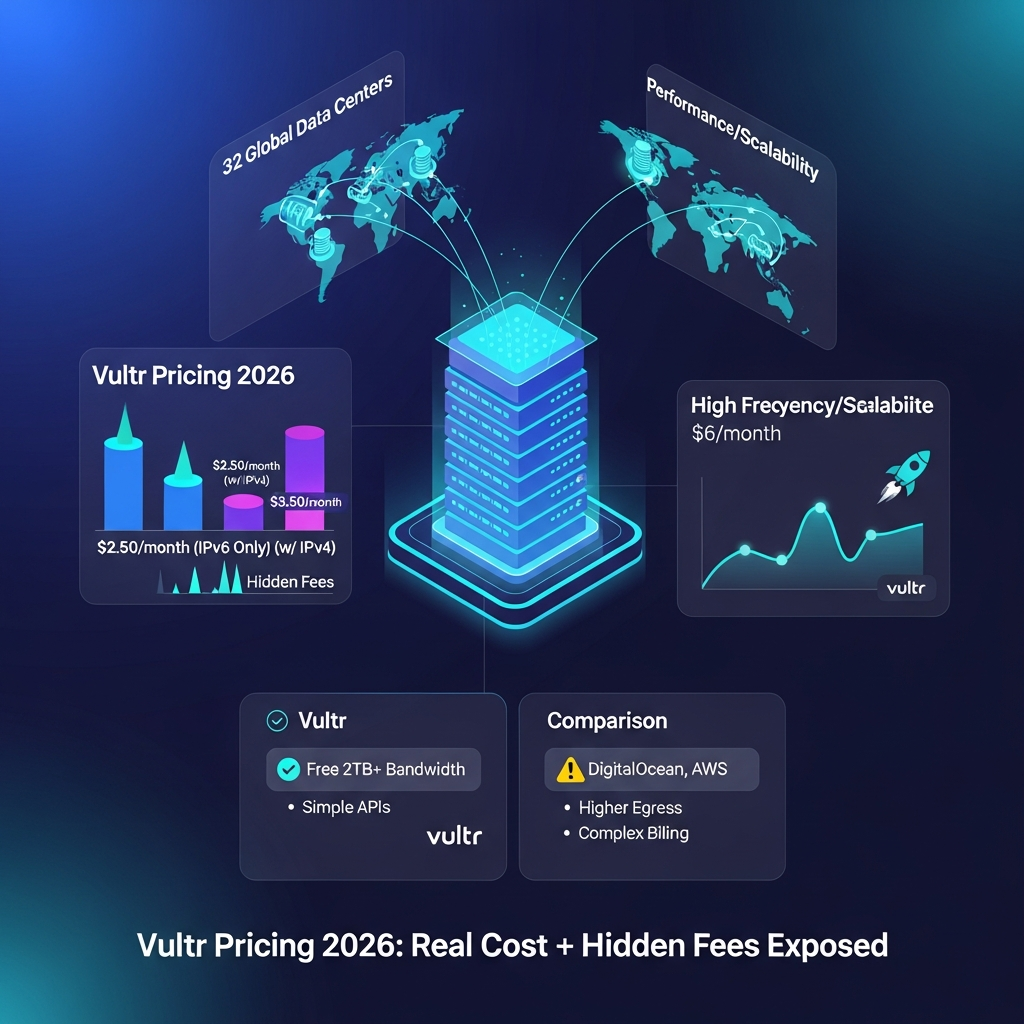

Quick answer: Vultr Cloud Compute currently starts at $2.50 per month for a small IPv6-only instance. A comparable entry configuration with IPv4 costs about $3.50 per month, while larger servers, optimized compute, storage, databases and GPUs cost more. The base server price is only part of the bill: automatic backups add 20%, bandwidth overages cost $0.01/GB, snapshots cost $0.05/GB/month, Reserved IPs cost $3/month, and optional enhanced DDoS protection costs $10/month per instance.
For new users, Vultr currently advertises up to $250 in promotional credit for 30 days.
The most important thing to understand is that Vultr is primarily usage-based cloud infrastructure, not a conventional fixed-price web hosting subscription.
Your real bill depends on the resources you deploy and how long you keep them.
Last checked: September 3, 2026.
Vultr Pricing at a Glance
| Cost | Current Pricing / Rule |
|---|---|
| Entry Cloud Compute | From $2.50/month |
| Entry $2.50 server | IPv6-only |
| Small entry server with IPv4 | Around $3.50/month |
| Optimized Cloud Compute | Higher-cost dedicated-vCPU configurations |
| Automatic backups | +20% of instance price |
| Bandwidth overage | $0.01/GB |
| Snapshots | $0.05/GB/month |
| Reserved IP | $3/month |
| Enhanced DDoS protection | $10/month per instance |
| Windows licensing | Additional fee |
| VKE control plane | No additional control-plane charge |
| Server billing | Hourly |
| Standard compute monthly cap | 672 billed hours |
| GPU billing basis | Different 730-hour-aligned model |
| New-user promotional credit | Up to $250 for 30 days |
| Global footprint | 33 cloud data center regions |
Bottom line: Vultr's basic compute pricing can be very inexpensive, but infrastructure add-ons matter. Always calculate the cost of the complete deployment rather than comparing only the headline server price.
How Much Does Vultr Cost?
Vultr does not have one universal monthly price.
The platform includes multiple infrastructure products, including:
Cloud Compute
VX1 Cloud Compute
High Frequency Compute
Optimized Cloud Compute
Cloud GPU
Bare Metal
Vultr Kubernetes Engine
Managed Databases
Block Storage
Object Storage
File System
Load Balancers
CDN
Reserved IPs
backups
snapshots
networking services
A developer running a tiny personal server could spend only a few dollars each month.
A production SaaS application with multiple compute nodes, managed databases, backups, storage and networking can cost hundreds or thousands of dollars.
AI and GPU deployments can cost substantially more.
That is why the meaningful question is not simply:
“What does Vultr cost?”
It is:
“What will my complete Vultr architecture cost?”
Vultr Cloud Compute Pricing
Cloud Compute is the most relevant starting point for many developers and smaller workloads.
Current entry pricing begins at $2.50 per month.
That lowest-cost configuration is not equivalent to the standard production server most businesses will deploy.
The current entry configuration is approximately:
| Specification | Entry Configuration |
|---|---|
| vCPU | 1 |
| Memory | 512 MB |
| Storage | 10 GB |
| Transfer | About 512 GB |
| Public networking | IPv6-only |
| Monthly price | $2.50 |
A similar small configuration with IPv4 is currently around $3.50 per month.
The next conventional Cloud Compute sizes increase memory, storage and included bandwidth.
For example, the standard 1 GB configuration is currently around $5 per month, while larger plans scale upward with additional CPU, RAM, storage and transfer.
Is the $2.50 Vultr plan actually useful?
Yes, but only for lightweight workloads.
Potential uses include:
development environments
small monitoring services
personal projects
low-traffic static or lightweight sites
experiments
IPv6-compatible services
512 MB of RAM is very limited for many modern production applications.
If you need Docker stacks, databases, WordPress with meaningful traffic or several services on the same server, a larger plan is usually more realistic.
Does the $2.50 Vultr Plan Include IPv4?
No.
The headline $2.50 plan is IPv6-only.
That matters because some networks, users and external services still expect IPv4 connectivity.
A similar tiny configuration with IPv4 currently costs approximately $3.50 per month.
Do not generalize this price difference into a universal “$1 IPv4 fee” across every Vultr service.
Most normal Cloud Compute instances are deployed with a primary public IPv4 address unless IPv4 is deliberately disabled.
Vultr also offers Reserved IPs and additional networking options that have separate pricing.
Vultr Billing: Hourly vs Monthly Pricing
Vultr bills server products by the hour.
For most non-GPU server types, including Cloud Compute, Optimized Cloud Compute and Bare Metal, billing is capped at 672 hours per monthly billing period.
That means if a standard instance runs long enough to hit the monthly cap, the hourly charges stop increasing for that billing month.
Short-lived instances are charged only for the billed hours used.
This makes Vultr useful for temporary infrastructure.
For example, you can create a testing environment, use it for several hours and destroy it when you finish rather than automatically paying the full monthly rate.
Important: stopped servers still cost money
Stopping an instance does not stop Vultr billing.
The compute, storage and IP resources remain allocated to your account.
To stop billing for a Cloud Compute instance, you normally need to destroy the server.
This is one of the most important Vultr billing rules to understand.
A stopped instance left in your account for an entire month can therefore continue accumulating normal server charges.
Vultr GPU Billing Is Different
GPU instances follow a different billing model.
Vultr moved GPU billing to a model based around 730 hours per month, which aligns more closely with the average number of hours in a calendar month.
Actual GPU billing can therefore reflect the actual number of hours in the month.
That differs from the 672-hour cap used for standard server products.
If you run expensive GPUs continuously, use the exact hourly GPU price and expected calendar-month hours when estimating cost.
Do not apply the standard Cloud Compute monthly cap automatically to GPU instances.
Vultr Automatic Backup Pricing
Automatic backups cost extra.
Vultr currently charges 20% of the base instance price when automatic backups are enabled.
Examples:
| Base Server Cost | Approx. Backup Cost | Combined Cost |
|---|---|---|
| $5/month | $1 | $6 |
| $10/month | $2 | $12 |
| $20/month | $4 | $24 |
| $40/month | $8 | $48 |
| $80/month | $16 | $96 |
This can be worth paying for production workloads, but it should be included in your cost estimate from the beginning.
Vultr currently lets users schedule backups:
daily
every other day
weekly
monthly
Automatic backups cover the instance's active filesystem.
They do not automatically back up attached Block Storage volumes.
That means workloads using separate Block Storage require their own data-protection strategy.
Vultr Snapshot Pricing
Manual snapshots are priced separately from automatic backups.
Vultr currently charges:
$0.05 per GB per month
based on the compressed size of stored snapshots.
Snapshots are useful for:
creating reusable server images
cloning environments
preserving a system state
migrating deployments between regions
keeping a longer-term restore point
The cost can appear small at first, but retaining many large snapshots can create a meaningful monthly storage charge.
Regularly remove snapshots you no longer need.
Vultr Bandwidth Pricing
Vultr Cloud Compute plans include an outbound data-transfer allowance.
The amount varies by plan.
The cheapest plans do not all include 2TB or more.
For example, the smallest Cloud Compute configuration includes roughly 512GB, while larger plans progressively increase the allowance.
What happens if you exceed your Vultr bandwidth allowance?
Current standard bandwidth overage pricing is:
$0.01 per GB
Only outbound traffic counts toward the normal bandwidth quota.
Inbound traffic does not consume the same monthly allowance.
For most small websites this may not become a major expense.
It becomes more important for:
video delivery
software downloads
image-heavy websites
public APIs
backups leaving Vultr
large datasets
high-traffic applications
Always include egress in cloud-provider comparisons.
A cheap server can become less attractive if your application sends large amounts of data every month.
Vultr DDoS Protection Pricing
Vultr provides an optional enhanced DDoS Protection service for eligible Compute instances.
The current price is:
$10 per month per protected instance
The service adds 10 Gbps of mitigation capacity.
This cost has very different significance depending on your server size.
Adding $10 of DDoS protection to a $5 server triples the compute-plus-DDoS cost to $15 before backups or other services.
Adding the same $10 protection to a $160 server has a much smaller percentage impact.
This is why comparing cloud add-ons as percentages can be more useful than looking at the dollar amount alone.
Vultr Reserved IP Pricing
Reserved IPs currently cost approximately:
$0.004 per hour, or $3 per month
A Reserved IP is different from the normal IP attached to an instance.
It stays available independently and can be reassigned to another instance in the same region.
This can be useful for:
failover
server replacement
migrations
high-availability architectures
preserving a public IP
If you do not need that portability, do not add Reserved IPs unnecessarily.
Vultr Windows Server Pricing
Windows licensing is not included in Vultr's normal Compute price.
Deploying Windows Server adds a licensing fee.
The exact charge depends on the Compute plan you select.
This means a $20 Linux instance and a Windows instance with the same compute resources will not necessarily have the same final monthly cost.
Always review the Windows licensing charge in the deployment screen before launching the server.
Vultr Regional Pricing
Vultr operates infrastructure across 33 global cloud data center regions.
Pricing is generally designed to remain consistent across its footprint, but some services and plans can cost more or less depending on the location.
Regional variation can reflect:
electricity costs
bandwidth
hardware availability
labor
taxes
local operational costs
compliance requirements
For that reason, do not build a long-term cost forecast using only a US-region price if you intend to deploy in Singapore, Tokyo, Sydney or another market.
Check the exact product and region in the Vultr Console.
Vultr Optimized Cloud Compute Pricing
Optimized Cloud Compute is designed for workloads that need more predictable CPU performance than normal shared-vCPU Cloud Compute.
Instead of competing with neighboring tenants for shared CPU resources, Optimized Cloud Compute uses dedicated vCPUs.
Common workloads include:
production databases
high-traffic APIs
analytics
CPU-intensive applications
business-critical services
consistent backend workloads
These plans are substantially more expensive than the smallest Cloud Compute instances.
The decision should be based on workload requirements rather than automatically choosing the lowest advertised compute price.
For bursty websites and development systems, shared Cloud Compute may be enough.
For predictable CPU performance, dedicated resources can justify the higher price.
Vultr Cloud GPU Pricing
Vultr also operates a broad Cloud GPU portfolio using AMD and NVIDIA accelerators.
Available infrastructure includes current accelerator families intended for:
AI training
AI inference
large language models
high-performance computing
rendering
virtual workstations
scientific computing
GPU pricing varies significantly by:
GPU model
number of GPUs
memory
region
deployment format
virtualized versus dedicated GPU
cluster architecture
For that reason, avoid summarizing Vultr GPU pricing as simply “$60+ per month.”
The range is much broader and changes as Vultr introduces new GPU hardware.
If GPU cost is important, calculate from the current hourly rate for the exact accelerator and region you plan to deploy.
Vultr Kubernetes Engine Pricing
Vultr Kubernetes Engine, or VKE, has a useful pricing advantage:
the managed control plane itself currently has no additional charge.
You pay for the infrastructure used by the cluster, including:
worker nodes
Load Balancers
Block Storage
other attached services
This can simplify Kubernetes pricing compared with providers that separately charge for the control plane.
However, “free Kubernetes” would still be misleading.
A production VKE cluster can incur substantial compute, networking and storage costs.
The correct description is:
VKE's managed control plane is free; the underlying infrastructure is billed normally.
Vultr Storage Pricing
Vultr provides multiple storage products rather than one universal storage price.
These include:
Block Storage
Object Storage
Archival Object Storage
File System
snapshots
backups
These products solve different problems and use different pricing models.
Object Storage
Vultr currently offers multiple Object Storage performance tiers.
For example, current official documentation lists Archival Object Storage at a base $6/month, including:
1,000 GB archival storage
1 TB bandwidth
100 GB unarchived storage
Additional archive storage is billed per GB.
The standard Object Storage tier currently has a higher base price and is designed for regularly accessed data rather than long-term archives.
Do not use old $5 or $6 Object Storage pricing across every tier without checking which product the number refers to.
Vultr Managed Database Pricing
Managed Databases are separate from normal Compute pricing.
Vultr currently supports managed:
PostgreSQL
MySQL
Valkey
Apache Kafka
The service handles operational work such as:
provisioning
backups
monitoring
scaling
maintenance
That convenience comes at a higher price than running a database manually on a tiny VPS.
Current Vultr documentation shows a PostgreSQL starter configuration with:
1 vCPU
2 GB RAM
55 GB storage
approximately $30/month
Prices vary by database engine, size and architecture.
A managed database may still be cost-effective when the alternative is spending engineering time maintaining backups, upgrades, security and failover yourself.
What Are the Real Vultr Hidden Costs?
Vultr's pricing is relatively transparent, but several expenses are easy to overlook when comparing only the base VM price.
1. Automatic backups
Add 20% to the instance price.
2. Bandwidth overages
Currently $0.01/GB beyond the included allowance.
3. Snapshots
Currently $0.05/GB/month.
4. Reserved IPs
Approximately $3/month each.
5. Enhanced DDoS protection
Currently $10/month per protected instance.
6. Windows licensing
Added separately to Windows deployments.
7. Storage
Block Storage, Object Storage and File System resources are additional products.
8. Managed databases
Separate from your Compute instance.
9. Load balancing
A production architecture may require one or more Load Balancers.
10. Regional differences
Some services may vary in price by location.
11. Stopped servers
Stopping an instance does not stop compute billing.
12. Taxes
Taxes such as VAT or sales tax can apply depending on account location and are calculated separately from the headline infrastructure price.
These are not necessarily “hidden fees” in the deceptive sense.
Vultr documents them.
The issue is that they are separate line items that can make the real deployment cost much higher than the server headline price.
Example: Real Cost of a Small Vultr Production Server
Suppose you deploy a $20/month Cloud Compute instance.
You add automatic backups:
$20 × 20% = $4
Then enhanced DDoS protection:
+$10
And one Reserved IP:
+$3
Your infrastructure cost is now approximately:
$37/month
before:
excess bandwidth
snapshots
databases
load balancing
extra storage
Windows licensing
taxes
The original $20 server price represented only about 54% of this example bill.
That is why infrastructure comparisons should use a complete architecture rather than base-server prices.
Example: Small Developer Server
Suppose you need a small Linux server and do not require:
automatic backups
DDoS add-on
Reserved IP
Windows
extra storage
A small Cloud Compute instance may remain very close to the advertised server rate.
This is where Vultr's simple hourly infrastructure pricing is most compelling.
For experiments, staging environments and small applications, you can keep the architecture minimal.
Is Vultr Really Pay-As-You-Go?
Yes, but with an important detail.
Vultr server products are billed hourly, and charges begin once an instance is deployed.
Destroy the server when you no longer need the reserved resources.
Simply shutting down the operating system or pressing Stop does not eliminate the charge.
This is different from serverless compute systems that charge only when code actively runs.
Vultr is reserving infrastructure for your instance, so the resource remains billable until destroyed.
Does Vultr Have a Free Tier?
Do not describe Vultr as having a permanent conventional free tier based solely on its promotional credit.
Vultr currently advertises a new-user promotion offering:
up to $250 in credit for 30 days
This is useful for:
testing Cloud Compute
benchmarking an application
learning the platform
trying different regions
testing infrastructure before migration
Once the promotional credit expires or is consumed, normal billing applies.
Always check the current signup promotion because eligibility and terms can change.
Is Vultr Cheaper Than DigitalOcean?
For some workloads, yes.
For others, not necessarily.
The correct comparison requires matching:
CPU
RAM
storage
transfer allowance
backups
load balancing
databases
regions
performance class
Comparing Vultr's $2.50 IPv6-only instance with a larger DigitalOcean Droplet would be misleading.
Likewise, comparing only base instance prices while ignoring bandwidth and backup costs can produce the wrong conclusion.
Vultr's strength is a broad infrastructure range with straightforward hourly pricing and a large global footprint.
DigitalOcean remains attractive for developers who value its specific managed platform experience and ecosystem.
Model your own workload before choosing.
Vultr vs AWS Pricing
AWS offers a much larger services ecosystem.
That is simultaneously its biggest strength and one reason cost forecasting can become more complex.
Vultr is often easier to understand for workloads based primarily on:
virtual machines
GPUs
storage
managed databases
Kubernetes
networking
AWS becomes more compelling when your application depends heavily on its broader portfolio of managed services.
The question should therefore not be:
“Which cloud is always cheaper?”
Instead ask:
“Which provider can run this exact architecture at the required performance and operational complexity?”
Vultr vs Hetzner
Hetzner is often considered by users whose priority is maximizing compute resources per dollar.
Vultr's advantages include its wider global infrastructure footprint and broader selection of enterprise and GPU products.
Hetzner can be particularly attractive where:
European locations work well
raw compute value is the priority
a smaller location footprint is acceptable
Vultr may be more suitable where geographic coverage and cloud-product breadth matter.
Again, compare equivalent configurations rather than starting prices.
Who Should Use Vultr?
Developers
Vultr is attractive for developers who want quickly deployable infrastructure with API, CLI and Terraform support.
SaaS companies
Vultr can support applications that grow from a single VM to multi-node production architectures.
Agencies
Agencies can use separate Compute instances for client applications while keeping infrastructure relatively straightforward.
AI and machine-learning teams
Vultr's expanding AMD and NVIDIA GPU portfolio makes it relevant for inference, model training and HPC.
Global applications
Thirty-three global cloud data center regions provide flexibility when workloads need to run closer to users.
Teams avoiding hyperscaler complexity
Organizations that do not need hundreds of specialized cloud services may prefer Vultr's more focused infrastructure model.
Who Should Consider Alternatives?
Users who need managed shared hosting
Vultr gives you infrastructure.
It is not the same as a fully managed WordPress host where someone else handles the server.
Companies deeply dependent on AWS-native services
Migrating away from a large AWS-native architecture may create more complexity than the lower compute price solves.
Extremely budget-focused European workloads
Hetzner may offer stronger raw resource economics for certain configurations.
Applications requiring a particular unavailable region
Check Vultr's exact product availability before planning your architecture because every service is not necessarily available in every region.
Vultr Pros and Cons
Pros
Cloud Compute from $2.50/month
hourly billing
large global footprint
33 cloud data center regions
API support
CLI support
Terraform support
Kubernetes control plane without a separate control-plane charge
broad CPU and GPU infrastructure
Managed Databases
Block and Object Storage
predictable bandwidth overage rate
promotional $250 new-user credit currently available
many infrastructure products available through one account
Cons
$2.50 entry server is IPv6-only
stopped servers continue billing
automatic backups add 20%
enhanced DDoS protection costs extra
snapshots cost extra
Reserved IPs cost extra
Windows licensing costs extra
bandwidth overages can matter for traffic-heavy applications
prices can vary by region
cloud infrastructure requires more technical management than conventional managed hosting
GPU pricing requires separate workload-specific calculations
How to Estimate Your Vultr Monthly Cost
Use this formula:
Compute + backups + storage + databases + networking + IPs + bandwidth overages + licenses + taxes = estimated Vultr bill
Start with the exact server you need.
Then ask:
Do I need automatic backups?
Do I need Block Storage?
Do I need Object Storage?
Will outbound transfer exceed the included allowance?
Do I need DDoS protection?
Do I need Reserved IPs?
Am I running Windows?
Do I need a managed database?
Do I need load balancing?
Will the workload run continuously?
Which region will I use?
Am I keeping snapshots?
Answer those questions before comparing Vultr against another provider.
How We Evaluated Vultr Pricing
This pricing guide was updated using current Vultr product and billing documentation.
We checked:
Cloud Compute billing
the $2.50 entry configuration
IPv4 availability
hourly and monthly billing rules
GPU billing differences
bandwidth overage pricing
automatic backup pricing
snapshot pricing
Reserved IP pricing
DDoS protection pricing
Windows licensing
regional pricing
Kubernetes control-plane costs
storage pricing
managed database configurations
current promotional credits
Vultr's global data center footprint
We distinguish between a product's base advertised price and the total cost of a complete production deployment.
Prices were checked in September 2026 and can change.
Always confirm the final configuration in Vultr's live pricing page or deployment console before provisioning production infrastructure.
Frequently Asked Questions
How much does Vultr cost per month?
Vultr Cloud Compute currently starts at $2.50 per month for a small IPv6-only instance. A comparable entry configuration with IPv4 is around $3.50 per month. Larger compute, GPU, database and storage products cost more.
Is Vultr really $2.50 per month?
Yes, but the $2.50 entry Cloud Compute configuration is IPv6-only and has limited RAM, storage and bandwidth. It is best suited to lightweight workloads and testing rather than demanding production applications.
Does Vultr charge hourly or monthly?
Vultr bills server products hourly. Most non-GPU server types use a monthly billing cap of 672 hours. GPU products use a different billing model aligned around 730 hours.
Does stopping a Vultr server stop billing?
No. A stopped instance continues to incur charges because the underlying resources remain reserved. To stop server billing, you normally need to destroy the instance.
How much do Vultr backups cost?
Automatic backups currently add 20% to the base hourly or monthly instance charge.
How much does Vultr charge for extra bandwidth?
Bandwidth beyond the included plan allocation currently costs $0.01 per GB. Outbound traffic counts toward the normal bandwidth allowance.
How much do Vultr snapshots cost?
Stored snapshots currently cost $0.05 per GB per month based on their compressed size.
How much does Vultr DDoS protection cost?
Optional enhanced DDoS protection currently costs $10 per month per eligible Compute instance and adds 10 Gbps of mitigation capacity.
How much does a Vultr Reserved IP cost?
Reserved IPs currently cost $0.004 per hour, or about $3 per month.
Are Windows licenses included in Vultr pricing?
No. Windows Server licensing is an additional charge on top of the base Compute plan.
Does Vultr have a free tier?
Vultr currently promotes up to $250 in new-user credit for 30 days. This should be treated as a limited promotional credit rather than a permanent free hosting tier.
Is Vultr Kubernetes free?
The Vultr Kubernetes Engine managed control plane currently has no additional charge. You still pay for worker nodes, storage, Load Balancers and other infrastructure used by the cluster.
How many Vultr data center regions are there?
Current 2026 Vultr materials describe its global infrastructure as spanning 33 cloud data center regions.
Are Vultr prices the same in every region?
Not always. Vultr aims for consistent pricing, but some product costs can vary by location because of operational expenses, hardware, bandwidth, power, taxes and compliance requirements.
Is Vultr cheaper than AWS or DigitalOcean?
It can be for certain workloads, but there is no universal winner. Compare equivalent CPU, memory, storage, bandwidth, backup, database and networking requirements rather than headline starting prices.
Final Verdict: Is Vultr Pricing Good Value in 2026?
Vultr remains competitively priced for developers and businesses that want straightforward global cloud infrastructure without committing to a hyperscaler-sized ecosystem.
The $2.50 Cloud Compute headline is real, but it represents a small IPv6-only configuration.
Most production users should budget beyond that.
The biggest additional costs to remember are:
automatic backups at 20%
bandwidth overages at $0.01/GB
snapshots at $0.05/GB/month
Reserved IPs at $3/month
enhanced DDoS protection at $10/month
Windows licensing
additional storage
managed databases
load balancing
regional price variation
Vultr becomes especially attractive when you value:
hourly billing
a broad global footprint
straightforward compute
APIs and infrastructure automation
Kubernetes
GPU availability
simpler cloud architecture
The safest way to evaluate it is to model your complete production stack rather than comparing only the cheapest virtual machine.
Before deploying, check Vultr's current pricing for your exact region and configuration, calculate any backups and networking add-ons, and then compare that total against DigitalOcean, AWS, Hetzner or another provider.
For new accounts, also check whether you qualify for Vultr's current $250 promotional credit for 30 days before paying for your first production resources.
Found this guide useful? Share it with your team.

