

Quick Answer: WebinarJam is a strong webinar platform for marketers, coaches, agencies and sales teams that regularly run live webinars and want registration pages, audience engagement, sales offers, follow-up automation and detailed conversion analytics in one system. Plans currently start at $49 per month, or $39 per month with annual billing. WebinarJam is less compelling for occasional small meetings, but its support for up to 5,000 attendees and conversion-focused webinar tools makes it a strong option for serious webinar marketing.
Pricing and features in this review were checked against current WebinarJam information in September 2026.
WebinarJam Review 2026: Key Takeaways
| Category | WebinarJam |
|---|---|
| Best for | Marketing webinars, sales events, coaching, launches and training |
| Starting monthly price | $49/month |
| Starting annual rate | $39/month when billed annually |
| Trial | $1 Basic trial for 14 days |
| Maximum attendees | 5,000 |
| Maximum hosts | 6 |
| Unlimited webinars | Yes |
| Live chat | Yes |
| Polls and surveys | Yes |
| Live product offers | Yes |
| Email and SMS | Yes |
| Webinar analytics | Yes |
| API | Available to approved paid accounts |
| Zapier | Yes |
| Automated webinars | EverWebinar integration, included with selected plans |
| Best overall strength | Conversion-focused live webinar marketing |
| Main limitation | Can be excessive for occasional or small meetings |
Our Verdict
WebinarJam is best viewed as marketing and sales webinar software, not simply another video-meeting application.
Its strongest features are built around moving someone from registration to attendance and then toward a conversion. Registration pages, email and SMS reminders, polls, live offers, scarcity tools, sales tracking and post-event analytics all support that objective.
If you regularly use webinars for lead generation, coaching, product launches, demonstrations or sales, WebinarJam deserves serious consideration.
If you only need a simple internal meeting platform or host webinars occasionally, a lighter platform may make more financial and operational sense.
What Is WebinarJam?
WebinarJam is a cloud-based webinar platform developed for live online events.
It is particularly focused on marketing, selling and audience engagement.
Businesses can use WebinarJam to run:
sales webinars
product launches
coaching sessions
customer demonstrations
educational events
online training
lead-generation webinars
live presentations
Attendees access webinars through a browser, helping reduce the friction associated with requiring participants to install specialized webinar software.
WebinarJam also provides tools around the webinar itself, including registration pages, reminders, audience interaction, product offers and analytics.
That makes it different from a basic video-conferencing platform whose main job is simply connecting people on a video call.
WebinarJam Pricing in 2026
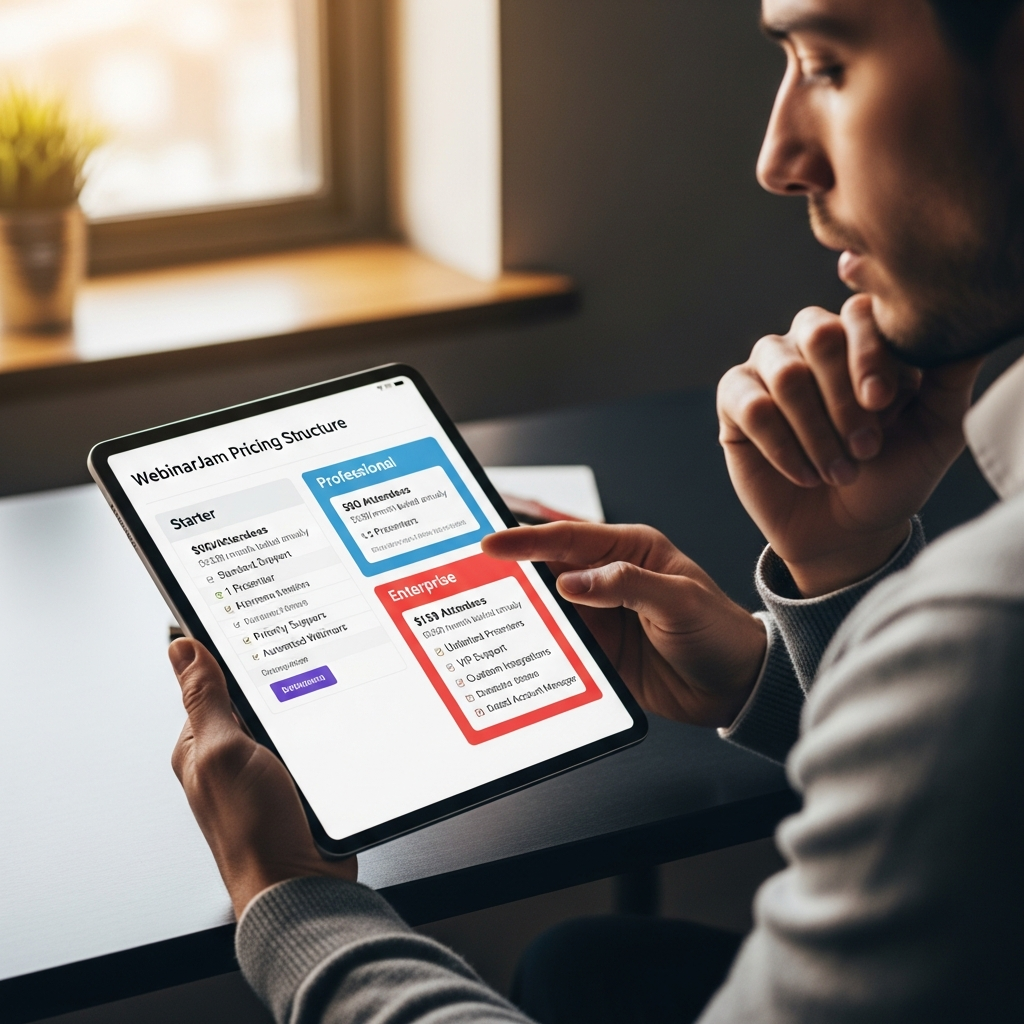
WebinarJam currently offers four paid subscription tiers.
| Plan | Monthly Billing | Annual Rate | Attendees | Hosts | Maximum Duration |
|---|---|---|---|---|---|
| Starter | $49/month | $39/month | 100 | 1 | 1 hour |
| Basic | $99/month | $79/month | 500 | 2 | 2 hours |
| Professional | $299/month | $229/month | 2,000 | 4 | 3 hours |
| Enterprise | $499/month | $379/month | 5,000 | 6 | 4 hours |
Annual prices shown above are the effective monthly rates when billed annually.
WebinarJam also currently advertises a $1 Basic trial for 14 days, giving new users a lower-risk way to test the platform.
A 30-day money-back guarantee is available under WebinarJam's published billing terms.
WebinarJam Starter
Starter is designed for smaller webinars.
It currently supports:
100 attendees per webinar
one host
one-hour webinar duration
unlimited webinars
one additional team member
registration pages
live chat
flexible scheduling
email and SMS tools
polls and surveys
live offers
whiteboard functionality
video injections
custom backgrounds
Facebook and YouTube broadcasting
Starter makes the most sense for an individual marketer, coach or small business running relatively small live sessions.
WebinarJam Basic
Basic increases capacity to:
500 attendees
two hosts
two-hour sessions
five additional team members
It also becomes particularly attractive for businesses interested in automated webinars because WebinarJam currently includes its sister platform EverWebinar with Basic and higher plans at no additional charge.
For many businesses running regular marketing webinars, Basic is likely the most balanced entry point.
WebinarJam Professional
Professional increases capacity substantially:
2,000 attendees
four hosts
three-hour sessions
ten additional team members
Professional is better suited to established webinar marketing programs, larger product launches and organizations with multiple presenters or moderators.
The Panic Button is also available on Professional and Enterprise. It can move an active webinar into a new live room if the original room becomes unstable while keeping attendees connected.
WebinarJam Enterprise
Enterprise supports:
5,000 attendees
six hosts
four-hour webinars
twenty-five additional team members
It is intended for larger events, high-volume webinar programs and organizations requiring greater attendee capacity.
Is WebinarJam Expensive?
It depends on what you are comparing it with.
For a business that simply needs occasional video meetings, WebinarJam can be overkill.
For a company that generates leads and sales through webinars every week or month, its registration, engagement, follow-up and revenue-tracking tools can reduce the number of separate systems needed around each event.
The correct question is therefore not simply whether $49, $99 or $299 per month is expensive.
The better question is whether webinars are important enough to your sales or marketing process to justify a dedicated conversion-focused platform.
CTA: Check WebinarJam's Current Plans and Trial

WebinarJam's Best Features
1. Unlimited Webinars
WebinarJam currently advertises unlimited webinars across its paid plan lineup.
That matters for agencies, educators and sales organizations that run events frequently.
Instead of paying based on the number of webinars hosted, the primary limitations are attendee capacity, host count, event duration and plan-specific functionality.
2. Customizable Registration Pages
WebinarJam can host registration pages directly.
Businesses that already have their own landing pages can also embed WebinarJam registration forms on their websites.
Available embed formats include inline forms, buttons, floating bars and pop-over options.
This flexibility allows marketing teams to choose between a fast WebinarJam-hosted registration setup and a more customized campaign page on their own website.
3. Email and SMS Notifications
WebinarJam includes notification tools for confirmations, reminders and replay communication.
Businesses can configure their webinar email content and scheduling inside the platform.
WebinarJam also supports external SMTP connections for organizations that want webinar messages delivered through their preferred email infrastructure.
SMS functionality can be incorporated into the webinar reminder workflow as well.
4. Live Chat, Polls and Audience Interaction
WebinarJam includes several tools for making an event more interactive.
Hosts can use:
live chat
polls
surveys
attendee spotlighting
Q&A
whiteboard tools
screen sharing
video injections
handouts
attendee speaking
These tools make WebinarJam suitable for more than one-way broadcasting.
A webinar host can collect feedback, answer questions and react to audience participation while the session is taking place.
5. Live Product Offers
One of WebinarJam's most distinctive features is its focus on selling during a webinar.
Hosts can display product offers directly inside the webinar room.
An offer can contain:
a headline
product information
CTA button
sales-page link
scarcity messaging
urgency countdown
live sales notifications
This is particularly useful for product launches, coaching offers, courses and other businesses where the webinar is part of a sales funnel.
6. Sales Tracking
WebinarJam can track sales generated by a webinar when the required tracking codes are correctly installed.
Its analytics can report:
purchases from the live webinar
purchases from replays
total webinar revenue
conversion rate
earnings per attendee
This moves WebinarJam beyond simple attendance reporting.
A marketing team can evaluate whether a webinar generated actual revenue rather than simply measuring registrations.
WebinarJam Analytics
WebinarJam provides multiple analytics categories.
Traffic Analytics
Traffic reports can show:
registration-page visitors
total registrations
registration conversion rate
live attendees
replay attendees
show-up rate
Engagement Analytics
Engagement reporting includes:
total attendees
webinar duration
average watch time
percentage of attendees who watched the full webinar
attendee activity over time
attendee ratings
Live and replay engagement can be viewed separately.
Monetization Analytics
When sales tracking is configured, WebinarJam can report:
paid registrations
live-webinar purchases
replay purchases
total revenue
conversion rates
earnings per attendee
Email Analytics
Notification reporting includes:
messages sent
open rates
click rates
delivery issues
These metrics are particularly helpful for marketers trying to understand where people leave the webinar funnel.
WebinarJam and EverWebinar
There is an important distinction between WebinarJam and EverWebinar.
WebinarJam focuses on live webinars.
EverWebinar is designed for automated and evergreen webinar experiences.
EverWebinar can use a previously recorded WebinarJam session or another supported video source to create scheduled or on-demand automated webinar experiences.
Current WebinarJam pricing states that EverWebinar is included with Basic, Professional and Enterprise subscriptions at no extra cost.
That pairing is particularly useful for marketers who want to run a successful presentation live and then turn it into an ongoing automated funnel.
WebinarJam Integrations
Integrations are one of WebinarJam's strongest areas.
WebinarJam supports CRM and autoresponder connections so webinar activity can trigger follow-up workflows outside the platform.
Its current integration ecosystem includes options such as:
ActiveCampaign
CRM connections
autoresponder integrations
Zapier
custom webhooks
API integrations
SMTP
SMS workflows
Zapier can be used to create workflows such as sending new registrations to another application, adding webinar contacts to Google Sheets or triggering follow-up processes when someone attends a live event.
WebinarJam API
WebinarJam provides an API for businesses that need more customized automation.
API access is available to paid subscribers after approval.
Trial accounts cannot use the API.
Once approved, businesses can use WebinarJam's API alongside internal systems, custom applications or third-party automation platforms.
This is useful for more advanced marketing operations where registration and webinar activity need to connect with an existing technology stack.
Team Collaboration
WebinarJam allows account owners to create team-member profiles rather than sharing the primary account password.
Team-member limits increase with the subscription tier.
Some account settings remain restricted to the primary owner for security, including billing, API and certain account-level integrations.
This makes the system more practical for agencies and teams where marketers, presenters and event operators need different forms of access.
WebinarJam Security and Privacy Features
WebinarJam's current account system includes multi-factor authentication.
The platform also provides GDPR-related account settings and has continued updating registration and SMS-consent workflows to meet changing communication requirements.
For example, recent updates added clearer SMS consent collection and improved registration controls.
Organizations with specific regulatory requirements should still review WebinarJam's current privacy, security and data-processing documentation before purchasing.
WebinarJam Pros and Cons
Pros
Supports webinars with up to 5,000 attendees
Unlimited webinars on current paid plans
Browser-based attendee experience
Built-in registration pages
Email and SMS reminders
Live chat, polls and surveys
Strong webinar sales tools
Scarcity and urgency offers
Detailed traffic and engagement analytics
Revenue and conversion tracking
CRM and autoresponder integrations
Zapier support
API access for paid accounts
EverWebinar included with selected plans
Monthly and annual billing available
$1 14-day trial currently available
Cons
More expensive than simple meeting software
Advanced capacity becomes expensive
EverWebinar is a separate product rather than the core live-webinar application
API access requires approval
Trial users cannot access the API
Maximum published capacity is 5,000 attendees
Some advanced functionality depends on plan
May be unnecessary for occasional internal meetings
Who Should Use WebinarJam?
WebinarJam Is Best For
Marketers
WebinarJam's registration, email, offers, tracking and integrations align particularly well with lead-generation campaigns.
Coaches and Course Creators
Live presentations, audience questions, timed offers and automated follow-up can support coaching and course-sales funnels.
Sales Teams
Teams can use webinars for demonstrations, educational selling and larger presentations while tracking attendance and conversions.
Agencies
Team accounts, multiple webinar campaigns and integration options can make WebinarJam practical for agencies running webinars regularly.
Product Launches
Timed product offers, urgency, scarcity and conversion tracking make product launches one of WebinarJam's strongest use cases.
WebinarJam May Not Be Right For
Small Internal Meetings
If you simply need a weekly team video call, WebinarJam offers far more functionality than necessary.
Occasional Webinar Hosts
A company running one or two small webinars each year may prefer a lower-cost or simpler platform.
Events Above 5,000 Attendees
WebinarJam's published Enterprise attendee limit is currently 5,000. Organizations planning substantially larger events should compare enterprise event platforms.
Zoom Webinars is particularly attractive to companies already heavily invested in the Zoom ecosystem.
WebinarJam has a stronger sales-oriented identity.
Its built-in offers, scarcity tools, registration funnel, automated follow-up options and sales analytics make it especially relevant when the webinar is part of a marketing or revenue campaign.
Choose WebinarJam when webinar conversion is the priority.
Choose Zoom Webinars when integration with an existing Zoom environment and familiar event administration matter more.
Internal link: Read our Zoom Webinars review.
WebinarJam vs GoToWebinar
GoToWebinar is an established webinar platform with a long track record in corporate and professional online events.
WebinarJam differentiates itself through its heavier focus on digital marketing, product offers and sales funnels.
Companies running traditional professional webinars may prefer GoToWebinar.
Marketing-driven organizations selling through their webinars may find WebinarJam better aligned with their workflow.
Internal link: Read our GoToWebinar review.
WebinarJam vs Livestorm and Demio
Livestorm and Demio are also worth evaluating for companies looking for modern webinar experiences.
The choice should depend on:
attendee capacity
webinar frequency
sales functionality
CRM requirements
automation
team size
budget
analytics requirements
Do not choose a webinar platform based solely on its entry price.
Calculate what your expected attendee count and required features would cost on the plan you would actually need.
Is WebinarJam Worth It in 2026?
WebinarJam is worth it for organizations that treat webinars as a recurring marketing or sales channel.
Its biggest advantage is not any single feature.
The value comes from combining the webinar with the surrounding conversion workflow:
Registration → reminders → live presentation → engagement → offer → sale → replay → follow-up → analytics.
For a company already assembling those steps through several disconnected tools, WebinarJam can simplify the process.
It offers much less value when the webinar itself is occasional or has no connection to lead generation, sales or customer education.
How We Evaluated WebinarJam
CompareBestAI evaluated WebinarJam using current publicly available product information and WebinarJam documentation.
We focused on factors that directly affect software-buying decisions:
pricing
attendee limits
host limits
webinar duration
registration
audience engagement
sales functionality
analytics
evergreen automation
CRM and marketing integrations
API access
team functionality
security
trial availability
ideal use cases
Pricing and features were checked in September 2026.
Because SaaS pricing and functionality can change, readers should verify current plan information with WebinarJam before subscribing.
Frequently Asked Questions
How much does WebinarJam cost in 2026?
WebinarJam currently starts at $49 per month on monthly billing. Annual billing reduces the Starter rate to $39 per month. Basic costs $99 monthly or $79 per month annually, Professional costs $299 monthly or $229 annually, and Enterprise costs $499 monthly or $379 annually.
Does WebinarJam have a free trial?
WebinarJam currently advertises a $1 trial of its Basic plan for 14 days. It also publishes a 30-day money-back guarantee. Always check the current pricing page because trial offers can change.
How many attendees does WebinarJam support?
The Starter plan supports up to 100 attendees, Basic supports 500, Professional supports 2,000 and Enterprise supports up to 5,000 attendees per webinar.
Does WebinarJam offer monthly billing?
Yes. WebinarJam currently provides both monthly and annual billing. Older information stating that WebinarJam requires annual-only billing is no longer accurate.
Does WebinarJam support automated webinars?
WebinarJam focuses on live webinars. Automated and evergreen webinars are handled through EverWebinar, its sister platform. EverWebinar is currently included with WebinarJam Basic, Professional and Enterprise subscriptions at no extra cost.
Does WebinarJam integrate with Zapier?
Yes. WebinarJam supports Zapier integrations. An approved API key is required, and API access is available to paid accounts rather than trial accounts.
Does WebinarJam have an API?
Yes. Paid WebinarJam subscribers can apply for API access. Approval is required before an API key can be used.
Is WebinarJam good for selling products?
Yes. Selling during webinars is one of WebinarJam's strongest use cases. Hosts can display product offers, add urgency or scarcity elements and track sales generated through live or replay sessions.
Is WebinarJam better than Zoom?
WebinarJam is generally better suited to conversion-focused marketing and sales webinars. Zoom Webinars may be a better fit for organizations already using Zoom extensively or prioritizing familiar corporate event workflows.
Is WebinarJam worth it for small businesses?
It can be, particularly when a small business regularly uses webinars to generate leads or sell services. Businesses that only run occasional small meetings may find a simpler platform more cost-effective.
WebinarJam Review 2026: Final Verdict
WebinarJam remains a strong choice for conversion-focused webinars.
Its biggest strengths are its combination of live webinar hosting, audience engagement, registration workflows, sales offers, follow-up systems, integrations and analytics.
The platform is particularly well suited to:
marketers
coaches
agencies
SaaS companies
course businesses
product-launch teams
organizations running recurring lead-generation webinars
It is harder to recommend for a company that only needs simple internal video meetings or runs very occasional webinars.
The current availability of monthly billing also makes WebinarJam more flexible than older reviews suggest, while the $1 14-day Basic trial lowers the initial barrier to testing the platform.
Overall verdict: WebinarJam is a strong option when webinars directly support marketing, lead generation or sales. If webinar conversion matters more than simple video conferencing, it deserves a place on your shortlist.
CTA: View WebinarJam Pricing and Start the Current Trial
Found this guide useful? Share it with your team.

