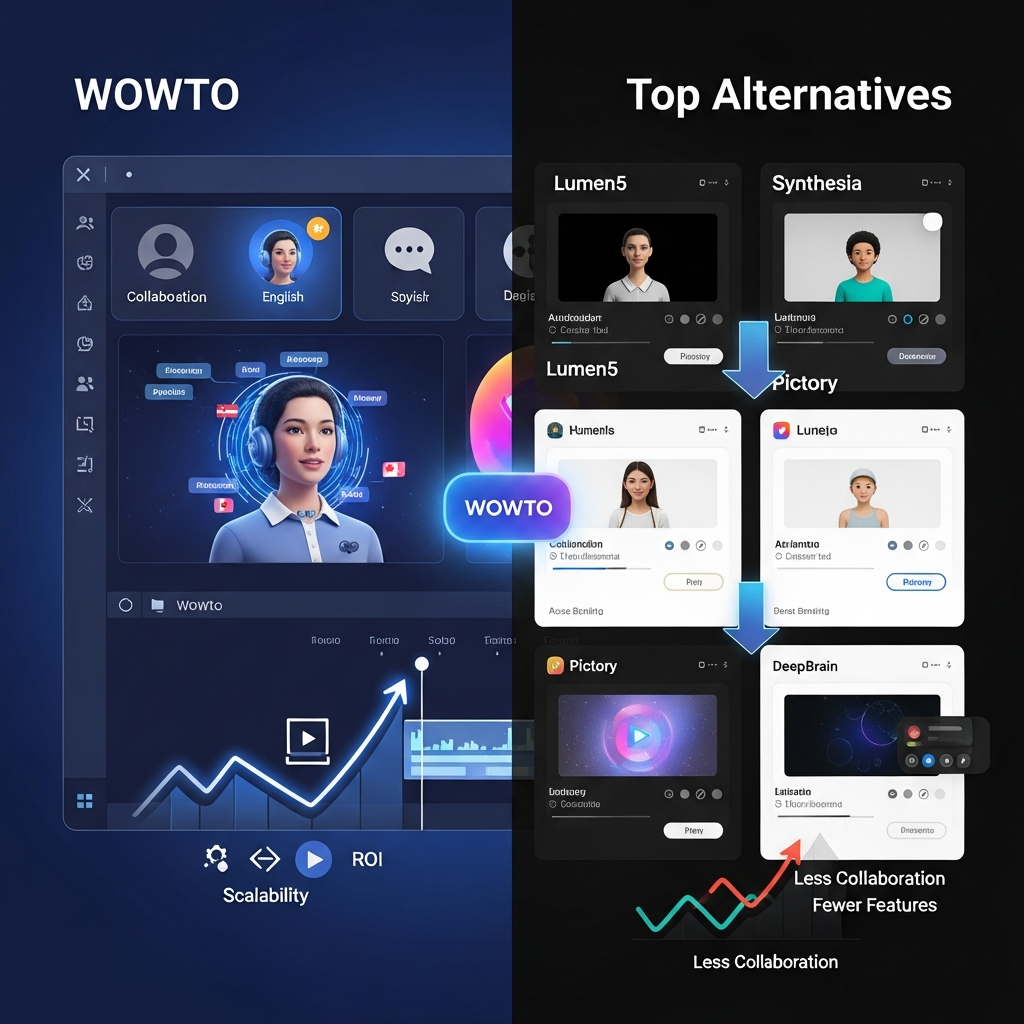

Quick Answer: WowTo is best for support, customer-success, training, education, and documentation teams that need to create and maintain instructional videos without a traditional production workflow. It combines screen recording, PPT/PDF conversion, 300+ AI voices, AI avatars, subtitles, multilingual versions, a searchable video knowledge base, and in-app video widgets. Its Free plan costs $0, Plus costs $25 per month, and Business costs $45 per month. It is less suitable for cinematic text-to-video, social entertainment clips, or advanced manual video editing.
Pricing and product features in this review were checked against official WowTo information in September 2026.
WowTo Review 2026: At a Glance
| Category | WowTo |
|---|---|
| Product type | AI-assisted instructional and support video platform |
| Best for | Support, training, onboarding, education, documentation |
| Free plan | Yes |
| Plus | $25/month or $250/year |
| Business | $45/month or $450/year |
| AI voices | 300+ |
| Languages | 20+ supported |
| AI avatars | Yes |
| Screen recording | Yes |
| PPT to video | Yes |
| PDF to video | Yes |
| Subtitles | Yes |
| Video knowledge base | Yes |
| In-app video widget | Yes |
| Unlimited collaborators | Business |
| Analytics | Business |
| Traditional cinematic generation | Not its primary use case |
WowTo is not a direct substitute for cinematic AI video generators such as Runway, Kling, or Sora.
Its real niche is much more specific.
It helps businesses turn product workflows, screen recordings, presentations, documents, and scripts into instructional videos that can then be organized and delivered through a searchable video knowledge base.
What Is WowTo?
WowTo is an AI-assisted platform for creating how-to videos, product tutorials, customer-support videos, employee-training content, and educational videos.
Its workflow combines video creation and video delivery.
Teams can use WowTo to:
record a software workflow
import an existing screen recording
convert a PowerPoint presentation
convert a PDF
add AI narration
add a talking avatar
create subtitles
generate language versions
edit individual steps
host the finished videos in a knowledge base
embed those videos inside a product or website
This is an important distinction.
Most AI video tools focus primarily on creating a finished video file.
WowTo also focuses on what happens after the video is created.
Its knowledge base and contextual widget are designed to make instructional content easier for customers or employees to find when they actually need it.
Internal link: Compare WowTo pricing and features.
1. Screen Recording for Software Tutorials
WowTo provides a Chrome extension for recording workflows and step-by-step processes.
A user can capture actions inside a browser, then convert that recording into a more polished tutorial.
This makes the workflow particularly useful for:
SaaS product walkthroughs
onboarding
internal process documentation
support tutorials
software training
Instead of recording an entire polished presentation in one take, teams can capture the workflow and refine it afterward.
WowTo's current editor includes tools for emphasizing clicks, adding annotations, blurring sensitive information, and updating individual steps.
2. Existing Screen Recordings Can Be Reused
You do not have to create every video directly inside WowTo.
Existing screen recordings can also be imported and enhanced with AI narration and other editing features.
This can be useful for teams already using:
Loom
Zoom recordings
internal screen captures
old product demonstrations
Instead of starting again, the original recording can become the source material.
3. PPT and PDF to Video
One of WowTo's more practical training features is its ability to turn existing presentations and documents into video.
Current product pages specifically promote:
PowerPoint to video
PDF to video
That is useful for companies that already have:
training decks
onboarding presentations
policy documents
instructional PDFs
The organization does not need to discard that material.
It can reuse the source content as the starting point for a video version.
For training teams with a large library of existing presentations, this can be more useful than a pure text-to-video generator.
4. AI Voiceovers
WowTo currently advertises more than 300 AI voices across more than 20 languages, including dialect options.
Users can write or edit the script and generate narration rather than recording every voiceover manually.
That is especially useful when:
a video changes frequently
narration needs to be regenerated
the creator does not want to record their own voice
several language versions are required
Plan Limits Matter
The number of supported languages across the platform is different from the number of language versions allowed for each project.
Current limits are:
Free: 2 languages per video
Plus: 5 languages per video
Business: 7 languages per video
Buyers planning a large localization workflow should consider those limits before subscribing.
5. AI Avatars
WowTo supports talking AI avatars that can be added to instructional videos.
The avatar acts as an on-screen presenter while the video explains a process or concept.
This can be useful for:
employee training
onboarding
product explainers
educational videos
However, WowTo should not be chosen solely on the assumption that it is primarily an avatar-video platform.
The bigger value is the combination of:
instructional video creation + hosting + support delivery
Teams that mainly need polished presenter-led corporate videos should also compare dedicated avatar platforms.
6. Automatic Subtitles and Transcripts
WowTo includes automatic subtitle and transcript generation.
This helps make instructional videos:
easier to follow without sound
more accessible
easier to localize
Subtitles are included across the current plans.
Teams should still review:
names
technical terms
product terminology
acronyms
before publishing.
Automatic transcription can reduce manual work, but it should not be assumed to be perfect.
7. Multilingual Training and Support Videos
WowTo's multilingual functionality is particularly useful for organizations supporting users or employees across multiple regions.
A team can create one instructional video and generate additional language versions instead of rebuilding the complete video from scratch.
That can work well for:
customer onboarding
product training
employee training
educational content
WowTo's own current training content emphasizes localization as a way to reuse existing material across multiple regions.
Human review is still advisable when translation accuracy, technical terminology, or regulatory wording matters.
8. Video Knowledge Base
The Video Knowledge Base is arguably WowTo's most distinctive feature.
Instead of downloading videos and leaving them scattered across different systems, teams can organize them inside a hosted, searchable video library.
Current knowledge-base functionality includes:
multiple layout options
searchable videos
hosted delivery
global CDN
centralized video settings
custom domain on eligible plans
team collaboration
in-app delivery
Why This Matters
Imagine a SaaS product with 100 support tutorials.
Without a structured library, those videos may be scattered across:
YouTube
help-center pages
cloud folders
customer emails
WowTo gives the business a dedicated location for those tutorials.
Customers can search for the question they have and find the relevant video.
9. In-App Video Widget
WowTo's embeddable widget makes the video knowledge base more useful for product support.
The widget can be placed inside a website or application.
Businesses can configure it to:
appear throughout the site
show only on certain pages
display videos relevant to the current page
appear after specific user actions
For example, a billing page could show billing tutorials.
A feature-settings page could show videos about that feature.
This makes WowTo more than a video editor.
It becomes part of the self-service support experience.
10. Integrations
WowTo currently provides integrations and apps for several support, documentation, and productivity systems.
Official sources list options including:
Intercom
Zapier
Jira
Confluence
Shopify
Zendesk
Slack
Chrome extension
Plan-Specific Integrations
Current pricing shows:
Free
Chrome extension
Plus
Chrome extension
Jira
Confluence
Zapier
Business
Chrome extension
Jira
Confluence
Zapier
Intercom
Slack
Buyers should check WowTo's integration store for the exact current setup before subscribing.
11. Collaboration
Collaboration depends heavily on the plan.
Free and Plus are currently listed as single-user or single-creator plans.
Business supports unlimited collaborators.
That makes Business much more appropriate for teams where several employees create and maintain support or training videos.
The current public pricing page does not clearly promise a full editorial review system with real-time comments, approval states, granular publishing roles, or sophisticated version management.
Organizations that need those specific capabilities should verify them directly with WowTo.
12. Analytics
Video Analytics is currently listed on the Business plan.
This is useful for teams that need to understand whether their video knowledge base is actually being used.
Analytics matter most when WowTo is being deployed as part of:
customer support
onboarding
employee training
product education
Rather than assuming the tool automatically delivers higher completion rates or reduced ticket volume, measure the impact using your own support and training data.

WowTo Pricing in 2026
WowTo currently offers three public plans.
| Plan | Monthly | Annual |
|---|---|---|
| Free | $0 | $0 |
| Plus | $25/month | $250/year |
| Business | $45/month | $450/year |
Free Plan
The Free plan currently includes:
3 how-to video projects
single creator
1 video knowledge base
WowTo-hosted domain
Basic TTS
subtitle generation
200 Talking Avatar Credits for the account lifetime
20 TTS minutes/month
max 2 minutes/video
2 languages/video
WowTo watermark
Chrome extension
It has no time limit.
That makes the Free plan useful for testing the entire workflow before subscribing.
Plus
Plus costs:
$25/month
or:
$250/year
It includes:
25 projects
single user
1 knowledge base
embeddable KB widget
premium TTS
1,800 avatar credits/month
60 TTS minutes/month
max 10 minutes/video
5 languages/video
no watermark
Jira
Confluence
Zapier
Business
Business costs:
$45/month
or:
$450/year
It includes:
30 projects
unlimited collaborators
2 knowledge bases
custom domain + SSL
embeddable widget
video analytics
custom watermark
2,800 avatar credits/month
100 TTS minutes/month
max 15 minutes/video
7 languages/video
Jira
Confluence
Zapier
Intercom
Slack
What Are Talking Avatar Credits?
WowTo measures Talking Avatar Credits in seconds of generated avatar time.
That is important because 1,800 avatar credits are not the same thing as 1,800 video generations.
They represent approximately 1,800 seconds of avatar generation allowance.
Businesses relying heavily on avatars should calculate expected monthly usage before choosing a plan.
What Are the Main Limitations?
Video Duration Limits
Each plan has a maximum video duration:
Free: 2 minutes
Plus: 10 minutes
Business: 15 minutes
Teams producing long lessons may need to split them into several shorter videos.
For microlearning and support content, that can actually fit the intended use case well.
Limited Number of Projects
WowTo also limits the number of how-to video projects:
Free: 3
Plus: 25
Business: 30
High-volume documentation teams should calculate whether those project limits fit their library.
Free Videos Have a Watermark
Free-plan videos contain WowTo branding.
Plus removes the WowTo watermark, while Business supports custom watermarking.
Collaboration Requires Business
Free and Plus are not designed as multi-user collaborative plans.
Teams that need several contributors should look at Business.
Not a Cinematic Video Generator
WowTo is not designed to generate photorealistic movie scenes from text prompts.
If you need cinematic generative video, compare platforms such as Runway, Kling, Veo, or Sora instead.
Limited Advanced Editing
WowTo is designed to make instructional videos easy to create and update.
It is not a replacement for a professional nonlinear editor such as Premiere Pro or DaVinci Resolve when a project requires:
deep timeline editing
color grading
advanced compositing
extensive motion graphics
VFX
Refund and Cancellation Policy
WowTo encourages users to test the Free plan before upgrading.
The current pricing FAQ says subscriptions can be canceled before the next billing date.
Paid subscription charges are generally non-refundable.
That is worth knowing before choosing annual billing.
Who Should Use WowTo?
Customer Support Teams
WowTo is particularly strong for support teams that repeatedly answer “how do I?” questions.
Examples include:
how to configure a feature
how to update billing information
how to connect an integration
how to troubleshoot a common problem
A searchable video knowledge base can provide those answers without requiring a support agent to demonstrate the same process repeatedly.
Customer Success Teams
Customer-success teams can use WowTo for:
onboarding
feature adoption
product education
account setup
The in-app widget can make relevant videos available inside the product.
HR and L&D Teams
Training teams can convert:
presentations
PDFs
internal SOPs
recorded workflows
into reusable training content.
Educators
WowTo can also support:
video lessons
multilingual educational content
training academies
searchable learning libraries
WowTo's education product specifically promotes PPT/PDF conversion, multilingual lessons, collaboration, and searchable video libraries.
SaaS Companies
SaaS is probably one of WowTo's strongest use cases.
Software companies regularly need:
onboarding tutorials
feature walkthroughs
troubleshooting content
release-related updates
Because WowTo allows individual instructional steps or scripts to be updated, teams can maintain videos without rebuilding everything from scratch.
Who Should Skip WowTo?
WowTo is a weaker fit if you primarily need:
cinematic text-to-video
viral entertainment videos
AI-generated movie scenes
sophisticated advertising creatives
advanced manual video editing
complex motion graphics
In those cases, a different video category is more appropriate.
WowTo vs Synthesia
WowTo and Synthesia overlap around AI voices, avatars, training, and business video.
But the emphasis differs.
WowTo is particularly centered on:
how-to videos
software walkthroughs
screen workflows
video knowledge bases
contextual in-app support
Synthesia is generally a stronger comparison when polished presenter-led corporate video is the main requirement.
If your main question is:
How do we create a polished presenter-led training video?
compare Synthesia.
If your question is:
How do we create, host, maintain, and surface product-support tutorials?
WowTo is more directly aligned.
Internal link: Read our Synthesia AI review.
WowTo vs Traditional Screen Recorders
A simple screen recorder may be enough when the goal is:
Record something once and send a link.
WowTo makes more sense when the recording needs to become reusable documentation.
The extra value comes from:
AI narration
avatars
captions
translation
editable steps
video knowledge base
in-app widget
integrations
Teams should not pay for that additional structure if all they need is a quick screen capture.
WowTo Pros and Cons
Pros
Forever-free plan
Purpose-built for instructional video
Chrome screen-recording extension
Existing screen-recording import
PPT-to-video
PDF-to-video
300+ AI voices
20+ supported languages
Talking AI avatars
Automatic subtitles and transcripts
Searchable video knowledge base
Embeddable in-app video widget
Jira, Confluence, Zapier, Intercom, and Slack integrations on eligible plans
Unlimited collaborators on Business
Custom domain on Business
Video Analytics on Business
No WowTo watermark on Plus
Cons
Free videos have a watermark
Free videos are limited to 2 minutes
Plus is limited to 10 minutes/video
Business is limited to 15 minutes/video
Project limits apply
Free and Plus are single-user plans
Multilingual project limits vary by tier
Not designed for cinematic generative video
Not a full professional video editor
Active paid subscriptions are generally non-refundable
Is WowTo Worth It in 2026?
WowTo is worth considering when instructional video is part of an ongoing operational workflow.
The strongest case exists when your organization repeatedly creates:
customer-support tutorials
onboarding videos
employee-training content
product walkthroughs
educational lessons
The platform becomes more valuable when those videos also need to be:
updated regularly
translated
organized
searchable
embedded inside a product
shared across a team
It is harder to justify if you simply need occasional social-media videos.
In that situation, many other AI video tools are better aligned.
How We Evaluated WowTo
CompareBestAI evaluated WowTo based on:
instructional-video creation
screen recording
AI voice
avatars
subtitles
translation
PPT/PDF conversion
editing
video knowledge base
in-app delivery
integrations
collaboration
pricing
usage limits
support/training use cases
Product information and pricing were checked against current official WowTo sources in September 2026.
Because SaaS plans change, verify current limits before subscribing.
Frequently Asked Questions
What is WowTo?
WowTo is an AI-assisted platform for creating instructional, support, training, and educational videos. It combines screen recording, AI voices, avatars, subtitles, PPT/PDF conversion, a video knowledge base, and an embeddable support-video widget.
How much does WowTo cost in 2026?
WowTo currently has a Free plan at $0, Plus at $25 per month or $250 per year, and Business at $45 per month or $450 per year.
Is WowTo free?
Yes. WowTo says its Free plan has no time limit. It includes three projects, one knowledge base, 20 TTS minutes per month, a two-minute video limit, two languages per video, and WowTo branding.
How many AI voices does WowTo have?
WowTo currently advertises more than 300 AI voices across more than 20 supported languages with dialect options.
Does WowTo have AI avatars?
Yes. Talking AI avatars can be added to support and training videos. Avatar-generation allowances vary by plan.
Can WowTo convert PowerPoint and PDF files into videos?
Yes. WowTo supports both PPT-to-video and PDF-to-video workflows for creating training and instructional content from existing material.
Does WowTo support team collaboration?
The Business plan currently includes unlimited collaborators. Free and Plus are listed as single-user plans.
What integrations does WowTo support?
Current official sources list integrations and apps including Zapier, Jira, Confluence, Intercom, Slack, Zendesk, Shopify, and the WowTo Chrome extension. Availability varies by plan.
What is the WowTo Video Knowledge Base?
It is a hosted, searchable library for instructional and support videos. Teams can organize tutorials, customize their knowledge base, and embed video access inside their website or product.
Is WowTo better than a general AI video generator?
It depends on the task. WowTo is better suited to support, training, onboarding, and instructional workflows. Cinematic text-to-video platforms are better suited to generating creative scenes and entertainment-style footage.
WowTo Review 2026: Final Verdict
WowTo is a useful platform, but it should be evaluated in the right category.
It is not primarily a cinematic AI video generator.
Its real strength is creating and maintaining instructional video content.
The workflow is built around:
capture or import → add AI narration/avatar → edit → translate → host → surface to users
That makes WowTo particularly relevant for:
SaaS support teams
customer-success departments
L&D
HR training
educators
documentation teams
The Video Knowledge Base and contextual widget are its most interesting differentiators because they solve the distribution problem as well as the creation problem.
Pricing is also more accessible than the current CompareBestAI article suggests.
There is a permanent Free plan, Plus costs $25 per month, and Business costs $45 per month.
Overall verdict: WowTo is worth testing when your goal is scalable how-to, support, onboarding, or training video content. It is not the right benchmark against Runway or Sora for cinematic AI generation.
CTA: Try WowTo Free or Compare Its Current Plans
Found this guide useful? Share it with your team.

