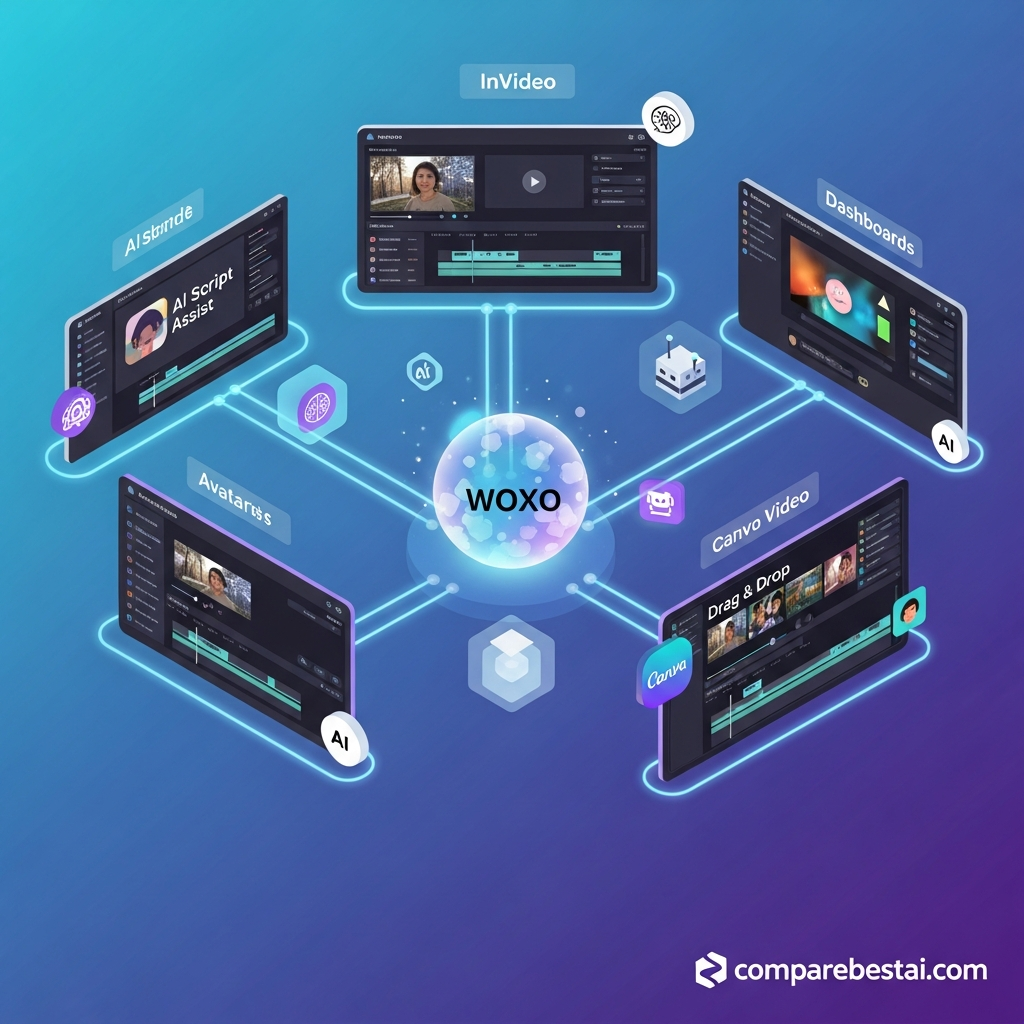

Quick Answer: The best WOXO alternatives in 2026 depend on how you create short-form video. Short AI is our closest overall alternative for generating faceless videos from scripts and posting them to social platforms. AutoShorts.ai is stronger for hands-off recurring channel automation. InVideo AI gives creators far more generative-model flexibility, while Fliki is better for voiceovers, languages and multiple content formats. OpusClip and Pictory are stronger when you already have long-form content to repurpose. VEED, Canva and FlexClip provide more manual editing control.
WOXO itself currently focuses on faceless YouTube Shorts. Its Free plan costs $0, Starter costs $25 per month, and Creator costs $50 per month. Pricing and product details in this comparison were checked against current vendor information in September 2026.
Best WOXO Alternatives at a Glance
| Tool | Best For | Starting Paid Price | Closest WOXO Use Case |
|---|---|---|---|
| Short AI | Faceless AI videos | $19/month annually | Very close |
| AutoShorts.ai | Automated faceless channels | $19/month | Very close |
| InVideo AI | Advanced generative video | $17/month annually | Close |
| Fliki | AI voice and script-to-video | $28/month | Close |
| OpusClip | Long video to Shorts | $15/month | Different input workflow |
| Pictory | Content repurposing | $29/month monthly | Different input workflow |
| VEED | AI plus manual editing | $19/user/month | Editing-focused |
| Canva | Brand-led video creation | $144/year | Editing/design-focused |
| FlexClip | Budget AI video editing | $11.99/month annually | Editing-focused |
| Synthesia | Avatar-led business video | $29/month | Specialized business use |
Pricing can change, so verify the vendor's current plan page before purchasing.
What WOXO Does in 2026
Before choosing a WOXO alternative, it helps to understand what WOXO currently does.
WOXO is primarily designed for creators building faceless YouTube Shorts and similar short-form content.
Its current workflow focuses on:
AI-assisted scripts
generated visuals
voiceovers
slideshow-style videos
YouTube scheduling
automated content production
Its Free plan allows users to test script mode.
Starter currently costs $25 per month and includes 500 video credits, Slideshow mode, watermark-free downloads, YouTube Scheduler, Zapier integration and priority support.
Creator costs $50 per month and increases usage to 2,000 video credits while adding premium video models and branding controls.
Unused credits currently roll over while the subscription remains active.
That makes WOXO strongest when your main goal is:
idea → faceless video → schedule → repeat
The best alternative depends on which part of that workflow you want to improve.
Internal link: See WOXO pricing and features.
1. Short AI: Closest Overall WOXO Alternative
Short AI is one of the closest current alternatives to WOXO because it is also built around faceless short-form video.
Rather than acting mainly as a conventional video editor, it helps automate the creation process.
Current workflows include:
AI-generated scripts
faceless videos
automatic captions
voiceovers
social publishing
multiple video styles
Short AI supports posting to:
TikTok
YouTube
Instagram
Facebook
Short AI Pricing
The Basic plan currently costs $19 per month when billed annually.
It includes:
1,600 credits/month
up to roughly 40 faceless videos
unlimited AI scripts
auto captions
social publishing
Basic AI voices
Pro costs $30 per month on annual billing and raises the allowance to 3,600 credits.
Short AI vs WOXO
Choose Short AI if you want:
more faceless-video styles
TikTok and Instagram publishing alongside YouTube
automated captions
broader short-form formats
Choose WOXO if your workflow is particularly centered on YouTube Shorts and its existing scheduler.
Best for: Creators looking for the closest all-around WOXO replacement.
2. AutoShorts.ai: Best for Hands-Off Channel Automation
AutoShorts.ai takes the automation concept even further.
Instead of primarily asking you to create individual videos, it is organized around recurring Series.
You configure the type of content and posting schedule, then the platform creates and posts videos automatically.
Current features include:
automatically generated videos
scheduled posting
editing and preview
HD output
background music
voice cloning
watermark-free paid output
AutoShorts.ai Pricing
Current paid plans include:
Starter: $19/month
Posts three times per week.
Daily: $39/month
Posts once per day.
Hardcore: $69/month
Posts twice per day.
The current Free option is displayed but temporarily paused, so users should verify availability before relying on it.
AutoShorts.ai vs WOXO
AutoShorts is more compelling when your priority is:
build the content system once and keep the channel publishing.
WOXO gives creators more direct interaction with the individual video-generation workflow.
Best for: Faceless-channel creators who prioritize recurring automation over editing control.
3. InVideo AI: Best for More Advanced Generative Video
InVideo AI has moved far beyond a template-only video editor.
Its current platform provides access to more than 200 AI models across video, image and audio generation.
That includes access to contemporary models from providers such as:
Google
OpenAI
Kling
other generative-video providers
InVideo also provides AI Agents and an Autopilot workflow.
Why It Is Different From WOXO
WOXO is focused.
InVideo is broad.
With InVideo, users can create:
generated scenes
social videos
ads
microdramas
branded campaigns
avatar videos
voice-cloned content
It therefore makes more sense when you want creative range rather than a dedicated faceless-Shorts workflow.
InVideo Pricing
The current Plus plan is approximately $17 per month when billed annually.
It includes:
750 credits/month
access to the supported AI models
AI workflows
AI avatars
voice clones
20 GB storage
watermark-free exports
Higher plans dramatically increase credits and storage.
InVideo vs WOXO
Choose InVideo if:
generative scene quality matters
you want access to multiple AI models
you create different video types
you need more creative flexibility
Choose WOXO if:
your main workflow is repeatable faceless Shorts
you prefer a narrower and simpler tool
Best for: Creators who want a broader AI filmmaking platform.
4. Fliki: Best for AI Voiceovers and Multilingual Video
Fliki is one of the strongest WOXO alternatives when narration is central to the workflow.
It combines:
idea-to-video
script-to-video
blog-to-video
PPT-to-video
AI voices
voice cloning
AI avatars
captions
translation
AI-generated media
Fliki currently supports more than 80 languages.
Fliki Pricing
The current Standard plan costs around $28 per month.
Premium costs approximately $88 per month.
The Free plan lets users test the platform without a credit card.
Standard currently includes:
1,000 voices
500 ultra-realistic voices
1080p
videos up to 15 minutes
translation into 80+ languages
voice cloning
commercial rights
Fliki vs WOXO
Fliki is better when you need:
multilingual narration
longer videos
blog or presentation conversion
more voice choices
avatars
WOXO remains more specialized around faceless Shorts scheduling.
Best for: Multilingual creators and voice-heavy faceless content.
5. OpusClip: Best for Turning Long Videos Into Shorts
OpusClip belongs on this list, but it solves the problem from the opposite direction.
WOXO generally starts with:
idea or script → short video
OpusClip starts with:
existing long video → short clips
It analyzes content and identifies moments that may work as:
YouTube Shorts
TikToks
Instagram Reels
Current OpusClip Features
Starter includes:
AI clipping
Virality Score
animated captions
auto-posting
editor
filler and silence removal
watermark-free exports
OpusClip Pricing
Starter:
$15/month
Pro:
$29/month, or approximately $14.50/month on annual billing.
A Free plan is also available with a recurring credit allowance.
OpusClip vs WOXO
Use WOXO when you need to create new faceless content.
Use OpusClip when you already produce:
podcasts
interviews
webinars
streams
YouTube videos
and need to extract Shorts automatically.
Best for: Long-form creators repurposing existing content.
6. Pictory: Best for Repurposing Written and Long-Form Content
Pictory is another strong alternative when the source material already exists.
It can turn:
scripts
articles
recordings
long videos
into shorter video content.
Current functionality includes:
script-to-video
automatic subtitles
video highlights
text-based editing
AI voiceovers
stock media
AI-generated assets
Professional also includes custom avatars, voice cloning and long-video summarization.
Pictory Pricing
Current monthly pricing:
Starter: $29/month
Professional: $59/month
Team: $199/month
Annual pricing currently works out to:
Starter: $25/month
Professional: $35/month
Team: $119/month
Pictory vs WOXO
Choose Pictory when your workflow starts with:
an article
webinar
podcast
existing recording
Choose WOXO when you want to generate a faceless Shorts pipeline primarily from ideas and scripts.
Best for: Marketers repurposing existing content.
7. VEED: Best for More Manual Editing Control
VEED sits closer to a traditional online editor.
Its strength is giving users AI features without removing the underlying editing environment.
VEED currently offers functionality including:
timeline editing
text-based editing
captions
translation
AI video generation
AI avatars
audio cleanup
screen recording
teleprompter
background removal
VEED Pricing
VEED's own 2026 guidance lists Lite at around $19 per user per month and Pro at approximately $29 per user per month.
The Free plan allows basic editing and 720p exports with a watermark.
VEED vs WOXO
Choose VEED if you want to:
adjust individual scenes
manually edit timing
add overlays
clean audio
control the final result more closely
Choose WOXO when minimizing editing is the point.
Best for: Creators who want AI assistance without giving up editing control.
8. Canva: Best for Brand and Design Flexibility
Canva remains useful, but it should no longer be ranked as the closest WOXO alternative.
Its real strength is being a broader visual-content platform.
Users can create:
social videos
graphics
thumbnails
presentations
ads
documents
inside one ecosystem.
Canva Pro currently includes:
premium templates
premium stock assets
multiple Brand Kits
resizing
translation
background removal
social scheduling
expanded AI usage
Canva Pricing
Current US pricing:
Free: $0
Pro: $144/year
Business: $250/year/person
That makes Pro roughly $12/month equivalent on annual billing.
Canva vs WOXO
Choose Canva when:
brand design matters more than automation
you make many types of content
you want manual template control
Choose WOXO when:
faceless video automation is the core job
Best for: Brand-led social teams and creators who need more than video.
9. FlexClip: Best Budget Editing Alternative
FlexClip is a lower-cost option for creators who want basic AI tools plus a traditional web video editor.
Current features include:
video editor
AI credits
stock media
Brand Kit
1080p on Plus
4K on Business
AI video tools
FlexClip Pricing
Current annual pricing is approximately:
Plus: $11.99/month
Business: $19.99/month
Plus currently includes 300 AI credits per month.
Business provides a larger AI allowance and 4K exports.
FlexClip vs WOXO
FlexClip gives you more editing freedom for the money.
WOXO provides a more automated content-generation workflow.
Best for: Budget-conscious creators who still want manual control.
10. Synthesia: Best for AI Avatar Business Videos
Synthesia is not the closest WOXO competitor.
It belongs here because some users searching for automated AI video actually need a different output entirely.
Synthesia specializes in avatar-led:
training
onboarding
internal communication
explainers
business education
It currently supports AI avatars and voiceovers across more than 160 languages.
Synthesia Pricing
Current plans include:
Basic: $0
Starter: $29/month
Creator: $89/month
Enterprise: custom
Synthesia vs WOXO
Choose Synthesia when you need:
AI presenter + business script + professional training video
Choose WOXO when you need:
faceless social content + Shorts automation
Best for: Training and corporate communications.
Which WOXO Alternative Is Best for Each Use Case?
| Use Case | Best Starting Choice |
|---|---|
| Closest WOXO replacement | Short AI |
| Fully automated faceless channel | AutoShorts.ai |
| Advanced AI video models | InVideo AI |
| Voiceovers and languages | Fliki |
| Podcast to Shorts | OpusClip |
| Blog/webinar repurposing | Pictory |
| Manual editing | VEED |
| Brand and social design | Canva |
| Low-cost editing | FlexClip |
| Corporate avatar video | Synthesia |
WOXO vs Its Closest Alternatives
If your primary goal is a faceless YouTube channel, narrow the shortlist first.
WOXO
Best when you want:
faceless Shorts
script-driven videos
YouTube scheduling
simple repeatable production
Current paid pricing begins at $25/month.
Short AI
Best when you want:
more faceless-video templates
cross-platform publishing
captions
multiple short-form styles
Current paid pricing begins around $19/month on annual billing.
AutoShorts.ai
Best when you want:
recurring Series
minimal manual involvement
scheduled automatic posting
Current Starter costs $19/month.
Fliki
Best when you want:
better voice variety
multiple languages
longer content
script, blog and presentation inputs
Standard currently costs around $28/month.
For most direct WOXO shoppers, these four products are more useful starting comparisons than Canva, Synthesia or Descript.
What Should You Look for in a WOXO Alternative?
1. Generation or Repurposing?
Decide whether your source is:
an idea
or:
an existing video
WOXO, Short AI, AutoShorts and InVideo can help create new content.
OpusClip is much stronger when you already have long videos.
Pictory works well when your source is an article, script or recording.
2. Automatic Publishing
If your goal is to run a channel with minimal manual work, publishing automation matters.
Check:
which social platforms are supported
whether scheduling is included
whether publishing requires a higher plan
whether several accounts can be connected
3. Voice Quality
Faceless content depends heavily on narration.
Compare:
voice selection
languages
voice cloning
commercial rights
4. Editing Control
Automation saves time but reduces control.
If you regularly change:
timing
transitions
overlays
captions
B-roll
a stronger editor such as VEED, Canva or FlexClip may be preferable.
5. Credits and Usage Limits
Do not compare price alone.
Check how the tool charges for:
videos
minutes
AI generations
premium models
avatars
exports
WOXO currently uses credits.
InVideo uses credits whose cost depends on the AI model.
OpusClip charges credits based mainly on the source-video duration.
Pictory combines video-minute allowances with generative AI credits.
6. Commercial Rights
Creators monetizing content should confirm that the plan includes the appropriate commercial usage rights.
Free plans can have different restrictions from paid subscriptions.
Current WOXO Pricing
WOXO currently offers three main public tiers.
Free
$0
Designed for testing the product.
Current public information includes free credits and Script mode.
Starter
$25/month
Includes:
500 video credits/month
Slideshow mode
watermark-free videos
YouTube Scheduler
Zapier integration
priority support
Creator
$50/month
Includes:
2,000 credits/month
premium video models
branding controls
Starter functionality
Unused credits currently roll over while an active subscription remains in place.
WOXO also states that new customers have a seven-day refund window, after which subscriptions are generally non-refundable.
Internal link: See our full WOXO review and current pricing.
How We Ranked These WOXO Alternatives
For this update, we compared current first-party product and pricing information rather than relying on old software-category lists.
Each alternative was evaluated on:
similarity to WOXO's faceless-video workflow
short-form video generation
automation
scheduling and publishing
voiceovers
captions
creative control
pricing
suitability for creators
ability to scale recurring content
We also separated direct alternatives from workflow alternatives.
For example, Short AI and AutoShorts directly compete for faceless-video workflows.
OpusClip is an alternative only when the user's actual need is turning existing long videos into Shorts.
Synthesia belongs only when the buyer actually needs avatar-led corporate video.
That distinction produces a more useful ranking than treating every AI video platform as interchangeable.
Pricing and product details were checked in September 2026.
Frequently Asked Questions
What is the best WOXO alternative in 2026?
Short AI is the closest overall alternative for faceless short-form generation. AutoShorts.ai is stronger for recurring automated posting, while InVideo AI offers more advanced generative-video models.
Is there a free alternative to WOXO?
Several alternatives have free options, including InVideo AI, Fliki, OpusClip, Canva, VEED, FlexClip and Synthesia. Free-plan limits vary significantly, especially around watermarks, credits, commercial rights and exports.
How much does WOXO cost in 2026?
WOXO currently has a Free plan, Starter at $25 per month and Creator at $50 per month.
Is Short AI better than WOXO?
Short AI may be better if you want more faceless-video styles, automatic captions and publishing across TikTok, YouTube, Instagram and Facebook. WOXO remains a good choice for a simpler faceless YouTube Shorts workflow.
What is the best WOXO alternative for automated YouTube Shorts?
AutoShorts.ai and Short AI are the closest alternatives. AutoShorts.ai is especially focused on recurring Series and automatic channel posting.
What is the best WOXO alternative for long-form content?
OpusClip is the better choice when you already have long video and want to extract short clips. Pictory is useful when you want to repurpose articles, webinars, recordings or scripts.
What is the best WOXO alternative for manual video editing?
VEED provides much more hands-on video editing while still including AI tools. Canva and FlexClip are also strong choices for users who prioritize templates and manual creative control.
Is InVideo AI better than WOXO?
InVideo AI is broader and currently provides access to hundreds of AI models and more advanced generative-video workflows. WOXO is narrower and easier to understand if your only goal is automated faceless Shorts.
Is Synthesia a direct WOXO competitor?
Not really. Synthesia is primarily designed around avatar-led business, training and communication video. It is an alternative only when that is the type of video you actually need.
Should I switch from WOXO?
Switch only if another platform solves a specific limitation. Short AI offers broader faceless formats, AutoShorts provides more hands-off posting, InVideo offers broader generative models, and VEED gives substantially more editing control.
Final Verdict: What Is the Best WOXO Alternative?
Short AI is the closest overall WOXO alternative in 2026 for creators who want to generate faceless short-form videos from scripts and publish them across several social networks.
AutoShorts.ai is the better option if the priority is hands-off recurring channel automation.
InVideo AI is the stronger choice when you want far broader generative-video capability and access to multiple AI models.
Fliki stands out for AI voiceovers, language support and text-driven video.
If you already have long videos, do not replace WOXO with another generation-first platform just because it appears on an alternatives list. OpusClip or Pictory may fit that workflow better.
For creators who want hands-on editing rather than automation, look at VEED, Canva or FlexClip.
The right alternative therefore depends on where your video starts:
Idea → Short AI, WOXO, AutoShorts or InVideo
Script/blog → Fliki or Pictory
Long video → OpusClip
Manual editing → VEED, Canva or FlexClip
Corporate avatar video → Synthesia
CTA: Compare WOXO Pricing and Test Two Alternatives on the Same Video Idea Before You Subscribe
Try WOXO or a top alternative free
Browse all WOXO alternatives and top user favorites
Compare WOXO alternatives and get exclusive perks
Unlock the best WOXO alternative deals, bundles, and first-time promos
Found this guide useful? Share it with your team.


