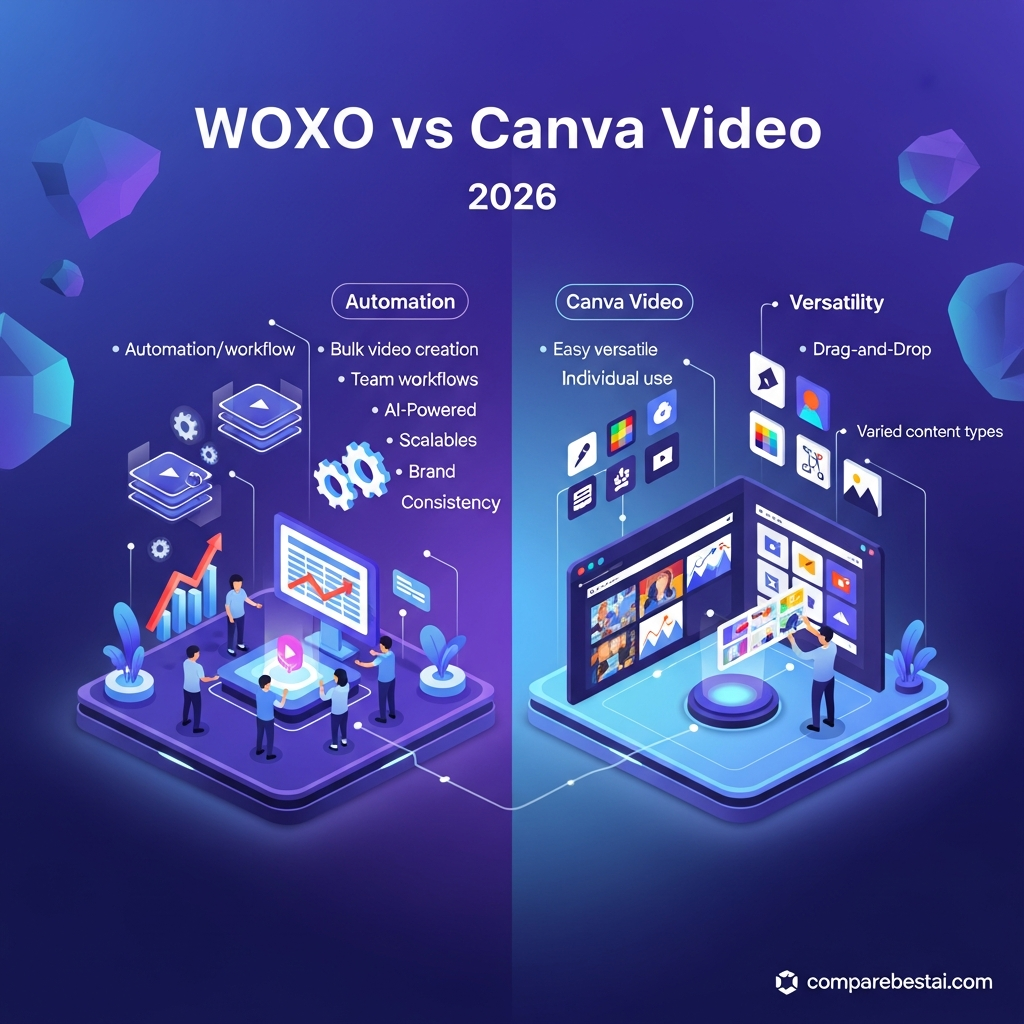

WOXO is the better choice if your main goal is automatically turning ideas into faceless YouTube Shorts with AI-generated scripts, visuals, voiceovers and scheduling. Canva Video is better if you want hands-on editing, templates, stock media, branding tools and the flexibility to create video alongside graphics, presentations and other visual content.
There is no single winner for every user. WOXO wins for automated faceless Shorts production, while Canva wins for broader creative control and general-purpose video editing.
Quick Answer: WOXO vs Canva Video
Choose WOXO if: you primarily publish faceless YouTube Shorts and want AI to automate most of the production process.
Choose Canva Video if: you want an easy visual editor with templates, stock assets, AI tools, brand controls and the ability to create many types of content beyond video.
Overall verdict: Canva is the more versatile platform. WOXO is the more specialized option for automated faceless YouTube Shorts.
Pricing and product information in this comparison was checked against official vendor information on September 7, 2026. Features and prices can change.
Compare WOXO pricing and features
Try Canva for free
CompareBestAI may earn a commission from qualifying partner links. This does not affect our editorial recommendations.
WOXO vs Canva Video at a Glance
| Category | WOXO | Canva Video |
|---|---|---|
| Best for | Automated faceless YouTube Shorts | Video editing and multi-format design |
| Free option | Yes | Yes |
| Starting paid price | $25/month | Pro currently US$180/year on Canva's US pricing page |
| AI script generation | Core workflow | Available through Canva AI tools |
| AI-generated visuals | Yes | Yes |
| AI voice | Yes | Yes |
| Automatic captions | Yes | Yes |
| Manual video editing | Limited compared with Canva | Strong |
| Templates | Focused video workflow | Extensive design and video library |
| Stock media | Not the core differentiator | Extensive |
| YouTube scheduling | Yes on Starter | Broader social scheduling available with Pro |
| Zapier | Listed on WOXO Starter | Integrations vary across Canva ecosystem |
| Branding controls | Creator plan | Brand Kits on paid plans |
| Broader graphic design | No | Yes |
| Best overall for Shorts automation | Winner | |
| Best overall for creative flexibility | Winner |
WOXO's current pricing page lists Free, Starter and Creator plans. Starter is $25/month with 500 monthly video credits. Creator is $50/month with 2,000 credits, premium video models and branding controls. Unused WOXO credits currently roll over while a subscription remains active.
Canva's current US pricing page lists a Free plan, Pro at US$180/year for one person and Business at US$250/year per person. Canva notes that pricing and AI allowances depend on the plan selected.
What Is WOXO?
WOXO is an AI video creation platform focused primarily on faceless YouTube Shorts.
Its current workflow starts with an idea or prompt. WOXO can then research the topic, generate a script, create or select visuals, add an AI voiceover, produce captions and assemble the resulting Short.
WOXO describes the process as an automated way to create YouTube videos without filming, editing or speaking on camera.
That makes WOXO different from a traditional video editor.
Instead of giving users a blank timeline and expecting them to manually assemble every scene, WOXO is designed to automate as much of the content-production process as possible.
Its main appeal is speed and consistency.
What Is Canva Video?
Canva Video is the video-editing side of Canva's wider Visual Suite.
Unlike WOXO, Canva is not built around one specific video workflow. Users can make videos, graphics, presentations, social posts, advertisements, documents and other visual content within the same platform.
Its video tools include trimming, splitting, captions, transitions, templates, animations, stock media, Beat Sync and AI-assisted editing. Canva also offers video background removal on eligible plans.
Canva's newer AI features make the WOXO comparison more competitive than it once was.
Canva AI's Create a Video Clip can generate video directly from a text prompt. Canva says the feature can currently generate a 16:9 clip of up to eight seconds with synchronized dialogue, sound effects and music.
Canva also offers Magic Video, which can take uploaded footage and automatically create an edited video with cuts, audio synchronization, transitions and layout decisions.

WOXO vs Canva Video: The Biggest Difference
The biggest difference is workflow.
WOXO starts with:
idea → script → AI visuals → voiceover → Short → schedule
Canva usually starts with:
template or media → visual editing → AI assistance → customization → export or schedule
WOXO therefore reduces manual work.
Canva gives you more control.
Neither approach is automatically better.
If your goal is to publish large numbers of faceless Shorts without manually editing every scene, WOXO's approach is more efficient.
If your goal is to create a polished marketing video with precise brand colors, typography, stock footage, custom layouts and manual editing decisions, Canva is considerably more flexible.
WOXO vs Canva Video Pricing
Pricing is one of the areas where the older version of this comparison was most inaccurate.
WOXO Pricing
WOXO currently offers three main options.
| Plan | Current Price | Key Features |
|---|---|---|
| Free | $0 | Script mode, free credits for testing |
| Starter | $25/month | 500 video credits, Slideshow mode, watermark-free downloads, YouTube Scheduler, Zapier, priority support |
| Creator | $50/month | 2,000 video credits, premium video models, branding controls, Starter features |
WOXO also advertises 50 free credits for new users and says no credit card is required to begin.
Unused credits currently roll over to the following month while the subscription remains active. WOXO also lists a seven-day refund guarantee for new users.
Canva Pricing
Canva's current US pricing page lists:
| Plan | Current Listed Price | Best For |
|---|---|---|
| Free | $0 | Casual creators and basic editing |
| Pro | US$180/year for one person | Individual creators needing premium tools and content |
| Business | US$250/year per person | Businesses needing advanced brand and collaboration tools |
| Enterprise | Contact sales | Larger organizations |
Canva Pro currently includes premium editing tools, a larger template and media library, multiple Brand Kits, social scheduling, 100GB of cloud storage and substantially higher AI allowances than Canva Free.
Prices can vary by country, billing period and plan changes, so verify the checkout price before subscribing.
Pricing Winner
Canva wins on overall value if you need more than video.
A Canva subscription can cover video editing, graphic design, presentations, social content and other creative work.
WOXO can offer better workflow value if faceless Shorts are your primary output.
You are paying for automation rather than a broad creative suite.
AI Video Generation
WOXO
AI video creation is the core WOXO experience.
The platform can take a topic and handle scripting, narration, visuals, captions and video assembly. WOXO specifically markets this workflow for faceless YouTube content.
This can dramatically reduce the number of separate tools needed to produce a Short.
Canva
Canva now includes genuine generative video capabilities rather than simply AI-assisted editing.
Its Create a Video Clip feature generates short videos from text prompts with synchronized audio. After generation, the clip can be edited inside Canva using the rest of its creative tools.
Canva therefore offers stronger manual post-generation editing than WOXO.
Winner
WOXO wins for full faceless Shorts automation.
Canva wins when you want generative AI combined with deeper editing control.
Video Editing
This category strongly favors Canva.
Canva provides trimming, cutting, splitting, merging, transitions, filters, captions, animations, speed controls, Beat Sync and other conventional video-editing functions.
WOXO allows users to adjust generated outputs, including visuals, text overlays, transitions, voiceovers, music and captions, but its primary purpose is to reduce editing rather than provide a full editing environment.
Winner: Canva Video
Templates and Creative Assets
Canva has a major advantage here.
The Canva ecosystem currently advertises millions of templates and a large collection of photos, videos, graphics and audio assets across its plans. Paid users receive access to substantially larger premium libraries.
WOXO focuses more narrowly on generating the components required for faceless Shorts.
For users who frequently search stock footage, customize layouts or reuse brand assets across different campaign types, Canva is the stronger choice.
Winner: Canva Video
Voiceovers and Captions
Both platforms support these functions.
WOXO automatically integrates narration and captions into its faceless video workflow.
Canva includes AI Voice and captioning within its wider editor and AI tool set. Captions can be generated, styled, animated and exported directly within Canva.
The difference again comes down to workflow.
WOXO is more automatic.
Canva is more customizable.
Winner: Tie, depending on workflow.
YouTube and Social Publishing
WOXO's Starter plan currently includes YouTube Scheduler, which fits its focus on YouTube Shorts creators.
The old version of this article claimed WOXO supported advanced direct scheduling across YouTube, Instagram, Facebook, LinkedIn and Twitter. Current official WOXO pricing documentation does not support making that broad claim.
Canva Pro includes social content scheduling as part of the wider Canva platform.
For a creator focused entirely on an automated YouTube Shorts pipeline, WOXO's scheduler fits naturally into the workflow.
For users producing content for several formats and platforms, Canva is more versatile.
Automation
WOXO wins when automation means reducing the amount of manual work required to produce a Short.
A single topic can become a researched, scripted, narrated and captioned video without requiring the creator to build each scene manually.
WOXO Starter also currently lists Zapier integration.
However, the earlier version of this article went too far by describing WOXO as an enterprise workflow automation system with role-based approvals, template locking, spreadsheet-driven bulk campaigns, API access and granular permissions.
Those features should not be published unless they can be verified against current WOXO documentation.
Canva takes a different approach. It increasingly uses AI to speed up tasks inside a broader creative workflow rather than trying to eliminate the workflow entirely.
Winner for automatic faceless video production: WOXO
Winner for AI-assisted creative workflows: Canva
Branding
Canva has the broader branding ecosystem.
Canva Pro currently includes five Brand Kits, while Canva Business includes substantially more brand-management capacity and approval-related functionality.
WOXO Creator includes branding controls, which may be sufficient for faceless channel creators who simply want consistent video output.
For organizations creating assets across video, social graphics, presentations and marketing materials, Canva is clearly stronger.
Winner: Canva
Ease of Use
Both tools are beginner-friendly, but they simplify different problems.
WOXO is easier when you do not want to edit.
Enter an idea, let AI generate the content, review the result and publish.
Canva is easier when you want to edit.
Its visual drag-and-drop interface lets users control layouts and media without learning a professional editing application.
A beginner who wants maximum automation may prefer WOXO.
A beginner who wants to learn basic visual editing may prefer Canva.
Winner: Tie
WOXO Pros and Cons
| Pros | Cons |
|---|---|
| Strong faceless YouTube Shorts workflow | Narrower use case than Canva |
| AI scripting, visuals and narration | Limited compared with a full editor |
| Automatic captions | Credit-based usage |
| YouTube scheduling | Mainly YouTube-focused |
| No camera required | Less suitable for broad creative work |
| Zapier on Starter | Smaller creative ecosystem |
| Free credits available | High-volume use may require Creator |
Canva Video Pros and Cons
| Pros | Cons |
|---|---|
| Easy drag-and-drop editing | More manual work than WOXO |
| Large template and stock media ecosystem | Many advanced features require paid plans |
| AI video generation | Generative video clips have current output limitations |
| AI voice and captions | Can feel broad if you only need Shorts |
| Beat Sync and AI editing tools | AI allowances vary by plan |
| Strong branding tools | Less specialized for faceless channel automation |
| Useful beyond video | Business pricing is per person |
Who Should Choose WOXO?
Choose WOXO if you want to run a faceless YouTube Shorts workflow with as little manual production as possible.
It is particularly suitable for creators who want AI to handle research, scripts, visuals, voiceovers and captions.
It also makes sense if YouTube scheduling is an important part of your publishing process.
WOXO is less compelling if you need extensive manual editing, multi-format graphic design or a large stock-template ecosystem.
See current WOXO pricing and features
Who Should Choose Canva Video?
Choose Canva if video is only one part of your creative workflow.
It is better for social media managers, freelancers, marketers, small businesses, designers, educators and creators who regularly switch between video, images, graphics, presentations and other assets.
Canva is also the stronger option if you want more detailed editing control after AI generates or assembles your video.
Try Canva free
WOXO vs Canva Video for YouTube Shorts
For fully automated faceless Shorts, WOXO wins.
WOXO is explicitly designed around this workflow.
For manually designed Shorts, branded social clips and videos using templates or existing footage, Canva wins.
The right choice depends on whether automation or creative control matters more.
WOXO vs Canva Video for Small Businesses
Canva will make more sense for most small businesses.
A typical business needs much more than faceless Shorts. It may need advertisements, social posts, presentations, flyers, product graphics, brand templates and edited videos.
Canva covers those requirements within one ecosystem.
WOXO makes more sense when a business has a specific strategy built around frequent faceless YouTube content.
WOXO vs Canva Video for Content Creators
Creators building automated faceless channels should strongly consider WOXO.
Creators who appear on camera, edit footage manually, create thumbnails, build graphics and produce content for several social platforms will usually get more value from Canva.
WOXO vs Canva Video for AI Video
The answer depends on what you mean by AI video.
If you mean:
“Give AI an idea and let it build most of the finished Short”
WOXO is stronger.
If you mean:
“Generate an AI video clip and then edit it inside a broader creative environment”
Canva is stronger.
This distinction is more useful than calling either platform the universal best AI video generator.
Best Alternatives to WOXO and Canva
If neither tool fits your workflow, consider alternatives based on the exact problem you are trying to solve.
InVideo AI is worth considering for broader generative video creation.
VEED is better suited to users who want AI features alongside more traditional video editing.
Pictory is useful when your workflow starts with existing articles, scripts or long-form content.
Fliki is particularly strong for AI voice and script-to-video workflows.
For creators comparing platforms specifically against WOXO, read our guide to the best WOXO alternatives in 2026.
Methodology
CompareBestAI evaluated WOXO and Canva using current official pricing pages, product documentation and feature pages.
We compared the platforms across:
AI generation
Manual editing
Pricing
Templates and media
Voiceovers and captions
Publishing
Automation
Branding
Ease of use
Best-fit use cases
Product and pricing information was checked on September 7, 2026.
We do not treat the number of features alone as evidence that one platform is better. The recommendation depends on how well those features match the user's actual workflow.
Verified WOXO and Canva Facts
| Fact | Current Information |
|---|---|
| WOXO primary focus | Faceless YouTube Shorts |
| WOXO free access | Free plan plus 50 free credits advertised |
| WOXO Starter | $25/month |
| WOXO Starter credits | 500/month |
| WOXO Creator | $50/month |
| WOXO Creator credits | 2,000/month |
| WOXO YouTube scheduling | Included on Starter |
| WOXO Zapier | Listed on Starter |
| WOXO credit rollover | Yes while subscription remains active |
| Canva Free | Available |
| Canva Pro | US$180/year for one person on current US pricing page |
| Canva Business | US$250/year per person on current US pricing page |
| Canva AI video | Create a Video Clip |
| Canva generated clip | Up to eight seconds, 16:9, synchronized audio |
| Canva AI voice | Available |
| Canva captions | Available |
| Canva Beat Sync | Available |
| Canva social scheduling | Included on Pro |
These facts were checked against WOXO and Canva's current official pages on September 7, 2026.
Frequently Asked Questions About WOXO vs Canva Video
Is WOXO better than Canva Video?
WOXO is better for automated faceless YouTube Shorts. Canva is better for users who want broader editing, design, templates, stock media and multi-format creative tools.
Neither platform is the best choice for every workflow.
Is WOXO cheaper than Canva?
The pricing models are different.
WOXO Starter currently costs $25 per month and Creator costs $50 per month. Canva's current US pricing page lists Pro at US$180 per year for one person.
Compare the total value based on what you will actually use rather than comparing headline prices alone.
Does WOXO have a free plan?
Yes. WOXO currently offers a Free plan and advertises 50 free credits with no credit card required. The free option is mainly intended for testing WOXO's script and visual-generation workflow.
Can Canva generate AI videos?
Yes.
Canva AI includes Create a Video Clip. Canva currently says it can generate a 16:9 video of up to eight seconds from a text prompt with synchronized dialogue, sound effects and music.
Which is better for YouTube Shorts?
WOXO is better when you want Shorts generated automatically from ideas.
Canva is better when you want to manually edit Shorts, use templates, add branded elements or combine your own footage with stock assets.
Which is better for social media?
Canva is generally better for broad social media production because users can create video, images, graphics and other content in one platform.
WOXO is stronger when the workflow specifically revolves around automated faceless YouTube videos.
Does WOXO support Zapier?
Yes. WOXO currently lists Zapier integration as part of its Starter plan.
Do WOXO credits roll over?
Yes. WOXO currently states that unused credits roll over and remain available while the subscription remains active.
Final Verdict: WOXO vs Canva Video
The best choice between WOXO and Canva Video depends on what you want the software to do.
Choose WOXO if you want AI to automate the creation of faceless YouTube Shorts.
Its strongest advantage is the ability to turn a simple idea into a scripted, narrated and visually assembled video with minimal manual editing.
Choose Canva Video if you want broader creative flexibility.
Canva gives you significantly more control over editing, templates, media, branding and multi-format content. Its growing AI feature set also means it is no longer accurate to describe Canva as merely a basic manual video editor.
For most general creators, marketers and small businesses, Canva is the better all-purpose platform.
For creators specifically building an automated faceless YouTube Shorts workflow, WOXO is the better specialized platform.
There is no meaningful reason to declare WOXO the winner for “most use cases.” The two products now solve different problems.
Compare WOXO pricing and features
Try Canva free
Download the Free Buyers Guide →
Get WOXO: Automate Your Video Workflows
Found this guide useful? Share it with your team.

