

Browse AI
by Browse AI Inc.
No-code AI web scraping and monitoring.
Score
Score
Our verdict
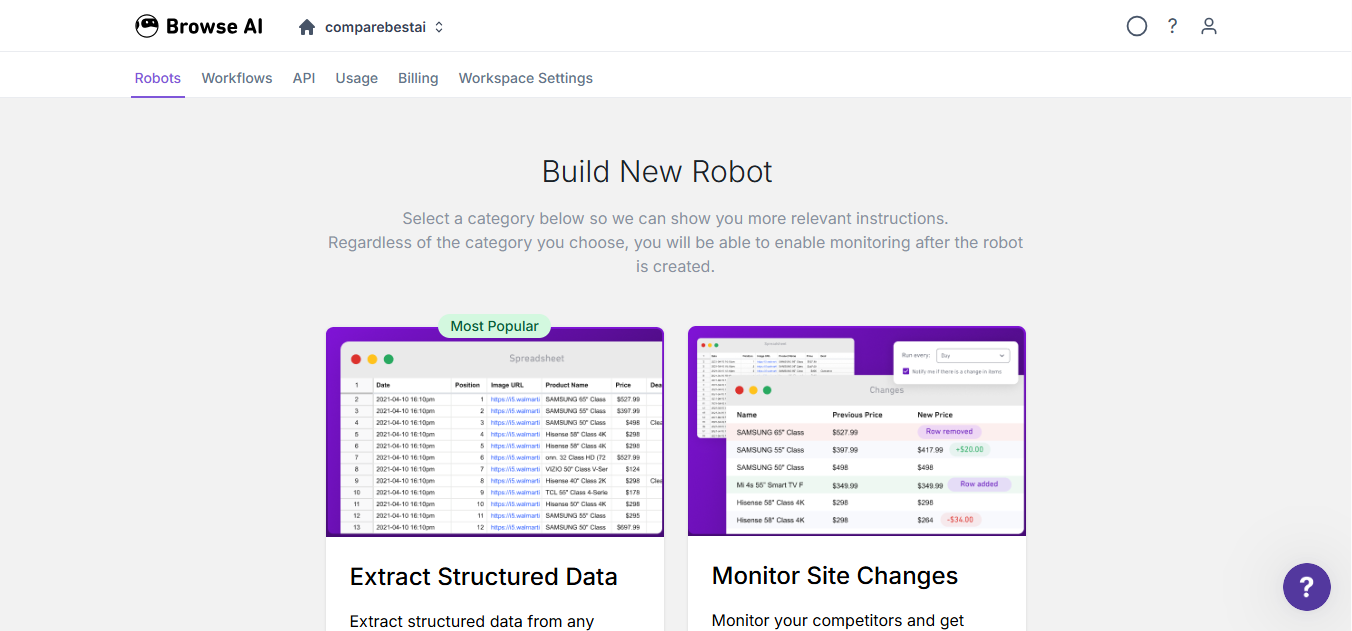
Browse AI is a no‑code web scraping and monitoring tool that balances usability and scale. Its point‑and‑click recorder, 200+ prebuilt robots, and built‑in residential proxies make extracting structured data from dynamic sites approachable for non‑developers. Paid plans unlock 5‑minute monitoring and higher credit limits, while the API and webhooks convert robots into production data pipelines without custom scrapers. The pricing is transparent: $48/mo Personal (2,000 credits) and $87/mo Professional (5,000 credits), with strong annual discounts that front‑load credits for larger projects. Strengths include reliability on tougher sites, a solid integrations roster (Sheets, Zapier, Make), and clear plan limits for websites and users. Weaknesses are the credit model—premium sites can consume more credits than expected—and fewer low‑level browser controls than code‑first stacks. Overall, it’s a smart pick for teams that want dependable, monitored web data flows without writing scrapers.
Overview
Screenshot
Score breakdown
Overall score
Scores are editorial assessments by the Compare Best AI team on a 0–10 scale.
Expert review
CBAI Editorial Team
Compare Best AI · Editorial Team
## Overview
How we tested
Days tested
7 days
Tasks evaluated
- ·Recorded a robot to scrape a product list and details
- ·Set up a 5-minute monitor and webhook delivery
- ·Synced data to Google Sheets via integration
- ·Called the REST endpoint to trigger and fetch results
Method
Compared against [Octoparse] and [ParseHub] using identical inputs
Reviewer
CBAI Editorial Team
Plans & pricing
Free
Testing simple scrapes and monitors
- 2 websites; 3 users; unlimited robots
- Access to all features; basic email support
- Hourly minimum monitor frequency
- 90-day data retention
Personal
Solo users automating a few sites
- 5 websites; 3 users; unlimited robots
- 2,000 credits per month (monthly billing)
- Add websites $5/mo (monthly)
- 5-minute minimum monitor frequency; basic email support
- Annual option: $19/mo billed yearly; 12,000 credits/year; add websites $4/mo paid annually
Professional
Teams needing higher limits and priority support
- 10 websites; 10 users; unlimited robots
- 5,000 credits per month (monthly billing)
- Add websites $3/mo (monthly)
- 5-minute minimum monitor frequency; priority email support
- Annual option: $69/mo billed yearly; 60,000 credits/year; add websites $2.40/mo paid annually
Premium
Managed, large-scale data pipelines
- Starting at $500/mo billed annually (annual contract only)
- Custom limits for users, websites, and credits
- Dedicated account manager; premium support
- Fully managed onboarding; ongoing data management; data transformations
Pricing may vary by region. Always verify on the vendor's website.
Feature comparison
| Feature | Browse AI | Octoparse | ParseHub |
|---|---|---|---|
| Core | |||
| No-code recorder for extraction/automation | |||
| Monitoring | |||
| Website change detection and alerts | |||
| Scaling | |||
| Built-in residential proxies | |||
| Templates | |||
| Prebuilt robots/templates library | |||
| Developers | |||
| Website-to-API (REST API + webhooks) | |||
| Workflows | |||
| Deep scraping (list -> detail chaining) | |||
| Services | |||
| Managed web scraping service option | |||
Is it right for you?
Good fit for
Sales and growth teams
Quickly build lead lists from directories and marketplaces, then sync to Sheets/CRMs via Zapier or API.
E‑commerce ops
Monitor competitor prices and stock with 5‑minute paid monitors and residential proxies for tough sites.
Analysts/researchers
Automate recurring data collection with deep scraping workflows and export to CSV/JSON or data tools.
Product/data teams
Turn robots into REST endpoints and webhooks to pipe structured data into apps and warehouses.
Less suited for
Ultra‑low‑cost, unlimited scraping
Credit-based pricing means very large, continuous crawls can get expensive vs. custom scrapers.
Heavy code-first customization
It has an API, but engineers needing full control over headless browsers may prefer code frameworks.
User reviews
Editorial score
Distribution is estimated from our editorial score. Verified user reviews coming soon.
Use cases
Typical ways teams rely on this tool — from everyday tasks to specialized workflows.
- Price monitoring
- Lead list scraping
- Competitor change alerts
- Real estate/job listings extraction
- Website-to-API for apps
- Bulk data collection
Integrations
Reported connectors
Apps and services commonly connected out of the box or via official connectors.
- Google Sheets
- Zapier
- Make.com
Privacy & compliance
Security & data practices
Highlights we track from the vendor's documentation. Always confirm current terms, subprocessors, and regional policies on their official site.
- SOC 2 Type II
- GDPR
- CCPA
Details
Category
Price
- Free
- Personal $48/mo ($19/mo billed yearly)
- Professional $87/mo ($69/mo billed yearly)
- Premium from $500/mo (annual only)
Free version
Best for
- E-commerce price and stock monitoring
- Lead and listings extraction to Sheets/CRMs
- Competitor/site change detection
- Website-to-API pipelines for products
Frequently asked questions
Browse AI
Automation & AI Ops
Ready to get started?
Visit the Browse AI website to explore plans and start your free trial.
Was this page helpful?
Compare Best AI may earn a commission when you click links on this page. This does not influence our editorial scores or recommendations. Advertiser disclosure