

Castmagic
by Magic Studios LLC
Turn long recordings into publish‑ready content.
Score
Score
Our verdict
Castmagic focuses on turning long‑form audio and video into publish‑ready content with minimal manual work. In testing, its strengths are clear: reliable transcription (60+ languages), solid brand‑voice presets, and a generous repurposing toolkit that spans show notes, long‑form articles, social posts, and unlimited clips/audiograms. Teams benefit from Workspaces/Spaces and easy imports from Zoom, YouTube/TikTok/Instagram, Google Drive, RSS, and Zapier. API access on Starter and Team unlocks automation, and Team adds priority support and onboarding. Weaknesses: Castmagic isn’t a precision video editor, and month‑to‑month pricing for self‑serve tiers isn’t shown on the site (annual saves 30%). Also, advanced admin features like SCIM/SSO and granular role matrices aren’t advertised. Overall, it’s a pragmatic choice for podcasters, B2B marketers, and agencies who want consistent, on‑brand output from each recording without stitching multiple tools together.
Overview
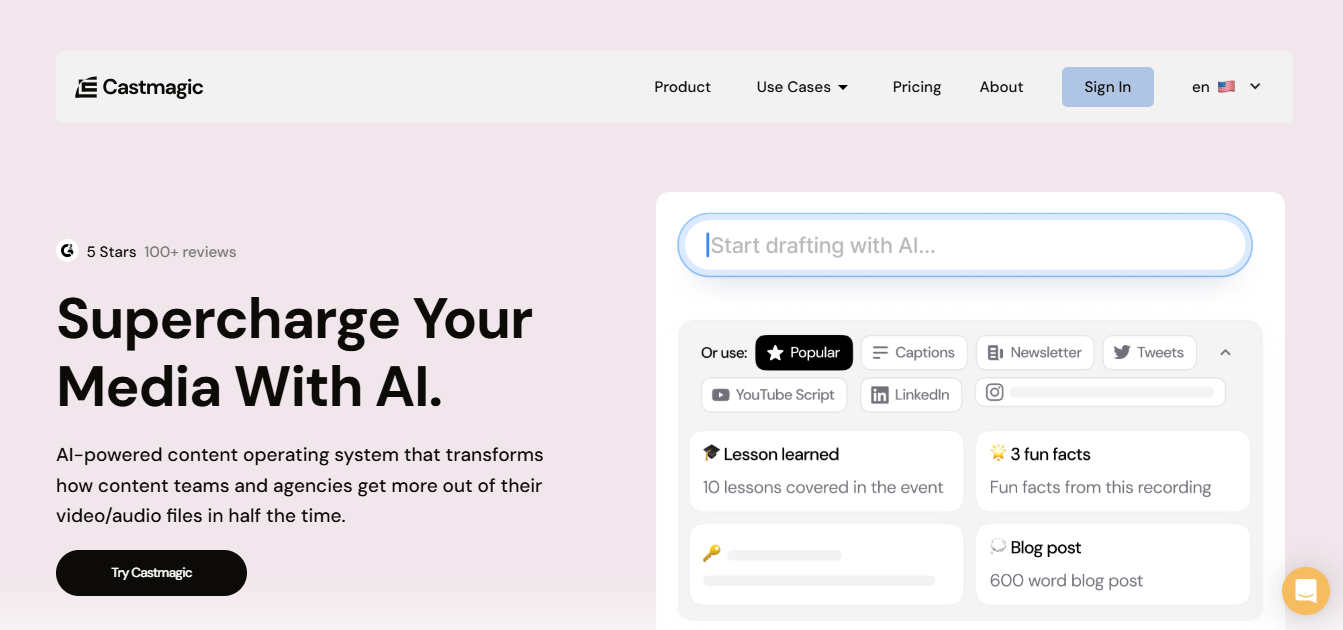
Screenshot
Score breakdown
Overall score
Scores are editorial assessments by the Compare Best AI team on a 0–10 scale.
Expert review
CBAI Editorial Team
Compare Best AI · Editorial Team
## Overview
How we tested
Days tested
7 days
Tasks evaluated
- ·Repurpose a 52‑minute podcast into show notes, blog, and 5 social posts
- ·Generate 3 clips and audiograms from a webinar recording
- ·Use brand‑voice templates to produce a 2,000+ word article
- ·Set up Zoom/Drive imports and validate API output
Method
Compared against Podsqueeze and Swell AI using identical inputs
Reviewer
CBAI Editorial Team
Plans & pricing
Hobby
Solo creators testing and light repurposing
- 30 transcribed hours (library total, builds over time)
- Unlimited AI outputs, clips & audiograms
- Up to 3 Spaces; 50GB storage
- Max team size 3 seats
- AI image generation
- Zoom/Drive/Zapier/RSS imports
- No API access
- Onboarding call not included
- Standard support; Slack community; live chat
Starter
Active creators and small teams
- Everything in Hobby
- 100 transcribed hours (library total)
- Up to 10 Spaces; 250GB storage
- Max team size 5 seats
- API access
- Onboarding call
- Standard support; Slack community; live chat
Team
Teams needing scale and collaboration
- Everything in Starter
- 400 transcribed hours (library total)
- Up to 25 Spaces; 1TB storage
- 5 seats included; additional seats +$159/yr or +$19/mo
- Unlimited team size
- API access
- Onboarding call
- Priority support; Slack community; live chat
Business & Scale
Studios, platforms, publishers needing custom volumes
- Everything in Team
- Custom transcription volume, seats & storage
- Custom implementations and use cases
- Volume discounts, SLA & dedicated support
- Starts from $699/mo on annual agreements
Pricing may vary by region. Always verify on the vendor's website.
Feature comparison
| Feature | Castmagic | Podsqueeze | Swell AI |
|---|---|---|---|
| Transcription | |||
| Speaker‑labeled transcription | |||
| Content | |||
| Auto‑generated show notes | |||
| Long‑form blog/article drafts | |||
| Social | |||
| Social captions/posts generator | |||
| Media | |||
| Short clips and audiograms | |||
| Platform | |||
| Public API | |||
| Branding | |||
| Brand‑voice/tone controls | |||
| Teams | |||
| Multi‑brand workspaces/projects | |||
Is it right for you?
Good fit for
Podcasters
Generates transcripts, show notes, and social content in minutes, saving hours per episode.
B2B marketers
Repurposes webinars and interviews into campaigns, blogs, and newsletters from one upload.
Agencies
Workspaces and Spaces make managing multiple brands and approvals straightforward.
Revenue teams
Turns sales calls into follow‑ups, briefs, and content assets with consistent tone.
Less suited for
Real‑time editors
No DAW‑style, frame‑accurate editing; better suited to repurposing than precision edits.
Free‑only users
There’s no permanent free tier; all current plans are paid.
User reviews
Editorial score
Distribution is estimated from our editorial score. Verified user reviews coming soon.
Use cases
Typical ways teams rely on this tool — from everyday tasks to specialized workflows.
- Podcast show notes and chapters
- Webinar → blog, clips, newsletter
- YouTube → shorts and social captions
- Sales/meeting recap and follow‑ups
Integrations
Reported connectors
Apps and services commonly connected out of the box or via official connectors.
- Zoom
- Google Drive
- Zapier
Privacy & compliance
Security & data practices
Highlights we track from the vendor's documentation. Always confirm current terms, subprocessors, and regional policies on their official site.
- Encryption at rest and in transit
- Google API Limited Use
Details
Category
Price
- Hobby — ($19/mo billed yearly)
- Starter — ($48/mo billed yearly)
- Team — ($139/mo billed yearly)
- Business & Scale from $699/mo (custom
- page also shows $999/mo monthly)
Free version
Best for
- Podcast and YouTube post‑production
- B2B webinar and event repurposing
- Internal meetings into briefs and follow‑ups
- Coaches turning sessions into client materials
Frequently asked questions
Castmagic
Content & Design
Ready to get started?
Visit the Castmagic website to explore plans and pricing.
Was this page helpful?
Compare Best AI may earn a commission when you click links on this page. This does not influence our editorial scores or recommendations. Advertiser disclosure