
GitBook (AI)
by GitBook
Modern documentation platform for technical teams with AI-powered search and editing
Score
Score
Our verdict
GitBook is the modern documentation platform for developer and product teams with Git sync, AI search, and beautiful default design.
Overview
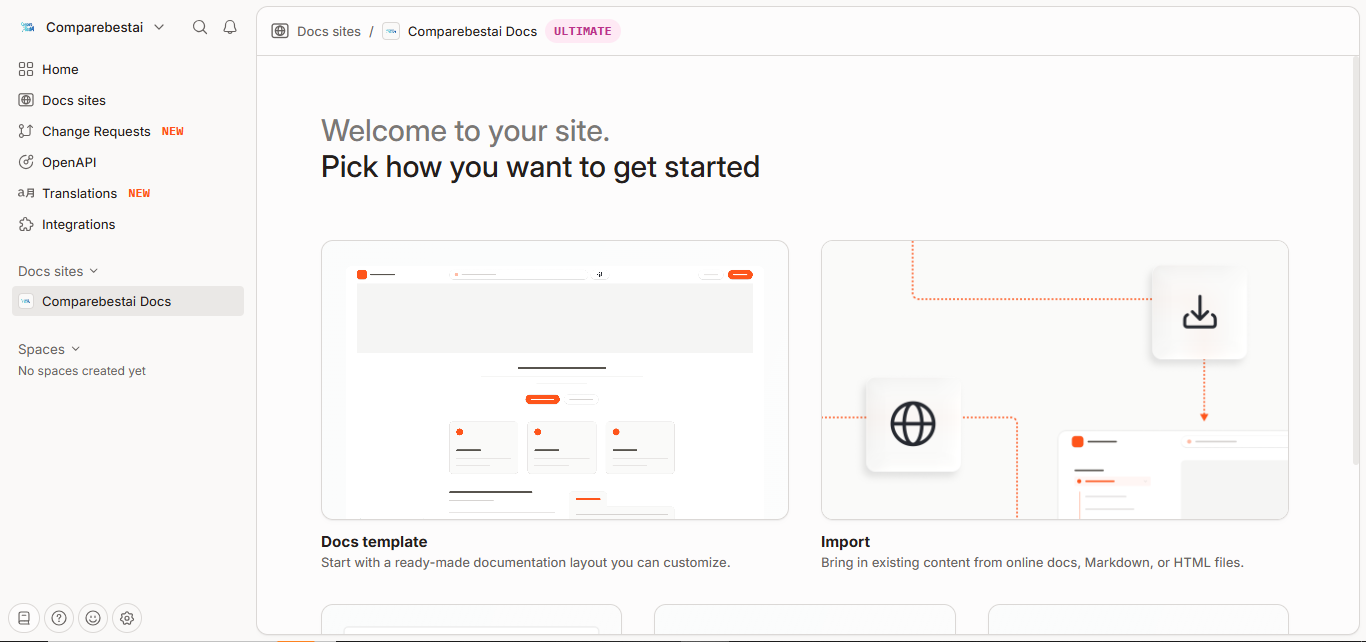
Screenshot
Score breakdown
Overall score
Scores are editorial assessments by the Compare Best AI team on a 0–10 scale.
Expert review
CBAI Editorial Team
Compare Best AI · Editorial Team
GitBook has established itself as the documentation platform of choice for developer and product teams. Its clean, modern design produces beautiful documentation with minimal configuration.
How we tested
Days tested
14 days
Tasks evaluated
- ·Documentation setup
- ·Git Sync testing
- ·AI search evaluation
- ·Publishing workflow
- ·API reference creation
Method
Compared against Document360 and Notion for documentation
Reviewer
CBAI Editorial Team
Plans & pricing
Free
Solo docs
- LLM optimizations & MCP server included
- GitBook Agent 10 msgs/week
- AI Assistant Ask: not included
- AI Assistant Chat: not included
- Auto-updating translations: not included
Essential
AI search in docs
- AI Assistant Ask
- 2,000 included AI credits ($20 value)
- GitBook Agent included
- AI Assistant Chat: not included
- AI Insights: not included
- Channels integrations: not included
Ultimate
Full AI docs stack
- AI Assistant Chat
- AI Insights
- 10,000 included AI credits ($100 value)
- Adaptive content
- Channels (Slack, Linear, GitHub)
- Embed/customize Assistant
Enterprise
Regulated enterprises
- Enterprise SSO and legal/security reviews
- Unlimited adaptive content
- Custom Assistant/embed policies
Pricing may vary by region. Always verify on the vendor's website.
Feature comparison
| Feature | GitBook (AI) | Document360 | Notion |
|---|---|---|---|
| Design | |||
| Beautiful default design | |||
| Git | |||
| Git Sync (docs-as-code) | |||
| AI | |||
| AI question answering | |||
Is it right for you?
Good fit for
Developer documentation
Code blocks, API references, and Git workflows
Open source projects
Free for personal and open-source docs
Beautiful docs with no effort
Great design out of the box
Less suited for
Non-technical documentation
Helpjuice or Document360 better for general help centers
Complex knowledge management
Confluence better for enterprise wiki needs
User reviews
Editorial score
Distribution is estimated from our editorial score. Verified user reviews coming soon.
Use cases
Typical ways teams rely on this tool — from everyday tasks to specialized workflows.
- Developer documentation
- API docs
- Product documentation
- Open source docs
- Knowledge base
Integrations
Reported connectors
Apps and services commonly connected out of the box or via official connectors.
- GitHub
- GitLab
- Slack
- Figma
- Loom
- Google Analytics
- Segment
- Intercom
Privacy & compliance
Security & data practices
Highlights we track from the vendor's documentation. Always confirm current terms, subprocessors, and regional policies on their official site.
- SOC 2
- GDPR-ready
- SSO/SAML
Details
Category
Price
- Same as GitBook: Free
- Essential $65/site/mo + $12/user
- Ultimate $249/site/mo + $12/user
- Enterprise custom. AI features are tier-gated with included credit bundles.
Free version
Best for
- team documentation
- developer and product docs
- AI-assisted internal knowledge bases
Frequently asked questions
GitBook (AI)
Productivity & Collaboration
Ready to get started?
Visit the GitBook (AI) website to explore plans and start your free trial.
Was this page helpful?
Compare Best AI may earn a commission when you click links on this page. This does not influence our editorial scores or recommendations. Advertiser disclosure