
GitHub Copilot
by GitHub (Microsoft)
Your AI pair programmer for every IDE and language.
Score
Score
Our verdict
GitHub Copilot is the most widely adopted AI coding assistant, offering intelligent code completion, in-editor chat, and now agentic coding capabilities across every major IDE. It excels for professional developers who want a seamless, always-available AI pair programmer integrated into their existing workflow. The free tier for individual developers and students makes it accessible, though power users may find Cursor's deeper AI integration more compelling.
Overview
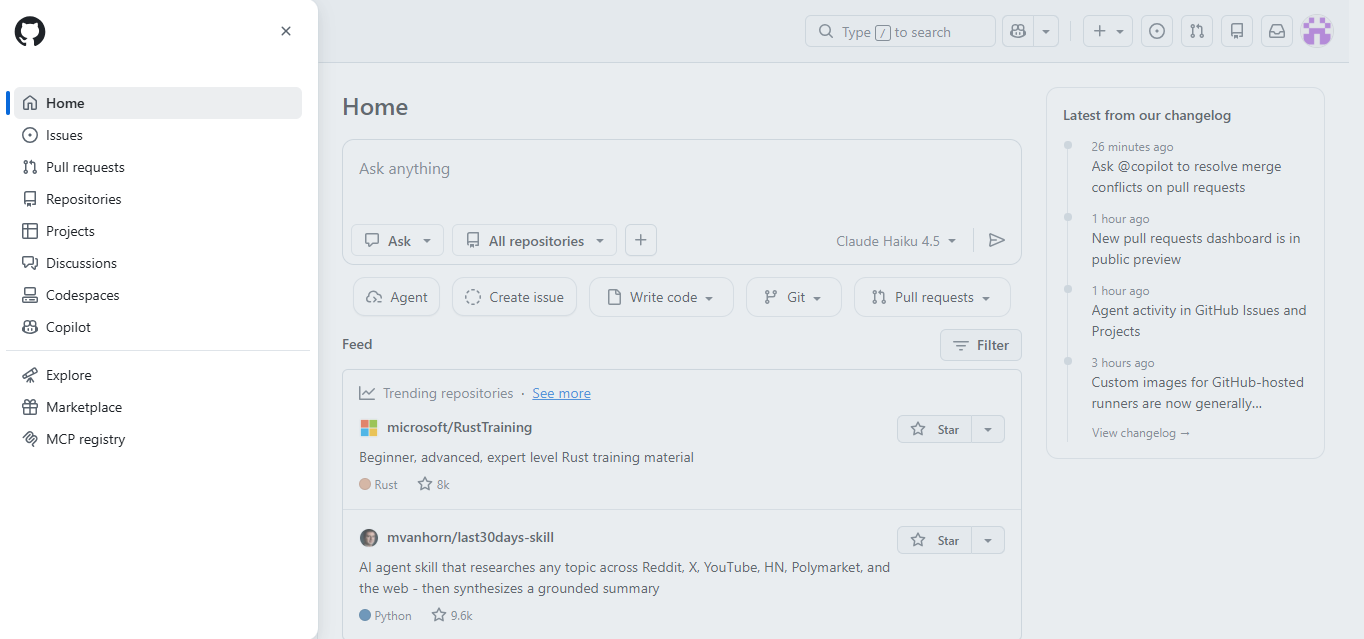
Screenshot
Score breakdown
Overall score
Scores are editorial assessments by the Compare Best AI team on a 0–10 scale.
Expert review
CBAI Editorial Team
Compare Best AI · Editorial Team
GitHub Copilot has become the industry standard for AI-assisted coding, with over 15 million developers using it daily as of 2026. Powered by OpenAI's models and trained on the world's largest code repository, it offers the widest IDE support and deepest integration with the GitHub development ecosystem of any AI coding tool.
How we tested
Days tested
14 days
Tasks evaluated
- ·Code completion accuracy test
- ·Complex function generation
- ·Bug detection and fixing
- ·Test generation
- ·Multi-file refactoring
- ·Agent Mode autonomous coding
Method
Side-by-side with Cursor Pro and Claude Code on identical coding tasks
Reviewer
CBAI Editorial Team
Plans & pricing
Free
Individual developers
- Limited chat and agent usage
- 2,000 code completions/month; 50 chat requests/month (FAQ)
- Copilot CLI included
- Programmatic mode included
- Custom instructions included
- App modernization Java/.NET: not included
- Unlimited paid-plan completions: not included
Pro
Daily coding assist
- $15/month GitHub AI Credits (base $10 + $5 flex allotment)
- Code completions unlimited (credits FAQ)
- Agent mode in VS Code, JetBrains, Eclipse, Xcode
- Copilot CLI and Spaces
- App modernization for Java and .NET
- Pull request reviews in GitHub and editors
- Max-tier $200 credits: not included
Pro+
Multi-model power users
- $70/month GitHub AI Credits ($39 + $31 flex)
- Expanded model access vs Pro (plans page model lists)
- SAML SSO authentication: not included (Business/Enterprise tiers per table)
Max
Heavy agent workflows
- $200/month GitHub AI Credits ($100 + $100 flex)
- Highest allowances for agent/cloud tasks
- Assign work to Copilot coding agent (preview features per page)
- Custom instructions with instructions.md on Max tier rows
Copilot Business
Teams on GitHub.com
- Org license management and policies
- Pooled usage controls for AI credits (admin)
- IP indemnity (org plans vs individual)
- Individual Pro features without org admin: not included
Pricing may vary by region. Always verify on the vendor's website.
Feature comparison
| Feature | GitHub Copilot | Cursor | Claude Code |
|---|---|---|---|
| Code Completion | |||
| Inline ghost text | |||
| Multi-file context | |||
| AI Chat | |||
| In-editor chat | |||
| Agent mode | |||
| IDE Support | |||
| VS Code | |||
| JetBrains IDEs | |||
| Team Features | |||
| PR summaries | |||
| Pricing & Plans | |||
| Free tier | |||
| Enterprise plan | |||
Is it right for you?
Good fit for
Professional developers
Inline completions and chat accelerate coding in any language across all major IDEs.
Development teams
Shared org settings, PR summaries, and code review assistance streamline team workflows.
Open-source contributors
Free tier with unlimited completions makes AI coding accessible to every developer.
Enterprise engineering
IP indemnification, fine-tuned models, and compliance features for regulated environments.
Less suited for
Non-developers
Copilot is purpose-built for coding; non-technical users should choose ChatGPT or Claude instead.
Deep refactoring needs
Cursor's purpose-built editor with Composer mode handles complex multi-file refactors more effectively.
Non-GitHub workflows
Teams not using GitHub miss out on PR summaries, code review, and ecosystem integrations.
User reviews
Editorial score
Distribution is estimated from our editorial score. Verified user reviews coming soon.
Use cases
Typical ways teams rely on this tool — from everyday tasks to specialized workflows.
- Code Generation
- Code Review
- Bug Fixing
- Test Writing
- Documentation
- Refactoring
- DevOps Automation
Integrations
Reported connectors
Apps and services commonly connected out of the box or via official connectors.
- VS Code
- Visual Studio
- JetBrains IDEs
- Neovim
- Xcode
- GitHub
- Azure DevOps
- CLI
- API
Privacy & compliance
Security & data practices
Highlights we track from the vendor's documentation. Always confirm current terms, subprocessors, and regional policies on their official site.
- SOC 2
- GDPR-ready
- SSO/SAML
- Data not used for training
Details
Category
Price
- Individual: Free $0
- Pro $10/mo
- Pro+ $39/mo
- Max $100/mo. GitHub AI Credits: Pro $15/mo total allowance ($10 base + $5 flex)
- Pro+ $70 ($39+$31)
- Max $200 ($100+$100). Business $19/user/mo
- Enterprise $39/user/mo (org plans separate).
Free version
Best for
- AI-powered code completions and generation in IDE
- Code explanation, refactoring, and test generation
- Enterprise teams needing AI coding governance and compliance
Frequently asked questions
GitHub Copilot
Developer Tools
Ready to get started?
Visit the GitHub Copilot website to explore plans and start your free trial.
Was this page helpful?
Compare Best AI may earn a commission when you click links on this page. This does not influence our editorial scores or recommendations. Advertiser disclosure