

Miro
by Miro (RealtimeBoard Inc.)
AI-powered visual collaboration for teams that think together.
Score
Score
Our verdict
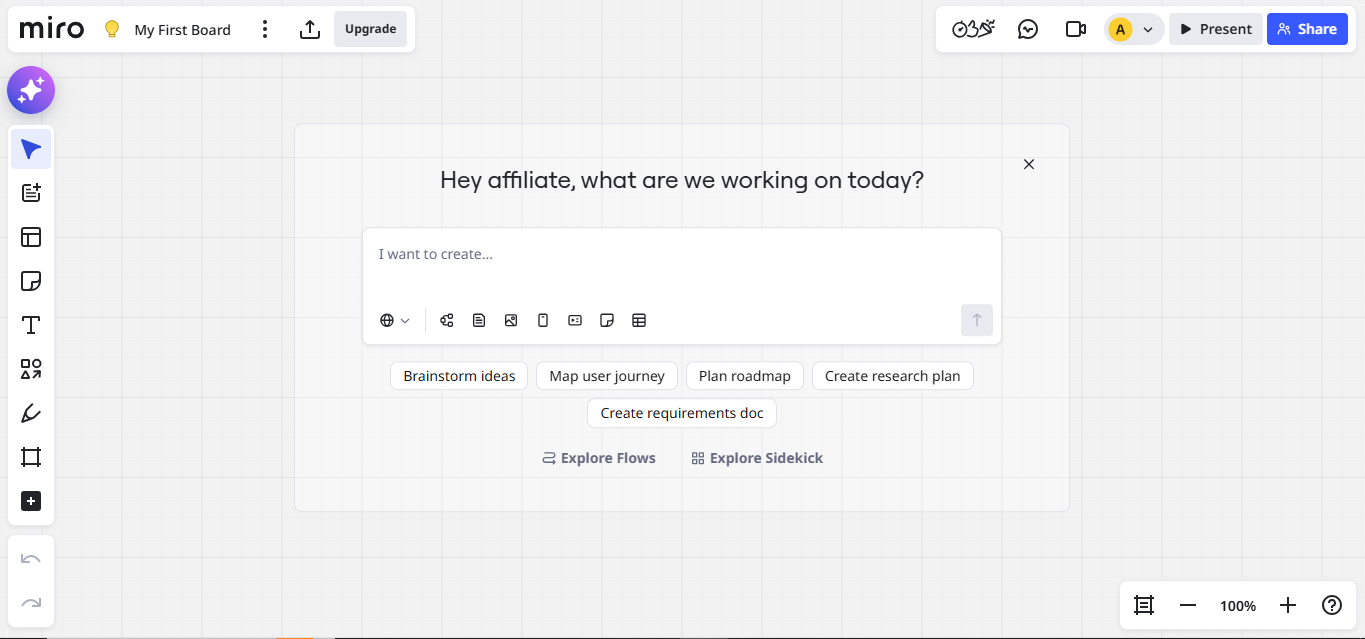
Miro is the leading visual collaboration platform, offering an infinite canvas for brainstorming, diagramming, and planning with AI features that generate ideas, summarize sticky notes, and auto-organize boards. It excels for distributed teams running workshops, sprint planning, and design thinking sessions. The main caveat is that the free tier limits collaboration, and the platform can feel overwhelming for simple whiteboarding needs.
Overview
Screenshot
Score breakdown
Overall score
Scores are editorial assessments by the Compare Best AI team on a 0–10 scale.
Expert review
CBAI Editorial Team
Compare Best AI · Editorial Team
Miro has become the default visual collaboration tool for distributed teams, with over 80 million users trusting its infinite canvas for brainstorming, diagramming, sprint planning, and design thinking workshops. The AI features added in recent updates help generate ideas, cluster sticky notes, summarize content, and suggest board organization.
How we tested
Days tested
14 days
Tasks evaluated
- ·Remote brainstorming session
- ·Sprint planning workshop
- ·AI feature evaluation
- ·Template quality assessment
- ·Integration testing with Jira/Figma
- ·Large board performance
Method
Side-by-side with FigJam and Lucidspark on identical workshop facilitation
Reviewer
CBAI Editorial Team
Plans & pricing
Free
- 3 editable boards
- 250+ integrations
- 10 AI credits/mo
- Unlimited members (all free)
Starter
- Per member, billed yearly
- Unlimited boards
- 25 AI credits/member/mo
- 500 MCP calls/day
- Visitor editing
Business
- Per member, billed yearly
- Full AI suite
- 14-day free trial
Enterprise
- From 30 members
- SSO-class security
- 10,000 MCP calls/day
- SCIM
Pricing may vary by region. Always verify on the vendor's website.
Feature comparison
| Feature | Miro | FigJam | Lucidspark |
|---|---|---|---|
| Canvas | |||
| Infinite canvas | |||
| AI | |||
| AI idea generation | |||
| Templates | |||
| 300+ templates | |||
| Collaboration | |||
| Real-time collaboration | |||
| Tools | |||
| Wireframing | |||
| Facilitation (timer, voting) | |||
| Pricing | |||
| Free tier | |||
Is it right for you?
Good fit for
Product teams
Sprint planning, roadmapping, and user story mapping on a shared visual canvas with Jira integration.
Design teams
Wireframing, design critiques, and user journey mapping with Figma integration.
Remote teams
Real-time workshops and brainstorming that feel as effective as in-person sessions.
Agile teams
Templates for retrospectives, Kanban, sprint planning, and estimation with built-in facilitation tools.
Less suited for
Simple whiteboarding
Miro's feature density is overkill for simple sketching; Apple Freeform or Google Jamboard are simpler options.
Document collaboration
For text documents, Notion or Google Docs are better suited; Miro is for visual work.
Solo users
Miro's value is in collaboration; individual users get less benefit compared to diagramming tools like Lucidchart.
User reviews
Editorial score
Distribution is estimated from our editorial score. Verified user reviews coming soon.
Use cases
Typical ways teams rely on this tool — from everyday tasks to specialized workflows.
- Whiteboarding
- Diagrams
- AI workflows / MCP
Integrations
Reported connectors
Apps and services commonly connected out of the box or via official connectors.
- Claude
- Cursor
- GitHub Copilot
- Gemini CLI
Privacy & compliance
Security & data practices
Highlights we track from the vendor's documentation. Always confirm current terms, subprocessors, and regional policies on their official site.
- SOC 2
- GDPR-ready
- SSO/SAML
Details
Category
Price
- Free $0 (3 editable boards, 10 AI credits/mo). Starter $8/member/mo billed yearly. Business $20/member/mo billed yearly. Enterprise custom from 30 members. Annual saves 20% vs monthly. 14-day Business trial. Listing affiliate URL opens Miro
Free version
Best for
Teams whiteboarding with Miro AI (Free / Starter $8 / Business $20 yearly per member)
Frequently asked questions
Miro
Productivity & Collaboration
Ready to get started?
Visit the Miro website to explore plans and start your free trial.
Was this page helpful?
Compare Best AI may earn a commission when you click links on this page. This does not influence our editorial scores or recommendations. Advertiser disclosure