

Motion Array
by Artlist Ltd.
Unlimited video assets, plugins, and AI voiceovers.
Score
Score
Our verdict
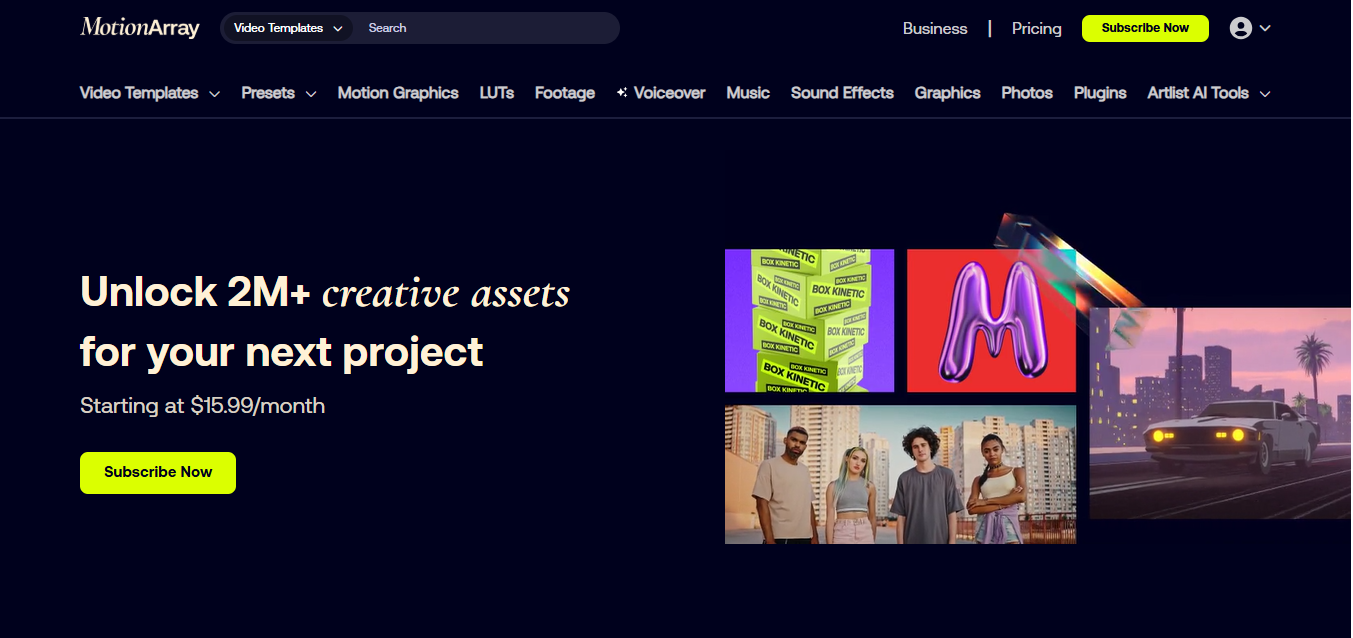
Motion Array remains one of the best values for video creators in 2026. The Everything plan bundles unlimited templates, footage, music/SFX, graphics, photos, LUTs, plus 50+ editor plugins and AI voiceover. The Adobe Extension speeds up workflows inside Premiere Pro and After Effects, and the license is straightforward—publish while subscribed and your projects are covered for life. Pricing is competitive: Everything at $39.99 monthly or $24.99/mo billed annually undercuts several rivals, while the Video Templates plan is a cheaper on‑ramp. Teams (2–7 seats) and Business options extend coverage and support for organizations. Weak spots: there’s no public API, the AI voiceover uses a credit system you must watch, and single‑asset purchases aren’t offered. If you edit in Adobe and want a single subscription that covers assets, plugins, and narration, Motion Array is a strong pick.
Overview
Screenshot
Score breakdown
Overall score
Scores are editorial assessments by the Compare Best AI team on a 0–10 scale.
Expert review
CBAI Editorial Team
Compare Best AI · Editorial Team
## Overview
How we tested
Days tested
7 days
Tasks evaluated
- ·Cut a YouTube promo using an After Effects template
- ·Generate narration with AI Voiceover and mix with SFX/Music
- ·Install the Adobe Extension and download assets inside Premiere Pro
- ·Apply several Motion Array plugins and export a branded bumper
Method
Compared against Storyblocks and Envato Elements using identical inputs
Reviewer
CBAI Editorial Team
Plans & pricing
Free
Trying the platform and downloading free assets
- Access to free assets only
- License covers published projects with free assets
- No premium downloads
Video Templates
Editors who only need templates, presets, motion graphics
- Video templates
- Presets
- Motion graphics
- Annual option $15.99/mo billed yearly
AI Voiceover
Creators who only need AI voice generation
- AI voiceovers
- 50K/100K/200K monthly credits (1 char = 1 credit)
- $10.99/mo billed yearly; no month-to-month
Everything
All‑in‑one access to the full catalog and plugins
- Video templates & presets; Motion graphics
- Footage; Music & SFX; Graphics & photos; LUTs
- Video‑editing plugins; Plus AI voiceovers (75K credits/mo)
- Annual option $24.99/mo billed yearly
Teams (2–7 users)
Small teams needing multi‑seat licensing
- 2–7 users; assets licensed to each paid seat
- Choose Video Templates or Everything
- Everything plan includes AI voiceovers (100K credits/seat)
- $27/user/mo billed yearly (Everything); contact sales for details
Business
Companies 50+ employees and agencies
- Supports unlimited users
- Worldwide commercial license, indemnification
- Priority support and dedicated account manager
- Includes full asset catalog, plugins, and AI voiceovers
Pricing may vary by region. Always verify on the vendor's website.
Feature comparison
| Feature | Motion Array | Storyblocks | Envato Elements |
|---|---|---|---|
| Library | |||
| Unlimited downloads across stock assets | |||
| Integrations | |||
| Adobe CC in‑app extension (Premiere/After Effects) | |||
| AI & Plugins | |||
| AI voiceover included in all‑access plan | |||
| Bundled video‑editing plugins (effects/transitions) | |||
| Teams | |||
| Self‑serve Teams plan (2–7 seats) | |||
| Enterprise | |||
| Business/Enterprise license with account manager | |||
Is it right for you?
Good fit for
YouTubers and solo creators
Unlimited library plus simple licensing keeps content publishing fast without worrying about per‑asset fees.
Adobe‑centric editors
The Adobe Extension and 50+ plugins streamline search, download, and effects directly in Premiere Pro and After Effects.
Small teams (2–7 seats)
Seat‑based Teams plan with per‑user licensing and higher AI voiceover credits simplifies compliance.
In‑house marketing teams
Business license covers broad commercial uses with VIP support and account management.
Less suited for
Per‑asset buyers
Motion Array doesn’t sell single items; it’s subscription‑only per their official policy.
API‑driven workflows
No public API for custom integrations or automated licensing.
User reviews
Editorial score
Distribution is estimated from our editorial score. Verified user reviews coming soon.
Use cases
Typical ways teams rely on this tool — from everyday tasks to specialized workflows.
- YouTube intros and transitions Corporate explainers and promos Social ads and reels Podcast intros and trailers Wedding highlight films Broadcast promo packages
Integrations
Reported connectors
Apps and services commonly connected out of the box or via official connectors.
- Adobe Premiere Pro Adobe After Effects DaVinci Resolve
Privacy & compliance
Security & data practices
Highlights we track from the vendor's documentation. Always confirm current terms, subprocessors, and regional policies on their official site.
- GDPR CCPA
Details
Category
Price
- Free
- Video Templates $23.99/mo ($15.99/mo billed yearly)
- AI Voiceover — ($10.99/mo billed yearly)
- Everything $39.99/mo ($24.99/mo billed yearly)
- Teams — ($27/user/mo billed yearly)
- Business custom
Free version
Best for
- YouTube intros, shorts, and social ads
- Freelance editors working in Adobe apps
- Small teams needing 2–7 seats
- Agencies requiring custom business licensing.
Frequently asked questions
Motion Array
Content & Design
Ready to get started?
Visit the Motion Array website to explore plans and start your free trial.
Was this page helpful?
Compare Best AI may earn a commission when you click links on this page. This does not influence our editorial scores or recommendations. Advertiser disclosure