

PicMonkey (AI)
by PicMonkey
Online photo editor with AI background remover and templates.
Score
Score
Our verdict
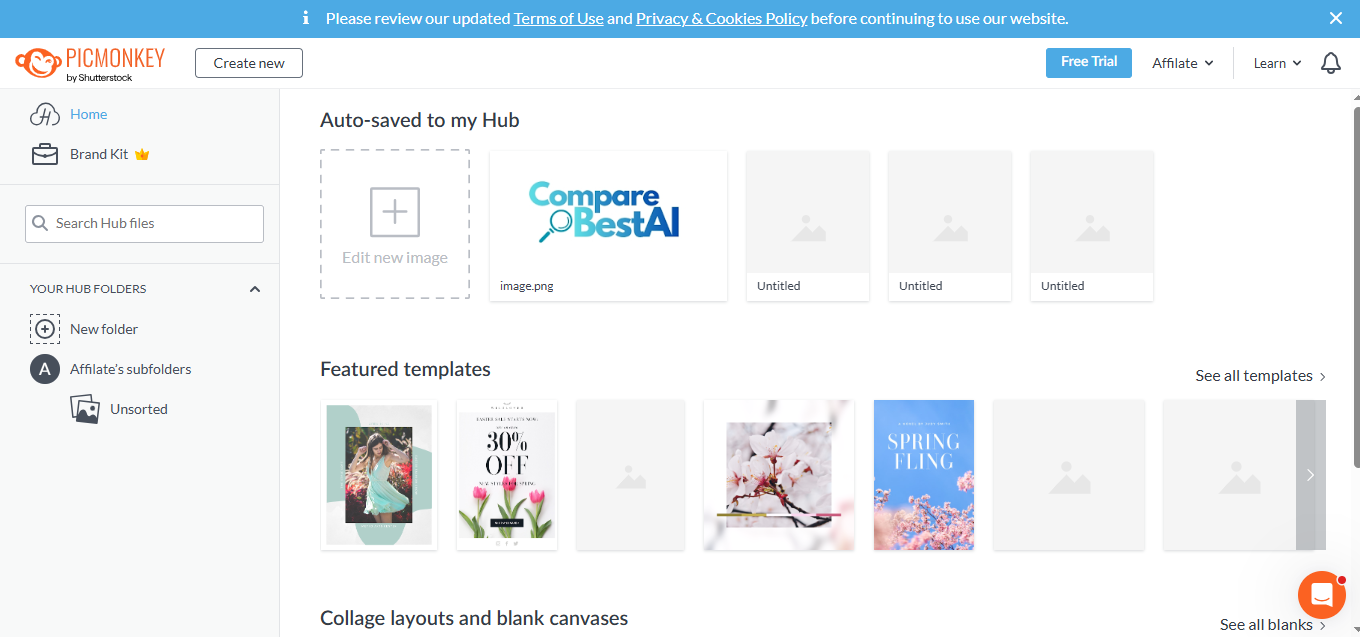
PicMonkey is a straightforward, web-based photo editor aimed at creators and small teams who need fast, good-looking results without the bulk of a full creative suite. The Basic plan is genuinely entry-level?1 GB storage and JPG/PNG export?fine for quick touch-ups but missing the AI background remover and stock library. The real value starts at Pro, which adds unlimited storage, one?click background remover, Smart Resize, PDF export (web-only), a Brand Kit, and access to a premium Shutterstock library. Business meaningfully upgrades team workflows with real-time co?editing, in?editor commenting, multiple Brand Kits, and seat/permission controls. Weaknesses: there?s no permanent free plan and advanced, print-grade or vector workflows aren?t its goal. Also, with features like background removal gated to Pro, some beginners may outgrow Basic quickly. For speedy social graphics, product photos, and lightweight brand consistency, though, it?s a solid, budget-friendly choice.
Overview
Screenshot
Score breakdown
Overall score
Scores are editorial assessments by the Compare Best AI team on a 0–10 scale.
Expert review
CBAI Editorial Team
Compare Best AI · Editorial Team
## Overview
How we tested
Days tested
7 days
Tasks evaluated
- ·Create a social post from a template
- ·Remove product photo backgrounds and export
- ·Build a Brand Kit and apply to designs
- ·Resize a campaign set for multiple channels
Method
Compared against Canva and Adobe Express using identical inputs
Reviewer
CBAI Editorial Team
Plans & pricing
Free
- Powerful photo editing and design; best for rising creators.
Basic
- Billed annually
Pro
- Billed annually
Business
- Get Business
- The power of Pro plus collaboration tools.
- Features
- Cloud storage (Hub) 1 GB Unlimited Unlimited
- Download images JPG or PNG JPG, PNG or PDF JPG, PNG or PDF
- New!Add and trim videos
- Expansive library of top-tier fonts
- Primo effects, templates, and touch up tools
Pricing may vary by region. Always verify on the vendor's website.
Feature comparison
| Feature | PicMonkey (AI) | Canva | Adobe Express |
|---|---|---|---|
| Editing | |||
| One-click background remover | |||
| Branding | |||
| Brand Kit | |||
| Multiple Brand Kits | |||
| Collaboration | |||
| Real-time co-editing | |||
| Resizing | |||
| Smart/Magic Resize | |||
| Assets | |||
| Premium stock photo library | |||
| Export | |||
| PDF export | |||
Is it right for you?
Good fit for
Solo creators
Gets fast results with templates, touch-up tools, and simple exports without a heavy learning curve.
Small businesses
Pro plan adds Brand Kit, Smart Resize, and PDF export to keep marketing consistent and quick.
Ecommerce sellers
Background remover on Pro cleans product shots for marketplaces and ads.
Small teams
Business plan enables real-time co-editing, commenting, and permissions for lightweight collaboration.
Less suited for
Free-only users
There?s no permanent free plan?only a 7-day trial on Basic and Pro.
Heavy-duty design work
Not a substitute for advanced vector/print workflows or complex, desktop-grade suites.
Strict offline workflows
Web-first editor; PDF export is web-only and not suited for offline-only needs.
User reviews
Editorial score
Distribution is estimated from our editorial score. Verified user reviews coming soon.
Use cases
Typical ways teams rely on this tool — from everyday tasks to specialized workflows.
- Social media graphics
- Product photo background cleanup
- Flyers and posters
- YouTube thumbnails
Details
Category
Price
- Free $0
- Basic $7.99/mo
- Pro $12.99/mo
- Business $23/mo
Free version
Best for
- Social media graphics and ads
- Product photo cleanup and touch-ups
- Quick flyers, posters, and thumbnails
- Lightweight brand management for teams
Frequently asked questions
PicMonkey (AI)
Content & Design
Ready to get started?
Visit the PicMonkey (AI) website to explore plans and start your free trial.
Was this page helpful?
Compare Best AI may earn a commission when you click links on this page. This does not influence our editorial scores or recommendations. Advertiser disclosure