

Planable (AI)
by Planable
Collaborative social planning with AI and approvals.
Score
Score
Our verdict
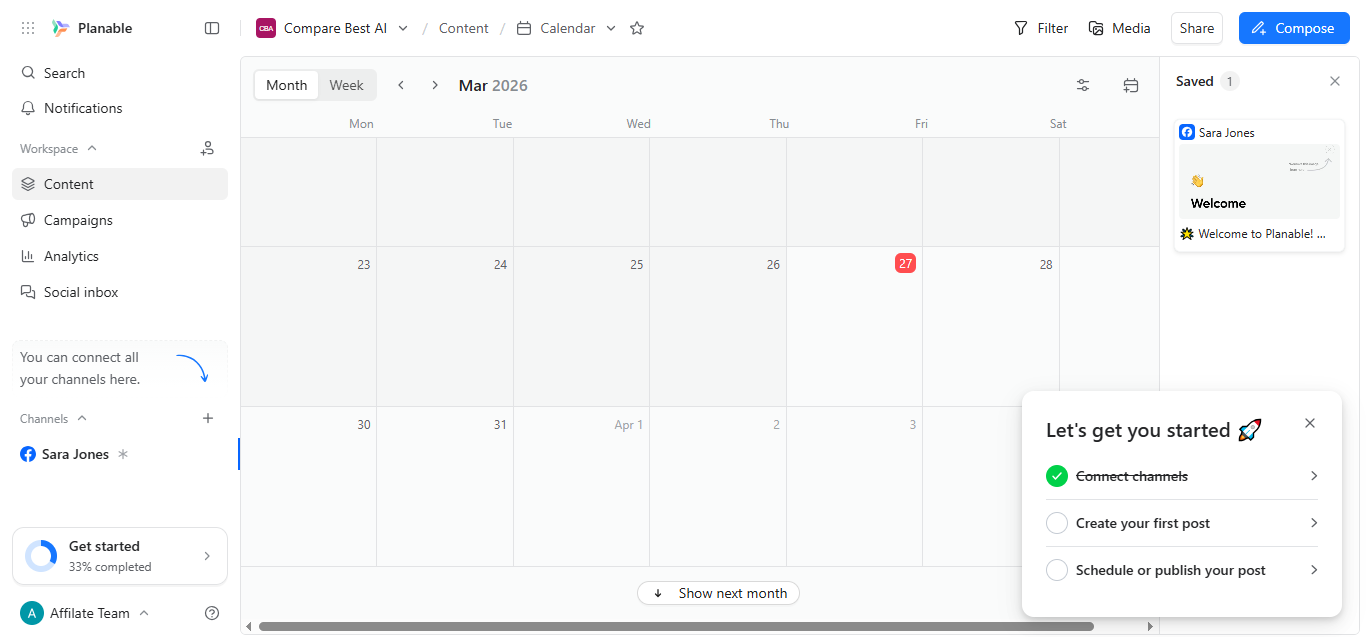
Planable (AI) focuses on collaboration-first social media planning with a clean visual editor, in-line comments, and structured approvals that agencies love. Its per-workspace pricing with unlimited users is a standout for client-heavy teams, while the built-in AI speeds caption drafts, rewrites, and hashtags. The Basic and Pro tiers are transparent: Basic suits light posting with a notable 1-tweet-per-24h cap; Pro raises limits and unlocks required approvals and the public API. Advanced functions like cross-channel analytics and a unified social inbox are paid add-ons on all tiers, which keeps entry pricing low but can raise total cost as needs grow. Enterprise adds multi-level approvals, SSO, and dedicated support, with custom pricing usually starting around a few thousand dollars per year. Overall, it’s a strong fit for agencies and brand teams that prioritize approvals and collaboration over bundled analytics.
Overview
Screenshot
Score breakdown
Overall score
Scores are editorial assessments by the Compare Best AI team on a 0–10 scale.
Expert review
CBAI Editorial Team
Compare Best AI · Editorial Team
## Overview
How we tested
Days tested
7 days
Tasks evaluated
- ·Create and approve a multi-post campaign
- ·Generate AI captions and hashtag variations
- ·Route content through required approvals
- ·Measure add-on impact with Analytics and Inbox
Method
Compared against Buffer and Hootsuite using identical inputs
Reviewer
CBAI Editorial Team
Plans & pricing
Engagement
- Bulk approval
- Bulk request for approval
- Text annotations
- Suggest edits
- Social inbox
- Engagement
- Comments & DMs inbox
- Reply, react & delete comments
Analytics & reporting
- Reply, react & delete comments
- Organize conversations by status
- AI generated replies
- Sort comments by sentiment
- Analytics
- Analytics & reporting
- Cross-channel stats
- Page level insights
Social listening
- Custom reports
- Audience insights
- Personalized best time to post
- Competitor Analytics
- Social listening
- Social listening
- Track brands
Pricing may vary by region. Always verify on the vendor's website.
Feature comparison
| Feature | Planable (AI) | Buffer | Hootsuite |
|---|---|---|---|
| Core | |||
| AI caption generation | |||
| Collaboration | |||
| Live comments & annotations | |||
| Approvals | |||
| Multi-level approval workflows | |||
| Pricing | |||
| Unlimited users per workspace | |||
| Analytics | |||
| Cross-channel analytics (add-on) | |||
| Inbox | |||
| Unified social inbox (add-on) | |||
| Integrations | |||
| Native Canva integration | |||
| API | |||
| Public API access | |||
Is it right for you?
Good fit for
Agencies
Per-workspace pricing with unlimited users keeps client collaboration affordable and simple.
In-house social teams
Structured approvals and multi-view planning make cross-functional sign-off faster.
Freelancers
Free plan and Basic tier provide low-cost client review and light posting.
Brand managers
Campaign planning and required approvals reduce compliance risk.
Less suited for
Heavy analytics users
Advanced analytics is a paid add-on on every tier, increasing total cost.
High-volume X/Twitter posting on Basic
Basic caps X/Twitter to 1 tweet per 24 hours.
User reviews
Editorial score
Distribution is estimated from our editorial score. Verified user reviews coming soon.
Use cases
Typical ways teams rely on this tool — from everyday tasks to specialized workflows.
- Social content calendar
- Client approvals & review
- AI caption writing
- Campaign planning
- Cross-channel analytics (add-on)
- Unified inbox (add-on)
Integrations
Reported connectors
Apps and services commonly connected out of the box or via official connectors.
- Canva
- Slack
Details
Category
Price
- Engagement $9/mo
- Analytics & reporting $14/mo
- Social listening $99/mo
Free version
Best for
- Agency client approvals
- Multi-stage brand reviews
- AI-assisted captions
- Cross-channel calendars
Frequently asked questions
Planable (AI)
Marketing
Ready to get started?
Visit the Planable (AI) website to explore plans and start your free trial.
Was this page helpful?
Compare Best AI may earn a commission when you click links on this page. This does not influence our editorial scores or recommendations. Advertiser disclosure